
Remotion lets developers write videos as React components and render them on their own servers, on AWS Lambda or in the browser. Teams look for an alternative when they want to write videos in something other than React, when they would rather not run the rendering themselves, or when their own users need to edit the videos. If you’re weighing Remotion’s own editor kit instead, our Editor Starter comparison covers it feature by feature.
We make CE.SDK, one of the editor SDKs below, and every other tool is described from its own documentation as of October 2026.
How the Remotion Alternatives Compare
Remotion sits in the first row so you can read every other tool against it. Under each name is the kind of tool it is. The columns cover whether your users get an editor, where rendering happens, which video formats come out, how each tool is licensed and what it ships for AI coding agents such as Claude Code or Cursor.
| Tool | Editor for your users | Renders on | Video output | License | Coding agents |
|---|---|---|---|---|---|
| Remotion React framework | None, the Player plays back | Your servers, Lambda, Vercel or the browser | MP4, WebM, ProRes, GIF, alpha | Free up to 3 employees, then paid | Skills and plugins |
| HyperFrames HTML and CSS framework | Studio parts to build one | Your machines or cloud, or HeyGen’s | MP4, MOV, WebM, GIF, HLS, alpha | Apache-2.0 | Skills and a plugin |
| Revideo TypeScript framework | A preview Player | Node, Lambda or Cloud Functions | MP4, WebM, ProRes | MIT | |
| Editframe Web component framework | Editor panels to embed | The browser, your machines or its cloud | MP4 | Free up to 3 employees, then paid | Plugins and skills |
| Etro Browser library | None | The browser, in real time | WebM | GPL-3.0 | |
| Shotstack JSON render API | Studio SDK to embed | Its own cloud | MP4, GIF | Paid API | MCP server, CLI and skill |
| Creatomate Template render API | Preview SDK to build one | Its own cloud | MP4, GIF | Paid API | MCP server |
| JSON2Video JSON render API | None | Its own cloud | MP4 | Paid API | MCP server |
| Plainly After Effects render API | None | Its own cloud | MP4, ProRes, GIF, alpha | Paid API | MCP server |
| Bannerbear Template render API | Your team, or older-API sessions | Its own cloud | MP4, MOV, alpha | Paid API | MCP server |
| CE.SDK Editor SDK | Ready-made, web, iOS and Android | The user’s device or your servers | MP4 | Commercial | Skills, docs MCP, plugin |
| Polotno Design editor SDK | Ready-made, web | The browser, Node or its cloud | MP4, GIF | Commercial | Skills, docs MCP, plugin |
| Rendley Browser editor SDK | Ready-made, web | The browser or your server | MP4, WebM, alpha | Commercial | SDK skill |
| Twick React editor SDK | Ready-made studio or parts | Chrome, Edge or your server | MP4 | Source-available | AI builder guide |
| Editor Starter Remotion template | Source you maintain, desktop | Lambda or the browser | MP4, WebM | Per project, plus Remotion | Remotion’s skills |
| Remotion Timeline Remotion component | Timeline only | Rendering you set up | Set by your Remotion setup | Per project, plus Remotion | Remotion’s skills |
| React Video Editor Built on Remotion | Ready-made, web | Chrome, Edge, your servers or RVE’s cloud | MP4 | SDK subscription or one-time Pro | Agent Skill |
Two questions explain most of the differences: who makes the video, a developer writing code or a user working in an editor, and where it renders. If you only need a shortlist, the answers below pick one tool for each common job, and the sections after them cover every tool in detail.
The Best Remotion Alternative for Each Job
- Best open-source alternative: HyperFrames, which is Apache-2.0 with no company-size threshold and ships new releases almost daily
- Best for animation written in TypeScript: Revideo, the MIT-licensed fork of Motion Canvas, with parallel rendering in your own cloud
- Best render API for developers: Shotstack, with a JSON timeline API, SDKs in four languages and an editor you can embed later
- Best for templates built by a marketing team: Creatomate, where templates are designed visually and filled from your data or no-code tools
- Best for After Effects teams: Plainly, which renders data-driven variations of your existing After Effects templates
- Best for in-app editing on web, iOS and Android: CE.SDK, our own SDK, with a ready-made editor on all three
- Best page-based, Canva-style editor: Polotno, a design editor whose pages double as a video timeline
- Best if you’re staying on Remotion: React Video Editor for a complete editor, or the Editor Starter for Remotion’s own source template
AI video generators that turn a prompt into footage solve a different problem, because they create the clip itself, while every tool in this post assembles, templates and renders videos that you control.
What Remotion Does Today
Every entry below is compared with Remotion as it stands in version 4.0, so here is the baseline:
- Videos are React components, previewed in Remotion Studio or played back in your app with the Remotion Player
- Rendering runs with Node.js or Bun on your own servers and containers, on AWS Lambda, in Vercel Sandbox, or in the browser, which has been stable since version 4.0.491
- Browser rendering needs Chrome 94, Firefox 130 or Safari 26 and newer, and sends Remotion a telemetry event for every render
- It’s free for individuals, non-profits, evaluations and companies with up to three employees, and larger companies need a Company License
- The license rules out reselling your own version of Remotion, or rendering Remotion code that your users upload
- Company License holders that build video editors or embed the Player pay per render on the Automators plan
- React Native support isn’t planned, so an editor for iOS or Android would be built separately
Code-First Frameworks Like Remotion
These tools keep the developer in charge of the video, which is written as code and rendered from your own pipeline, so what changes from Remotion is mainly the language you write in and the license you agree to.
HyperFrames
HyperFrames is HeyGen’s open-source framework for turning HTML, CSS and seekable animations into video, and it describes itself as “inspired by Remotion”. The authoring layer is the difference: plain HTML with timing attributes and libraries such as GSAP, Lottie or Three.js, with no React and no build step.
- Renders by seeking each frame in headless Chrome and encoding it with FFmpeg, on Node 22 or newer
- Exports MP4, MOV in ProRes with alpha, WebM with alpha, GIF, PNG sequences and HLS
- Runs locally, in Docker or CI, on AWS Lambda or Google Cloud Run in your own account, or on HeyGen’s managed cloud
- Apache-2.0, free of render fees and company-size limits
- Its Studio packages are building blocks for an editor, not a drop-in editor for your users
- A comparison guide and a porting skill help move Remotion projects across
Pick it if your team knows HTML and CSS better than React, or you want an open-source license with no company-size threshold.
Revideo
Revideo is an MIT-licensed TypeScript framework that started as a fork of Motion Canvas and borrows concepts from Remotion. Scenes are TypeScript generator functions rather than React components, and the same template renders with different inputs through an API.
- Renders headless, and can split one render across workers, AWS Lambda or Google Cloud Functions
- Exports MP4, WebM or ProRes through FFmpeg
- A React Player previews projects and re-renders when their variables change, which is enough for simple editors where users adjust inputs
- Counts renders anonymously through telemetry, which you can switch off
- Version 0.11.0 shipped in July 2026, and its team now works mainly on Midrender, a visual editor built on Revideo’s engine
Motion Canvas, the project Revideo grew out of, is still available under MIT, but its last stable release came out in December 2024.
Pick it if you like animations written step by step as code, and want MIT licensing with parallel rendering in your own cloud.
Editframe
Editframe builds videos from HTML and CSS web components for video, text and other layers, or from React, and unlike the Remotion framework it also ships editor parts you can put in front of your users.
- Its workbench component bundles layers, a canvas, a timeline, playback and export, and each panel can also sit in your own layout, themed with CSS variables
- Renders in the browser with WebCodecs, from the CLI with headless Chrome, or on Editframe’s cloud, which outputs MP4 with H.264 video and AAC audio
- Source-available and free for individuals, companies with up to three employees, non-profits, accredited educational institutions and 30-day evaluations, a threshold close to Remotion’s, with paid tiers by headcount above that
- The SDK sends telemetry with render counts, durations, IP addresses and domains, and the license rules out reselling or redistributing it as a standalone product, or offering it as a managed rendering API
Pick it if you want web-standard composition and editing UI from one vendor, and its license and telemetry terms suit you.
Etro
Etro is a TypeScript library for editing video in the browser, where you compose layers, keyframes and GLSL effects in code and play the result on a canvas.
- Exports by recording the canvas in real time, so a two-minute video takes two minutes to export
- Records to WebM by default
- Works with React, Vue, Svelte or Angular, and its Node wrapper hasn’t been updated since 2022
- Licensed under GPL-3.0, a copyleft license to check against how you ship your product
- Three releases in 2026, the latest in August
Pick it if you need compositing and effects that run entirely in the browser, and both real-time export and the GPL fit how you ship your product.
Template and Render APIs
These services take a template and your data and return a finished file from their own cloud, so there’s no Lambda function or render server to run. Their templates are built in a visual editor or written as JSON rather than kept as code in your repository, so people outside engineering can maintain the ones built visually.
Shotstack
Shotstack is a cloud video editing API: you send a JSON timeline, or fill a template made in its Studio editor, and get back the rendered file.
- Outputs MP4, GIF, MP3, JPG, PNG or BMP, at sizes from a 512 by 288 preview up to 4K, which is reserved for higher plans
- Renders at about 20 seconds per minute of video, with a webhook when the file is ready
- The Studio SDK is a white-label video editor you embed, free to use under the PolyForm Shield license as long as your product doesn’t compete with Shotstack
- SDKs for Node, Python, PHP and Ruby, plus Zapier, Make, n8n and an MCP server
- Billed per minute of rendered video, with rendered files hosted on its CDN by default and ingested files stored in AWS’s Sydney region
Shotstack publishes its own Remotion comparison, and our Shotstack comparison sets it against CE.SDK.
Pick it if you want hosted rendering driven by JSON, with an editor you can embed later when your users need to make their own changes.
Creatomate
Creatomate renders videos and images from templates designed in its online editor, and each template is a JSON document in its RenderScript format that you fill with your data in an API call.
- Outputs MP4, GIF, JPG or PNG, up to 3840 pixels on either side
- Takes data from its REST API, Zapier, Make, n8n, spreadsheets, shareable forms and an MCP server
- The MIT-licensed Preview SDK lets your users preview and edit a template inside your app on Growth plans and above, while the final MP4 always renders in Creatomate’s cloud
- Monthly credit subscriptions, with renders stored for 30 days
- No waveform element, gradient text or per-format layout conditions in its rendering engine
If your users will need to edit those videos themselves later, our Creatomate alternative page shows how it compares with CE.SDK.
Pick it if a marketing team designs the templates visually and your automations, spreadsheets or no-code tools fill them with data.
JSON2Video
JSON2Video turns a JSON description of scenes and elements, or a saved template with variables, into an MP4 rendered in its cloud.
- Scenes are built from elements, including HTML, and templates take variables and conditions
- Scenes render in parallel, so a video takes roughly as long as its longest scene
- Outputs MP4 up to 3840 pixels
- Its visual editor is a standalone app, and API keys have to stay on your server, so it isn’t built for editing inside your product
- Credits are counted in seconds of output, each plan caps the length of a single video, free renders carry a watermark and result links expire after seven days
- Connects to Make, Zapier, n8n and an MCP server
JSON2Video also publishes its own Remotion comparison, which sets its cloud API against self-hosted rendering in React.
Pick it if you generate many short videos from data, MP4 covers your output, and nobody outside your team needs to edit them.
Plainly
Plainly renders videos from Adobe After Effects projects, so your designers build the template in After Effects and Plainly fills it with data and renders every variation in the cloud.
- Takes data from its API, CSV files, Google Sheets, Excel, Airtable, RSS, Typeform, Jotform or Zapier
- Renders MP4 with H.264 by default, plus ProRes 422, ProRes 4444 with alpha and GIF, up to 4K
- Most plans are capped by rendering minutes, and every plan has a set number of concurrent renders
- Its custom forms start a render rather than letting your users edit the video
- Custom templates are built in After Effects, by your designers or by Plainly’s team, and ready-made Designs need no After Effects work
Pick it if your motion designers already work in After Effects and you want their templates to produce many data-driven variations without reopening the project.
Bannerbear
Bannerbear is an API that generates images, animations and videos from templates, which you design in its web editor or import from Figma.
- Animation templates add a keyframe timeline with easing, delay and hold, and render to MP4 or MOV at 24, 30 or 60 fps
- Its video tools trim, crop, resize and join clips, add cross-fades between them and burn in automatic subtitles or add an AI voiceover
- Takes requests from its REST API, SDKs for Node, Python, Ruby and PHP, Zapier and an MCP server, and Scale and Enterprise plans can write output to your own S3 bucket
- Its older API version also offers editor sessions, which let your users edit one template in Bannerbear’s hosted editor without an account
- Subscriptions come with monthly API credits, animations are charged per second of output, 60 fps costs double, and renders are charged when they’re created, so a failed render still counts
If you’re also weighing an editor your users work in, our Bannerbear alternative page compares it with CE.SDK.
Pick it if your templates are mostly images and you want animated and video versions from the same API.
Video Editor SDKs to Embed in Your App
The Remotion framework ships no editing interface, and its paid editor kits are covered in the next section. The SDKs below ship an editor of their own, so your users trim clips, add captions and fill templates inside your product while your team configures the editor instead of building it, and the first of them, CE.SDK, is ours.
IMG.LY CE.SDK
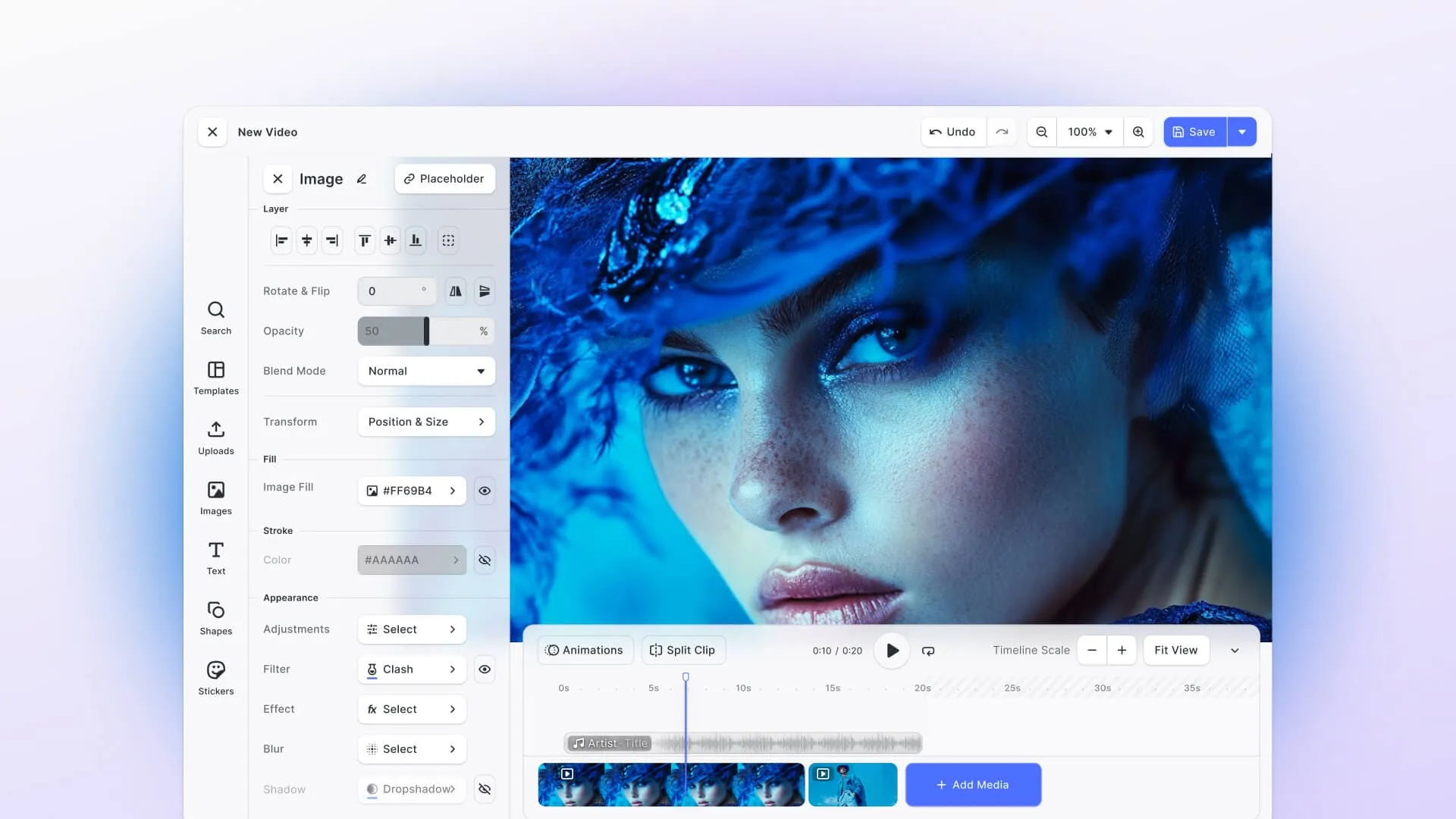
CE.SDK is a video editor SDK with a ready-made timeline editor and an engine API underneath, so you can use our interface or build your own on the engine.
- A timeline editor for the web and native ones for iOS and Android, with React Native and Flutter covered by the mobile video SDK
- Transitions, animation presets and caption editing, with automatic captions from a speech-to-text provider you choose
- Branded templates with placeholders, text variables and locked elements, which your servers can also fill from data
- MP4 export in desktop Chrome, Edge or Safari 26 and newer, or on your servers in a Node.js service or with the CE.SDK Renderer, which needs an NVIDIA GPU for video
- A commercial license, with editing and export on your users’ devices or your servers, so their content never reaches IMG.LY
Compared with Remotion, you don’t write the video as code, so animation built frame by frame in React stays Remotion’s strength. CE.SDK also exports video as MP4 only, and for video, its server-side export runs in a Node.js service or the CE.SDK Renderer rather than on AWS Lambda. Our Remotion alternative page compares the two in detail, from templating and AI features to rendering and platform support. If you already have templates in Remotion, our migration guide maps its concepts to CE.SDK and lists what doesn’t carry over.
Pick it if your users edit video inside your product, on the web or in your iOS and Android apps, and you’d rather configure an editor than build one.
Polotno
Polotno is a JavaScript SDK for a white-label, Canva-style design editor that also edits video, built on React and Konva.
- Video upload, trimming and audio tracks with waveforms, and the pages timeline doubles as the video timeline
- Enter, exit and loop animations such as fade, move and zoom
- MP4 and GIF export in the browser, on Node with polotno-node, or through its Cloud Render API, where jobs expire after a week
- Built for the web with touch support, and native apps can embed it in a WebView, such as WKWebView on iOS
- The built-in timeline can’t be customized, though you can replace it with your own on the Store API, and pages of different sizes are resized to the largest one when exported as one video
- Subscriptions per domain, with source code available on Enterprise plans
Polotno has its own Remotion comparison, and our Polotno alternative page sets it against CE.SDK.
Pick it if your users design social posts and short videos in the same editor and your product lives on the web.
Rendley
Rendley is a browser video editing SDK with a prebuilt editor web component that you embed in your app, and it renders on your users’ devices by default.
- Layers with trim, split and crop, GLSL transitions and effects, LUT filters, keyframe animation and subtitles from SRT files or word-level transcripts
- Renders in the browser with WebCodecs, falling back to WebAssembly, and exports MP4, WebM or audio-only files
- The same SDK renders on your server in headless Chromium, shipped as a Docker container that needs GPU hardware and at least four CPU cores
- Runs in mobile Chrome and Safari
- A domain-locked license key and subscriptions by team size with unlimited renders, while removing the Rendley logo from the editor means buying its source code
Our Rendley alternative page compares it with CE.SDK, including where each one renders and which platforms it covers.
Pick it if you want a prebuilt browser editor that renders on your users’ devices, with no render servers.
Twick
Twick is a modular React SDK for timeline-based video editors, with a complete editor in its Studio package or separate packages you assemble into your own interface.
- A multi-track timeline, canvas editing, text, audio and captions, preset animations, effects and transitions
- AI captions through Google Cloud, an MCP agent for captions, and a guide for AI app builders such as Lovable, v0 and Cursor
- MP4 export in the browser needs WebCodecs in Chrome or Edge, and other browsers export on a server with Puppeteer and FFmpeg or on AWS Lambda
- Source-available under a Sustainable Use License, which allows commercial use but not offering Twick as a hosted service without a commercial agreement, or rebranding it as your own product
- Its packages were last published in May 2026
Pick it if you want a React editor you can use whole or rebuild from its parts, and its license terms fit the way you’ll ship and brand your product.
Staying on Remotion and Adding an Editor
If you want to stay on Remotion, you can add an editor built on it, though each of the three options below stores projects in its own format. All three run on Remotion, so its license applies to them as well, though an RVE SDK plan includes it.
Remotion Editor Starter
The Editor Starter is Remotion’s own paid template, which gives you the React source code of a video editor to copy into your app and maintain.
- A multi-track timeline, captions through OpenAI’s Whisper API, which receives the audio, and uploads to an S3 bucket in your AWS account
- Renders on Remotion Lambda by default, or in the browser
- No transitions, keyframe animation or mobile editing
- One purchase per project, plus a Remotion Company License for companies with four or more people
Our Editor Starter comparison goes through it feature by feature, from transitions and captions to storage, security and licensing.
Pick it if your team wants to own and maintain every line of a desktop editor built on Remotion.
Remotion Timeline
The Timeline is a paid React component rather than a full editor, delivered as source code you copy from a private repository.
- Multiple tracks with drag and drop, a playhead, zoom, resizable layers and filmstrip thumbnails, built with React and Tailwind CSS
- No rendering included, so turning a timeline into a video means setting up server-side rendering or Remotion Lambda
- Bought once per project, without the right to use Remotion itself, so larger companies also need a Company License
- Its source can’t go into another product’s source code that’s offered for sale
- Its repository was last updated in October 2025
Pick it if the timeline is the one part you want ready-made, and your team builds the other panels itself.
React Video Editor
React Video Editor (RVE) is a third-party editor built on Remotion, sold as an SDK on a private npm registry or as RVE Pro, a Next.js source template.
- The SDK covers a multi-track timeline, keyframe animation, word-level animated captions, Google Fonts, 16 built-in templates and a Screen Recorder mode for editing screen recordings
- Captions run through a Whisper proxy that you host
- Browser export downloads an MP4 in Chrome or Edge, and the other options are your own servers, Remotion Lambda in your AWS account, or RVE’s cloud rendering, which is in private beta
- Standard SDK plans are subscriptions without source code, RVE Pro is a one-time purchase with 12 months of updates, and RVE Pro’s license bars building a product that competes with RVE
- SDK plans include a Remotion license, while RVE Pro doesn’t, so commercial use of Pro can mean buying one as well
Our React Video Editor comparison puts it next to CE.SDK, for teams deciding whether to stay on Remotion at all.
Pick it if you want a complete editor that stays on Remotion, with the SDK maintained by RVE rather than your team.
Remotion’s own list of video editors also names DesignCombo, but the DesignCombo site is offline and its editor repository now continues as OpenVideo, which renders with PixiJS and WebCodecs instead of Remotion. Our DesignCombo alternative page covers the move.
Before You Commit
Most of these tools have a free tier, a trial or an open-source license, so test with your own material before you decide. Render one of your real videos at the resolution you ship, in the browsers your users have, because browser export support differs from tool to tool. Then read the clauses about competing products and hosted services against your business model, since that’s where Shotstack’s Studio SDK, Twick, Editframe and React Video Editor differ most.
For the head-to-head between Remotion itself and CE.SDK, see our Remotion alternative page. To try an editor your users would work in, open the advanced video editor demo or start building with CE.SDK.
FAQ
Is there a free, open-source alternative to Remotion?
Yes. HyperFrames (Apache-2.0) and Revideo (MIT) are open source with no per-render fees, and both render on your own machines. Etro is open source under the copyleft GPL-3.0, and Manim (MIT) covers math animation in Python. Remotion itself is source-available and free for individuals, non-profits and companies with up to three employees.
Is there a Remotion alternative that doesn’t use React?
Several. HyperFrames and Editframe build videos from HTML and CSS, Revideo from TypeScript generator functions, the render APIs from JSON or visual templates, and Plainly from After Effects projects. With an editor SDK such as CE.SDK, your users build videos in an editor rather than in code.
Can I render videos without my own AWS account?
Yes. Shotstack, Creatomate, JSON2Video, Plainly and Bannerbear render in their own clouds, and HyperFrames and Editframe offer managed rendering next to self-hosting. Browser rendering avoids AWS as well: Remotion’s has been stable since version 4.0.491, and CE.SDK, Polotno, Rendley and Twick export in the browser too.
Which Remotion alternatives support transparent video?
HyperFrames exports MOV in ProRes and WebM with alpha, Plainly renders ProRes 4444 with alpha, Bannerbear renders transparent animations as MOV, and Rendley exports transparent WebM through its WebAssembly encoder. Remotion itself writes alpha in WebM and ProRes. CE.SDK exports video as MP4 without an alpha channel.
Can I move my Remotion templates to another tool?
The editors built on Remotion, such as the Editor Starter, the Timeline and React Video Editor, keep you on Remotion’s framework, rendering and license, though each stores projects in its own format. HyperFrames publishes a guide and a skill for porting Remotion projects to HTML. With the render APIs and editor SDKs, you rebuild each template in their editor or JSON format, and the data you fill it with can stay the same.
Is Motion Canvas still a good Remotion alternative?
Its last stable release, 3.17.2, came out in December 2024, and apart from a domain update in July 2026, its repository hasn’t changed since February 2025. Revideo, a fork of Motion Canvas, keeps the same generator-based scenes, adds headless and parallel rendering, and released version 0.11.0 in July 2026.
Do editors built on Remotion need a Remotion license?
Yes, under Remotion’s usual terms: free for individuals, non-profits, evaluations and companies with up to three employees, and a Company License above that. The Editor Starter and the Timeline are sold on top of that license, and React Video Editor’s SDK plans include it while RVE Pro doesn’t. Company License holders that build video editors also pay per render on the Automators plan.