



IMG.LY vs. Remotion
Building video-first experiences your users edit themselves? IMG.LY ships a fully embeddable video editor designed for user interaction, alongside code-based automation. See why CreativeEditor SDK is the go-to choice when flexibility and creative control matter.
What makes IMG.LY the best Remotion alternative?
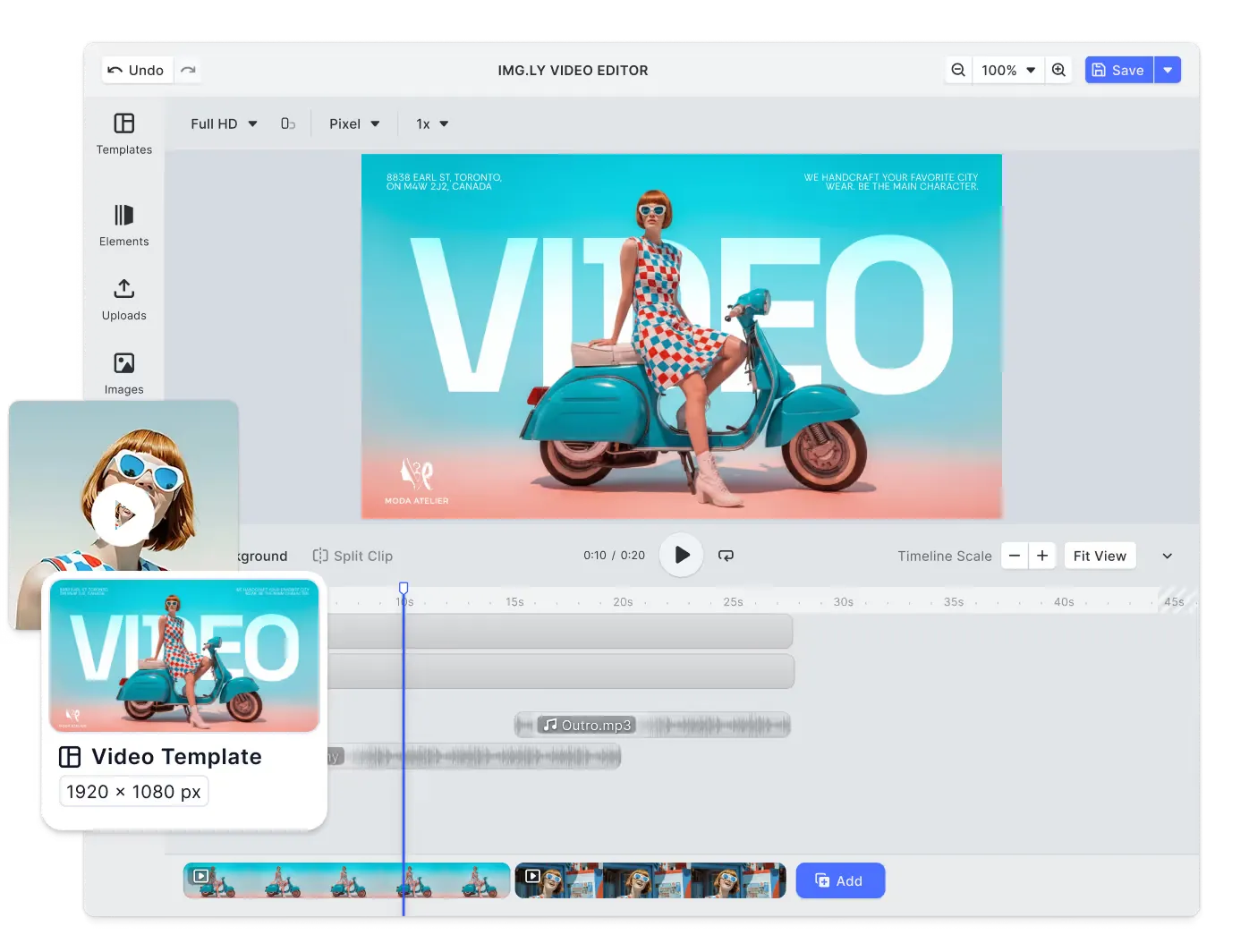
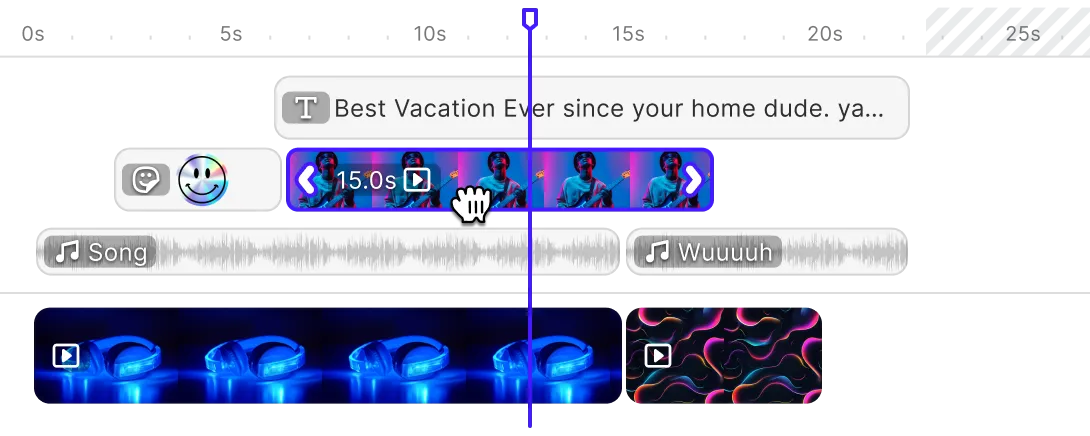
Advanced multi-track video editing
Give users precise control over timelines with multi-track editing for video, audio, text, and effects: built for complex, professional-grade projects.
Pre-built UI with full customization
Integrate a fully featured video editor that’s ready out of the box and completely customizable to your branding, layout, and workflow.
Real-time, in-browser video editing
Deliver professional video editing directly in desktop browsers, with real-time playback, precise trimming, and instant visual feedback.
Creative automation & AI-powered workflows
Automate video creation at scale with data-driven templates, and add AI on the web for image and video generation, background removal, and text-to-speech.
Trusted by 100+
industry leaders














What our clients say about us
Integrating IMG.LY’s editor meant we didn’t have to build or maintain a complex editing layer ourselves. That kept our team focused on our core AI ad engine and saved us countless development hours — while still giving our customers the ability to polish and customize creatives at scale.
Hikari Senju
CEO, Omneky

With IMG.LY we built a central creative portal that now powers over 140 dealer campaigns across multiple automotive brands. Before this, asset creation was slow and inconsistent.
Martin Röhr
Product Owner, Digitas

By embedding IMG.LY’s editor we were able to hit key RFP requirements and deliver a template-based creative experience that now serves 1,000+ customers. It helped us win more deals and exceed enterprise expectations without needing to hire dedicated design teams.
Rob Driscoll
Director of PM, Optimizely

Since integrating IMG.LY’s editor, we now deliver 30,000+ ad creatives per month, dramatically shorten time-to-launch, and help our clients cut design spend by up to $10,000 per month.
Logan Welbaum
Founder, Plai

Our customers create over a million personalized postcards each year choosing from over hundreds of templates with IMG.LY’s SDK. It’s the only solution that allows us to build our own specialized, on-brand UI that integrates seamlessly with our platform.
Jeanine Zaalberg
Product Manager, SwissPost

From a developer’s perspective, the most powerful feature of the photo editor is the integration process. It was completely flawless, quick, and easy to integrate.
Stefano Fornari
CTO, Funambol
We compared IMG.LY SDK with other solutions and found that it would be the best fit for us since it provides all the features that are crucial for our use case.
Carem Pereira
SCRUM Manager, HP

IMG.LY vs. Remotion at a glance
| Feature | IMG.LY | Remotion | Notes |
|---|---|---|---|
| Primary Use Case | Embedded creative SDK for photo, video, and design editing. Supports end users to create content directly in-app or automate generation via headless and API workflows. Ideal for social, marketing, and print-on-demand use cases. | Programmatic video framework: videos are React components rendered from code and data, which suits automated, data-driven, or personalized video. An editor for end users is something you build on the Remotion Player or start from the Editor Starter template. | IMG.LY ships an end-user editor and headless automation in one SDK. Remotion is code-first, and editing for end users is built on top of it. |
| Target Audience | Product teams, SaaS platforms, and enterprises embedding creative capabilities. Trusted by Fortune 500s, startups, and government organizations. | React developers and engineering teams building automated video pipelines, apps that turn prompts into motion graphics, or their own video editors on the Remotion Player. | IMG.LY serves developers and product teams building user-facing creative experiences. Remotion serves React developers, whether they automate video or build their own editor. |
| Advanced Video Editing Features | Full-featured visual timeline editor with trimming, video speed controls (slow motion and time-lapse), transitions, filters, effects, audio, and more. | Compositions are written as React components, but Remotion Studio provides a timeline with tracks, splitting, and keyframe and volume-curve editing, plus edits to position, scale, rotation and opacity that are written back to the code. | IMG.LY's timeline is for end users inside your app. Remotion Studio's timeline is a developer tool for previewing and adjusting videos defined in code. |
| Templating & Dynamic Editing | Enables reusable templates in the editor UI with smart placeholders, locked elements, constraints, and variable data. Also supports API-driven template manipulation and batch workflows for server-side personalization. | Code-based templates built with React components. Dynamic elements are controlled via props and state, allowing developers to generate infinite variations from data inputs, APIs, or JSON structures. Ideal for data-driven or automated content generation. | IMG.LY supports visual templates and API/server batch workflows; Remotion uses code-driven templates. |
| Creative Automation | Template-based automation via batch processing and API workflows. Merge data sources to generate thousands of variations. | Fully programmatic automation: batch renders driven by a dataset or API data, through the CLI, the Node.js rendering APIs, or Remotion Lambda, on your own infrastructure. | IMG.LY automates through templates; Remotion automates entirely through code. |
| AI Capabilities | On the web, AI plugins for background removal, text-to-image, image-to-image, text-to-speech, and text-to-video. Integrates with fal.ai or your own models. | Remotion ships first-party AI packages for local Whisper transcription on Node.js and in the browser, for turning OpenAI Whisper and ElevenLabs transcripts into captions, and for video matting into base and transparent foreground layers. Agent Skills help coding agents write Remotion code. | Both ship AI packages. Remotion concentrates on speech, matting, and coding agents; IMG.LY adds generative image and video AI to an editor UI on the web. |
| Real-time Preview | Live preview while editing, in desktop browsers and in native iOS and Android apps. | Live preview in Remotion Studio and in the Remotion Player embedded in your React app. | Both preview live. In IMG.LY the preview is the end-user editor itself; in Remotion it is the Studio or a Player you embed. |
| User Interface | Full visual editor with drag-and-drop tools, configurable panels, and real-time editing. | The Editor Starter, sold separately, supplies an editor UI with a timeline, drag and drop, trimming, splitting, captions and undo/redo, to ship inside your own app. | IMG.LY ships a maintained editor UI. Remotion's Editor Starter is a boilerplate you adopt and then maintain as your own code. |
| Turnkey Solutions | SDK with prebuilt UI and headless API options. Supports Web, iOS, Android, React Native, Flutter, macOS, Electron, and server environments. | Remotion's nearest ready-made option is the Editor Starter, an editor template that gives developers a starting point rather than a complete product. A product built on Remotion needs basic skills in React and web development. | IMG.LY offers turnkey experiences or API-first approaches. With Remotion, you build the product in React. |
| White-labeling | Fully white-label solution with complete control over branding, theming, and UI. No visible IMG.LY branding. | You build your own branded UI around the Remotion Player or adapt the Editor Starter source. A Remotion watermark or logo in the Player or in rendered videos is not documented. | IMG.LY's editor takes on your brand through theming and configuration. |
| Customizability | Deep UI customization via configuration, theming, and custom components. Enable/disable tools, reorder toolbars, add panels, and inject custom UI behavior while keeping a production-ready editor. | The Editor Starter is designed to be customized, with many features behind feature flags you switch in code. Beyond it, the composition itself is code, so control is total but built rather than configured. | IMG.LY customizes a shipped editor through configuration; with Remotion you change the Editor Starter's code or build your own UI. |
| Platform Support | Web, mobile (iOS, Android), and server environments. Cross-platform SDKs ensure consistent behavior across all devices and deployments. Compatible with major frameworks including React, Angular, Vue, Svelte, React Native, and Flutter. | React framework: videos render in Node.js, on AWS Lambda, or in the browser with client-side rendering. The Editor Starter targets desktop. | IMG.LY ships native iOS and Android SDKs alongside web and server; Remotion runs on web and server and is React-only. |
| Rendering Approach | Client-side, the editor renders and exports MP4 on the user's device, in desktop browsers and in native iOS and Android apps. Server-side, @cesdk/node-native exports MP4 inside a Node.js process, and the CE.SDK Renderer runs as a Docker container on Linux. The same engine renders in every environment, so output is identical everywhere. | Renders on your own server with Chrome Headless Shell and FFmpeg, both installed by Remotion; on AWS Lambda; in Vercel Sandbox (experimental package); or in the browser through WebCodecs. Cloud Run support is in alpha and not actively developed. | Both render on the client and on servers. Remotion also splits renders across AWS Lambda functions; IMG.LY's server export runs in a Node.js process or a container you operate. |
| Storage & Data Ownership | Flexible architecture supporting both client-side and server-side processing. Client-side editing ensures privacy with local data handling, while self-hosted or cloud deployments allow full control over server workflows and storage. | Runs on your own machines and cloud accounts or in the browser, and Remotion is not a hosted service. Client-side renders send Remotion the page domain and IP address for licensing. | Both run on infrastructure you control, on the client or on a server. |
| File Format Support | Import: PSD, IDML, AI, SVG, PNG, JPEG, video, fonts. Export: PNG, JPEG, WebP, SVG, PDF, MP4, TGA, IDML, PSD (on the server). Compatible with pro design workflows. | Output: MP4, WebM, GIF, PNG sequence, ProRes, audio (MP3, AAC, WAV). Assets load in code or through the editor you build, and Remotion Studio accepts layers pasted from Figma. PSD and IDML import is not documented. | IMG.LY imports and exports design formats and exports video as MP4; Remotion offers more video codecs and focuses on video output. |
| Asset Libraries | Built-in asset management with integrations (Getty, Unsplash, Pexels) and API support for custom sources. | Assets load in code from URLs, APIs, or local files; a first-party package supplies sound effects, and Remotion Studio browses Remotion Elements. The Editor Starter adds drag-and-drop import and S3 uploads. A stock photo or video library is not documented. | IMG.LY provides managed libraries; Remotion loads assets via code or the editor you build. |
| Integration Ease | Easy to integrate, frontend developers can start with basic JavaScript. Clear docs and examples. | Requires React, since videos are written as components. The Editor Starter also needs the React and Tailwind CSS versions it is built on, plus TypeScript. | IMG.LY works with any web framework or native platform; Remotion is React-first. |
| Scalability | Designed for large-scale deployments across web, mobile, and server environments. Client-side rendering minimizes backend load, while optional server-side processing supports automation and enterprise workflows. | Scales out by splitting each render across many AWS Lambda functions; on your own servers, each render runs on one machine. | IMG.LY scales across platforms with minimal backend load; Remotion scales through distributed rendering. |
| Offline Capabilities | Editing and export run on the device once the SDK is loaded. Licensing uses remote validation by default, with offline-compatible license options available. | Renders on your own machine through the CLI and the server-side rendering API, and Remotion Studio is tested to work offline. Renders can send licensing telemetry, but a failed telemetry request never blocks or fails a render. The local Whisper packages transcribe offline once a model is downloaded. | Both run offline. With IMG.LY, editing and export run on the device with offline-compatible license options; Remotion renders on your own machine, and its licensing telemetry never blocks a render. |
| Extensibility | Plugin architecture for adding custom tools, panels, and integrations without modifying core SDK. | Extends through React and the npm ecosystem. | IMG.LY extends via plugins; Remotion extends via your own React code. |
| Clear Pricing Model | Custom enterprise licensing based on scale, usage, and platform. | Free for individuals and small companies; other companies pay by usage, per render or per seat. | IMG.LY uses custom pricing per scale and usage. |
| Community & Ecosystem | Clear docs and examples, plus dedicated solution engineers, professional services, and enterprise SLAs. | A public Discord with help channels, GitHub issues, and official project templates. The code is source-available rather than open source. | IMG.LY backs its docs and examples with dedicated solution engineers, professional services and enterprise SLAs. Remotion offers a public Discord with help channels, GitHub issues and official project templates. |
Key capabilities
Learn more about some of the functionalities of IMG.LY’s SDK.
Editing
Printing




Templating
Text variables.
Enable mass personalization and creative automation by embedding variables.
Placeholders & lockable designs.
Constrain templates to guide your users’ design and ensure brand consistency.
Configurable presets.
Enforce a consistent aesthetic across all creations by using preset filters, adjustments, fonts, and crop ratios.
Customizability
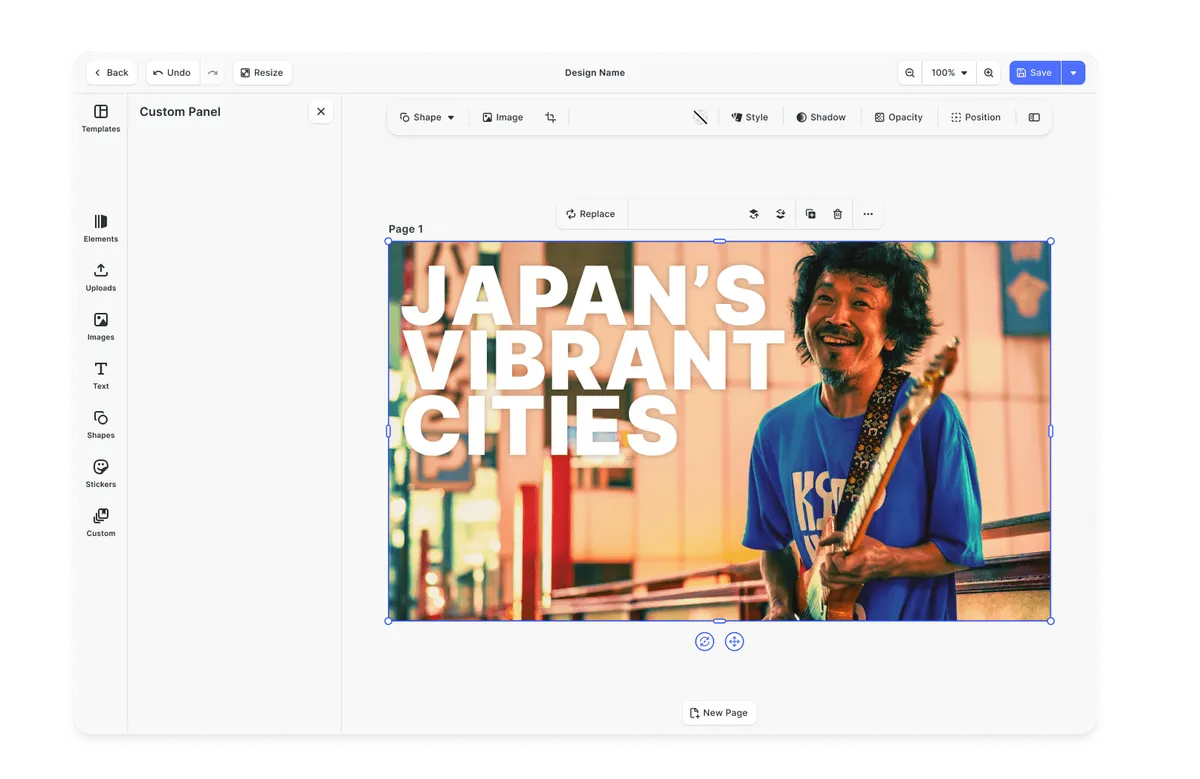
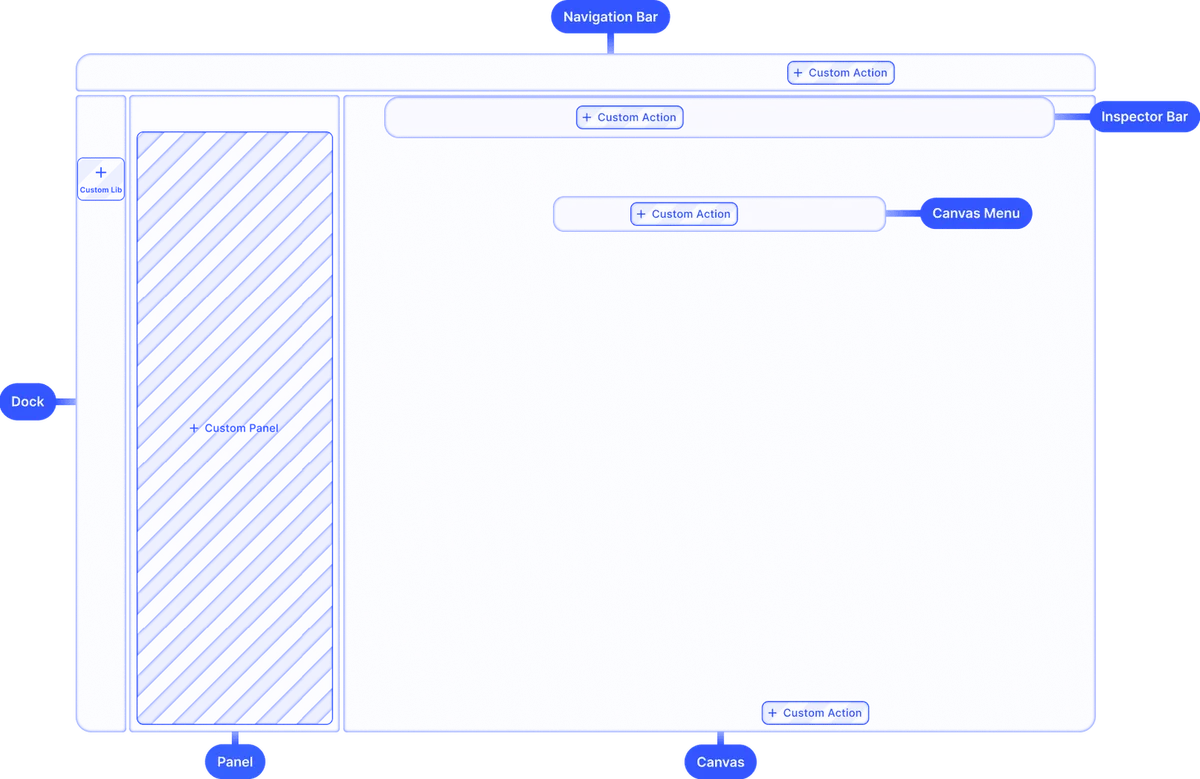
Build custom UIs.
Use the headless API powering all creative operations to implement an entirely custom UI.
Theming.
Theme the editor to match your app.
Media libraries.
Set up custom libraries that are easily sortable.
Toolbar customization.
Reposition toolbar elements, change icons, or rename tools to fit your use case.
Internationalization.
Add support for additional languages, and customize any button label.
Export options.
Export designs in JPG, PNG, or PDF with custom quality, page ranges, and dimensions.
Check out other use cases
Learn more about related solutions.
Apparel Designer
Whether t-shirts, hoodies or caps, build for any use case, deploy on any platform.
Get in touch
Contact our sales team to learn more about licensing options and get access to our AI plugins for CE.SDK.
FAQs
IMG.LY ships SDKs for web, iOS, Android, React Native, Flutter, desktop, and server, all built on one engine. Remotion is a React framework: videos render in Node.js, on AWS Lambda, or in the browser, and React Native support is not planned.
Both can power video creation inside a SaaS product. IMG.LY ships a maintained editor you configure and brand. With Remotion you build the editor yourself or start from the Editor Starter, a boilerplate for building your own video editor, and you maintain that code.
On the web, IMG.LY offers AI plugins for background removal, image and video generation, and text-to-speech, connected to fal.ai or your own models. Remotion ships packages for transcription with Whisper, for working with ElevenLabs output, and for video matting, plus Agent Skills that help coding agents write Remotion code.
Remotion renders videos from React code and input props. IMG.LY automates with the same templates your users edit: fill text variables and placeholders from data, then export MP4 in the browser, in a Node.js process with @cesdk/node-native, or with the CE.SDK Renderer.
In IMG.LY, end users edit videos on a timeline inside your app. In Remotion, developers define videos in React components, and Remotion Studio gives them a timeline to preview and adjust them. An editor for end users has to be built, or started from the Editor Starter.
IMG.LY is built to be embedded where end users create or edit videos: the editor, timeline, templates, and export ship ready to configure, on the web and in native mobile apps. Remotion's Editor Starter targets desktop and leaves keyframes, transitions, and mobile support to you.