



Turn templates and data into thousands of finished designs
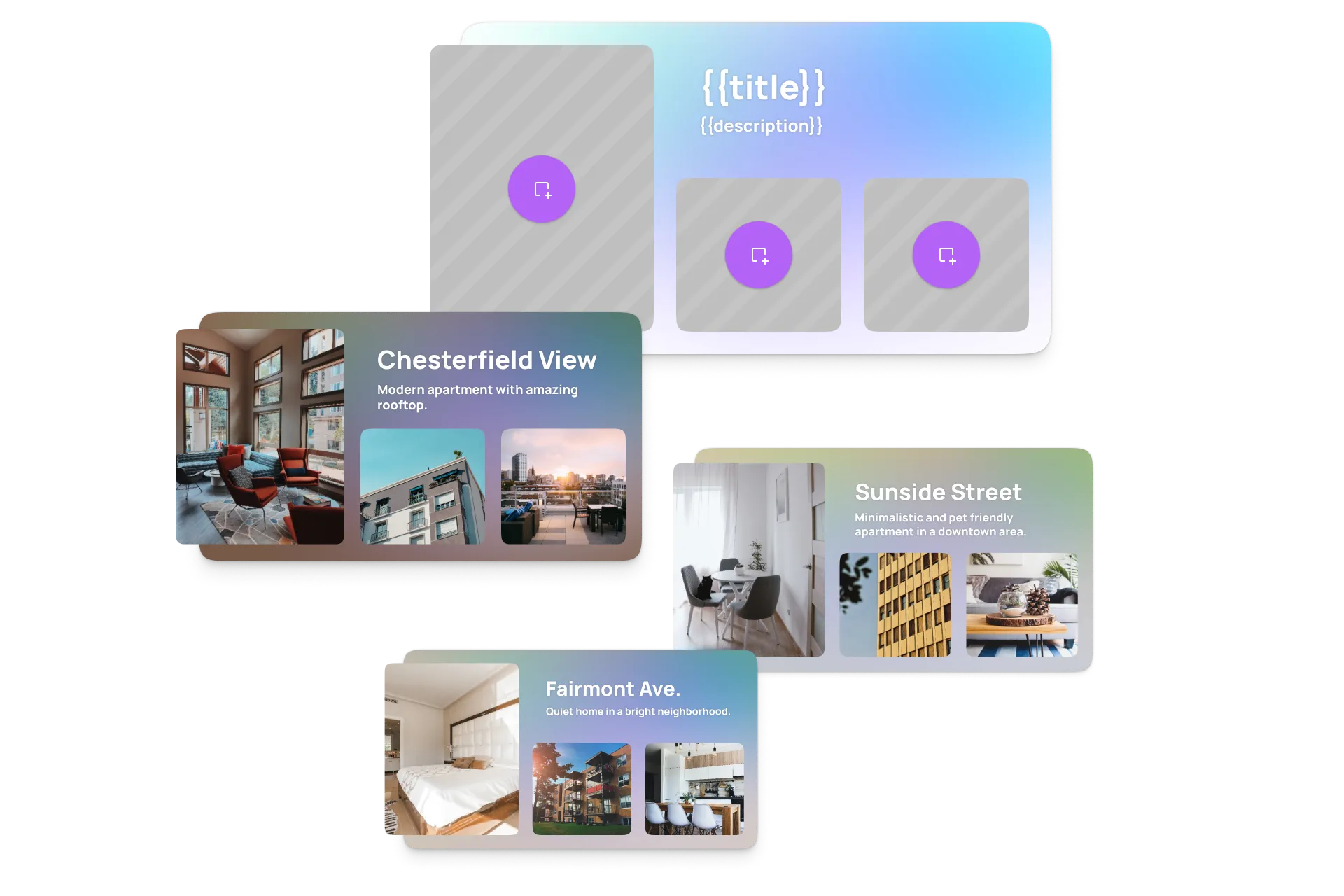
Define templates once, inject dynamic data programmatically, and render every personalized variant automatically, without fragmented tooling or manual editing per asset.
- Full document API
- Server-side rendering
- Batch automation
- Bring your own AI models
A rendering engine built for automation, not another editor to maintain
Replace a custom rendering pipeline with one developer-focused engine API that turns templates and data into finished assets.
Ship automation in days
Start from the Node.js starter kit and a documented API instead of building a rendering pipeline from scratch.
Thousands of assets, zero manual work
Define a template once, then render every personalized variant automatically from your own data source.
One engine, identical output
The same engine behind our editors renders headlessly on your infrastructure, pixel-for-pixel across every channel.
Trusted by 100+
industry leaders














Integrating IMG.LY’s editor meant we didn’t have to build or maintain a complex editing layer ourselves. That kept our team focused on our core AI ad engine and saved us countless development hours — while still giving our customers the ability to polish and customize creatives at scale.
Hikari Senju
CEO, Omneky

With IMG.LY we built a central creative portal that now powers over 140 dealer campaigns across multiple automotive brands. Before this, asset creation was slow and inconsistent.
Martin Röhr
Product Owner, Digitas

By embedding IMG.LY’s editor we were able to hit key RFP requirements and deliver a template-based creative experience that now serves 1,000+ customers. It helped us win more deals and exceed enterprise expectations without needing to hire dedicated design teams.
Rob Driscoll
Director of PM, Optimizely

Since integrating IMG.LY’s editor, we now deliver 30,000+ ad creatives per month, dramatically shorten time-to-launch, and help our clients cut design spend by up to $10,000 per month.
Logan Welbaum
Founder, Plai

Our customers create over a million personalized postcards each year choosing from over hundreds of templates with IMG.LY’s SDK. It’s the only solution that allows us to build our own specialized, on-brand UI that integrates seamlessly with our platform.
Jeanine Zaalberg
Product Manager, SwissPost

From a developer’s perspective, the most powerful feature of the photo editor is the integration process. It was completely flawless, quick, and easy to integrate.
Stefano Fornari
CTO, Funambol

We compared IMG.LY SDK with other solutions and found that it would be the best fit for us since it provides all the features that are crucial for our use case.
Carem Pereira
SCRUM Manager, HP

Built for every creative automation use case
From marketing campaigns to AI-assisted pipelines, the headless engine handles the full spectrum of automated creative production, whatever your workflow and whatever your scale.
Marketing & Campaign Automation
Generate multi-format, multi-channel campaign assets automatically from shared templates.
Video Production at Scale
Render, transcode, and automate video production server-side at scale.
Print & High-Volume Personalization
Create print-ready, production-safe assets at scale without manual layout checks.
AI-Assisted Creative Pipelines
Combine AI-generated inputs with deterministic templates and rendering.
Implementation Timeline
From first API call to first automated export in just a few days.
Install the SDK and run the quickstart
Install CE.SDK for Node.js, follow the quickstart, and get the headless engine rendering in your environment.
Load a template and manipulate it programmatically
Import an existing .scene, .psd, or .idml template, then use the Document API to swap placeholders, set text variables, and bind your data source.
Configure automation logic and output formats
Define export presets (PNG, PDF, MP4, ZIP), connect asset sources like your DAM or stock provider, and wire up transforms like crop, resize, and background removal.
Trigger renders from your backend and scale
Call the engine from your Node.js service, CMS, or AI pipeline, validate output quality, and roll out batch rendering to production.
Key Capabilities
One engine for programmatic design, extensive features to serve any automation use case.
What the engine does
Template-to-output execution.
Design templates become executable blueprints. The engine applies layout rules, constraints, and composition logic to produce valid output for every variant.
Dynamic data injection.
Programmatically set text variables, swap images and colors, and bind metadata from a CMS, database, or AI pipeline at render time.
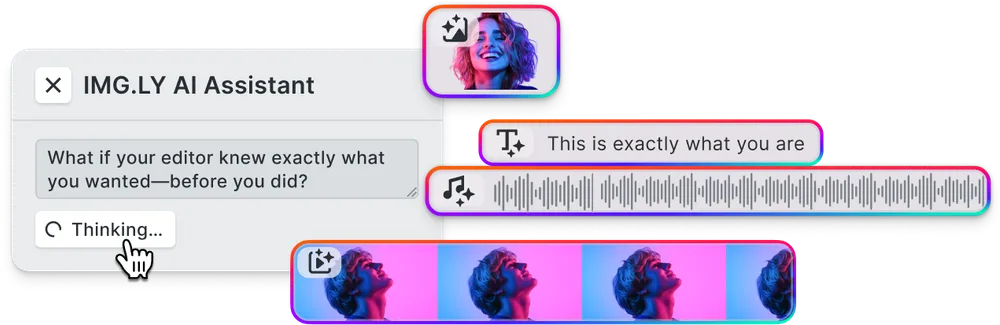
AI-ready inputs.
Feed generative output straight into the scene: text-to-image, background removal, and language models become editable layers, not flat pixels.
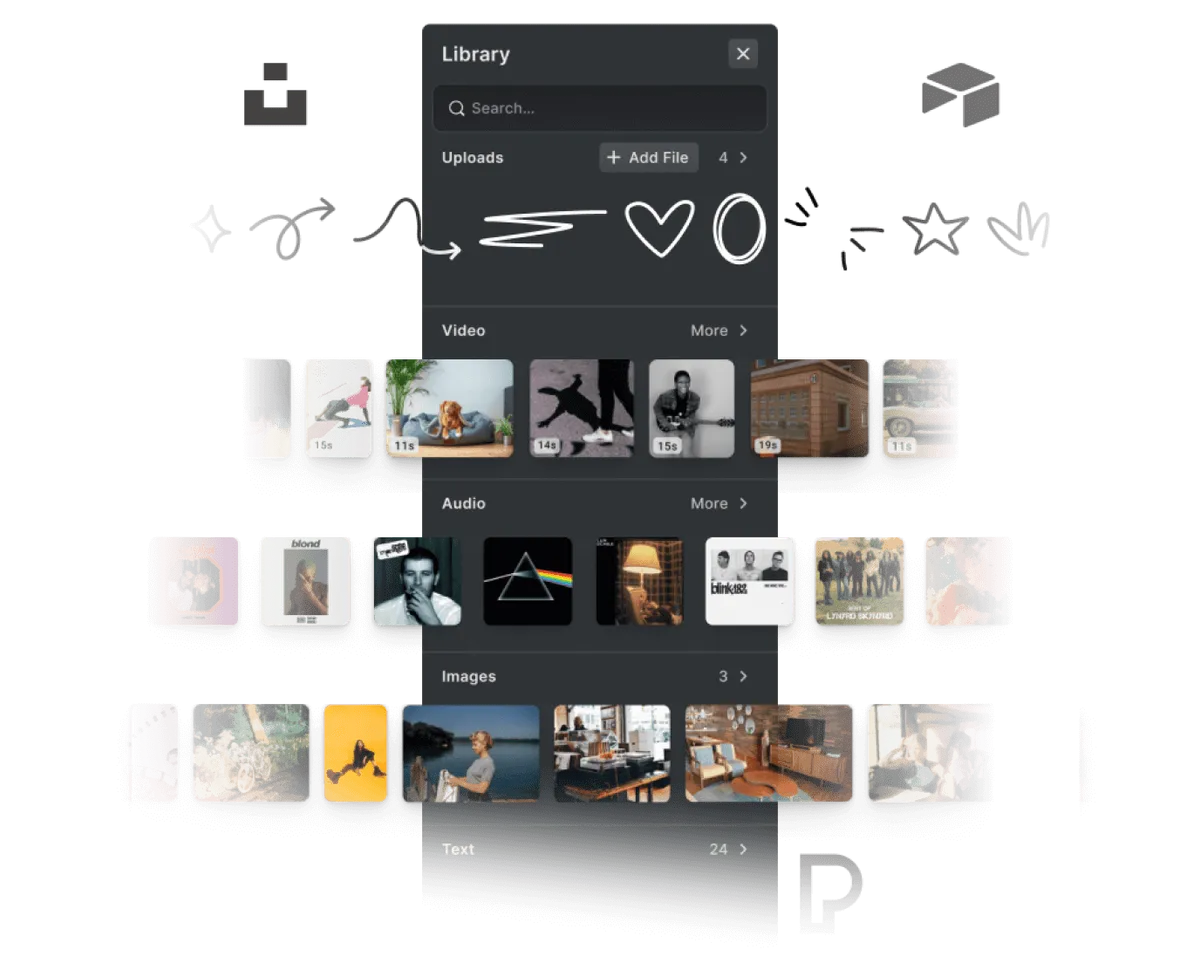
Connect any asset source.
The engine is storage-agnostic. Wire in your DAM, CDN, or stock provider for images, fonts, and audio used across every render.
For your platform
Headless by design.
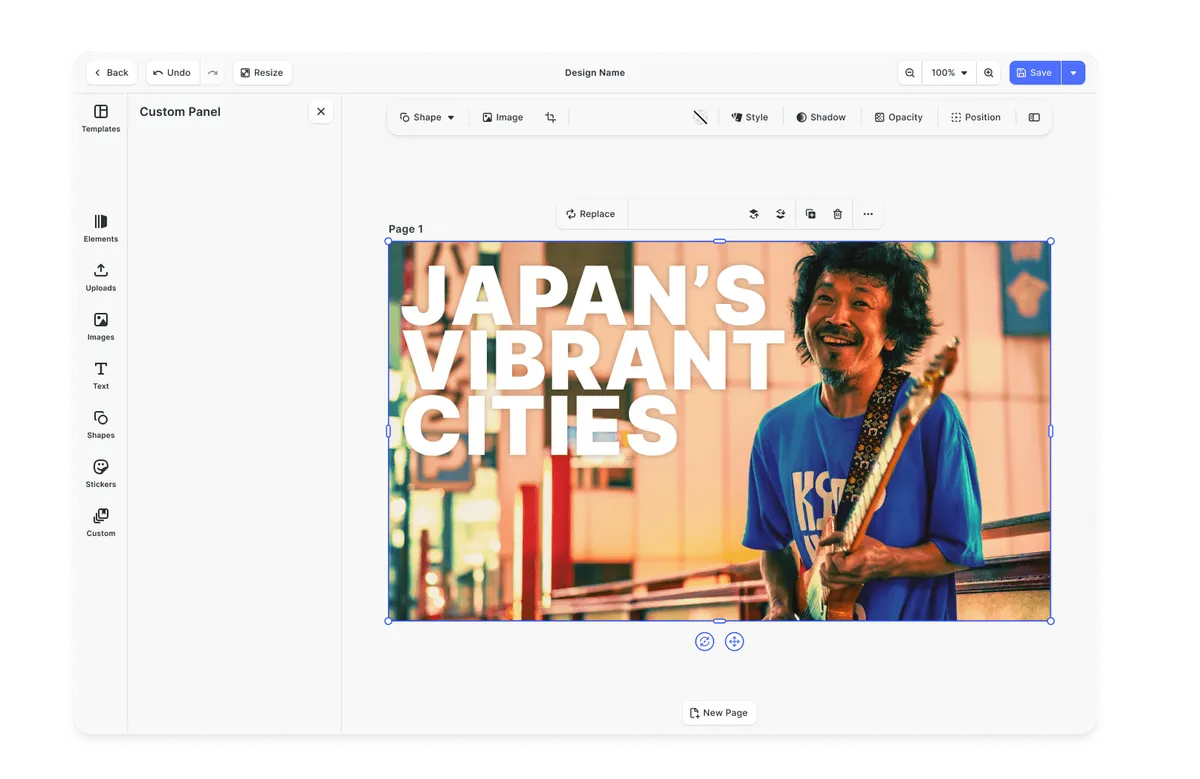
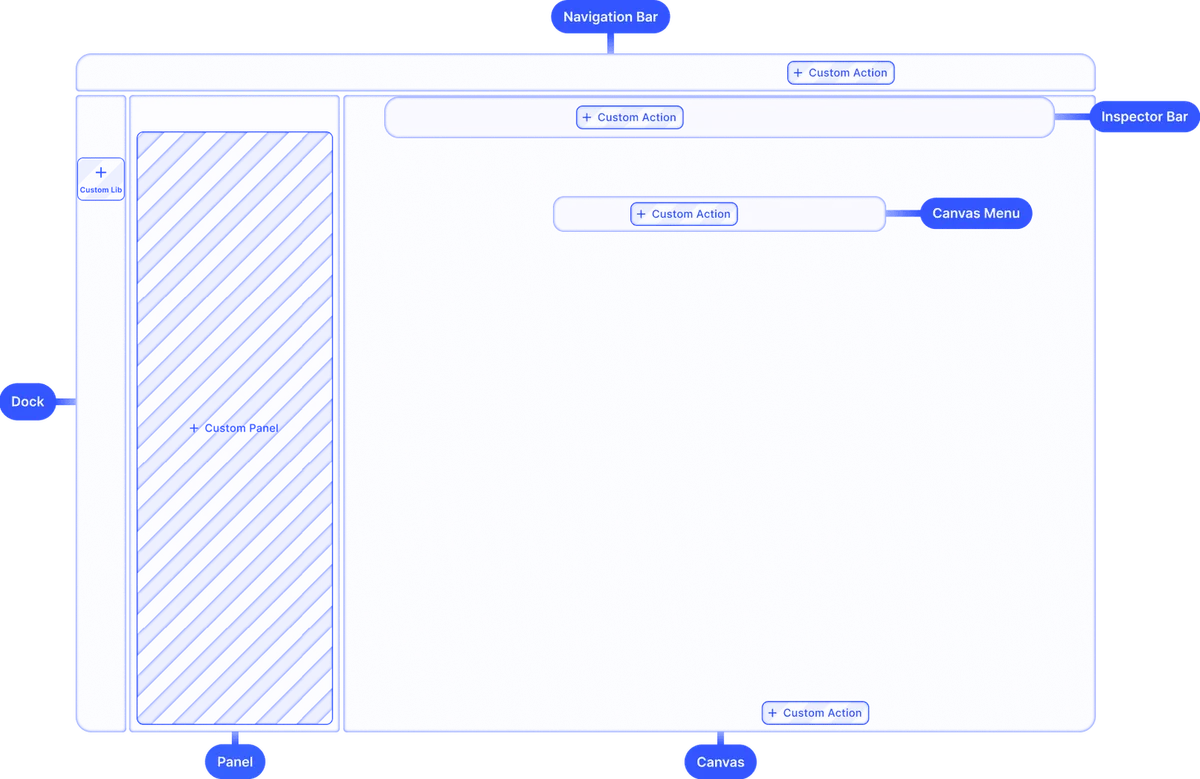
A complete document API with no UI attached. Build any interface on top, or run the engine fully unattended in your backend.
Deterministic rendering & export.
Every asset is rendered by the same engine logic, producing predictable, production-safe output to PNG, PDF, MP4, and ZIP.





Performance-optimized rendering.
A GPU-accelerated engine and batch processing keep high-volume runs fast on your own infrastructure.


Brand & layout guardrails.
Constraints define exactly what each variant can change, so automated and AI-generated output stays on brand and ready to ship.
Looking for the full feature list?
Browse every CE.SDK capability across design, photo, video, print, and AI.
Explore all capabilitiesAn engine your AI agents can drive
Generative models are good at proposing content and weak at producing on-brand, production-ready files. The headless engine is the deterministic execution layer that turns AI output into valid, exportable designs every time.
An API built for agents
Expose the full scene as a structured document API. Agents brief, generate, compose, and export end to end on a single scene file.
Plug in any model
Connect text-to-image, background removal, and language models through the IMG.LY AI Gateway, then feed their output straight into the engine as editable layers.
Guardrails on generative output
The engine enforces your templates, brand rules, and print-safe constraints, so AI-generated variants stay on spec and ready to ship without manual review.
Why teams choose the headless engine
Time to market
Go from first API call to automated exports in days.
Start from a documented engine API and a Node.js starter kit, so you can ship a working automation pipeline without building a renderer in-house.
Deterministic at scale
Predictable, production-safe output across millions of assets.
Every render follows the same engine logic, so a template behaves identically whether you produce one asset or a million.
Your infrastructure, your data
Run the engine where your content already lives.
Render client-side or in your own backend. IMG.LY never sees or stores your users’ content.
Powered by IMG.LY: Plai Doubles Annual Revenue and Produces 30,000+ Ad Creatives Monthly

37K
creative exports per month
campaign prep from weeks to minutes
$10K
monthly savings per client
Plai is an AI-powered advertising platform founded by growth marketer Logan Welbaum. The platform helps businesses of all sizes launch ads across 11 platforms with ease, catering to a wide range of clients from global acts like Green Day and Red Hot Chili Peppers to local service providers. Plai’s mission is to make ad creation as simple as typing in a prompt, automatically generating brand-aligned creative across multiple platforms.
Since integrating IMG.LY’s editor, we now deliver 30,000+ ad creatives per month, dramatically shorten time-to-launch, and help our clients cut design spend by up to $10,000 per month.
Plai

Challenge
While Plai excelled at generating highly on-brand images and videos with AI, the product faced a common limitation: AI can create assets, but it can’t finish them. Users needed to tweak layouts, adjust text, fix proportions, refine colors, or make brand-specific edits that the model couldn’t reliably control. Without an integrated editing layer, users had to export AI outputs, edit in external tools, and then re-upload, introducing friction and slowing down the campaign readiness process.
Solution
Plai integrated IMG.LY’s Creative Editor SDK to bridge the gap between AI-generated assets and user customization. By adopting IMG.LY, Plai enabled users to directly adjust, personalize, and finalize AI-generated creative within the same flow without the need for tool switching or sacrificing brand accuracy.
- 30,000–37,000 creative exports per month.
- Faster time to launch — cutting campaign prep from weeks to minutes.
- $1,000–$10,000/month in savings.
Render headlessly at scale
Run the engine server-side with Node.js for batch rendering, personalized assets, and creative automation.
npm install @cesdk/nodeimport CreativeEngine from '@cesdk/node';The same engine in the browser
Install CE.SDK with one command and drive the engine client-side with a clean, documented API.
npm create vite@latest your-project-name -- --template react-ts && cd your-project-namenpm install @cesdk/cesdk-jsnpm create vite@latest your-project-name -- --template vue-ts && cd your-project-namenpm install @cesdk/cesdk-jsng new your-project-name && cd your-project-namenpm install @cesdk/cesdk-jsnpm create vite@latest your-project-name -- --template svelte-ts && cd your-project-namenpm install @cesdk/cesdk-jsnpx create-next-app@latest your-project-name --typescript && cd your-project-namenpm install @cesdk/cesdk-jsnpm create vite@latest your-project-name -- --template vanilla-ts && cd your-project-namenpm install @cesdk/cesdk-jsNative engine for iOS and Android
The same creative engine, shipped as native SDKs for every mobile stack.
pod 'IMGLYUI'pod installimplementation("ly.img:editor:1.53.0")npm install @imgly/editor-react-nativeflutter pub add imgly_editorBring the engine to the desktop
Embed CE.SDK in Electron and native macOS apps with the same API.
npm install @cesdk/cesdk-jspod 'IMGLYUI'pod installpod 'IMGLYUI'pod install
Cut integration to minutes with IMG.LY Agent Skills
CE.SDK Agent Skills give AI coding assistants bundled documentation, guided code generation, and autonomous project scaffolding for building editor and creative workflows across 10 web frameworks.
claude plugin marketplace add imgly/agent-skillsclaude plugin install cesdk@imglynpx skills add imgly/agent-skills -a claude-codenpx skills add imgly/agent-skills --skill docs-react -a claude-codegit clone https://github.com/imgly/agent-skills.gitcp -r agent-skills/plugins/cesdk/skills/docs-react .claude/skills/cesdk-docs-reactLearn more about Agent Skills
Built to trust in production
The rendering engine your team doesn’t have to build, secure, or maintain.
Privacy & data control
Run the engine client-side or in your own infrastructure. IMG.LY never sees or stores your users’ content, and SSO is available on enterprise plans.
Proven at scale
The same engine powers 500M+ creations every month across thousands of applications, with a steady cadence of new releases.
Build-vs-buy, solved
We maintain the engine, file formats, and rendering pipeline so your team stays focused on your core product. Dedicated support and SLAs on enterprise plans.
More from IMG.LY
Ready to automate your asset production?
Contact our team to learn more about licensing options and get access to the AI plugins for CE.SDK.
Frequently Asked Questions
CE.SDK's headless mode is the same rendering engine that powers our editors, exposed as a pure API with no user interface. You drive it entirely in code to load templates, manipulate scenes, and export final assets.
The embedded editor ships a full editing UI for your users. Headless mode runs the identical engine without any UI, so you compose and render designs programmatically from your backend, a CMS, or an AI pipeline.
Automated creative production of every kind: batch ad and social variants, server-side video rendering, variable-data print runs, and AI pipelines that generate on-brand assets at scale.
It runs server-side with Node.js, and the same engine also runs in the browser via WebAssembly and natively on mobile, so your headless logic stays consistent wherever you deploy it.
Headless rendering runs on Node.js for server-side automation. The same engine API is also available on the web (JavaScript, React, Angular, Vue, Svelte, Next.js) and natively on iOS, Android, and Flutter.
Load native .scene files plus Adobe PSD and IDML templates, along with standard image formats, so existing design work becomes an executable blueprint.
Export PNG, JPEG, and print-ready PDF for design, MP4 and WebM for video, and bundle batch output as ZIP. Print output has its own page: the web-to-print API covers PDF/X conformance, CMYK, and print geometry.
Use the Document API to swap placeholder images, set text variables, update colors, and bind values from your database, CMS, or an AI model at render time.
Yes. The engine is built for deterministic, repeatable output and powers hundreds of millions of exports per month in production. Scale it horizontally across your own infrastructure.
Yes. The engine exposes the full scene as a structured Document API, so an agent or pipeline can create, modify, and export designs end to end in code, with no headless-browser screenshots or brittle markup.
Through the IMG.LY AI Gateway you connect text-to-image, background removal, and language models, then feed their output into the engine as editable layers. The gateway is model-agnostic.
CE.SDK and the AI Gateway are covered by your license. Generative model usage is billed separately by the providers you connect, for example Anthropic, fal.ai, ElevenLabs, or OpenAI.
No. Headless rendering is part of the CE.SDK license, the same SDK that powers the embedded editors.
Yes. You can start a free trial with full access to the engine and all features. Contact our team to get started.
Yes. Enterprise licenses include custom terms, dedicated support, SLAs, and volume discounts. Contact us to discuss your requirements.