



Empower customers to design for print with generative AI
Add generative AI to your print-on-demand, web-to-print, or print personalization product, so non-designers create, personalize, and fix their own artwork, and every file exports press-ready. On web and mobile.
- Generate & edit visuals from a prompt
- Background removal, cutouts & vectorize
- Auto image correction & DPI validation
- Print-ready PDF/X, CMYK & spot colors
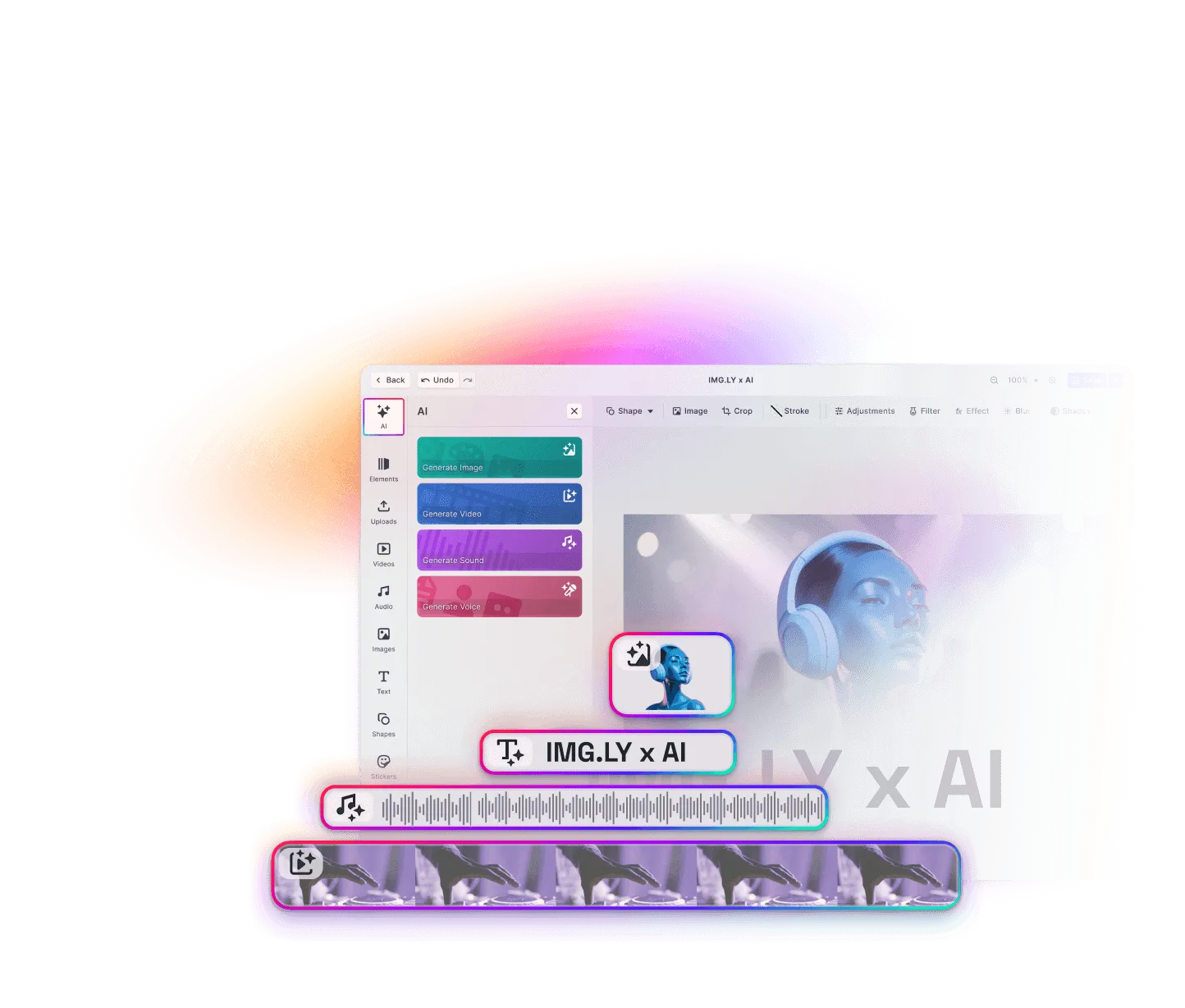
See AI print editing in action
A short look at the editor: a customer generates a design, removes a background, and exports a print-ready file without leaving the canvas.

AI print editing your customers can actually use
Give non-designers the tools to produce print-ready, on-brand products themselves, without a designer, a prepress fix, or a single mention of “DPI.”
The customer does the design, the AI does the hard part
Generate the image, remove the background, fix the resolution, vectorize the logo. AI handles the steps the customer was never qualified to do.
Every export is press-ready
Every AI edit lands inside a locked template with bleed, safe areas, and DPI rules enforced, then exports as CMYK PDF/X with spot colors intact.
One editor, web and mobile
The same engine runs in the browser and on iOS and Android, so customers create from wherever they buy.
Trusted by 100+
industry leaders













Integrating IMG.LY’s editor meant we didn’t have to build or maintain a complex editing layer ourselves. That kept our team focused on our core AI ad engine and saved us countless development hours — while still giving our customers the ability to polish and customize creatives at scale.
Hikari Senju
CEO, Omneky

With IMG.LY we built a central creative portal that now powers over 140 dealer campaigns across multiple automotive brands. Before this, asset creation was slow and inconsistent.
Martin Röhr
Product Owner, Digitas

By embedding IMG.LY’s editor we were able to hit key RFP requirements and deliver a template-based creative experience that now serves 1,000+ customers. It helped us win more deals and exceed enterprise expectations without needing to hire dedicated design teams.
Rob Driscoll
Director of PM, Optimizely

Since integrating IMG.LY’s editor, we now deliver 30,000+ ad creatives per month, dramatically shorten time-to-launch, and help our clients cut design spend by up to $10,000 per month.
Logan Welbaum
Founder, Plai
Our customers create over a million personalized postcards each year choosing from over hundreds of templates with IMG.LY’s SDK. It’s the only solution that allows us to build our own specialized, on-brand UI that integrates seamlessly with our platform.
Jeanine Zaalberg
Product Manager, SwissPost

From a developer’s perspective, the most powerful feature of the photo editor is the integration process. It was completely flawless, quick, and easy to integrate.
Stefano Fornari
CTO, Funambol

We compared IMG.LY SDK with other solutions and found that it would be the best fit for us since it provides all the features that are crucial for our use case.
Carem Pereira
SCRUM Manager, HP

Key Capabilities
The AI tools your customers reach for to create print products, plus the print pipeline and SDK controls your team needs to ship them.
Generate a design from a prompt
Create on-brand artwork, backgrounds, and motifs from a text prompt, dropped straight into a print template.
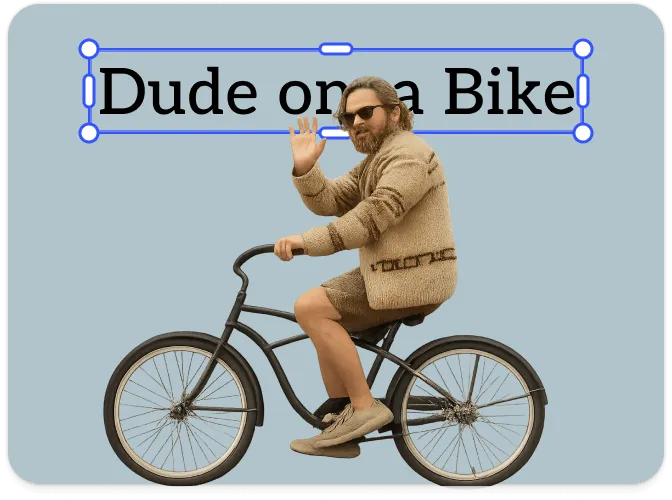
Extend to fit any product
Generative expand fills bleed and reframes a customer’s image for any SKU, instead of stretching or cropping it.
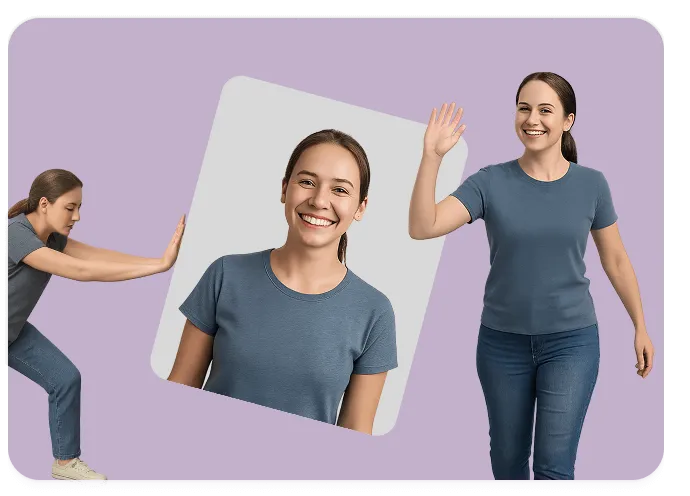
Remove backgrounds & cut out subjects
One-tap, in-browser background removal that feeds clean cutouts for stickers, apparel, and mockups.
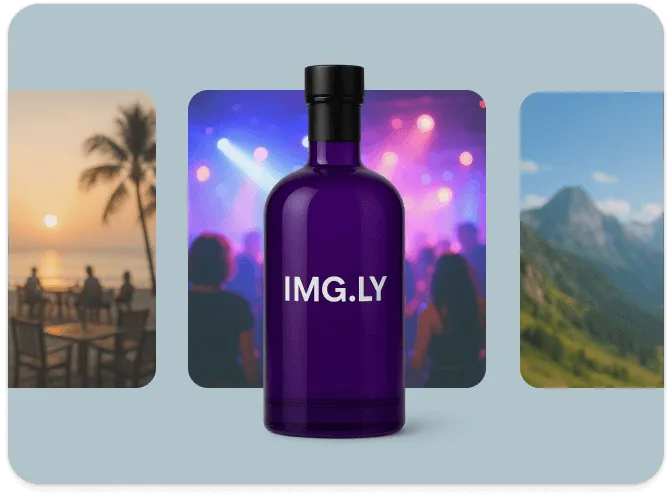
Vectorize logos & line art
Turn a low-res logo into crisp, scalable vector that prints sharp at any size and survives into PDF/X.

Auto-correct and enhance uploads
Perfectly Clear fixes exposure, color, sharpness, and noise in one pass, while DPI validation flags uploads too small for their placed size, so customer photos meet your print bar.
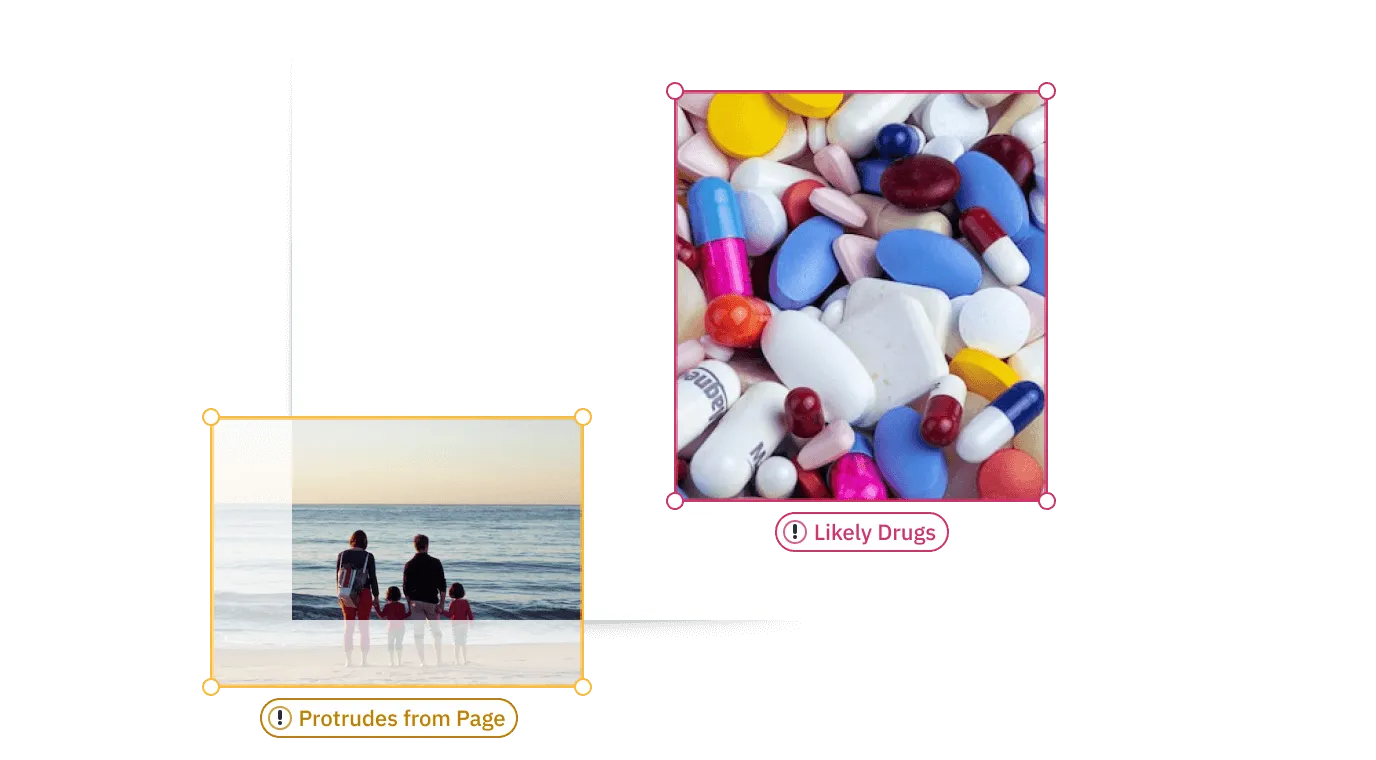
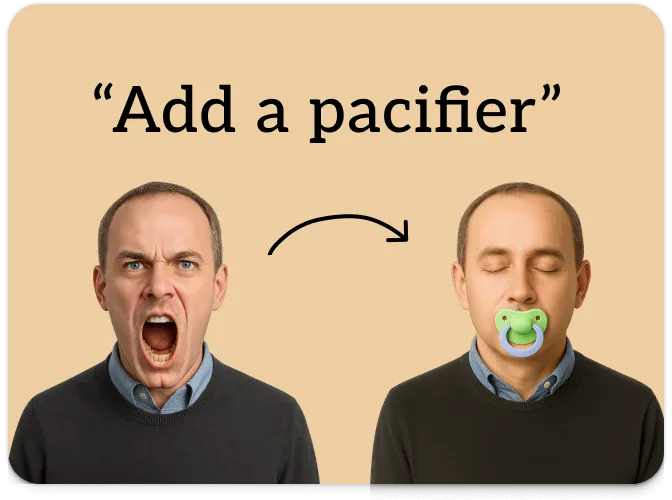
Add & remove objects
Erase a distraction or add an element with a prompt. These are the edits a non-designer can’t do in any tool they own.
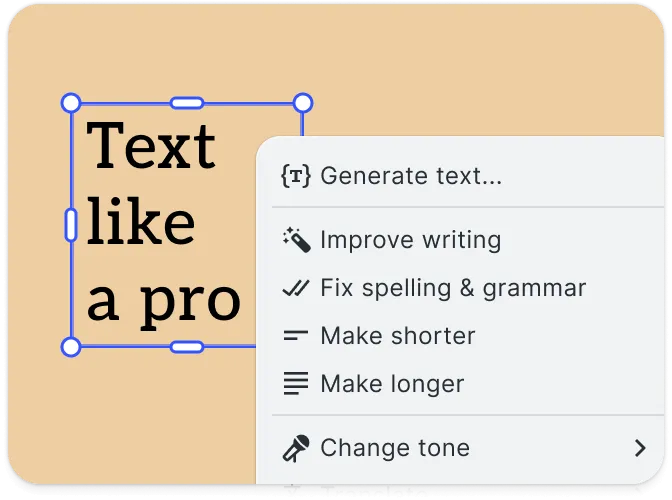
Write & localize copy
Generate headlines, fit text to the frame, and translate for every market.
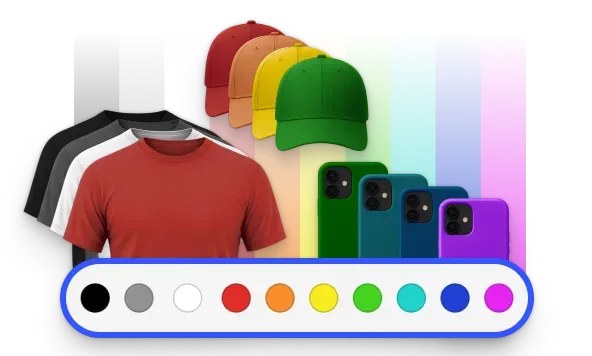
Preview on the real product
Show the design on the actual shirt, mug, or card, so customers order with confidence and fewer support tickets.
Editor & SDK
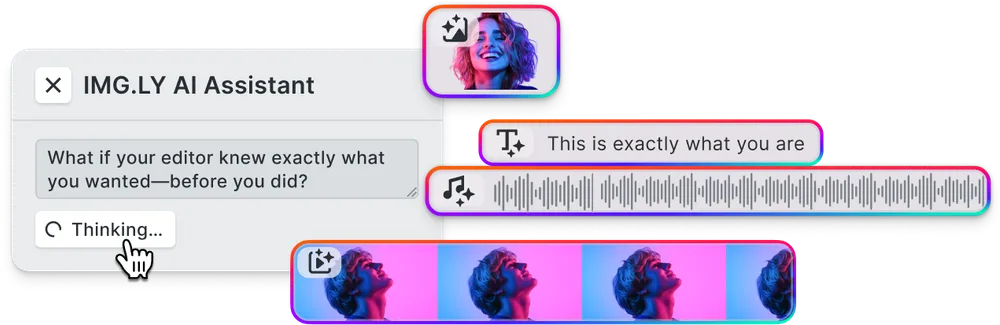
IMG.LY AI Gateway.
One managed endpoint for the image, vector, and text models the print editor calls, on a single invoice, with provider churn absorbed for you.
Print-ready export pipeline.
CMYK, named spot colors, bleed, and PDF/X-4 with vectors and text preserved, not flattened to pixels.




Performance-optimized rendering.
Large, high-resolution print canvases stay responsive while AI results stream in, on a phone in a store aisle or a desktop at home.

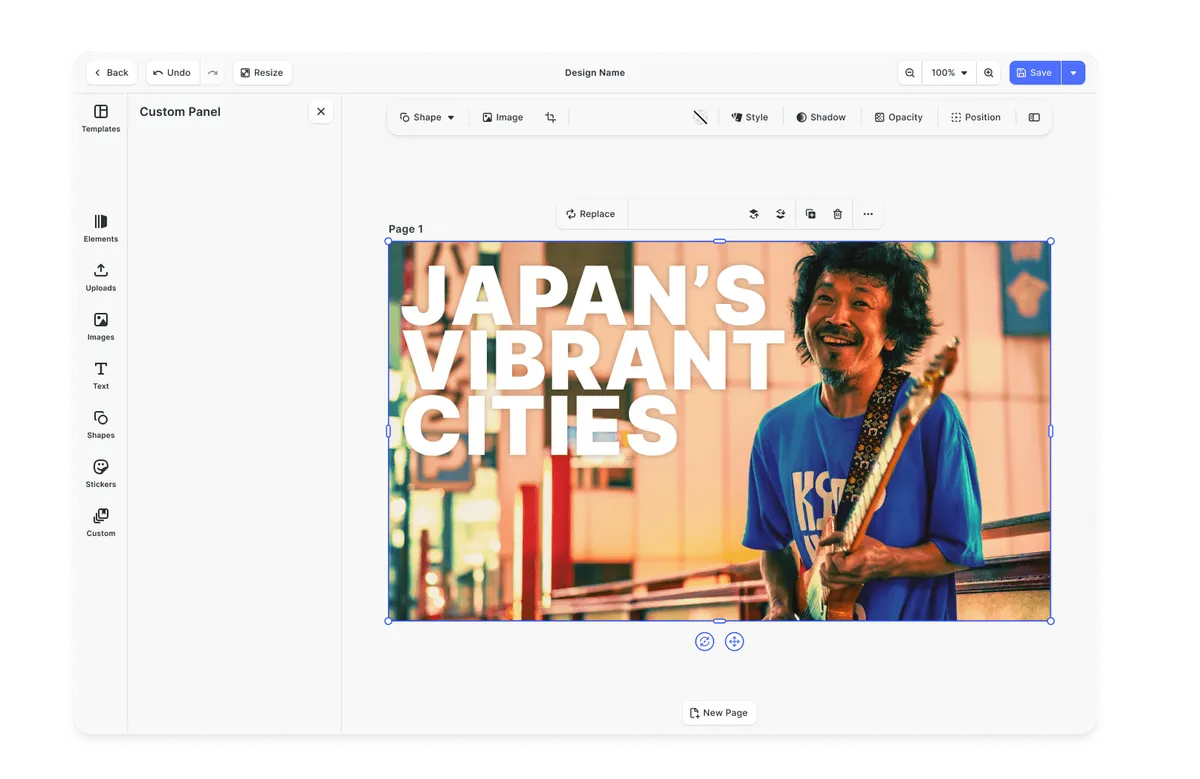
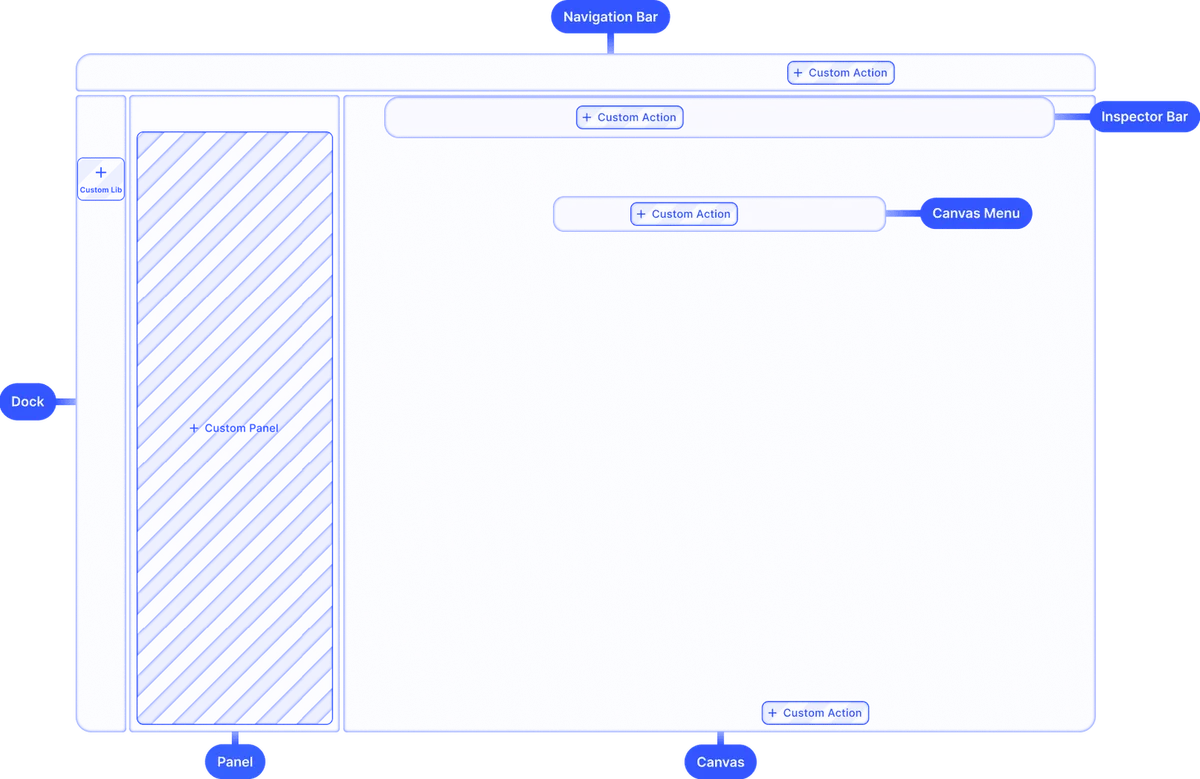
Configurable toolset & UI.
Choose which AI tools appear, lock what customers can’t change, brand and translate everything, or go fully headless.
Looking for the full feature list?
Browse every CE.SDK capability across design, photo, video, print, and AI.
Explore all capabilitiesHow to add AI print editing to your product
From starter kit to enterprise rollout, five steps to ship an AI print editor on web and mobile.
Embed the editor where customers create
Drop the IMG.LY editor into your product configurator, upload step, or design page. The AI tools sit on the same canvas as the precise design controls, on web and mobile, so a customer can generate a background and nudge it into the bleed without ever leaving the product they’re buying.
Starter Kits
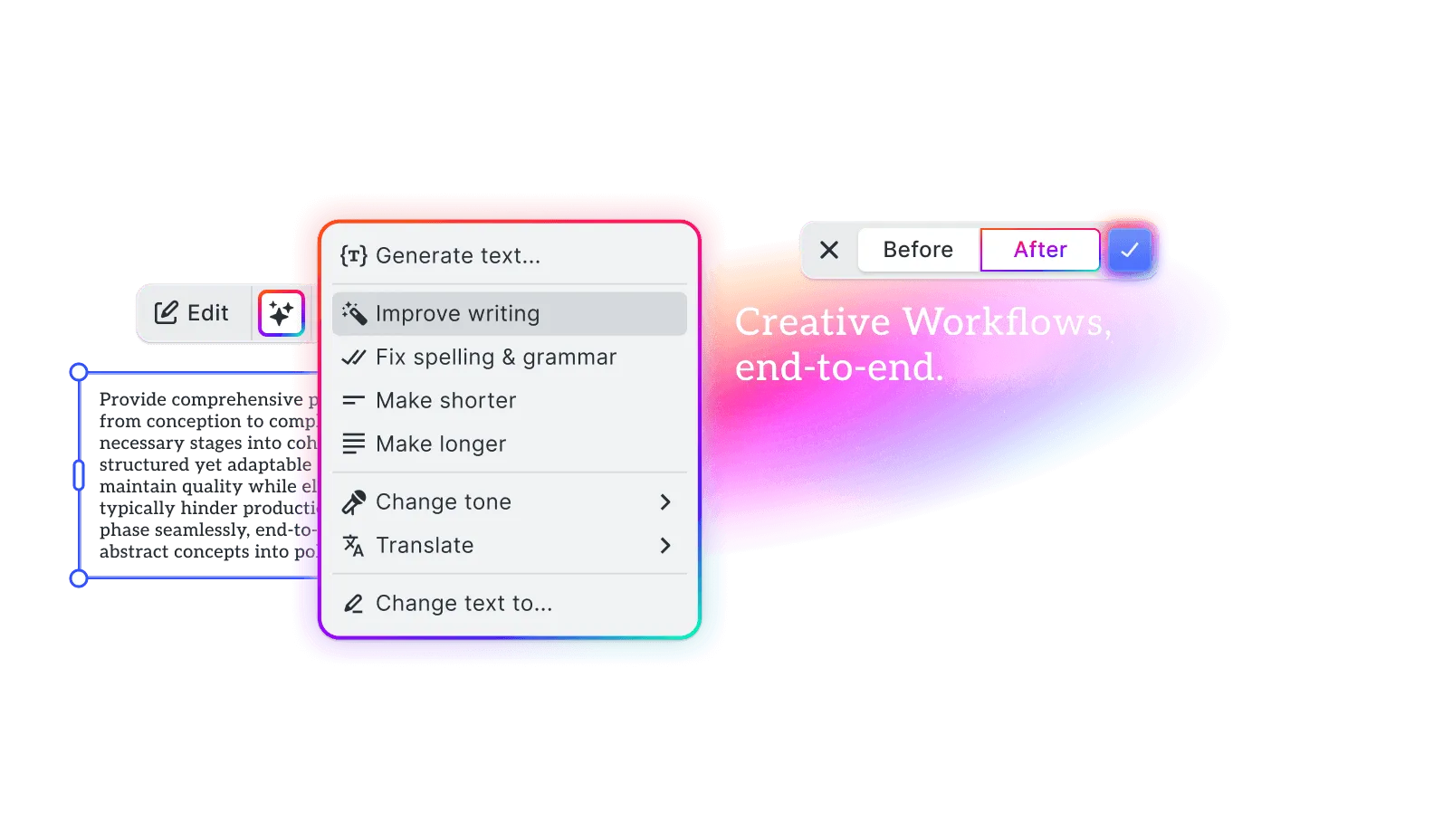
Connect your AI models, or use the Gateway
Bring print-tuned models in through the plugin architecture (a vectorizer, an image corrector, a brand-safe generator), or skip the wiring with the IMG.LY AI Gateway. Anthropic, OpenAI, fal.ai, and ElevenLabs are pre-integrated; your own model drops in the same way.
Explore AI demos
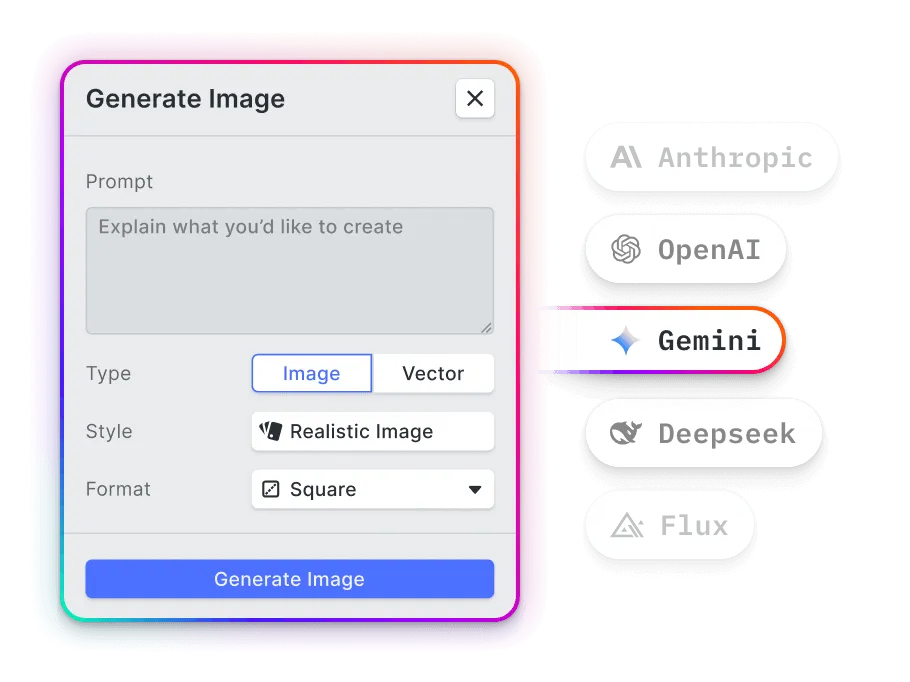
Lock templates so AI stays on-brand and print-safe
Define editable zones and locked elements. AI generation fills placeholders inside your bleed, safe area, and brand constraints, so customers personalize freely without breaking the layout or the brand.
Explore customization demos
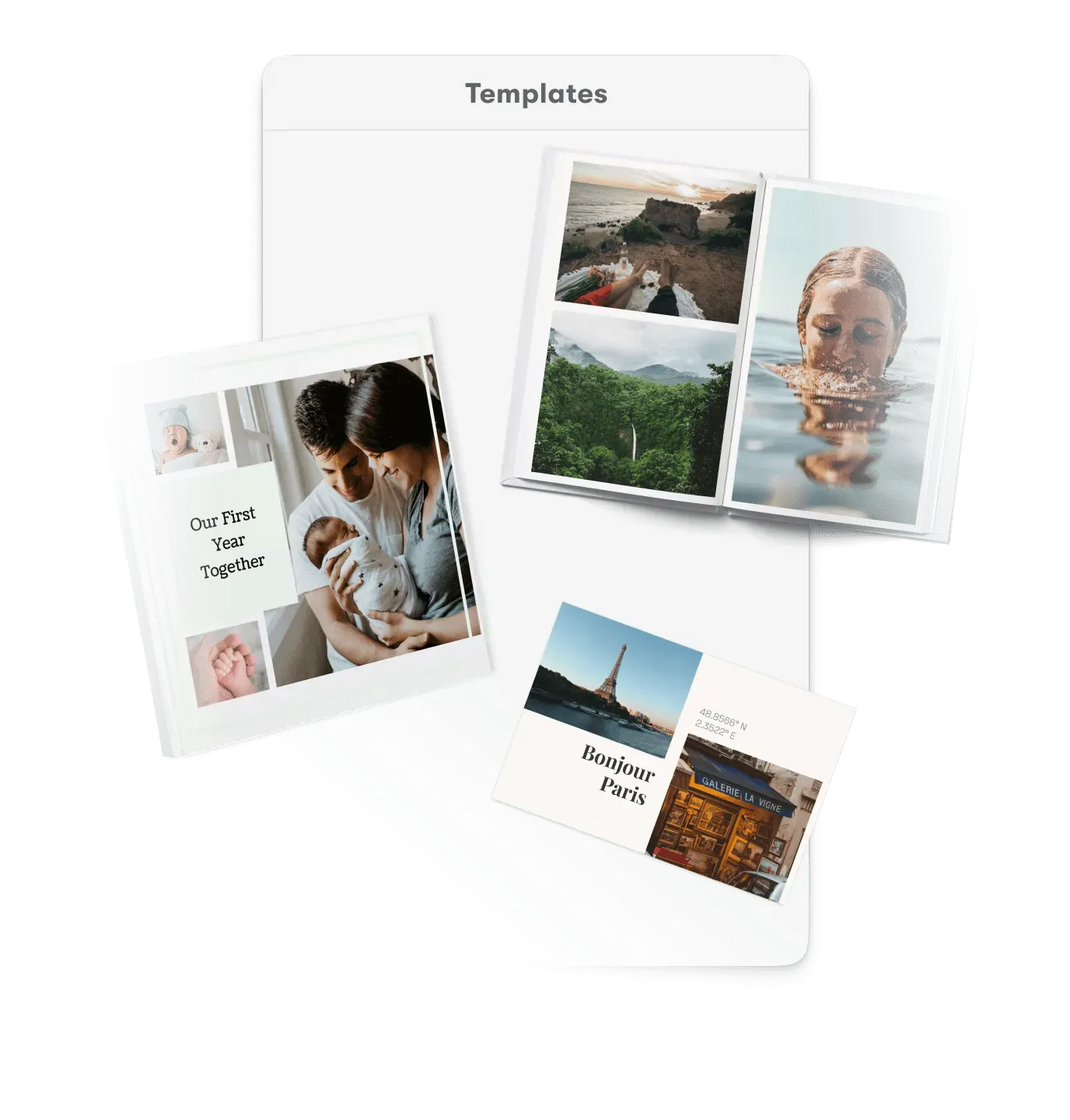
Validate output and enforce print profiles
Set minimum DPI, color profiles, and bleed. The editor flags low-res images and color issues, offers automatic correction and enhancement, and guarantees print-ready files before a customer ever hits export.
See print capabilities
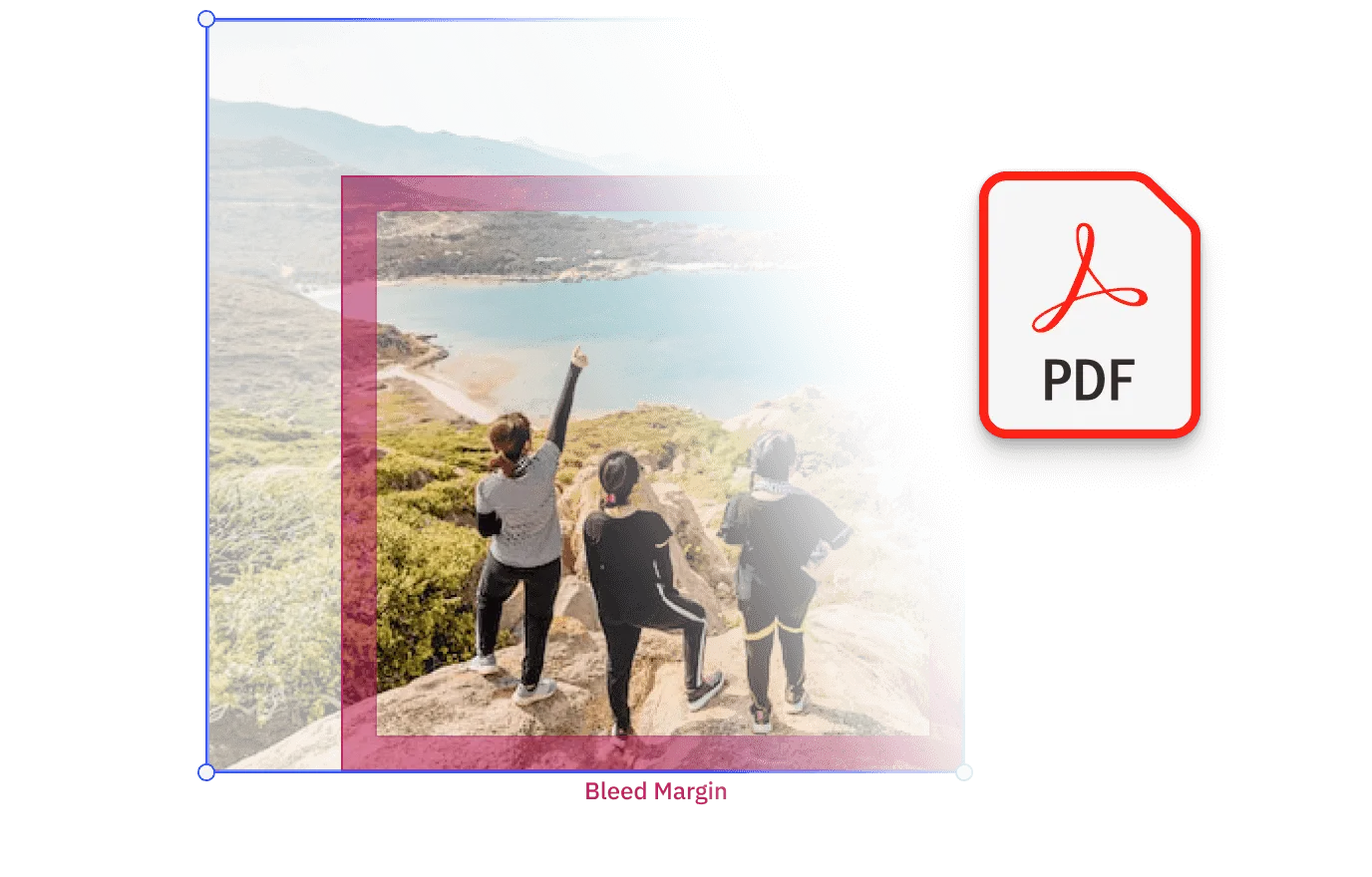
Ship it and scale the print volume
Pilot with one product line, confirm the files land print-ready, then roll out across your catalog on web and mobile. Headless rendering handles the high-volume, personalized runs: thousands of press-ready PDFs from the same templates your customers design in.

What AI changes for each print job
Merge the data, generate the design
Variable data printing can bind any element, text or image, to a data source. AI generates the copy and imagery to fill every record, so even a high-volume job draws on fresh, tailored content instead of a fixed asset library.
-
Generate
Fresh imagery for each record from a prompt
-
Write copy
Tailored headlines and offers per variant
-
Translate
Localized copy for every market segment
Explore Variable Data Printing
Any upload in, print-ready out
Customers upload phone photos, screenshots, and fuzzy logos that rarely meet print specs. AI cleans each file to your DPI and bleed standards on the fly, removing backgrounds, auto-correcting exposure and sharpness, and erasing clutter, so personalization stops flooding production with unprintable files.
-
Remove backgrounds
Clean cutouts from any customer photo
-
Auto-correct
Fix exposure, color, sharpness, and noise on any upload
-
Add & remove objects
Erase clutter or fill gaps in a tap
Explore Print Personalization
New backdrop, same subject
Photo prints don’t have to ship the snapshot as-is. Background removal lifts the subject out of a cluttered scene and text-to-image generates a fresh backdrop, turning an everyday photo into a designed, print-ready keepsake.
-
Remove backgrounds
Lift the subject out of a busy or distracting scene
-
Generate
A fresh backdrop or setting from a prompt
-
Auto-correct
Fix exposure, color, and sharpness for print
Explore Photo Prints
From prompt to press-ready transfer
A customer describes the design and AI generates it on the spot. Background removal cuts it clean for DTG or screen print, and vectorize turns a low-resolution logo into crisp line art that holds from a woven tag to a full back print.
-
Generate
Turn a customer's prompt into a printable design
-
Remove backgrounds
Clean transfers for DTG and screen print
-
Vectorize
Crisp, scalable logos at any garment size
Explore Apparel Design
Generate it big, keep it sharp
A poster lives or dies on a single bold image. Text-to-image generates original artwork at high native resolution, vectorize keeps logos and type crisp at any size, and auto-correction sharpens and balances the final result for print.
-
Generate
Original poster artwork from a prompt
-
Vectorize
Keep logos and type crisp at large sizes
-
Auto-correct
Sharpen and balance color and contrast for print
Explore Poster Design
Custom cover, their own photo
Generate a one-of-a-kind cover from a prompt, then drop in the customer’s own photo with its background cleanly removed. Write and refine the inside message inside a locked, print-ready template, so each card feels handmade while the brand stays on spec.
-
Generate
A one-of-a-kind cover scene from a prompt
-
Remove backgrounds
Cut out the customer's photo and place it in the scene
-
Write copy
Draft and refine the inside message
Explore Greeting Cards
Why print platforms choose IMG.LY for AI
Empower customers, protect the brand
Give non-designers AI tools inside guardrails.
Lock the logo, colors, and margins; let customers change the photo, the headline, and the layout. AI expands what they can create without expanding what they can break.
Press-grade output
AI output that survives contact with a printing press.
CMYK and spot color, bleed and safe areas, DPI validation, vectorized logos, and PDF/X-4 export: the print correctness that screen-first AI tools skip.
Bring your own model, on one bill
Model-agnostic plugins plus a managed gateway.
Route each task to the best model (Recraft for vector, others for photoreal or edits) through the open plugin architecture or the IMG.LY AI Gateway, with no lock-in and one invoice.
Two ways to power the AI behind your print editor
Wire in your own providers for full control, or hand model management to the IMG.LY AI Gateway. Either way, the print tools your customers touch stay exactly the same.
Bring your own providers
Point generation, vectorize, and correction at the providers you already trust, or a fine-tuned model of your own, over endpoints you host. Routing, billing, and data residency never leave your infrastructure.
The path to take when print artwork is sensitive, contractually can’t leave your cloud, or a customer’s own brand model has to do the generating.
IMG.LY AI Gateway
One endpoint fronts every model the print editor calls, on a single invoice. When a provider deprecates a model, the Gateway reroutes it, so a customer mid-design never lands on a dead AI tool.
The fastest path to live: no per-provider contracts, no key management, no editor redeploy when you swap a model.
An SDK made by developers for developers
Install CE.SDK with one command, plug it into your existing upload or creation flows, and stay in control with a clean, documented API.
npm create vite@latest your-project-name -- --template react-ts && cd your-project-namenpm install @cesdk/cesdk-jsnpm create vite@latest your-project-name -- --template vue-ts && cd your-project-namenpm install @cesdk/cesdk-jsng new your-project-name && cd your-project-namenpm install @cesdk/cesdk-jsnpm create vite@latest your-project-name -- --template svelte-ts && cd your-project-namenpm install @cesdk/cesdk-jsnpx create-next-app@latest your-project-name --typescript && cd your-project-namenpm install @cesdk/cesdk-jsnpm create vite@latest your-project-name -- --template vanilla-ts && cd your-project-namenpm install @cesdk/cesdk-jsNative editing for iOS and Android
The same creative engine, shipped as native SDKs for every mobile stack.
pod 'IMGLYUI'pod installimplementation("ly.img:editor:1.53.0")npm install @imgly/editor-react-nativeflutter pub add imgly_editorBring the editor to the desktop
Embed CE.SDK in Electron and native macOS apps with the same API.
npm install @cesdk/cesdk-jspod 'IMGLYUI'pod installpod 'IMGLYUI'pod installRender headlessly at scale
Run the same engine server-side for batch rendering and creative automation.
npm install @cesdk/nodeimport CreativeEngine from '@cesdk/node';
Cut integration to minutes with IMG.LY Agent Skills
CE.SDK Agent Skills give AI coding assistants bundled documentation, guided code generation, and autonomous project scaffolding for building editor and creative workflows across 10 web frameworks.
claude plugin marketplace add imgly/agent-skillsclaude plugin install cesdk@imglynpx skills add imgly/agent-skills -a claude-codenpx skills add imgly/agent-skills --skill docs-react -a claude-codegit clone https://github.com/imgly/agent-skills.gitcp -r agent-skills/plugins/cesdk/skills/docs-react .claude/skills/cesdk-docs-reactLearn more about Agent Skills
Built to trust in production
The editor your team doesn’t have to build, secure, or maintain.
Secure by design
Editing runs client-side, so user content never leaves the browser unless you upload it. IMG.LY is SOC 2 Type II certified, with SSO available on enterprise plans.
Battle-tested at scale
The same creative engine powers 500M+ creations every month across 600+ companies.
Build-vs-buy, solved
We maintain the editor, browser quirks, and rendering pipeline so your team stays focused on your core product. Dedicated support and SLAs on enterprise plans.
Explore print solutions
From the AI editor to apparel, posters, and creative automation, explore every print workflow CE.SDK powers.
Ready to add AI to your print product?
Contact our team to learn about licensing and get access to the AI plugins and print pipeline for CE.SDK.
Frequently Asked Questions
Yes. The editor pairs AI tools (generate, background removal, image correction, vectorize) with locked, print-safe templates and automatic validation, so a non-designer produces a press-ready file without knowing what bleed or DPI means.
Yes. The same engine runs in the browser and as native iOS and Android SDKs, so customers can design wherever they buy.
Yes. Show or hide AI tools, lock template elements, apply your brand theme, translate every label, or build a fully headless UI. Commercial licenses allow full white-labeling.
Output flows into a CMYK, spot-color, PDF/X-4 pipeline with bleed, safe areas, and DPI validation. Vectors and text stay vector, not rasterized.
DPI validation flags any image below your minimum for its placed size, so under-spec uploads are caught before checkout rather than at the printer. The Perfectly Clear plugin then auto-corrects exposure, color, sharpness, and noise to get the most printable result out of what the customer provides.
The editor runs client-side using WebAssembly and WebGL; background removal runs in-browser; generative tasks call model APIs over endpoints you control, and results composite back onto the canvas.
Text-to-image, generative expand and fill, background removal and cutouts, vectorize, image correction and enhancement (Perfectly Clear), add and remove objects, and smart text and translation.
The plugins are model-agnostic and connect to providers such as Anthropic, fal.ai, ElevenLabs, and OpenAI, or your own model. Route each task, for example Recraft for vector, to the model that wins it.
The AI plugins are included with your CE.SDK license. Generative model usage is billed separately by the providers, or unified through the IMG.LY AI Gateway.
Pricing is based on the platforms, components, and AI features you license, not a public per-seat tier. You pay for what you ship. Model usage is billed by providers or via the AI Gateway. Contact sales for details.
Yes, with full access to all features including the AI plugins. Contact the team to get started.
Yes. Custom terms, dedicated support, SLAs, and volume discounts. Contact us to discuss your requirements.