


AI Editor UI
Quickly add AI-powered visual editing and media generation to your web app - seamlessly connect any AI model.
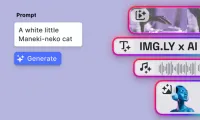
Designed for seamless in-editor use, the AI Editor eliminates tool-switching and unlocks a new level of productivity for developers and creators alike.
Generate with AI: Images, Videos, Audio, and Voiceovers
Quickly create high-quality content from simple prompts using the task bar. Whether your users are designing visuals, crafting short videos, adding audio clips, or generating a voiceover, our AI generation tools are right at your users’ fingertips.
Generate Image
Start from a simple text prompt or use an existing image as your base.
Choose whether you want a high-resolution raster image or a vector graphic. You can then apply a range of predefined styles e.g. photographic, studio portrait, pixel art, and more and select your preferred output format.
Use cases include product mockups, social graphics, avatars, moodboards, and creative variations.
Visual Prompting
Beyond basic prompting, CE.SDK introduces a powerful new paradigm: full-canvas visual prompting. Your users can now compose prompts visually by using any element available on the canvas such as text, images, shapes, stickers, or annotations.
This multimodal approach allows users to blend descriptive text with contextual visual input to guide the AI model more precisely. For instance, a user can sketch a layout, drop in a mood image, add style annotations, and type in a prompt, all of which collectively influence the output. This turns prompting into a fluid creative process rather than a purely textual task.
Generate Video
Create short, stylized videos directly from a static image or text prompt.
Our AI engine transforms your input into a 5-second animated clip, ideal for social content, marketing, or creative storytelling. Style and tone options help control the look and feel, and the generation happens entirely within the CE.SDK interface.
Use this to turn concept art, branded images, or product visuals into dynamic motion content, instantly.
Generate Sound
Enter a simple descriptive prompt (e.g., “ambient synth background,” “drum loop,” “nature sounds”), choose a target duration, and generate a royalty-free sound file.
Perfect for background tracks, UI sounds, sound effects, and short loops.
The generated audio can be used immediately in your video projects or exported for broader use.
Generate AI Voice
Provide a text script via prompt, then select from a range of predefined AI voice characters.
You can adjust the narration speed to match your footage or desired delivery tone.
The result is a natural-sounding voiceover synced to your content, great for explainers, product videos, and dynamic media personalization.
Each of these AI generation tools is embedded natively inside CE.SDK and can be activated from the editor’s task bar or contextual UI, no need to leave the workspace or manage external assets.
In-Context Editing with AI
Interact with any element whether text, image, or video and see intelligent actions appear in context. For instance users can:
- Change the style of an image
- Generate consistent variants
- Turn an image into a short video
- Rewrite, translate, or improve text content
- Fix grammar and adjust tone automatically
These contextual tools bring AI support to every corner of your users’ design process without interrupting their workflow.
Key Benefits of AI-first Editing
- Streamline content production from prompt to publish
- Empower your users with in-editor AI capabilities
- Eliminate the need for external tools or switching contexts
- Customize and scale with flexible model integrations
- Build on top of a battle-tested SDK trusted by hundreds of products
Demo Access
This demo is rate-limited to 5 generated images and 2 videos.
If you’re interested in more extensive testing or want to explore AI capabilities directly inside your product, contact us to request full access.
Designed for seamless in-editor use, the AI Editor eliminates tool-switching and unlocks a new level of productivity for developers and creators alike.
Generate with AI: Images, Videos, Audio, and Voiceovers
Quickly create high-quality content from simple prompts using the task bar. Whether your users are designing visuals, crafting short videos, adding audio clips, or generating a voiceover, our AI generation tools are right at your users’ fingertips.
Generate Image
Start from a simple text prompt or use an existing image as your base.
Choose whether you want a high-resolution raster image or a vector graphic. You can then apply a range of predefined styles e.g. photographic, studio portrait, pixel art, and more and select your preferred output format.
Use cases include product mockups, social graphics, avatars, moodboards, and creative variations.
Visual Prompting
Beyond basic prompting, CE.SDK introduces a powerful new paradigm: full-canvas visual prompting. Your users can now compose prompts visually by using any element available on the canvas such as text, images, shapes, stickers, or annotations.
This multimodal approach allows users to blend descriptive text with contextual visual input to guide the AI model more precisely. For instance, a user can sketch a layout, drop in a mood image, add style annotations, and type in a prompt, all of which collectively influence the output. This turns prompting into a fluid creative process rather than a purely textual task.
Generate Video
Create short, stylized videos directly from a static image or text prompt.
Our AI engine transforms your input into a 5-second animated clip, ideal for social content, marketing, or creative storytelling. Style and tone options help control the look and feel, and the generation happens entirely within the CE.SDK interface.
Use this to turn concept art, branded images, or product visuals into dynamic motion content, instantly.
Generate Sound
Enter a simple descriptive prompt (e.g., “ambient synth background,” “drum loop,” “nature sounds”), choose a target duration, and generate a royalty-free sound file.
Perfect for background tracks, UI sounds, sound effects, and short loops.
The generated audio can be used immediately in your video projects or exported for broader use.
Generate AI Voice
Provide a text script via prompt, then select from a range of predefined AI voice characters.
You can adjust the narration speed to match your footage or desired delivery tone.
The result is a natural-sounding voiceover synced to your content, great for explainers, product videos, and dynamic media personalization.
Each of these AI generation tools is embedded natively inside CE.SDK and can be activated from the editor’s task bar or contextual UI, no need to leave the workspace or manage external assets.
In-Context Editing with AI
Interact with any element whether text, image, or video and see intelligent actions appear in context. For instance users can:
- Change the style of an image
- Generate consistent variants
- Turn an image into a short video
- Rewrite, translate, or improve text content
- Fix grammar and adjust tone automatically
These contextual tools bring AI support to every corner of your users’ design process without interrupting their workflow.
Key Benefits of AI-first Editing
- Streamline content production from prompt to publish
- Empower your users with in-editor AI capabilities
- Eliminate the need for external tools or switching contexts
- Customize and scale with flexible model integrations
- Build on top of a battle-tested SDK trusted by hundreds of products
Demo Access
This demo is rate-limited to 5 generated images and 2 videos.
If you’re interested in more extensive testing or want to explore AI capabilities directly inside your product, contact us to request full access.
Related Demos
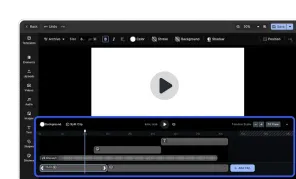
Video Editor UI
Take the VideoEditor for a test run and see how powerful editing features meet seamless and intuitive design. All with fully customizable UI and asset library.
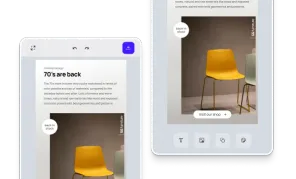
Custom Mobile UI
Easily build custom mobile UIs and provide a seamless design editing experience for your users, on both iOS and Android.
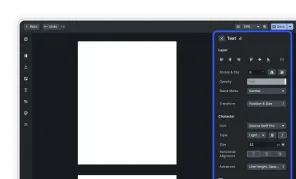
Advanced Editor UI
Our editor variant for professional users, grants granular control over designs.