


IMG.LY vs. Pixel SDK
Need a highly customizable, scalable, and enterprise-ready solution? IMG.LY delivers it all. Discover why CreativeEditor SDK stands out as the top alternative to Pixel SDK.
What makes IMG.LY the best Pixel SDK alternative?
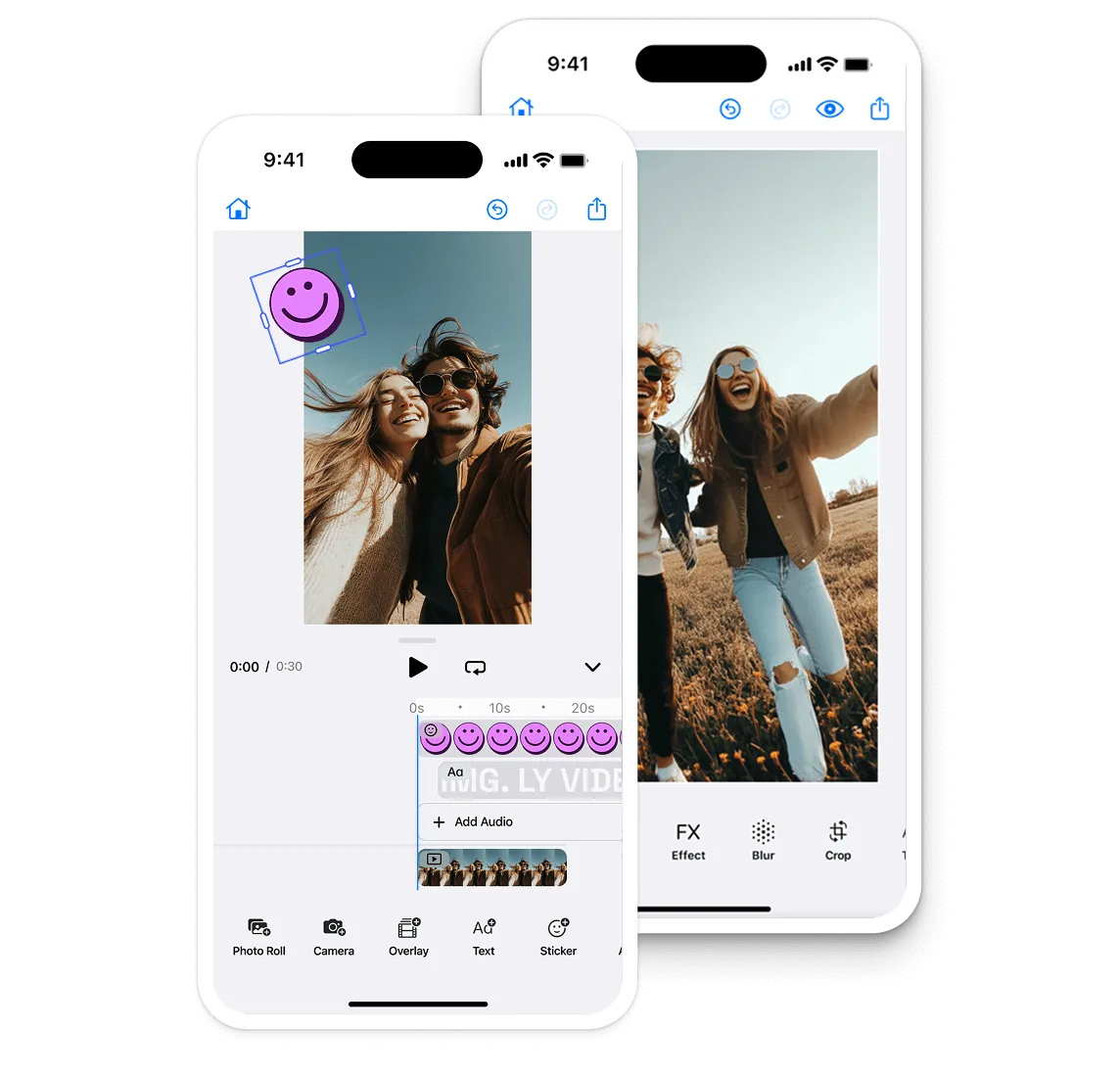
Fully-featured design & video editor
Our SDK has matured in demanding environments, powering 500+ million creations per month.
Full customization & white-labeling
A fully customizable, white-label solution where you control the UI, branding, and functionality.
Extensibility & plugin system
Custom plugins are treated like built-in features, so you can add new tools, automation, and industry-specific workflows.
Automated content generation
Use generative AI, batch processing, and programmatic design tools to automate and scale content creation.
Trusted by 100+
industry leaders














What our clients say about us
Integrating IMG.LY’s editor meant we didn’t have to build or maintain a complex editing layer ourselves. That kept our team focused on our core AI ad engine and saved us countless development hours — while still giving our customers the ability to polish and customize creatives at scale.
Hikari Senju
CEO, Omneky

With IMG.LY we built a central creative portal that now powers over 140 dealer campaigns across multiple automotive brands. Before this, asset creation was slow and inconsistent.
Martin Röhr
Product Owner, Digitas

By embedding IMG.LY’s editor we were able to hit key RFP requirements and deliver a template-based creative experience that now serves 1,000+ customers. It helped us win more deals and exceed enterprise expectations without needing to hire dedicated design teams.
Rob Driscoll
Director of PM, Optimizely

Since integrating IMG.LY’s editor, we now deliver 30,000+ ad creatives per month, dramatically shorten time-to-launch, and help our clients cut design spend by up to $10,000 per month.
Logan Welbaum
Founder, Plai

Our customers create over a million personalized postcards each year choosing from over hundreds of templates with IMG.LY’s SDK. It’s the only solution that allows us to build our own specialized, on-brand UI that integrates seamlessly with our platform.
Jeanine Zaalberg
Product Manager, SwissPost

From a developer’s perspective, the most powerful feature of the photo editor is the integration process. It was completely flawless, quick, and easy to integrate.
Stefano Fornari
CTO, Funambol
We compared IMG.LY SDK with other solutions and found that it would be the best fit for us since it provides all the features that are crucial for our use case.
Carem Pereira
SCRUM Manager, HP

IMG.LY vs. Pixel SDK at a glance
| Feature | IMG.LY | Pixel SDK | Notes |
|---|---|---|---|
| Deep Customizability | Fully customizable; can include advanced editing features or simplified ones, making it highly flexible and user-friendly. | Offers some customization but primarily limited to predefined UI and features. | IMG.LY offers deep UI/UX customization, white-labeling, and plugin extensibility. Pixel SDK provides basic UI theming and some configuration, but does not allow full UI/UX overhaul. |
| Framework & Platform Support | Cross-platform support including Web, iOS, Android, React Native, Flutter, macOS, Electron, and Node.js. | iOS only, supporting iPhone and iPad on iOS 11 and up. No Android or web SDK. | IMG.LY supports a wide range of platforms and frameworks. Pixel SDK is focused on native mobile (iOS/Android); web support is minimal or non-existent. |
| Turnkey Solutions for Different Use Cases | Pre-built editors for video, social, and marketing content. | Primarily image-editing focused, lacks specialized editors for different industries. | IMG.LY offers industry-specific editors (e.g., print, marketing, social video). Pixel SDK is mainly an image editor SDK without vertical-specific solutions. |
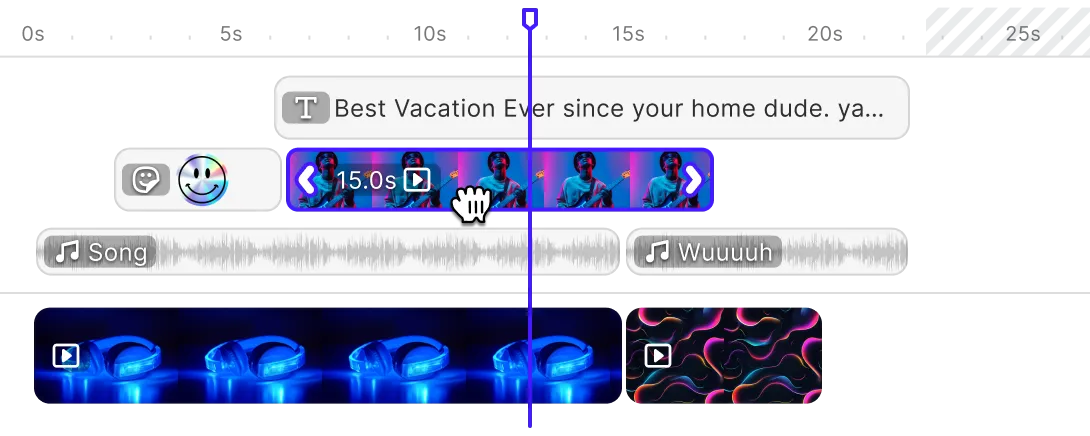
| Advanced Video Editing Features | Advanced video editing with automation for dynamic content creation and multi-track editing for video, images, audio, and overlays. | Documents 4K UHD video at 60fps with trimming, composing and segment reordering. No timeline or multi-track editing is documented. | IMG.LY supports multi-track video, overlays, and automation. Pixel SDK has basic video trimming and filters but lacks advanced video editing and automation. |
| Plugin System | Plugin system that lets developers extend functionality and add custom features. | No dedicated plugin system, limited to predefined features. | IMG.LY supports a native plugin API for extensibility; Pixel SDK does not offer a plugin system. |
| Creative Automation | Supports dynamic content insertion, batch processing, and generative AI for automation. | No dedicated automation tools, primarily manual editing workflows. | IMG.LY enables automated, data-driven editing and generative AI integration. Pixel SDK workflows are manual, with no automation API. |
| Openness & File Compatibility | Can import Photoshop (PSD), InDesign (IDML), and Illustrator (AI) files, and export scene files for saving work-in-progress. | Works with standard image formats (JPEG, PNG) but lacks support for complex design files. | IMG.LY supports industry-standard file imports/exports. Pixel SDK is limited to basic image formats; no PSD, AI, or IDML support. |
| Asset Libraries & Integrations | Easily integrates third-party libraries like Unsplash and Getty Images for asset management. | No built-in support for third-party asset libraries, requires custom implementation. | IMG.LY natively integrates with major asset libraries; Pixel SDK requires manual integration for external assets. |
| Scalability & Enterprise Support | Established, enterprise-grade solution powering creative editing for many large enterprises across the globe. Backed by a dedicated engineering team with continuous updates, ensuring long-term reliability. | Pixel SDK announced it would sunset on 30 June 2025 and stopped accepting new customers, so there is no ongoing support or update path. | IMG.LY is actively developed and enterprise-focused. Pixel SDK’s vendor has announced end-of-life, making it unsuitable for future-proof projects. |
Key capabilities
Learn more about some of the functionalities of IMG.LY’s SDK.
Editing
Printing





Templating
Text variables.
Enable mass personalization and creative automation by embedding variables.
Placeholders & lockable designs.
Constrain templates to guide your users’ design and ensure brand consistency.
Configurable presets.
Enforce a consistent aesthetic across all creations by using preset filters, adjustments, fonts, and crop ratios.
Customizability
Build custom UIs.
Use the headless API powering all creative operations to implement an entirely custom UI.
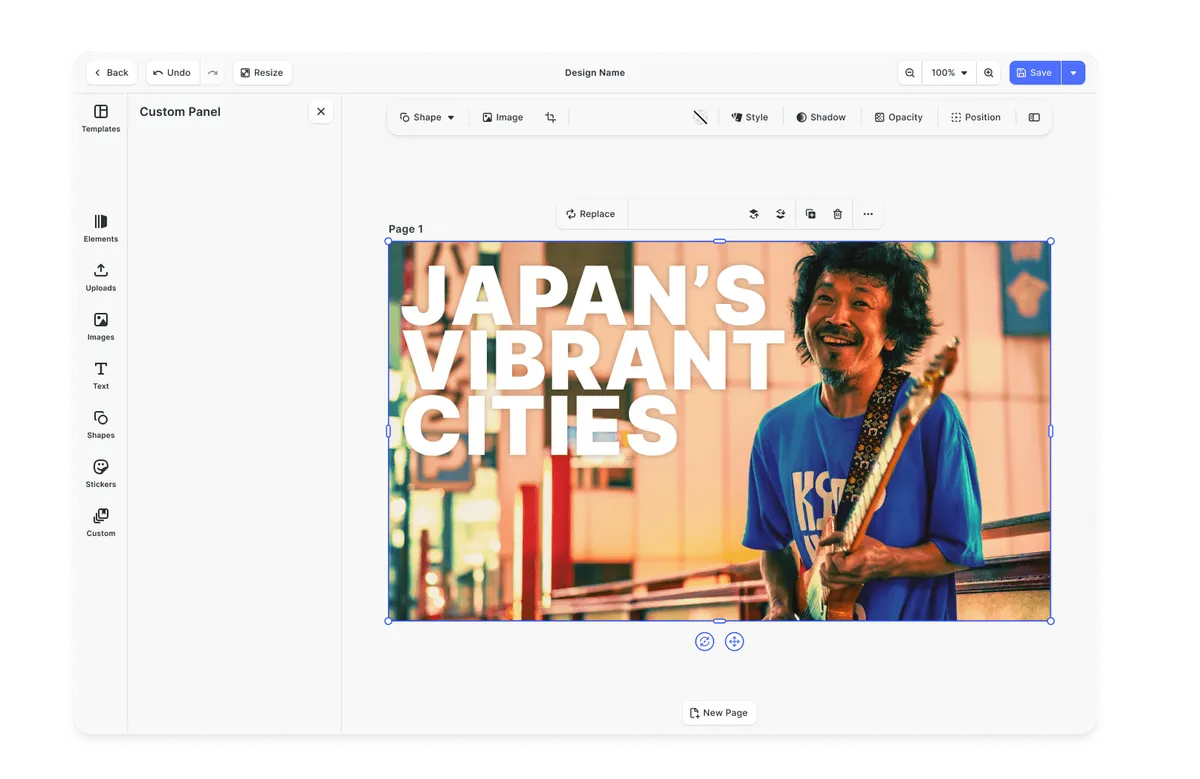
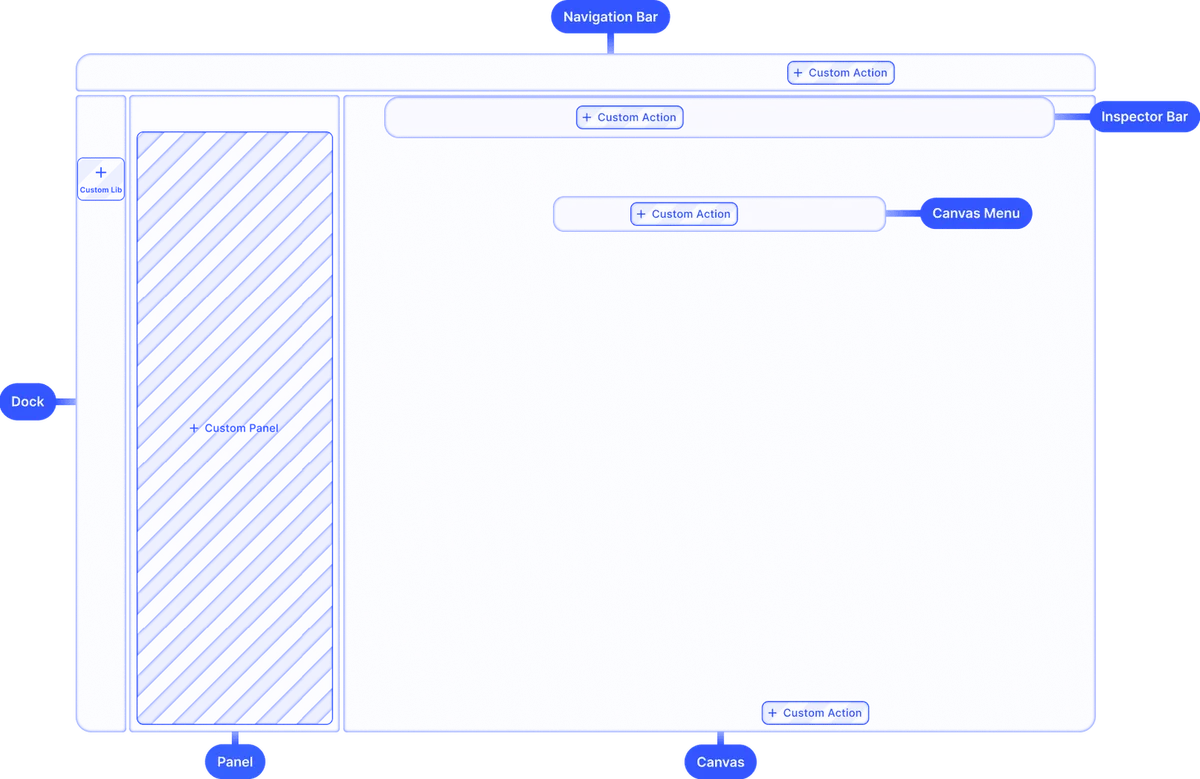
Theming.
Theme the editor to match your app.
Media libraries.
Set up custom libraries that are easily sortable.
Toolbar customization.
Reposition toolbar elements, change icons, or rename tools to fit your use case.
Internationalization.
Add support for additional languages, and customize any button label.
Export options.
Export designs in JPG, PNG, or PDF with custom quality, page ranges, and dimensions.
Check out other use cases
Learn more about related solutions.
Apparel Designer
Whether t-shirts, hoodies or caps, build for any use case, deploy on any platform.
Get in touch
Contact our sales team to learn more about licensing options and get access to our AI plugins for CE.SDK.
FAQs
We believe IMG.LY is the strongest alternative to PixelSDK, particularly if you need a flexible, multi-platform editor that scales beyond iOS. While PixelSDK is iOS-only, IMG.LY's PhotoEditor SDK and VideoEditor SDK run on iOS, Android, Web, React Native, Flutter, and beyond.
Four key differences: (1) Cross-Platform Coverage: Unlike PixelSDK (which focuses solely on iOS), we support iOS, Android, and Web, plus frameworks like React Native and Flutter; (2) Out-of-the-Box Editing Tools: We provide features such as text overlays, advanced stickers, brush tools, overlays, filters, and effects; (3) Customization & Branding: Our solution allows you to theme and re-skin the editor to match your brand; (4) Automation and headless mode: You can generate videos and photos programmatically.
Multi-Platform Theming: We offer a consistent theming engine that works across iOS, Android, and Web, letting you maintain a cohesive brand identity. Tool-Specific Customization: You can enable, disable, or re-arrange specific editing tools.
Yes, certainly. You can either consult our getting started guides in the documentation to get a first feel for the editor in the context of your application. If you have serialized edits you would like to transfer our solutions team is happy to help you to write a migration script.
IMG.LY: iOS, Android, Web (JavaScript), React Native, Flutter, and more. PixelSDK: Limited to iOS devices (iPhone and iPad) running iOS 11 or later.