


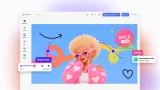
A web-to-print API that returns press-ready PDF/X
The web-to-print API is a library you run yourself: send a template reference and a data payload, get back PDF/X-4 with CMYK, named spot colors, and bleed. The same engine powers our editor, so you can render from code, embed editing, or do both.
- Headless rendering in Node.js
- PDF/X-4 output with CMYK and spot colors
- Batch and variable data at server scale

One web-to-print API, two ways to call it
From your own code, or through an editor your customers use. Same templates, same output.
Template in, PDF out
A render call takes a template reference and a data payload and returns the production file.
Batch at your scale
One record or a hundred thousand, from the same template and the same call. The variable data printing page covers high-volume runs in depth.
Print-grade output
The file your prepress expects, straight from the render, with no operator fixing color or geometry first. Full output specification further down this page.
Trusted by 100+ product teams















Our customers create over a million personalized postcards each year choosing from over hundreds of templates with IMG.LY’s SDK. It’s the only solution that allows us to build our own specialized, on-brand UI that integrates seamlessly with our platform.
Jeanine Zaalberg
Product Manager, SwissPost

It's hard to imagine we could have launched PostBuddy without a design editor SDK. Customers want an integrated experience, and we needed to channel our limited resources into our core mission, not a custom editor.
Hans Christian Bøggild
Co-Founder, PostBuddy

From a developer’s perspective, the most powerful feature of the photo editor is the integration process. It was completely flawless, quick, and easy to integrate.
Stefano Fornari
CTO, Funambol

We compared IMG.LY SDK with other solutions and found that it would be the best fit for us since it provides all the features that are crucial for our use case.
Carem Pereira
SCRUM Manager, HP

Where it fits in your stack
One layer in a longer pipeline. Everything either side of it stays yours.
A design is created
Customers personalize a template in the web-to-print design tool, drop artwork they already have into its placeholders, or your own designers author the master.
An order is confirmed
Your storefront, catalog, pricing, checkout, and order management stay exactly where they are. Rendering begins once an order exists, with a template reference and the data that personalizes it.
The engine renders the file
A library inside your own Node.js services, not a hosted endpoint you call out to, so design data never leaves your infrastructure. It is the same engine that powers the editor, so what a customer approved and what the press receives cannot drift apart.
Prepress receives it
Files arrive by whatever path your production workflow already consumes: a hot folder, a bucket, or a direct push from your own code. Imposition and ganging stay with prepress, crop and registration marks are added at export or left to prepress, and the file is built to hand over cleanly.
What teams build on it
The pattern is always template plus data. Sometimes a customer supplies that data, sometimes a system does. For SaaS platforms it becomes shared printing infrastructure: one set of templates, every tenant, rendering that scales with your own servers.
Customer-facing print products
A catalog of templates your customers browse, pick, and personalize, built from your own template set and asset libraries. The render behind it is the same call your batch jobs make.
Variable data campaigns
Bind a template to a database or CSV and render one press-ready file per record: direct mail, badges, serialized labels, regional versions. The variable data printing page covers the template mechanics.
Catalogs, proofs, and collateral
Personalized catalogs from a PIM, on-demand proofs for approval flows, sales collateral from templates marketing controls. Rendering is a call, not a design task, so when the data changes the next render reflects it.
What the engine gives you either way
These come from the engine itself, whichever way you call it.
For your users
Long values that do not break the layout.
Text auto-scale fits copy to the space it is given, so the longest name in your data does not overflow the tightest field in your template.




A starting point, not a blank canvas.
Customers open a template with the layout, trim geometry, and brand elements already in place, then make it theirs. The parts you leave open are the parts they change.
For your platform
Underlayers for dark and transparent substrates.
A base ink layer, typically white, for DTF transfers, fabric, glass, and dark materials. You define the spot color that represents the underlayer ink, and the press reads it as a separation.




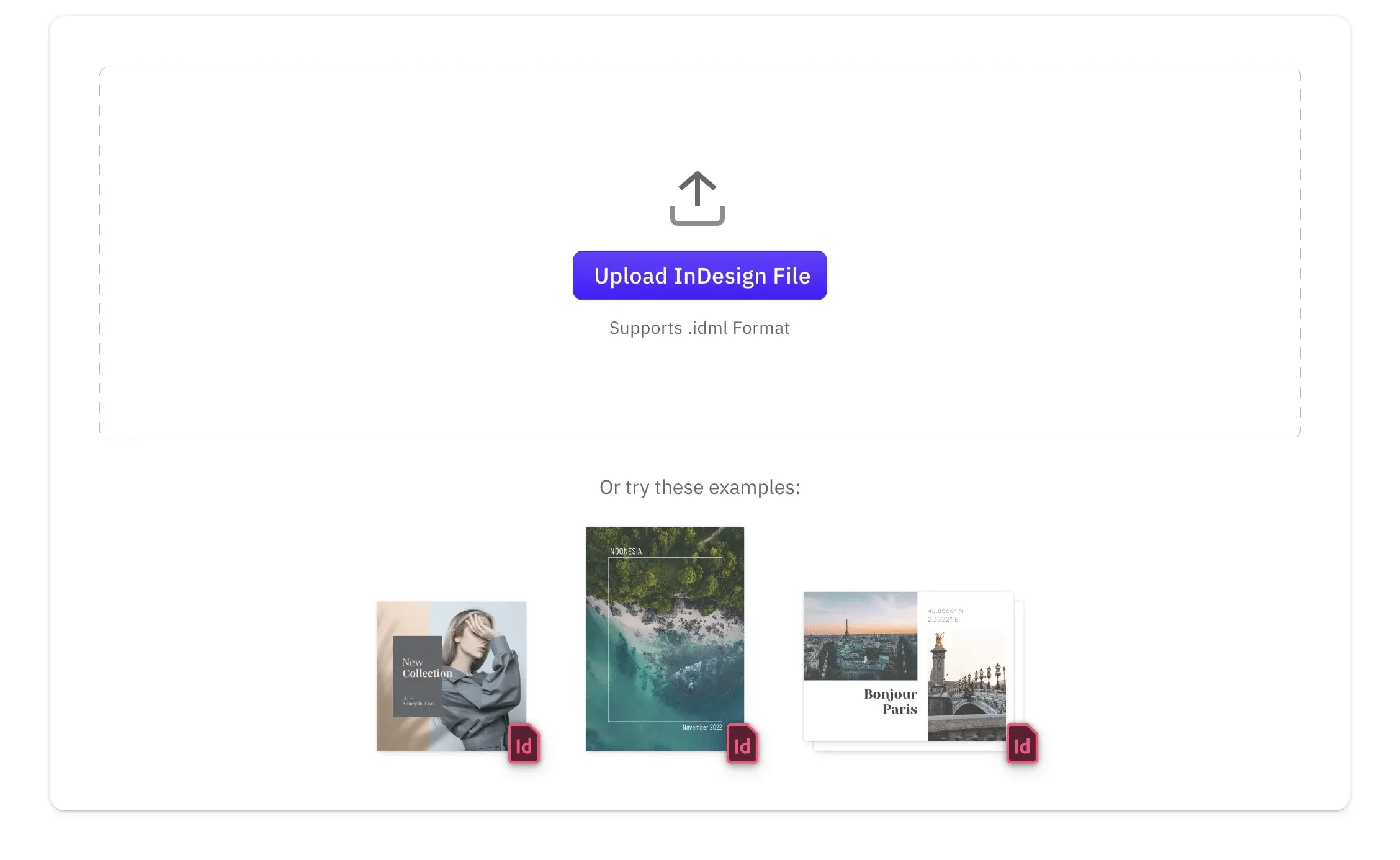
Templates from the tools designers already use.
Import InDesign (IDML), Photoshop (PSD), Illustrator (AI), and PowerPoint files as editable templates, server-side as well as in the browser. Existing print masters need no rebuild. Finished designs also export back to IDML, and to PSD on the server.
Knockouts for overlapping inks.
Knockouts manage overlapping colors and layers in complex print designs, so the separation your press receives is the one you intended rather than an accidental overprint.

Assets served from your own storage.
Typefaces and image libraries come from storage you control, so every render draws on exactly the same approved set.
The output specification, stated plainly
Most rendering APIs describe their output in adjectives. Here is ours in properties.
Color
CMYK values and named spot colors are preserved end-to-end for vector and text elements; raster images export as RGB. Conversion targets fogra39, gracol, sRGB, or your own ICC profile.
Page geometry
Bleed and a defined trim box come from the scene’s print geometry, and cutout paths export as CutContour spot colors for die-cut work. Crop and registration marks are optional on export.
Transparency and vectors
Live transparency and vector text reach the file intact rather than flattened to pixels, which is what most modern RIPs prefer. Flattening is configurable where a workflow requires it.
Output format
Exports are PDF/X-4 by default, with PDF/X-3 also supported, fonts embedded. Resolution is configurable per export.
Check the file, don’t take our word for it
The print-ready PDF demo exports the real file, from the same engine this page describes. Open it in a PDF viewer and hold it against your own prepress profile.
Open the export demoScaling and deployment
A Node.js dependency, not a hosted service, so it scales like the rest of your backend.
-
Your queue, your concurrency
Renders run in worker processes behind the queue you already operate, sized to your own instances.
-
Burst on your terms
Campaign spikes scale with infrastructure you control, not a vendor's rate limits or a per-render round trip.
-
Data stays where you are
Designs and uploads render where your code runs, keeping regulated workloads inside your compliance boundary.
From npm install to a rendered PDF
The engine is a package, so the first render is an install and an import away.
npm install @cesdk/nodeimport CreativeEngine from '@cesdk/node';Render your first press-ready file
The Node.js quickstart takes the engine from npm install to a rendered PDF, and our team can talk through volume, deployment, and licensing.
Frequently Asked Questions
A web-to-print API generates press-ready print files programmatically: send a template reference and a data payload, receive a production PDF. CE.SDK provides this through its headless mode, where the CreativeEngine runs server-side in Node.js without a browser or visible editor involved.
A library. The engine installs from npm as @cesdk/node and runs inside your own Node.js services, so there is no hosted rendering endpoint to call and no request leaving your infrastructure. If you want a REST interface, you wrap the engine in one of your own, which also means the URL, auth, and rate limits are yours to define.
Yes. CreativeEngine renders identically in the browser editor and in headless Node.js, because it is the same engine. A design previewed by a customer and the production file rendered on order confirmation cannot drift apart, and templates need building only once for both paths.
PDF/X-4 by default, with PDF/X-3 also supported, carrying bleed and a defined trim box, with fonts embedded. CMYK values and named spot colors are preserved end-to-end for vector and text elements; raster images export as RGB. Resolution is configurable per export.
Yes. Export targets fogra39, gracol, or sRGB, or a custom ICC profile you supply, and profile embedding can be disabled if your workflow supplies its own. For PDF/X-3 output, transparency flattening is configurable too.
PDF/X-4 if your workflow accepts it, because it preserves live transparency and vector text rather than flattening them, which is what most modern RIPs prefer. PDF/X-3 remains available for older prepress workflows that require it. Confirm which your printer accepts before standardizing on one.
Yes, when you ask for them. The PDF export can draw crop marks at each corner and a registration mark at the middle of each edge, with the offset, crop mark length, and line weight set per export. Both are off by default, so a workflow whose imposition step adds its own marks gets files without them.
Not on the server. Design validation ships as an adaptable starter kit for the browser editor, not as a step inside the render call, and the headless print export performs no pre-export checks. In the editor it flags images below their resolution floor, elements protruding from the page, and text obstructed by other blocks, so problems surface while a customer can still fix them. For batch runs, validate before you enqueue, and keep production preflight in your prepress tooling.
On your infrastructure. The headless engine runs in your Node.js environment, so scaling, queueing, and data residency stay under your control. There is no IMG.LY-hosted rendering service in the loop, which also matters for workloads whose data cannot transit third-party servers.
That is the common shape. The engine runs inside your own cloud services rather than ours, so print rendering scales with infrastructure you already operate and every tenant draws on one shared template set. Because there is no per-render call out to a vendor, cost per file tracks your own compute rather than someone else's price list.
Rendering is a function call in your own processes, so throughput is a function of the workers and instances you give it rather than a vendor quota. Teams typically run renders in worker processes behind an existing queue and size concurrency to their hardware. Because there is no per-render round trip, marginal cost per file approaches your compute cost.
Templates are authored once, either in the editor or programmatically, then rendered any number of times. Existing print masters can be imported rather than rebuilt: InDesign (IDML), Photoshop (PSD), Illustrator (AI), and PowerPoint files are supported, server-side as well as in the browser. Finished designs also export back to IDML, and to PSD on the server.
By the platforms and components you license, on a monthly or yearly subscription, rather than per render or per seat. Headless server-side rendering is licensed alongside the platforms you deploy on. Talk to our team for a quote against your expected volume and deployment shape.