Design Templating
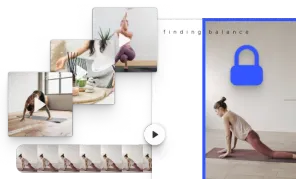
Stay on brand and simplify the design process by defining editable template elements and design constraints.
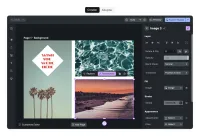
Use placeholders to create adaptable templates that can be easily personalized, while ensuring a unified layout and staying on brand.
What is a placeholder?
Placeholders are dynamic elements of a design that can be modified in a specific, predefined way. Placeholders can be chosen and defined in a creator role and adapted by users interacting with a template.
Assigning placeholders
Each element of the design can serve as a placeholder and each placeholder can behave in a different way. A creator can choose how an adopter can interact with every element, allowing changes ranging from basic to advanced.
Choosing constraints
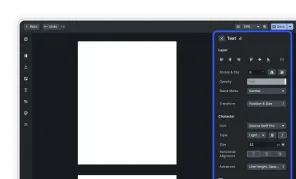
In a creator mode, placeholders can give permission to:
- Replace content - giving users permission to change visual or written content
- Arrange - including separate permissions for: move, scale, rotate, and flip
- Style - allowing visual adjustments like contrast, brightness, or filters
- Delete - element can be removed
- Duplicate - element can be duplicated
Benefits of placeholders
Creating smart templates with the use of placeholders and custom constraints can jump-start the creative process and make design creation easy and accessible to anyone. It can also ensure staying on brand by allowing customization of only specific parts of the design - especially useful for creative agencies or franchises.
Adapting placeholders
As an adopter interacting with a template, the design process is straightforward, without the possibility to perform actions and edits that weren’t allowed by a creator.
Use placeholders to create adaptable templates that can be easily personalized, while ensuring a unified layout and staying on brand.
What is a placeholder?
Placeholders are dynamic elements of a design that can be modified in a specific, predefined way. Placeholders can be chosen and defined in a creator role and adapted by users interacting with a template.
Assigning placeholders
Each element of the design can serve as a placeholder and each placeholder can behave in a different way. A creator can choose how an adopter can interact with every element, allowing changes ranging from basic to advanced.
Choosing constraints
In a creator mode, placeholders can give permission to:
- Replace content - giving users permission to change visual or written content
- Arrange - including separate permissions for: move, scale, rotate, and flip
- Style - allowing visual adjustments like contrast, brightness, or filters
- Delete - element can be removed
- Duplicate - element can be duplicated
Benefits of placeholders
Creating smart templates with the use of placeholders and custom constraints can jump-start the creative process and make design creation easy and accessible to anyone. It can also ensure staying on brand by allowing customization of only specific parts of the design - especially useful for creative agencies or franchises.
Adapting placeholders
As an adopter interacting with a template, the design process is straightforward, without the possibility to perform actions and edits that weren’t allowed by a creator.