


Video Placeholders
Streamline asset production with video placeholders.
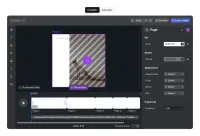
Placeholders can be used to create easily personalized templates while ensuring an on-brand, unified layout.
Understanding Placeholders
Placeholders are dynamic design elements that creators define for customization. Users working with a template can easily modify these placeholders to achieve their vision.
Constraint Options
When operating in creator mode, placeholders can give permission to:
- Replace content - Granting users the freedom to modify visual or textual elements.
- Arrange - Including separate permissions for: move, scale, rotate, and flip.
- Style - Enabling visual tweaks like adjusting contrast, brightness, or applying filters.
- Delete - Allowing elements to be removed.
- Duplicate - Empowering the duplication of elements.
Adapting Placeholders
For adopters engaging with a template, the design process remains intuitive, preventing actions and edits beyond the creator’s defined scope. This ensures a seamless design experience while adhering to established guidelines.
Placeholders can be used to create easily personalized templates while ensuring an on-brand, unified layout.
Understanding Placeholders
Placeholders are dynamic design elements that creators define for customization. Users working with a template can easily modify these placeholders to achieve their vision.
Constraint Options
When operating in creator mode, placeholders can give permission to:
- Replace content - Granting users the freedom to modify visual or textual elements.
- Arrange - Including separate permissions for: move, scale, rotate, and flip.
- Style - Enabling visual tweaks like adjusting contrast, brightness, or applying filters.
- Delete - Allowing elements to be removed.
- Duplicate - Empowering the duplication of elements.
Adapting Placeholders
For adopters engaging with a template, the design process remains intuitive, preventing actions and edits beyond the creator’s defined scope. This ensures a seamless design experience while adhering to established guidelines.
Related Demos
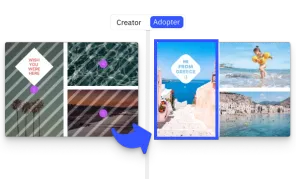
Design Placeholders
Ensure staying on brand and simplify the design process by defining placeholders and design constraints.
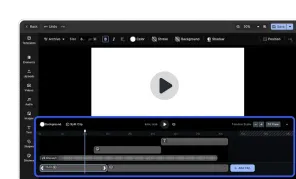
Video Editor UI
Take the VideoEditor for a test run and see how powerful editing features meet seamless and intuitive design. All with fully customizable UI and asset library.