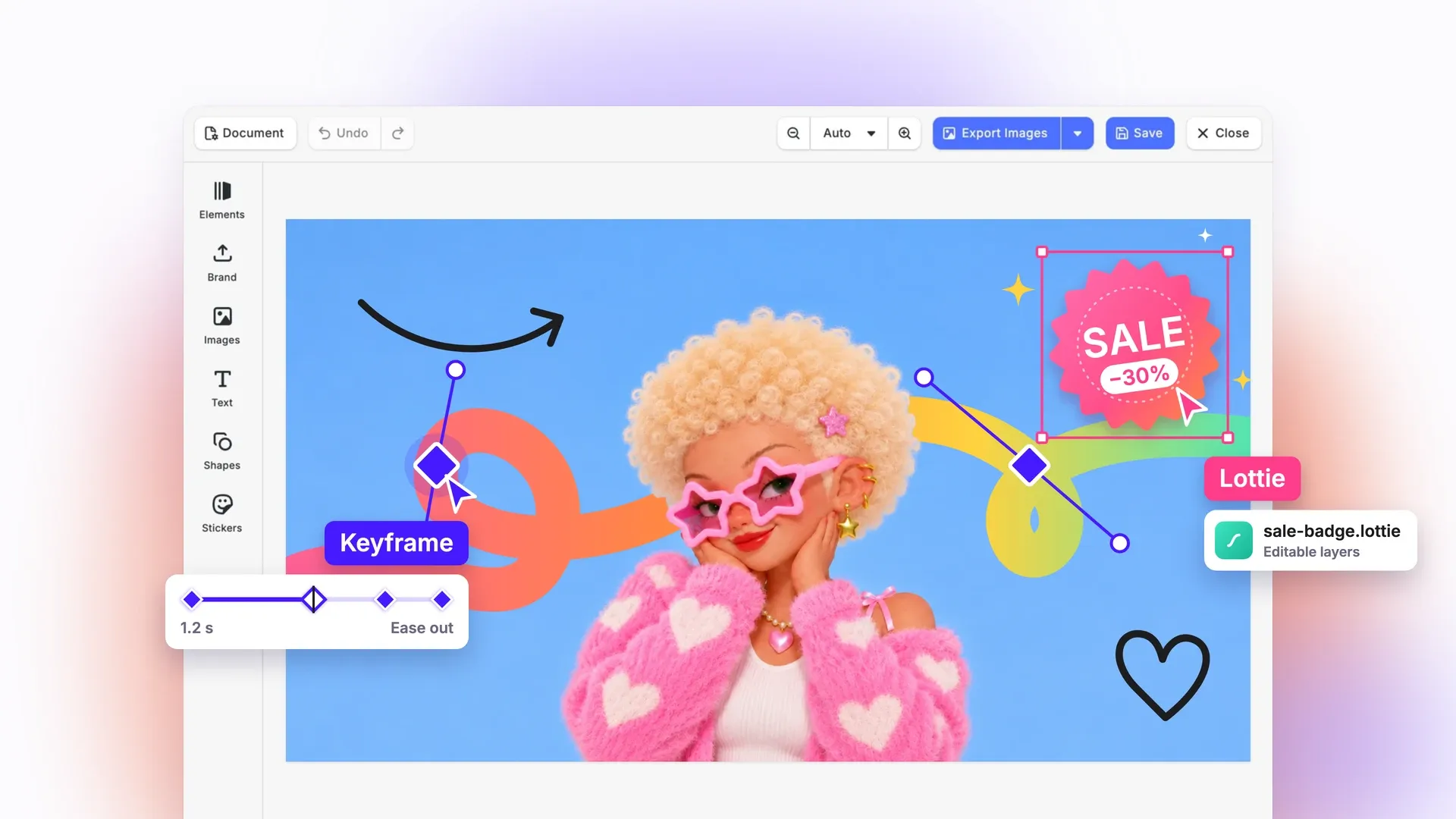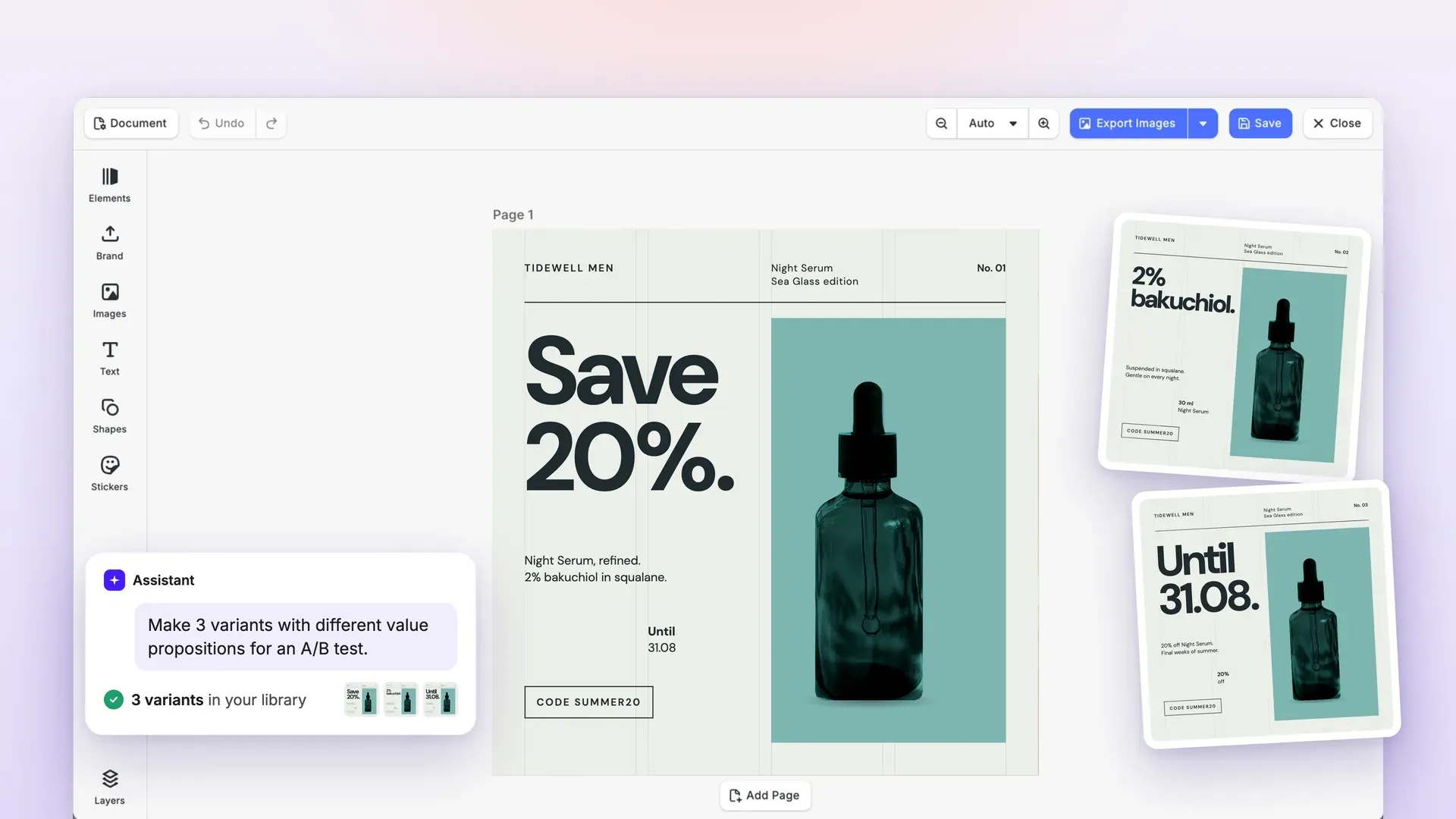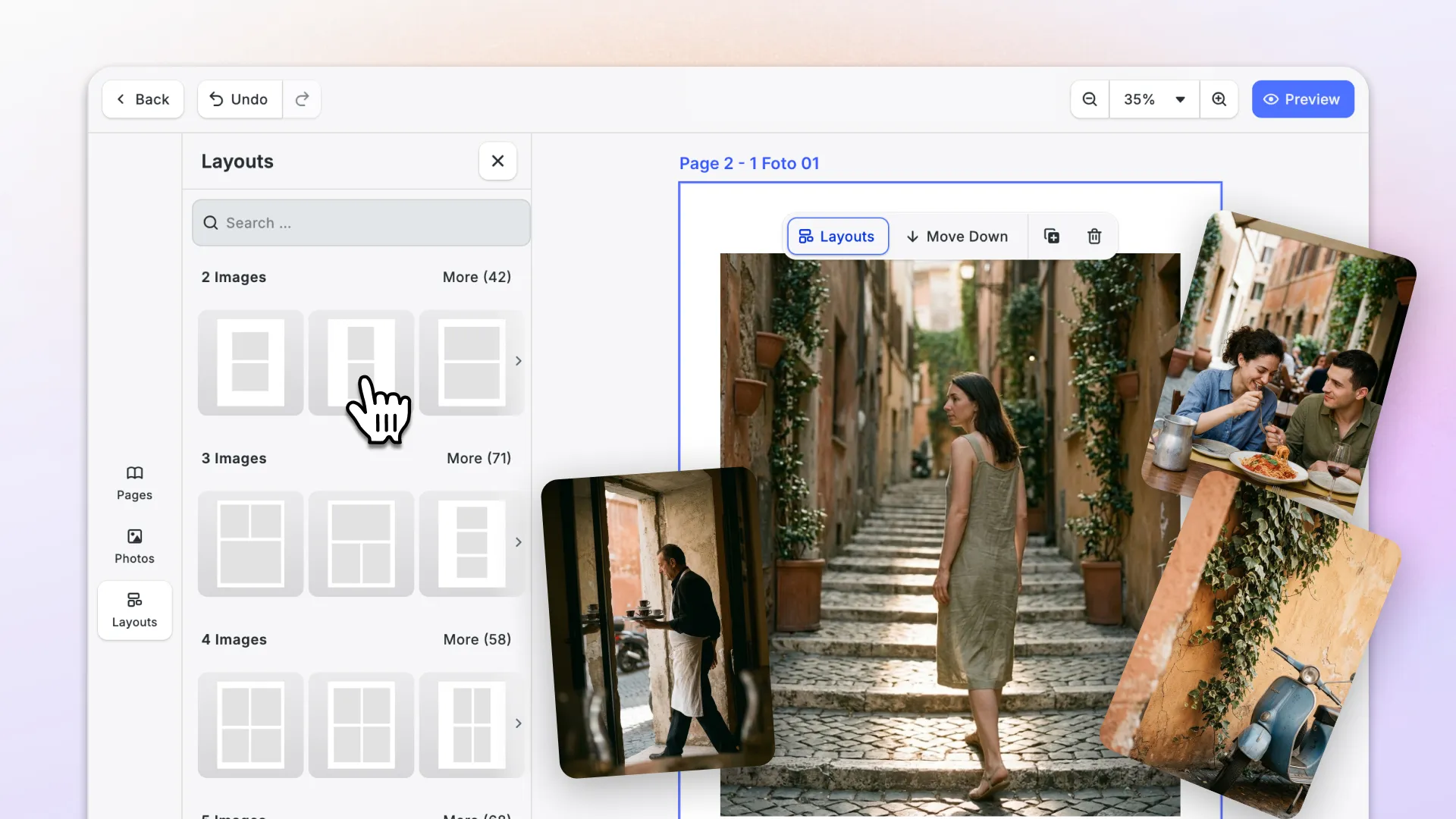

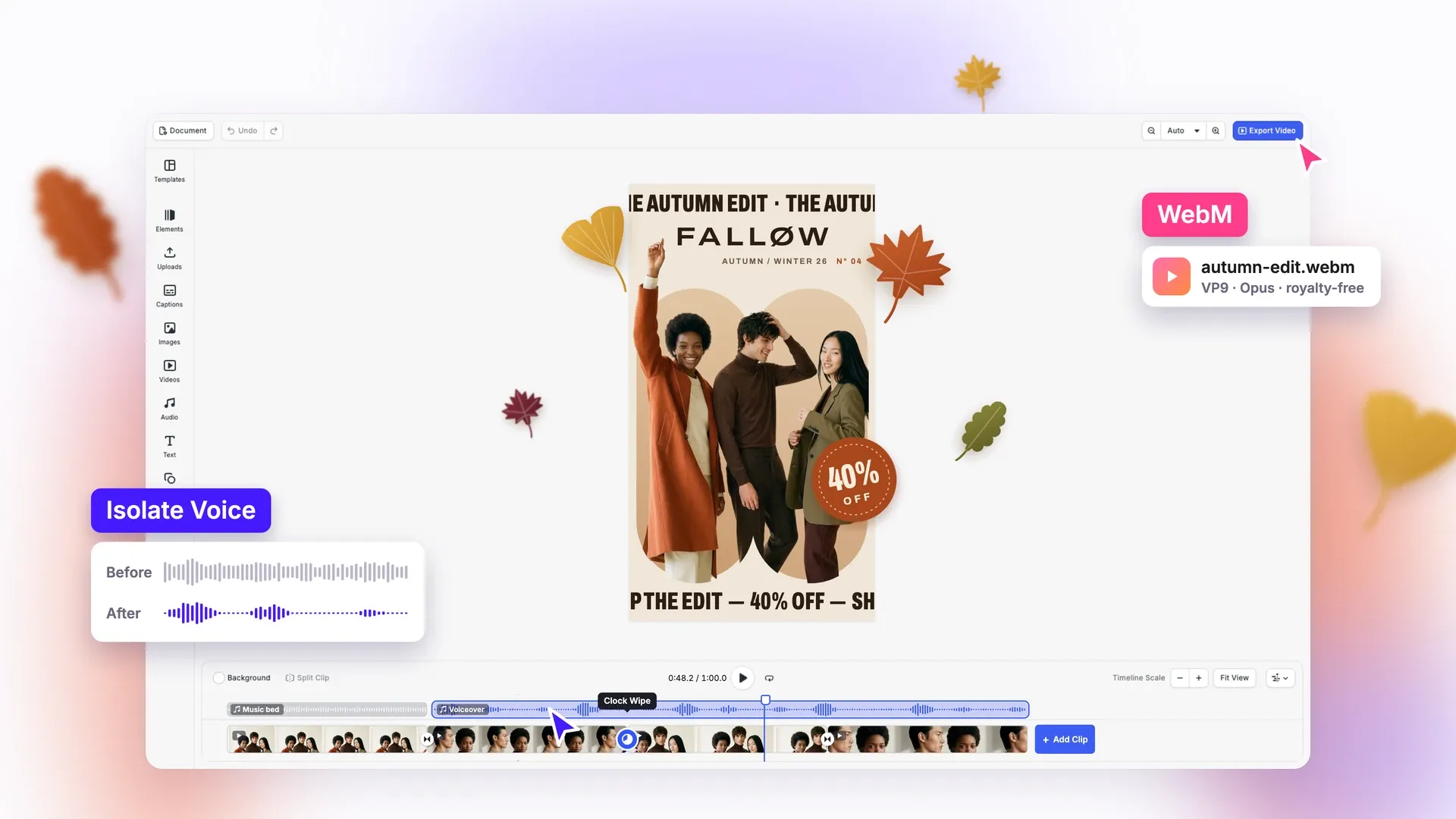
With this release, you can save video as WebM, a format free of license fees, on every platform, and your users can pull a clear voice out of a noisy clip right on their phone.
Editing video on the web gets calmer: transitions say what they’re doing, and the timeline only changes what you touch.
On servers and in print, exports stop overwhelming your image server, photobooks can go past 100 MB, and large designs load lighter and export more reliably.
Let’s check it out.
New in v1.86
Save Video as WebM on Every Platform, Free of License Fees
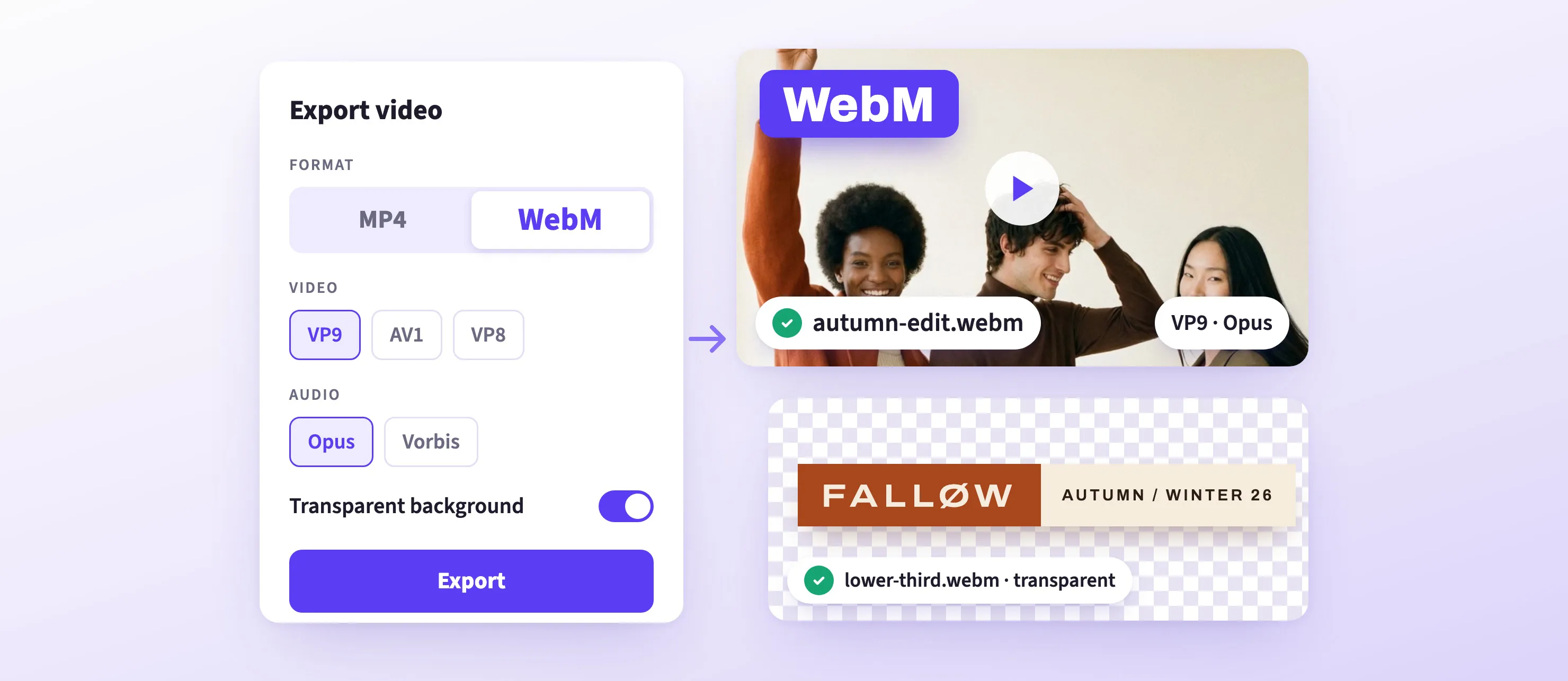
MP4 relies on patented technology that can carry license fees. WebM is free, and CE.SDK now opens and saves it on every platform. On the web, the browser decodes and encodes WebM, so what you can open and save there depends on the browser.
- Your choice of codec: save VP8, VP9, or AV1 video with Opus audio, or Vorbis outside the web. WebM uses VP9 and Opus by default.
- Transparent video: save a logo animation with a see-through background as VP8 or VP9, ready to place on top of other footage. This isn’t available on the web.
- Open more files: MKV files now open on mobile, desktop, and Node Native too.
- Lighter long edits: a clip holds its decoders only while it plays near the playhead, so projects with many clips need less memory.
You decide which video format your product depends on, and the same file works on every platform you ship.
Clear Voices from Noisy Clips on Mobile

Videos filmed in shops, on the street, or at events pick up music and background noise, and background music can get a post blocked for copyright. The new Voice Isolation plugin for iOS and Android fixes that with one tap: users select a video or audio clip, tap Isolate Voice, and keep only the voice.
- Private by design: the cleaning runs on the device and uploads nothing. The 8.6 MB model downloads when the editor opens, or you can ship it with your app.
- Easy to undo: one undo step brings the original audio back.
- Yours to automate: clean a clip from code without the button, or plug in your own model or service.
This means: Your users can post the clip they filmed, without the music and noise around it.
→ Voice Isolation Documentation for iOS
→ Voice Isolation Documentation for Android
Offer Polished Video Transitions & Editing

A video transition that disappears without a word when users trim a clip makes the editor feel broken. On web, iOS, and Android, the editor now tells users more often when a transition is removed, and there’s a new transition to choose.
- Clock Wipe: reveals the next clip in a clockwise sweep, with adjustable duration and easing.
- Removal notice: on the web, a notification appears when a move or trim removes a transition. On iOS and Android, the existing message now also shows after a trim or a reorder.
- Full-length drag: dragged clips show their full length, so gaps are easy to spot.
- Morph only where it works: hidden when text is involved, since it had no effect there.
Print Bigger, Wider Photobooks With Their Own Color Profiles
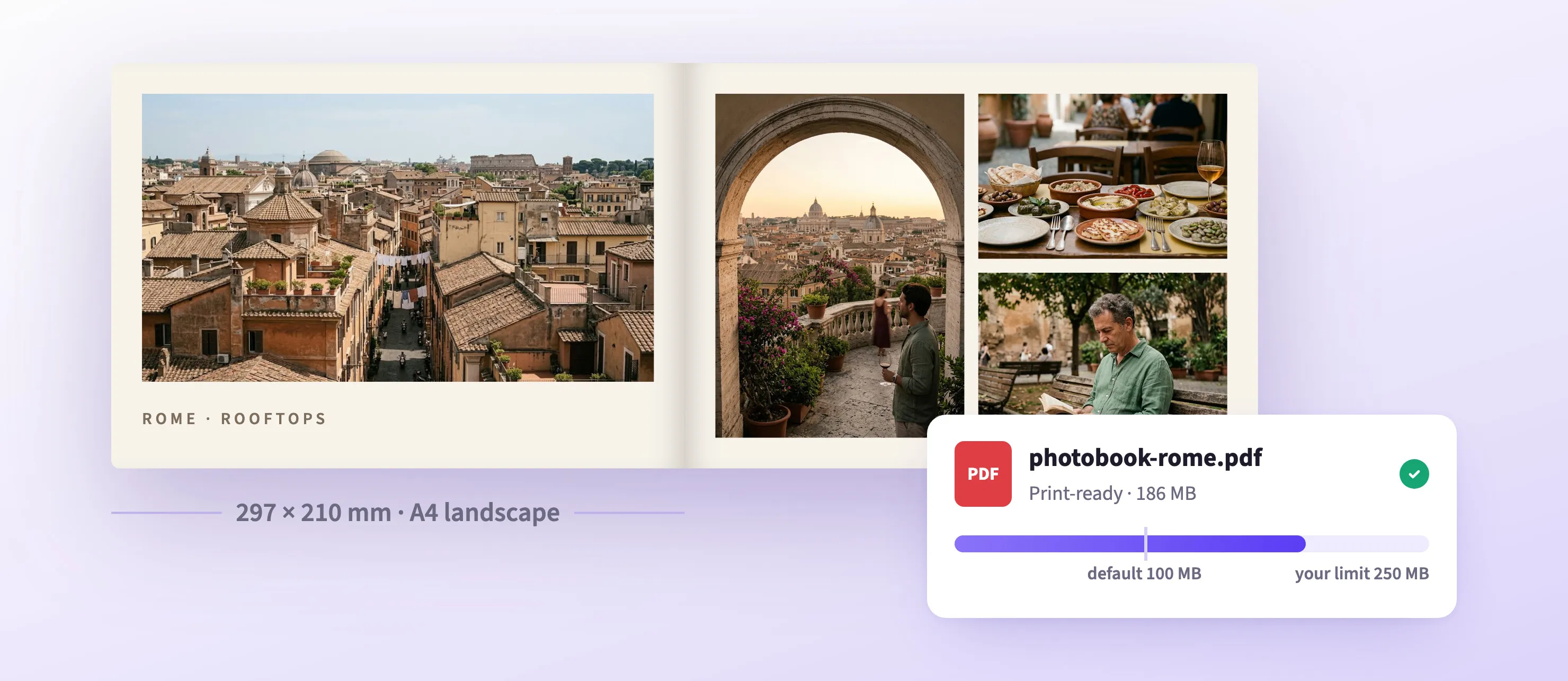
On the web, PDFs passed to the print-ready PDF converter (convertToPDFX) were capped at 100 MiB. You can now raise that cap with the new maxInputSize option; the default stays at 100 MiB.
The PhotoBook starter kit also adds a horizontal A4 book (297 × 210 mm) with its own layouts and styles.
Each design can now carry its own Default and Output color profiles for RGB, CMYK, and Gray, saved with the design. For now, only the Default CMYK profile affects color conversion.
This means: Thick, high-resolution photobooks go to print as a single file.
→ Print-Ready PDF Plugin Documentation
→ Photobook Editor Documentation
→ CMYK Colors and Color Profiles Documentation
Remove Backgrounds from the Inspector Bar on iOS and Android

The background removal plugin for iOS and Android now offers a Remove Background button for the inspector bar. Add it, and users select a photo and tap it, instead of using the dock button for the page’s image.
- Several photos in a row: each tap queues a removal, so users can work through several photos without waiting.
- Sharp at every zoom: for library images, the result replaces every size of the image, so it looks right zoomed in or out. As on the web, this resets the crop of such an image.
- Portrait photos stay upright on Android, where they used to come out sideways.
→ Background Removal Documentation for iOS
→ Background Removal Documentation for Android
Format Formulas and Footnotes With Superscript and Subscript
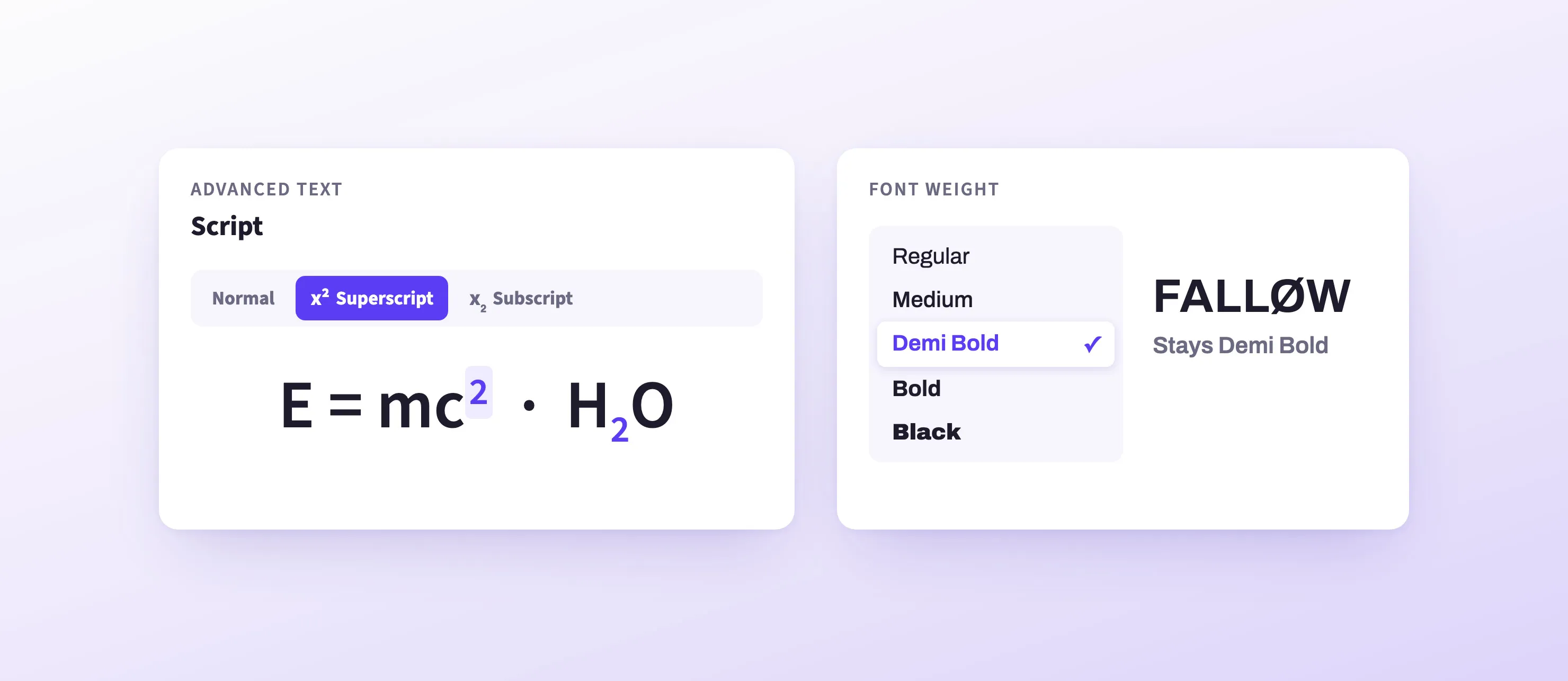
The advanced text panel in the web editor has new Script buttons: Normal, Superscript, and Subscript. Select characters while editing to change only those, for formulas like E = mc², chemical names like H₂O, or footnote marks.
On every platform, fonts also keep their weight: weights named “Black” or “Demi Bold” no longer fall back to Regular. An unknown weight name now fails with an error that names it, so check custom asset sources when you upgrade.
→ Subscript and Superscript Documentation
Improved
Edit Video on the Web Without Surprises
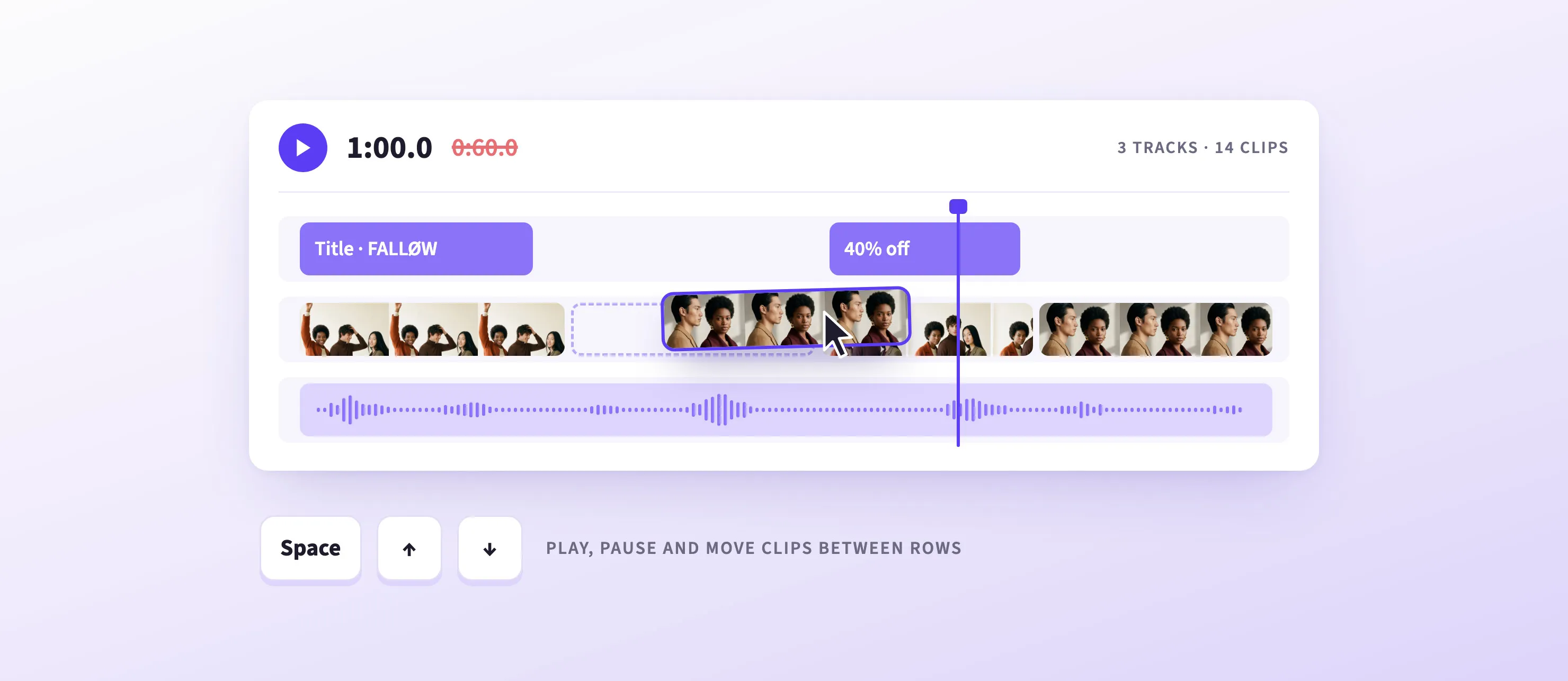
A round of fixes makes the web timeline behave the way users expect.
- Edits stay put: moving or trimming a clip no longer changes other clips.
- Keys that work: after clicking a clip, Space plays and pauses, and the up and down arrows now move a clip past a row of the other type.
- Clearer menus: options that can’t work, like Unmute on clips faster than 3×, are hidden or switched off.
- Steady playback: playback no longer stops on its own after pressing Play.
This means: Users can edit long, layered videos without double-checking the rest.
→ Timeline Editor Documentation
Automated Exports That Don’t Overwhelm Your Image Server
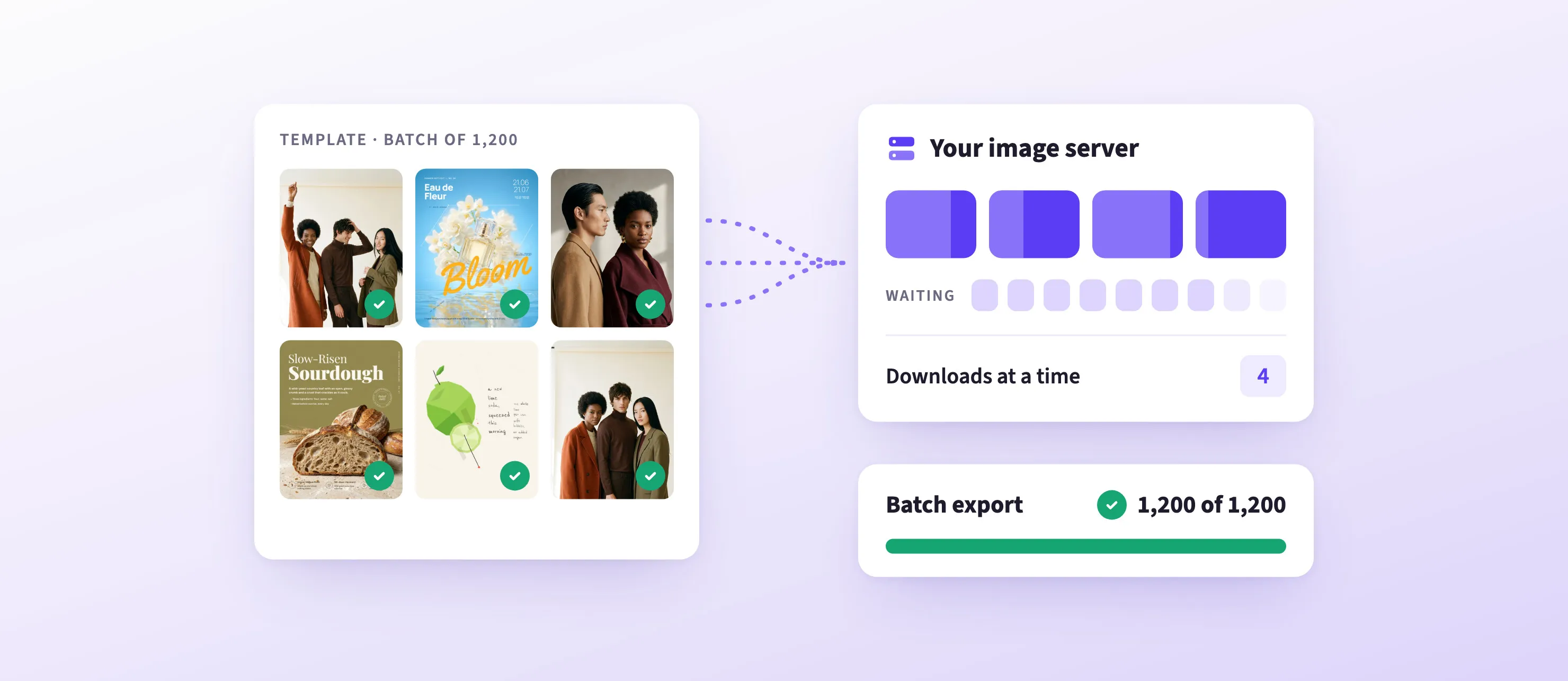
When you generate designs on a server, like product images from a template, CE.SDK used to request every image of a design at once. Image servers that accept only a few requests at a time blocked the rest, and the export failed. A new setting caps how many images, fonts, and videos CE.SDK downloads at the same time from one server. Everything else waits its turn.
It’s an engine setting, maxConcurrentRequestsPerHost, so it works on every platform, and the Renderer takes it as --max-concurrent-requests-per-host. It’s off by default, so nothing changes until you turn it on.
This means: Batch exports finish, without rate-limit workarounds on your side.
→ Settings Documentation
→ Renderer Documentation
Import SVG Logos from Illustrator and Figma Correctly
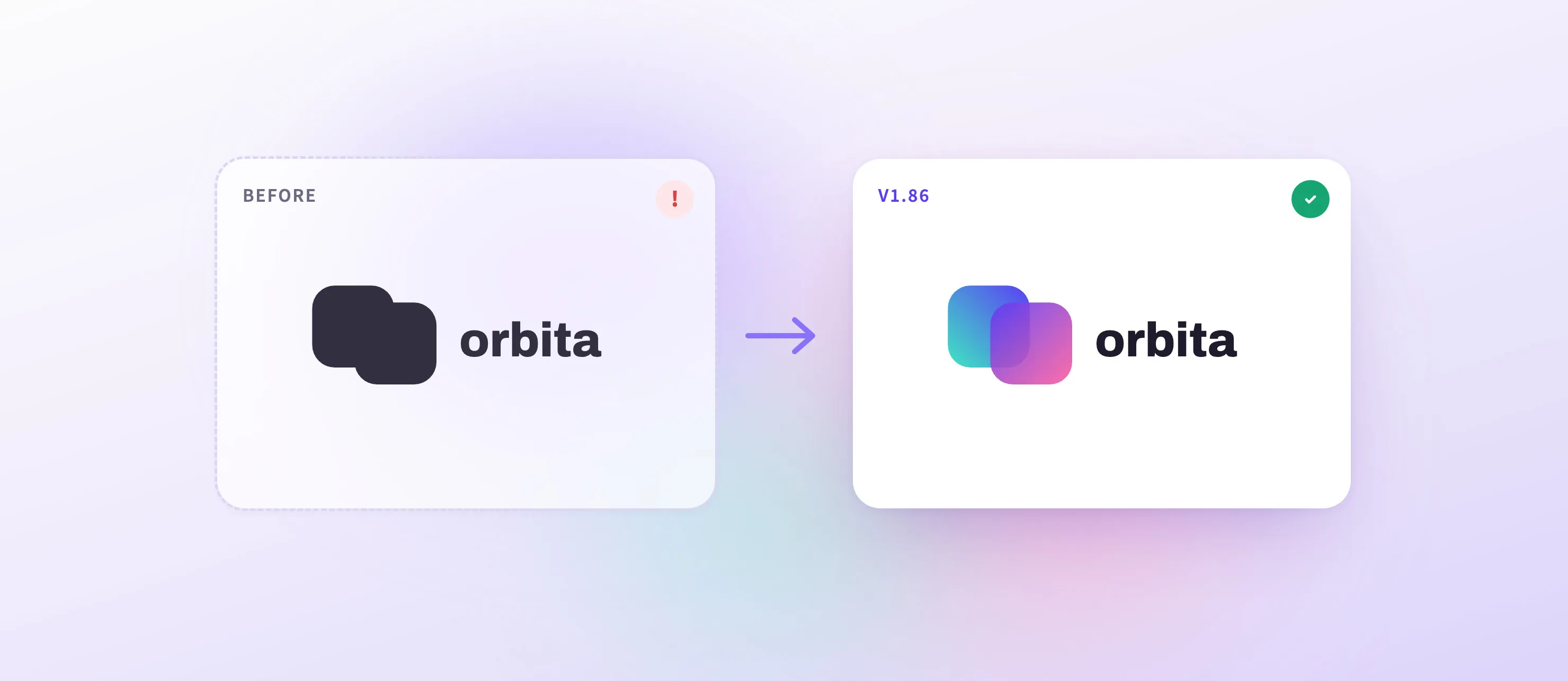
SVG logos are often the first thing a user uploads, and some came in empty, flat, or with parts turned white. Logos exported from Adobe Illustrator and Figma now load and draw their pattern fills and Illustrator swatches as a browser does. Text inside an SVG still isn’t drawn, so convert it to outlines before export.
→ File Format Support Documentation
→ Import Media Documentation
Open, Edit, and Export Large Designs With Less Memory
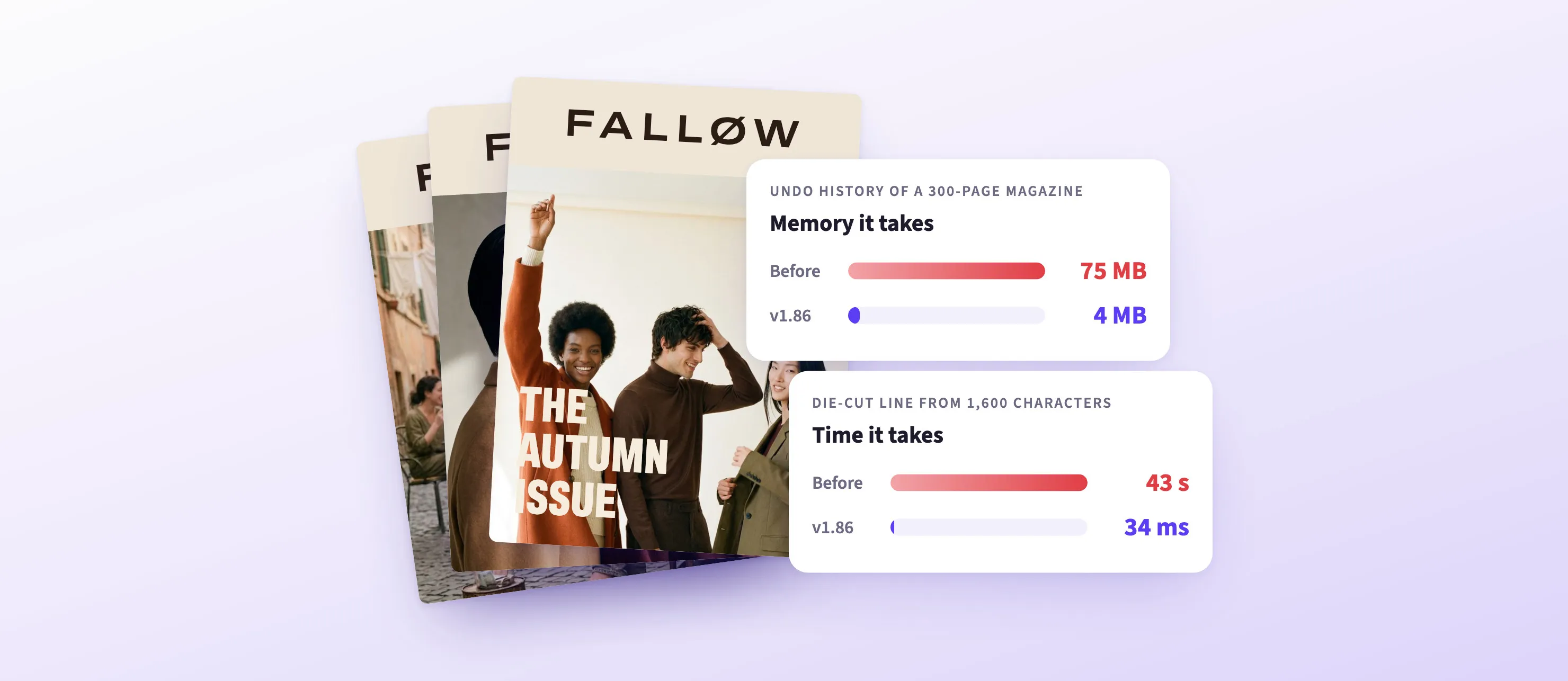
- Leaner undo: a 300-page magazine’s history takes 4 MB, not 75 MB.
- Fast cutouts: a die-cut line from 1,600 characters took 34 ms, not 43 s, on an Apple M3 Pro.
- Only the pages in view: a design built in code loads only the images and fonts of the pages in or next to the view.
- Big exports finish: an image export that runs short of memory now frees cached images and tries again.
- Smooth playback: web video keeps moving when the browser falls behind.
→ Performance Documentation
→ Undo and History Documentation
Before You Upgrade
Some behavior changes in v1.86. These are the ones most likely to affect an existing integration; the changelog lists every breaking change.
- Xcode 26.6: Apple packages now need Xcode 26.6 and Swift 6.3.3 or later.
- Angles in radians: 16 angle properties, such as skew and shape rotation, now take radians by default. Convert degree values to radians, or, in code that doesn’t drive the editor UI (which expects radians), call
setAngleUnitwithDegree. - Page fills cover the bleed: a page’s image or video fill now covers the bleed too, so a saved print scene with a bleed shows a slightly larger image. Set
page/imageFillCoversBleedtofalseto keep the old behavior. - Image source sets on by default: images you add get smaller copies for drawing, which cost extra memory and time per image. Set
features/automaticSourceSetsEnabledtofalseto turn them off. - Variables after a load: loading a scene now replaces the variables of the previous scene. Set them again after each load.
- Clip durations: new non-looping videos now use their media duration once they load. Call
setDurationto keep an explicit length.
Changelog
All performance improvements, breaking changes, and fixes are in the v1.86.0 changelog.
Thank you for building with IMG.LY.
Join 3,000+ creative professionals who get early access to new features and updates. Subscribe.