


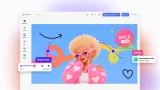
Photobook Editor
A photobook editor for photo printers and web-to-print shops that takes customers from a folder of photos to a print-ready PDF/X-4 file.
Exploring the Photobook Editor
This demo sets up the standard CE.SDK editor as a photobook editor for photo printers, print-on-demand services and web-to-print platforms. It runs in CE.SDK’s Adopter role, so customers fill in photos and text, switch layouts, and add or reorder pages, but they can’t move or resize the slots a layout defines.
From a folder of photos to a filled book
The start screen asks for a Portrait 22 × 28.6 cm or Square 25 × 25 cm book, a Playful or Chic style, and whether photos go in by Auto-Fill or By Hand. Upload up to 50 JPEG, PNG or WebP photos, or pick Use examples. Auto-fill works through the pages in order and, on each page, matches photos to slots by shape so they crop as little as possible, never using a photo twice. With the example photos, it writes captions too.
Swap layouts without losing photos
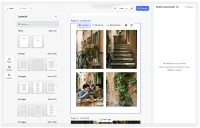
Open Layouts in the dock to switch the current page to one of 358 layouts for its format, grouped as Titles and 1 to 9 images. Photos and typed captions move into the new slots in reading order. When a layout has fewer photo slots, the extra photos wait in a stash for that page and come back when a later layout has room.
Print checks while customers edit
A validation sidebar checks the book as customers edit, and selecting an issue jumps to its element. It flags low-resolution images, the same photo used twice, empty image slots, and template text nobody replaced. The list updates as the book changes, so a fixed issue drops off it. The Design Validation demo is a separate starter kit built around validation alone.
Preview the spreads, then export PDF/X-4
Hit Preview to see the cover laid flat, then the inside pages as facing spreads. Export as PDF produces a CMYK PDF/X-4 file with a FOGRA39 output intent, crop marks and registration marks, and it renders in the browser by default. For large books, rendering can move to a bundled Node.js export server, but that server ships without TLS or authentication, so treat it as a reference. For PDF/X export by itself, see the Export Print-Ready PDFs demo.
Use this as a starting point
The kit suits teams building photobook software for print businesses, or adding a photo book product to a web-to-print store. The start screen’s sizes, styles and photo distribution options are defined in one file. A new style also needs its own scene, and a new page shape needs its own layouts. Tune the validation thresholds before production, since the low-resolution limits shipped here are demo values.
For a fully custom React UI on the headless engine, see the Custom Photobook UI demo. The photo book use case covers the business case for offering one.
Exploring the Photobook Editor
This demo sets up the standard CE.SDK editor as a photobook editor for photo printers, print-on-demand services and web-to-print platforms. It runs in CE.SDK’s Adopter role, so customers fill in photos and text, switch layouts, and add or reorder pages, but they can’t move or resize the slots a layout defines.
From a folder of photos to a filled book
The start screen asks for a Portrait 22 × 28.6 cm or Square 25 × 25 cm book, a Playful or Chic style, and whether photos go in by Auto-Fill or By Hand. Upload up to 50 JPEG, PNG or WebP photos, or pick Use examples. Auto-fill works through the pages in order and, on each page, matches photos to slots by shape so they crop as little as possible, never using a photo twice. With the example photos, it writes captions too.
Swap layouts without losing photos
Open Layouts in the dock to switch the current page to one of 358 layouts for its format, grouped as Titles and 1 to 9 images. Photos and typed captions move into the new slots in reading order. When a layout has fewer photo slots, the extra photos wait in a stash for that page and come back when a later layout has room.
Print checks while customers edit
A validation sidebar checks the book as customers edit, and selecting an issue jumps to its element. It flags low-resolution images, the same photo used twice, empty image slots, and template text nobody replaced. The list updates as the book changes, so a fixed issue drops off it. The Design Validation demo is a separate starter kit built around validation alone.
Preview the spreads, then export PDF/X-4
Hit Preview to see the cover laid flat, then the inside pages as facing spreads. Export as PDF produces a CMYK PDF/X-4 file with a FOGRA39 output intent, crop marks and registration marks, and it renders in the browser by default. For large books, rendering can move to a bundled Node.js export server, but that server ships without TLS or authentication, so treat it as a reference. For PDF/X export by itself, see the Export Print-Ready PDFs demo.
Use this as a starting point
The kit suits teams building photobook software for print businesses, or adding a photo book product to a web-to-print store. The start screen’s sizes, styles and photo distribution options are defined in one file. A new style also needs its own scene, and a new page shape needs its own layouts. Tune the validation thresholds before production, since the low-resolution limits shipped here are demo values.
For a fully custom React UI on the headless engine, see the Custom Photobook UI demo. The photo book use case covers the business case for offering one.
Related Demos
Custom Photobook UI
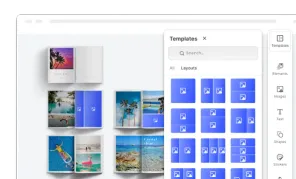
Custom UI for building photo books focusing on theming, page layouts, and managing photo assets.
Design Validation
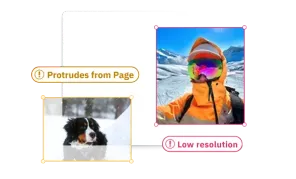
Reduce the risk of misprints and speed-up validation process thanks to design validation. Automatic error notifications will let you know if the design is not print-ready.
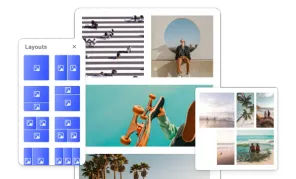
Layouts
Allow users to select different layouts without changing page content.
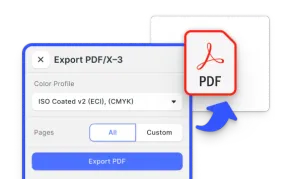
Export Print-Ready PDFs
Deliver print-ready CMYK PDF/X-4 files straight from your web app. Perfect for web-to-print and marketing automation.