




Resizing a design used to mean redoing its layout. Now pages arrange their content in rows, columns, and grids, so your designs fit every format.
Photobooks and folded cards now export as real spreads, and PDFs convert colors for the press they print on.
Copy and paste now works between designs, browser tabs, and other apps, on web, iOS, and Android.
New in v1.87
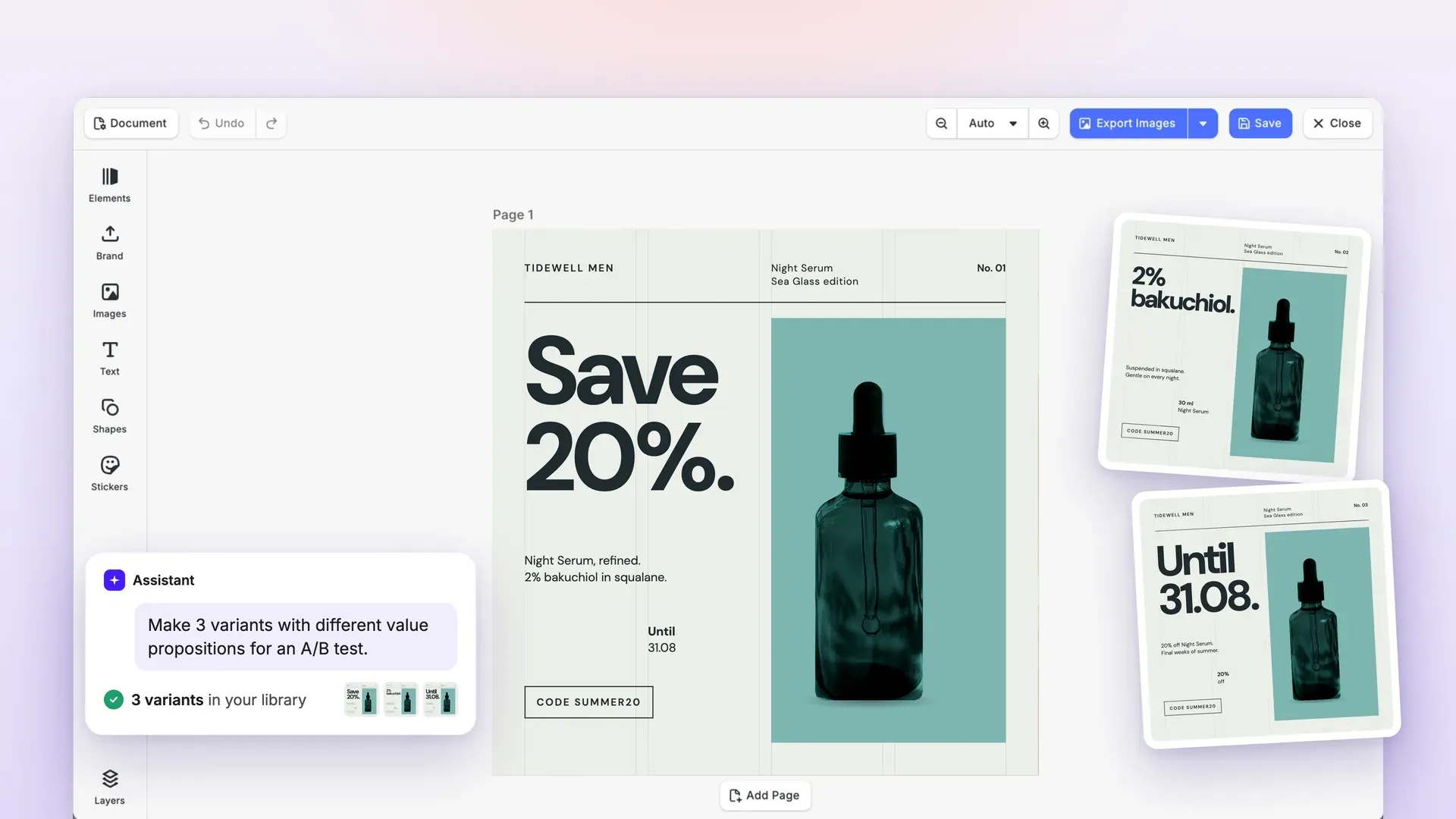
Resize Designs with Auto-Layouts
Resizing a design for another format used to mean moving every element by hand, or writing code that did it. Pages now have auto layout, so content arranges itself when the page changes size.
- Rows, columns, and grids: line elements up in a row, a column, or a grid, and let them wrap to the next line. Each element can grow with its content, stretch to fill the space, or stay a set size.
- Frames: put a page inside a page to group content. Anything that sticks out gets cut off, and the frame can have its own transparency, blend mode, and mask.
- Scale with the page: flip one switch, and text, spacing, rounded corners, and outlines grow or shrink with the page.
- Show what fits: choose which elements appear on which formats. When space runs out, elements step aside one by one, in the order you set.
In the web editor, it’s all hands-on. Drag elements into frames and grids, fine-tune them in the Frame inspector, or press Shift+A. Existing designs stay exactly as they are.
This means: One template becomes a story, a banner, and a post without a separate layout for each.
Design Photobooks and Folded Cards as Real Spreads
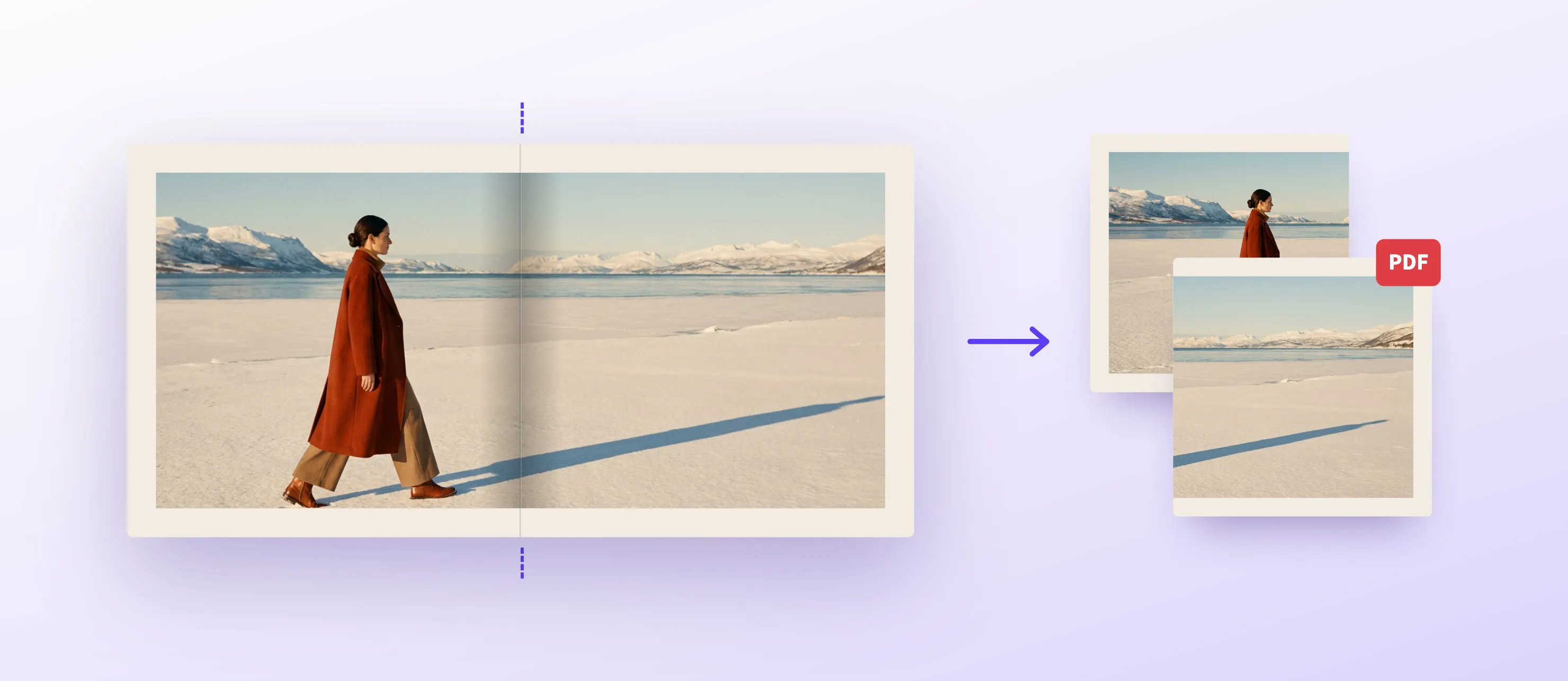
Photobooks, folded cards, and flyers now get real spreads: one sheet split into pages, side by side or stacked, and CE.SDK knows where every fold is.
- Edit the spread as one piece: a photo can cross the fold, or each page clips at its edge, with its own background.
- Change the format, keep the layout: switch A4 to Letter, and every page scales evenly; a full-panel photo still fills its panel.
- Print-ready output: PDFs with fold marks, or one PDF page per page in reading order, each with bleed.
- Build your own photobook flow: move pages between spreads in code, on web, mobile, and servers.
In the web editor, users add spreads from the page list, now with a strip view of page pictures. Spreads are on in the advanced editor and the photobook kit, which now shows the cover with its spine and adds pages in facing pairs. Elsewhere, one setting turns them on. On iOS and Android, spreads work in code for now.
This means: Photobooks and folded cards go to the print shop as files it can work with.
→ Spreads Documentation
→ Photobook Spreads Documentation
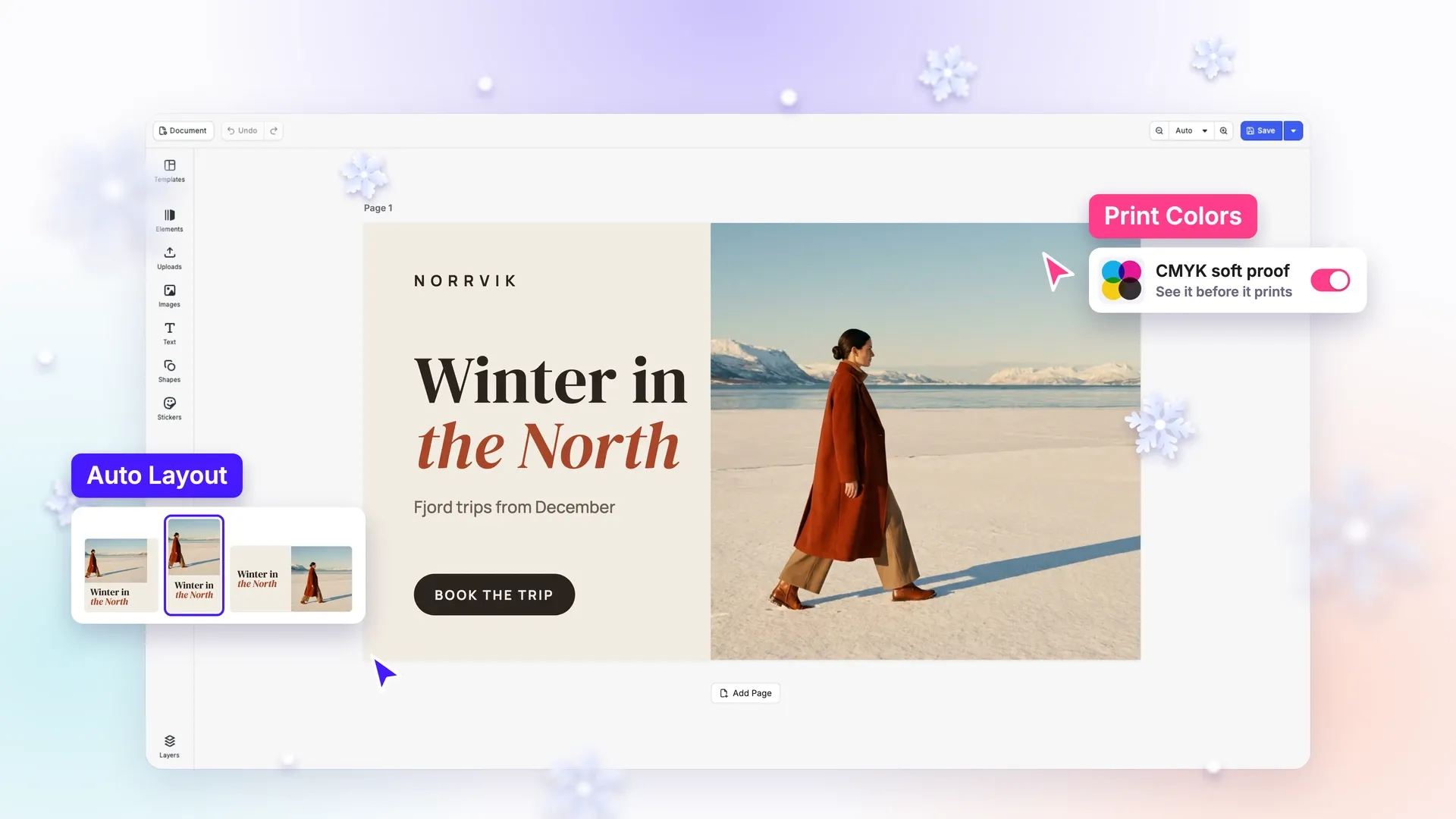
Print Colors That Come Out the Way They Looked
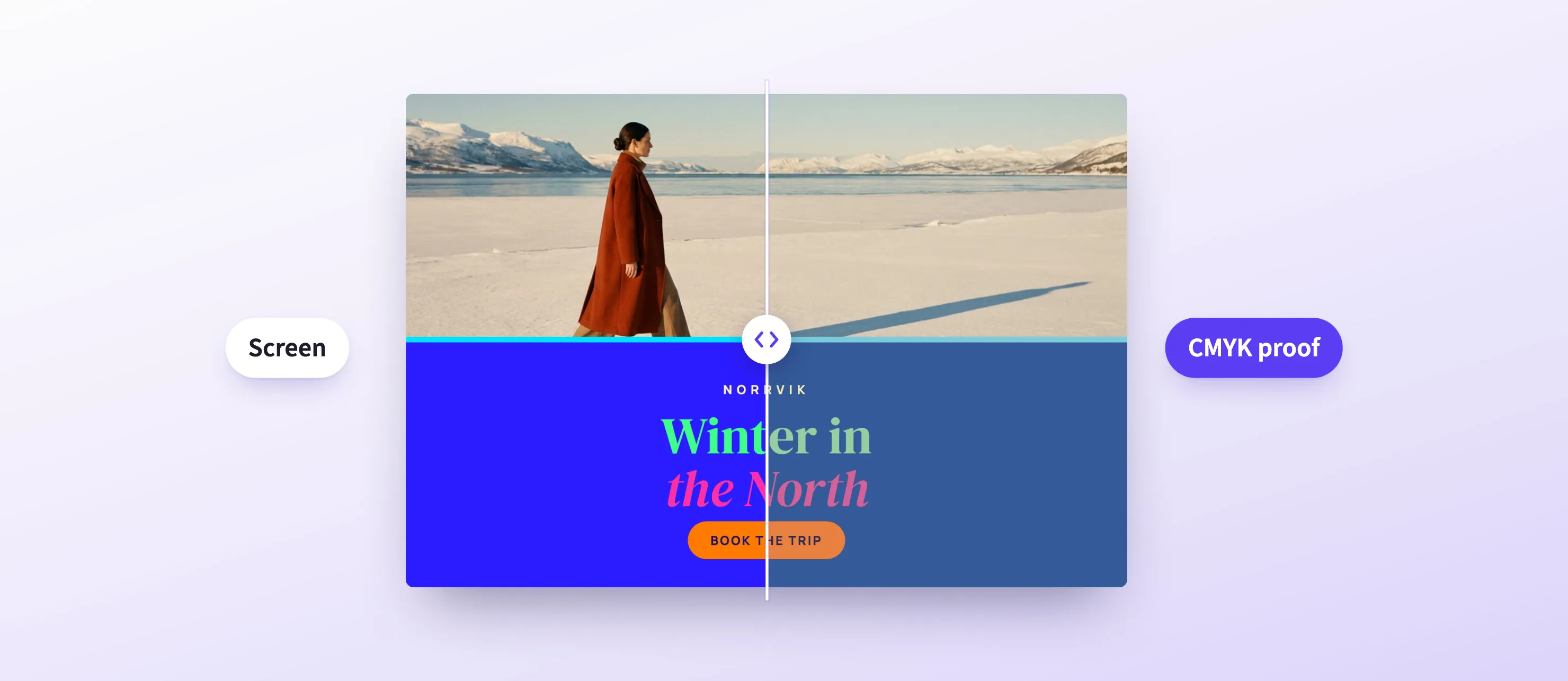
Every press prints color a little differently, and a color profile describes how. In v1.86, designs learned to store their profiles. In v1.87, exports use them, and the screen can show the printed result before anything goes to print.
- Soft proofing: preview how a design will look in CMYK print colors or in an RGB screen profile, while users keep editing. The preview never changes the design or the export. Add a button for it in your editor.
- PDFs made for the press: convert every color, gradient, and image to the press profile, or keep colors already prepared for it and convert only the rest. The export can write the profile into the file, so the print shop knows which press it’s for.
- Images keep their quality: in these exports, images can keep their original size and their own profile.
- Black stays black: pure black ink stays on the black plate when colors are converted, instead of turning into a mix of four inks. This needs your own press profile.
- Spot colors print right: a 50% tint now prints at 50%, not at full ink, and colors after a spot-colored element keep their own color.
PNG, JPEG, and WebP exports can also convert to the design’s RGB profile or embed it. All new export options are off by default.
This means: Your users approve a design on screen, and the printed result matches what they approved.
→ CMYK Colors Documentation
→ Spot Colors Documentation
→ PDF Export Documentation
Copy and Paste Between Designs, Tabs, and Apps
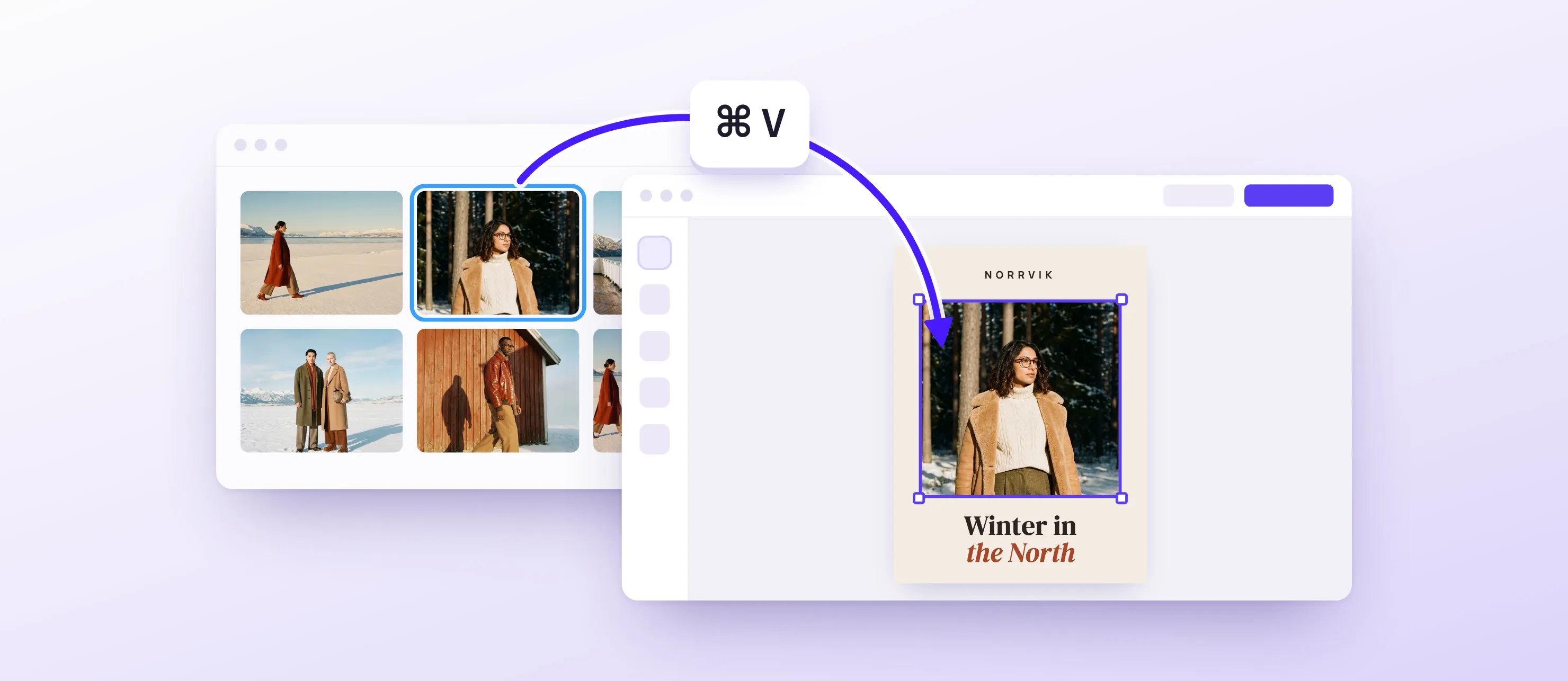
Copy and paste now works across designs, tabs, and apps, on web, iOS, and Android.
- Between designs and tabs: blocks and pages move with their uploaded images.
- From other apps: images, text, and files land as new blocks.
- Illustrator and SVG: paste as editable shapes you can recolor (web).
- Formatted text: bold, colors, lists, and alignment survive, in and out. Paste and Match Style is there too.
- On mobile: long press for Copy, Cut, and Paste. iOS pastes to a Mac via Universal Clipboard.
Developers can add a custom paste handler. In Firefox and Safari, Illustrator artwork with text pastes as a picture.
This means: Users bring in the work they already have, instead of rebuilding it.
→ Copy and Paste Formatted Text Documentation
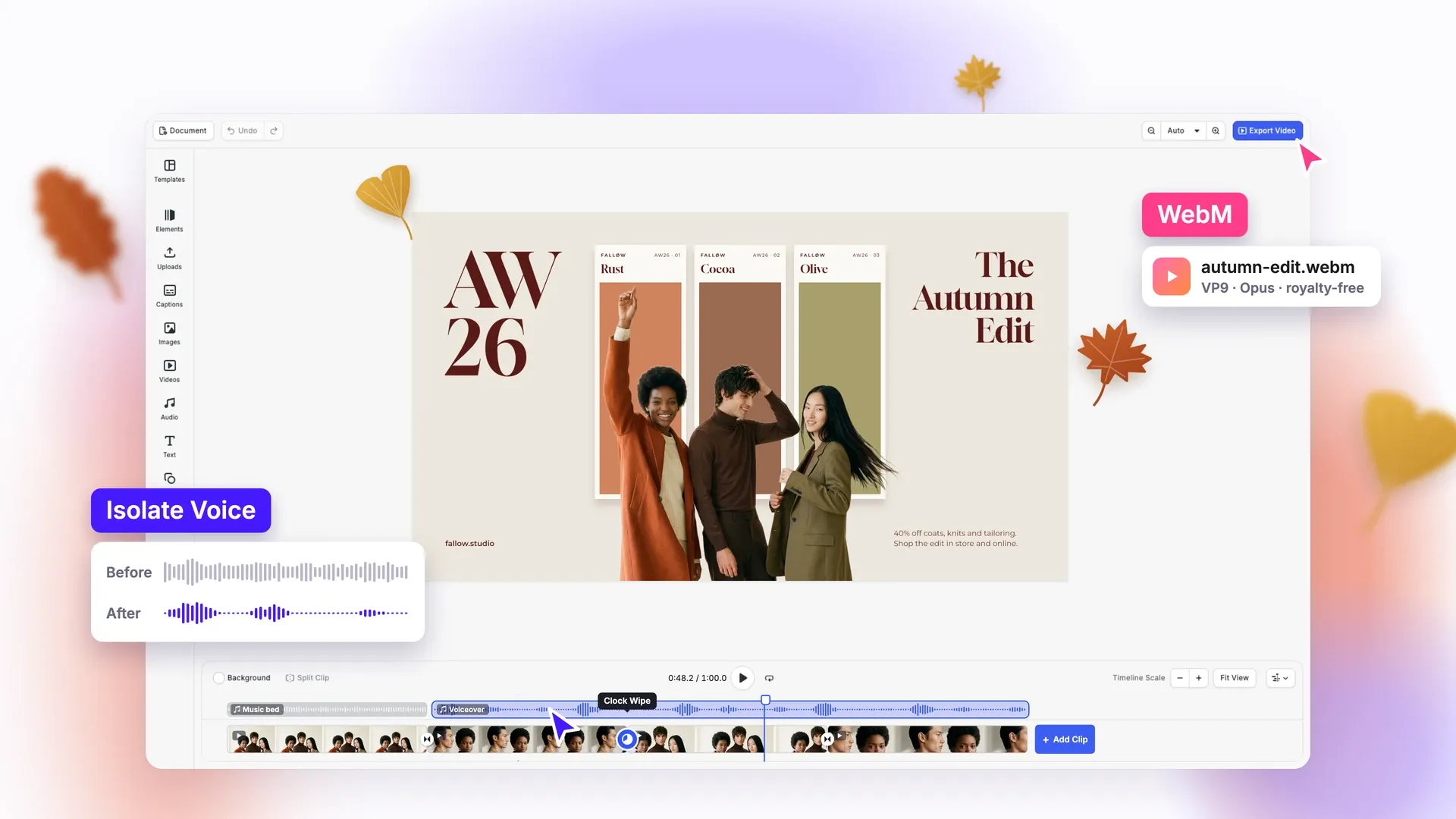
Time Video Clips with Precision
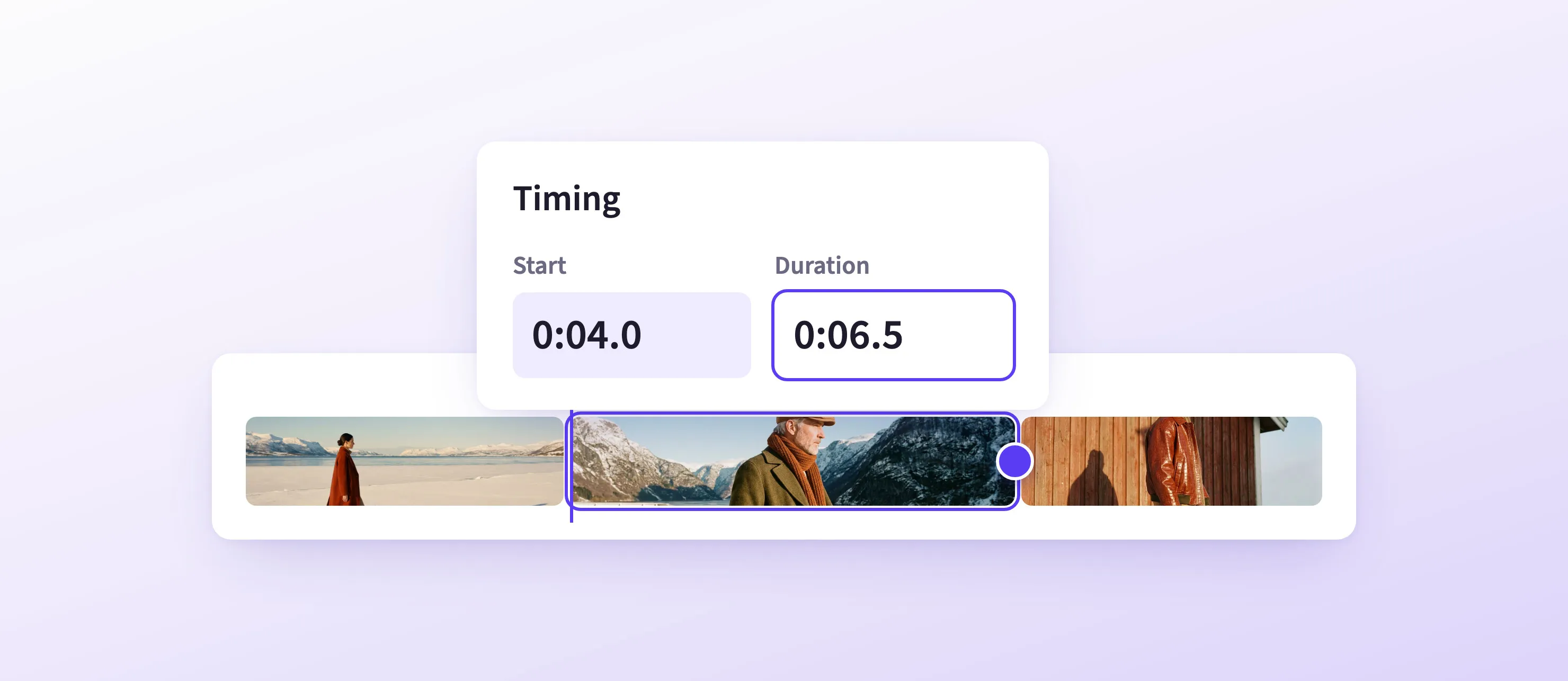
Now in the web editor: type a clip’s start time and length instead of dragging it.
- Timing panel: type start, duration, and page length.
- Typed times follow the timeline: later clips move back, and transitions stay.
- Same format everywhere: trim and speed show minutes, seconds, and tenths; trim reads In and Out.
Transitions, on web, iOS, and Android:
- Transitions for groups: a title over a picture can now take a transition.
- Clips stay joined: shortening an upper clip keeps its transition.
- Overlap clips: choose whether clips overlap at a transition.
One setting turns the Timing panel on. Some times, like a group’s length, can’t be typed, and the panel says why.
This means: Slideshows and product videos hit exact timing.
→ Timeline Editor Documentation
→ Transitions Documentation
Catch Font and File Problems Before Anyone Sees Them
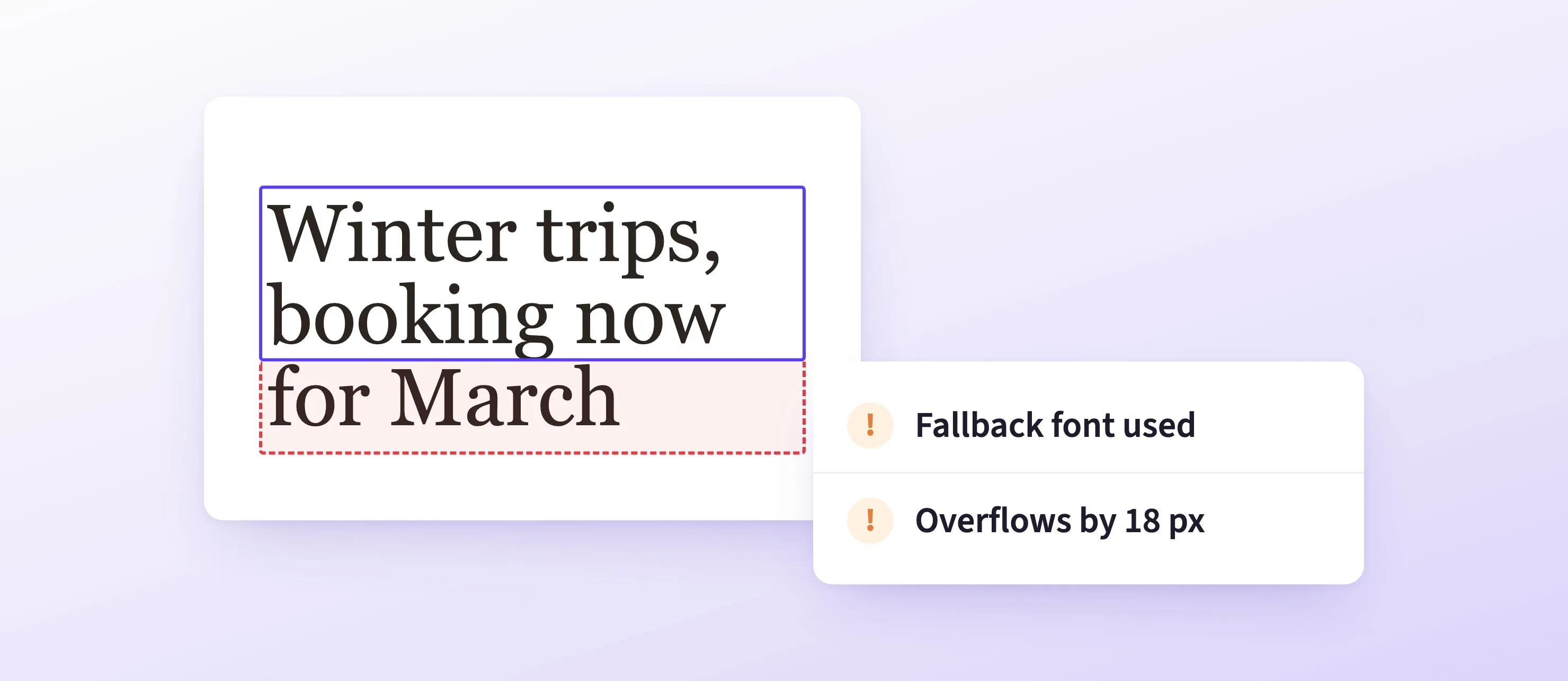
Designs made from templates or by an AI agent can now be checked without looking: CE.SDK reports font and file problems to your code, on web, Node.js, iOS, and Android.
- Check how text renders: the font that shows, any fallback, missing characters, and overflow, with the room needed.
- Keep the requested font: a design remembers its font even where it’s missing; your font library can supply it.
- Check a file before import: list supported image, audio, and video formats, and test one file so users hear right away.
- Fonts stay right after saving: same-named font families keep their own files.
For developers and automation only, with no new editor buttons. The text check covers the layout, not the final export, and the file check doesn’t promise that every frame decodes.
This means: Your pipeline flags a broken design before it reaches a customer.
→ File Format Support Documentation
→ Text Diagnostics API Reference
Edit a Logo Once, and Every Copy Updates
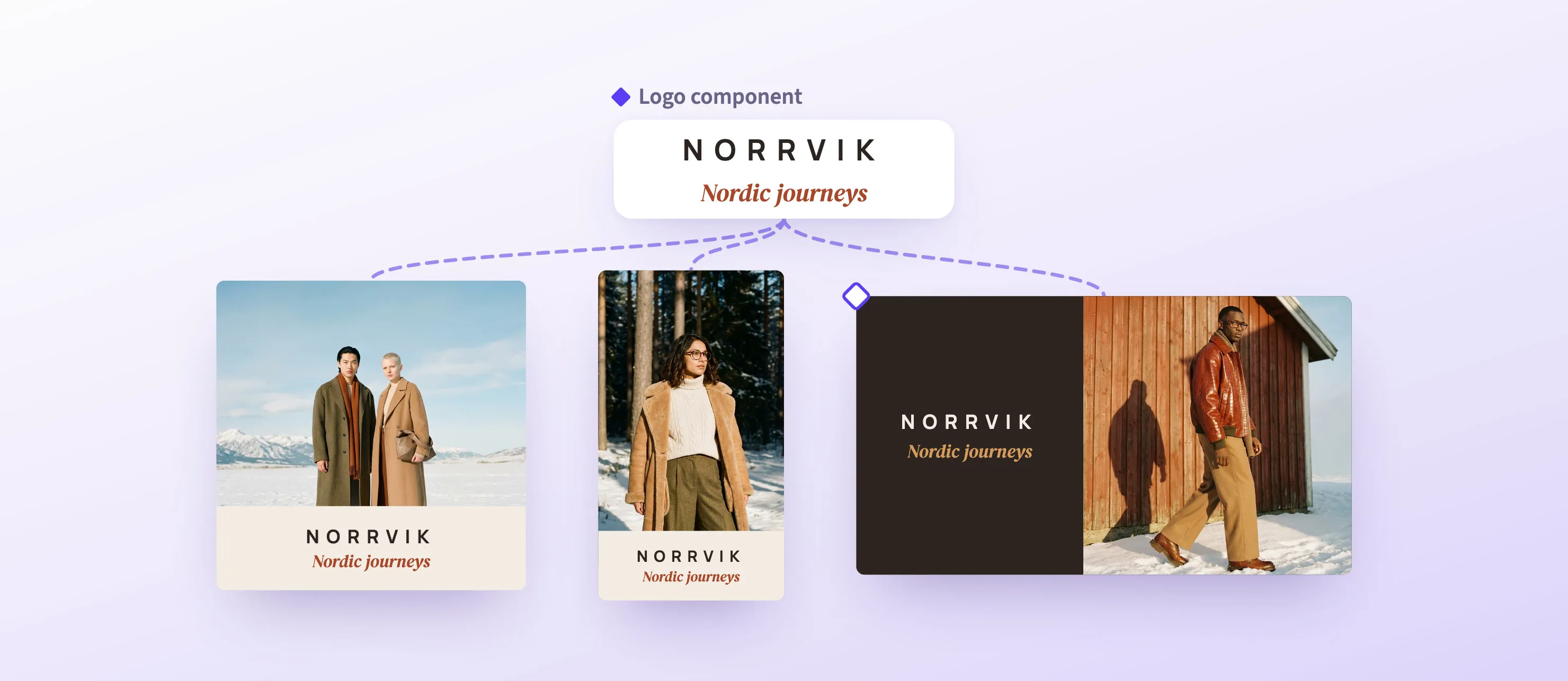
A logo lock-up or a price tag that appears on every page used to be edited on every page. CE.SDK now has components, in code on every platform.
- Main component and instances: turn an element into a main component, and every instance follows its changes.
- Overrides and variants: change one instance without breaking the link, and offer variants and component properties to choose from.
This means: Update a brand element once, and every design that uses it follows.
Turn Photos and Videos Into Slideshows on iOS
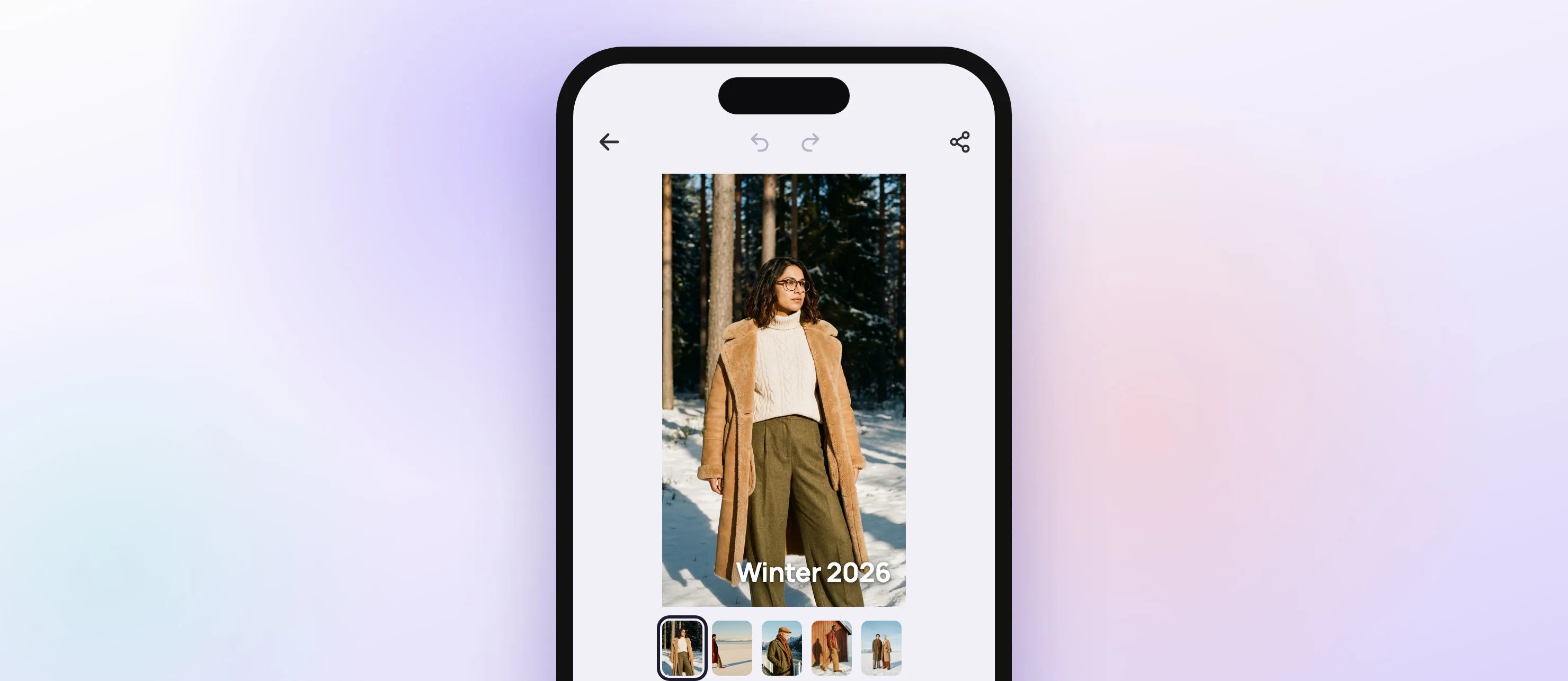
The Memories starter kit, already on Android, now runs on iOS. It turns picked photos and videos into a slideshow with a title card, styles, transitions, and a soundtrack, and exports it as MP4.
→ Memories Editor Documentation for iOS
→ Memories Editor Demo
Check Videos Against Your Guidelines Before Export
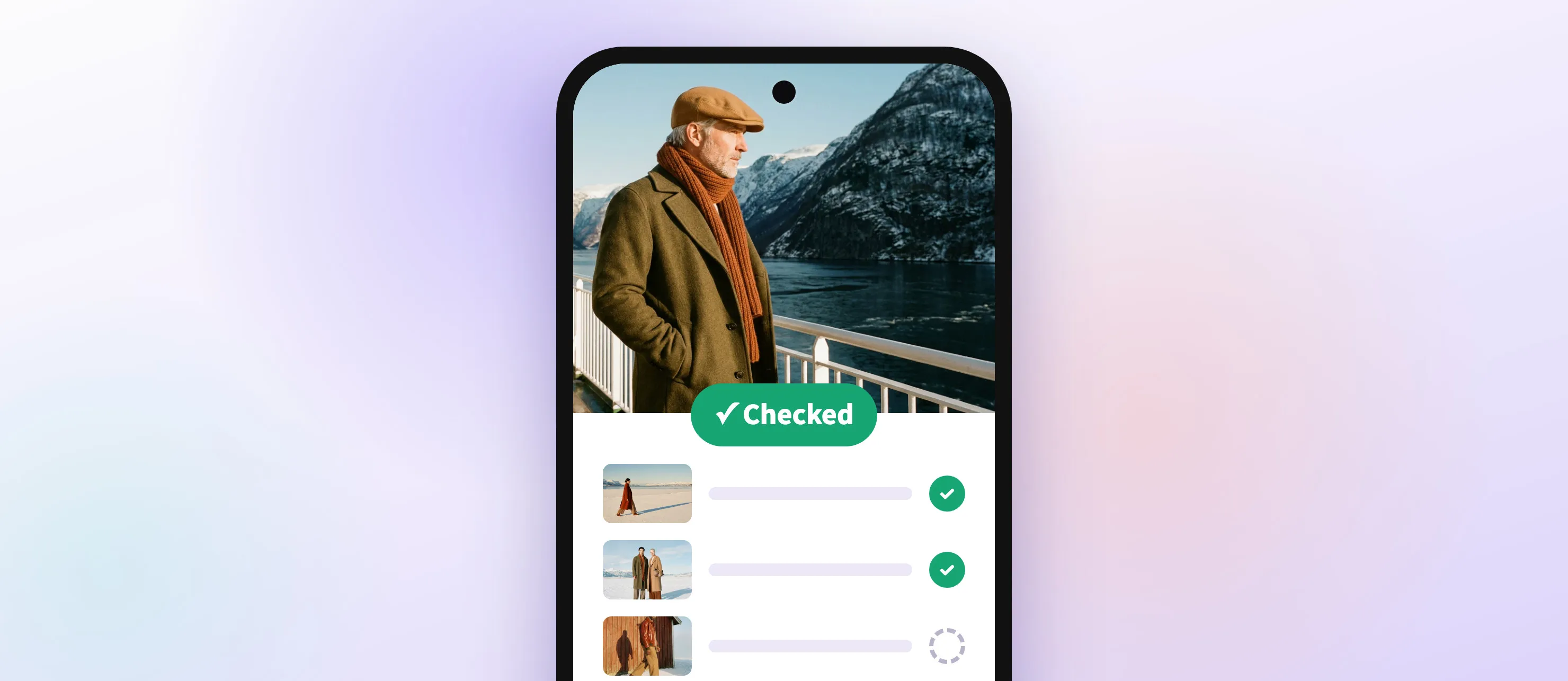
The new Video Moderation starter kit, for web, iOS, and Android, checks every clip, image, and text of a video with the IMG.LY Gateway. It shows where content may break your guidelines and asks users to confirm before export when something is flagged or not yet checked.
→ Video Moderation Editor Documentation
Improved
Build Animations on Stable APIs
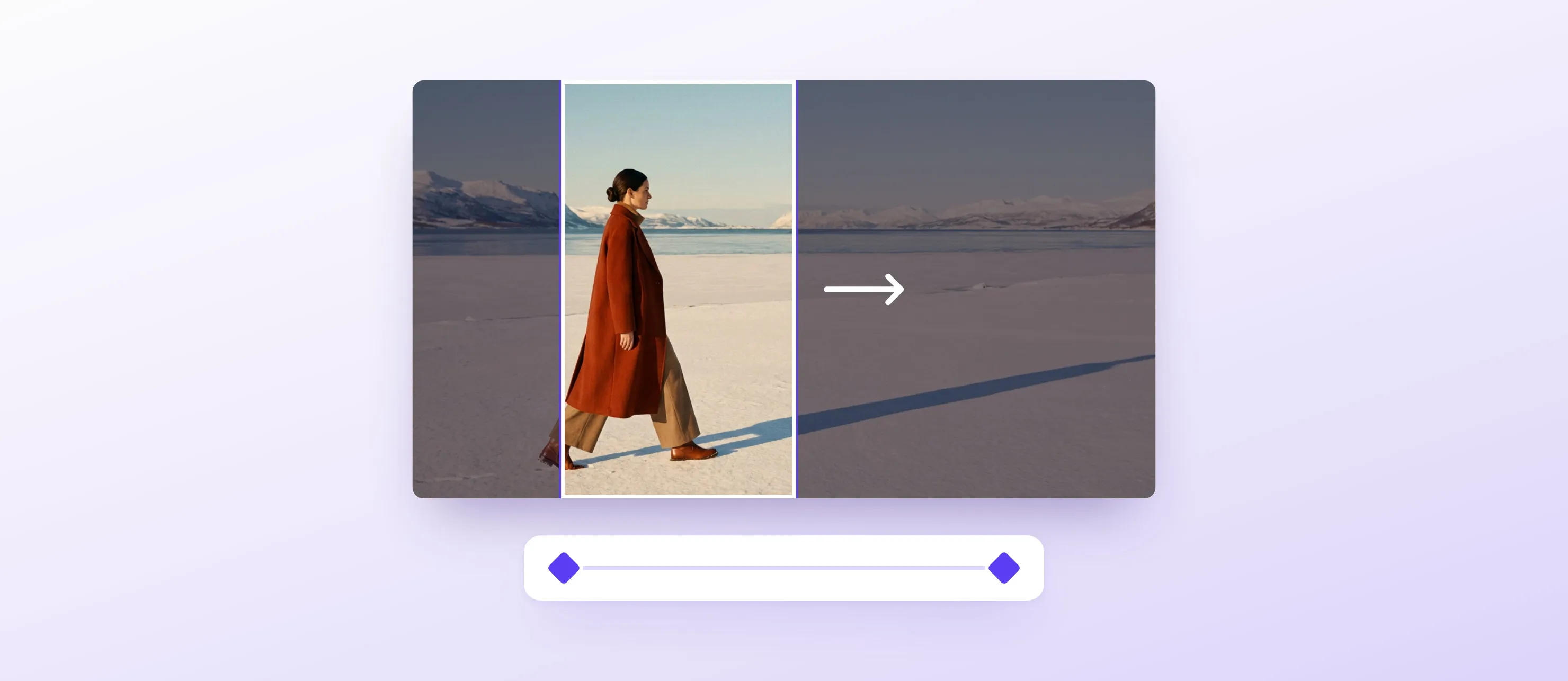
The animation APIs from v1.85, from keyframes and text animators to masks and motion blur, are no longer experimental, and neither are the value sets from v1.86. Their behavior doesn’t change, so you can build on them.
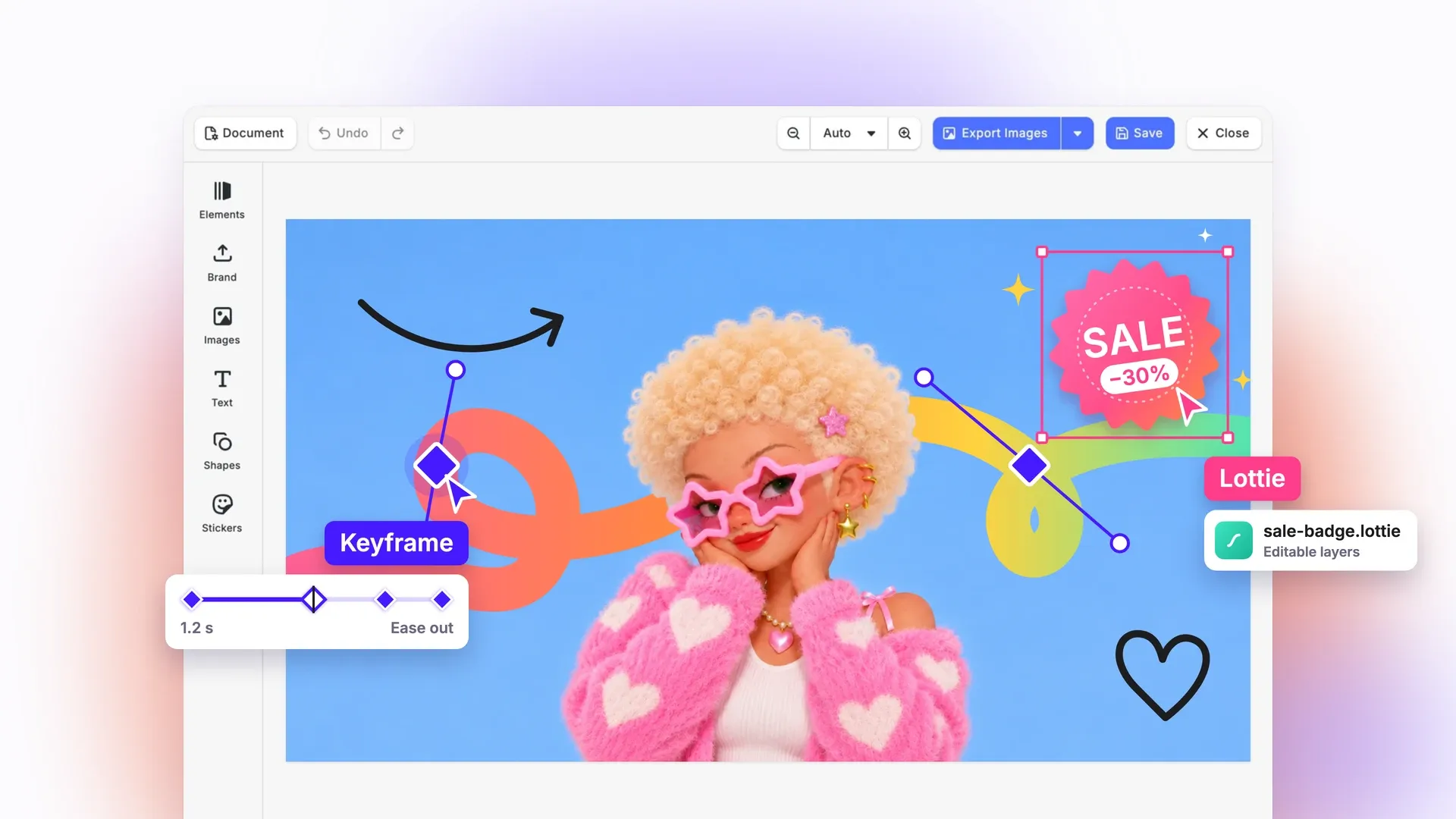
Keyframes can now also animate the position and scale of an image or video crop, for example to turn a wide video into a vertical one that follows the action. A new call reads the value keyframes give a property at any moment.
Run One Server Package, Native Where It Can Be
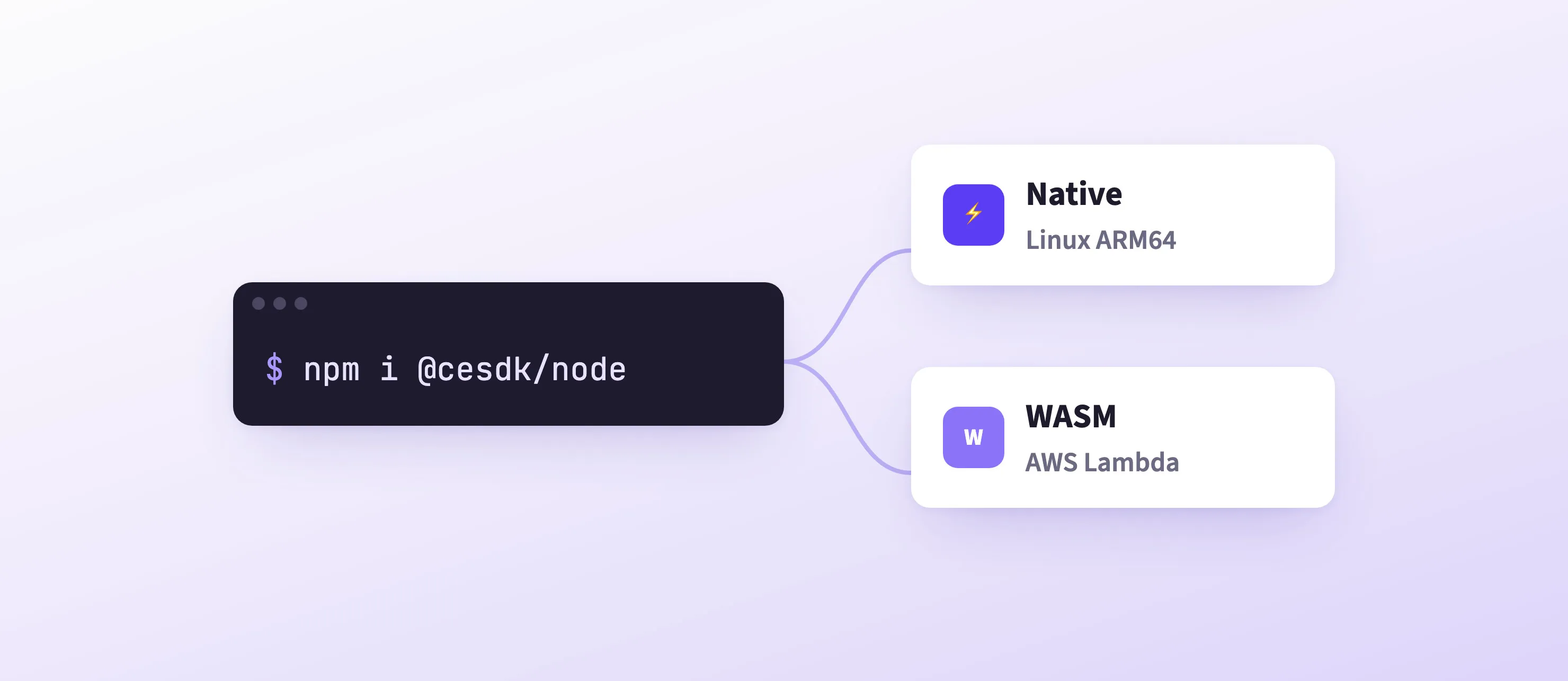
- One package:
@cesdk/nodenow picks the native engine where the machine supports it and the WASM engine elsewhere. It replaces@cesdk/node-nativeand adds 40 to 60 MB to the install. - Linux ARM64: the native engine now runs there too, for example in Docker on Apple Silicon. It needs glibc 2.39 or later.
- No GStreamer to install: on Linux x86_64 and Windows, the native engine ships its own GStreamer and uses supported NVIDIA, AMD, and Intel graphics cards for video.
- Faster HDR: HDR and 10-bit videos render about 6 times faster on servers without a graphics card.
- Edit without downloading: a new setting loads a scene without its fonts and images, so a server can change and save it quickly.
→ Renderer Documentation
→ Node.js Documentation
Play and Export Long Videos on the Web
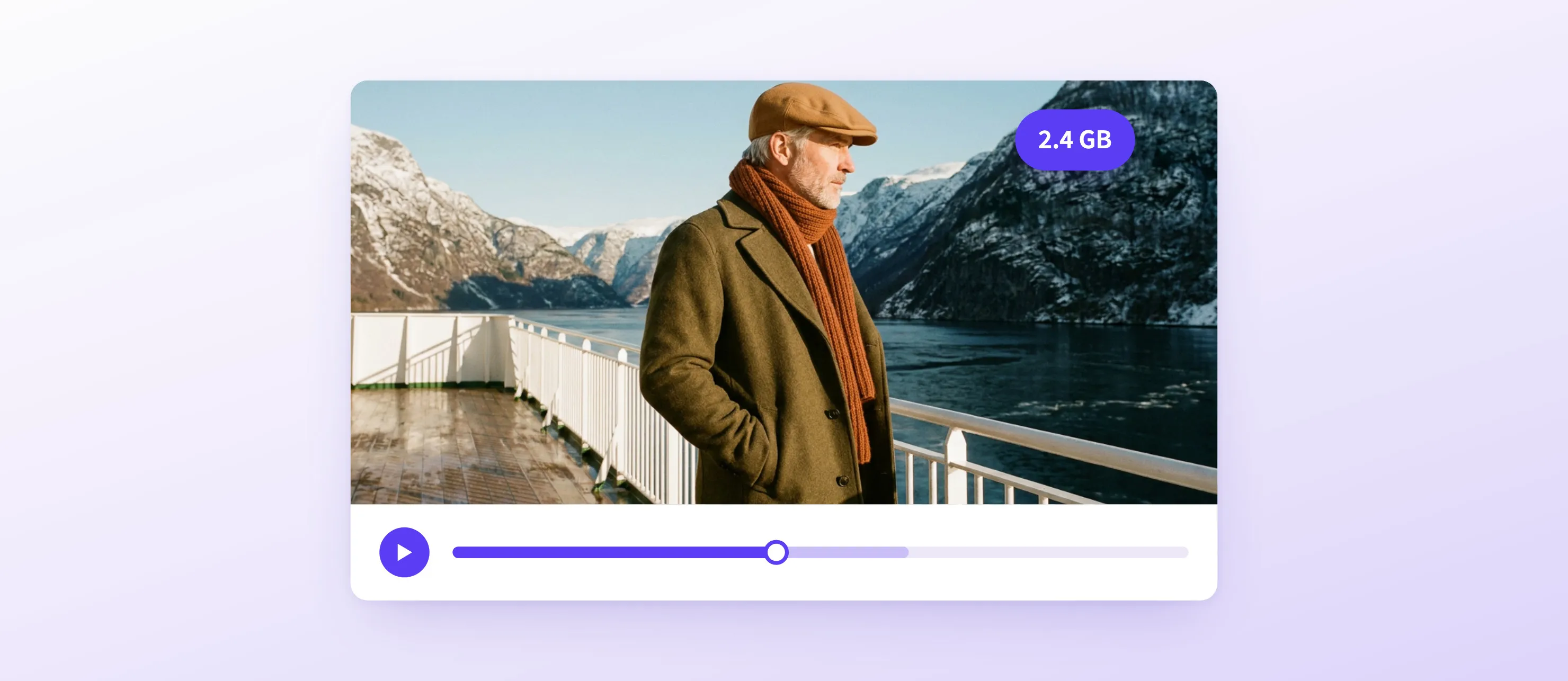
- Big files play: streamed videos of 2 GB and more now load and play. The browser keeps the download in its own storage, and memory holds only about 64 MB of it.
- No stutter on slow servers: a streamed video now loads up to 10 seconds ahead, with several requests at once.
- Faster exports: video and audio exports reuse the files the editor has already loaded instead of downloading them again.
- In sync to the end: MP4 exports at fractional frame rates keep sound and picture together for their whole length.
Export Huge Images Without Running Out of Memory
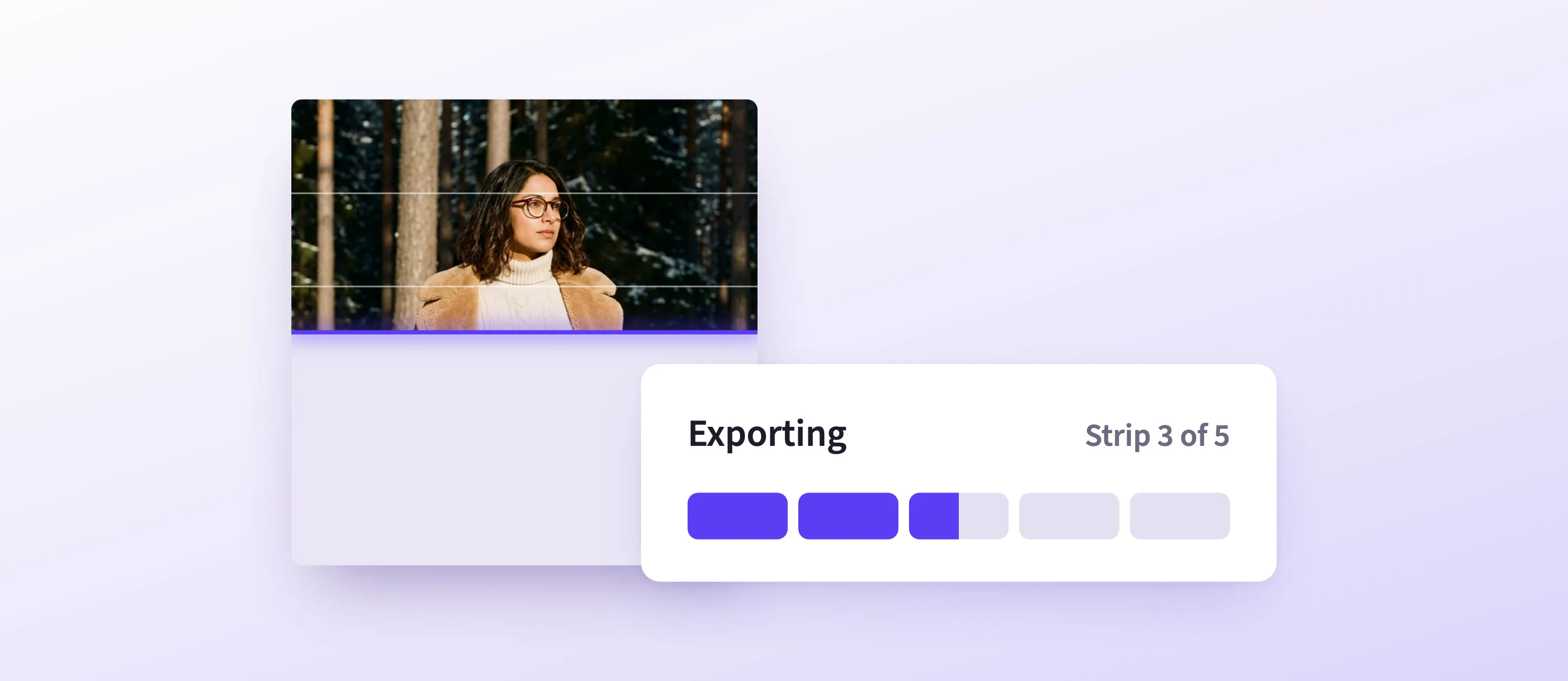
PNG, JPEG, WebP, and TGA exports are now drawn in strips, so the graphics card no longer caps their size. You can also export just one rectangle of a design.
→ Export Size Limits Documentation
→ Partial Export Documentation
Import and Export SVGs as Browsers Show Them
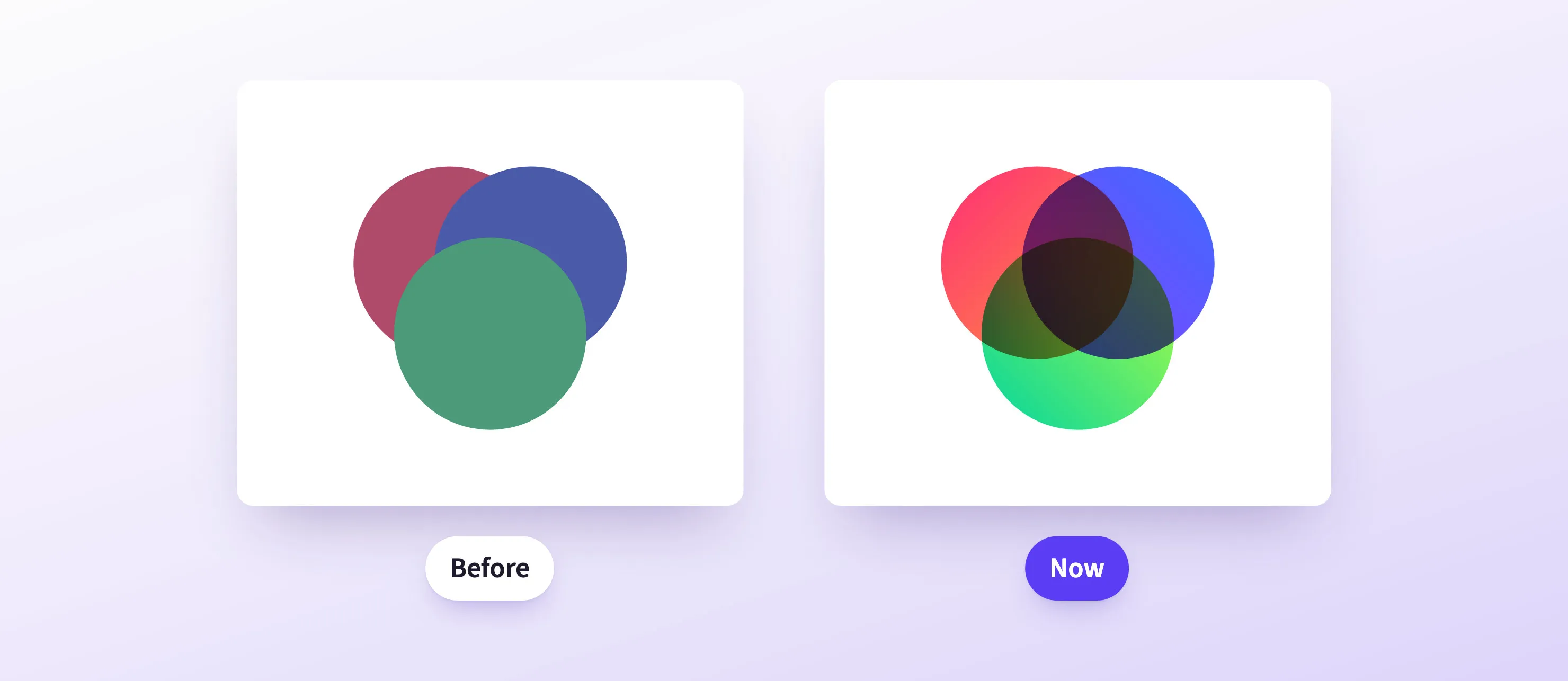
- Import: every CSS color form browsers draw, including the Display P3 colors Figma writes, plus blend modes, alpha masks, and reused symbols at their right size.
- Export: SVGs keep transparency, faded groups, small shadows and blurs, and exact sizes.
→ File Format Support Documentation
Edit Text and Shapes Precisely on iOS and Android
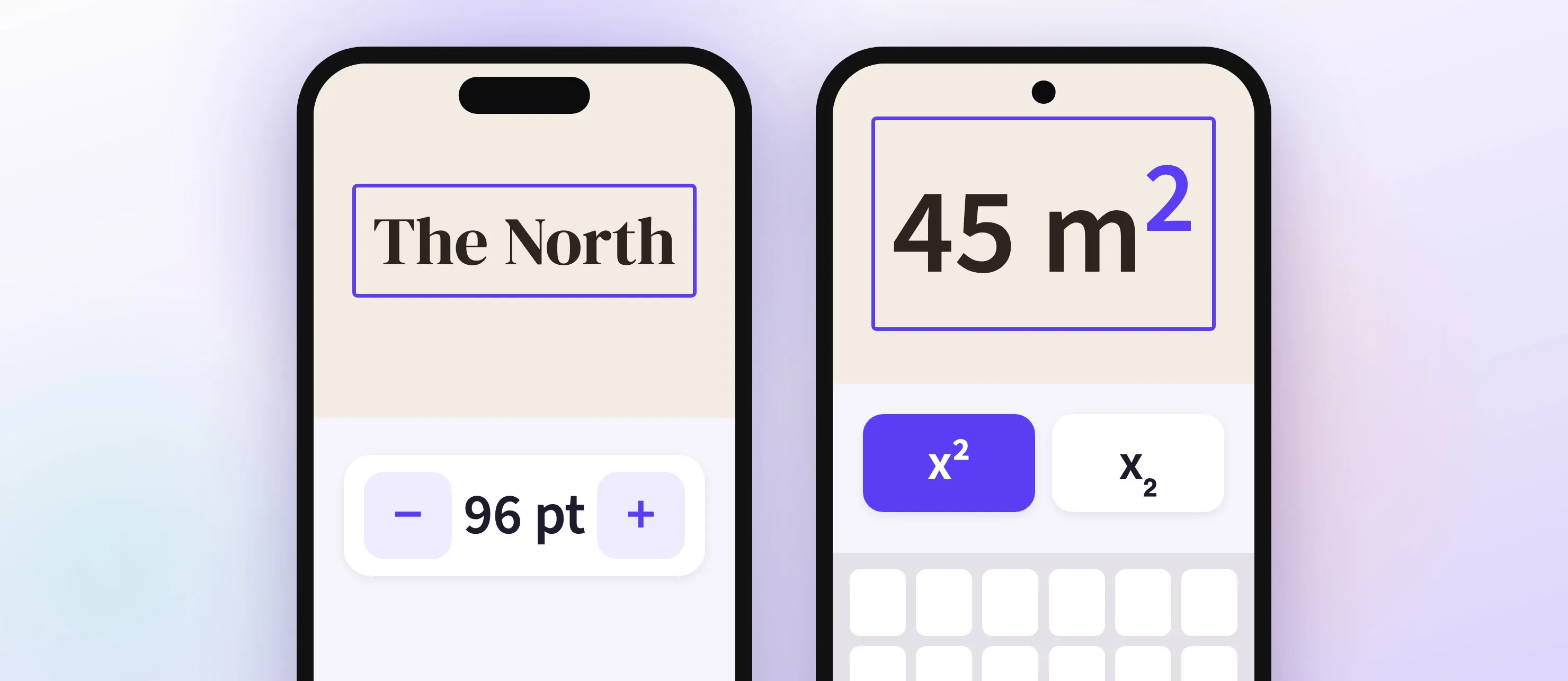
- Exact values on iOS and Android: font size, letter spacing, line height, and stroke width use steppers, so users type or tap to an exact value. Font sizes now go above 90 pt.
- Superscript and subscript on iOS and Android: a Script menu sits in the text toolbar above the keyboard.
- Gradient strokes: shapes, images, and pages get linear, radial, or conical gradients on their outline, on web, iOS, and Android.
- Drag and drop on iOS and Android: images, videos, audio, and SVGs dragged from Files, Photos, or another app land on the canvas.
- More Android exports: images as WebP, and audio as WAV, MP4, or WebM.
Before You Upgrade
v1.87 drops old functions that already have newer replacements. Check your platforms below before you update; the migration guides show what to swap.
All platforms
- Removed functions: the upgrade guide shows what to use instead.
- Creating scenes: use
scene.create(). On iOS and Android, set video scenes to Video mode, or they get no transitions. The Renderer and CLI need a video output set explicitly. - Pages and frames: a search for pages now also returns frames;
scene.getPagesreturns only top-level pages. A page’s parent is now the scene. - Clip timing in code: trim offsets are now in timeline seconds at every speed, so drop any multiplying by the speed. On overlay tracks, changing a clip’s length, trim, or speed keeps its transitions.
- Fonts: the typeface property can hold an ID, so read the name with
getTypeface. Fonts without underline values now get a default underline. - Older versions: designs with spreads don’t open before v1.87 (v1.84 and earlier crash on them), and scenes with side-by-side pages open there with the pages stacked. Text keeps its fonts there too, but when a design uses two typefaces with the same name, its font weight and style can’t be changed in earlier versions.
Web
- Features API:
cesdk.featuresreplacescesdk.feature, which keeps working.resetEditor()now also removes plugin and custom features; add them again after it. - Spreads in the advanced editor: each new spread saves pages that versions before v1.87 can’t open. Until every app that opens your designs runs v1.87, turn off the spread option of
ly.img.page.
Servers
- Server install:
@cesdk/nodenow includes the native engine (40 to 60 MB more) and replaces@cesdk/node-native. Where only WASM runs, such as AWS Lambda, install without optional packages.
iOS and Android
- Export formats: switches over every format need the new values or a default: WebP and WAV, MP4, and WebM audio on Android, MP4 audio on iOS.
- Android types:
DiscreteValue.Textis nowDiscreteValue.String, and image variables take and return aUri. - CocoaPods: from December 2, 2026, CocoaPods trunk gets no new CE.SDK versions. Native iOS apps move to Swift Package Manager; Flutter and React Native apps add the IMG.LY spec repository. The CocoaPods guide has the steps.
Migration guides: Web · Node.js · iOS · Android · Flutter · React Native
Changelog
All performance improvements, breaking changes, and fixes are in the v1.87.0 changelog.
Thank you for building with IMG.LY.
Join 3,000+ creative professionals who get early access to new features and updates. Subscribe.