



The Bannerbear alternative for products where users design
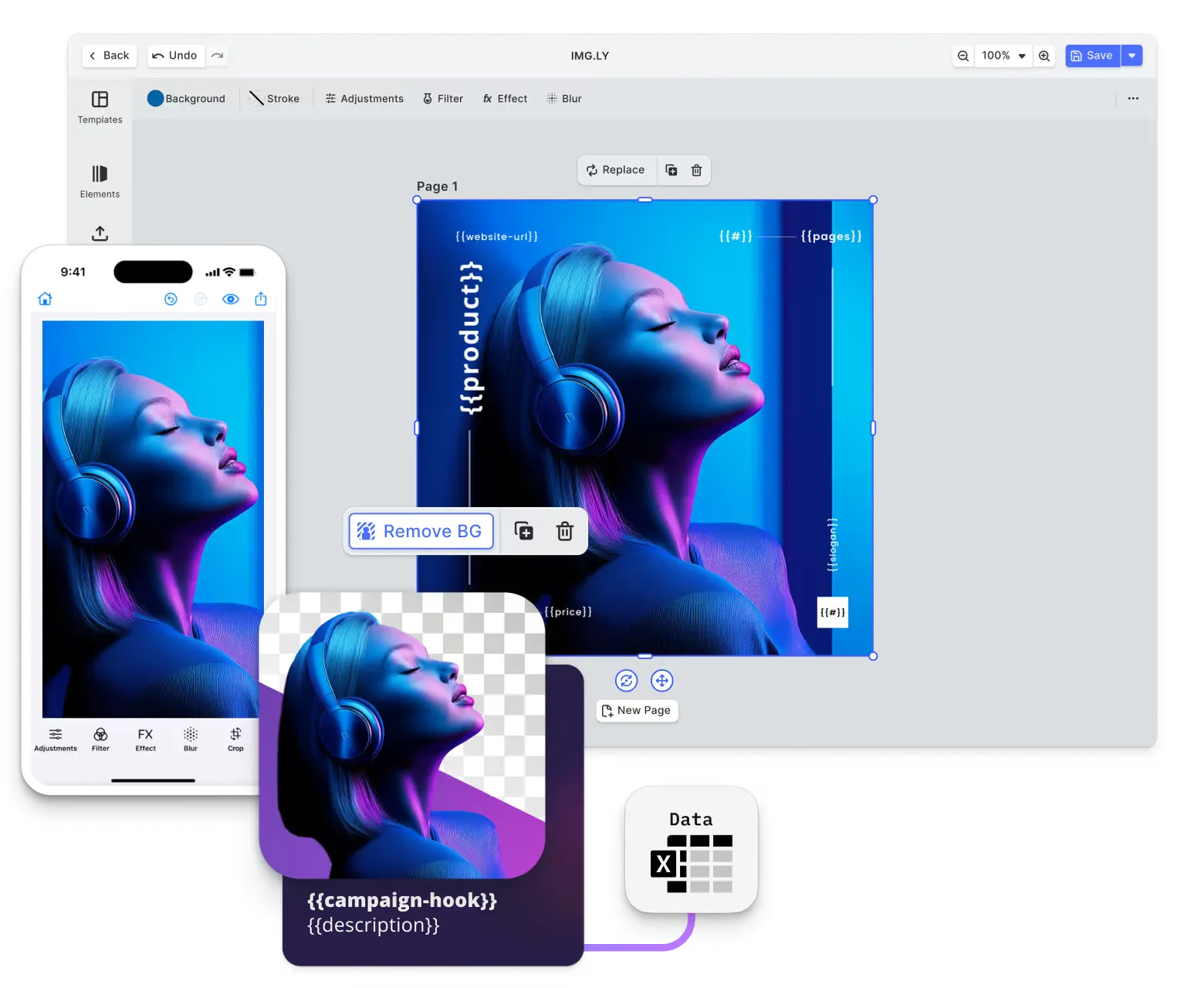
Bannerbear turns a template into thousands of assets through an API. CE.SDK does that too, and it also puts the editor itself inside your product, so the people using your software can design and refine the work rather than only receive it.
What makes IMG.LY the best Bannerbear alternative?
An editor your users can open
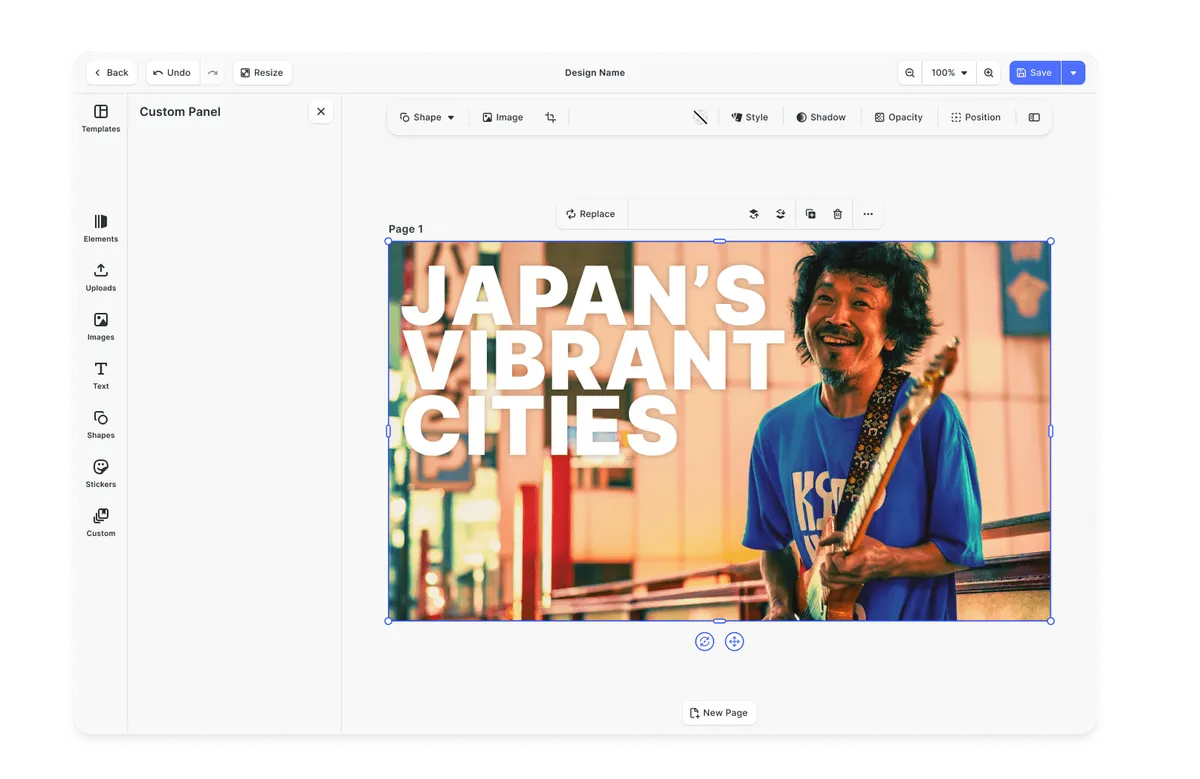
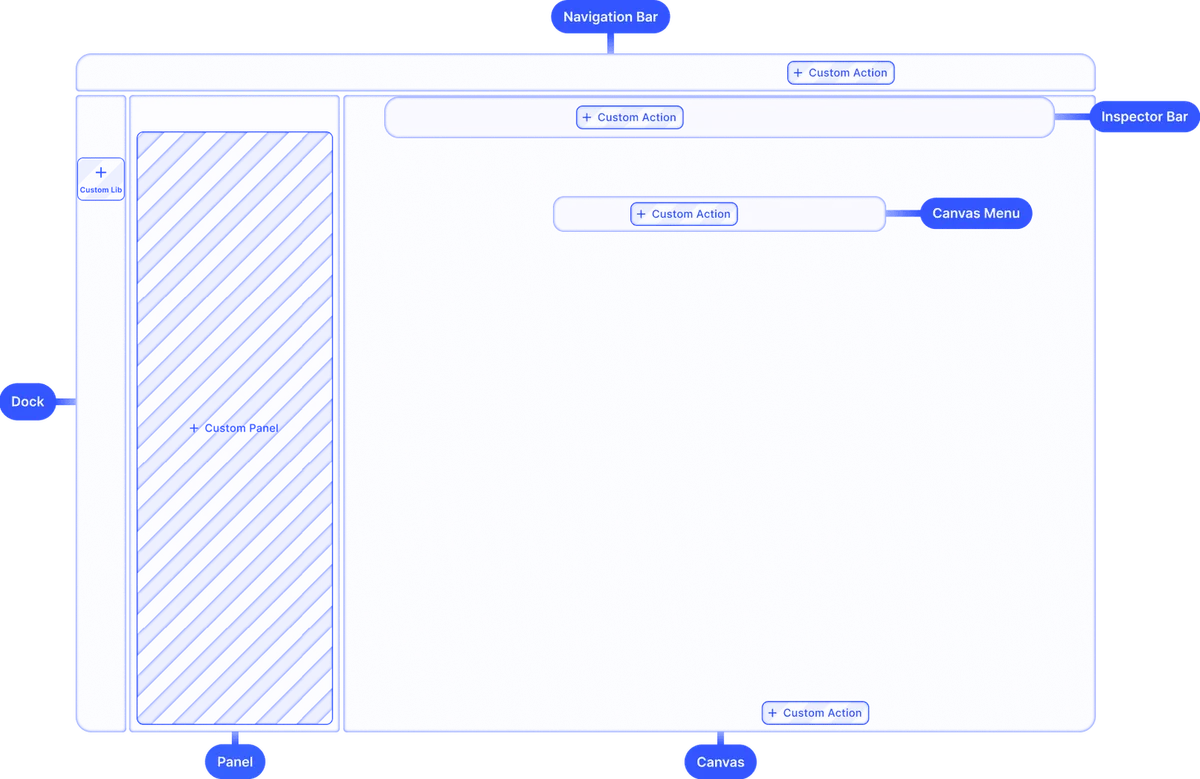
Bannerbear can embed a form on your site. CE.SDK mounts a full editor inside your app, built from your own components and carrying your brand.
Automation from the same templates
Render headless in Node.js from the templates your users edit, so there is no second template format to keep in sync.
Processing on the device
Client-side rendering means customer uploads need never reach a third-party server.
Output built for print
PDF/X-4 with CMYK and ICC profiles, for work that ends on a press rather than a screen.














What our clients say about us
Integrating IMG.LY’s editor meant we didn’t have to build or maintain a complex editing layer ourselves. That kept our team focused on our core AI ad engine and saved us countless development hours — while still giving our customers the ability to polish and customize creatives at scale.
Hikari Senju
CEO, Omneky

With IMG.LY we built a central creative portal that now powers over 140 dealer campaigns across multiple automotive brands. Before this, asset creation was slow and inconsistent.
Martin Röhr
Product Owner, Digitas

By embedding IMG.LY’s editor we were able to hit key RFP requirements and deliver a template-based creative experience that now serves 1,000+ customers. It helped us win more deals and exceed enterprise expectations without needing to hire dedicated design teams.
Rob Driscoll
Director of PM, Optimizely

Since integrating IMG.LY’s editor, we now deliver 30,000+ ad creatives per month, dramatically shorten time-to-launch, and help our clients cut design spend by up to $10,000 per month.
Logan Welbaum
Founder, Plai

Our customers create over a million personalized postcards each year choosing from over hundreds of templates with IMG.LY’s SDK. It’s the only solution that allows us to build our own specialized, on-brand UI that integrates seamlessly with our platform.
Jeanine Zaalberg
Product Manager, SwissPost
From a developer’s perspective, the most powerful feature of the photo editor is the integration process. It was completely flawless, quick, and easy to integrate.
Stefano Fornari
CTO, Funambol
We compared IMG.LY SDK with other solutions and found that it would be the best fit for us since it provides all the features that are crucial for our use case.
Carem Pereira
SCRUM Manager, HP

IMG.LY vs. Bannerbear at a glance
| Feature | IMG.LY | Bannerbear | Notes |
|---|---|---|---|
| Primary Use Case | Creative editing SDK covering photo, video and design work. Ships ready-made editors, composable modules and a headless engine, so users can craft visuals directly in your product and the same templates can also be rendered automatically. | Creative automation API. Templates are designed once in a hosted editor, then filled with data through REST API calls or no-code integrations to generate images, PDFs and videos at volume. | IMG.LY covers hands-on editing and automated generation. Bannerbear focuses on automated generation from templates. |
| Target Audience | Product and engineering teams embedding creative tooling in their own application, where the end user is the one designing. | Developers and no-code teams automating repetitive visual production, where a designer builds each template once and the API or an integration fills every variation. | The dividing question is whether your users design, or whether your system generates on their behalf. |
| Embeddable Editor | A full editor runs inside your product under your own branding, on web, mobile and desktop. | On Bannerbear’s earlier platform, still supported, the Sessions API returns an expiring editor URL you can embed as an iframe. It opens the template editor to people who are not Bannerbear members, in a default, limited (edit layers, no adding or deleting) or read-only preview mode. | Both let an end user edit a template in your page. The difference is control: a hosted iframe, against an SDK that mounts in your app with your own components, branding and engine access. |
| Technical Approach | SDK with a component-based UI and an API-driven engine, the same C++ engine behind both. Runs client-side in the browser or headless in Node.js. | Hosted API service. Generation happens on Bannerbear infrastructure and finished assets are delivered over a CDN. | IMG.LY can render on the device; Bannerbear renders on its own servers. |
| Creative Automation | Batch rendering, data merge and server-side generation from the same templates your users edit. | Core of the product: generate images, PDFs and animations from templates, and process video, through the REST API or no-code integrations. | Both automate. Bannerbear is built around it; IMG.LY adds it alongside interactive editing. |
| Advanced Video Editing Capabilities | Timeline-based video editing with trimming, layering, audio and effects, plus programmatic video rendering. | Animation templates render keyframe motion graphics through an animation API, and video tools trim, join, resize and overlay clips and burn in auto-generated subtitles. | Bannerbear composes video through templates, tools and workflows. IMG.LY also gives the end user a timeline to edit on. |
| Print Output | The Print Ready PDF plugin converts the RGB export to CMYK with ICC profiles, producing PDF/X-4 by default and PDF/X-3 as an opt-in fallback. Base CE.SDK export is RGB. | Image templates can render to PDF, with DPI metadata for print sizing. A Flatten PDF for print tool flattens transparency, embeds fonts and can convert colors to CMYK. ICC profiles and PDF/X output are not documented. | Both produce print PDFs. The difference is color management, so check the output against what your print provider requires. |
| White-labeling | The editor carries your brand, your theme and your domain, with no IMG.LY branding. | Removing Bannerbear branding from embedded Forms or from the earlier platform’s Sessions editor, or serving either from your own domain, is not documented. Session links sent straight to users show the bannerbear.com domain. | Matters when the embedded surface has to carry your brand rather than Bannerbear’s. |
| Customizability | Custom UI components and panels, plugin APIs and access to the engine at every layer. | Customization happens through the template design and the API parameters that modify it. Embedded Forms take a title, subtitle and button label; further restyling is not documented. | Different surfaces: IMG.LY exposes the editor to your code, Bannerbear exposes the template to your API calls. |
| Cross-Platform Support | Web (JavaScript, React, Angular, Vue, Svelte, Next.js), iOS, Android, React Native, Flutter, desktop and Node.js. | An HTTP API callable from any stack, with official client libraries for Ruby, Node, PHP and Python. Native mobile SDKs are not documented. | An API works everywhere; an embedded editor has to be built for each platform, which IMG.LY has done. |
| Storage & Data Ownership | Client-side processing by default, so uploads and designs need never leave the browser or device. | Generated media is stored on Bannerbear infrastructure, with an option to write image outputs to your own S3 bucket instead. | Worth weighing if customer uploads carry faces, identity documents or unreleased product designs. |
| Clear Pricing Model | Licensed per application, quoted against your deployment rather than metered per rendered asset. | Sold as subscription plans. | Licensing decouples cost from render count. Check both against your expected volume. |
| Templating & Dynamic Editing | Templates are designed visually in the same editor your users open, with placeholders, locked layers and constraints that decide what a customer may change. | Templates are built in Bannerbear’s hosted editor, from a Figma frame or through the API, and filled through API parameters. | IMG.LY templates are designed in the same editor your users open, with locked layers and constraints on what a customer may change. Bannerbear templates are built in its hosted editor or from Figma and filled through the API. |
| AI Capabilities | AI plugins for image generation, background removal, text refinement and audio, running inside the editor and routable through the AI Gateway. | AI background removal, prompt-based background generation and face or subject detection are set per layer in the template editor and applied at render. Tools add AI image, AI video and voiceover generation, and an MCP server lets AI agents create templates, generate images and run workflows. | Different placement: IMG.LY puts AI on the canvas, Bannerbear applies it to template layers at render time and through its API tools. |
| Advanced Editing Features | Adjustments, filters, effects, blur, cropping, masking, snapping and layer control, available to the end user at runtime. | Template design happens in Bannerbear’s editor, with layers, SVG shapes, layer locking, smart guides and custom fonts. | IMG.LY gives end users adjustments, filters, effects, cropping and masking at runtime. Bannerbear gives template designers layers, SVG shapes, layer locking, smart guides and custom fonts. |
| User Interface | A complete editor UI you can ship as-is, restyle, or rebuild from components. | A hosted dashboard and template editor, plus embeddable Forms for on-demand generation from a template. | Compare how much of the interface you control, not only whether something can be embedded. |
| Flexible Rendering Approach | The same engine renders client-side in the browser, on device, or headless in Node.js, so you choose where the work happens. | Rendering runs on Bannerbear’s hosted API, asynchronously with webhooks or polling, or through a synchronous endpoint. | Matters when latency, cost per render, or data residency is a constraint. |
| Ease of Integration | Framework packages and documented get-started guides per platform, with the editor mounted into your app. | A REST API with an OpenAPI schema, plus Zapier, an Airtable app, embeddable Forms and Instant URLs, so a workflow can be wired up without writing an application. | Bannerbear can produce a first asset without application code. IMG.LY is an integration into your product rather than alongside it. |
| Extensibility | Plugin APIs, custom panels, custom asset sources and access to the scene and block APIs. | Extended through the REST API, webhooks, and workflows that chain tools and renders. A plugin model for the editor itself is not documented. | Extensibility means different things on each side: workflow connections against editor internals. |
| Scalability | Client-side rendering distributes the work across your users’ devices; headless rendering scales on infrastructure you control. | Renders are queued on Bannerbear’s infrastructure under an API rate limit, and one API request can submit a batch of images. | One scales with your infrastructure, the other with Bannerbear’s. |
| Asset Management | Pluggable asset sources let you serve your own libraries, stock providers or DAM into the editor. | Hosts templates, generated media and an assets library of uploaded images, video, audio and Lottie files. | IMG.LY reads from your libraries; Bannerbear hosts your uploads and the output it produces. |
| File Format Support | Imports PNG, JPEG, SVG, GIF, WebP and BMP; exports PNG, JPEG, WebP, TGA, SVG, MP4 and print-ready PDF. | Accepts JPG, PNG, WebP, GIF and SVG images, MP4, WebM and MOV video, MP3, WAV and OGG audio, PDF and Lottie JSON as uploads. Outputs JPG, PNG, WebP, AVIF and PDF from image templates, MP4 or transparent MOV from animations, and GIF previews from video. | Check the specific formats your pipeline needs against both lists. |
| Offline Capabilities | Once the SDK has loaded, editing and rendering run on the device, so the editor keeps working without a connection. | Generation runs through Bannerbear’s hosted API. An offline or self-hosted generation mode is not documented. | Relevant for mobile apps and for environments with restricted connectivity. |
| Community & Support | Documentation, examples per framework, and direct support with a technical team during integration. | Documentation with an API reference, a help center, tutorials and a changelog, plus support by email. | Both document well. The difference is how much support an embedded integration needs versus an API call. |
Key capabilities
Editing
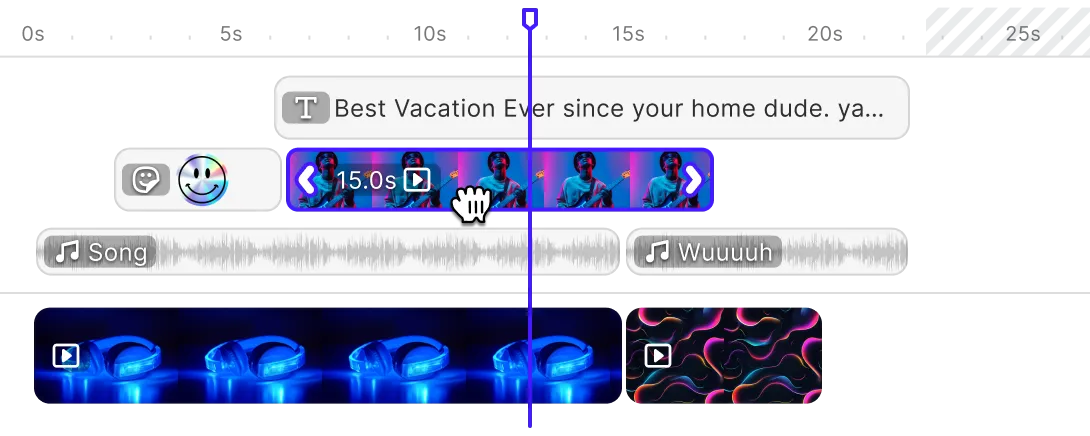
Templating
Output




Check out other use cases
Learn more about related solutions.
Web2Print Designer
Give your Web2Print application a design editor your customers can use.
Get in touch
Tell us what your users need to make, and we will tell you honestly whether an embedded editor is the right shape for it.
FAQs
Bannerbear generates assets from templates you design in its hosted editor and call through an API. IMG.LY gives your own users an editor inside your product, and can render the same templates automatically. If nobody in your product needs to design, an automation API may be all you need. If they do, an API alone leaves them editing somewhere else.
Partly. Bannerbear Forms can be embedded so people fill in a template’s dynamic layers from your site, and its earlier platform supports embedding the template editor through Sessions.
Yes. The same engine runs headless in Node.js, so you can batch render, merge data and generate personalized assets server-side. The difference is that the templates come from the same visual editor your users work in, so there is no separate template format to maintain.
Bannerbear sells subscription plans. IMG.LY licenses the SDK per application, so cost does not scale with the number of assets rendered. Which works out cheaper depends entirely on your volume, so compare against your own numbers rather than a headline figure.
CE.SDK processes client-side by default, so customer uploads can stay on the device. Bannerbear generates on its own infrastructure and delivers over a CDN.
Within limits. Embedded Bannerbear Forms let someone fill a template’s dynamic layers. What that gives you is Bannerbear’s surface inside your page. CE.SDK instead mounts an editor you compose and brand yourself, where the user works on the canvas directly.
Both handle it. Bannerbear is purpose-built for it and gets you to a first generated asset through Zapier or a direct API call. CE.SDK renders headless in Node.js on infrastructure you control, which matters more as volume grows.
Not necessarily. Teams do run an automation API for backend generation alongside an embedded editor for the user-facing work. The question worth asking first is whether the two would share a template format, because maintaining the same design in two places is where that arrangement usually gets expensive.