


Video Captions
Enhance video creation by importing, customizing, and styling captions directly within the editor.
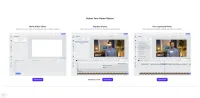
Keep the editing process intuitive, precise, and fully within the editor with editable captions functionality.
Uploading and importing captions
You can bring captions into your editing workflow in three ways:
- Import .srt or .vtt files directly into the editor
- Upload videos that already include captions
- Add captions manually
In the first two cases, the captions will be available for immediate editing within the timeline, automatically synchronized and ready for adjustment.
Editing captions
Once imported or detected, captions can be edited with precision:
- Text editing – modify or rewrite any caption directly
- Timing adjustment – fine-tune the start and end time of each caption segment
- Styling – customize size, color, alignment, and positioning to stay on brand
Benefits of editable captions
Having full control over captions within the editor allows you to adapt content quickly and ensure consistency across all your video materials. It’s a powerful tool for localization, accessibility compliance, and visual polish. Ideal for media companies, marketing teams, or educational content creators.
Keep the editing process intuitive, precise, and fully within the editor with editable captions functionality.
Uploading and importing captions
You can bring captions into your editing workflow in three ways:
- Import .srt or .vtt files directly into the editor
- Upload videos that already include captions
- Add captions manually
In the first two cases, the captions will be available for immediate editing within the timeline, automatically synchronized and ready for adjustment.
Editing captions
Once imported or detected, captions can be edited with precision:
- Text editing – modify or rewrite any caption directly
- Timing adjustment – fine-tune the start and end time of each caption segment
- Styling – customize size, color, alignment, and positioning to stay on brand
Benefits of editable captions
Having full control over captions within the editor allows you to adapt content quickly and ensure consistency across all your video materials. It’s a powerful tool for localization, accessibility compliance, and visual polish. Ideal for media companies, marketing teams, or educational content creators.
Related Demos
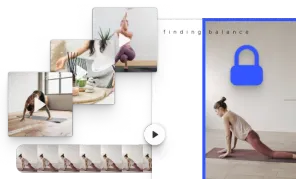
Video Placeholders
Streamline asset production with video placeholders.
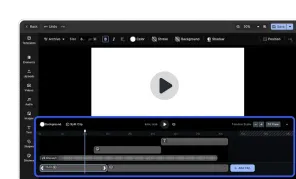
Video Editor UI
Take the VideoEditor for a test run and see how powerful editing features meet seamless and intuitive design. All with fully customizable UI and asset library.
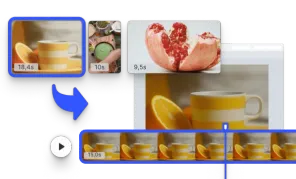
Start with a Video
Initialize the editor with a video matching the page size.
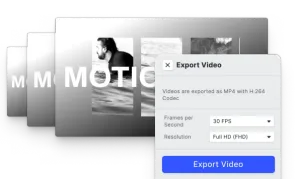
Video Export Options
Choose a suitable Frames per Second option and export videos in SD, HD, FHD, 2K, 4K, or define custom quality.