


Video Export Options
Choose a suitable Frames per Second option and export videos in SD, HD, FHD, 2K, 4K, or define custom quality.
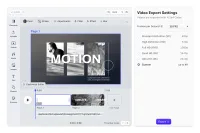
Define the supported properties of the exported videos. With a custom export panel, you can control which settings can be applied.
Quality Settings
Refine the quality of your export with a choice of Frames per Second options. These options determine the video’s smoothness and include:
- 24 FPS
- 30 FPS
- 60 FPS
- 120 FPS
Keep in mind that the chosen FPS value affects both the export duration and the file size. Opting for a higher FPS will result in extended export times and larger file sizes.
Resolution Settings
Our video export UI offers a range of preset resolutions to accommodate most scenarios, along with a custom option for unique requirements:
- Standard Definition (HS) - 480p
- High Definition (HD) - 720p
- Full HD (FHD) - 1080p
- Quad HD (2K) - 1440p
- Ultra HD (4K) - 2160p
- Custom - up to 4K
For a seamless user experience, consider setting a default resolution or limiting the options, ensuring your users achieve their desired final video quality effortlessly.
Define the supported properties of the exported videos. With a custom export panel, you can control which settings can be applied.
Quality Settings
Refine the quality of your export with a choice of Frames per Second options. These options determine the video’s smoothness and include:
- 24 FPS
- 30 FPS
- 60 FPS
- 120 FPS
Keep in mind that the chosen FPS value affects both the export duration and the file size. Opting for a higher FPS will result in extended export times and larger file sizes.
Resolution Settings
Our video export UI offers a range of preset resolutions to accommodate most scenarios, along with a custom option for unique requirements:
- Standard Definition (HS) - 480p
- High Definition (HD) - 720p
- Full HD (FHD) - 1080p
- Quad HD (2K) - 1440p
- Ultra HD (4K) - 2160p
- Custom - up to 4K
For a seamless user experience, consider setting a default resolution or limiting the options, ensuring your users achieve their desired final video quality effortlessly.
Related Demos
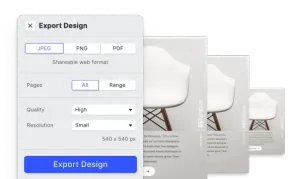
Design Export Options
Export designs in JPG, PNG, or PDF with custom quality, page ranges, and dimensions using CE.SDK's advanced export features.
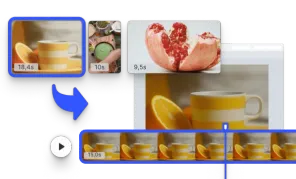
Start with a Video
Initialize the editor with a video matching the page size.
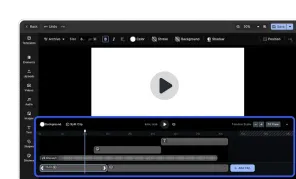
Video Editor UI
Take the VideoEditor for a test run and see how powerful editing features meet seamless and intuitive design. All with fully customizable UI and asset library.
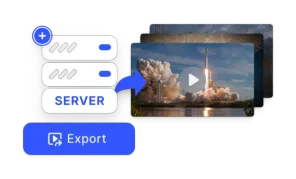
Export using CE.SDK Renderer
The Renderer brings CE.SDK's design engine to your backend—fast, compliant, enterprise-ready export for images, PDFs, and video at scale.