


Design Export Options
Export designs in JPG, PNG, or PDF with custom quality, page ranges, and dimensions using CE.SDK's advanced export features.
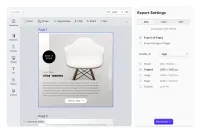
You grant your users granular control over the properties of the export file. Here, we demo a custom export panel exposing options to control the format, quality, and resolution of a file. Users can export theirs design at any point in time and choose the number of pages to be included.
Supported Export Formats
Default export file formats for CE.SDK are JPG, PNG, and PDF, however, you can also include TGA and BIN formats if needed.
Please note that exporting a scene with more than one page may result in transparent areas between the pages, we recommend exporting the individual pages instead.
Exporting as JPEG drops any transparency on the final image and may lead to unexpected results.
Quality Settings
You can control the quality of the export file by choosing between provided options:
- Low
- Medium
- High
- Very high
- Maximum
Please note that the quality of the design impacts the export duration and the file size, higher quality will result in a longer export time and a bigger file size.
Available Resolutions
CreativeEditor includes preset resolutions that should cover most of the use cases and a custom option for individual needs:
- Small - 540 x 540 px
- Original - 1080 x 1080 px
- Large - 1620 x 1620 px
- Huge - 2160 x 2160 px
- Custom - up to 4000 px
To simplify the process for your users you can choose a default resolution or limit the options to ensure the final quality of the design.
You grant your users granular control over the properties of the export file. Here, we demo a custom export panel exposing options to control the format, quality, and resolution of a file. Users can export theirs design at any point in time and choose the number of pages to be included.
Supported Export Formats
Default export file formats for CE.SDK are JPG, PNG, and PDF, however, you can also include TGA and BIN formats if needed.
Please note that exporting a scene with more than one page may result in transparent areas between the pages, we recommend exporting the individual pages instead.
Exporting as JPEG drops any transparency on the final image and may lead to unexpected results.
Quality Settings
You can control the quality of the export file by choosing between provided options:
- Low
- Medium
- High
- Very high
- Maximum
Please note that the quality of the design impacts the export duration and the file size, higher quality will result in a longer export time and a bigger file size.
Available Resolutions
CreativeEditor includes preset resolutions that should cover most of the use cases and a custom option for individual needs:
- Small - 540 x 540 px
- Original - 1080 x 1080 px
- Large - 1620 x 1620 px
- Huge - 2160 x 2160 px
- Custom - up to 4000 px
To simplify the process for your users you can choose a default resolution or limit the options to ensure the final quality of the design.
Related Demos
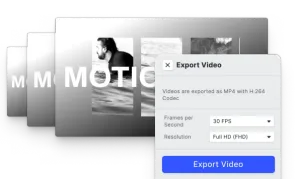
Video Export Options
Choose a suitable Frames per Second option and export videos in SD, HD, FHD, 2K, 4K, or define custom quality.
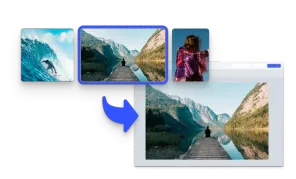
Start with an Image
Initialize the editor with an image matching the page size.
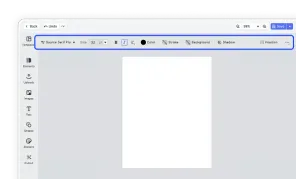
Design Editor UI
Our easy to use editor variant focused on layout, text, and images is ideal for adapting existing templates.