


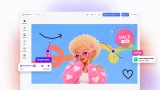
IMG.LY vs. React Video Editor
For a production-ready editor that scales from user-driven video creation to full creative automation across web, mobile, and backend. See why IMG.LY CreativeEditor SDK is the most powerful alternative to React Video Editor.

What makes IMG.LY the best React Video Editor alternative?
Cross-platform & multi-workflow editing
A single SDK for web, native mobile, desktop, and Node.js supporting interactive editing and server-side automation from the same engine.
Headless automation & scalable rendering
Run CreativeEngine in Node.js for programmatic content generation, batch exports, and mass personalization proven at enterprise scale with 500M+ monthly creations.
Enterprise-grade extensibility & AI plugin system
Extend functionality with custom plugins, asset sources, and AI integrations. Bring your own models or use pre-integrated services for text-to-image, background removal, TTS, and more.
Frame-accurate editing across web, mobile & automation
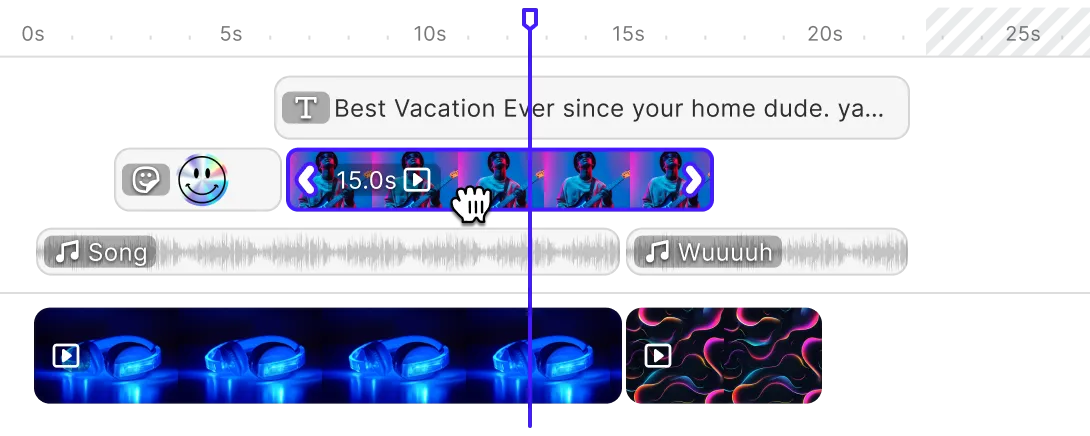
Precise multi-track timeline editing with identical frame-accurate rendering whether users edit visually or scenes are generated programmatically, ensuring consistent results for social video, ads, and broadcast-quality output.
Trusted by 100+
industry leaders















What our clients say about us
Integrating IMG.LY’s editor meant we didn’t have to build or maintain a complex editing layer ourselves. That kept our team focused on our core AI ad engine and saved us countless development hours — while still giving our customers the ability to polish and customize creatives at scale.
Hikari Senju
CEO, Omneky

With IMG.LY we built a central creative portal that now powers over 140 dealer campaigns across multiple automotive brands. Before this, asset creation was slow and inconsistent.
Martin Röhr
Product Owner, Digitas

By embedding IMG.LY’s editor we were able to hit key RFP requirements and deliver a template-based creative experience that now serves 1,000+ customers. It helped us win more deals and exceed enterprise expectations without needing to hire dedicated design teams.
Rob Driscoll
Director of PM, Optimizely

Since integrating IMG.LY’s editor, we now deliver 30,000+ ad creatives per month, dramatically shorten time-to-launch, and help our clients cut design spend by up to $10,000 per month.
Logan Welbaum
Founder, Plai

Our customers create over a million personalized postcards each year choosing from over hundreds of templates with IMG.LY’s SDK. It’s the only solution that allows us to build our own specialized, on-brand UI that integrates seamlessly with our platform.
Jeanine Zaalberg
Product Manager, SwissPost

From a developer’s perspective, the most powerful feature of the photo editor is the integration process. It was completely flawless, quick, and easy to integrate.
Stefano Fornari
CTO, Funambol
We compared IMG.LY SDK with other solutions and found that it would be the best fit for us since it provides all the features that are crucial for our use case.
Carem Pereira
SCRUM Manager, HP

IMG.LY vs. React Video Editor at a glance
| Feature | IMG.LY | React Video Editor | Notes |
|---|---|---|---|
| Primary Use Case | SDK enabling in-app content editing and large-scale automated asset generation. Supports video creation and graphic design workflows. Handles both user-driven editing and backend automation through a single engine that serves interactive and headless use cases. | React video editor for web apps, offered as two products: the RVE SDK, a private npm package, and RVE Pro, a complete Next.js source template. | Both enable video editing in applications. IMG.LY provides broader capabilities across video and design with equal-weight automation. React Video Editor focuses specifically on React web applications with pre-built components. |
| Target Audience | Enterprise development teams building social media apps, content automation tools, web-to-print platforms, marketing technology, digital asset management systems, e-commerce businesses, and e-learning platforms. Serves organizations requiring both user-facing editing interfaces and automated content generation at scale. Powers high-volume platforms processing millions of monthly creations. | Teams adding video editing to a React web product, from indie developers and startups to enterprises and agencies. Teams that need full source ownership pick RVE Pro, and teams that want a drop-in package pick the RVE SDK. | Both serve development teams. IMG.LY targets enterprise organizations needing cross-platform solutions and automation. React Video Editor serves teams building React web apps, from indie developers to enterprises. |
| Technical Approach | Single SDK supporting three integration modes: ready-to-use editor, custom UI via APIs, or headless automation. Works across web browsers, native mobile apps, desktop software, and Node.js servers without modification. Rendering happens client-side on device GPUs or server-side on Node.js infrastructure depending on workflow needs. | The RVE SDK uses Remotion for playback and rendering and requires the Mediabunny package. Its browser export encodes video with WebCodecs through the Remotion web renderer. | IMG.LY runs one SDK in three integration modes across web, mobile, desktop and Node.js. The RVE SDK builds on Remotion for playback and rendering, with browser export through WebCodecs. |
| Advanced Video Editing | Multi-track editing for video, images, audio, and overlays with frame-accurate timeline control. Includes animated text captions, video speed controls, dual camera support, transitions, effects, filters, blur, and audio mixing. Aspect ratio presets for social media platforms. Works identically through visual editor or programmatic APIs for automation workflows. | The RVE SDK has a multi-track timeline with drag and drop, split, snapping and keyboard shortcuts. Captions come from a typed script or an imported .srt file. Keyframes, enter and exit animations, 3D layouts and Lottie animations are built in. Green screen removal is available on video items, but the editor hides it while browser export is active. | Both provide timeline-based multi-track video editing. IMG.LY supports web, mobile, desktop, and programmatic APIs with social media presets. React Video Editor focuses on browser-based editing in React apps. |
| Advanced Design Editing | Vector graphics support, text manipulation with advanced typography, layout systems with smart layouts, and flexible canvas management. Role-based templates enable controlled editing workflows. Supports both web design and commercial print production with pixel-perfect output. | The RVE SDK adds text, vector shapes (rectangles, ellipses, arcs, lines, particles and paper, with gradients and shadows), images and Google Fonts to video projects. Standalone graphic design and still image export are not documented. | IMG.LY offers a production-ready design editor for both video and standalone graphic design. React Video Editor provides design elements inside video projects. |
| File Format Support | Imports and exports JPEG, PNG, SVG, WebP, PDF/X, MP4, and native template formats. Supports direct import of Adobe InDesign (IDML) and Photoshop (PSD) files, and export back to IDML and to PSD (on the server), for integration with existing design workflows. Ensures consistent rendering and format parity across both interactive and automated pipelines. | The RVE SDK exports MP4 video from browser export or server rendering, and takes video, image, audio and Lottie JSON files as input. PDF, PSD and IDML are not documented. | IMG.LY provides broader format support including Adobe file imports and PDF export. React Video Editor exports MP4 video. |
| Templating & Dynamic Editing | Templates adjust layouts automatically based on content size and aspect ratio. Users fill placeholders through visual editors or APIs populate them programmatically. Same template works for both interactive editing and automated generation. Template creators control which elements remain editable through role-based permissions. | The RVE SDK ships editable built-in video templates, or shows your own through a template adaptor instead. A template is a set of tracks and items that replaces the project tracks when applied. Placeholders or template variables are not documented. | Both support template-based workflows. IMG.LY provides adaptive layouts working identically across UI and API contexts. React Video Editor offers editable track-based video templates. |
| Creative Automation | Full headless mode for programmatic editing without UI. CreativeEngine runs in Node.js for server-side automation enabling mass personalization and automated content generation from any data source. Design templates on client, generate variations programmatically on server. Handles video generation, design scaling, and batch processing at scale. | Each RVE SDK project is one EditorState object that you can pass to the editor as a prop. A render hook starts renders from a dashboard, batch queue or custom interface without mounting the editor, in the browser or on your own SSR or Lambda backend. | Both support creative automation. IMG.LY offers more comprehensive server-side automation with dedicated Node.js engine and headless APIs. React Video Editor provides automation through its render hook and self-managed server rendering. |
| AI Capabilities | Modular plugin architecture integrates text-to-image generation, image-to-image transformation, image variants, background removal and replacement, object manipulation, text-to-graphics, text-to-speech, and image-to-video. Pre-configured integrations with Anthropic, OpenAI, ElevenLabs, and Fal.ai. Supports a bring-your-own-model capability for any third-party AI API. Works across both interactive editing and programmatic automation. | The RVE SDK generates AI captions through a built-in Whisper adaptor that calls OpenAI from a server route you own, and caption generation is off by default. | IMG.LY integrates generation, editing and voice features with pre-configured AI providers and bring-your-own-model support. React Video Editor generates AI captions through a Whisper adaptor. |
| Asset Management | Built-in libraries for stickers, icons, overlays, and fonts. Connects directly to Getty Images, Unsplash, and Pexels. Custom asset sources can be wired in. Suitable for DAM integration with support for organizational brand colors, typography, and media resources. All assets remain under user control with fully on-premise browser operation. | Built-in Pexels adaptors add stock video and images through a server route you set up, and a built-in Lottie adaptor brings a small curated animation library. Setting your own adaptors for a media type replaces the built-in ones. | IMG.LY adds built-in Getty Images and Unsplash connections. React Video Editor ships Pexels and Lottie adaptors and takes your own adaptors in their place. |
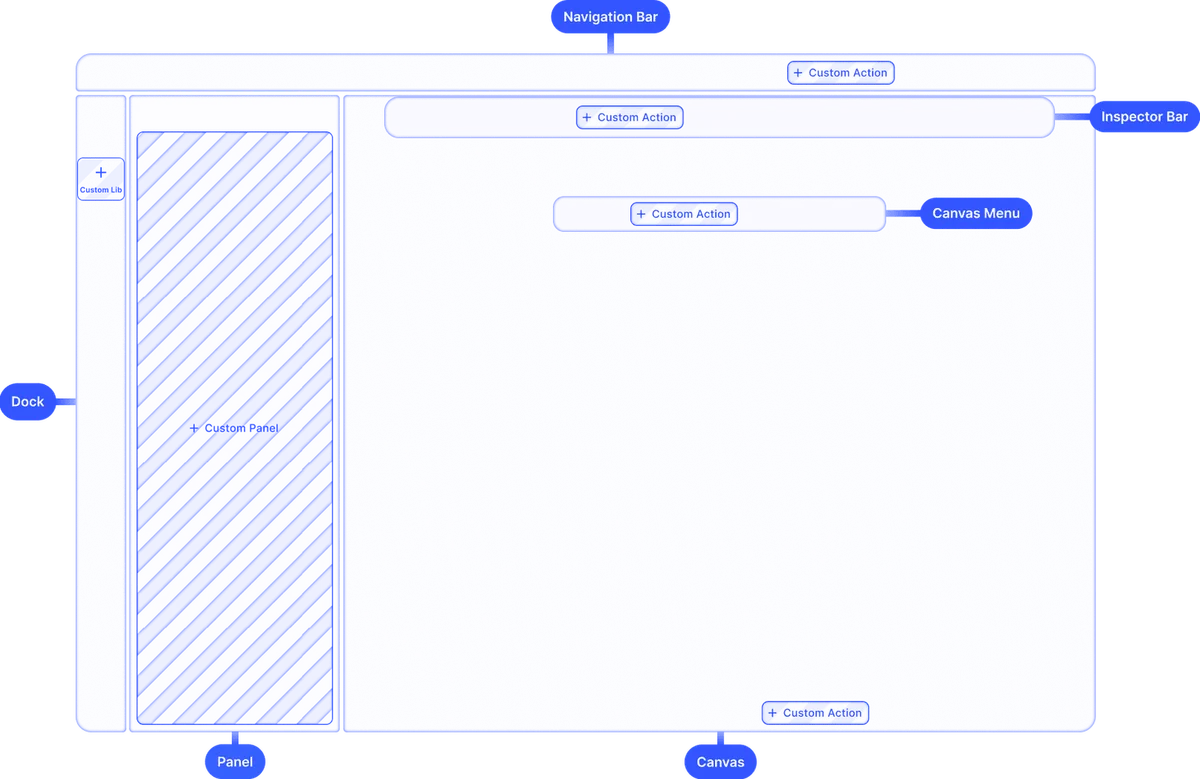
| User Interface | Production-ready interface with timeline-based editing, adjustment tools, filters, effects, and intuitive controls. Component-based architecture includes Canvas, Dock, Canvas Menu, Inspector Bar, Navigation Bar, and Canvas Bar. Visual theme generator using three base colors with built-in dark/light modes. Fully customizable or build entirely custom UIs using headless API. | The RVE SDK ships the full editor UI: player, sidebar, header and multi-track timeline. Its precompiled stylesheet has light, dark and RVE themes set through CSS variables, so your app does not need Tailwind CSS. RVE Pro styles its source components with Tailwind CSS. | Both offer production-ready customizable interfaces. IMG.LY provides comprehensive component architecture across all platforms. React Video Editor delivers a React editor themed through CSS variables. |
| White-labeling | Complete white-labeling with no IMG.LY branding visible. Custom theming, UI reorganization, custom icons, and text with internationalization support. Match editor precisely to brand guidelines with customized color libraries. Suitable for resellers that need the editor to carry their own brand. Fully custom UI implementations via headless mode. | The RVE SDK takes your own colors, theme list and logo. RVE Pro has a white-labeling guide for removing RVE branding. | Both support white-labeling. IMG.LY provides white-labeling across all platforms with extensive customization options. React Video Editor offers white-labeling through theme variables. |
| Interactive Editing | Real-time visual editing across web browsers, native mobile apps, and desktop software. Frame-accurate timeline control with immediate preview. Responsive editing on all supported platforms with smooth user experience. Works identically whether deployed client-side or customized through headless APIs. | The RVE SDK pairs a player with the multi-track timeline, so users preview their video in the browser while they edit, and it autosaves their work. RVE Pro shows changes in a live preview, frame by frame. | Both provide interactive real-time editing. IMG.LY delivers interactive editing across web, mobile, and desktop platforms. React Video Editor focuses on browser-based interactive editing with auto-save. |
| Component Architecture | Separation of CreativeEngine (core rendering and logic) from CreativeEditor (UI layer). Modular architecture with Canvas, Dock, Canvas Menu, Inspector Bar, Navigation Bar, and Canvas Bar components. Each component configurable via dedicated Order APIs. Custom component registration using builder components. | The RVE SDK is one ReactVideoEditor component configured by props. Its timeline, sidebar and header are not separate imports, but the sidebar can be replaced, and public TypeScript types are exported. RVE Pro is a Next.js app made from modular React components. | IMG.LY separates CreativeEngine from the CreativeEditor UI, with configurable components and Order APIs. The RVE SDK is one prop-configured component with a replaceable sidebar; RVE Pro is built from modular React components. |
| Cross-Platform Support | Web (JavaScript, React, Angular, Vue.js, Svelte, Next.js), native mobile (iOS, Android), cross-platform mobile (React Native, Flutter), desktop (Electron, MacCatalyst, macOS), and server (Node.js). Same C++ rendering engine ensures consistent output across all platforms. | The RVE SDK runs in React web apps, with integration guides for Next.js, Vite and other React build systems. | Both support web apps. IMG.LY offers significantly broader platform coverage including native mobile apps and multiple web frameworks. React Video Editor runs in React web apps. |
| Customizability | Fully customizable UI, theming, toolbar elements, asset libraries, and editing workflows. Code-based configuration allowing full programmatic control. Component ordering via Order APIs. Build entirely custom UIs via headless APIs on top of the core editing functionality. Internationalization and role-based permissions. Export configurations and color spaces. | RVE SDK props set panels, timeline behavior, themes, adaptors, export and rendering, and feature overrides can lock or label selected actions behind your own upgrade prompt. With RVE Pro, your team can change any part of the editor. | Both offer extensive customizability. IMG.LY provides customization down to the architecture across all platforms. React Video Editor offers source changes with RVE Pro or prop-level configuration with the SDK. |
| Extensibility | Comprehensive plugin system for adding custom functionality. Register custom components, integrate third-party AI services, connect to custom asset sources, and extend export capabilities. Modular architecture allows adding new features without modifying core SDK. Fully extensible via plugin system. | RVE SDK adaptors plug in your own sources for video, images, audio, text, templates, animations, Lottie and transcription. A VideoRenderer interface connects your own render backend, and for self-managed rendering you write the composition with the SDK layer components. | Both provide extensibility mechanisms. IMG.LY offers comprehensive plugin system working across all platforms. React Video Editor provides extensibility through SDK adaptors and RVE Pro source access. |
| Ease of Integration | Free trials with comprehensive documentation including in-depth guides, tutorials, sample code, and API references. Documentation organized by platform with quickstart guides. Demo repositories for React, Vue, Angular, Svelte, React Native, Flutter, iOS, and Android. Platform-specific integration examples. | The RVE SDK docs cover installation, per-framework integration guides and a full ReactVideoEditor props reference, and an Agent Skill lets coding agents complete the SDK setup. Setup needs a registry token from the RVE dashboard. | Both provide comprehensive documentation. IMG.LY offers more extensive multi-platform documentation with dedicated demo repositories. React Video Editor provides React-focused documentation. |
| Flexible Rendering Approach | Flexible rendering architecture: client-side mode uses device GPUs for interactive editing with local data, while server-side rendering via the CE.SDK Renderer supports automated generation on Node.js infrastructure. A unified engine guarantees consistent, pixel-identical output across browsers and backend workflows. The choice depends on the use case, not on technical limitations. | The RVE SDK renders in the browser by default, with no server. It can also render through RVE Cloud Rendering, a managed service in private beta, or through self-managed SSR on your own server or Remotion Lambda in your own AWS account. | Both offer flexible rendering. IMG.LY provides client-side and server-side options across all platforms with a unified engine. React Video Editor renders in the browser by default, with server rendering on your own infrastructure. |
| Mobile Performance | Delivers performance across native iOS, native Android, React Native, and Flutter using same C++ rendering engine. Optimized for modern mobile devices with responsive editing and smooth preview. Cross-platform engine prioritizes consistent rendering quality and feature parity across all mobile platforms. | The RVE SDK has a mobile browser layout. Native iOS or Android SDKs are not documented. | IMG.LY provides native mobile apps with optimized performance. React Video Editor offers a mobile browser layout. |
| Production Readiness | Production-ready, matured in demanding environments powering 500M+ creative productions monthly. Targets fully white-labeled, production-ready editing solutions for enterprise deployment. Regular feature updates maintain production stability. Deployed in high-volume commercial applications across web-to-print, martech, DAM, content creation, e-commerce, and e-learning. | Companies use RVE in production, and the RVE SDK is a maintained React component library with regular updates and direct support during an active plan. Teams that modify the RVE Pro template maintain it themselves. | Both are production-ready. IMG.LY proven at massive scale (500M+ monthly creations) in enterprise environments. React Video Editor provides a production-ready SDK for rapid deployment in React applications. |
| Scalability | Server-side rendering via Node.js supports automation workflows at scale with mass personalization and batch processing. Architecture handles high-volume creative production (500M+ monthly) with no performance degradation at scale. Multi-tenant architectures supported through backend role implementations. Cloud deployment flexibility allows horizontal scaling. | With the RVE SDK, self-managed Lambda renders many videos at the same time and scales render work in your own AWS account. Self-managed SSR leaves the server, queue and scaling to your team, and browser export speed and memory depend on the device it runs on. | Both support scalability. IMG.LY proven at massive scale with extensive automation capabilities. React Video Editor scales SDK rendering through self-managed Remotion Lambda in your own AWS account. |
| Storage & Data Ownership | Full user data ownership with editor working client-side. All assets, images, and data remain under user control with fully on-premise running in browser. No required data transmission to IMG.LY servers. Server solutions run on user-controlled infrastructure with optional third-party integrations. Complete ownership of created content and templates. | The RVE SDK keeps autosaves in browser IndexedDB and stores uploads in the browser (OPFS) by default. A save callback passes each saved state to your own backend, and a local media adaptor sends uploads to your own storage. RVE Pro is code that you host yourself. | Both let you keep project data in your own systems. IMG.LY emphasizes zero data exfiltration with on-premise browser operation. React Video Editor autosaves in the browser and hands project state to your backend. |
| Offline Capabilities | Full offline editing and exporting after initial SDK load. Permanent internet connection not necessary for editor to run. Template editing, design manipulation, and export all function offline. Custom local asset libraries work offline while third-party integrations require connectivity. Special offline licenses available. | Offline use is not documented. | IMG.LY provides complete offline functionality with special offline licenses. |
| Clear Pricing Model | Usage-based enterprise licensing determined by usage, magnitude, platforms, and capability requirements. Free evaluation period accessible. Cost-effective alternative to building in-house. | The RVE SDK is sold as a subscription and RVE Pro as a one-time source code license. | IMG.LY uses enterprise licensing customized to usage and platforms. React Video Editor sells RVE Pro and the RVE SDK separately. |
| Community & Support | Comprehensive documentation with in-depth guides, tutorials, sample code, and API references for all platforms. Support levels vary by license type from ticket-based to dedicated enterprise support with SLA-backed response times. GitHub repositories with integration examples. Support Desk with release notes and technical FAQs. | Documentation for RVE Pro and the RVE SDK, plus a basic example editor on GitHub. Questions go to the team by email. | Both provide documentation and support. IMG.LY offers more comprehensive multi-platform documentation with tiered support including enterprise SLA. React Video Editor provides documentation for RVE Pro and the RVE SDK. |
Key capabilities
Learn more about some of the functionalities of IMG.LY’s SDK.
Editing
Printing


Templating
Text variables.
Enable mass personalization and creative automation by embedding variables.
Placeholders & lockable designs.
Constrain templates to guide your users’ design and ensure brand consistency.
Configurable presets.
Enforce a consistent aesthetic across all creations by using preset filters, adjustments, fonts, and crop ratios.
Customizability
Build custom UIs.
Use the headless API powering all creative operations to implement an entirely custom UI.
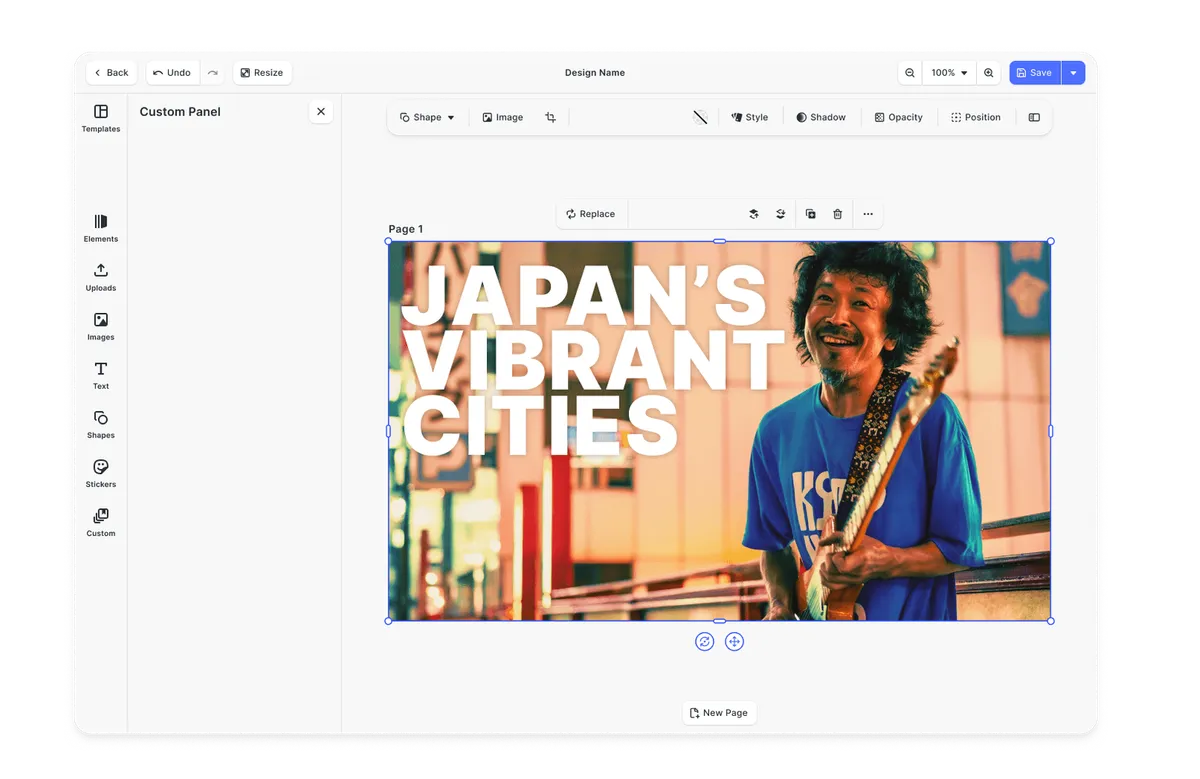
Theming.
Theme the editor to match your app.
Media libraries.
Set up custom libraries that are easily sortable.
Toolbar customization.
Reposition toolbar elements, change icons, or rename tools to fit your use case.
Internationalization.
Add support for additional languages, and customize any button label.
Export options.
Export designs in JPG, PNG, or PDF with custom quality, page ranges, and dimensions.
Check out other use cases
Learn more about related solutions.
Apparel Designer
Whether t-shirts, hoodies or caps, build for any use case, deploy on any platform.
Get in touch
Contact our sales team to learn more about licensing options and get access to our AI plugins for CE.SDK.
FAQs
IMG.LY provides native SDKs for Web, iOS, Android, React Native, Flutter, desktop, and Node.js with a unified rendering engine. React Video Editor targets React web apps such as Next.js and Vite.
IMG.LY includes a complete design editing engine with vector graphics, advanced typography, CMYK/Pantone support for print, and layout systems. React Video Editor offers text, shapes and images inside video projects.
IMG.LY imports Adobe InDesign and Photoshop files directly, exports designs back to IDML and to PSD (on the server), and exports to PDF/X for print production alongside digital formats. React Video Editor exports MP4 video.
IMG.LY offers full headless mode via Node.js where the same template powers interactive editing and automated workflows at scale. React Video Editor supports automation through a render hook in its SDK and self-managed Remotion rendering on your own server or AWS Lambda.
IMG.LY provides an SDK with customizable components, plugin architecture, and headless APIs for deep customization without source code access. React Video Editor offers RVE Pro, full Next.js source code that your team can change, or the RVE SDK, a maintained npm package that you configure through props, adaptors and theme variables.
IMG.LY uses usage-based enterprise licensing with free evaluation. React Video Editor sells RVE Pro and the RVE SDK under separate terms.