Search for web-to-print software and you will get lists that put OnPrintShop next to Customer’s Canvas next to Printful. Those are three different purchases. One is a business system, one is a component you embed in software you already own, and one prints and ships boxes.
Buyers lose weeks to this. You shortlist two vendors, sit through both demos, and find out that the first one assumes you do not have a storefront and the second one assumes you already do.
This guide does three things the other lists do not. It sorts the market into four layers so you can work out which one you are actually shopping in. It gives you a checklist for testing whether a tool’s print output is genuinely production-ready, because every vendor says “print-ready” and almost none of them define it. And it does the same for AI features, which more vendors are advertising each quarter and which behave differently in print than on screen.
Then it compares eight options at the editor layer: IMG.LY CreativeEditor SDK, Adobe InDesign APIs and InDesign Server, CHILI GraFx, Customer’s Canvas, Design Huddle, PrintUI, DesignO and PitchPrint.
If you are still scoping the problem rather than shortlisting vendors, our web-to-print design tool overview covers what these platforms need to do, and the print industry page shows how printers run it in production.
The four layers of web-to-print
Almost every tool sold as “web-to-print” sits in one of four layers. They solve different problems, they are bought by different people, and comparing across layers is where evaluations go wrong.
| Layer | What you are buying | Who buys it | Examples |
|---|---|---|---|
| 1. Storefront platform | A business system: catalog, pricing engine, checkout, order management, production routing, MIS integration | Print service providers who want to sell online without building software | OnPrintShop, Aleyant Pressero, MarketDirect Storefront, Infigo, Propago, PrintXpand |
| 2. Editor SDK or embeddable engine | A design component that goes inside a product you already own | Product and engineering teams at companies whose software already has users and orders | IMG.LY CE.SDK, Customer’s Canvas, CHILI GraFx Studio, Design Huddle, DesignO, PitchPrint, PrintUI |
| 3. Render and composition API | Headless document generation, no user interface | Teams automating batch output from templates and data | Adobe InDesign APIs, InDesign Server, CHILI GraFx Environment API, CE.SDK headless |
| 4. Fulfillment network | Someone else’s presses and logistics | Brands and sellers who do not want to own production | Printful, Gelato |
The question that sorts you into a layer is not what you want to build. It is what you already have.
- You have no online ordering at all. Layer 1. Buy a platform. Do not buy an SDK, because an SDK gives you an editor and nothing to put it in.
- You have a product with users, a catalog and a checkout, and the design step is the gap. Layer 2. This is the SDK purchase, and it is the rest of this guide.
- You have no end users touching a canvas at all, just data going in and PDFs coming out. Layer 3. You want a render API, not an editor.
- You have demand but no presses. Layer 4.
Layers combine, and several vendors sit in two of them. A common production setup is layer 2 inside layer 1: a print business runs a storefront platform and embeds a better editor than the one it shipped with. Another is layer 2 plus layer 3: an interactive editor for the user-facing path and a headless renderer for batch and variable data jobs.
Most buyer regret in this category comes from buying one layer while needing a different one.
What “print-ready” actually means
Every vendor on every list in this category claims print-ready output. The phrase covers a range from “exports a PDF at 300 DPI” to “produces a PDF/X-4 file a commercial press will accept without prepress touching it”.
The gap between those matters. If the editor gets color or trim wrong, you find out at the press, on a job you have already charged for.
Here are the twelve primitives worth testing. Take this into demos and fill in the right-hand column yourself. Do not accept a yes on a feature list without seeing the output file.
| # | Primitive | Why it matters | How to verify |
|---|---|---|---|
| 1 | CMYK working space | Some editors convert from RGB on export, and the conversion is where color shifts appear. Others write device CMYK directly | Ask which of the two it does. Open the exported PDF and check the color space of a filled shape |
| 2 | Spot and Pantone colors | Brand colors and specialty inks must survive as named separations rather than being converted to process | Export a file with a spot color. Check the separations preview in Acrobat and confirm the plate is there and correctly named |
| 3 | ICC profile handling | Different stocks and presses need different profiles. A fixed profile means one press | Ask which profiles ship, whether you can supply your own, and whether embedding can be turned off for a downstream prepress tool |
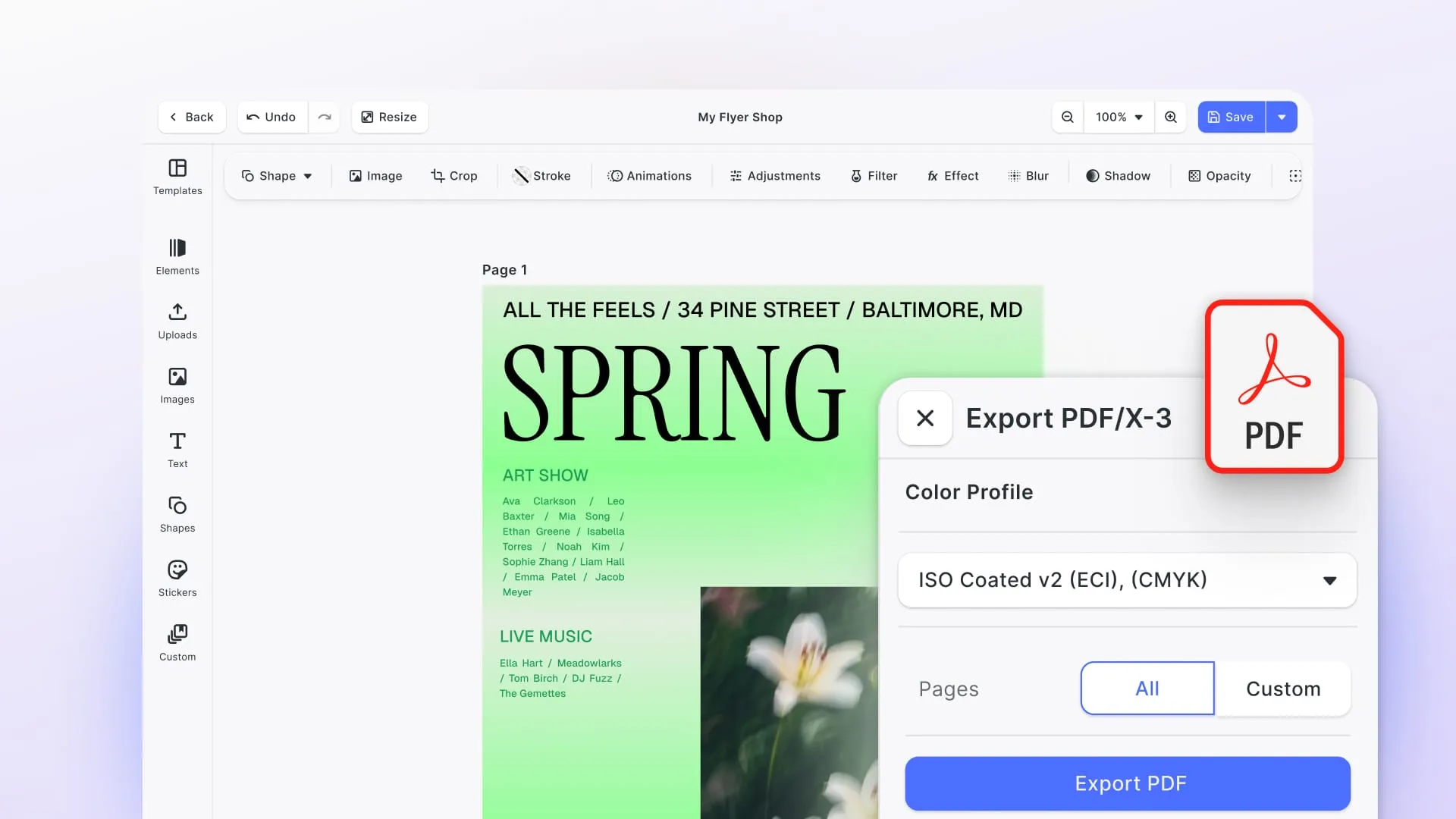
| 4 | PDF/X compliance and flavor | PDF/X-1a, X-3 and X-4 have different transparency and color rules. Your printer will specify one | Ask which flavor is the default, then run the export through Acrobat or Enfocus preflight |
| 5 | Bleed, trim and safe zones | Enforced at design time, or a user will place text 1mm from the cut | Try to drag text into the trim area. See whether it warns, blocks or allows it |
| 6 | Crop and registration marks | Needed by the press, and must be correct for the imposition method | Export and inspect the marks and their offset |
| 7 | Overprint and knockout | Wrong overprint on black text or white objects produces visible errors on press | Ask whether overprint is controllable, and whether it applies to fills and strokes or only to text |
| 8 | Font embedding or outlining | Missing fonts is one of the most common causes of rejected artwork | Export, then check the Fonts tab in the PDF properties |
| 9 | Effective resolution enforcement | A user drops in a phone photo and scales it to a banner. The editor should stop them | Upload a low-resolution image, scale it up, and see whether you get a warning |
| 10 | Dielines and cutout paths | Packaging, labels and stickers need a cut path on its own layer or spot plate | Ask how a dieline is created or imported and whether it survives export as a separate path |
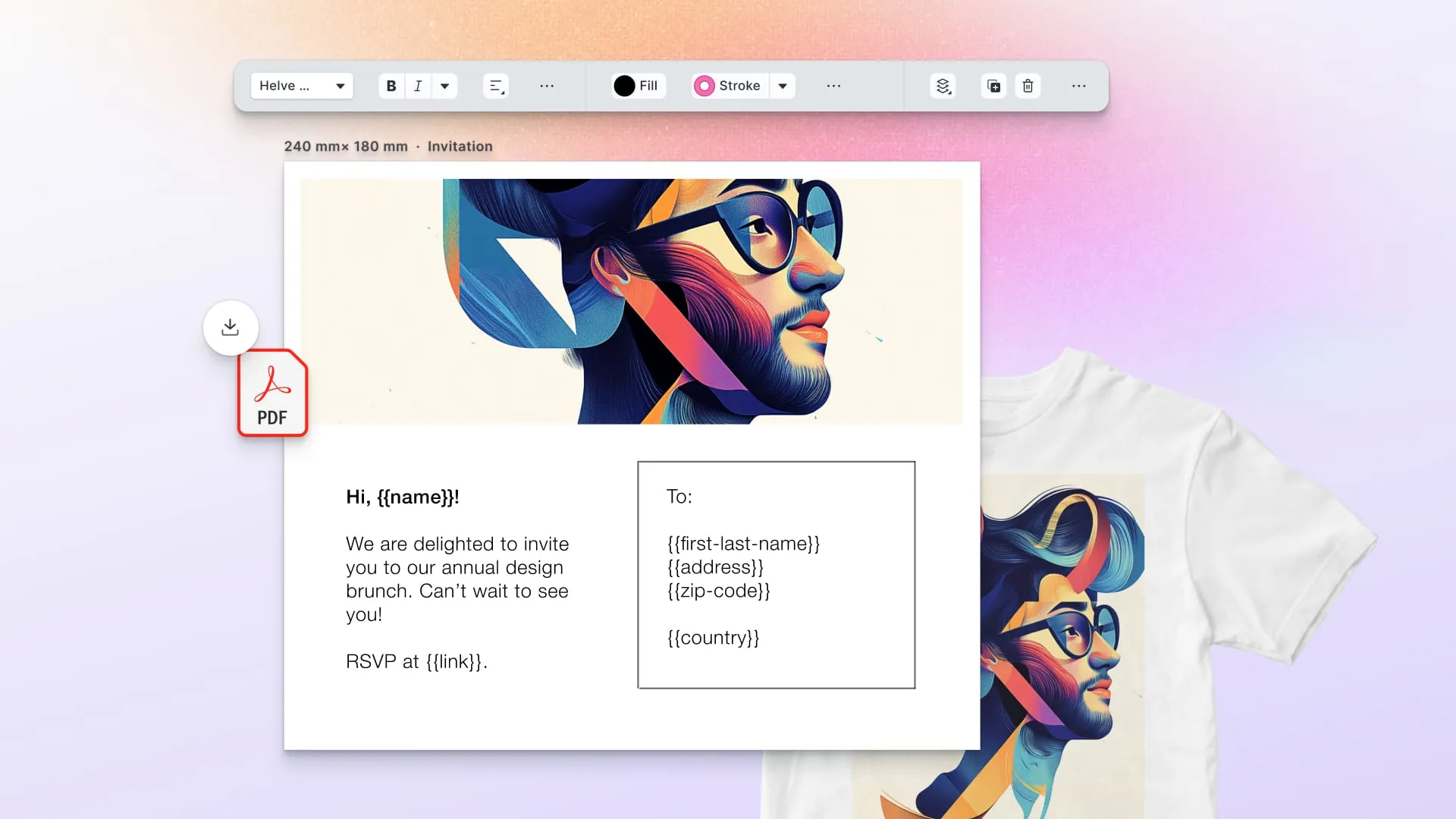
| 11 | Variable data at batch scale | Personalized runs need the engine to produce thousands of files from one template without a browser session per record | Ask for the batch mechanism and whether it runs server side |
| 12 | Imposition | Ganging jobs onto press sheets. Some tools do this, most hand off to prepress | Ask whether it is in scope. If not, confirm what your MIS or prepress tool will handle |
Two shortcuts worth taking. Ask any vendor for a sample export from their own demo template and run it through preflight yourself: five minutes of preflight will tell you more than an hour of demo. And ask specifically about transparency, because the PDF/X flavor a tool defaults to determines whether transparency stays live or gets flattened, and flattening is where vector text turns into pixels.
Our guide to print-ready PDFs and PDF/X standards covers what each flavor requires in more detail.
The AI question, and how to test it
AI has landed unevenly in this category. Some vendors now lead with it, others barely mention it, and print is not an especially AI-forward corner of software. Where the claims are made, they tend to be about screen output, and print breaks them in specific ways.
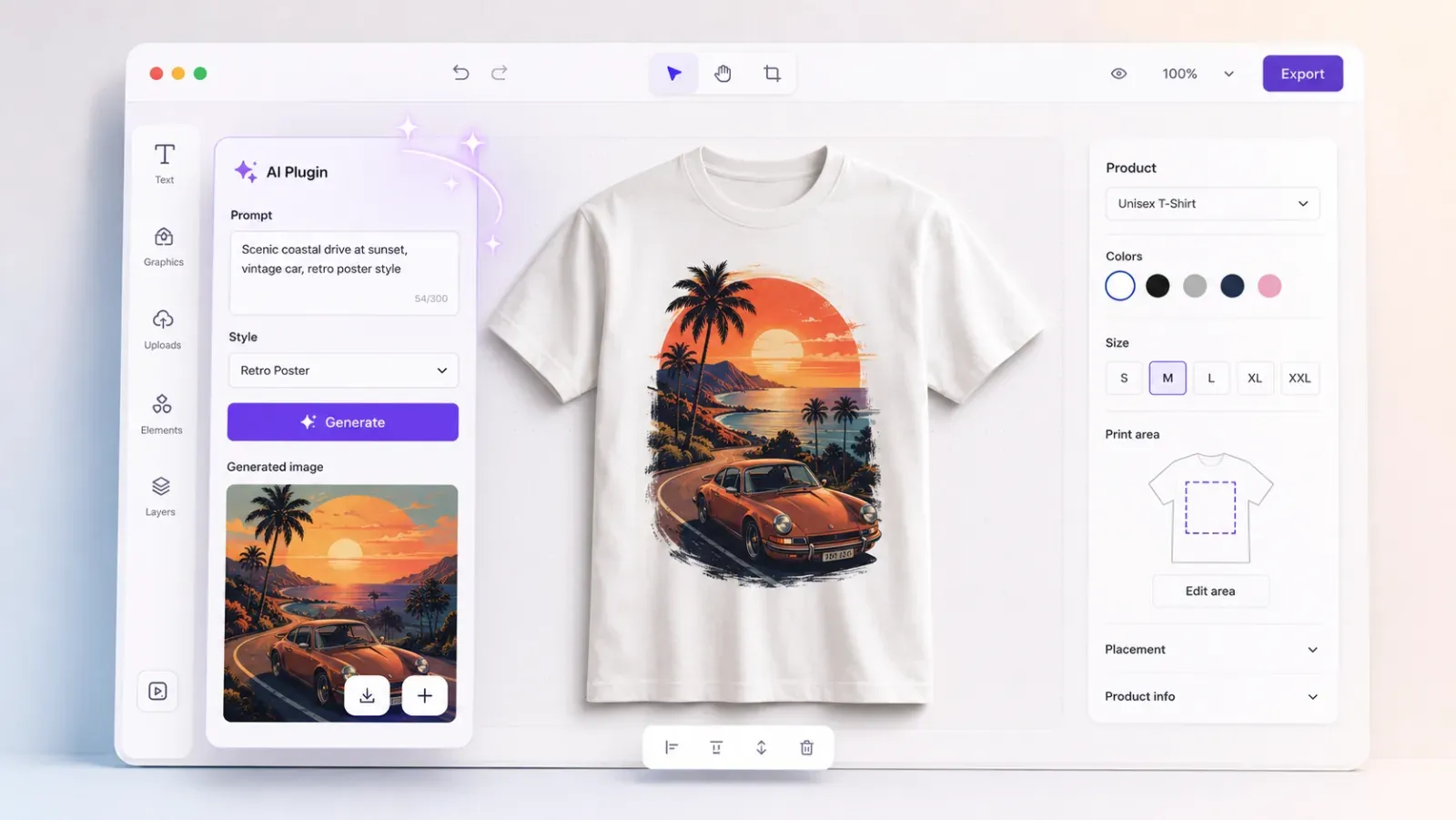
The useful framing is narrow: AI pays off in web-to-print where it removes a step the customer was never qualified to do. Supplying a usable image. Knowing what 300 DPI means. Getting a logo out of a jagged PNG. The work it displaces is the artwork rework that sits between a customer’s upload and a file the press will accept. Novelty features do not touch that.
Five questions that separate a real print AI pipeline from a demo:
- What resolution does generation actually produce, and what happens next? Generated images typically arrive around 1024px, which at 300 DPI is roughly a 3.4 inch image. Fine for a business card, marginal for A4, unusable for large format. Ask what the editor does when a generated asset is too small for its placed size: block it, warn, or offer upscaling.
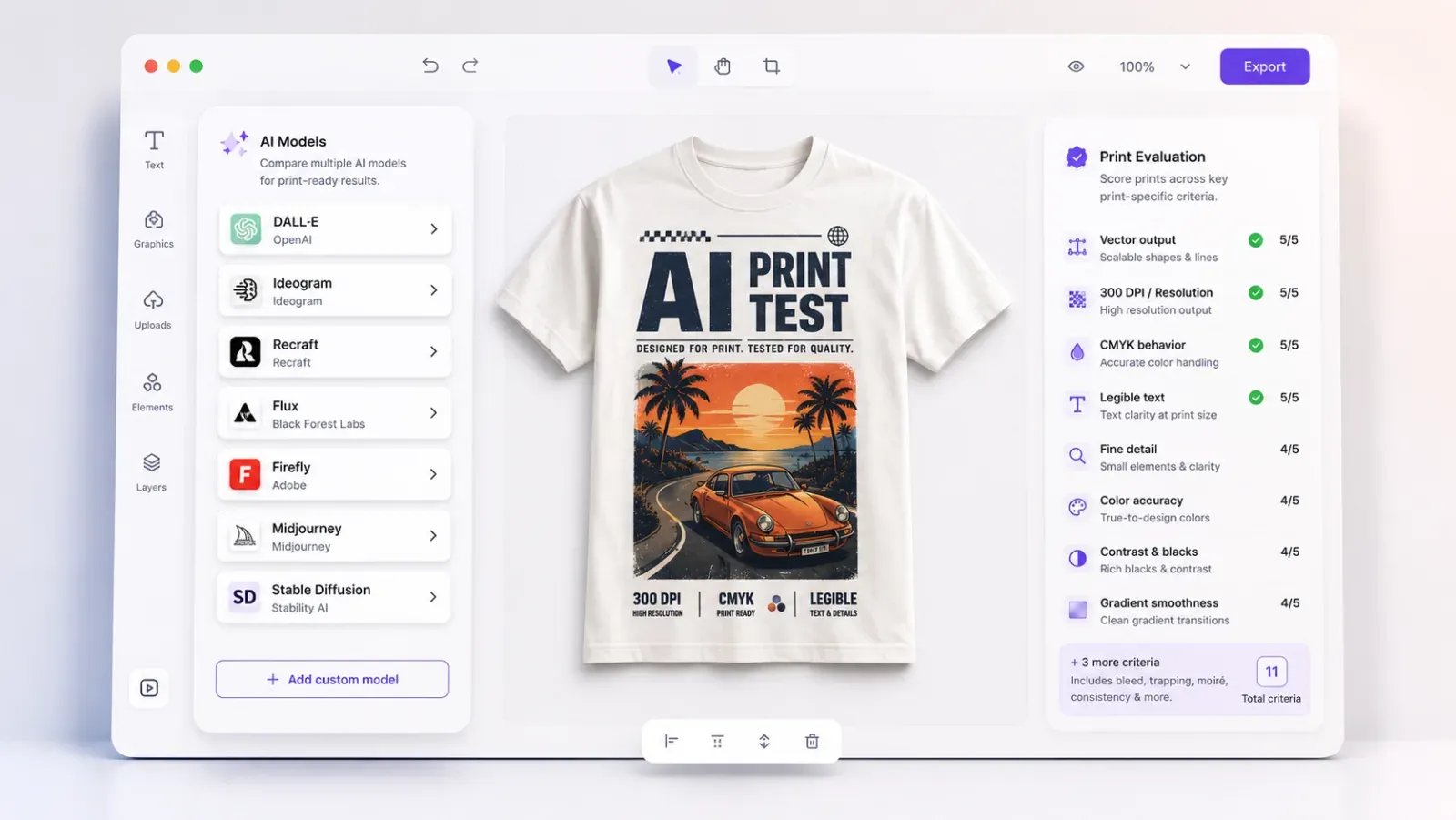
- Does background removal produce a real alpha channel? Across twenty-three models we tested, twenty emitted no true alpha channel at all. If merch and cutouts matter, removal has to be a pipeline step in the editor, not something you hope the model returns.
- Can it produce vector, or only raster? Logos, type and line art need to scale. A PDF that rasterizes all text and vectors is close to useless to a printer. Ask about vector-native generation and raster-to-vector tracing separately, because they are different capabilities.
- Is generation boxed inside locked templates? Free generation with no guardrails means a customer can break brand rules, safe areas and bleed in one click. The good pattern is generation filling a defined placeholder inside a template that already enforces the print constraints.
- Who owns the output, and what does each generation cost? These are sold products. Commercial-use rights, indemnities and per-image cost at variable-data volume all matter, and they vary widely between providers.
One counterintuitive finding worth carrying into your evaluation: the model with the strongest reputation for rendering legible text inside images is not the one that measures best. Ideogram ranks twentieth of twenty-three on measured text reliability, beaten by several general-purpose flagships. If text inside generated imagery matters to you, test rather than trust the reputation, and where you can, do not bake text into a generated image at all: set real, editable type as a separate layer.
Two companion guides go deeper. How to Leverage Generative AI in Web-to-Print covers ten use cases worth building and the print-specific pitfalls around each one. The Best GenAI Models for Web-to-Print gives eleven print-specific evaluation criteria, a scoring rubric, and a model-by-model read on vector output, print resolution, CMYK behavior and legible text, which are exactly the axes general model rankings ignore.
How we evaluated these tools, and our disclosure
IMG.LY makes CreativeEditor SDK, which is on this list. We have written the CE.SDK entry to the same standard as the others, including its limitations, and we say plainly where another tool is the better fit.
Every factual claim about a competitor here comes from that vendor’s own documentation or website, not from third-party listicles. Where a vendor does not publish something, we say so rather than estimating.
We have deliberately left pricing figures out. License models in this category change often enough that any number we print will be wrong within a quarter. What we have included instead is each vendor’s pricing model, which is the part that stays stable and the part that actually reshapes your costs as you grow.
Quick comparison
| Feature / SDK | CE.SDK | Adobe InDesign APIs / Server | CHILI GraFx Studio | Customer’s Canvas | Design Huddle | PrintUI | DesignO | PitchPrint |
|---|---|---|---|---|---|---|---|---|
| Primary layer | Editor SDK, plus headless | Render API | Editor SDK, plus render API | Editor SDK, plus render API | Editor SDK | Hosted editor on InDesign Server | Editor plus back office | Editor plus render API |
| Embedding model | Native SDK per platform, plugin architecture | REST API | JS SDK over a browser editor engine, plus REST API | Embeddable editor, API-first | iframe plus JavaScript SDK, or rebuild the UI via API | Embed or hosted portal | Ecommerce plugins plus REST API | Ecommerce plugins plus REST API |
| Native mobile SDKs | Yes | No | No | No | No, simplified mobile web | No | No | No |
| Runs on your own infrastructure | Yes | Server edition yes, hosted API no | No | On-premises option | No | Professional no, BrandingUI on-site option | Self-hosted license option | No |
| Template source | Native scene format, plus IDML and PSD import | INDD and IDML | Studio JSON documents | IDML and PSD import, converted to internal format | Native templates, plus PDF import | InDesign templates | Native templates | Native templates |
| Headless batch output | Yes, same engine in Node | Yes, this is the point | Yes, via Environment API | Yes, server-side rendering engine | Via API auto-population | Via InDesign Server | Yes | Yes, via the Spark API |
| Pricing model | Monthly or yearly subscription | Server license, or usage-based for the hosted API | Quote only | Quote only | Published starting prices, enterprise on quote | Published subscription tiers, one domain per plan | Subscription or one-time self-hosted license | Published subscription |
1. IMG.LY CreativeEditor SDK
Layer 2, editor SDK, with the same engine available headless.
CE.SDK is an embeddable design editor that runs on web, mobile, desktop and server from a single engine and one scene format. You put it inside your own application. It does not come with a storefront, a catalog or an order system, and it is not trying to.
Architecture. A rendering engine with UI on top, shipped as native SDKs per platform rather than an iframe. It is white label and extended through a plugin system, so you add your own panels, tools and asset sources rather than picking from a settings menu. The same engine runs headless in Node, so interactive and automated output are identical.
Print output. The engine’s own PDF export retains the CMYK values you set on vector and text elements, including fills, strokes and named spot colors. Raster images export as RGB. Overprint on text is preserved through export.
The Print Ready PDF plugin adds PDF/X compliance on top, and runs entirely client-side. Its input is CE.SDK’s standard RGB export, which convertToPDFX converts to CMYK against the ICC profile you select, so the PDF/X file carries profile-derived CMYK rather than the values held in the scene. PDF/X-4 is the default, keeping transparency live and vector text intact, with PDF/X-3 as an opt-in fallback. Profiles ship for European offset and US commercial printing, and you can supply your printer’s own so the conversion targets the press you are going to use. Setting embedICCProfile: false keeps that conversion but drops the embedded profile, the OutputIntent and the PDF/X markers, for pipelines where a downstream prepress tool assigns the final profile. An underlayer generates a spot-color base for fabric or glass, and cutouts export as CutContour spot-color paths that a cutting printer reads directly, for die-cut stickers and labels.
AI. Model-agnostic: the plugins connect to third-party models rather than locking you to one provider’s pricing or licensing terms, with the AI Gateway providing managed access. Background removal runs in the browser. Generation lands inside locked templates, so bleed, safe areas and brand constraints are enforced before export.
Platforms. Web (Vanilla JS plus the major frameworks), iOS, Android, React Native, Flutter, Electron, macOS, and Node.js for server-side rendering.
Where it fits. Companies that already have a product and users and need editing inside it: e-commerce personalization, marketing platforms, packaging configurators, DAM systems, print businesses replacing a weak editor in a platform they otherwise like. Operators running it include Postbuddy, Swiss Post, Digitas and HP.
What it does not do. CE.SDK is not a storefront. There is no catalog, no pricing engine, no checkout, no order management, no MIS or JDF integration, no production scheduling and no fulfillment. It also needs engineering resource: this is a component your developers integrate, not something a marketing team configures in an afternoon. Pricing is a monthly or yearly subscription, based on the platforms, components and AI features you license, with enterprise licensing as an option on top. And if you have InDesign templates you need to keep, the importer takes IDML rather than INDD, so you export from InDesign first, and it runs on web and server rather than on the native mobile SDKs.
Where it is stronger. Most tools here make you choose between an interactive editor and an automation engine. CE.SDK runs the same engine both ways, so you get one template set rather than two systems drifting apart. It is also the only option here with native mobile SDKs, and the only one that can run entirely on your own infrastructure.
See it working: Apparel UI, Postcard UI, Photobook UI, print-ready PDF export, cutout lines.
2. Adobe InDesign APIs and InDesign Server
Layer 3, render and composition.
This is the entry most in need of updating in 2026, and most comparison lists still describe it as it was five years ago.
Adobe now offers two routes. InDesign Server is licensed software you run on Windows or macOS servers, driven by scripting in JavaScript, VBScript or AppleScript. Alongside it, Adobe ships InDesign APIs through Firefly Services: a hosted REST API for automating InDesign tasks as a cloud service, authenticated with OAuth server-to-server credentials through the Adobe Developer Console. Adobe does not publish what runs behind that service. Input and output assets come from supported cloud storage providers, with domain allowlisting on signed URLs.
That changes the evaluation. The old objection to InDesign Server was infrastructure: Windows servers, job distribution and queue management, restarting hung instances, font management. The hosted API removes most of that. It also removes your control over it, and puts you inside Adobe’s supported storage and asset constraints.
Print output. The strongest typesetting and composition in the category. If your templates already exist as INDD files and your team knows InDesign, nothing else reproduces that output as faithfully.
Where it fits. High-volume publishing where layout fidelity is the requirement: catalogs, magazines, directories, financial documents. Organizations already deep in Adobe.
What it does not do. There is no end-user editor. This is a composition engine, so any interactive design experience is something you build on top of it. Scripting-based customization needs specialist expertise that is harder to hire for than general web development. Neither route is cheap, and the self-hosted route carries meaningful infrastructure cost beyond the license.
Compared to CE.SDK. These are complementary more often than competing. InDesign wins on typesetting fidelity and on existing INDD template libraries. CE.SDK wins when you need a user-facing editor, cross-platform deployment and a single engine for both interactive and automated output. If your requirement is that your users design in the browser, InDesign APIs alone will not get you there.
More detail: IMG.LY as an InDesign alternative.
3. CHILI GraFx
Layers 2 and 3. Both an embeddable editor and a render API.
CHILI GraFx is a creative automation platform built around smart templates. Most comparisons file it as a closed SaaS product, which undersells it: CHILI publishes an open-source Studio SDK on GitHub, a JavaScript library that loads and controls the GraFx Studio editor engine in a browser, alongside an open-source minimal end-user UI you can theme or fork.
Architecture. Three parts. The Editor Engine is a closed-source application built on Flutter that runs in the browser and turns a JSON document into an interactive editing session. The Studio SDK is the abstraction layer between your integration and that engine; it deliberately holds no state. The Environment API is a REST-like API that generates output and previews from those JSON documents and manages templates and projects. Connectors link the engine to external systems. The platform also includes GraFx Publisher, the older product line with its own API, and GraFx Media as the asset repository.
Print output. Built for both digital and print output from the same smart template, including animated digital. CMYK TIFF assets keep their color space through to the final print-ready PDF.
Where it fits. Retail, large marketing organizations and packaging. Distributed campaigns where consistency across hundreds of variants matters, and where a template author needs to control exactly what downstream users can change.
What it does not do. No self-hosted or on-premises deployment: this is a cloud platform. No native mobile SDKs. The Editor Engine is closed source, so you integrate against it rather than modify it. And the Studio Designer UI, the full authoring interface, is licensed to designers and explicitly cannot be used inside your own integration, so your end users get the streamlined Studio UI or something you build yourself. Pricing is quote only.
Not for you if your end users are consumers who expect to design freely. The template-first model is built for the opposite case, where the constraint is the feature.
More detail: CHILI GraFx compared to IMG.LY.
4. Customer’s Canvas
Layer 2, editor SDK, with a server-side rendering engine.
The closest direct comparison to CE.SDK on this list. Customer’s Canvas is an embeddable customization editor with API-driven rendering, built specifically for print commerce.
Architecture. The current cloud product is Customer’s Canvas Hub. An on-premises option is available for organizations with security or compliance requirements, and the on-premises stack is unusually granular: the Design Editor itself, a .NET library and a JavaScript/TypeScript library for parsing and manipulating design files programmatically, reusable storefront widgets, and a server-side rendering engine for high-resolution mockups and print files at scale.
Print output. The Design Editor supports RGB, CMYK and Grayscale color spaces. Batch rendering for high-volume runs, imposition, and variable data workflows that populate text, barcodes and images from external data sources.
InDesign import, with a caveat worth knowing. It imports IDML, not INDD, so INDD files have to be converted first. More importantly, the import is a conversion: the IDML is turned into Customer’s Canvas’s own internal format, and their documentation states that not all InDesign features are supported and unrecognized elements are discarded. Master items such as page numbers and footers are not supported. Download a design later and you get the converted file, not your original IDML. This is still a real advantage over rebuilding from scratch, but “keeps your InDesign templates” is not quite the right description of it.
Where it fits. Print companies, packaging converters and direct mail platforms with development teams, especially where the workflow is data in and large batches of print-ready files out.
What it does not do. Web only, so no native mobile SDKs. Setup carries real infrastructure and developer overhead. Pricing is quote only.
Compared to CE.SDK. If your workload is overwhelmingly batch variable data for print, Customer’s Canvas is a serious contender and may well be the better fit. If you need the same editor on native mobile, or you need digital output alongside print, or you want to extend the editor rather than configure it, CE.SDK covers more ground.
More detail: IMG.LY vs Customer’s Canvas.
5. Design Huddle
Layer 2, embeddable editor with a JavaScript SDK.
Design Huddle is an API-first embeddable media creation platform covering print, digital and motion. Its print-focused packaging is sold as Print Huddle.
Architecture. The editor is embedded as an iframe, secured with OAuth2 tokens rather than third-party cookies, with CORS supported for direct front-end API calls. The Editor JavaScript SDK handles two-way communication between your site and that iframe: reading project and element metadata, receiving real-time rendered thumbnails as the user edits, and injecting or altering media programmatically. Their documentation states you can go further and rebuild the interface entirely against the API rather than using their UI at all. Guest sessions are supported for unauthenticated users.
Print output. Vector-based print PDF export, aimed at large and wide format as well as standard products. You can designate per-element whether something is included in or excluded from the print-ready export, which is a genuinely useful detail for mockup layers and guide elements. Variable fields support programmatic population for creative automation, and multiple populated templates can be preview-rendered at once before a user edits them.
Template migration. PDF import converts existing print designs into editable, lockable templates while retaining formatting and alt text. If your existing library is PDFs rather than INDD, this is the smoothest migration path on this list.
Where it fits. Marketing teams and franchise networks rolling out campaigns at scale, and print providers offering client-facing personalization from a centrally controlled template set. Also a good fit if you need print and motion graphics from one system.
What it does not do. No native mobile SDKs, and their documentation describes the mobile web experience as a simplified one supporting basic customization such as text updates and placing images in frames, rather than the full editor. Cloud only, no self-hosted option. Its pricing page publishes a starting monthly price for the lower two of its three tiers, with the enterprise tier on quote.
Not for you if mobile is a first-class channel for your users rather than a fallback.
6. PrintUI
Layer 2 running on layer 3.
PrintUI, from Santa Cruz Software, is a hosted web-to-print and web-to-web service for Adobe InDesign templates. The architectural fact most comparisons miss: it uses Adobe InDesign Server as its composition engine. You are getting a browser editor in front of InDesign, not an independent rendering engine.
That is the whole trade. You get InDesign’s composition quality and you use your existing InDesign templates directly, with elements becoming editable in real time through the web interface. You also inherit InDesign’s model, and you depend on a hosted service you do not control.
Products. PrintUI Professional is the integrable version for putting InDesign-based web-to-print into your own site or hosted application. BrandingUI, formerly EasyPrintUI, is a turnkey branded collateral management portal with online design and ordering, approval workflows and notifications, hosted on-site or in the cloud. White labeling, meaning removal of the PrintUI logo from the editor, is a paid add-on rather than standard. Plans are scoped to a single domain each.
Pricing model. One of the few vendors in this category that publishes tiered subscription pricing openly rather than quoting. Tiers are set by template storage and InDesign Server capacity rather than by user or job count.
Where it fits. Brand and collateral management for organizations whose design team already works in InDesign. Marketing portals, franchise and dealer collateral, template-controlled business cards and letterheads.
What it does not do. Print-first and web-first only, no native mobile. PrintUI Professional, the integrable product, is hosted only with no self-hosted option; on-site deployment is offered for the BrandingUI portal. Customization is limited to what the service exposes. Template authoring means InDesign, so a designer with InDesign skills is a hard dependency.
Not for you if you do not already have InDesign templates and InDesign people. The main reason to choose PrintUI is that you do.
More detail: IMG.LY compared to PrintUI.
7. DesignO by Design’N’Buy
Layer 2, with a back office attached.
DesignO is the API-first product design tool from Design’N’Buy, and it is usually filed on comparison lists as a full platform, which obscures what it actually is: a customization editor plus an order and workflow back end that you connect to a storefront you already have.
Architecture. Plug-and-play extensions for Magento 2, Shopify, WooCommerce, PrestaShop and BigCommerce, plus a REST API with a Swagger interface for custom storefronts, so developers can execute calls and copy payloads directly from the API page. It can be bought as a subscription or as a one-time license you host on your own server, which is unusual in this category and matters if self-hosting is a requirement.
Print output. Print-ready file generation with CMYK, cut marks and bleeds, plus preflight and imposition. Live 2D and 3D previews, including multi-surface visualization for packaging. Variable data printing driven from uploaded data files.
Recent direction. Version 2.6 added a B2B corporate print portal with per-client branded storefronts and a franchise management module, plus bi-directional order status sync with the major ecommerce platforms. Version 2.8, the current release, lets a print business run DesignO as a brand portal where a corporate client’s employees or franchisees pull approved artwork without a cart or a checkout at all. The roadmap is clearly moving toward the platform layer rather than deeper into the SDK layer.
Where it fits. Print businesses that already run a store on one of the supported ecommerce platforms and want customization plus order workflow without replatforming.
What it does not do. No native mobile SDKs. The integration model is plugin-first, so the deepest customization paths are narrower than a plugin-architecture SDK. Because it brings its own back office, there is functional overlap if you already have order management, which is worth mapping before you buy.
Not for you if you want a pure component. DesignO comes with opinions about your order workflow.
8. PitchPrint
Layer 2, at the lighter end.
PitchPrint is a product customizer delivered as a service, installed as a plugin on WooCommerce, Shopify, OpenCart or PrestaShop, or integrated into a custom site through its API. The heavy lifting happens on PitchPrint’s servers, so hosting requirements on your side are minimal.
Architecture. A browser-based drag-and-drop editor with real-time 3D preview. Customization is done through themes, layout settings, your own CSS and custom JavaScript, and by editing the HTML to remove features you do not need. Webhooks and Zapier handle downstream delivery, so a print-ready PDF can be pushed automatically to storage or to your production workflow when an order is placed.
Print output. Generates print-ready PDFs with bleeds, crop marks and CMYK color profiles. Font handling is split deliberately: TTF fonts are used when generating the final print PDF, while WOFF is used for fast display in the browser editor. Google Fonts and your own TTF or OTF uploads are both supported.
Variable data, headless. Spark is an API that produces multiple print-ready PDFs programmatically by replacing text and images per copy, without ever launching the editor. That is a genuine layer 3 capability in a product that otherwise sits at the lighter end of layer 2, and it makes PitchPrint viable for personalized direct mail and repeat corporate reorders.
Where it fits. Small and mid-size print businesses running an off-the-shelf ecommerce store who want customization working quickly without an engineering project.
What it does not do. No native mobile SDKs. No self-hosted option, and rendering runs on PitchPrint’s infrastructure, so it is in your critical path. Customization through CSS and HTML editing is shallower than an extension API. It is not built for the enterprise end of the market.
Not for you if you need the editor deeply integrated into a bespoke product rather than dropped onto a store.
Adjacent options: platform-layer and fulfillment tools
If the four-layer map put you at layer 1 or 4, these are the tools worth looking at. They are not SDKs and we are not comparing them to CE.SDK, because they solve a different problem: they give you a complete print business system, or someone else’s presses.
Storefront platforms. OnPrintShop for broad all-in-one coverage across B2B and B2C with a large integration catalog. Aleyant Pressero for unlimited storefronts with eDocBuilder handling variable data, priced for small and mid-size commercial printers. MarketDirect Storefront for enterprise and in-plant environments with deep MIS heritage and the permission structures procurement teams ask for. Infigo for storefront customization, with MegaEdit as its online editor. Propago for marketing asset management alongside web-to-print, aimed at printers serving franchise and enterprise clients. XMPie StoreFlow for the deepest variable data personalization, built on PersonalEffect. PrintXpand where vendor sourcing and supply chain are part of the production workflow. Printbox for photo product businesses specifically. ImprintNext and Inkybay for decorated apparel and Shopify-based merchandise sellers.
Fulfillment networks. Printful and Gelato both handle production and shipping, with Gelato routing orders to local producers across a distributed network.
Several of the platforms above embed a design editor as one component. If everything else about a platform fits and the editor is the weak part, that is exactly the case where a layer 2 SDK gets added to a layer 1 platform.
Which layer are you in? A decision path
Do your end users need to see and manipulate a design in a browser or app?
No, data goes in and PDFs come out. Go to layer 3: Adobe InDesign APIs, the CHILI GraFx Environment API, PitchPrint’s Spark API, or CE.SDK running headless in Node.
Yes, keep going.
Do you already have software with users, a catalog and a checkout?
No. You need a platform, not an SDK. Start with the adjacent options above.
Yes, keep going.
Does the editor need to run on native mobile as well as web?
Yes. CE.SDK is the only option here with native SDKs across iOS, Android, React Native and Flutter. Everything else is web, and Design Huddle’s own docs describe mobile as a simplified experience.
No, keep going.
Do you have an existing template library you need to keep?
INDD files and InDesign people: PrintUI or Adobe’s own APIs.
IDML you can accept converting: CE.SDK or Customer’s Canvas.
PDFs: Design Huddle.
No existing library: the field is open.
Are you running an off-the-shelf ecommerce store, or a bespoke product?
Off the shelf, and you want it working in weeks: PitchPrint or DesignO.
Bespoke, and the editor needs to feel like part of your product: CE.SDK, Customer’s Canvas or CHILI GraFx Studio.
Do you need to run this on your own infrastructure?
Yes: CE.SDK, Customer’s Canvas on-premises, DesignO self-hosted, or InDesign Server. That rules out CHILI GraFx, Design Huddle, PrintUI Professional and PitchPrint.
What you actually pay for at each layer
Sticker price is the smallest part of this decision, and the numbers move often enough that any figure printed here would be stale within a quarter. The cost shape is more durable.
Layer 1, storefront platforms. Subscription or enterprise license, plus implementation, plus configuration time. The variable that reshapes the cost as you grow is per-storefront and per-transaction fees, so ask about those before you compare monthly rates.
Layer 2, editor SDKs. A subscription or an annual license, and CHILI GraFx and Customer’s Canvas quote rather than publish. The real cost is engineering: integration time first, then ongoing work to keep the integration current. In exchange you own the surrounding experience and there is no per-transaction drag. Design Huddle, PrintUI and PitchPrint publish tiers on their pricing pages.
Layer 3, render APIs. Either a server license plus the infrastructure to run it, which for self-hosted InDesign Server means Windows servers, job distribution, queue management and font handling on top of the license, or usage-based cloud API pricing where cost scales directly with volume.
Layer 4, fulfillment networks. Per-item cost of goods with a low or zero platform fee. Cheapest to start, thinnest margin at scale.
And if AI generation is part of the plan, price it separately. Per-image costs and latency vary by more than an order of magnitude between models, which is negligible for interactive editing and a real line item across a hundred thousand variable data records.
The question that decides it: are you buying software to run a print business, or a component to put inside software you already run? Those two answers rarely lead to the same vendor.
Where CE.SDK fits
CE.SDK is a layer 2 purchase. If you already have the product, the users and the orders, and the gap is the design step, it gives you an editor that is genuinely yours: white label, extended through plugins rather than configured through settings, running on web, native mobile and server from one engine and one template format.
That last part is why most teams choose it. Running an interactive editor and a separate automation engine means two template systems and two sets of rendering behavior that drift apart. CE.SDK runs the same engine both ways.
If you do not have software to embed it in, buy a platform instead. If your entire workload is headless batch composition from InDesign templates, Adobe’s APIs will serve you better. If you need customization working on a Shopify store next month rather than integrated into a bespoke product next quarter, PitchPrint or DesignO will get you there faster. We would rather tell you that here than three calls in.
For everyone else: see the demos, read the case studies, or talk to our team.
FAQ
What is the difference between web-to-print software and a web-to-print editor SDK?
Web-to-print software is a complete business system: storefront, catalog, pricing, checkout, order management and production routing. A web-to-print editor SDK is a single component, the design editor, that you embed inside software you already own. If you have no online ordering yet, you need the platform. If you have a product and the design step is the gap, you need the SDK.
Does an editor SDK replace a web-to-print platform?
No. An SDK gives you an editor and nothing to put it in: no catalog, no checkout, no order management. Print businesses commonly run both, using a platform for commerce and production and embedding an SDK when the platform’s built-in editor is the weak part.
What does print-ready output actually require?
At minimum: correct color space with CMYK and named spot colors preserved, an ICC profile matched to the press, PDF/X compliance in the flavor your printer specifies, correct bleed and trim with crop marks, embedded or outlined fonts, and adequate effective resolution. Packaging and labels add a cut path on a separate layer or plate. Ask any vendor for a sample export and run it through preflight yourself.
What is the difference between PDF/X-3 and PDF/X-4?
PDF/X-4 is based on a later PDF version and supports live transparency, so gradients, drop shadows and vector text survive export without being flattened. PDF/X-3 does not support live transparency, so tools producing strictly compliant X-3 flatten it, which can rasterize text and produce artifacts around alpha-channel images. Ask your printer which they accept, then check which one your editor produces by default. Our breakdown of the PDF/X standards covers what each flavor requires.
Do these editors work in CMYK, or convert from RGB at export?
Both approaches exist and the difference matters. Some tools write device CMYK directly, so the values you set are the values that reach the press. Others work in RGB and convert on export using an ICC profile, which is standard practice but means bright RGB colors outside the CMYK gamut will shift. Ask which one you are getting, and ask separately whether named spot colors survive as their own plates.
Is Adobe InDesign Server still the right choice in 2026?
It depends on whether you need an end-user editor. InDesign remains the strongest composition and typesetting engine, and Adobe now offers InDesign APIs as a hosted cloud service through Firefly Services alongside the self-hosted server, which removes most of the old infrastructure burden. Neither route includes a user-facing editor, so if your users design in the browser you will be building that layer yourself.
Which web-to-print editor supports native mobile apps?
Of the tools compared here, CE.SDK is the only one shipping native SDKs for iOS, Android, React Native and Flutter. The others are web-based. Design Huddle’s documentation describes its mobile web experience as a simplified one limited to basic customization such as text edits and image placement.
Can I keep my existing InDesign templates?
Partly, depending on the tool. PrintUI runs on InDesign Server and uses InDesign templates directly. Adobe’s own APIs work with INDD natively. Customer’s Canvas imports IDML but converts it to an internal format, and its documentation notes that unsupported InDesign features are discarded during import. Design Huddle imports PDFs rather than InDesign files. CE.SDK imports IDML on web and server and converts it to its own scene format. The rest use their own template formats, which means rebuilding.
Which of these can run on my own infrastructure?
CE.SDK, Customer’s Canvas on-premises, DesignO under a self-hosted license, and Adobe InDesign Server. CHILI GraFx, Design Huddle, PrintUI Professional and PitchPrint are cloud services with no self-hosted option.
Are AI features in web-to-print editors actually useful for print?
They are useful where they remove a step the customer was never qualified to do: generating an image they do not have, lifting a low-resolution upload toward printable, removing a background, vectorizing a jagged logo. They fail when treated as a screen feature. Generated images typically arrive around 1024px, which is roughly 3.4 inches at 300 DPI, and most models generate in RGB with no true alpha channel. The pipeline, not the model, has to own resolution validation and color conversion.
What is variable data printing and do all these tools support it?
Variable data printing generates many unique outputs from one template by merging in data, for personalized direct mail, name badges or versioned catalogs. Most tools here support it, but the depth varies. The question to ask is whether batch generation runs server side at scale or requires a browser session per record, and how the data source maps to design fields.
Can these editors be white labeled?
Most offer white labeling, though the depth differs and it is not always included by default. PrintUI, for example, sells logo removal as a paid add-on. More importantly, configuring colors and a logo is not the same as extending the editor with your own panels and tools. If the editor needs to feel like a native part of your product rather than an embedded panel, ask about the extension model, not just the branding options.
Sources
Claims about each vendor come from that vendor’s own documentation and website: IMG.LY CE.SDK documentation and changelog; Adobe Firefly Services InDesign API documentation and Adobe Developer Console; CHILI GraFx developer guides and the chili-publish Studio SDK repository; Customer’s Canvas Hub and on-premises documentation; Design Huddle and Print Huddle developer documentation; PrintUI product pages; Design’N’Buy DesignO product and release documentation; PitchPrint features and integration documentation. AI model findings come from the IMG.LY GenAI Benchmarks.