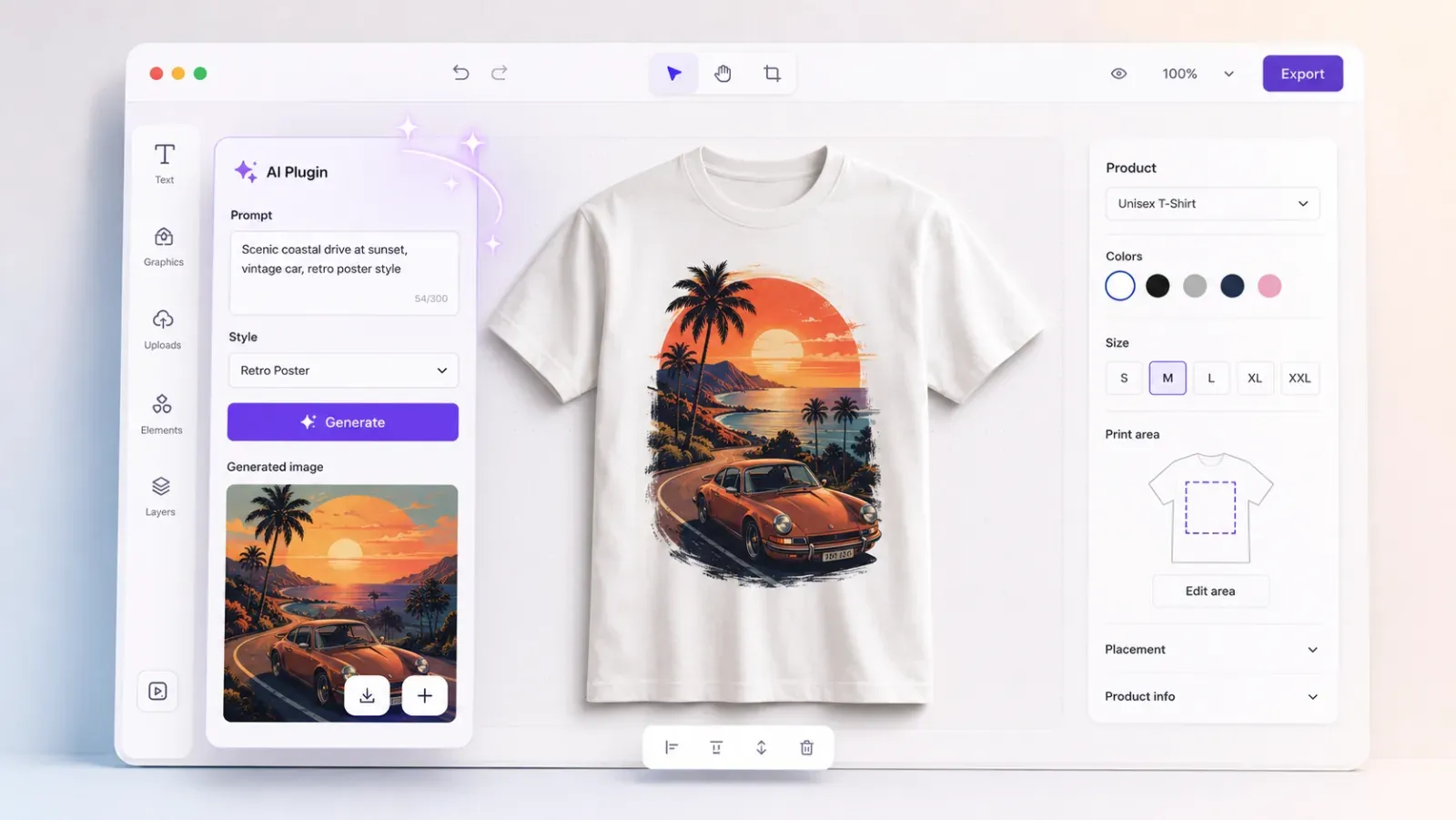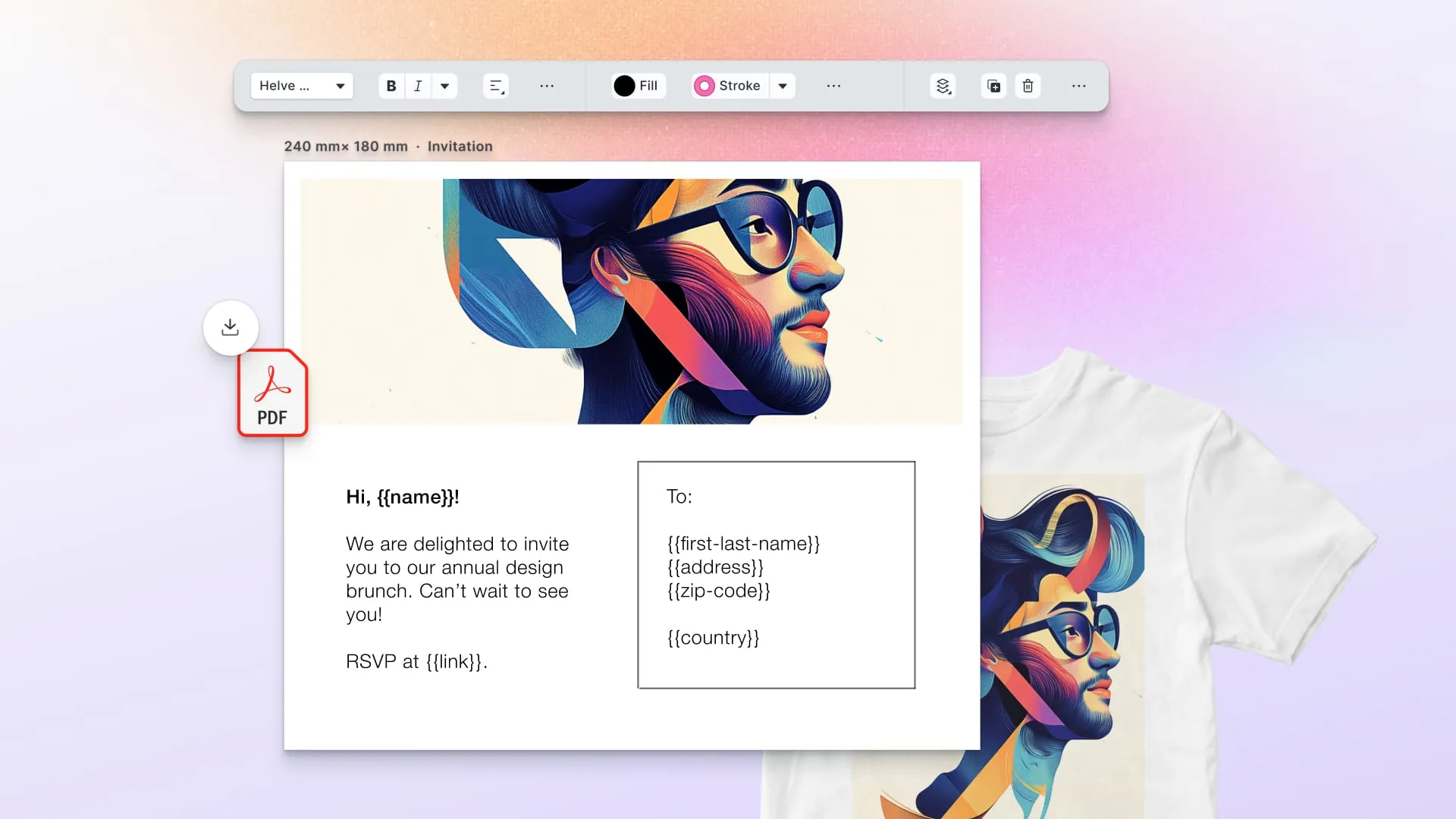

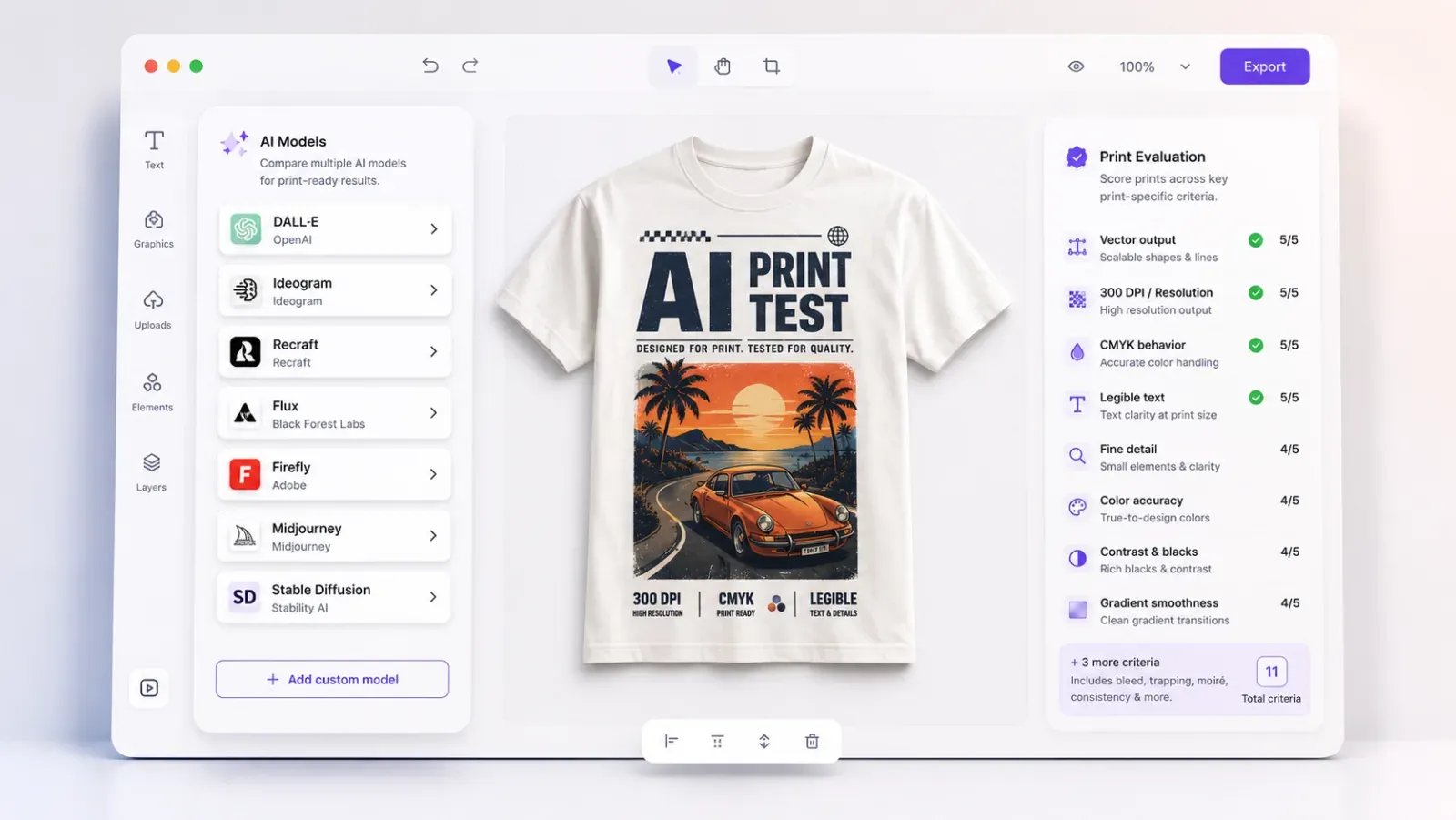
No single generative model is “best” for web-to-print. The right pick depends on the specific job, and print has jobs that screen-first leaderboards don’t measure. A model that tops a general image-quality benchmark can still be useless for print if it can’t render legible text, can’t output vector, or shifts hard out of CMYK gamut.
This guide gives you the criteria that matter for print, a scoring rubric to apply them, and a model-by-model read on where each one wins. The goal is to route each task to the model that fits it, which is why a model-agnostic (“bring your own model”) integration matters more than any one provider’s marketing.
How to read this guide. The criteria and rubric are the durable part. The model roster moves monthly: treat the specific model notes as a snapshot, and re-run the rubric against current versions before you commit. The per-model benchmark scores come from IMG.LY’s GenAI benchmark suite, which is now live: a pilot dataset you can explore today, re-run whenever new models drop. The gated PDF report that packages the weighted per-use-case totals and the full test set is the piece we’re opening to early-access subscribers first (sign-up at the end of this guide).
Updated September 2026.
Why print needs its own criteria
A web-to-print product sells a physical object. That changes what “good” means:
- The output is measured at 300 DPI on a substrate, not at 72 PPI on a retina screen.
- Color is CMYK and spot, not sRGB.
- Logos and type must scale and stay crisp: vector, not pixels.
- The customer is a non-designer, so the model has to be controllable enough to stay inside a template.
- And because it’s a commercial product sold to a customer, the licensing of the output carries real legal exposure.
General benchmarks (LMArena-style human preference, aesthetic scores) miss most of this. The eleven criteria below are built around it.
The eleven evaluation criteria
1. Output type and format: raster vs. vector
Why it matters for print: Logos, icons, line art, and type need to scale to any size and print crisply. Raster can’t; vector can. A model that outputs (or can be cleanly traced to) native SVG / vector matters for logos and type, which screen-first models were never optimized to produce.
What to test: Can it produce vector natively? If not, how cleanly does its output vectorize? Does the vector survive into PDF/X as real paths?
2. Resolution and maximum dimensions
Why it matters: A ~1024px generation is ~3.4” at 300 DPI. Large-format and even A4 need far more. Native max resolution, and how well the model holds detail when upscaled, determines whether you can print the output at size without a quality penalty.
What to test: Native max output dimensions; detail retention at 4×/8× upscale; effective printable size at 300 DPI.
3. Visual quality and fidelity
Why it matters: The baseline. Realism, coherence, absence of artifacts, anatomical and structural correctness. Print is unforgiving under close inspection, and banding, mushy detail, and plasticky textures show more on paper than on screen.
What to test: Side-by-side preference on print-representative prompts; artifact rate; detail at print scale.
4. Text and typography rendering
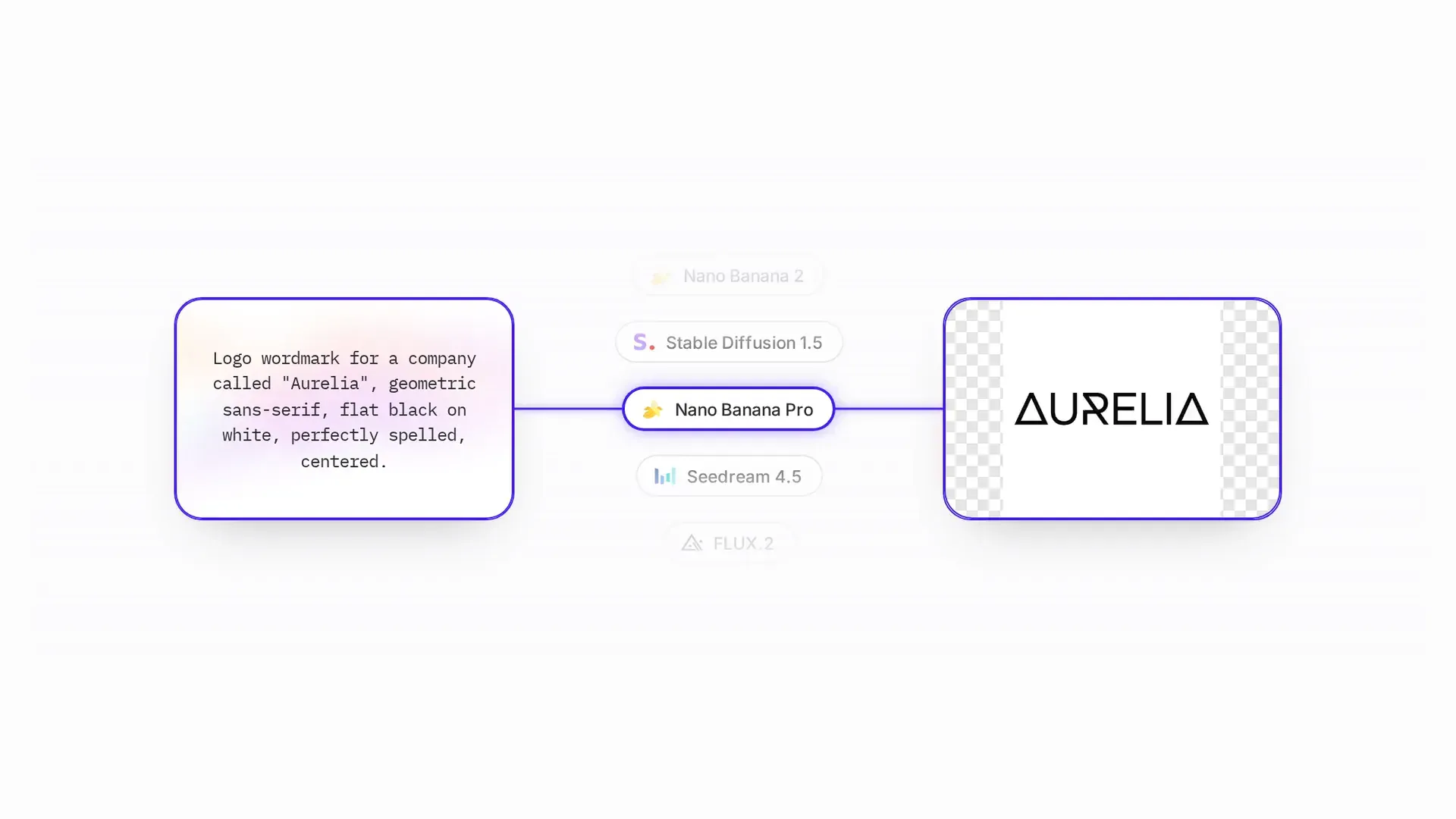
Why it matters: Print is full of words, and most models garble text inside images. For anything where text-in-image is unavoidable (a generated poster, a label motif), legibility and kerning are make-or-break. Best practice is still to set real type as a separate layer, but some jobs need it baked in. Our text-reliability finding measures this. The top of the field has largely solved Latin headlines, and the measured text column shows which models get every required string right. Small type and non-Latin scripts have not been solved. One wrong character still means regenerating the whole image. Compare every model on the same wordmark prompt to see the spread.
What to test: Legibility of short and long strings; correct spelling; kerning; multi-line; non-Latin scripts.
5. Prompt adherence and controllability
Why it matters: Non-designers need predictable results, and templates need the output to land where it’s told. Controllability spans prompt adherence, image-to-image / inpainting / outpainting, style and reference-image conditioning, and seed stability for repeatable results.
What to test: Does it honor constraints? Quality of edits (generative fill, expand, object removal)? Reference-image fidelity? Same-seed reproducibility?
6. Color accuracy and CMYK-readiness
Why it matters: Vivid RGB outputs clip hard in CMYK and shift on press. Models that stay closer to printable gamut, and outputs that convert predictably, mean fewer surprises and less soft-proofing friction. Even before the CMYK conversion, hitting an exact brand hex in RGB is hard. Our brand-color finding measures color accuracy with CIEDE2000 against the required hex, and no model reliably lands the color in your brand book.
What to test: Gamut coverage vs. CMYK; shift magnitude after ICC conversion; behavior on brand-critical colors and near-whites/blacks.
7. Transparency and background handling
Why it matters: Merch, stickers, die-cuts, and product compositing need clean subjects on transparent backgrounds and accurate edges (hair, glass, fine detail). Native transparent output and clean cutout edges save a manual masking step. At the standard generation endpoints our run called, this is close to unsolved. Our transparency finding shows how few tested models emit a real alpha channel, so a background-removal step belongs in the pipeline. Ideogram ships a separate transparent-background endpoint that the run did not score.
What to test: Native alpha output; edge quality on hard cases; cutout-path readiness.
8. Responsiveness / latency
Why it matters: Two very different bars. In an interactive editor, anything over a few seconds breaks flow. In a batch/VDP run, throughput and concurrency matter more than per-image speed. The right model differs by context.
What to test: P50/P95 latency at your resolution; throughput under concurrency; cold-start behavior.
9. Cost per generation
Why it matters: Unit economics. A few cents per image is invisible for interactive one-offs and brutal across a 100k-recipient VDP run. Price has to be weighed against quality for the specific job. You don’t pay flagship prices for a draft thumbnail.
What to test: Cost per image at your resolution/step settings; cost of edit vs. generate; volume pricing.
10. Consistency and repeatability
Why it matters: Brand work needs the same input to yield the same (or controllably similar) output, and product likenesses must not drift. Seed control, character and style consistency, and low variance separate “brand-safe” models from “slot-machine” ones. Our consistency finding puts numbers on the drift: no model holds a described character across scenes, so identity has to come from templates and editing.
What to test: Variance across runs at fixed seed; character/style consistency across a set; drift on iterative edits.
11. Commercial licensing and IP safety
Why it matters: You’re selling the printed output. Commercial-use rights, training-data provenance, indemnification, and content/safety filtering are legal exposure, not fine print. A model that’s brilliant but legally murky is a non-starter for a product customers resell.
What to test: Commercial-use terms; indemnity; provenance/transparency; enterprise and data-handling terms; content-filter behavior.
The scoring rubric
Score each model 1 to 5 on each criterion, then weight by your use case. Suggested weights for the three most common web-to-print contexts:
| Criterion | Interactive design tool | High-volume VDP / automation | Merch / POD |
|---|---|---|---|
| 1. Vector / SVG output | High | Medium | Medium |
| 2. Resolution / max size | High | High | High |
| 3. Visual quality | High | Medium | High |
| 4. Text rendering | Medium | High | Medium |
| 5. Controllability / editing | High | High | High |
| 6. CMYK-readiness | High | High | High |
| 7. Transparency / cutout | Medium | Low | High |
| 8. Responsiveness | High | Medium (throughput) | High |
| 9. Cost per generation | Medium | High | Medium |
| 10. Consistency | Medium | High | High |
| 11. Licensing / IP | High | High | High |
Scoring scale: 1 = unusable for print · 2 = weak · 3 = workable with mitigation · 4 = strong · 5 = best-in-class.
Drop your own numbers into this rubric, using the measured scores in the results table later in this guide as a starting point, then re-run it on your own prompts.
Models by job
New models ship faster than any ranking can keep up with, so this section is organized by job, the way you route requests. Models are drawn from the roster currently wired into CE.SDK’s AI plugins.
Job A: Text-to-image (generate a new asset)
Candidates: Recraft V3, Recraft V2, Seedream V4, Nano Banana, Nano Banana Pro, GPT Image 1, Ideogram V3.
Version note: several of these families have shipped a newer release since this guide was first written, and our benchmark run measured those. Read Seedream V4 as the family now represented by Seedream 4.5, 5.0 Lite and 5.0 Pro, GPT Image 1 as GPT Image 1.5, and bare Nano Banana as Nano Banana 2 and 2 Lite. Ideogram V3 is the same model Ideogram itself calls Ideogram 3.0. The routing advice is about the family; every measured number below comes from the release named here.
Availability note: OpenAI has scheduled GPT Image 1 to shut down on October 23, 2026 and GPT Image 1.5 on December 1, 2026, naming gpt-image-2 as the replacement for both. We measured 1.5, so the scores below stand as a record of what that model did, but anyone integrating now should point at the current model. Three other families have moved past what this guide names as well: Recraft is on V4.1, Ideogram is on 4.0, and Black Forest Labs now recommends FLUX.2 over FLUX.1 Kontext for image editing. Recraft V4.1 is in the run and scores 3.63 on the unweighted blend against Recraft V3’s 3.08, and it outranks V3 on both print files and merch, so build on V4.1 for new work. Ideogram 4.0 is not in our run, so we are naming it rather than ranking it; FLUX.2 is in the run, but the editing workflow BFL recommends it for is not, because the suite measures text-to-image only. Google is retiring the base Nano Banana model, gemini-2.5-flash-image, on October 2, 2026, and names gemini-3.1-flash-image-preview as the replacement; the newer Nano Banana models carry no announced shutdown date.
| Model | Stand-out for print | Watch-outs | Benchmark |
|---|---|---|---|
| Recraft V3 | The print specialist: native vector/SVG generation and brand-style controls. Often the single most print-relevant text-to-image model. | Verify max raster resolution for large-format jobs. | 3.08 / 5 |
| Recraft V2 | The older, lower-cost Recraft tier, and the one Recraft still names for vector icon sets with consistent line weight. | Quality step-down vs. V3. | not yet in the suite |
| Seedream V4 | High visual fidelity and resolution; strong general-purpose hero imagery. | Text rendering and vector are not its strength. | 3.53 / 5 (measured on Seedream 4.5) |
| Nano Banana / Pro | Fast, controllable, strong prompt adherence, and a good interactive default. Pro is the brand-color pick rather than the quality tier. | Confirm commercial-licensing terms for resale. | 3.34 / 5 · Pro 3.13 / 5 |
| GPT Image 1 | Strong instruction-following and comparatively reliable in-image text; good for layout-aware generation. | Latency and cost on the higher side for interactive use. | 3.74 / 5 (measured on GPT Image 1.5) |
| Ideogram V3 | Built around typography and still a credible pick for poster and typographic art, but our measured text column no longer puts it on top. | Ranks twentieth of twenty-three on text accuracy in our run. | 3.08 / 5 |
Routing heuristic: logos, icons, and typographic art go to Recraft V3 (vector; the print files use case). Words-in-image goes to a flagship that scores full marks on the measured text column, which in our run means any of nine models, including GPT Image 1.5, FLUX.2 [pro] and Nano Banana Pro (the text-heavy designs use case). Photoreal hero imagery goes to Seedream V4 or Nano Banana 2 (the product ads use case). Fast interactive drafts go to Recraft V2 / Nano Banana.
Job B: Image editing (adapt a customer’s asset)
Candidates: Flux Pro Kontext, Flux Pro Kontext Max, Nano Banana Edit, Nano Banana Pro Edit, Qwen Image Edit, Gemini Flash Edit, Seedream V4 Edit, GPT Image 1, Ideogram V3 Remix.
| Model | Stand-out for print | Watch-outs | Benchmark |
|---|---|---|---|
| Flux Pro Kontext / Max | Strong instruction-based editing with high subject preservation: change one thing without wrecking the rest. Good for generative fill/expand and targeted edits. | Max tier costs more; budget per edit. | editing suite planned |
| Nano Banana Edit / Pro Edit | Fast, controllable edits; good interactive default for object removal and swaps. | Verify edge quality on fine detail. | editing suite planned |
| Qwen Image Edit | Strong editing with good text handling during edits. | Validate commercial terms. | editing suite planned |
| Gemini Flash Edit | Low latency: the responsiveness pick for interactive editing. | Quality trade-off vs. heavier models. | editing suite planned |
| Seedream V4 Edit | High-fidelity edits matching its generation quality. | Heavier; weigh latency. | editing suite planned |
The benchmark currently measures text-to-image only; the editing models above join the leaderboard when the suite adds an editing track, so their cells read “editing suite planned” for now.
Routing heuristic: precise “change X, keep everything else” goes to Flux Kontext. Fast interactive edits go to Gemini Flash Edit / Nano Banana Edit. Edits that must preserve in-image text go to Qwen Image Edit.
Job C: Specialized print operations
These aren’t single “models” so much as task pipelines, but they belong in the routing table:
| Task | Approach / model | Note |
|---|---|---|
| Vectorize (raster → SVG) | Vectorize plugin / Recraft vector | The print-critical one: protects logos and PDF/X vector output. |
| Background removal | @imgly/background-removal (in-browser) | On-device, instant, privacy-preserving. Feeds cutout paths. |
| Image correction & DPI | Perfectly Clear plugin + DPI validation | Auto-corrects exposure, color, sharpness, and noise; validation flags undersized images. Prefer high-res native generation over upscaling. |
| Text generation / copy | Claude Sonnet 4.5, GPT-4.1 Nano | Headlines, rewrites, per-recipient VDP copy. OpenAI retires GPT-4.1 Nano on October 23, 2026. |
| Text-to-speech / sound | ElevenLabs (where relevant) | Less common in print; relevant for multi-channel campaigns. |
The quick-reference picks
If you skip the rubric and just want today’s defaults, start here.
| Print job | Pick | Why |
|---|---|---|
| Logos, icons, line art, anything that must scale | Recraft V4.1 | Recraft is the family here that generates native SVG/vector, through a vector endpoint our raster run does not score. Everything else hands you pixels to trace. Vector survives into PDF/X as real paths and prints sharp at any size. |
| Legible text inside the image (posters, labels, packaging motifs) | GPT Image 1.5, FLUX.2 [pro], Nano Banana Pro | Each of these rendered every required string in our suite exactly, which Ideogram, the typography specialist, did not. Still, bake text in only when you must, since real type as a separate editor layer beats all of them. |
| Photoreal hero imagery at print size | Seedream 5.0 Pro | Resolution is the print bottleneck, and it is the one criterion where the field splits. At default parameters Seedream returns 2048px (about 6.8” at 300 DPI); most of the field returns 1024px, which is 3.4” and leaves the upscaler to make up the difference. |
| Transparent cut-outs for stickers, die-cuts, merch | GPT Image 1.5, and a background-removal step regardless | GPT Image 1.5 is the only model in our run that reliably emits a real alpha channel, so for every other model the cut-out has to be a pipeline step. It retires on December 1, 2026; both GPT Image 2.5 models scored 0.00 of 5 on transparency across nine runs each at default parameters, and OpenAI documents a background: transparent setting we have not benchmarked. The run called each provider at its standard generation endpoint; Ideogram ships a separate transparent-background endpoint that it did not score. |
| ”Change X, keep everything else” edits | Flux Kontext Pro / Max | Best-in-class instruction-following edits with subject preservation, which is critical when the asset is the customer’s product photo and “the AI improved it” means a reprint. The Nano Banana family is the consistency pick for variants of one subject. BFL now recommends FLUX.2 [pro] for new editing integrations. |
| Interactive drafts (speed and cost) | Recraft V2, Gemini Flash Edit, Nano Banana 2 Lite | In an editor, a 20-second generation is a bounce. Draft cheap and fast, then re-render the final with the heavyweight. The customer never needs to know two models were involved. |
| Data sovereignty / self-hosting | Qwen-Image / Qwen Image Edit | Apache 2.0 open weights. For European operators and government buyers who won’t send customer uploads to a US API, “we can run it ourselves” beats a quality delta. |
| VDP copy and headlines | Claude Sonnet 4.5 | Cheap enough per recipient at 100k-mailer volume, and strong at length-constrained rewriting, the “fit this text frame” problem. |
Vector decides whether a logo prints cleanly at size. General image models were built for screen output, where raster is usually enough, so almost none of them generate vector, and Recraft is close to alone in doing so.
Every model generates sRGB, and none outputs CMYK. “CMYK-readiness” is really about how hard a model’s palette clips on conversion, and your ICC and soft-proofing pipeline owns the rest. DPI works the same way. Pair every generation path with validation and a dedicated upscaler instead of trusting native output. That print-correctness layer stays in place whichever model you swap in.
We asked every model for a transparent background through its standard generation endpoint and measured the alpha channel that came back. Most returned none, and a few painted a checkerboard into the pixels instead. Ideogram ships a separate transparent-background endpoint that the run did not score. If your product sells stickers, die-cuts, or anything composited onto a garment, budget for background removal and edge cleanup as a permanent pipeline stage. Choosing a different model does not remove that stage.
One roster note: Adobe Firefly isn’t wired into CE.SDK’s plugin roster today, but for licensing-sensitive enterprises its trained-on-licensed-content and indemnification story is one of the strongest answers to criterion 11, though Adobe only indemnifies output under a purchased enterprise entitlement, with exclusions. Include it in your own evaluation if criterion 11 dominates your weighting.
A worked decision: which model wins for your product?
The rubric resolves to a different answer per context. Three quick reads:
-
Interactive design tool (non-designers personalizing templates). Weight responsiveness, controllability, and vector. Likely stack: Recraft V2 / Nano Banana for fast generation, Recraft V3 for final vector, Gemini Flash Edit for interactive edits. The customer iterates fast and the final asset is print-clean. See the in-app UGC use case for how the benchmark weights this context.
-
High-volume VDP / automation (100k personalized mailers). Weight cost, throughput, consistency, and licensing. Likely stack: a cost-efficient generation model at high concurrency, Claude Sonnet 4.5 for per-recipient copy, seed-locked for repeatability, all run headless. Per-unit cost dominates the decision. See the personalization-at-scale use case for the weighted read.
-
Merch / POD (user art on physical products). Weight transparency/cutout, resolution, and quality. Likely stack: background removal plus cutout for subjects, upscaling for resolution, Seedream V4 for generated designs, with hard licensing checks because the output is resold. See the merch and stickers use case, where the transparency gap decides the stack.
No one model wins all three of those contexts.
What makes per-job routing practical: native plugins + the AI Gateway
A criteria-driven, route-per-job strategy only works if switching models is cheap. If wiring in a new model means a new API integration, new auth, new key management, new error handling, and new billing plumbing every time, you’ll quietly standardize on whatever you integrated first, and inherit its weaknesses on every job it loses.
CE.SDK is built to avoid that:
- Every model in the Job A and Job B rosters above is natively supported as an AI plugin. Text-to-image and image editing run as drop-in providers inside the editor, not bespoke integrations you build and maintain. Background removal, vectorization, and image correction (Perfectly Clear) ship as their own plugins, and text generation routes through built-in Anthropic and OpenAI providers. Adopting Recraft for vector, GPT Image 1 for text, and Flux Kontext for edits is configuration, not three separate engineering projects.
- The AI Gateway gives you one unified surface to every model. Instead of stitching together a dozen provider APIs, key schemes, and rate-limit behaviors, you call models through a single managed layer. One config change points a job at a different model the day a better one ships, without touching your editor or your print pipeline.
- Outputs land inside the print pipeline, not beside it. Whatever model produces the asset, it flows into locked templates with bleed, safe-area, and DPI constraints, then through CMYK / spot-color / PDF/X-4 export. Print-on-demand company The Print Bar and direct-mail platform PostBuddy both built on this pipeline, embedding CE.SDK rather than maintaining their own print editor.
The “best model” question comes back every time a new version ships. The benchmark scores below tell you which model to route each job to today, and the native-plugin and Gateway architecture is what lets you act on that answer and revisit it when the scores change next quarter.
The IMG.LY GenAI benchmark: measured results
IMG.LY’s GenAI benchmark now scores these models on print-representative prompts, and the results are live and explorable at img.ly/ai-benchmarks. The table below is the top-line read for the text-to-image models in this guide: the overall score out of 5, the four print-critical criteria (each out of 5), cost per image, and median (p50) latency. All numbers are from the pilot-0 suite, scored in September 2026; scores are sorted by overall.
| Model | Overall | Text | Color | Transparency | Resolution | $ / image | p50 |
|---|---|---|---|---|---|---|---|
| GPT Image 1.5 | 3.74 / 5 | 5.0 | 3.4 | 4.2 | 3.0 | $0.14 | 34.0s |
| Nano Banana 2 Lite | 3.58 / 5 | 4.9 | 2.9 | 0.0 | 3.0 | $0.042 | 4.0s |
| Seedream 4.5 | 3.53 / 5 | 4.9 | 2.9 | 0.0 | 5.0 | $0.04 | 12.4s |
| FLUX.2 | 3.50 / 5 | 4.9 | 2.8 | 0.0 | 2.0 | $0.012 | 2.0s |
| FLUX.2 [dev] Turbo | 3.47 / 5 | 4.9 | 2.7 | 0.0 | 2.0 | $0.008 | 2.0s |
| Nano Banana 2 | 3.34 / 5 | 5.0 | 3.2 | 0.0 | 3.0 | $0.08 | 13.2s |
| Gemini 2.5 Flash Image | 3.27 / 5 | 5.0 | 1.7 | 0.0 | 3.0 | $0.040 | 7.4s |
| FLUX.2 [pro] | 3.18 / 5 | 5.0 | 2.3 | 0.0 | 2.0 | $0.03 | 11.5s |
| Qwen-Image | 3.18 / 5 | 4.8 | 2.0 | 0.0 | 2.0 | $0.020 | 6.9s |
| Nano Banana Pro | 3.13 / 5 | 5.0 | 3.7 | 0.0 | 3.0 | $0.15 | 23.3s |
| Recraft V3 | 3.08 / 5 | 4.0 | 1.9 | 2.0 | 3.0 | $0.04 | 7.4s |
| Ideogram 3.0 | 3.08 / 5 | 4.7 | 2.8 | 0.0 | 3.0 | $0.06 | 17.9s |
Measured on the pilot-0 suite, run in July and September 2026: 37 prompts times 3 seeds per model, every image scored 0 to 5 per criterion. Resolution, transparency and color accuracy are measured off the output file, and cost and latency off the run itself; a vision model transcribes rendered text and checks prompt adherence and composition against a per-prompt checklist. Three model families carry newer versions than the Job A roster names them by: Seedream V4 is measured as Seedream 4.5, GPT Image 1 as GPT Image 1.5, and Nano Banana as Nano Banana 2. The suite covers eleven further models beyond this table, Seedream 5.0 Pro and Recraft V4.1 among them; their scores are on the rankings page. The overall column is an unweighted blend, so read it alongside the per-use-case weighting, not as a single leaderboard: an expensive, slow flagship tops the raw average while the cheapest lands last. Full methodology is at img.ly/ai-benchmarks/methodology, and every model, prompt, and generated image is explorable at img.ly/ai-benchmarks.
Transparency is close to unsolved at the standard generation endpoints the run called. 20 of 23 tested models emit no real alpha channel at all (the transparency finding), and only GPT Image 1.5 scores well on that criterion, at 4.22 of 5. Recraft V4.1 and Recraft V3 are the only other models to score above zero, both at 2.00. Ideogram ships a separate transparent-background endpoint that the run did not score. Brand color is broadly weak too. Measured with CIEDE2000, no model reliably hits an exact hex (the brand-color finding). Text is the column where the field mostly clears the bar, as the Text scores above show, while the model with the biggest reputation for text, Ideogram, lands near the bottom of it (the text-reliability finding). The gaps open where print work gets hard. Averaged across the field, the neon sign in Japanese scores 4.29 and the dense packaging label 4.58, against 4.94 for a greeting-card cover.
The same numbers, weighted for print
The overall column is the wrong lens for a print product, which is the whole reason the benchmark carries use-case weights. Reweighted for print files (resolution 35%, color 30%, text 15%, transparency 10%), Seedream 5.0 Pro leads at 3.85, ahead of Seedream 4.5 at 3.69 and Seedream 5.0 Lite at 3.56. Native output size at default parameters does most of the work, and the three models that return 2048px start the job at twice the printable width of the 1024px field.
Reweight again for merch and stickers, where alpha carries 35%, and the order breaks completely. GPT Image 1.5 wins at 3.77, more than half a point ahead of Recraft V4.1 at 3.17, on the strength of that alpha-channel result. The same measurements produce a different winner once the job changes.
The gated report is coming to subscribers first. AI Image Models for Print Production: The Benchmark Report packages the weighted per-use-case totals, the full test set, and the print-specific analysis into one PDF. Subscribe to get it before it is public.
The criteria and the routing logic above stand on their own. The scored numbers are what the suite adds: a measured, repeatable answer for each cell, refreshed as models change. For why the benchmark is built this way, and what else the run turned up, see Introducing IMG.LY AI Benchmarks.
FAQ
Which AI model is best for print-quality output? It depends on the job, which is why this guide splits by job rather than naming one winner. Reweighted for print files, where resolution carries 35% and color 30%, Seedream 5.0 Pro leads our run. For legible text inside the image, GPT Image 1.5, FLUX.2 [pro] and Nano Banana Pro each rendered every required string exactly. For vector output, Recraft is the family here that emits true vector rather than raster, through a vector endpoint our run does not score.
Can AI image models produce CMYK files for print? Not directly. Every model in our run returns RGB raster output, so CMYK conversion, bleed and trim are jobs for the editor or the prepress step rather than the model. Treat color accuracy scores as how close the RGB result lands to the requested value, not as press-readiness.
Which models produce transparent backgrounds for stickers and die-cuts? In our run, GPT Image 1.5 is the only model that reliably emits a real alpha channel. Twenty of the twenty-three tested emit none at all, so for those the cut-out has to be a background-removal step in the pipeline. GPT Image 1.5 retires on December 1, 2026. Both GPT Image 2.5 models scored 0.00 of 5 on transparency across nine runs each at default parameters, and OpenAI documents a background setting we have not benchmarked. The run called each provider at its standard generation endpoint; Ideogram ships a separate transparent-background endpoint that it did not score.
Are the models named in this guide still available? Mostly. OpenAI has scheduled GPT Image 1 to shut down on October 23, 2026 and GPT Image 1.5 on December 1, 2026, with gpt-image-2 as the replacement for both. Ideogram has since released 4.0, Black Forest Labs now recommends FLUX.2 over FLUX.1 Kontext for image editing, and Google is retiring the base Nano Banana model, gemini-2.5-flash-image, on October 2, 2026. Our scores measure what we tested, so check a model’s current status before you wire it in.
Should I use one model or route between several? Route, if the product has more than one job to do. No single model in our run wins on resolution, color, text and transparency at once, and the reweighted rankings reorder completely depending on which of those you care about. Routing is only practical when switching models does not mean rewriting the integration, which is what a plugin layer or a gateway is for.
How were these models scored? On the pilot-0 suite, run in July and September 2026: 37 prompts times 3 seeds per model, with every image scored 0 to 5 per criterion. Resolution, transparency and color accuracy are measured off the output file, and cost and latency off the run itself; a vision model transcribes rendered text and checks prompt adherence and composition against a per-prompt checklist. The per-model and per-use-case numbers are on our benchmark pages, including the weightings used to reorder the rankings for print files and for merch.
Does a higher overall score mean a better model for my product? No, and the overall column is the wrong lens for a print product specifically. Reweighted for print files the order changes, and reweighted for merch and stickers, where alpha carries 35%, it changes again. Decide which criterion your product cannot compromise on, then read the column for that.
Bottom line
Pick criteria before you pick models. For web-to-print those criteria are vector output, print resolution, CMYK behavior, text legibility, and licensing, and they decide whether a good-looking generation is a sellable print. Score the current models against them for your context, route each job to the model that wins it, and run it all through CE.SDK’s native AI plugins and AI Gateway so re-routing after the next leaderboard reshuffle is a config change.
Companion piece: How to Leverage Generative AI in Web-to-Print covers the use cases, integration patterns, and print-specific pitfalls behind these model choices. For the category around all of this, storefronts to prepress, see our complete guide to web-to-print software.