


Perfectly Clear Plugin
See how a third-party enhancement engine plugs into a CE.SDK editor. This demo wires in Perfectly Clear's automatic image correction (exposure, contrast, color, tint, skin tones, sharpening, and noise reduction) as a one-click action.

This showcase adds Perfectly Clear’s automatic image correction to a CE.SDK editor as a plugin. Select an image, click Enhance, and Perfectly Clear analyzes the image and corrects exposure, contrast, color, tint, skin tones, sharpening, and noise in a single pass without sliders or manual adjustments. The corrected image lands back on the editor canvas, where users keep cropping, adding text, and exporting as usual.
It’s also a working reference for the CE.SDK plugin API. The pattern shown here: register a canvas action, hand the active image to an external engine, write the result back as an editable block. This is the same process you’d use for any processing service, whether it runs client-side or behind your own API.
What this demo shows
- Registering a custom plugin and canvas action inside a CE.SDK editor
- Passing the active image to an external enhancement engine (Perfectly Clear)
- Writing the processed result back to the canvas as an editable block
- Giving non-designers a clean result in one click without touching adjustment sliders
Licensing
Perfectly Clear is a third-party technology and requires a separate license from our partner. If you’re interested, contact our sales team.
This showcase adds Perfectly Clear’s automatic image correction to a CE.SDK editor as a plugin. Select an image, click Enhance, and Perfectly Clear analyzes the image and corrects exposure, contrast, color, tint, skin tones, sharpening, and noise in a single pass without sliders or manual adjustments. The corrected image lands back on the editor canvas, where users keep cropping, adding text, and exporting as usual.
It’s also a working reference for the CE.SDK plugin API. The pattern shown here: register a canvas action, hand the active image to an external engine, write the result back as an editable block. This is the same process you’d use for any processing service, whether it runs client-side or behind your own API.
What this demo shows
- Registering a custom plugin and canvas action inside a CE.SDK editor
- Passing the active image to an external enhancement engine (Perfectly Clear)
- Writing the processed result back to the canvas as an editable block
- Giving non-designers a clean result in one click without touching adjustment sliders
Licensing
Perfectly Clear is a third-party technology and requires a separate license from our partner. If you’re interested, contact our sales team.
Related Demos
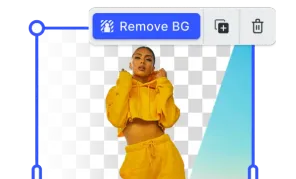
Background Removal Plugin
Effortlessly remove background from images directly in the browser with no additional costs and privacy concerns.

Vectorizer Plugin
Transform your pixel-based images into scalable vector graphics with Vectorizer Plugin.
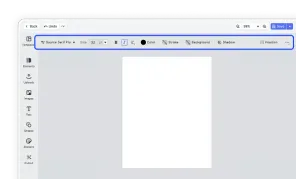
Design Editor UI
Our easy to use editor variant focused on layout, text, and images is ideal for adapting existing templates.