
IMG.LY vs. Printbox
The Printbox alternative for print-on-demand providers that want in-app editing and design for photo books and other print products.

What makes IMG.LY the best Printbox alternative?
Part of your own online shop
IMG.LY runs on your own website, so customer photos and print files remain on systems you run.
Photo books on iPhone and Android
IMG.LY runs natively on iPhone and Android too, so a photo book looks identical in your apps and on your website.
CMYK and PDF/X from the editor
Photo books export as press-ready PDF/X straight from the browser, and customers see CMYK colors on screen as they will print.
Personalized print runs on your servers
IMG.LY fills photo and text placeholders from your own records and renders a print-ready file for each one.














What our clients say about us
Integrating IMG.LY’s editor meant we didn’t have to build or maintain a complex editing layer ourselves. That kept our team focused on our core AI ad engine and saved us countless development hours — while still giving our customers the ability to polish and customize creatives at scale.
Hikari Senju
CEO, Omneky

With IMG.LY we built a central creative portal that now powers over 140 dealer campaigns across multiple automotive brands. Before this, asset creation was slow and inconsistent.
Martin Röhr
Product Owner, Digitas

By embedding IMG.LY’s editor we were able to hit key RFP requirements and deliver a template-based creative experience that now serves 1,000+ customers. It helped us win more deals and exceed enterprise expectations without needing to hire dedicated design teams.
Rob Driscoll
Director of PM, Optimizely

Since integrating IMG.LY’s editor, we now deliver 30,000+ ad creatives per month, dramatically shorten time-to-launch, and help our clients cut design spend by up to $10,000 per month.
Logan Welbaum
Founder, Plai

Our customers create over a million personalized postcards each year choosing from over hundreds of templates with IMG.LY’s SDK. It’s the only solution that allows us to build our own specialized, on-brand UI that integrates seamlessly with our platform.
Jeanine Zaalberg
Product Manager, SwissPost

From a developer’s perspective, the most powerful feature of the photo editor is the integration process. It was completely flawless, quick, and easy to integrate.
Stefano Fornari
CTO, Funambol
We compared IMG.LY SDK with other solutions and found that it would be the best fit for us since it provides all the features that are crucial for our use case.
Carem Pereira
SCRUM Manager, HP
IMG.LY vs. Printbox at a glance
| Feature | IMG.LY | Printbox | Notes |
|---|---|---|---|
| Primary Use Case | IMG.LY puts photo book design and print-file rendering into your own website and apps. It also covers photo editing, video and general design work. | Printbox sells hosted software for personalized photo products, from photo books to calendars and wall art: browser editors, an optional storefront, and print-ready files bound for the business's presses or print partner. | IMG.LY brings photo book design into the site and apps you own. Printbox sells hosted editors with an optional storefront. |
| Target Audience | Print-on-demand providers, photo labs and printers that want photo books, calendars and other products designed on their own website and in their apps. | Photo labs, photo brands, print houses, digital press owners, Shopify merchants and online shops that hand printing to a partner, including photo business beginners and enterprise operations. | Photo labs fit either one. IMG.LY suits print businesses that want design on their own site and apps, and Printbox also serves Shopify merchants and beginners. |
| Technical Approach | SDK packages for the web, phones, desktops and Node.js servers go inside the product you sell and run where you host them. Use the bundled editor as is, build an interface on the engine, or render headless. | Printbox hosts its HTML5 editors, and businesses reach them through Shopware (their own store or one Printbox hosts), through a Shopify plugin Printbox built on EC Sync (in private beta), or with the Printbox API, which launches the editor by link or embed. | IMG.LY ships as SDK packages you host yourself. Printbox hosts the editors and connects them through Shopware, a Shopify plugin or its API. |
| Advanced Design Editing | Designs mix photos with custom vector shapes, outlines and drop shadows, and text can be underlined or set in capitals. Colors stay CMYK or spot where print needs them. | Advanced Editor shoppers design multi-page products with text, clip art, frames and masks, and Pro Editor users set margins, photo gaps, fonts and colors across a whole project. | IMG.LY adds vector shapes, shadows and CMYK or spot colors. Printbox offers frames and masks, plus project-wide settings in its Pro Editor. |
| File Format Support | PSD, IDML, Illustrator and EPS files open as editable designs, and on a server PowerPoint decks do too; photos arrive as JPEG, PNG, WebP or GIF. IMG.LY exports PDF/X and plain PDF, WebP, PNG and JPEG images, SVG, IDML and MP4, plus layered PSD on a server. | Uploads to the Flex Editor must be raster images, such as transparent PNGs. Products render to PDF, JPG, PNG or TIFF, and vector-mode PDFs keep text and SVG clipart as vectors. | IMG.LY opens PSD and IDML files as editable designs and also exports video. Printbox accepts raster uploads and renders PDFs or images. |
| Print Production | PDF/X files in versions 1a, 3 and 4 export in browsers or on Node.js using FOGRA39, GRACoL 2013 or a supplied ICC profile, and a PDF/X check names any rule a file breaks. Each page with bleed gets trim and bleed boxes, and the screen separates rich from plain black. | Printbox renders print files in RGB with an embedded sRGB or Adobe RGB profile and optional PDF/X-4 for the printer's RIP to convert, and files carry the bleed, trim box, safe area and crop marks set per product. Its offering for digital press owners includes PDF/X-1a, embedded ICC profiles and CMYK plus spot colors where the press supports them. | IMG.LY's PDF/X carries your ICC profile, and each file gets a rule check. Printbox outputs RGB for the RIP to convert, except in its press-owner offering. |
| Templating & Dynamic Editing | Templates lock what must not change and leave photo and text placeholders open to customers, and text variables fill in from your data. For photo books, a web starter kit lets customers change the layout of each page. | Businesses start from Printbox's ready-made themes or build their own in the admin panel, and can lock cliparts, shapes, images or text components and set a dynamic or fixed book spine. | Locking parts of a template works in either product. IMG.LY adds data-driven text and per-page layout changes, and Printbox adds ready-made themes and spine settings. |
| Variable Data Publishing | One template serves a customer editing a single photo book and a server job working through a full data file, and adding machines raises throughput. | With the Variable Data module, which the business enables per product, shoppers upload a CSV or type records into an editor table, and each row renders as its own print file. | IMG.LY runs data jobs on your servers and scales with more machines. In Printbox, shoppers supply the records themselves through a CSV or a table. |
| Creative Automation | On Node.js, the engine runs as native code and turns data from your own systems into batches of personalized print files. No editor session needs to be open. | Through Gallery Link, an API integration, a photo platform's backend can pre-generate personalized, editable product projects from its collections or milestones and email users links to buy or customize them. | IMG.LY turns your data into finished print files with no editor open. Printbox's Gallery Link prepares editable projects that users can then buy or customize. |
| AI Capabilities | Editor plugins generate pictures, erase backgrounds and refine wording through AI providers you choose. An agent in your product can compose branded designs with help from the CoDesign SDK, and your users can edit them further in the browser. | Smart Creation, an Advanced Editor upgrade, builds an editable photo book draft from shoppers' photos. Masterpiece AI, licensed separately, generates art from text or photos and removes backgrounds in the Flex Editor. | With IMG.LY you choose the AI providers, and an agent can build designs. Printbox's AI comes as separate upgrades, from photo book drafts to generated art. |
| Product Mockups | Web starter kits handle product previews. The 3D Mockup Editor shows products in live 3D, and the Mockup Editor covers apparel, posters, postcards and business cards. | Businesses can enable a live 3D view in the Flex Editor for mugs, cards and apparel, from 3D models they commission or make in-house, and the Simple Editor shows designs in real settings. | Live 3D previews exist on both sides. IMG.LY starter kits cover apparel, posters and cards, and Printbox works from 3D models the business supplies. |
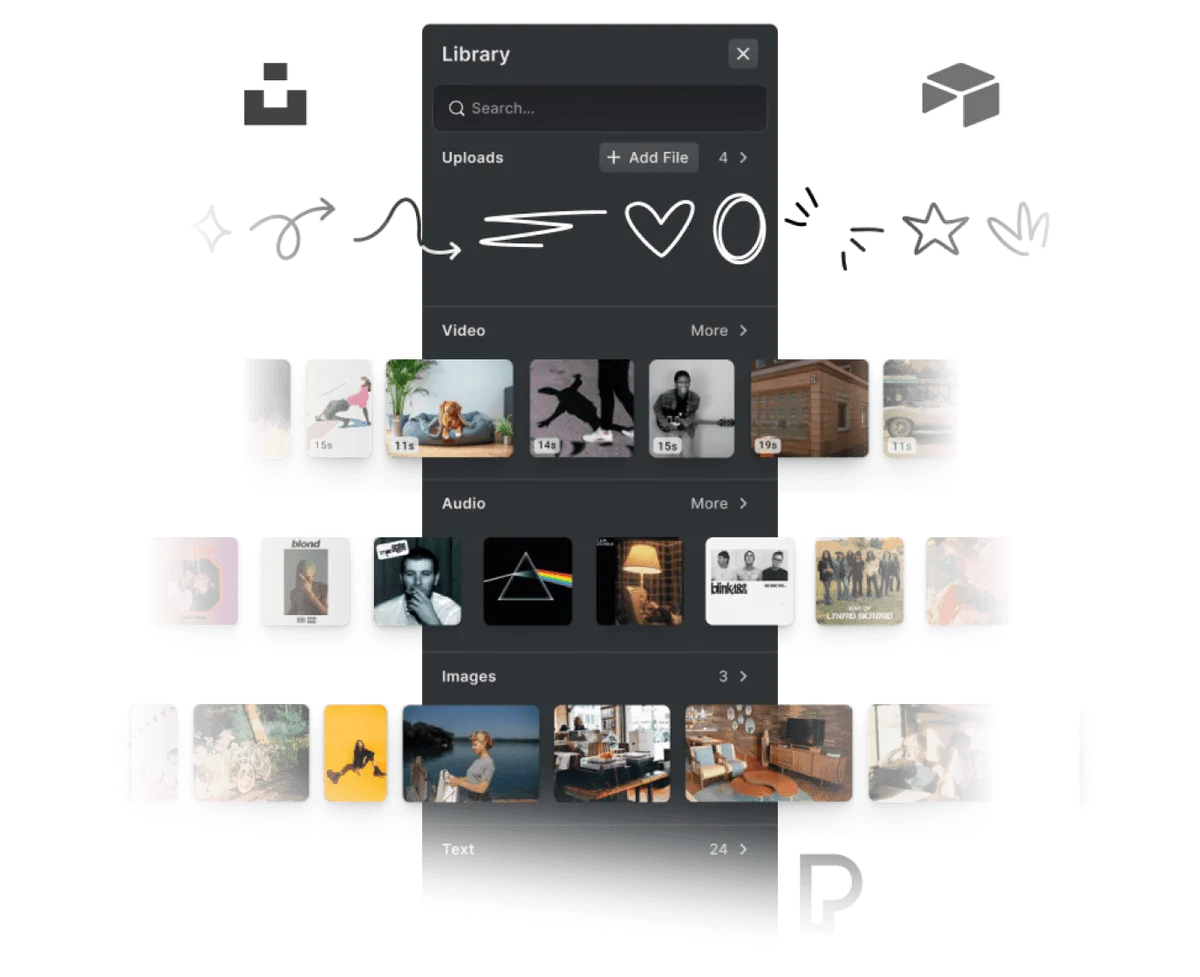
| Asset Management | Photos come from your DAM, from a custom or dynamic asset source, from prebuilt libraries, or on mobile straight from the phone camera or gallery. | Businesses add design assets in the admin panel, Advanced Editor shoppers import from Google Photos, Instagram or Facebook, other photo libraries connect through the API, and Flex Editor shoppers use their phone camera. | Phone cameras work with either. IMG.LY connects your DAM or any source you add, and Printbox imports from Google Photos, Instagram and Facebook. |
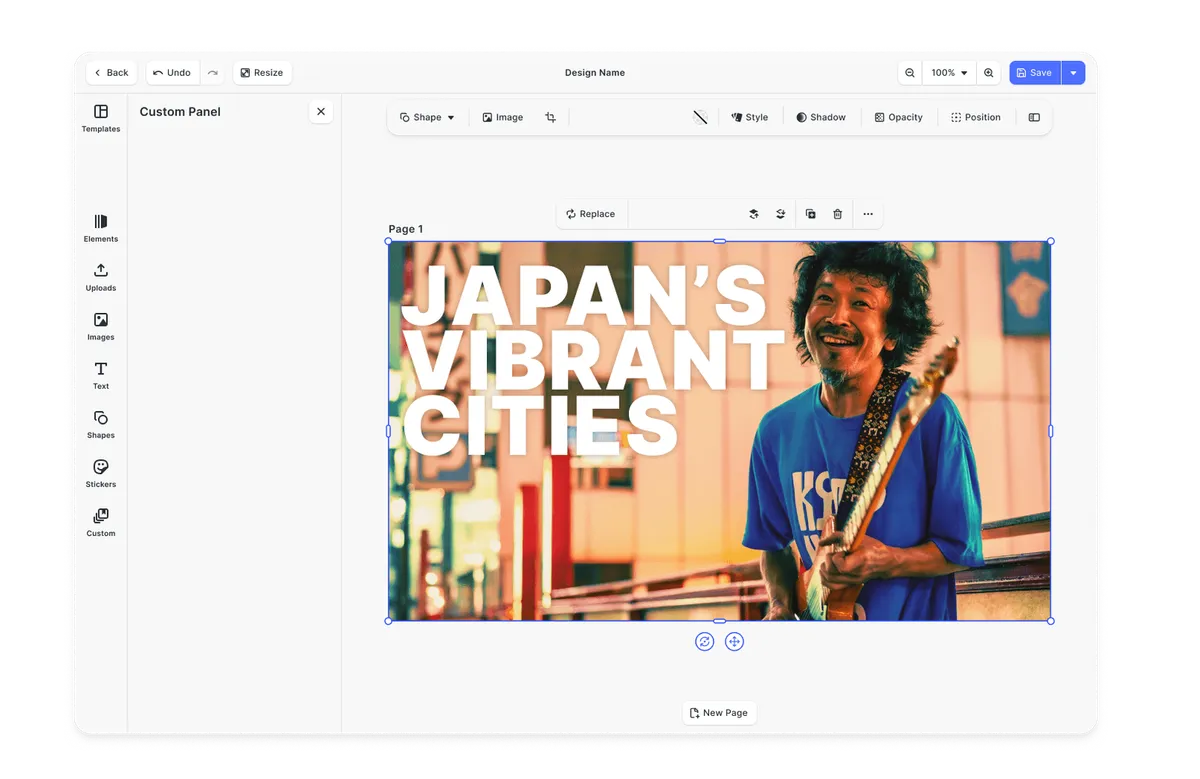
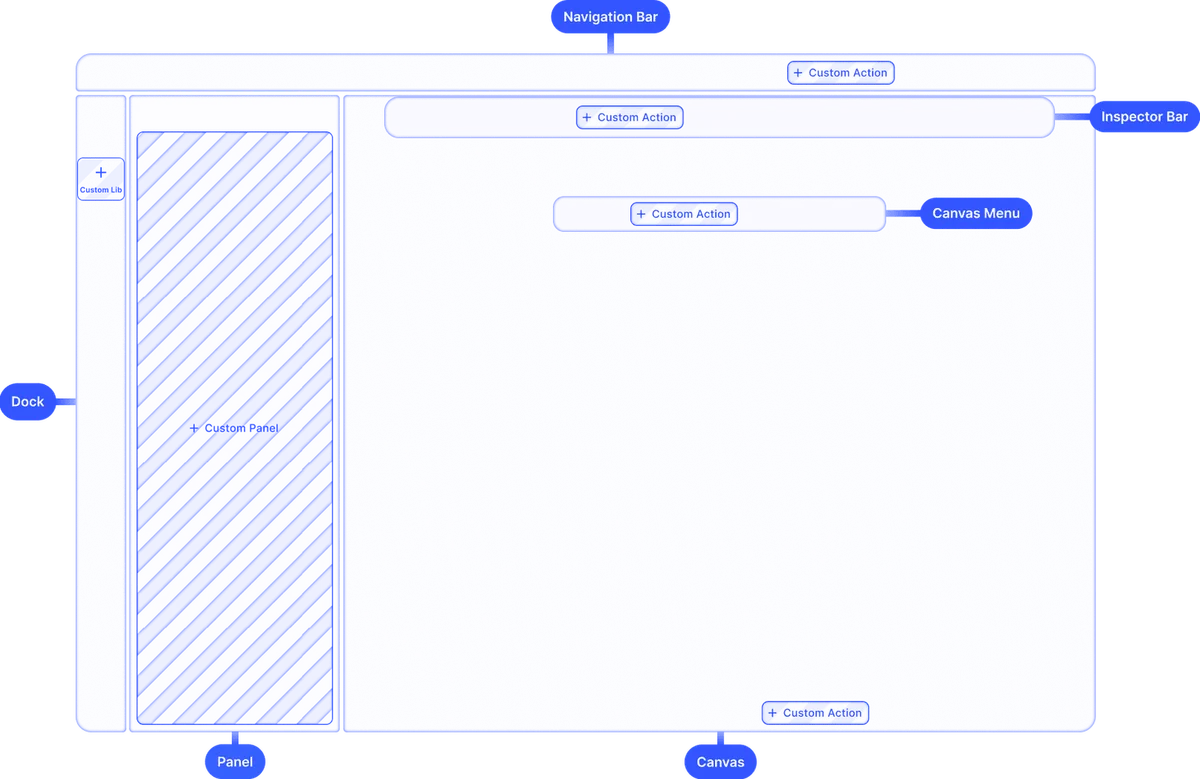
| User Interface | IMG.LY comes with a complete, themeable interface, and its APIs let you place single components or build your own. | Each product category runs in its own editor, such as the mobile-first Flex Editor that shows only product-relevant options or the dark-mode Pro Editor. | IMG.LY gives you one themeable interface to keep or rebuild. Printbox runs a separate editor for each product category. |
| White-labeling | No IMG.LY branding appears, theming reaches every component, and the editor loads from your own domain, for OEM and enterprise products. | Each store gets its own domain, logo, colors, fonts, editor skin and transactional emails, and the White Label module removes Printbox branding from the editor too. | Nothing in IMG.LY shows its brand. Printbox stores take yours, but the editor stays Printbox-branded without the White Label module. |
| Interactive Editing | GPU rendering keeps edits instant. On the web, customers swap two photos by dragging one onto the other, and elements snap to even spacing there and on mobile. | The preview updates as shoppers work, the Pro Editor offers a drag and drop mode and layout management, and the Advanced Editor runs instant image and design quality checks. | Neither makes shoppers wait for an edit. IMG.LY swaps photos by dragging and snaps elements into line, and Printbox checks image quality instantly. |
| Multi-Layer Editing | There is no cap on photo, shape, text or video layers, and each supports blend modes, grouping and masks. Users rename, hide, lock or reorder elements from the web layer list and move them between pages. | Advanced Editor shoppers get layers and free placement in photo books and other products with several pages, and businesses build mockups in a mockup design editor that lists pages and layers beside a live canvas. | IMG.LY layers get blend modes, masks and a layer list for ordering and locking. Printbox's Advanced Editor lets shoppers place layers freely. |
| Cross-Platform Support | Web pages, iOS and Android phone apps (Flutter and React Native included), Mac Catalyst, macOS and Electron desktop software and servers running Node.js all host the same engine. | HTML5 editors run in phone, tablet and desktop browsers with nothing to install, Printbox offers no offline editor, and a signed-in shopper's project reopens later on another device. | IMG.LY runs in native apps, desktop software and servers as well as browsers. Printbox stays in the browser, so shoppers install nothing. |
| Customizability | Brand colors and typography style the editor in its light, dark or system look, every label can be localized, and features or panels can be switched off or rearranged. Four user roles limit what authors and customers change. | Each store sets its own editor skin, the Advanced Editor menu shows only the options the business picks, the storefront can be translated into any language, and each product gets its own buying path. | IMG.LY lets you theme, translate and rearrange the editor itself. In Printbox, the business picks an editor skin and menu options, plus storefront language and buying paths. |
| Extensibility | Plugins add custom tools, new asset sources and extra render steps outside the core SDK, the way IMG.LY adds its AI features, so upgrades leave them intact. | Buying-path components in the admin panel can carry the business's own HTML and CSS, and Printbox's team builds custom page components, payment or shipping modules and extra e-commerce modules on request. | IMG.LY extends through plugins that survive upgrades. Printbox accepts custom HTML and CSS and builds larger changes on request. |
| Ease of Integration | Starter kits cover mockups, design validation and single-page editing. From a plain-language description, Agent Skills let your AI coding agent set up a working IMG.LY web project. | On Shopware, Printbox delivers buying paths and editors with no development on the business's side, and developers can dry-run configurations in an Editor Playground. | IMG.LY speeds up setup with starter kits and Agent Skills. On Shopware, Printbox needs no development from the business at all. |
| E-commerce Integrations | IMG.LY drops into a shop you code yourself or one you build on Shopify or WooCommerce, and checkout, payment and order handling stay in that shop. | Printbox's hosted Shopware package includes checkout and local payment add-ons, Shopware stores connect natively, custom stores keep their checkout, and Printbox's own Shopify plugin runs on EC Sync, a private beta with limited access. | IMG.LY fits a coded shop, Shopify or WooCommerce. Printbox centers on Shopware, and its Shopify plugin is still in private beta. |
| Flexible Rendering Approach | Customer edits render on the device GPU. On your servers, the Node.js SDK runs scripted jobs and the CE.SDK Renderer can export on the GPU. Every path produces identical pixels. | Shoppers approve designs in the browser editor, Printbox's render engine builds print files once an order is paid, and Pro Editor integrations can fetch a preflight render through the API at the stage they choose. | IMG.LY output matches whether it renders on a device or a server. Printbox renders on its own engine after the order is paid. |
| Production Readiness | Each month enterprises render millions of assets on IMG.LY, support tiers include help during integration, and the company meets GDPR. | Printbox runs live photo product stores for clients in many countries, takes on their uptime and security, and keeps the platform compliant with the EU's GDPR. | Each meets GDPR. IMG.LY adds enterprise volume and integration help, and Printbox looks after uptime and security for the stores it runs. |
| Scalability | Load is balanced between customer devices and your servers while rendering runs asynchronously, and no ceiling applies to the size of a batch. | Printbox's hosting scales automatically for traffic peaks through event-driven autoscaling on Kubernetes and is stress-tested for constant high loads; a single order and a holiday rush follow the same automated render path. | IMG.LY spreads the work between devices and your servers. Printbox scales its own hosting automatically for peaks. |
| Storage & Data Ownership | Customer photos, projects and print files stay on infrastructure you operate, IMG.LY needs no third-party storage, and enterprise licenses can switch off all server contact for air-gapped setups. | The Printbox platform, including any store Printbox hosts, runs on Google Cloud as part of every package, and businesses cannot host it themselves. They can pick a hosting location near their customers and EU or US data residency. | IMG.LY keeps every file on your infrastructure. Printbox runs on Google Cloud only, and you pick the location but cannot host it yourself. |
| Clear Pricing Model | Licensing for enterprises scales with usage and deployment scope, and a free trial includes every feature with no limit on users. | Printbox sells through individual quotes shaped by catalog size, editor modules, store integration and fulfillment setup. Masterpiece AI is a separate subscription with AI tokens and per-order render fees. | IMG.LY can be tried in full before you buy. Printbox quotes each deal individually and bills its AI separately. |
| Support & Documentation | Guides, API references and sample code exist for every platform, each IMG.LY release has a public changelog, and an enterprise license adds SLAs, quicker responses and dedicated onboarding. | Every client gets online documentation with manuals, video tutorials and technical instructions, Printbox's team supports setup through to the finished store, and digital press owners also get tiered SLAs and round-the-clock tickets on higher support tiers. | Each side documents its product and offers SLAs on higher tiers. Printbox also helps set up the store, and IMG.LY publishes a changelog for each release. |
Key capabilities
Learn more about some of the functionalities of IMG.LY’s SDK.
Editing

Printing
PDF/X export.
Create press-ready PDF/X in browsers or in Node.js jobs, using your print shop’s ICC profile.


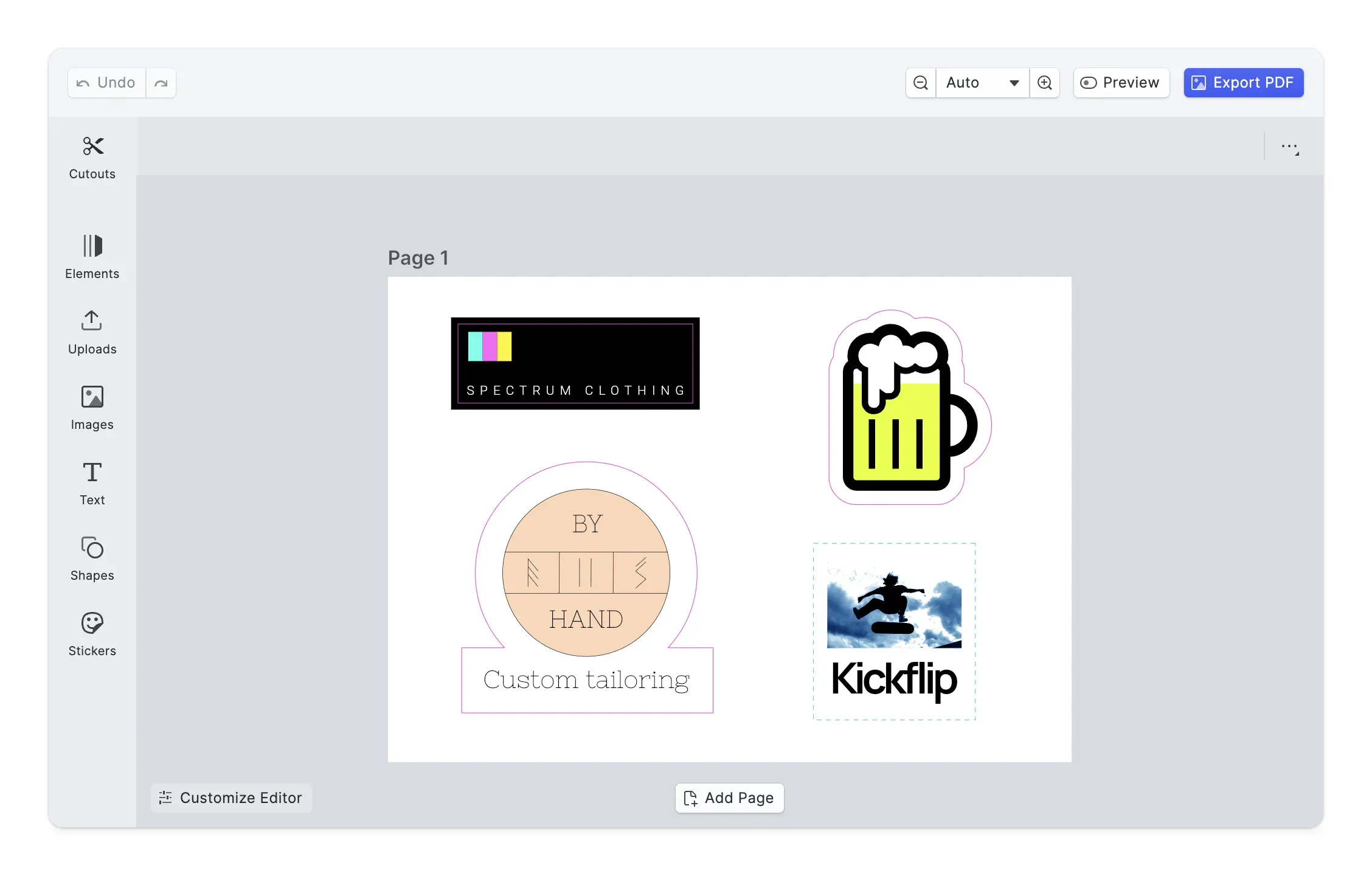
Cutout lines.
Create and customize cutout shapes for web-to-print.
Printer’s marks.
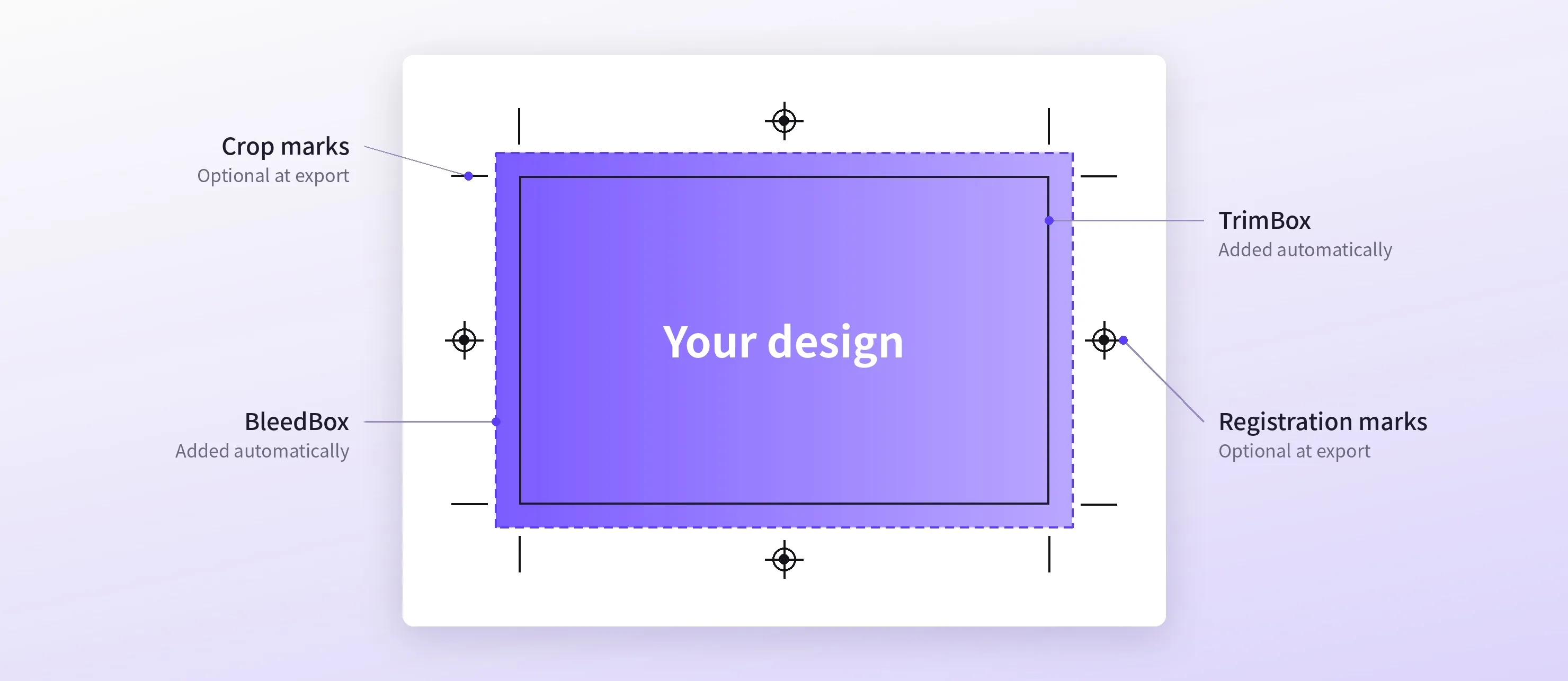
Trim and bleed boxes appear automatically on pages with bleed. Web users can also turn on registration and crop marks and size the bleed edge by edge.
CMYK & spot color support.
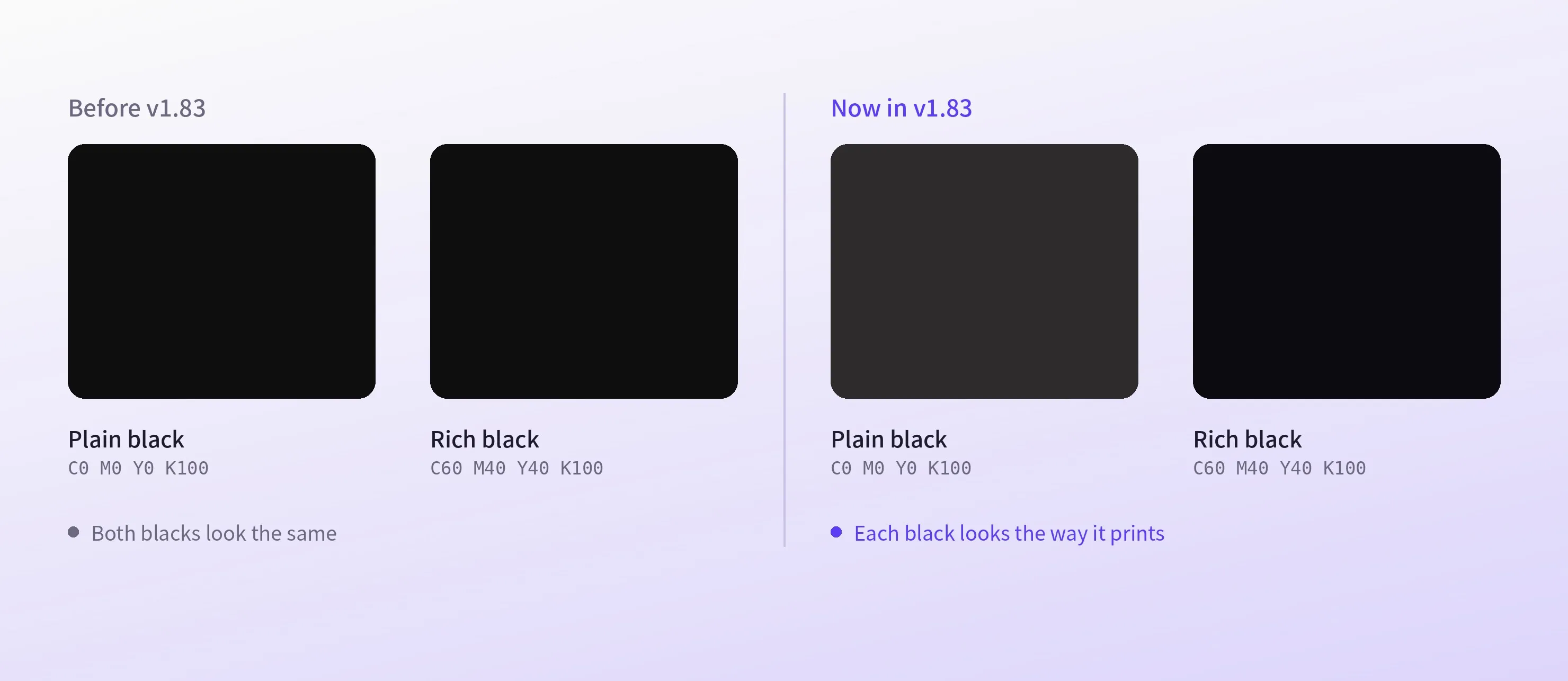
Colors on screen match the printed CMYK result, down to rich black, and spot colors hold steady in gradients and shadows.
Templating
Design templates.
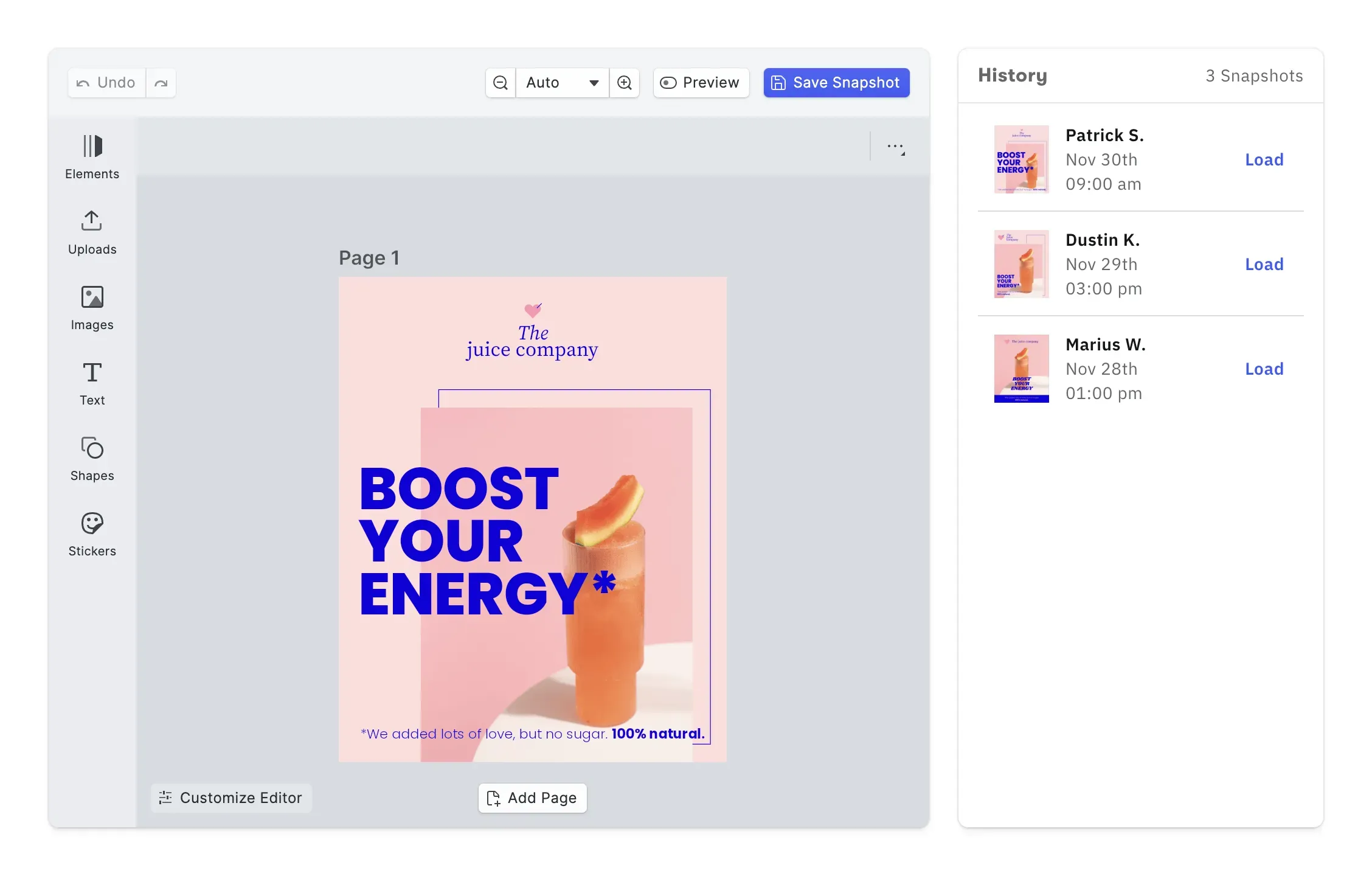
Create role based design templates to jumpstart users’ creativity.
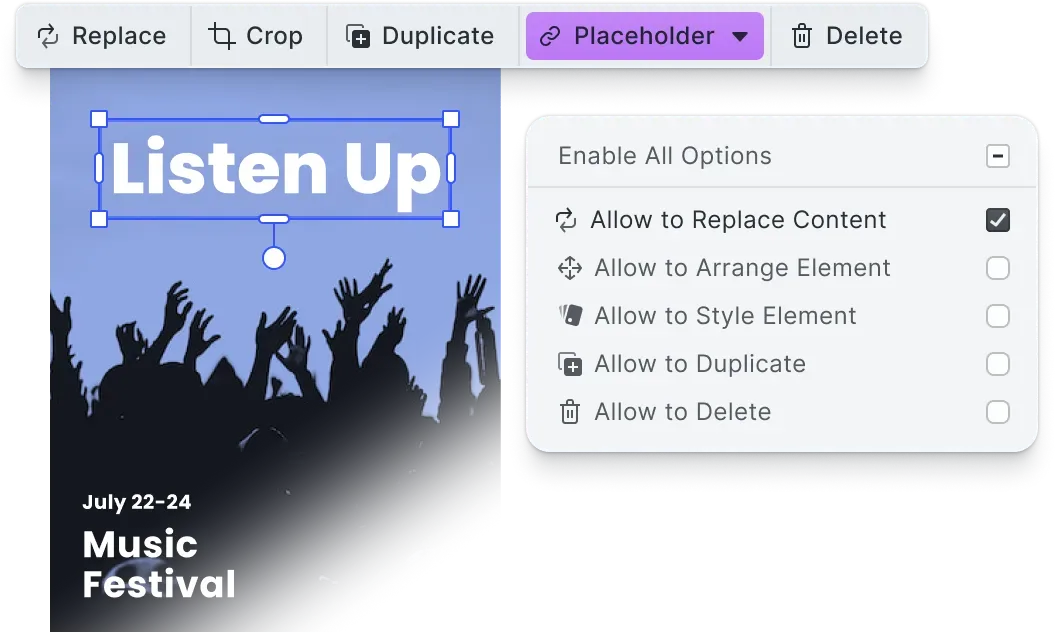
Placeholders & lockable designs.
Constrain templates to guide your users’ design and ensure brand consistency.
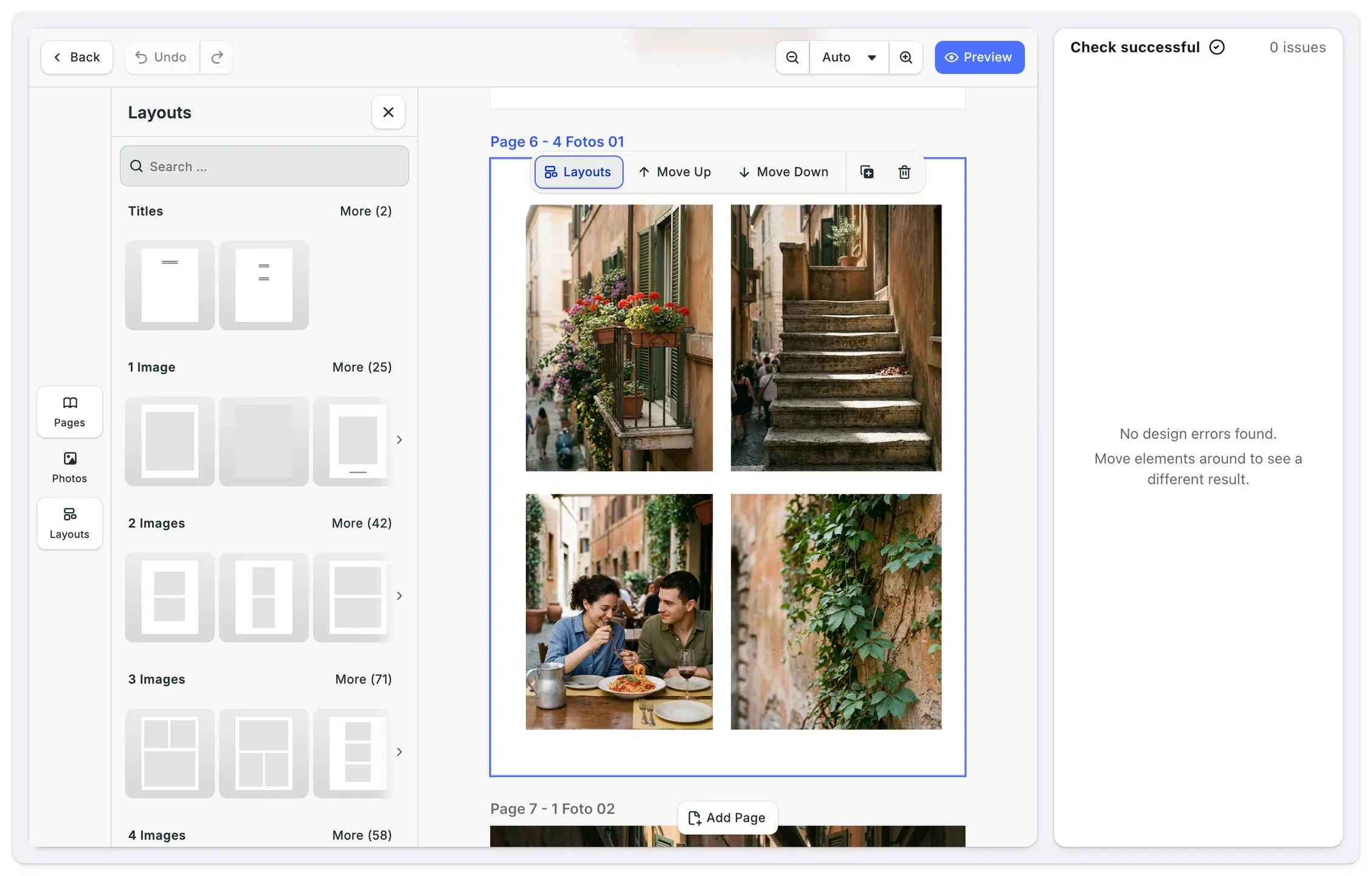
Photobook editor.
On the web, a starter kit for photo books picks a layout slot for every photo, checks the design live and exports PDF/X-4.


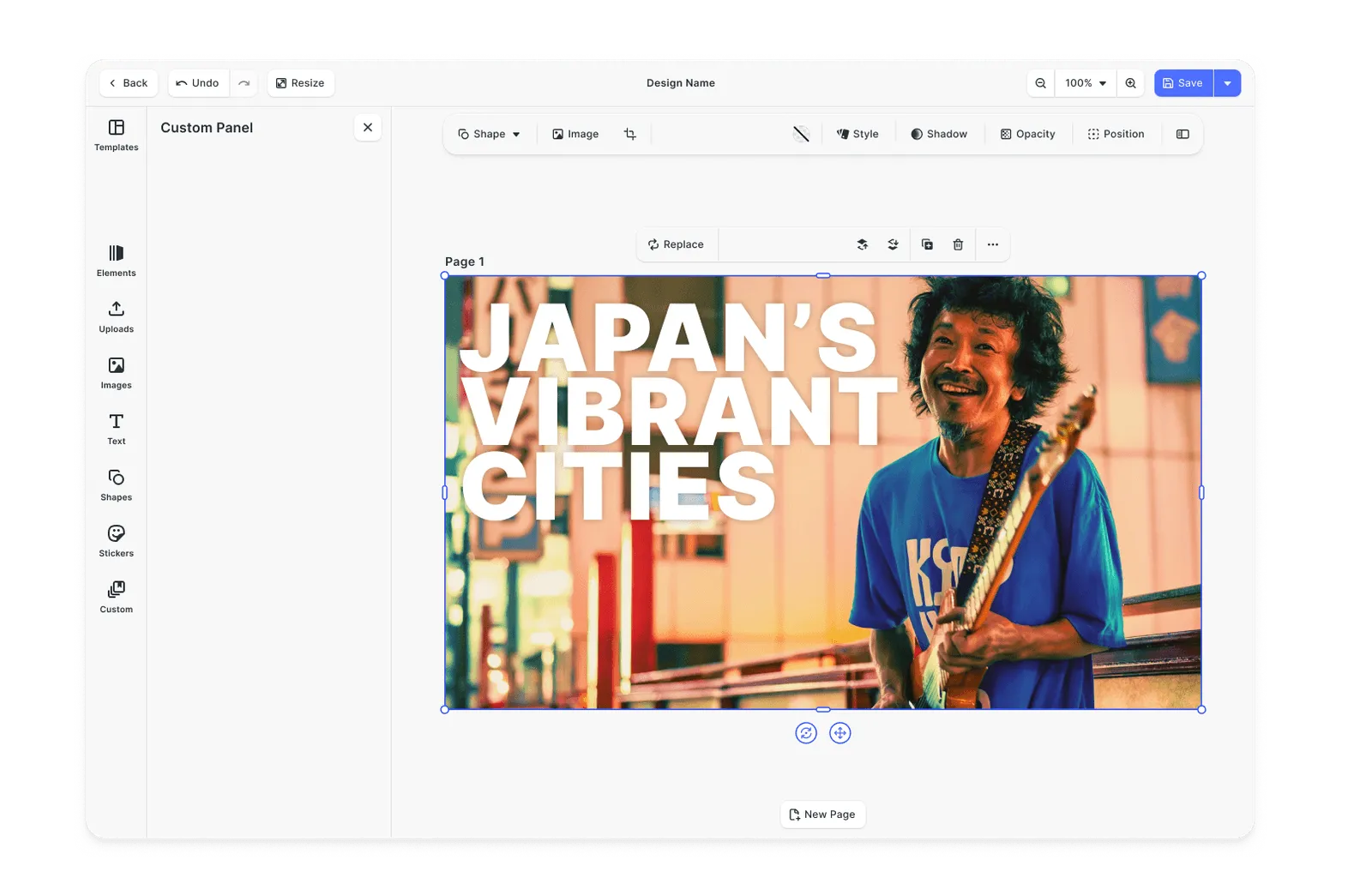
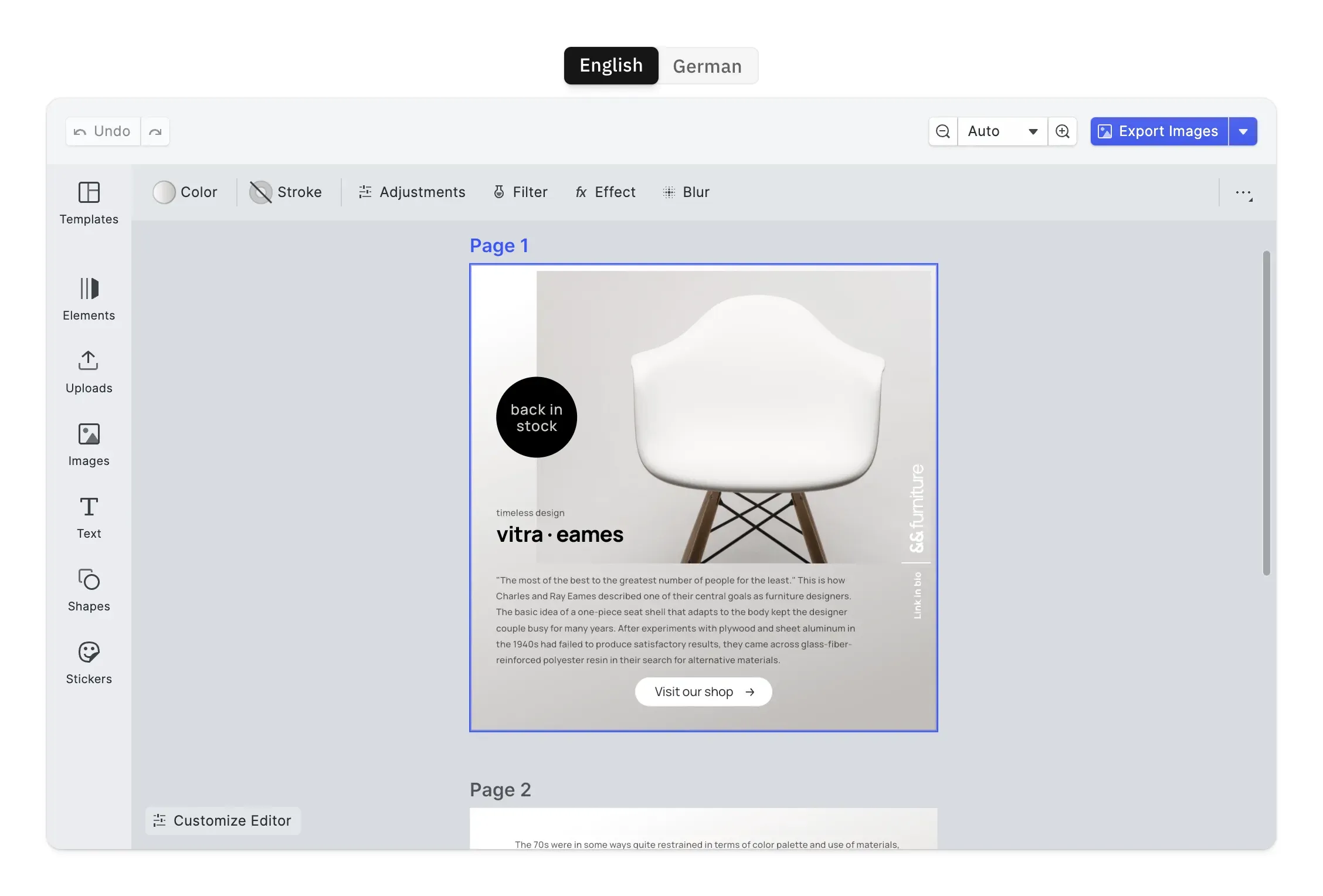
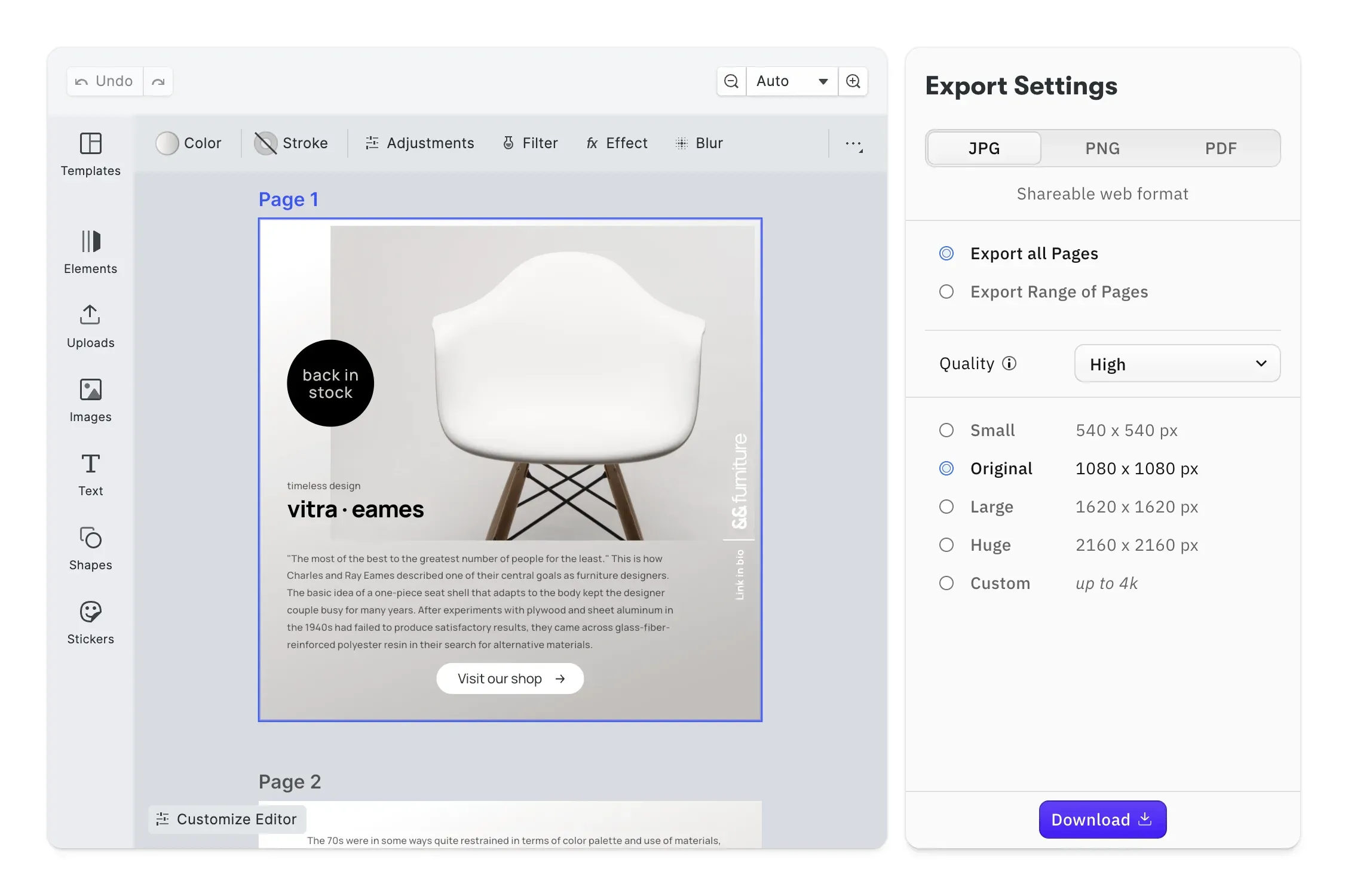
Building a photo product business
Three guides for photo product sellers comparing a hosted platform like Printbox with IMG.LY in their own store.
See where Printbox sits next to editor SDKs
The guide lists Printbox as a storefront platform for photo product businesses and compares eight editor SDKs you could build on instead.
Automate how photo books come together
How automation arranges customers’ photos into finished photo books, and where IMG.LY fits into a printer’s production.
Judge AI models by print criteria
Print-specific criteria, from vector output and CMYK behavior to licensing, for choosing the AI models behind a personalization tool.
Check out other use cases
Learn more about related solutions.
Apparel Designer
Whether t-shirts, hoodies or caps, build for any use case, deploy on any platform.
Get in touch
Contact our sales team to learn more about licensing options and get access to our AI plugins for CE.SDK.
FAQs
If you sell photo books and prints and want customers to design them on your website and in your apps, IMG.LY is a good Printbox alternative. You choose the servers that make the print files, and your website and native phone apps share one engine.
Printbox is a hosted, all-in-one system for photo product businesses: editors, a storefront, production delivery and hosting, priced by individual quote. IMG.LY is the editor and rendering layer only, and it goes into whatever store or app you already run.
Yes. IMG.LY goes into any storefront where you control the code, Shopify and WooCommerce included. Printbox's own Shopify route depends on EC Sync, which Printbox labels a private beta.
Printbox runs its platform and the stores it hosts on Google Cloud, and does not let businesses bring their own hosting. With IMG.LY, the files live wherever you deploy it, including your own data center.
Printbox's standard output is RGB with optional PDF/X-4, and color conversion happens in the printer's RIP; its press-owner offering adds PDF/X-1a and CMYK. IMG.LY exports CMYK PDF/X at three conformance levels and can report which PDF/X rules a file violates.
Printbox's editors are HTML5 and open in mobile browsers; the Flex and Prints editors are designed for small screens. IMG.LY runs in mobile browsers too, and also ships as native code for iPhone and Android, plus packages for Flutter and React Native.
Printbox's Smart Creation lays out a photo book draft from a customer's photos, and its separately licensed Masterpiece AI creates artwork. IMG.LY adds generative and background-removal plugins that call the AI provider you choose, and through its CoDesign SDK your product's agent gets design tools.