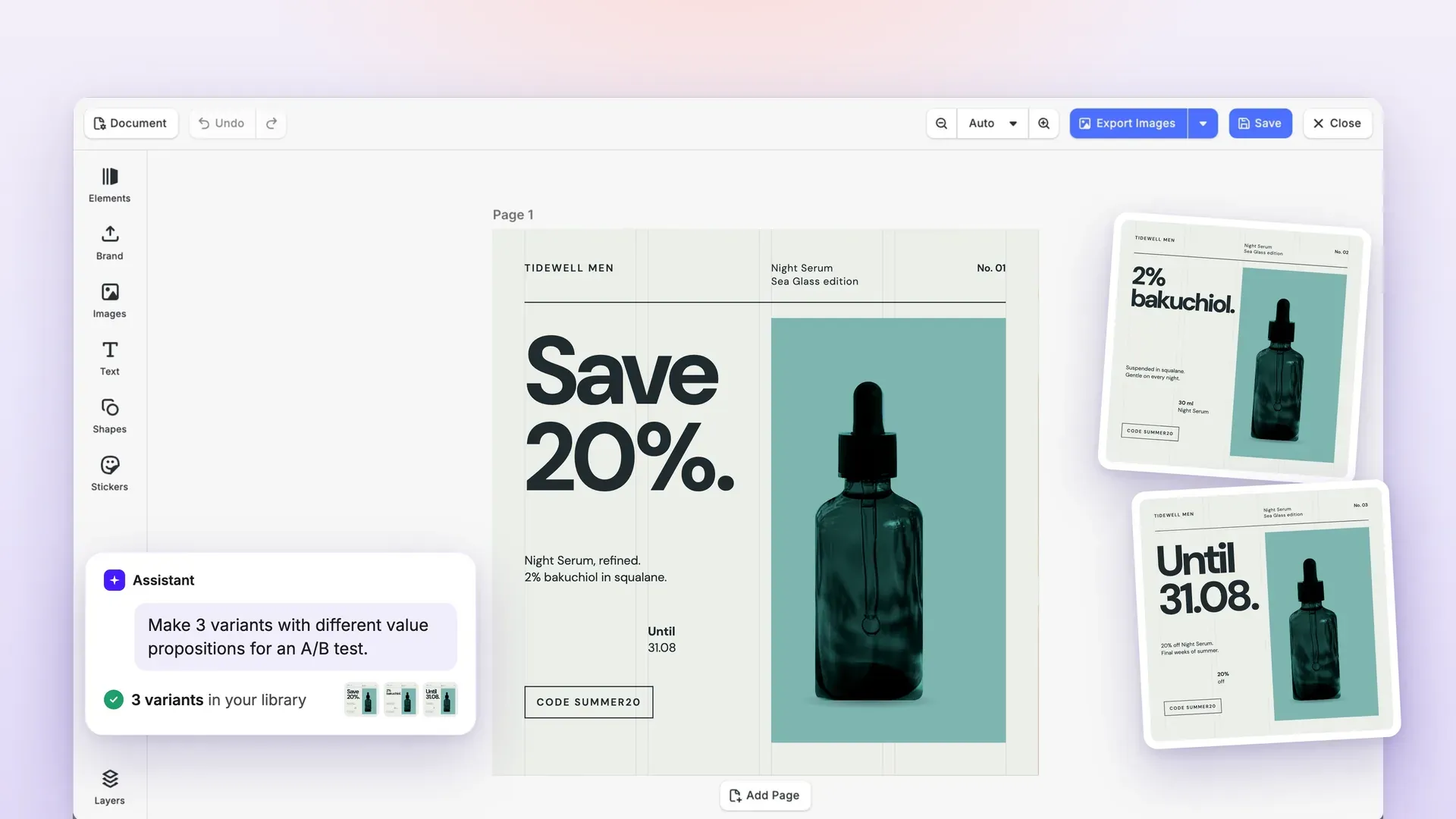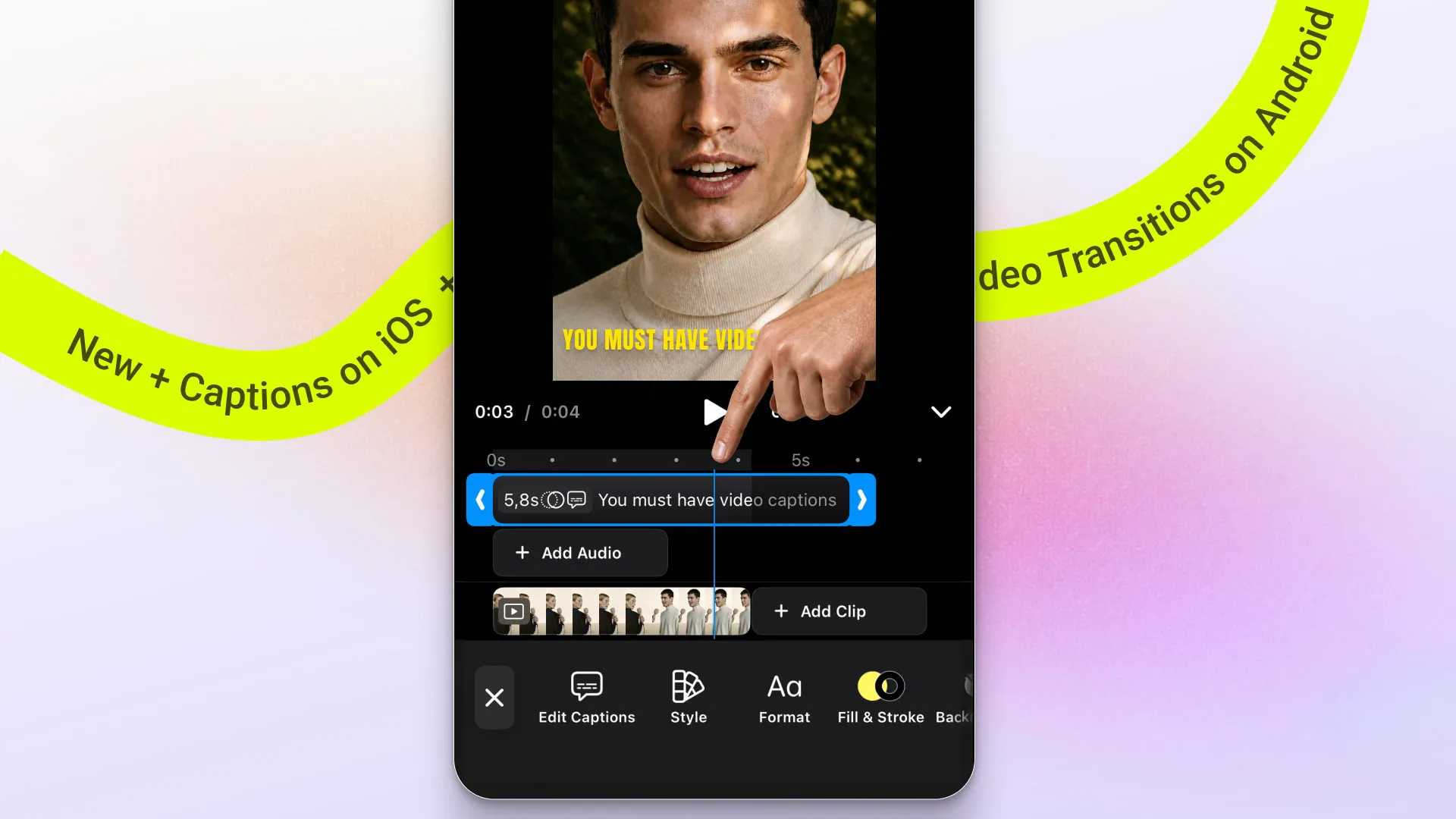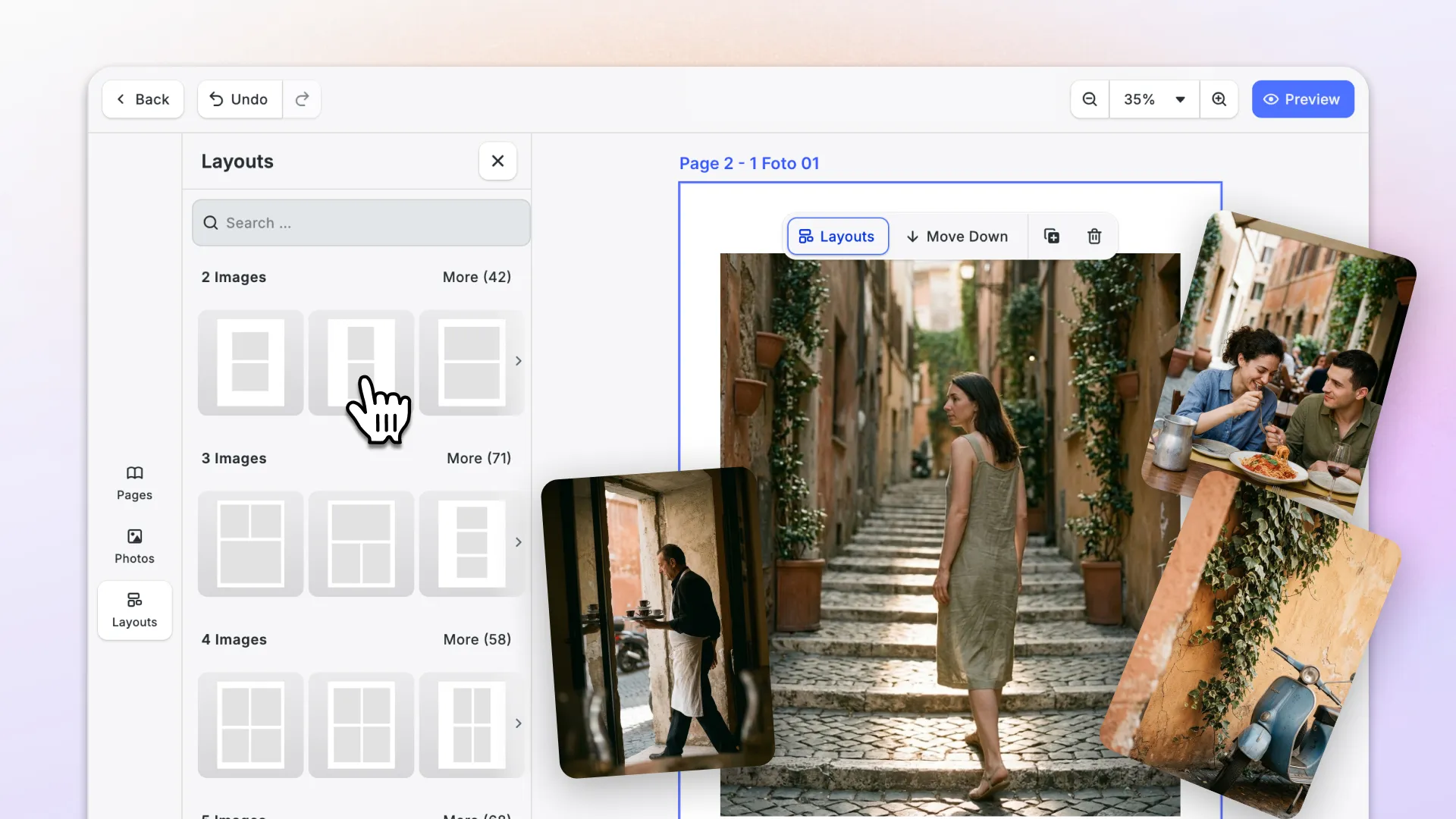
With this release, you will build print products fast: ship a photobook editor, preview colors on your display for print, and more.
The editor gets organized: a layer and page list on web, easier image swapping and aligning elements across platforms.
On mobile, the video timeline is now easy to tailor to your app.
Let’s check it out.
Ship Print Products Faster
Launch a Photobook Editor with the New Starter Kit
The new Photobook Starter Kit gives you a complete, print-ready photobook editor for the web.
Pick a book format and template, add photos, edit and swap page layouts. Then preview the spreads, and export. Done!
Under the hood, it handles the parts that usually take the longest to build:
- Layouts per page format, so every template fits the book size the user chose.
- Auto-fill: places each photo in the slot where it needs the least cropping.
- Live design validation: flags problems while users are still editing.
- Page-spread preview: see the book the way it will be printed.
- PDF/X-4 export with a FOGRA39 output intent, rendered in the browser or offloaded to the bundled Node server.
Start from a working photobook editor instead of building one from scratch.
→ Photobook Starter Kit Demo & Documentation
Export Press-Ready PDFs with Printer’s Marks
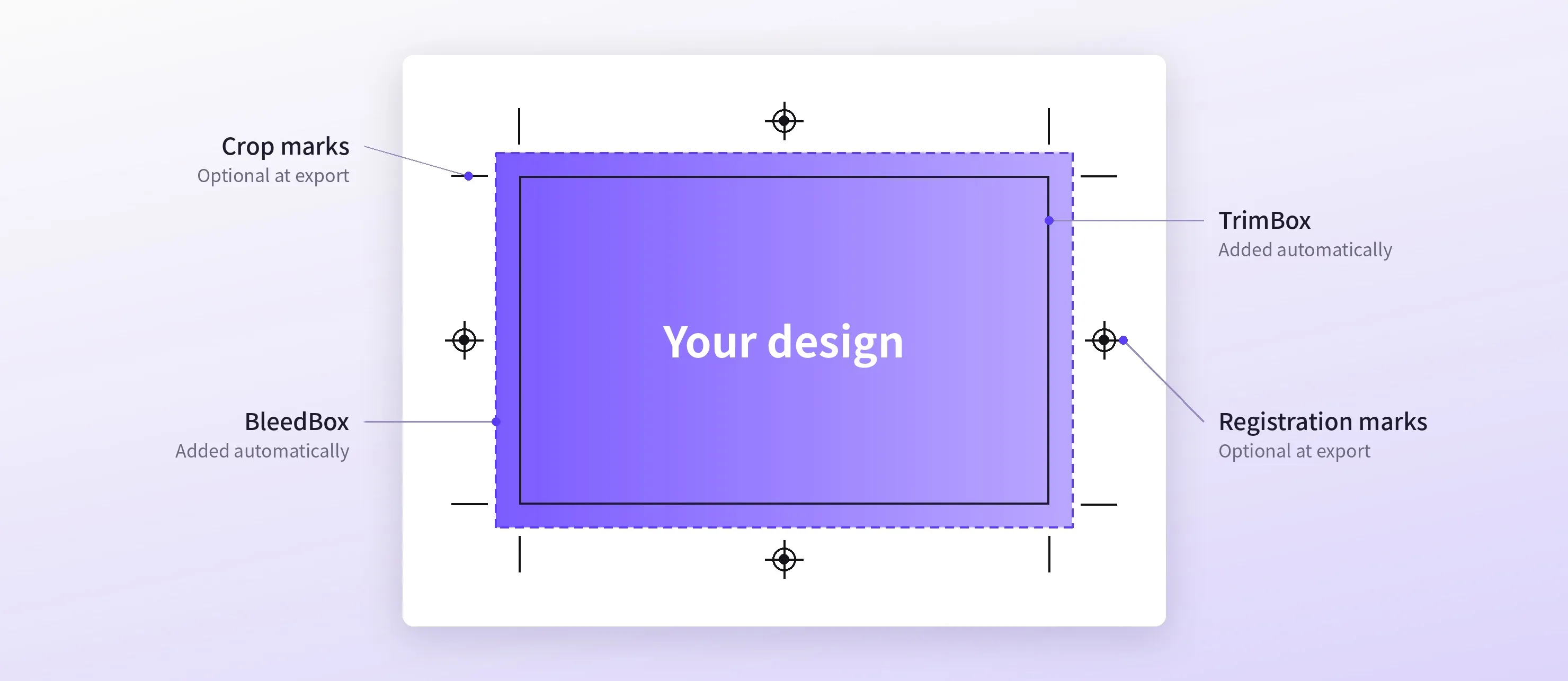
PDF exports now carry the information a print shop needs to cut your pages correctly.
Pages with a rectangular bleed now get a TrimBox and a BleedBox automatically, so printers know exactly where to cut. No new option to set.
You can also add crop marks and registration marks. In the web editor’s new Print Setup panel, you set their offset, length, and weight, plus bleed per side.
This means: Files that pass print-shop checks out of the box, without a separate prepress step.
→ Printer’s Marks Documentation
→ Print Setup UI Documentation
Preview CMYK Colors the Way They Print
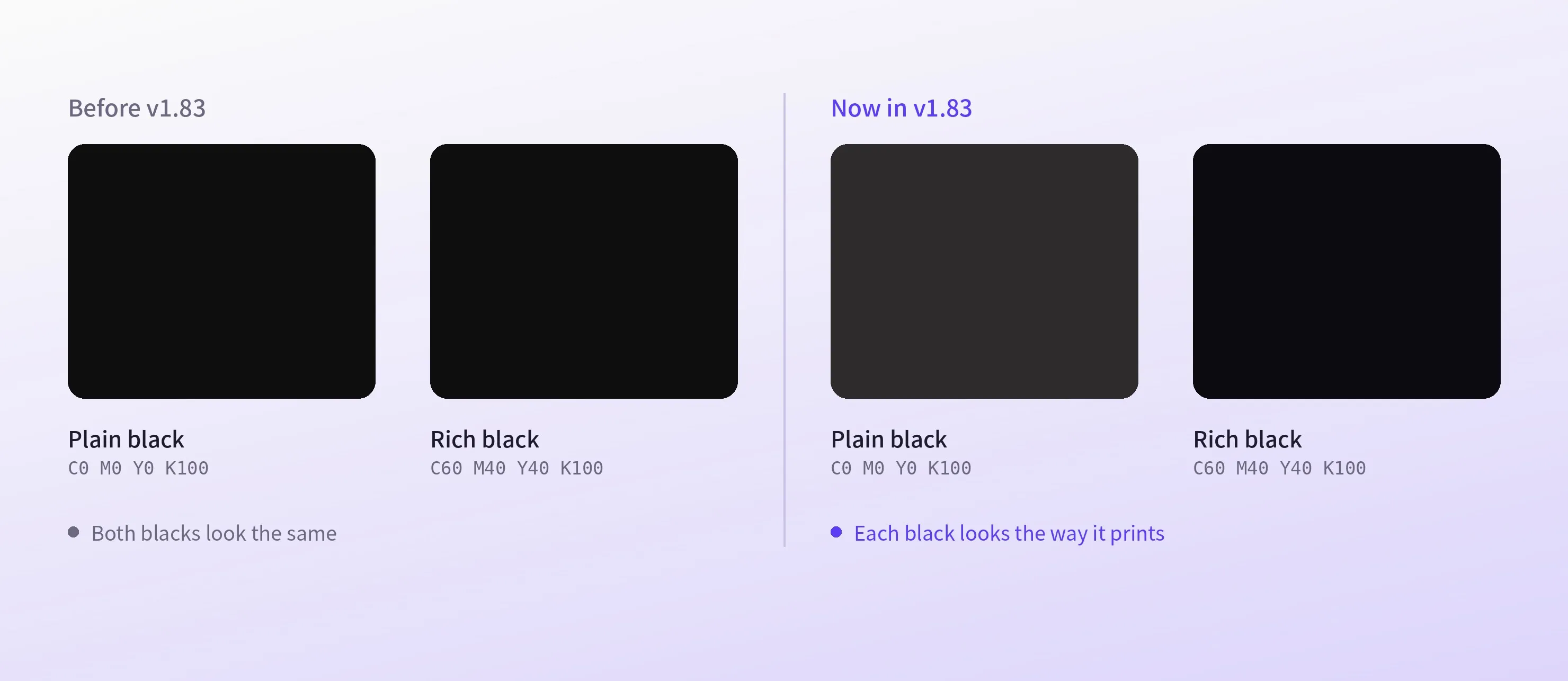
CMYK colors now look on screen the way they print. Plain and rich black now look different, like on paper.
Tinted CMYK colors scale the ink values instead of fading toward white, and spot colors render correctly in gradients and drop shadows.
Scenes saved before v1.83 keep their previous look until you set scene/colorConversionMode to Managed.
Set your own profile with setCMYKProfile, along with rendering intent and black point compensation.
Keep Content Out of No-Go Zones
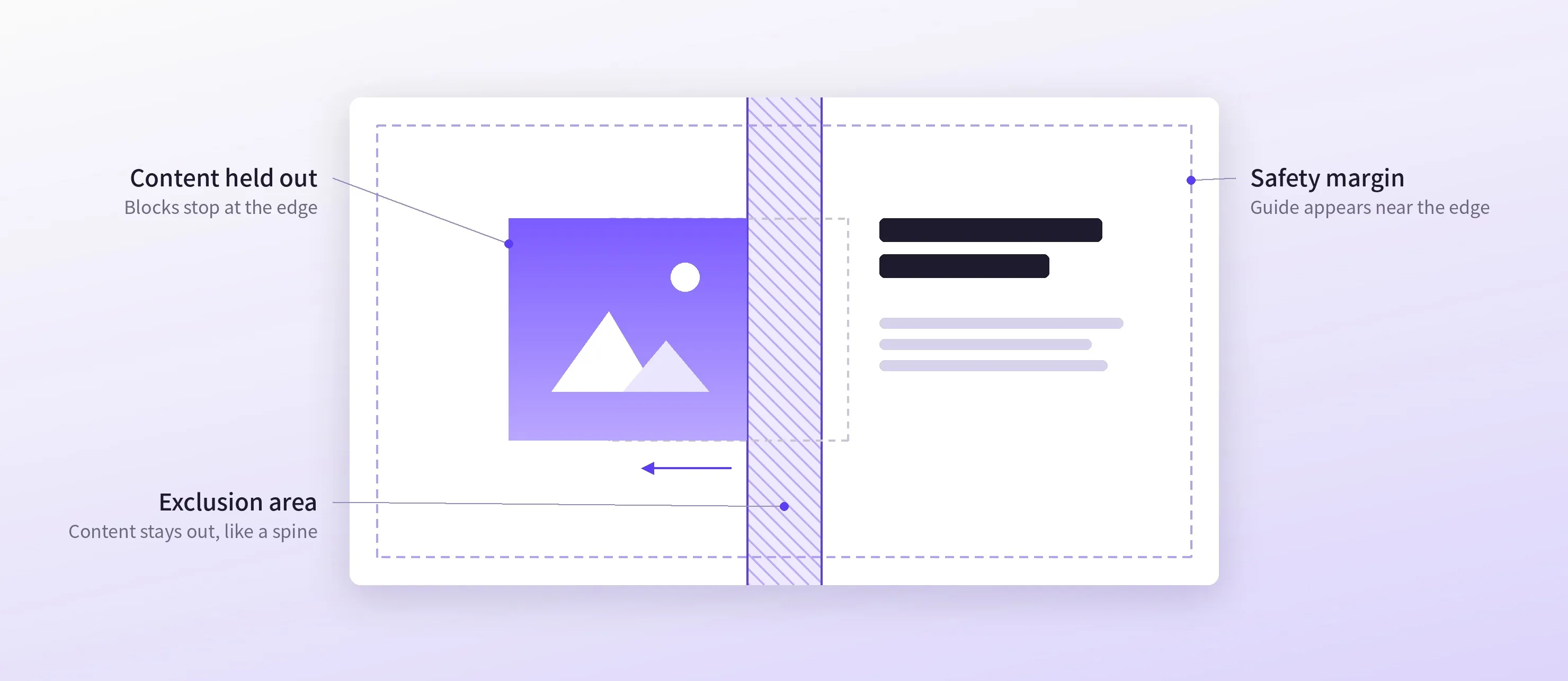
A new exclusion area block marks a region of the page that content has to stay out of, like a book spine, an envelope window, or a die cut.
Turn on exclusionArea/constrains and the engine holds any design block out of that region while users drag or resize it.
Pages can also carry a safety margin on each side. The guide appears as soon as a user moves something close to the edge.
→ Exclusion Areas Documentation
→ Safety Margin Documentation
→ Pages & Safety Insets Documentation
Design and Organize Faster
Find Your Way Around with the Layer & Page List
The web editor now has a layer and page list, opened from a new button at the bottom of the dock.
Select, reorder, rename, hide, or lock any design element. Dragging a row reorders it, moves it into a group, or sends it to another page!
Customize the Layer List
- Add thumbnails. They keep each element in your design recognizable.
- Switch off any row control, like hide, lock, or rename, and add your own commands to the row menu.
Pro Tip: Did you know the web editor has keyboard shortcuts?
This release adds four for stacking order: Cmd/Ctrl + ] and Cmd/Ctrl + [ move a selection one step forward or back, and ] and [ send it all the way to the front or back.
Drag Photos onto the Canvas
Drag an asset from the library onto an image to replace it, or drop it anywhere on the canvas!
On touch screens, a press and hold starts the drag.
To swap two photos, users press and hold an image (or hold Alt) and drag it onto another one. A preview follows the pointer, and Escape cancels the swap.
The Design, Photo, Video, Advanced, and Advanced Video editors ship with both on. On the bare engine, turn swapping on with the dragToSwapFills/enabled setting.
Space Elements Evenly
A dragged element now snaps to equal spacing with its neighbors, and a badge shows the size of each gap as you move. Turn it on with the features/equalDistanceSnappingEnabled setting.
→ Equal-Distance Snapping Documentation
Justify Paragraphs & Add Inline Text Highlights
Text now supports justified alignment on all platforms.
Also, text backgrounds now work per text run: instead of one background behind an entire text block, you can set one behind any range of characters. A word or phrase mid-sentence can carry its own highlight. Adjust padding and corner radius.
→ Text Run Backgrounds Documentation
Mobile Video Customization
Make Your Mobile Video Timeline Yours
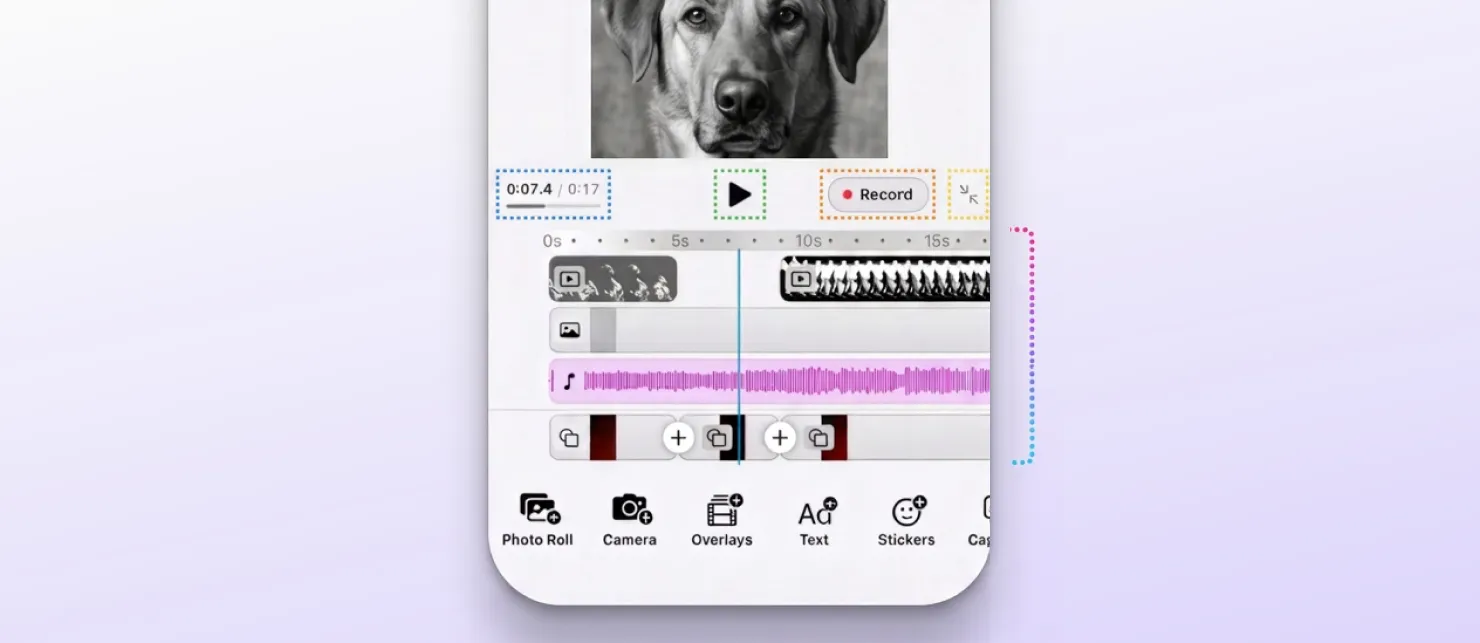
Our native video timeline is now more customizable! Shape it around your own flows without rebuilding it:
- Add Clip and Add Audio: reorder, relabel, or replace the built-in sources, or plug in your own photo picker or audio library.
- Header: place your own buttons at the start, center, or end, or adjust the built-in ones.
- Height: set the timeline in track rows, either fixed or growing up to three tracks.
- Expanded or collapsed: decide whether the timeline opens expanded or collapsed, switch it from your own code, and react when users toggle it.
→ iOS Video Timeline Documentation
→ Android Video Timeline Documentation
Improvements
Type Without Lag in Large Documents
We reworked text shaping and layout for long, text-heavy designs.
Typing and editing now stay responsive and rapid, even in very long documents. Emoji detection and text creation are faster and use less memory.
Use Less Memory with Large Photos
The engine no longer decodes an image at full resolution just to hit-test it or read its size. Scenes with large photos use much less memory and export faster. Undo, redo, and scrolling are faster in large scenes.
Upgrade
A few changes need attention when you upgrade to v1.83:
- Mobile timeline (iOS, Android). An integration that mounts the timeline without a configuration loses the header, Add Clip, and Add Audio, and still compiles. Integrations built on the v1.83 video starter kit are unaffected.
- CMYK. Existing scenes stay on the old conversion until you set
scene/colorConversionModetoManaged. Previews and raster exports change for scenes that areManaged. - Web drag and drop. A configuration that lists its feature keys loses library drag until it adds
ly.img.dragAndDrop.assetor callssetEditorCompatibilityVersion. A library drop no longer applies the asset to the selected block. - Text alignment (Swift, Android). A new
justifycase changes the Swift raw value ofautofrom 3 to 4, so exhaustiveswitchandwhenstatements need updating.
→ iOS Migration Guide
→ Android Migration Guide
Changelog
All performance improvements, breaking changes, and fixes are in the v1.83.0 changelog.
Thank you for building with IMG.LY.
Join 3,000+ creative professionals who get early access to new features and updates. Subscribe.