




Rich Black
What Is Rich Black?
Rich black is black ink with some cyan, magenta, and yellow printed underneath. Black ink on its own, 100% K, prints large areas as a thin, slightly gray black, and the extra inks make them deep and even.
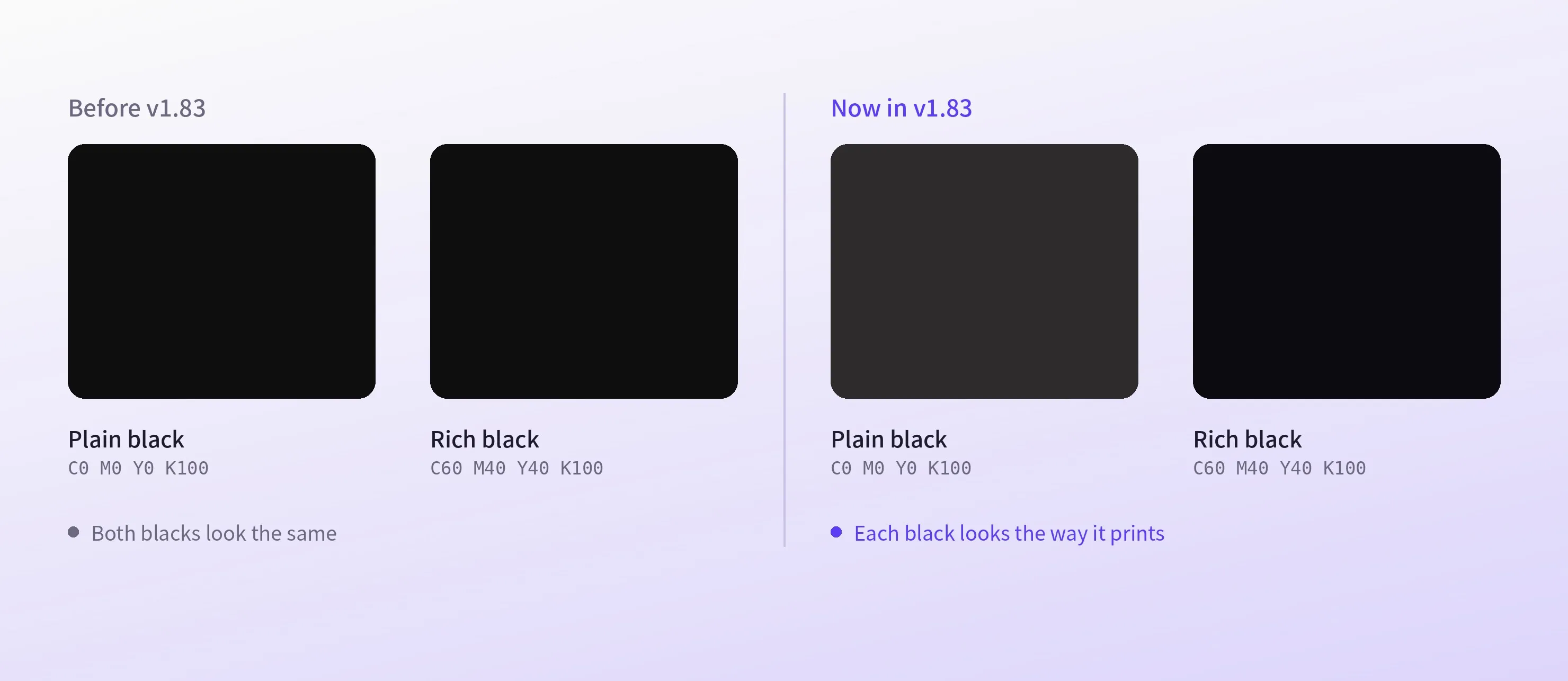
In CE.SDK, rich black is a CMYK color like any other, and the editor shows it darker than plain black, the way it prints.
What Is the CMYK Formula for Rich Black?
There is no single standard. C60 M40 Y40 K100 is the most common build. More cyan gives a cooler black and more magenta a warmer one, and print shops publish their own, so use theirs when they give one.
| CMYK values | Total ink | Use for | |
|---|---|---|---|
| Plain black | C0 M0 Y0 K100 | 100% | Text, fine lines, barcodes |
| Rich black | C60 M40 Y40 K100 | 240% | Large black areas |
| Cool rich black | C60 M0 Y0 K100, for example | 160% | Large areas, cooler tone |
| Warm rich black | C40 M60 Y40 K100, for example | 240% | Large areas, warmer tone |
| Registration black | C100 M100 Y100 K100 | 400% | Printer's marks only |
When Should You Use Rich Black Instead of Plain Black?
Rich black suits large areas, while text and fine detail print sharper in plain black. Four inks on separate plates rarely line up perfectly, and at small sizes the offset shows as a colored fringe.
Use rich black for
-
Large backgrounds and solid areas
-
Big display headlines
-
Bold shapes and graphics
Use plain black for
-
Body text and small type
-
Fine lines and thin strokes
-
Barcodes
Why Is There a Total Ink Limit?
Print shops cap how much ink can land on one spot, usually around 300% when you add up C, M, Y, and K. Past that, the ink dries slowly, smudges, and can transfer onto the next sheet in the stack.
C60 M40 Y40 K100 adds up to 240%, which leaves room. Registration black, at 400%, is far over the limit and belongs only in registration marks.
How to Use Rich Black in CE.SDK
Define rich black as a CMYK color, for example C60 M40 Y40 K100, and keep plain K100 next to it for text. A custom color palette can offer both, so customers in a web-to-print tool pick the right black without typing values.
The editor previews CMYK colors through an ICC print profile, so the two blacks show apart on screen, as they do on paper. A standard PDF export writes RGB, so for a PDF that keeps the exact ink mix, use the export option that writes CMYK colors as CMYK, which web and Node.js apps can turn on.
Rich Black in Business Cards and Packaging
Black business cards
A business card template uses rich black for its full-bleed background and plain black for the small contact details, so the card looks deep and the text stays sharp.
Packaging panels
A packaging editor keeps the print shop’s rich black in its palette, so large black panels print deep without going over the ink limit.
Links
Documentation and references for this concept.
Web-to-Print Design Tool
Give customers the right black for print, in the palette inside your app.
CMYK Colors
Define CMYK colors such as rich black and preview them with a print profile.
Create a Color Palette
Offer rich black and plain black side by side in the color picker.
Related Terms
CMYK vs. RGB
The two color models behind screen and print. RGB adds red, green, and blue light, while CMYK layers four process inks a…
Registration Marks
Alignment targets placed beyond the finished edge of a printed piece. They print on every color plate, so the press oper…
Print-Ready PDF Checklist
What a PDF needs before a print shop can run it as is, from bleed and a safe margin to print-resolution images, CMYK col…
Overprint
Printing one ink on top of another so they mix, instead of knocking out the ink below. CE.SDK exports objects as knockou…