

Print-ready posters in your print shop or venue platform
A poster editor for large-format print shops, venue and ticketing platforms, and retail chains with posters in every store. Users fill in a template, choose the size they want printed and send the shop a file it can run without fixing.
Posters for print shops, venues and retail chains
Large-format print shops
Users design at the size they order, from A3 to A0, and the shop receives a PDF with the bleed and color profile its press expects.
Venues and ticketing platforms
Promoters make the gig or the exhibition poster where they set up the event, with the date, the doors and the prices from your system.
Retail chains and franchises
Head office designs the sale poster once, and each store prints it at the size of its own windows and walls.
Trusted by 100+
industry leaders














Integrating IMG.LY’s editor meant we didn’t have to build or maintain a complex editing layer ourselves. That kept our team focused on our core AI ad engine and saved us countless development hours — while still giving our customers the ability to polish and customize creatives at scale.
Hikari Senju
CEO, Omneky

With IMG.LY we built a central creative portal that now powers over 140 dealer campaigns across multiple automotive brands. Before this, asset creation was slow and inconsistent.
Martin Röhr
Product Owner, Digitas

By embedding IMG.LY’s editor we were able to hit key RFP requirements and deliver a template-based creative experience that now serves 1,000+ customers. It helped us win more deals and exceed enterprise expectations without needing to hire dedicated design teams.
Rob Driscoll
Director of PM, Optimizely

Since integrating IMG.LY’s editor, we now deliver 30,000+ ad creatives per month, dramatically shorten time-to-launch, and help our clients cut design spend by up to $10,000 per month.
Logan Welbaum
Founder, Plai
Our customers create over a million personalized postcards each year choosing from over hundreds of templates with IMG.LY’s SDK. It’s the only solution that allows us to build our own specialized, on-brand UI that integrates seamlessly with our platform.
Jeanine Zaalberg
Product Manager, SwissPost
From a developer’s perspective, the most powerful feature of the photo editor is the integration process. It was completely flawless, quick, and easy to integrate.
Stefano Fornari
CTO, Funambol
We compared IMG.LY SDK with other solutions and found that it would be the best fit for us since it provides all the features that are crucial for our use case.
Carem Pereira
SCRUM Manager, HP
What a poster needs before it prints
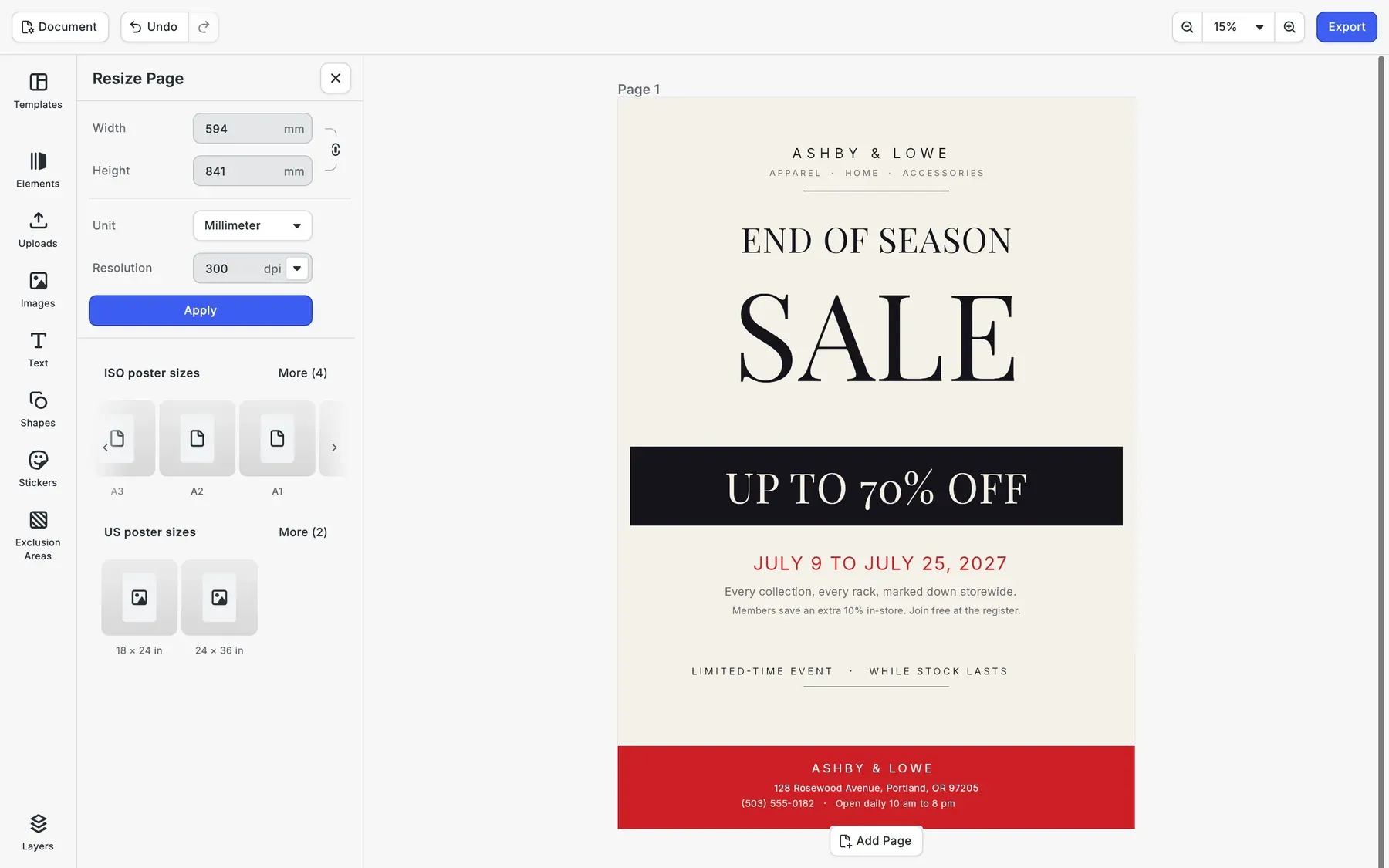
Your poster sizes as presets
In the web editor, the page size panel can list exactly the sizes your shop prints. Here a user picks A1 for the sale poster, and the page becomes 594 by 841 mm with the design scaled to fill it.
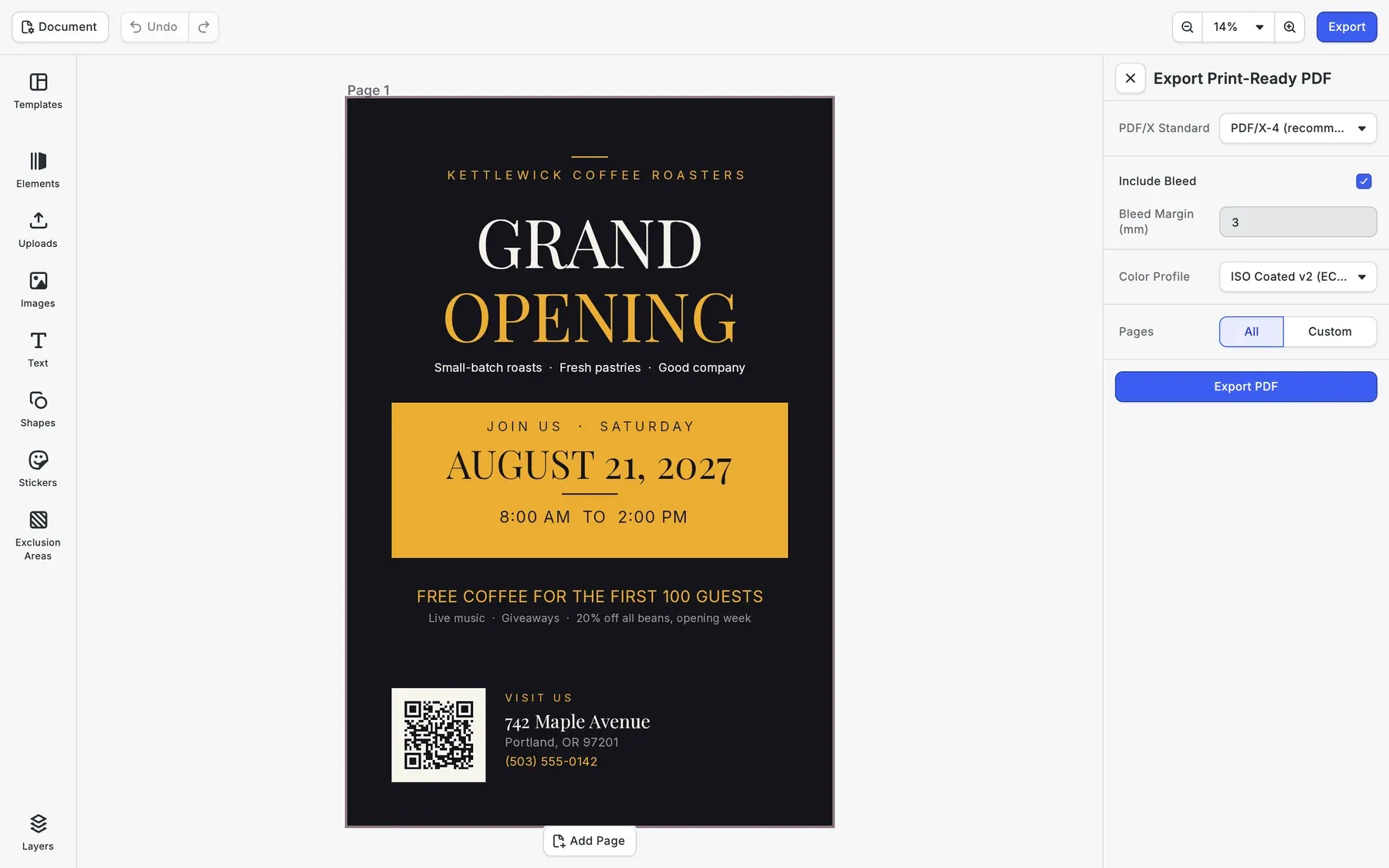
Bleed and PDF/X for the press
A dark poster that prints to the edge needs its background to run past the trim. In the web editor, the print-ready PDF starter kit exports the grand opening poster as PDF/X-4 with a 3 mm bleed and the color profile the press works in.
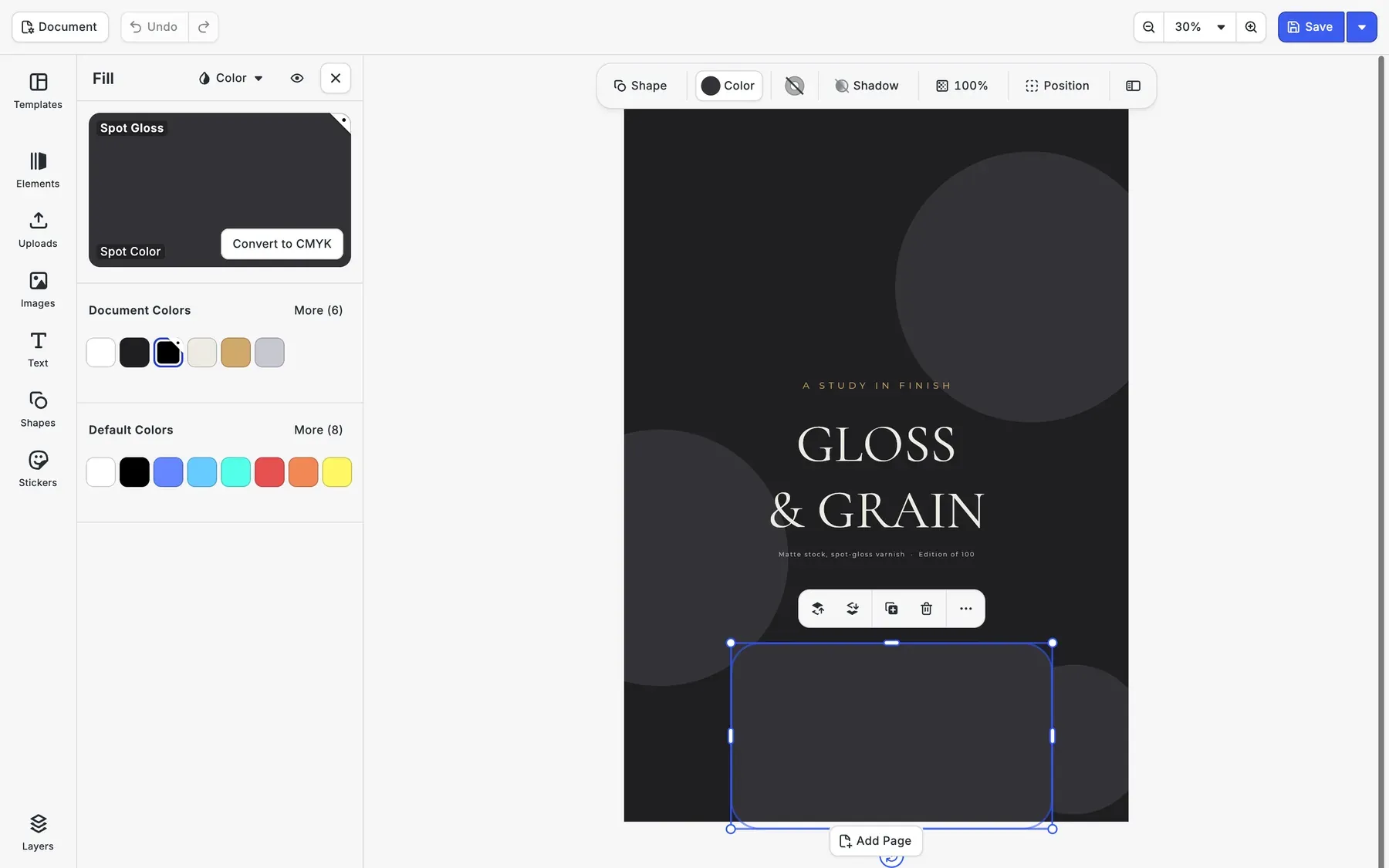
A varnish as its own color
The glossy shapes on this art print are filled with a spot color named Spot Gloss. The PDF keeps it apart from the inks, so the print shop can apply the varnish to those shapes only.
The poster against a wall before it is ordered
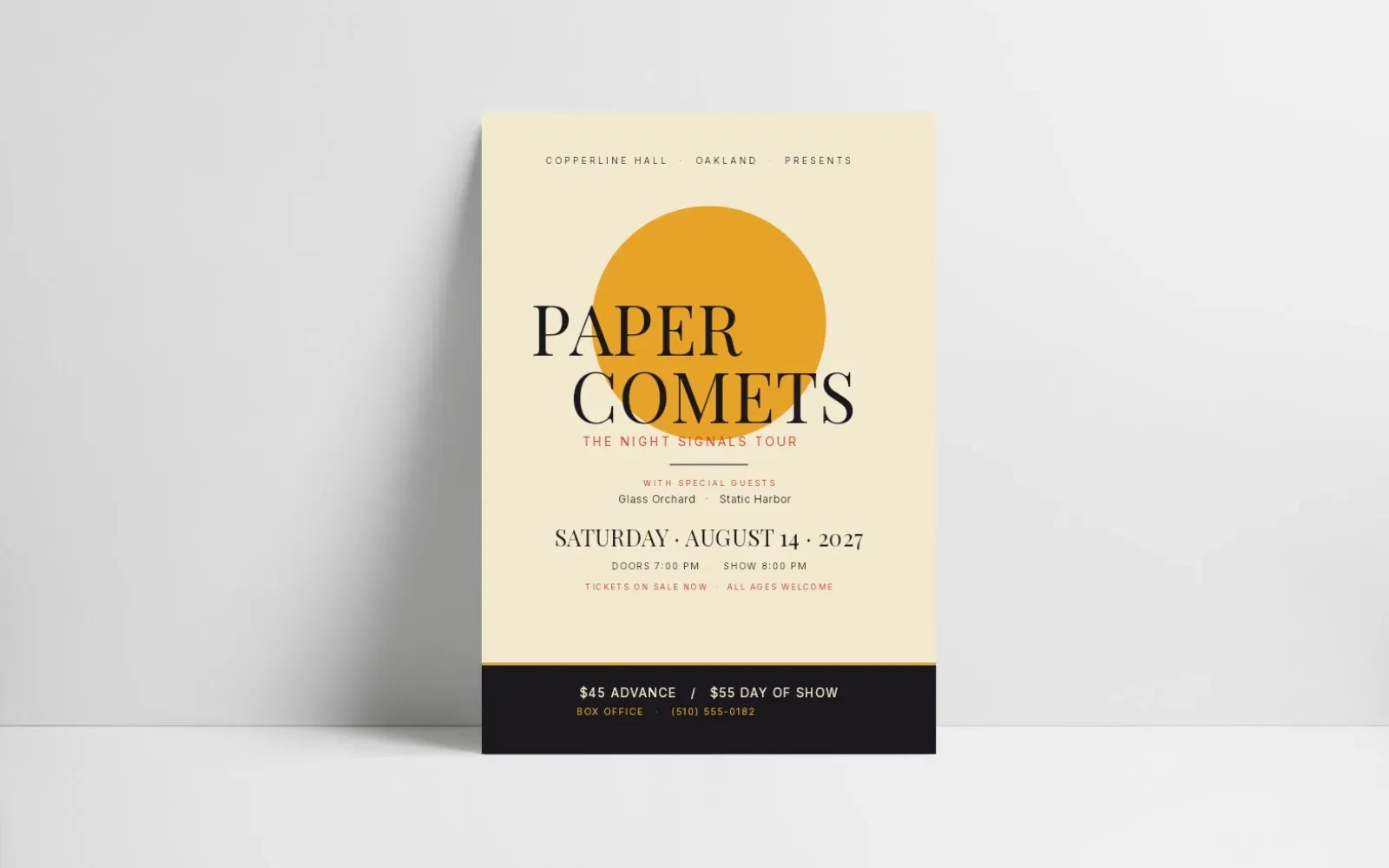
The product preview starter kit for the web puts the design into a photo of a poster against a wall and renders it again after each edit. Users see the concert poster at the scale of a room instead of a screen.
Launch poster design in four steps
Pick one poster and the two or three sizes that sell best. Finishes and more formats can follow after the first proofs.
Open your best-selling posters
Load them into the print-ready PDF starter kit and set the bleed margin your print shop asks for.
List the sizes you print
Add your poster formats as page presets, so users only pick sizes that your press and your price list cover.
Agree on the file with your printer
Choose the PDF/X standard, the color profile and any spot colors for finishes, then send a test file to your print partner.
Print the largest size first
Run a proof at the biggest size you sell and compare its colors and edges with the screen before every user gets the editor.
More you can add to your poster editor
For your users
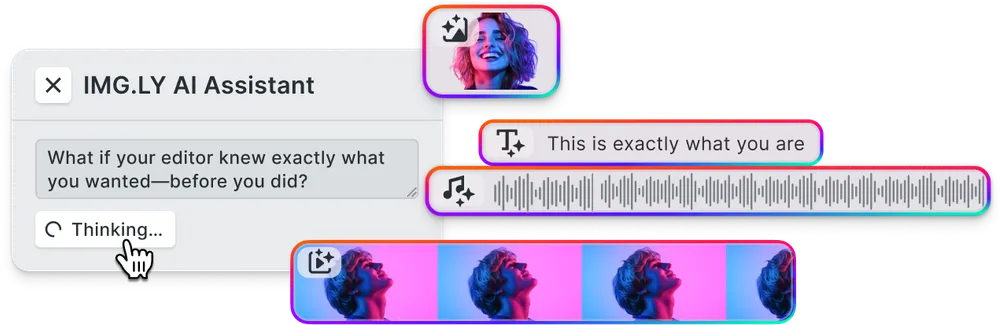
Poster art from a prompt.
An image model connected to the web editor can paint the background from a sentence, such as a city skyline at dusk behind a band name, when the user has no photo of their own.
A layout for every kind of poster.
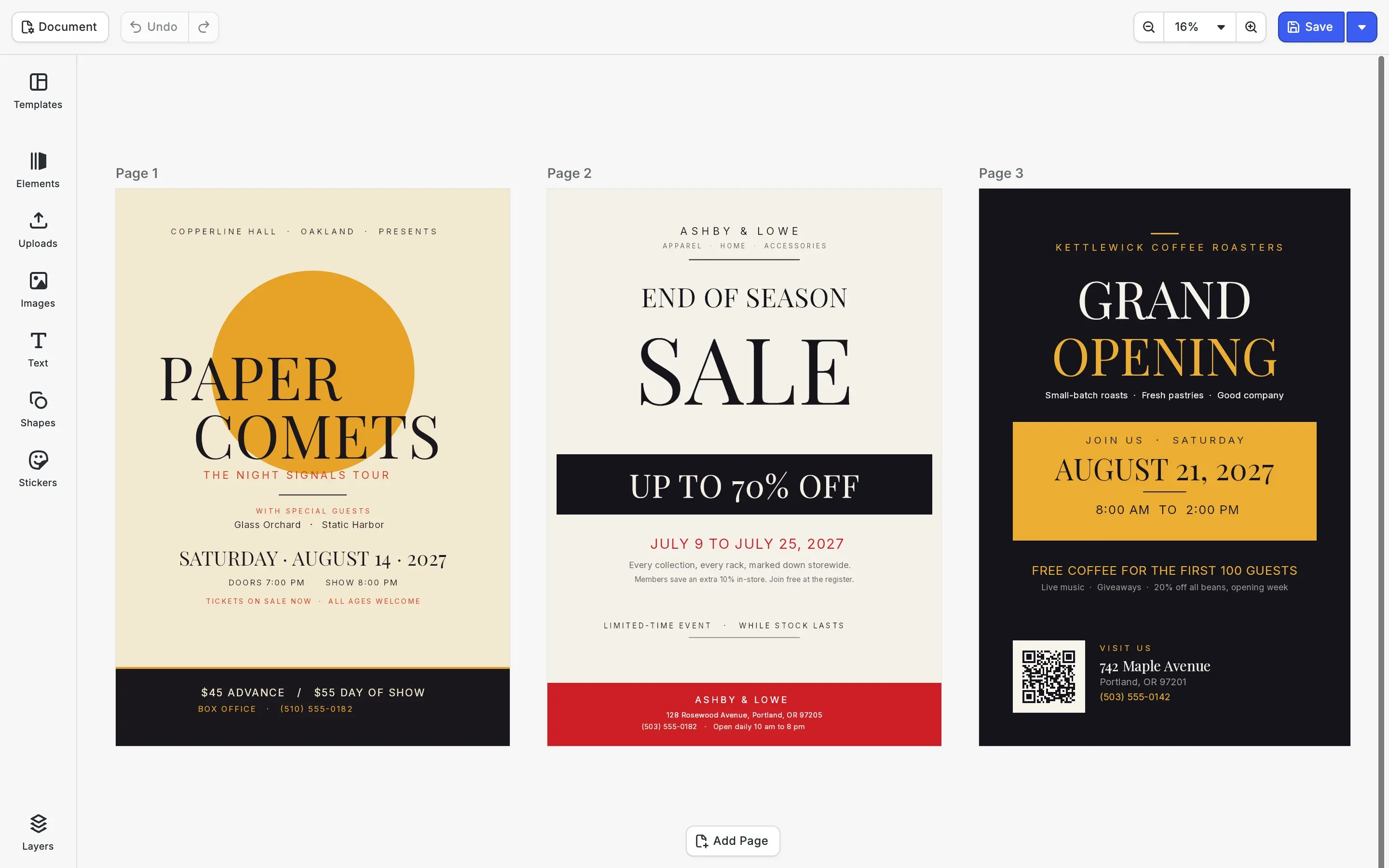
Your designers set up a template for each kind of poster, from concerts and store sales to openings and exhibitions, and users fill in their own date and place.
A small logo that holds up at A1.
A sponsor sends a PNG logo, and the vectorizer plugin in the web editor redraws it as vector shapes that print as sharply as the type around it.

A code people scan from across the street.
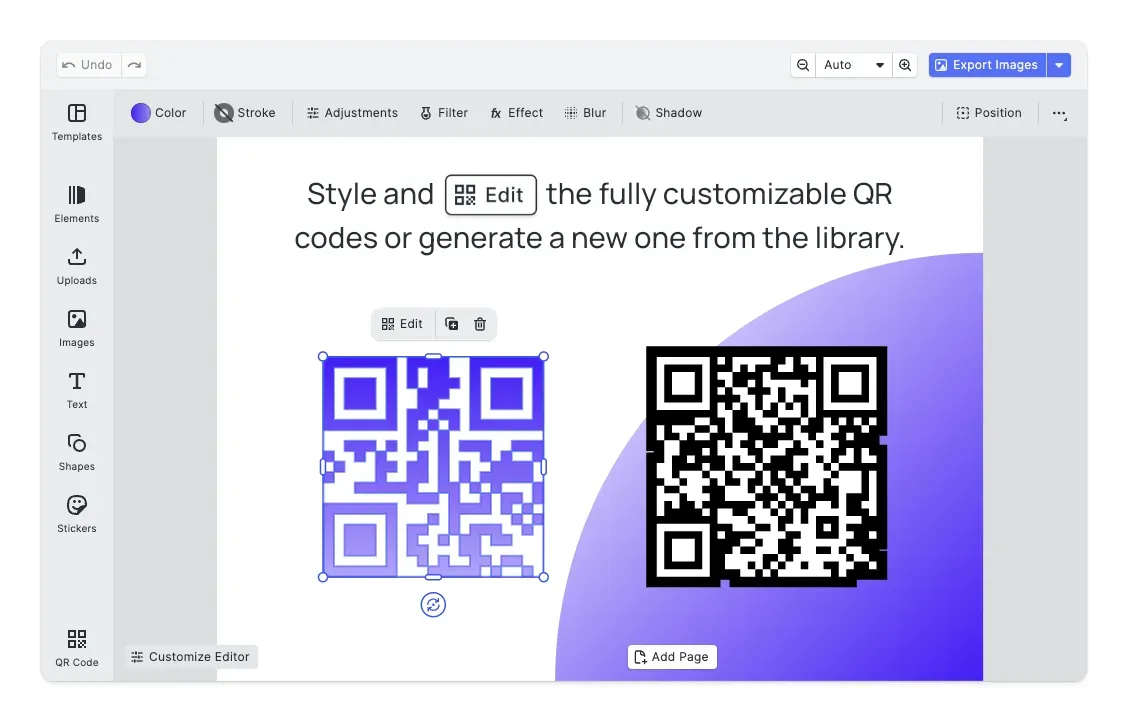
The QR code plugin in the web editor turns the link to the ticket shop or the store page into a code, which the user can make as large as the poster needs.
For your platform
One sale poster for every store.
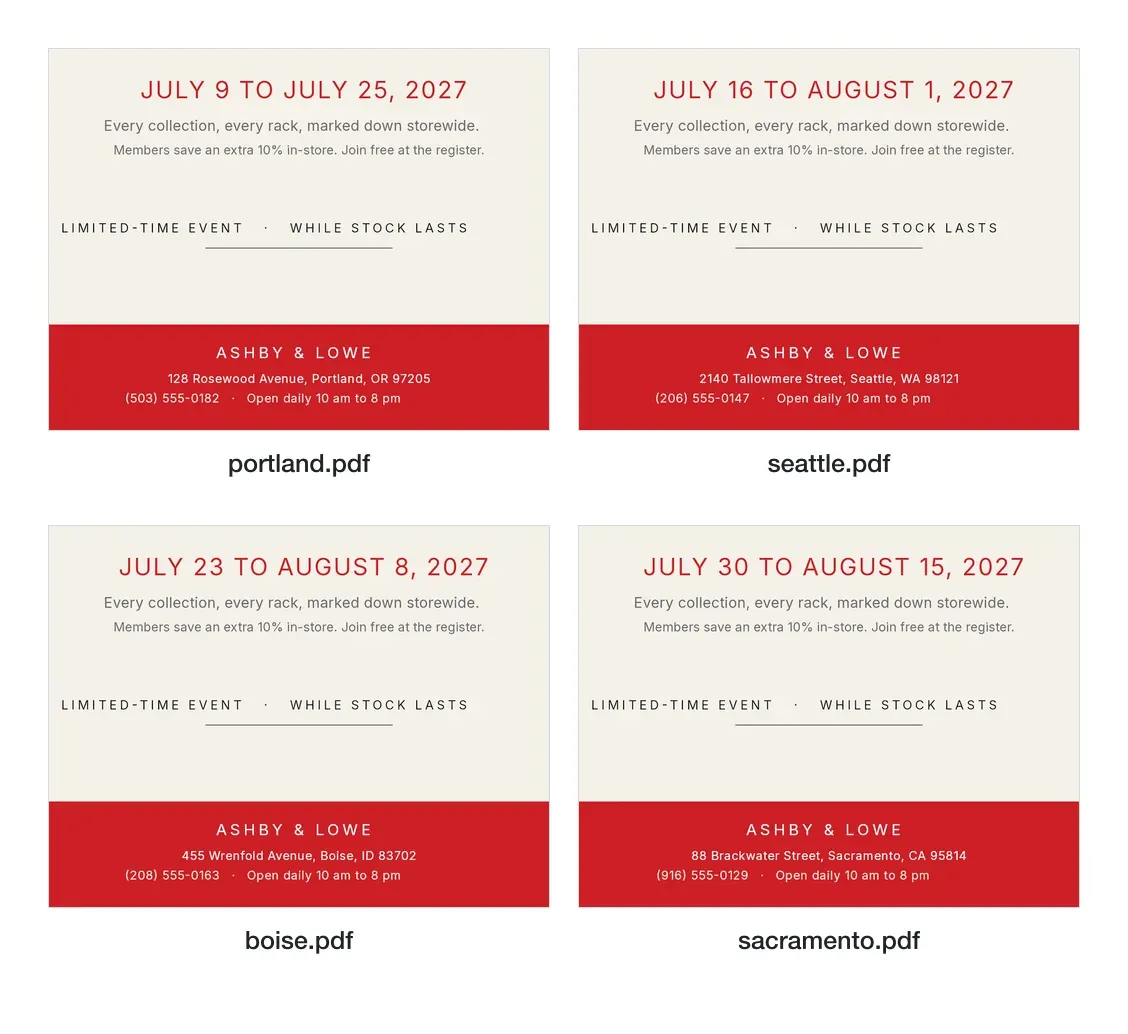
Your server renders the chain’s sale poster once per branch from a single template, filling in that store’s sale dates and street address.
A brand kit per venue.
Promoters who work for a venue or a festival get its logo, typefaces and colors from a brand kit for every poster they make.
InDesign posters as templates.
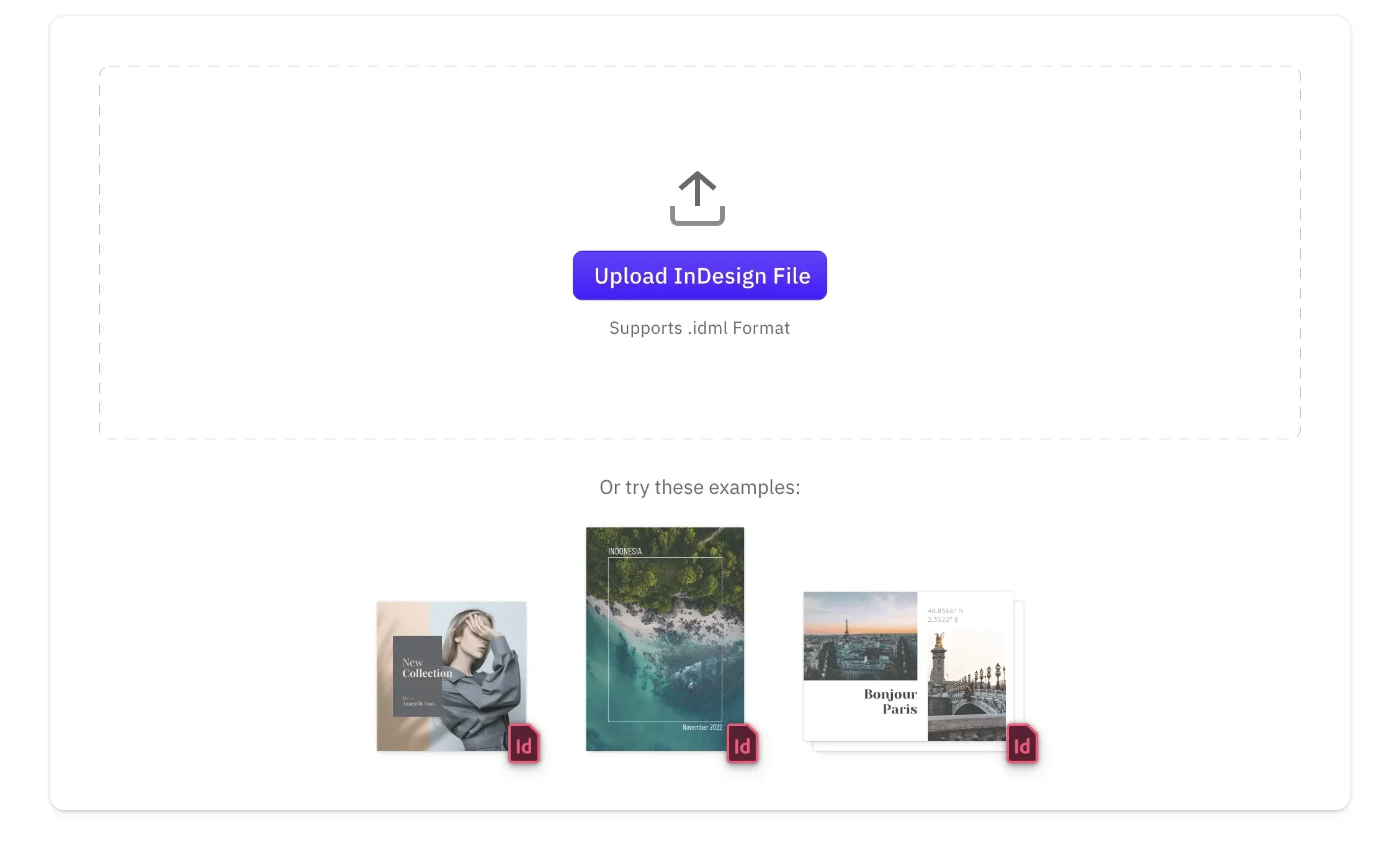
The IDML importer turns posters from your designers’ InDesign files into CE.SDK templates, in the browser or on your server, so the posters you already sell don’t have to be drawn again.
A check before the file goes out.
The design validation starter kit flags elements that run past the page edge, so a poster is fixed before the order reaches the print shop.

Browse all capabilities
How PostBuddy Launched Personalized Direct Mail for E-Commerce Without Building a Custom Editor
4×
difference in A/B-tested campaign performance
3
Nordic markets reached (DK, SE, NO)
0
custom editor maintenance, with an embedded SDK instead
PostBuddy is a Denmark-based startup modernizing direct mail marketing. It lets e-commerce brands create, personalize, and automate postcard campaigns integrated with their online workflows.
It’s hard to imagine we could have launched PostBuddy without a design editor SDK. Customers want an integrated experience, and we needed to channel our limited resources into our core mission, not a custom editor.
PostBuddy

Challenge
PostBuddy needed an embedded design editor that lets non-technical e-commerce users create print-ready postcards with personalization and variable data, without burning early-stage engineering on a custom editor.
Solution
Integrated CE.SDK to deliver an in-app design experience with mail merge, custom branding, and template guidance for streamlined postcard creation.
- 4× performance gap between A/B-tested designs proved design variation matters.
- Expanded reach into Sweden and Norway on top of the Danish home market.
- Engineering stayed focused on PostBuddy’s core direct-mail automation.
Posters by occasion
Earth Day Posters
Cleanup posters in CMYK for a print shop, or in black and white for the copier.
Halloween Posters
Posters for farm evenings and haunted houses, with a headline that curves.
Summer Festival Posters
Posters for festival series, with the whole line-up at A1 and a new sky every weekend.
Thanksgiving Posters
Window posters, counter cards and shelf cards for one holiday sale, in a single document.
Explore other use cases
Flyers
Templates and brand controls for events, promos, and announcements.

Banners
High-impact banners for events, ads, and digital campaigns.

Social Media Graphics
Format-aware templates and brand controls for every social channel.

Brochures
Multi-page brochure design with brand controls and print-ready output.

T-Shirts
Personalized apparel with print-on-demand-ready output.

Product Graphics
Mockups, product demos, and ad creatives for e-commerce and marketing.

Bring poster printing into your platform
Tell us which sizes you print and what your print partner needs in a file, and we’ll get back to you with a custom quote for your use case.
Poster Editor SDK FAQs
It brings poster design into your own print shop, event platform or retail system. With CE.SDK as the editor, users start from one of your templates, pick the size to print and export a PDF for the press or an image for screens.
The ones your templates and presets define. In the web editor, the page size panel can list your own formats, such as A3 to A0 or 18 by 24 and 24 by 36 inches, and the design is scaled to the size the user picks.
Text and solid-color shapes stay vector in the PDF, so they print cleanly at A1 as well as at A3. Photos print at their own resolution, which is why a large poster needs a large photo.
Yes. When your platform exports the PDF through the engine, it can add crop marks outside the bleed, and the file then includes a trim box and a bleed box for the print shop.
Yes, as a spot color. Spot colors work on web, iOS, Android and your server, and the PDF keeps each one as its own color, which print shops use for varnish, foil or a brand ink that has to match.
Bleed settings, the print-ready PDF and product preview starter kits, the QR code plugin and the vectorizer. Spot colors, templates and PDF export work in the iOS and Android editors as well.
Yes. Beyond the CE.SDK documentation, IMG.LY's solutions team offers different levels of support based on your license type. To talk through your poster sizes and your print settings, contact the team.