

Halloween posters with curved headlines, in your venue platform
A Halloween poster editor for event platforms and the farms, venues and shops that list their October evenings on them. Users bend a headline into an arch or wrap a line of text around the moon, and the poster prints at A2.
Trusted by 100+
industry leaders















Integrating IMG.LY’s editor meant we didn’t have to build or maintain a complex editing layer ourselves. That kept our team focused on our core AI ad engine and saved us countless development hours — while still giving our customers the ability to polish and customize creatives at scale.
Hikari Senju
CEO, Omneky

With IMG.LY we built a central creative portal that now powers over 140 dealer campaigns across multiple automotive brands. Before this, asset creation was slow and inconsistent.
Martin Röhr
Product Owner, Digitas

By embedding IMG.LY’s editor we were able to hit key RFP requirements and deliver a template-based creative experience that now serves 1,000+ customers. It helped us win more deals and exceed enterprise expectations without needing to hire dedicated design teams.
Rob Driscoll
Director of PM, Optimizely

Since integrating IMG.LY’s editor, we now deliver 30,000+ ad creatives per month, dramatically shorten time-to-launch, and help our clients cut design spend by up to $10,000 per month.
Logan Welbaum
Founder, Plai
Our customers create over a million personalized postcards each year choosing from over hundreds of templates with IMG.LY’s SDK. It’s the only solution that allows us to build our own specialized, on-brand UI that integrates seamlessly with our platform.
Jeanine Zaalberg
Product Manager, SwissPost

From a developer’s perspective, the most powerful feature of the photo editor is the integration process. It was completely flawless, quick, and easy to integrate.
Stefano Fornari
CTO, Funambol
We compared IMG.LY SDK with other solutions and found that it would be the best fit for us since it provides all the features that are crucial for our use case.
Carem Pereira
SCRUM Manager, HP

Text that follows a curve
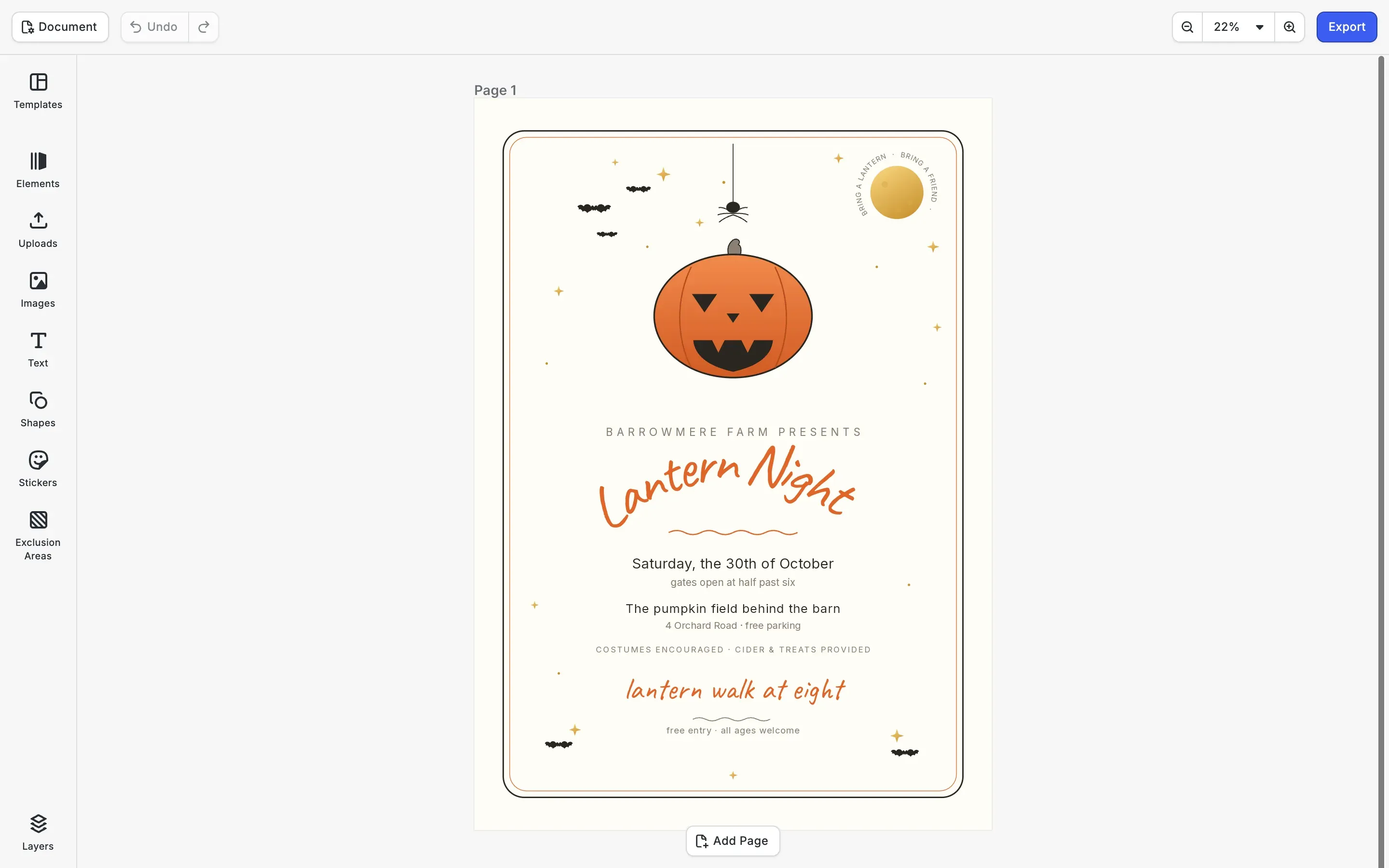
On a hand-drawn poster, a straight headline can look stiff. In the web editor, any text block can follow a curve while it stays text.
The Path button on any text
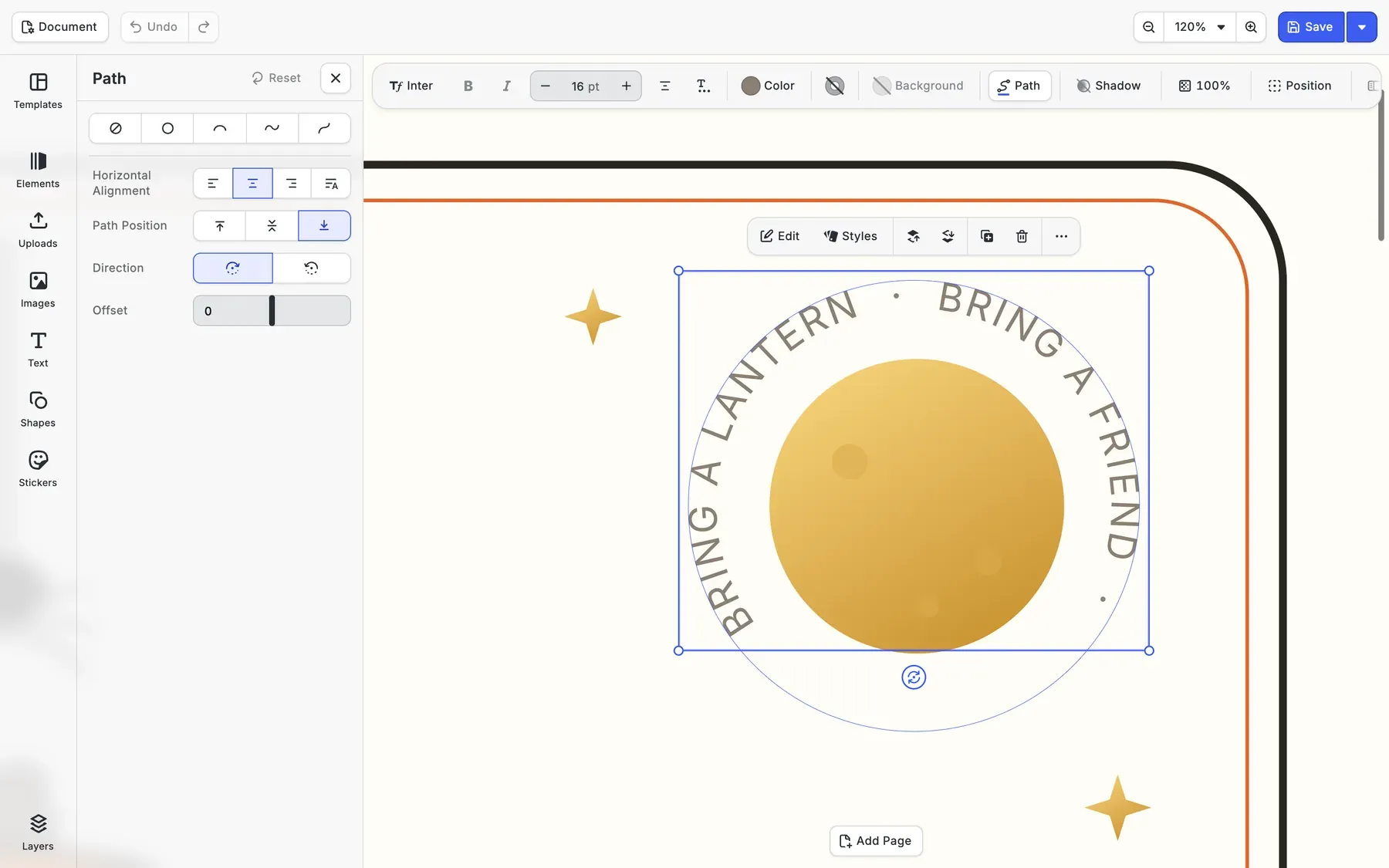
With a text block selected, the Path panel offers four curves for its baseline, Circle, Arch, Wave and Elevate, next to None.
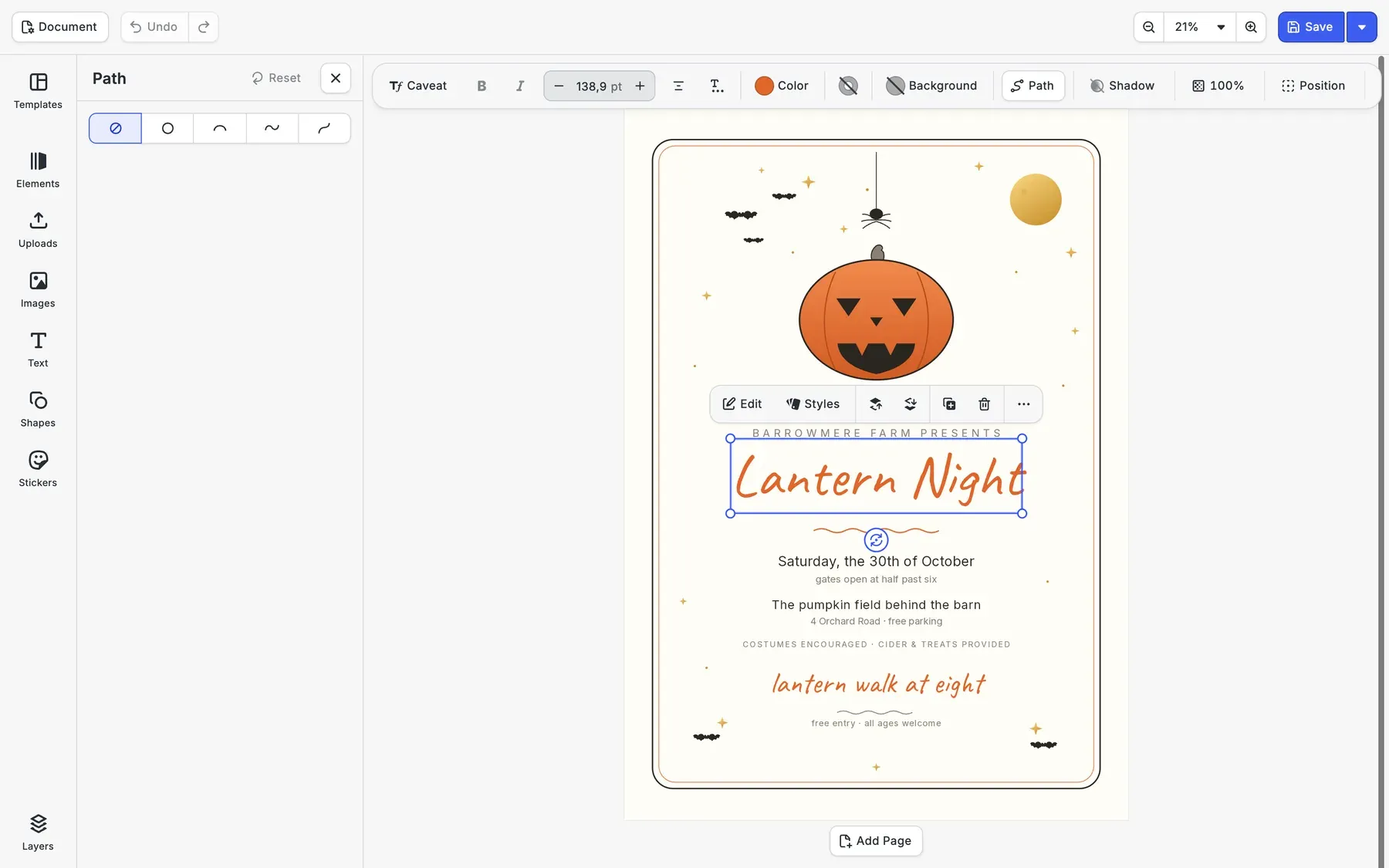
A shallow arch under the pumpkin
A gentle arch keeps the headline clear of the line above it. The panel then sets which side of the curve the letters sit on, the direction they run and an offset that slides them along it.
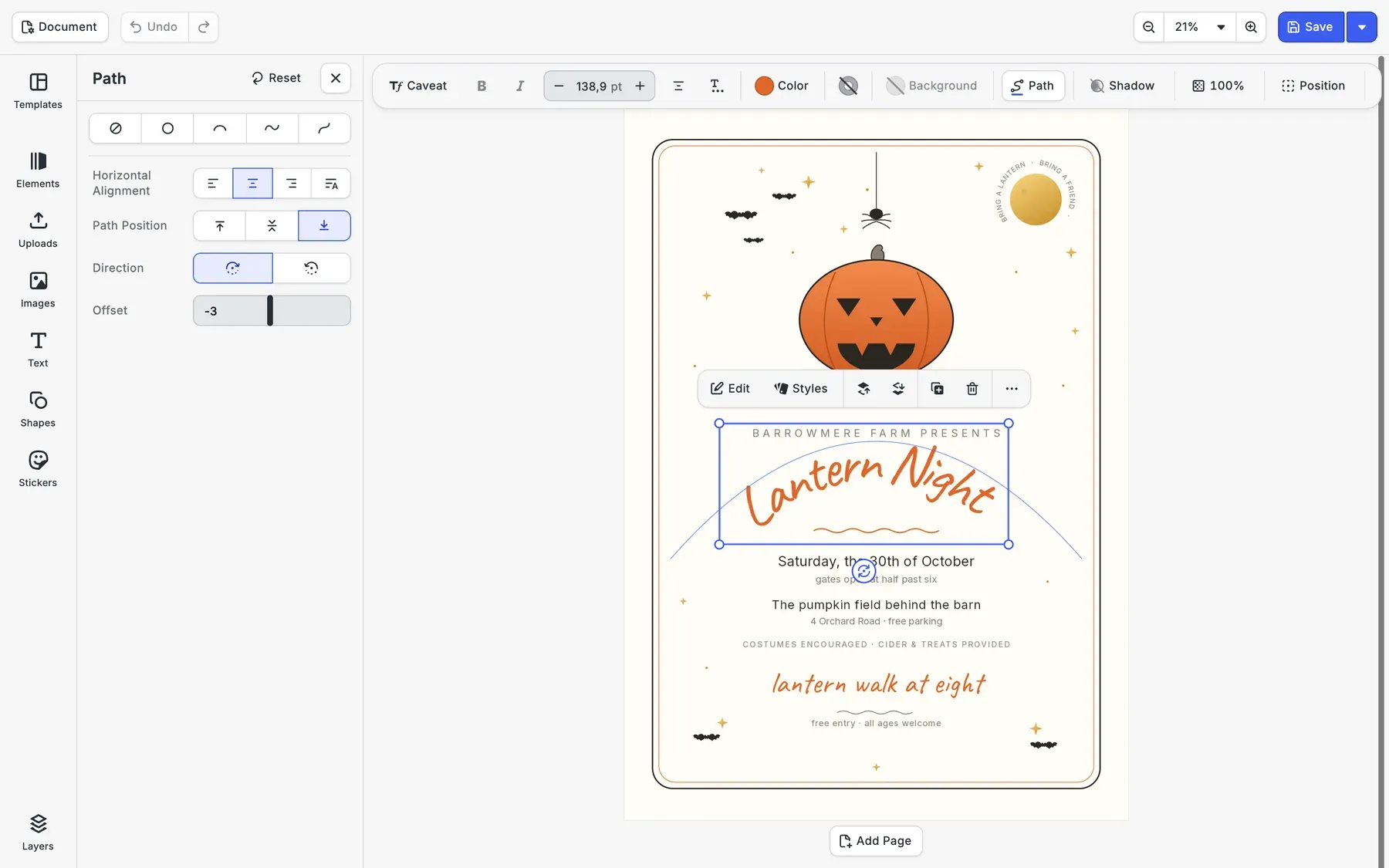
A line around the moon
On a circle, a short line wraps around the moon in the corner: bring a lantern, bring a friend. The ring is ordinary text, so the farm can swap in a line of about the same length without redrawing anything.
Curves set from code
The engine API takes an SVG path for any text block, so your platform can arch the headline of a template before a user opens it.
Back to a straight line
Removing the path straightens the text again, and the block goes back to sizing itself to its words.
How Glowtify Moved Up-Market and Grew Deal Sizes 10x with CE.SDK
10x
increase in average deal value
1 week
to rebuild carousel editor on CE.SDK
Glowtify is a Montreal-based SaaS company building an AI-powered, one-stop shop for marketing, helping e-commerce merchants plan, create, and publish content across every channel from a single platform.
The design piece was missing, and CE.SDK solved that. When I don’t sleep well, it’s never because of CE.SDK.
Glowtify

Challenge
As Glowtify moved up-market from small Shopify merchants to established businesses, users kept leaving the app to design in Adobe or Canva, fragmenting the workflow and lowering the platform’s perceived value.
Solution
Embedded CE.SDK directly into the campaign workflow with AI-branded templates per channel and size, so users design, adjust, and publish on-brand visuals without ever leaving the app.
- Almost 10x increase in average deal value as Glowtify moved up-market.
- Carousels rebuilt on CE.SDK in a single week, then scene files standardized platform-wide.
- Engineering stayed focused on the core product instead of a proprietary editor.
Set up your October poster templates
Tell us which autumn events your users post, and we’ll get back to you with a custom quote for your use case.
Halloween poster FAQs
The poster editor SDK page covers poster sizes, bleed and spot colors. For a Halloween promotion that also runs as an animated story, see the Halloween flyer editor SDK.
A farm, a bar or a museum uses it inside an event platform or a print portal to make its own Halloween poster. CE.SDK is the editor in that product, and the finished poster goes to print or out as an image.
The Path panel offers four curves, named Circle, Arch, Wave and Elevate. Through the engine API, text can follow any single SVG path your team draws.
Yes. The letters follow the curve but stay a text block, so a new name or date is typed in place. A line much longer than the curve runs past its end, so templates should leave the curve some room.
Yes. Next to the PDF for print, the poster exports as a PNG or JPEG for an event listing, a story or a newsletter.
In the web editor through the Path panel, and through the engine API in the web, iOS and Android SDKs.