


A birthday board for every class, in your school platform
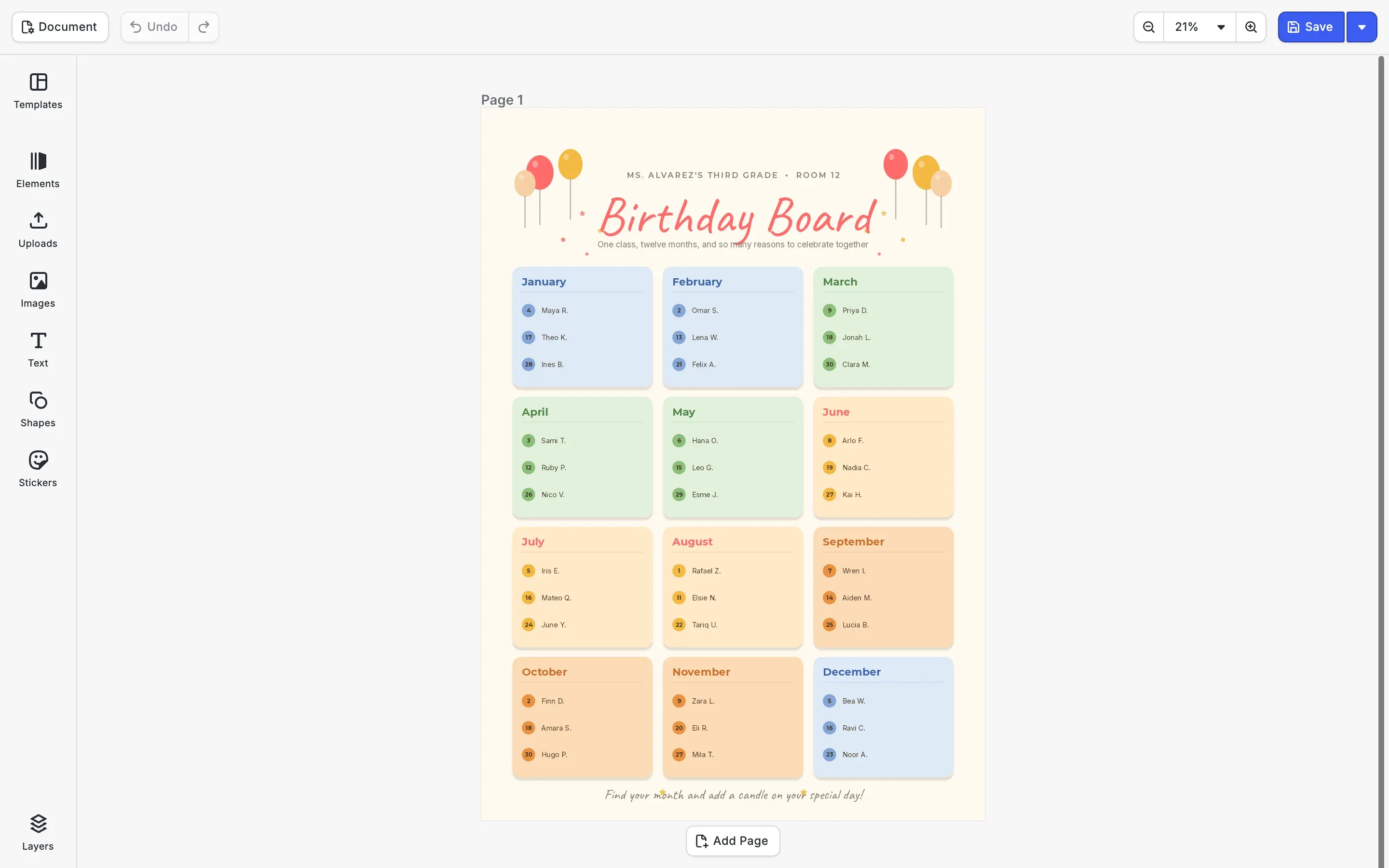
A birthday poster editor for education platforms, teacher marketplaces and school print portals. The class list fills the board, so each teacher starts with every child already in the right month and only has to print it.
Trusted by 100+
industry leaders















Integrating IMG.LY’s editor meant we didn’t have to build or maintain a complex editing layer ourselves. That kept our team focused on our core AI ad engine and saved us countless development hours — while still giving our customers the ability to polish and customize creatives at scale.
Hikari Senju
CEO, Omneky

With IMG.LY we built a central creative portal that now powers over 140 dealer campaigns across multiple automotive brands. Before this, asset creation was slow and inconsistent.
Martin Röhr
Product Owner, Digitas

By embedding IMG.LY’s editor we were able to hit key RFP requirements and deliver a template-based creative experience that now serves 1,000+ customers. It helped us win more deals and exceed enterprise expectations without needing to hire dedicated design teams.
Rob Driscoll
Director of PM, Optimizely

Since integrating IMG.LY’s editor, we now deliver 30,000+ ad creatives per month, dramatically shorten time-to-launch, and help our clients cut design spend by up to $10,000 per month.
Logan Welbaum
Founder, Plai

Our customers create over a million personalized postcards each year choosing from over hundreds of templates with IMG.LY’s SDK. It’s the only solution that allows us to build our own specialized, on-brand UI that integrates seamlessly with our platform.
Jeanine Zaalberg
Product Manager, SwissPost
From a developer’s perspective, the most powerful feature of the photo editor is the integration process. It was completely flawless, quick, and easy to integrate.
Stefano Fornari
CTO, Funambol

We compared IMG.LY SDK with other solutions and found that it would be the best fit for us since it provides all the features that are crucial for our use case.
Carem Pereira
SCRUM Manager, HP

From the class list to the board
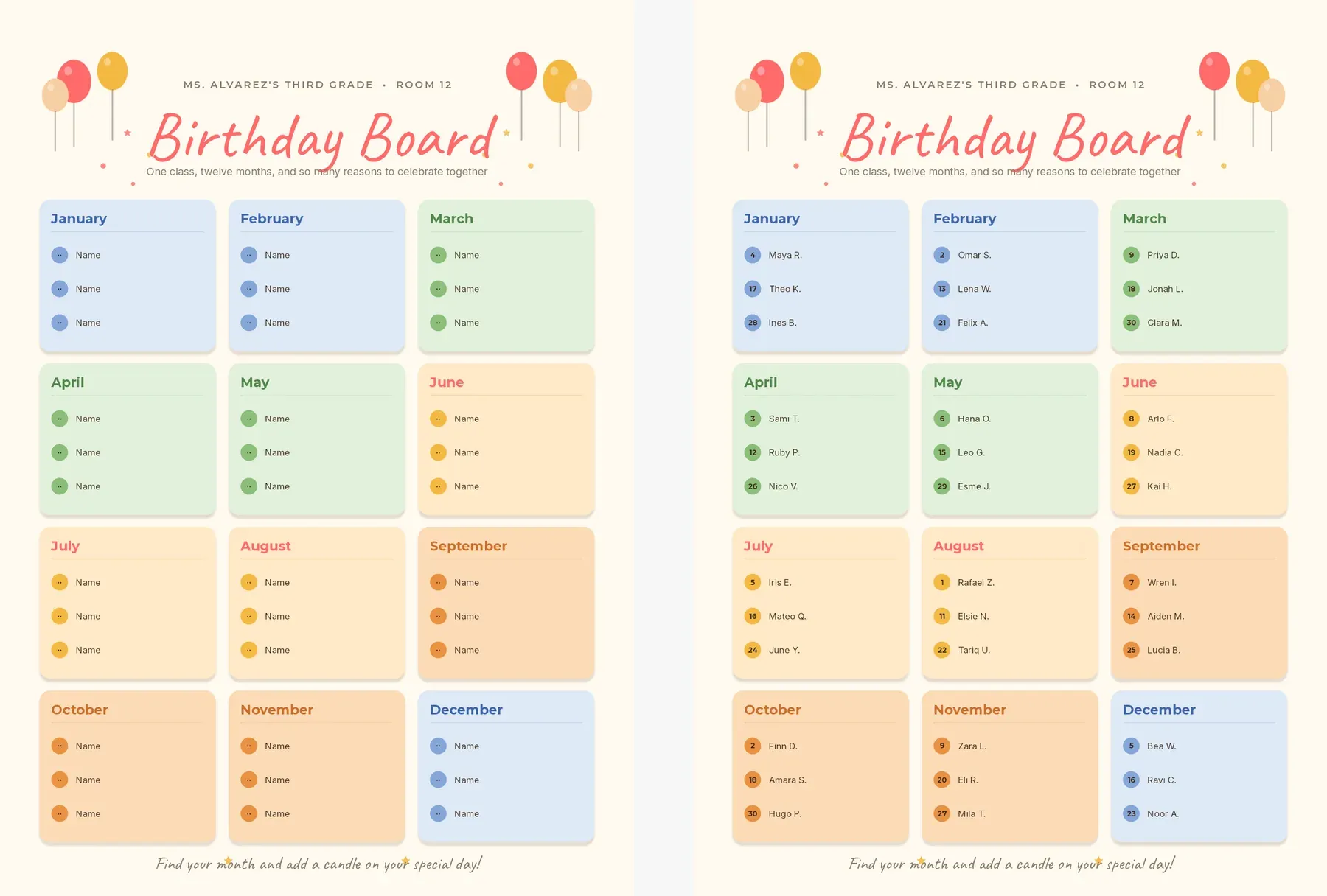
Each month card has a place for three children, with a name and a day. Your platform reads the class list and writes all of them through the engine API, so the teacher opens a board that is already filled in, every child in the right month and in date order.
The month comes round, the board points to it
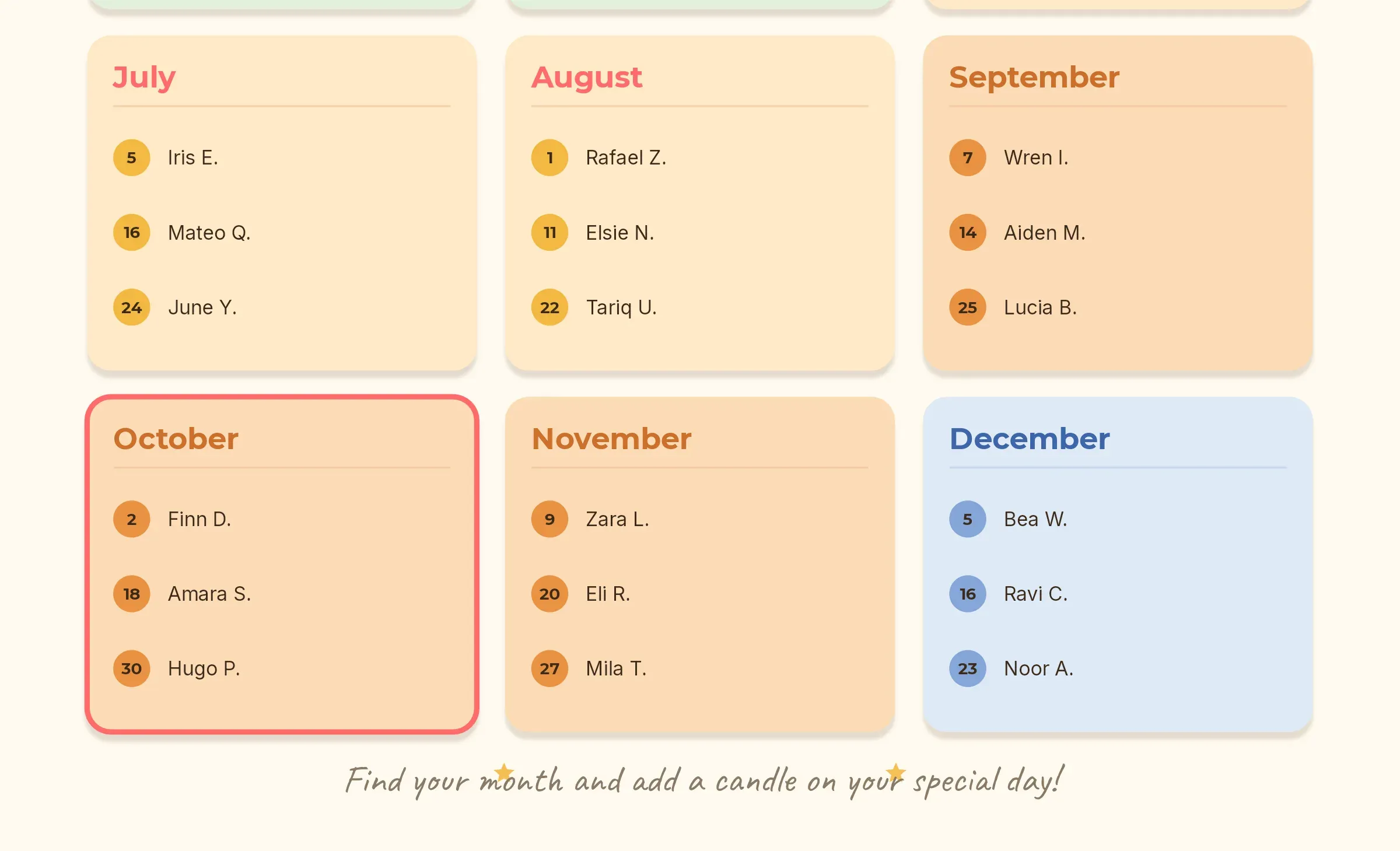
A board on the wall all year is easy to stop seeing. Your platform can render it again at the start of each month with that month’s card outlined in coral, so the class knows whose birthdays come next.
Boards for the whole school
A2 for the classroom wall
The board prints at A2 for the classroom wall, and the PDF goes straight to the school’s printer or a print shop.
Every class in one run
For a whole school, your server can fill one board per class from the same template and hand each teacher a finished file.
Other boards from the same idea
The same approach works for a reading chart or a class job board: a grid of places your platform fills from its own data.
How Halio.ai Creates 30 Days Of Content In 30 Minutes with IMG.LY

30 min
for 30 days of content
improved client satisfaction and engagement
grown customer base
Halio, previously known as Sisoma, is a UK-based social media management company that initially provided support to financial advisors. Over time, Halio expanded its services to include social media management, catering to the growing demand among financial advisors for a more efficient content creation process. The company has transformed from a manual service using tools like Canva into a sophisticated SaaS platform that leverages AI and automation to enhance the social media presence of its clients.
“We needed a tool that could grow with us, and IMG.LY was the perfect fit.”
Halio

Challenge
Before adopting IMG.LY, Halio faced significant challenges in creating and customizing social media content efficiently. Financial advisors needed consistent, branded content, but the manual process of creating assets was time-consuming and not feasible for scaling. Halio needed a tool that could grow with them and streamline the creation and management of social media content.
Solution
Halio integrated IMG.LY’s CreativeEditor SDK into their platform, transforming their content creation process. The integration allowed users to customize pre-built design templates effortlessly and generate branded graphics quickly. With IMG.LY, Halio’s users can easily create, edit, and schedule posts directly within the platform. The flexibility of IMG.LY’s editor has been crucial, allowing users to add their logos, modify text, and change images seamlessly.
- 30 days of content in 30 minutes.
- Improved client satisfaction and engagement.
- Grown customer base.
Fill your teachers’ boards for them
Tell us how your platform stores classes and rosters, and we’ll get back to you with a custom quote for your use case.
Birthday poster FAQs
What every poster has in common, from the paper size to the bleed, is explained on the poster editor SDK page. Party flyers that hosts make from a short form have a page of their own: the birthday flyer editor SDK.
Teachers and classroom staff use it inside an education platform or a school print portal to make the class birthday board. The board is made in CE.SDK, inside that product, and printed from a PDF on the school printer.
From whatever your platform already keeps, such as a roster import or a spreadsheet the teacher uploads. Your code reads it and writes each name and day into the board through the engine API.
Yes. Every name and day is an ordinary text block, so a teacher who wants a nickname on the board types it straight into the editor.
This template has three places per month. For larger classes, your team can add a fourth row to each card in the template, or keep a second version of the board for them.
Only if you send them. CE.SDK runs in the browser or on your own server, so the class list and the finished board stay inside the infrastructure your platform controls.