



Snapshot-style holiday collages in your print shop
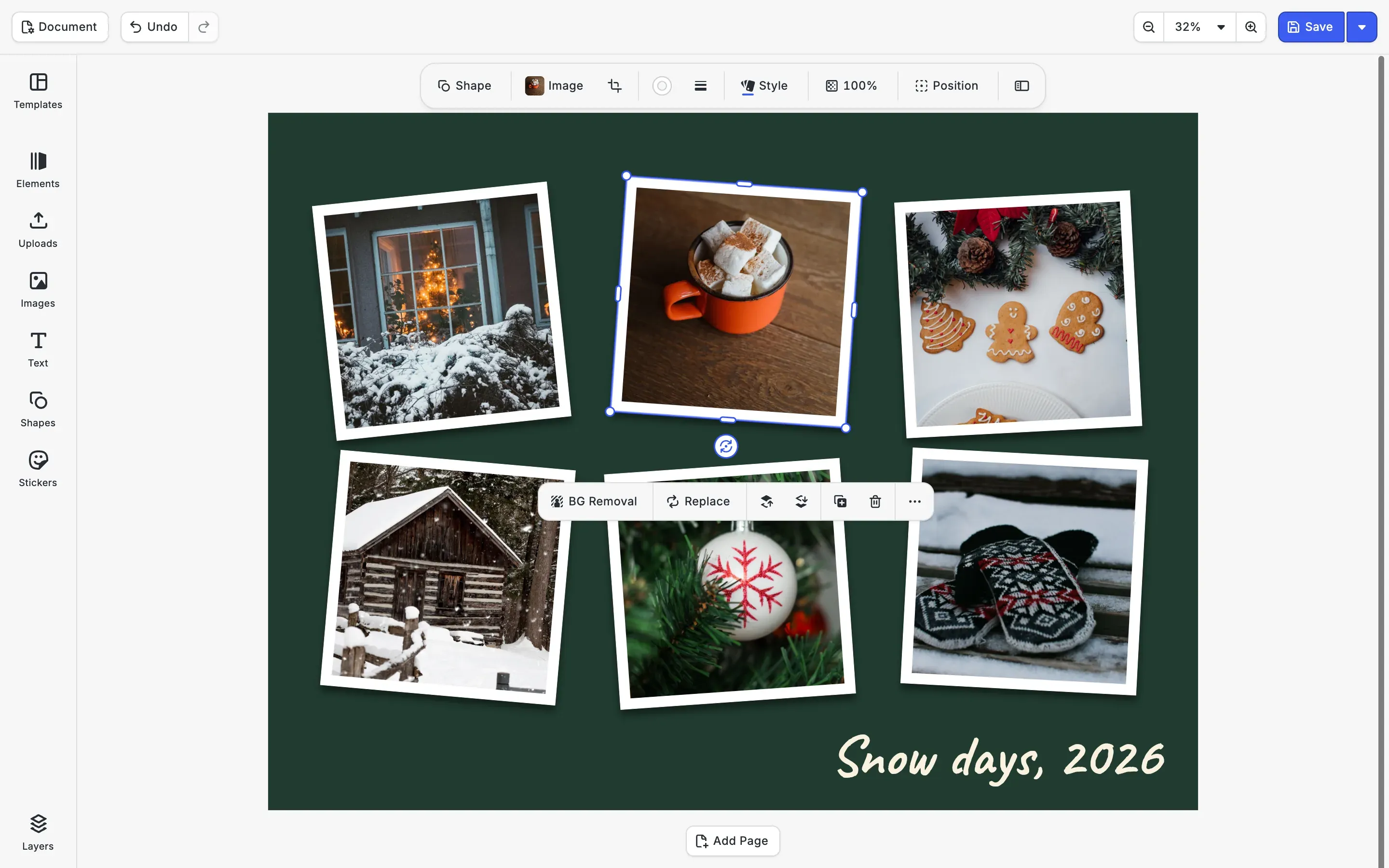
A winter collage looks finished when every photo sits on the page like a print with a white border, set at a slight angle and casting a soft shadow. In CE.SDK that look belongs to each photo frame, so your users drop in their own pictures and the spread keeps the style your designers gave it.
Trusted by 100+
industry leaders















Integrating IMG.LY’s editor meant we didn’t have to build or maintain a complex editing layer ourselves. That kept our team focused on our core AI ad engine and saved us countless development hours — while still giving our customers the ability to polish and customize creatives at scale.
Hikari Senju
CEO, Omneky

With IMG.LY we built a central creative portal that now powers over 140 dealer campaigns across multiple automotive brands. Before this, asset creation was slow and inconsistent.
Martin Röhr
Product Owner, Digitas

By embedding IMG.LY’s editor we were able to hit key RFP requirements and deliver a template-based creative experience that now serves 1,000+ customers. It helped us win more deals and exceed enterprise expectations without needing to hire dedicated design teams.
Rob Driscoll
Director of PM, Optimizely

Since integrating IMG.LY’s editor, we now deliver 30,000+ ad creatives per month, dramatically shorten time-to-launch, and help our clients cut design spend by up to $10,000 per month.
Logan Welbaum
Founder, Plai

Our customers create over a million personalized postcards each year choosing from over hundreds of templates with IMG.LY’s SDK. It’s the only solution that allows us to build our own specialized, on-brand UI that integrates seamlessly with our platform.
Jeanine Zaalberg
Product Manager, SwissPost

From a developer’s perspective, the most powerful feature of the photo editor is the integration process. It was completely flawless, quick, and easy to integrate.
Stefano Fornari
CTO, Funambol
We compared IMG.LY SDK with other solutions and found that it would be the best fit for us since it provides all the features that are crucial for our use case.
Carem Pereira
SCRUM Manager, HP

Where the snapshot look is set
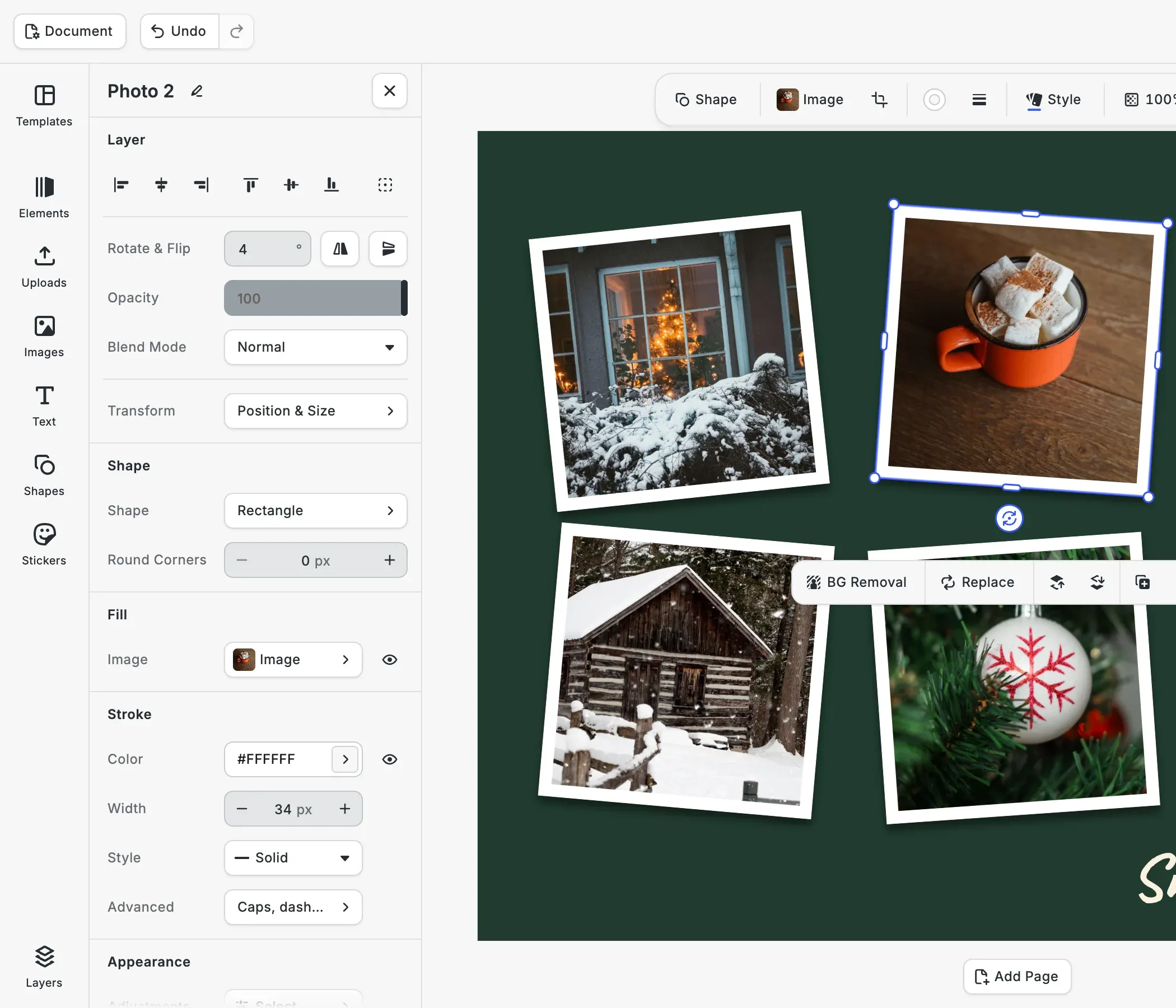
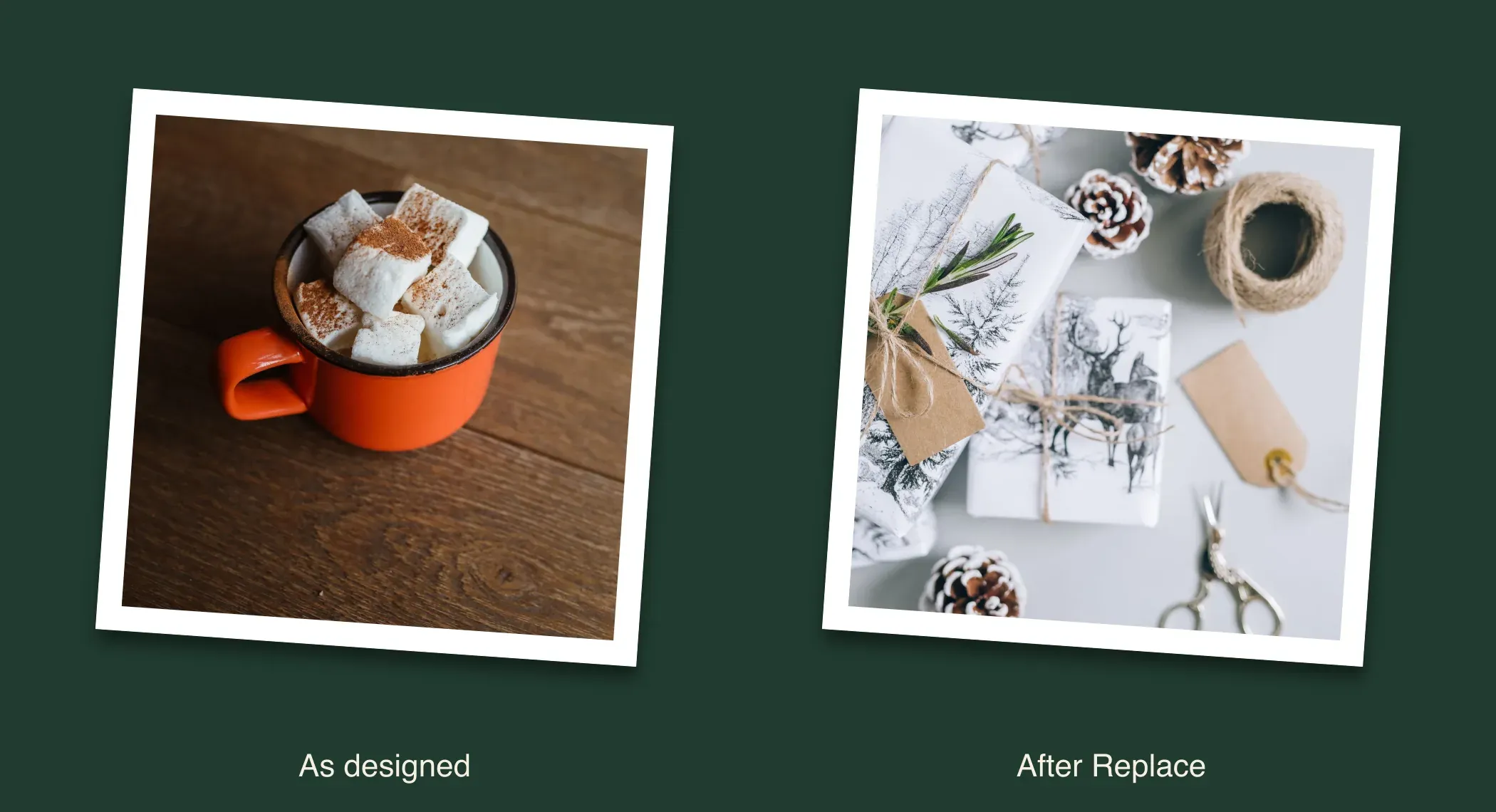
Each photo frame carries its own white border, rotation and drop shadow, which your designers set once while they build the holiday template. In the web editor, the inspector shows the rotation in degrees in the same panel as the stroke color and width, and the shadow sits under Style with controls for color, angle, distance and blur.
The border in this spread is a 34 pixel stroke drawn inside the frame, so every photo keeps the size the layout gave it.
Users swap the photo and keep the frame
When users upload a picture through Replace in the web editor, it lands in the same frame and keeps the tilt, the border and the shadow. Here wrapped presents take the place of a mug of cocoa, and one Undo brings the mug back.
The snapshot look, from the canvas to the PDF
Most holiday collages end up on paper, so the tilt, the shadows and the borders have to hold up in the exported PDF as well as on screen.
Shadows that all fall one way
Set straight down, the shadow falls toward the bottom of the page on each photo, even one tilted 30 degrees, so the pile reads as lit from above.
Shadows go into the PDF as images
On a page set to 300 dpi, each shadow reaches the PDF as its own 300 dpi bitmap with a soft transparency mask, while the photos go in just as they would without shadows.
The white border stays a vector shape
In the PDF, the border is its own filled vector outline over the edge of the photo, so its edges stay clean at any print size, with or without the shadows.
Give your holiday templates a snapshot look
Tell us which collage sizes you print and how your templates are built today, and we’ll get back to you with a custom quote for your use case.
Holiday collage FAQs
Wedding photo collages soften a whole backdrop photo with a blur instead, and the collage editor SDK page shows how the photos move into a new layout when users switch.
It is an editor you embed in your own app or website so users can place their winter photos on a printable page. CE.SDK is the editor IMG.LY offers for this, and every photo frame in it can carry a border, a rotation and a drop shadow.
They change it one photo at a time: in the web editor they select a photo, open Style and choose Shadow to set its color, angle, distance and blur. A template that already carries the shadow on each frame spares them that work.
Each shadow reaches the PDF as a separate image with transparency, and print workflows handle transparency in different ways, so send your lab one proof of a collage with shadows before orders start coming in.
The capabilities list shows shadows, stroke styles and rotation for web, iOS, Android and server, and the shadows guide in the docs covers each platform. Style, Shadow and the other menu names above come from the web editor.