


Wedding collages over a soft-focus photo, in your print shop
Many wedding collages set the names and a few framed pictures over a blurred photo of the venue. In CE.SDK the blur is a setting on that backdrop image, so a template can ship with it in place, and a user who replaces the photo with their own gets the same soft focus.
Trusted by 100+
industry leaders















Integrating IMG.LY’s editor meant we didn’t have to build or maintain a complex editing layer ourselves. That kept our team focused on our core AI ad engine and saved us countless development hours — while still giving our customers the ability to polish and customize creatives at scale.
Hikari Senju
CEO, Omneky

With IMG.LY we built a central creative portal that now powers over 140 dealer campaigns across multiple automotive brands. Before this, asset creation was slow and inconsistent.
Martin Röhr
Product Owner, Digitas

By embedding IMG.LY’s editor we were able to hit key RFP requirements and deliver a template-based creative experience that now serves 1,000+ customers. It helped us win more deals and exceed enterprise expectations without needing to hire dedicated design teams.
Rob Driscoll
Director of PM, Optimizely

Since integrating IMG.LY’s editor, we now deliver 30,000+ ad creatives per month, dramatically shorten time-to-launch, and help our clients cut design spend by up to $10,000 per month.
Logan Welbaum
Founder, Plai

Our customers create over a million personalized postcards each year choosing from over hundreds of templates with IMG.LY’s SDK. It’s the only solution that allows us to build our own specialized, on-brand UI that integrates seamlessly with our platform.
Jeanine Zaalberg
Product Manager, SwissPost

From a developer’s perspective, the most powerful feature of the photo editor is the integration process. It was completely flawless, quick, and easy to integrate.
Stefano Fornari
CTO, Funambol

We compared IMG.LY SDK with other solutions and found that it would be the best fit for us since it provides all the features that are crucial for our use case.
Carem Pereira
SCRUM Manager, HP

Four ways to soften the venue photo
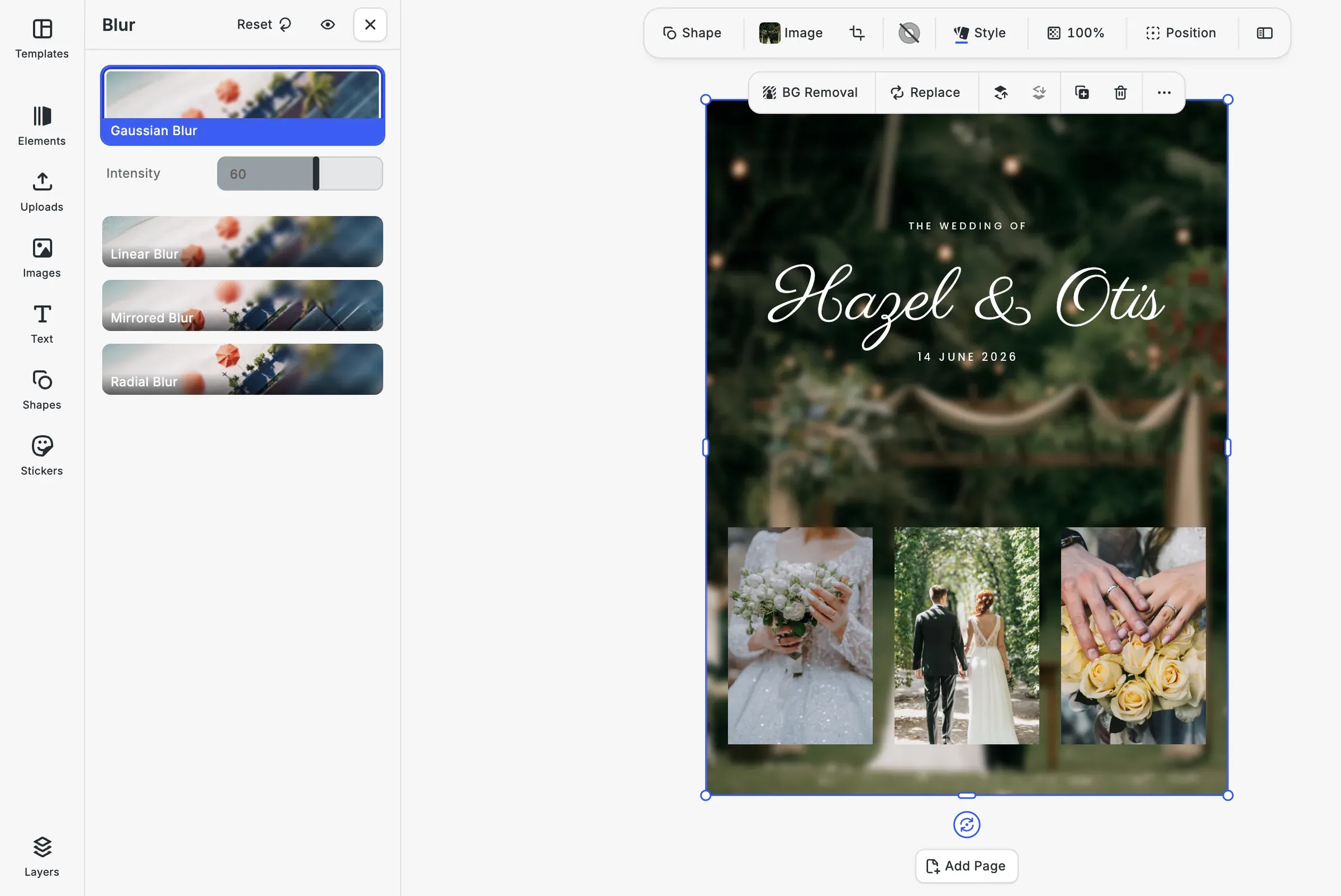
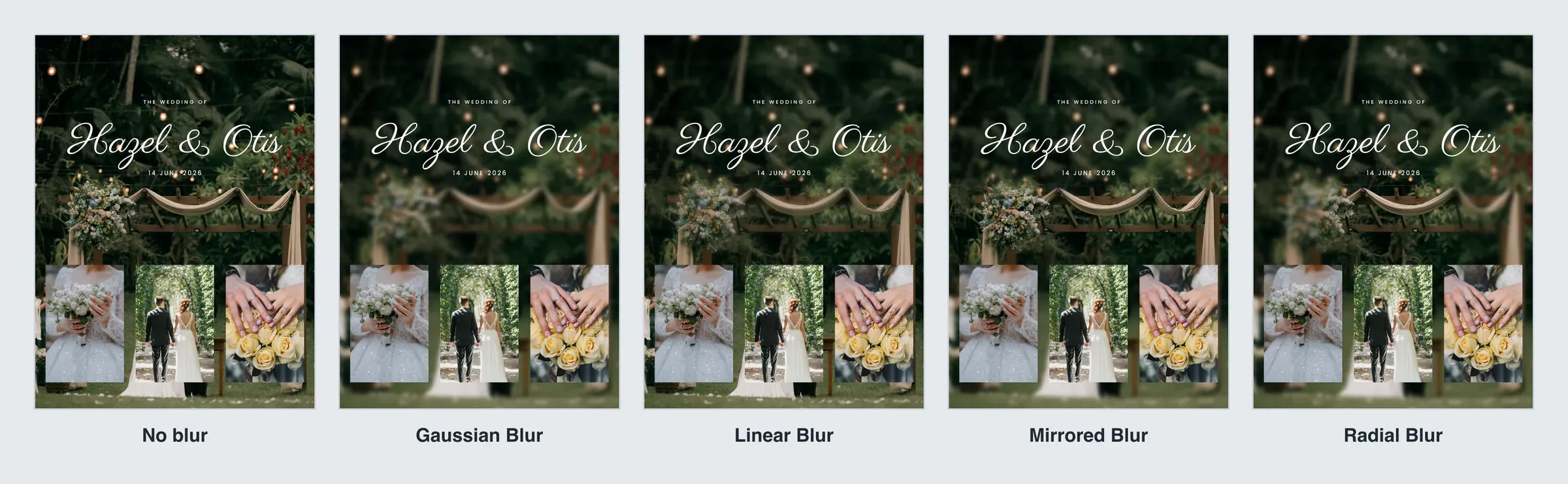
With the backdrop selected, your designers open Style and then Blur in the web editor and pick one of four blur types. Gaussian Blur softens the whole photo evenly, and Linear Blur builds up along a line between two points. Mirrored Blur keeps a sharp band across the photo with blur on both sides, while Radial Blur keeps a circle sharp around a point they place. The framed photos are separate images, so the blur on the backdrop leaves them sharp.
The blur choice stays with your designers
Your developers can open a template for your users in the Adopter role with the blur on the backdrop locked. The backdrop keeps the blur your designers set, and the Style menu your users see no longer offers Blur.
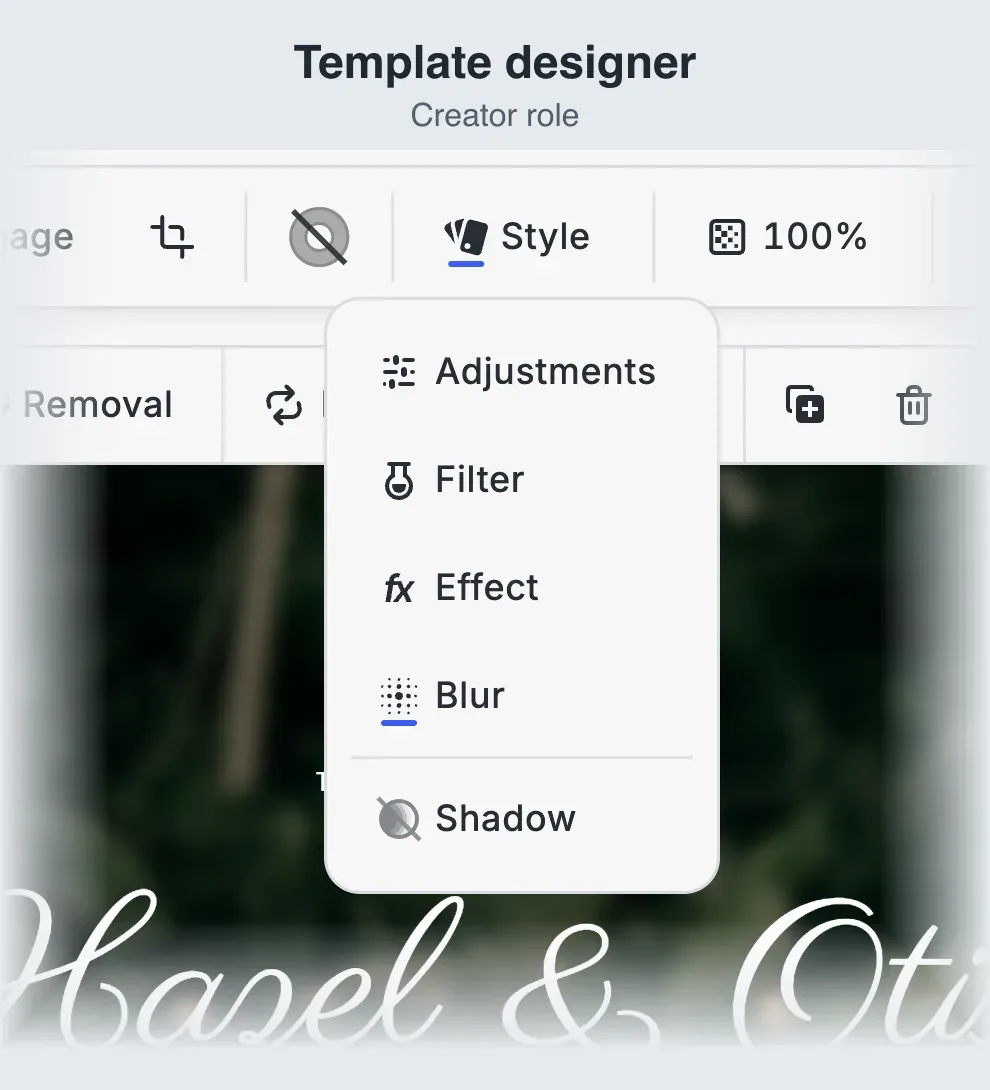
Blur sits in the designer’s Style menu
In the Creator role the Style menu on the backdrop lists Blur between Effect and Shadow, and choosing it opens the panel with the four blur types and their settings.
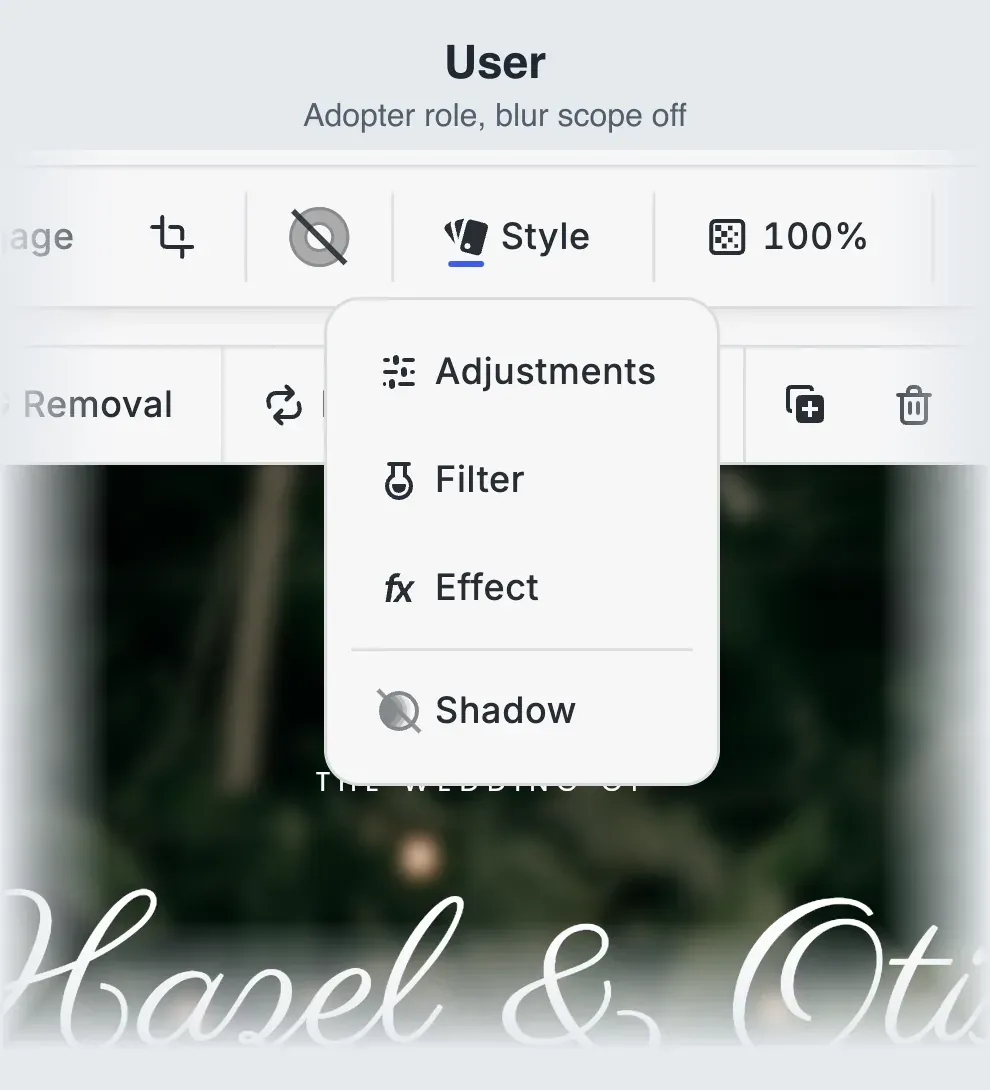
Replace stays in the user’s menu
With the blur locked, the same menu drops Blur and keeps its other four entries. Replace is still in the menu above the photo, because your users are still allowed to change the image.
Blur the backdrop in your own wedding layouts
Tell us which wedding collages you sell today, and we’ll get back to you with a custom quote for your use case.
Wedding collage FAQs
For a different finished look, holiday photo collages give each framed photo a white border, a tilt and a soft shadow.
It is a toolkit your developers embed so that users can lay out wedding photos, names and a date inside your own app and then print or share the result. In IMG.LY's CE.SDK, a backdrop photo can take a soft blur while the photos framed on top of it stay sharp.
The blur is stored as a setting on the backdrop, so the uploaded photo stays as it was, and switching the blur off shows the same picture sharp again.
It stays. When users pick a new backdrop through Replace in the web editor, the new photo takes the old one's place in the same layer and still covers the whole page. The blur keeps its type and its strength, and no extra layer is added to the design.
Yes. The backdrop reaches the PDF as one image with the blur already applied, the framed photos arrive as separate images, and the names and the date stay as text.
Each photo can hold one blur at a time, so a framed photo can take a blur of its own, and the blur guide shows how one blur can be shared by several photos.
The capabilities page lists blur effects for web, iOS, Android and server, and the blur guide covers the web frameworks, iOS, Android, Mac Catalyst, macOS, Electron and Node.js. The screenshots show the web editor, where Blur sits in the Style menu.