Add visual depth and emphasis to design elements using drop shadows and glow effects with the CE.SDK Engine API. Drop shadows make elements appear to float above the canvas, while glow effects add luminous halos that draw attention.
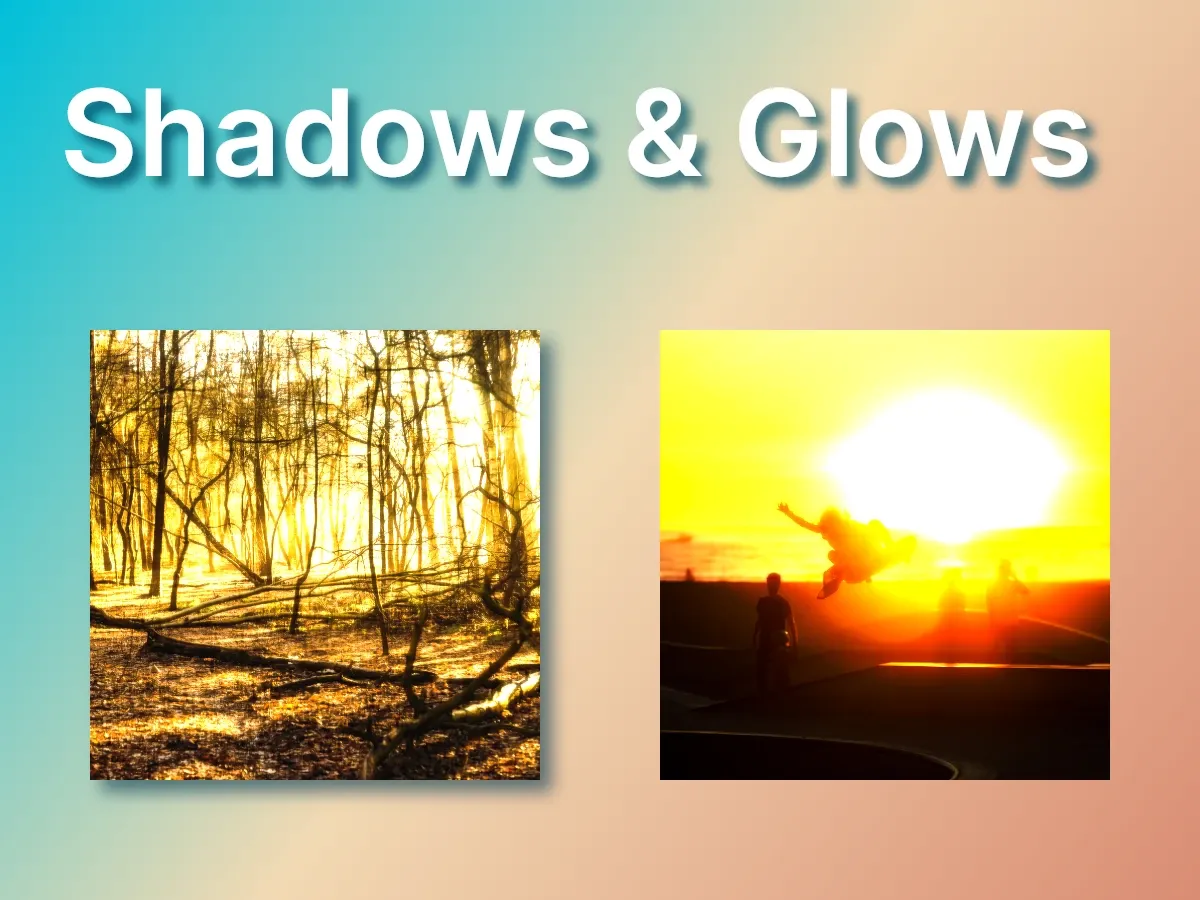
CE.SDK exposes two distinct approaches. Drop shadows are native block properties, configured directly on supported blocks with dedicated setDropShadow*(_:) methods. Glow effects are created through the effects system with createEffect(_:) and tuned with property setters. Drop shadows apply to graphic, text, and shape blocks. Glow effects apply to blocks that support effects, such as graphic and shape blocks; text blocks don’t support effects.
Using the Built-in UI#
On iOS, the CE.SDK editor provides no built-in controls for drop shadows, so configure them with the Engine APIs below. Glow effects can be exposed to users through the effects sheet, depending on which effect sources your editor configuration registers. On macOS and Mac Catalyst there is no editor UI, so use the Engine APIs directly.
Drop Shadow Configuration#
Drop shadows are native block properties configured through dedicated API methods.
Check Support and Enable#
Verify a block supports drop shadows with supportsDropShadow(_:) before configuring one.
let supportsDropShadow = try engine.block.supportsDropShadow(textBlock)print("Block supports drop shadow: \(supportsDropShadow)")Once verified, enable the shadow with setDropShadowEnabled(_:enabled:) and read the current state back with isDropShadowEnabled(_:).
try engine.block.setDropShadowEnabled(textBlock, enabled: true)let shadowEnabled = try engine.block.isDropShadowEnabled(textBlock)print("Drop shadow enabled: \(shadowEnabled)")Set Shadow Color#
Set the shadow color with setDropShadowColor(_:color:), passing a Color. The color’s alpha controls shadow opacity. getDropShadowColor(_:) returns the current color.
try engine.block.setDropShadowColor(textBlock, color: .rgba(r: 0.0, g: 0.3, b: 0.4, a: 0.8))let shadowColor: Color = try engine.block.getDropShadowColor(textBlock)print("Drop shadow color: \(shadowColor)")Set Shadow Position#
Control the horizontal and vertical offset with setDropShadowOffsetX(_:offsetX:) and setDropShadowOffsetY(_:offsetY:). Positive values move the shadow right and down; negative values move it left and up.
try engine.block.setDropShadowOffsetX(textBlock, offsetX: 6)try engine.block.setDropShadowOffsetY(textBlock, offsetY: 6)let offsetX = try engine.block.getDropShadowOffsetX(textBlock)let offsetY = try engine.block.getDropShadowOffsetY(textBlock)print("Drop shadow offset: \(offsetX), \(offsetY)")Configure Blur Radius#
Set the shadow softness with setDropShadowBlurRadiusX(_:blurRadiusX:) and setDropShadowBlurRadiusY(_:blurRadiusY:). Higher values produce softer, more diffuse edges.
try engine.block.setDropShadowBlurRadiusX(textBlock, blurRadiusX: 12)try engine.block.setDropShadowBlurRadiusY(textBlock, blurRadiusY: 12)let blurX = try engine.block.getDropShadowBlurRadiusX(textBlock)let blurY = try engine.block.getDropShadowBlurRadiusY(textBlock)print("Drop shadow blur: \(blurX), \(blurY)")Glow Effect Configuration#
Glow effects are created through the effects system and attached to blocks that support effects.
Check Support and Create Glow#
Verify a block supports effects with supportsEffects(_:).
let supportsEffects = try engine.block.supportsEffects(imageBlock)print("Block supports effects: \(supportsEffects)")Create the glow with createEffect(.glow) and attach it with appendEffect(_:effectID:).
let glow = try engine.block.createEffect(.glow)try engine.block.appendEffect(imageBlock, effectID: glow)Configure Glow Parameters#
Tune the glow’s appearance with setFloat(_:property:value:) using these properties:
effect/glow/size— The spread of the glow around the block.effect/glow/amount— The intensity of the glow.effect/glow/darkness— How dark the glow’s falloff renders.
try engine.block.setFloat(glow, property: "effect/glow/size", value: 10)try engine.block.setFloat(glow, property: "effect/glow/amount", value: 0.7)try engine.block.setFloat(glow, property: "effect/glow/darkness", value: 0.25)Combining Shadows and Glows#
A drop shadow and a glow can both apply to the same block. Drop shadows render independently of the effects stack, so a block can carry both at once for layered depth and emphasis. Because this block is a shape, setDropShadowClip(_:clip:) controls whether the shadow is clipped out of the shape’s own area: clip: true keeps the shadow strictly outside the shape, while clip: false (the default, used here) lets the shadow render behind the block and show through wherever the fill is not fully opaque. Clipping applies to shape blocks only, and getDropShadowClip(_:) reads the setting back.
if try engine.block.supportsDropShadow(combinedBlock) { try engine.block.setDropShadowEnabled(combinedBlock, enabled: true) try engine.block.setDropShadowColor(combinedBlock, color: .rgba(r: 0.0, g: 0.2, b: 0.3, a: 0.6)) try engine.block.setDropShadowOffsetX(combinedBlock, offsetX: 8) try engine.block.setDropShadowOffsetY(combinedBlock, offsetY: 8) try engine.block.setDropShadowBlurRadiusX(combinedBlock, blurRadiusX: 20) try engine.block.setDropShadowBlurRadiusY(combinedBlock, blurRadiusY: 20) try engine.block.setDropShadowClip(combinedBlock, clip: false) let clipsToShape = try engine.block.getDropShadowClip(combinedBlock) print("Drop shadow clips to shape: \(clipsToShape)")}if try engine.block.supportsEffects(combinedBlock) { let combinedGlow = try engine.block.createEffect(.glow) try engine.block.appendEffect(combinedBlock, effectID: combinedGlow) try engine.block.setFloat(combinedGlow, property: "effect/glow/size", value: 8) try engine.block.setFloat(combinedGlow, property: "effect/glow/amount", value: 0.5) try engine.block.setFloat(combinedGlow, property: "effect/glow/darkness", value: 0.15)}Managing Shadow and Glow State#
Toggle Drop Shadows#
Show or hide a drop shadow with setDropShadowEnabled(_:enabled:) without discarding its color, offset, or blur. isDropShadowEnabled(_:) reports the current state.
let shadowWasEnabled = try engine.block.isDropShadowEnabled(textBlock)try engine.block.setDropShadowEnabled(textBlock, enabled: false)let shadowAfterDisable = try engine.block.isDropShadowEnabled(textBlock)try engine.block.setDropShadowEnabled(textBlock, enabled: shadowWasEnabled)let shadowAfterRestore = try engine.block.isDropShadowEnabled(textBlock)print("Drop shadow toggled off then on: \(shadowAfterDisable) -> \(shadowAfterRestore)")Toggle Glow Effects#
Show or hide a glow with setEffectEnabled(effectID:enabled:), and query it with isEffectEnabled(effectID:). Use getEffects(_:) to retrieve a block’s attached effects.
let effects = try engine.block.getEffects(imageBlock)if let glowEffect = effects.first { try engine.block.setEffectEnabled(effectID: glowEffect, enabled: false) let glowAfterDisable = try engine.block.isEffectEnabled(effectID: glowEffect) try engine.block.setEffectEnabled(effectID: glowEffect, enabled: true) let glowAfterRestore = try engine.block.isEffectEnabled(effectID: glowEffect) print("Glow toggled off then on: \(glowAfterDisable) -> \(glowAfterRestore)")}Remove Glow Effects#
To remove a glow permanently, detach it from the block with removeEffect(_:index:), then release the instance with destroy(_:).
let attachedEffects = try engine.block.getEffects(imageBlock)if let glowToRemove = attachedEffects.first { try engine.block.removeEffect(imageBlock, index: 0) try engine.block.destroy(glowToRemove)}Troubleshooting#
Shadow Not Visible#
- Confirm the block supports drop shadows with
supportsDropShadow(_:). - Confirm the shadow is enabled with
isDropShadowEnabled(_:). - Use a non-zero offset or blur radius so the shadow extends past the block.
- Give the shadow color enough alpha to be visible.
Glow Not Appearing#
- Confirm the block supports effects with
supportsEffects(_:). - Confirm the effect is enabled with
isEffectEnabled(effectID:). - Use non-zero
effect/glow/sizeandeffect/glow/amountvalues.
Performance Considerations#
- Keep the number of effects per block small on lower-end devices.
- Use moderate blur radius and glow size values to limit render cost.
API Reference#
| Method | Description |
|---|---|
engine.block.supportsDropShadow(_:) |
Check if a block supports drop shadows |
engine.block.setDropShadowEnabled(_:enabled:) |
Enable or disable the drop shadow |
engine.block.isDropShadowEnabled(_:) |
Query whether the drop shadow is enabled |
engine.block.setDropShadowColor(_:color:) |
Set the shadow color |
engine.block.getDropShadowColor(_:) |
Get the current shadow color |
engine.block.setDropShadowOffsetX(_:offsetX:) / engine.block.setDropShadowOffsetY(_:offsetY:) |
Set the horizontal and vertical offset |
engine.block.getDropShadowOffsetX(_:) / engine.block.getDropShadowOffsetY(_:) |
Get the horizontal and vertical offset |
engine.block.setDropShadowBlurRadiusX(_:blurRadiusX:) / engine.block.setDropShadowBlurRadiusY(_:blurRadiusY:) |
Set the horizontal and vertical blur radius |
engine.block.getDropShadowBlurRadiusX(_:) / engine.block.getDropShadowBlurRadiusY(_:) |
Get the horizontal and vertical blur radius |
engine.block.setDropShadowClip(_:clip:) |
Set shadow clipping (shape blocks only) |
engine.block.getDropShadowClip(_:) |
Get the shadow clipping setting |
engine.block.supportsEffects(_:) |
Check if a block supports effects |
engine.block.createEffect(_:) |
Create an effect instance, such as .glow |
engine.block.appendEffect(_:effectID:) |
Attach an effect to a block |
engine.block.getEffects(_:) |
Get all effects on a block |
engine.block.setFloat(_:property:value:) |
Set a glow parameter |
engine.block.setEffectEnabled(effectID:enabled:) |
Enable or disable an effect |
engine.block.isEffectEnabled(effectID:) |
Query whether an effect is enabled |
engine.block.removeEffect(_:index:) |
Detach an effect from a block |
engine.block.destroy(_:) |
Release an effect instance |
Next Steps#
Using Strokes - Add border outlines to elements
Apply a Filter or Effect - Explore additional visual effects
Blur Effects - Apply blur effects to elements