Add visual depth and emphasis to design elements using drop shadows and glow effects in CE.SDK.
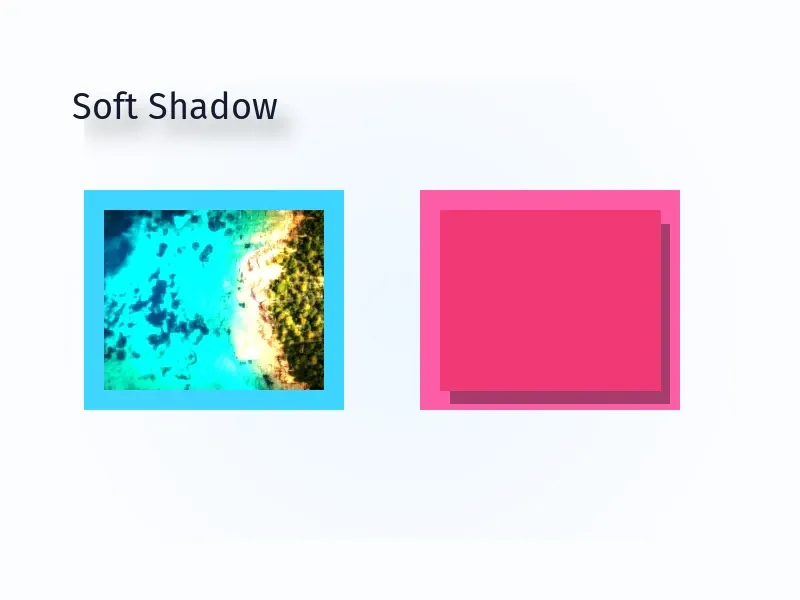
Drop shadows create the illusion of elements floating above the canvas, while glow effects add luminous halos that make elements stand out. On Android, drop shadows are native block properties and glow effects are configured through the effects system.
This guide covers configuring drop shadows with dedicated Engine API methods and applying glow effects with EffectType.Glow.
Using the Built-In UI#
The Android editor does not provide built-in controls for drop shadows; configure them with the Engine APIs below. Glow can be available to users through the effects sheet (SheetType.Effect) depending on your editor configuration.
Drop Shadow Configuration#
Drop shadows are native block properties configured directly on supported blocks.
Check Support and Enable#
Before configuring drop shadows, verify that the selected block supports them. Then enable the shadow.
val textSupportsDropShadow = engine.block.supportsDropShadow(textBlock)if (textSupportsDropShadow) { engine.block.setDropShadowEnabled(block = textBlock, enabled = true)}Set Shadow Color#
Configure the shadow color with setDropShadowColor(). This example uses the Float Color.fromRGBA() overload, where red, green, blue, and alpha values range from 0.0 to 1.0.
if (textSupportsDropShadow) { engine.block.setDropShadowColor( block = textBlock, color = Color.fromRGBA(r = 0F, g = 0F, b = 0F, a = 0.45F), )}Set Shadow Position#
Control horizontal and vertical offset with setDropShadowOffsetX() and setDropShadowOffsetY(). Positive values move the shadow right and down; negative values move it left and up.
if (textSupportsDropShadow) { engine.block.setDropShadowOffsetX(block = textBlock, offsetX = 12F) engine.block.setDropShadowOffsetY(block = textBlock, offsetY = 16F)}Configure Blur Radius#
Set shadow softness with setDropShadowBlurRadiusX() and setDropShadowBlurRadiusY(). Higher values create softer shadows.
if (textSupportsDropShadow) { engine.block.setDropShadowBlurRadiusX(block = textBlock, blurRadiusX = 18F) engine.block.setDropShadowBlurRadiusY(block = textBlock, blurRadiusY = 18F)}Shadow Clipping#
For shape blocks, setDropShadowClip(..., true) removes the shadow from the shape or stroke area, so the shadow appears outside the opaque shape instead of filling its interior. Enable the shape shadow first, and set clipping on a graphic shape block rather than on a text block.
if (engine.block.supportsDropShadow(shapeBlock)) { engine.block.setDropShadowEnabled(block = shapeBlock, enabled = true) engine.block.setDropShadowClip(block = shapeBlock, clip = true)}Glow Effect Configuration#
Glow effects are effect blocks. Create them through the effects system and attach them to blocks that support effects.
Check Support and Create Glow#
Use supportsEffects() before adding a glow. Create the effect with the type-safe EffectType.Glow constant and append it to the target block.
val glowSupported = engine.block.supportsEffects(glowBlock)val glowEffect = if (glowSupported) { engine.block.createEffect(type = EffectType.Glow).also { effect -> engine.block.appendEffect(block = glowBlock, effectBlock = effect) }} else { null}Configure Glow Parameters#
Glow parameters are effect properties, so Android configures them with setFloat():
effect/glow/size- Controls the spread of the gloweffect/glow/amount- Controls glow intensity from0.0to1.0effect/glow/darkness- Controls the darkness/opacity of the glow
glowEffect?.let { effect -> engine.block.setFloat(block = effect, property = "effect/glow/size", value = 8F) engine.block.setFloat(block = effect, property = "effect/glow/amount", value = 0.7F) engine.block.setFloat(block = effect, property = "effect/glow/darkness", value = 0.25F)}Combining Shadows and Glows#
Drop shadows and glow effects can both be applied to the same block. Drop shadows render independently from the effects stack, so both treatments appear at the same time.
if (engine.block.supportsDropShadow(shapeBlock)) {    engine.block.setDropShadowEnabled(block = shapeBlock, enabled = true)    engine.block.setDropShadowColor(        block = shapeBlock,        color = Color.fromRGBA(r = 0F, g = 0F, b = 0F, a = 0.35F),    )    engine.block.setDropShadowOffsetX(block = shapeBlock, offsetX = 10F)    engine.block.setDropShadowOffsetY(block = shapeBlock, offsetY = 14F)    engine.block.setDropShadowBlurRadiusX(block = shapeBlock, blurRadiusX = 14F)    engine.block.setDropShadowBlurRadiusY(block = shapeBlock, blurRadiusY = 14F)}
if (engine.block.supportsEffects(shapeBlock)) {    val combinedGlow = engine.block.createEffect(type = EffectType.Glow)    engine.block.appendEffect(block = shapeBlock, effectBlock = combinedGlow)    engine.block.setFloat(block = combinedGlow, property = "effect/glow/size", value = 6F)    engine.block.setFloat(block = combinedGlow, property = "effect/glow/amount", value = 0.5F)    engine.block.setFloat(block = combinedGlow, property = "effect/glow/darkness", value = 0.15F)}
Managing Shadow and Glow State#
Toggle Drop Shadows#
Enable or disable a drop shadow without removing its configured color, offset, or blur values. Query the current state with isDropShadowEnabled().
if (textSupportsDropShadow) { engine.block.setDropShadowEnabled(block = textBlock, enabled = false) val shadowIsDisabled = !engine.block.isDropShadowEnabled(textBlock) Log.i(TAG, "Drop shadow disabled: $shadowIsDisabled") engine.block.setDropShadowEnabled(block = textBlock, enabled = true)}Toggle Glow Effects#
Enable or disable a glow effect without removing it from the block. Query the current state with isEffectEnabled().
glowEffect?.let { effect -> engine.block.setEffectEnabled(effectBlock = effect, enabled = false) val glowIsDisabled = !engine.block.isEffectEnabled(effect) Log.i(TAG, "Glow disabled: $glowIsDisabled") engine.block.setEffectEnabled(effectBlock = effect, enabled = true)}Remove Glow Effects#
To remove an existing glow effect, read the block effect list with getEffects(), pass the matching index to removeEffect(), and destroy the detached effect block when you no longer need it.
glowEffect?.let { effect ->    val glowIndex = engine.block.getEffects(glowBlock).indexOf(effect)
require(glowIndex >= 0) { "The glow effect must be attached before it can be removed." } engine.block.removeEffect(block = glowBlock, index = glowIndex) engine.block.destroy(effect)}Troubleshooting#
| Issue | Cause | Solution |
|---|---|---|
| Shadow is not visible | The block does not support drop shadows, the shadow is disabled, or the color alpha is too low | Check supportsDropShadow(), call setDropShadowEnabled(..., true), and use a visible alpha value |
| Shadow appears too sharp or too far away | Offset or blur values are too small or too large for the block size | Adjust setDropShadowOffsetX/Y() and setDropShadowBlurRadiusX/Y() together |
| Glow is not visible | The block does not support effects, the effect is disabled, or size and amount are near zero | Check supportsEffects(), call setEffectEnabled(..., true), and increase effect/glow/size or effect/glow/amount |
| Rendering feels expensive | Large blur or glow values can cost more on mobile devices | Use moderate values and disable shadows or glows while running intensive editing operations |
API Reference#
| API | Purpose |
|---|---|
engine.block.supportsDropShadow(block) |
Checks if a block supports drop shadow properties |
engine.block.setDropShadowEnabled(block=_, enabled=_) |
Enables or disables the block’s drop shadow |
engine.block.isDropShadowEnabled(block) |
Checks whether the block’s drop shadow is enabled |
engine.block.setDropShadowColor(block=_, color=_) |
Sets the drop shadow color |
engine.block.getDropShadowColor(block) |
Reads the current drop shadow color |
engine.block.setDropShadowOffsetX(block=_, offsetX=_) |
Sets the horizontal shadow offset |
engine.block.setDropShadowOffsetY(block=_, offsetY=_) |
Sets the vertical shadow offset |
engine.block.getDropShadowOffsetX(block) |
Reads the horizontal shadow offset |
engine.block.getDropShadowOffsetY(block) |
Reads the vertical shadow offset |
engine.block.setDropShadowBlurRadiusX(block=_, blurRadiusX=_) |
Sets horizontal shadow blur |
engine.block.setDropShadowBlurRadiusY(block=_, blurRadiusY=_) |
Sets vertical shadow blur |
engine.block.getDropShadowBlurRadiusX(block) |
Reads horizontal shadow blur |
engine.block.getDropShadowBlurRadiusY(block) |
Reads vertical shadow blur |
engine.block.setDropShadowClip(block=_, clip=_) |
Controls shadow clipping behavior for shape blocks |
engine.block.getDropShadowClip(block) |
Reads the current shadow clipping state |
engine.block.supportsEffects(block) |
Checks if a block supports effects |
engine.block.createEffect(type=EffectType.Glow) |
Creates a glow effect block |
engine.block.insertEffect(block=_, effectBlock=_, index=_) |
Inserts an effect at a specific stack position |
engine.block.appendEffect(block=_, effectBlock=_) |
Adds an effect to a block’s effect stack |
engine.block.setFloat(block=_, property="effect/glow/size", value=_) |
Sets the glow spread |
engine.block.setFloat(block=_, property="effect/glow/amount", value=_) |
Sets the glow intensity |
engine.block.setFloat(block=_, property="effect/glow/darkness", value=_) |
Sets the glow darkness |
engine.block.setEffectEnabled(effectBlock=_, enabled=_) |
Enables or disables an effect |
engine.block.isEffectEnabled(effectBlock) |
Checks whether an effect is enabled |
engine.block.getEffects(block) |
Reads the effects attached to a block |
engine.block.removeEffect(block=_, index=_) |
Removes an effect from a block’s effect stack |
engine.block.destroy(block=_) |
Destroys a detached or unused effect block |
Next Steps#
- Using Strokes - Add border outlines to elements
- Apply a Filter or Effect - Apply, configure, stack, and manage filters and effects.
- Blur Effects - Apply blur effects to elements