
The phrase “design agent” is being used in two completely different ways right now, and the confusion is worth clearing up before either meaning becomes the default. Search for it today and you’ll also find AI design agencies - services firms that use AI in their process. That’s a reasonable business, but it has nothing to do with what this article is about.
The second meaning, a design agent as a category of AI tool, is the one that matters for product builders, developers, and creative teams trying to understand where AI-assisted design is actually going. That’s what we’re defining here: what it is, how it works, how it differs from tools you already know, and why the distinction matters if you’re building or evaluating creative software in 2026.
First, What an AI Design Agent Is Not
An AI design agency. This is a services firm that uses AI tools in its creative process. It’s a completely different category - a service, not a tool - and it’s a common result you’ll find when you search “design agent” right now.
An AI image generator. Midjourney, the GPT Image models, and similar tools produce images from text prompts. They generate a single output from a single instruction.
An AI feature inside a design tool. Figma’s AI suggestions, auto-layout assistance, and background removal are AI features, separate from the design agent Figma also ships. They augment a manual workflow making specific tasks faster.
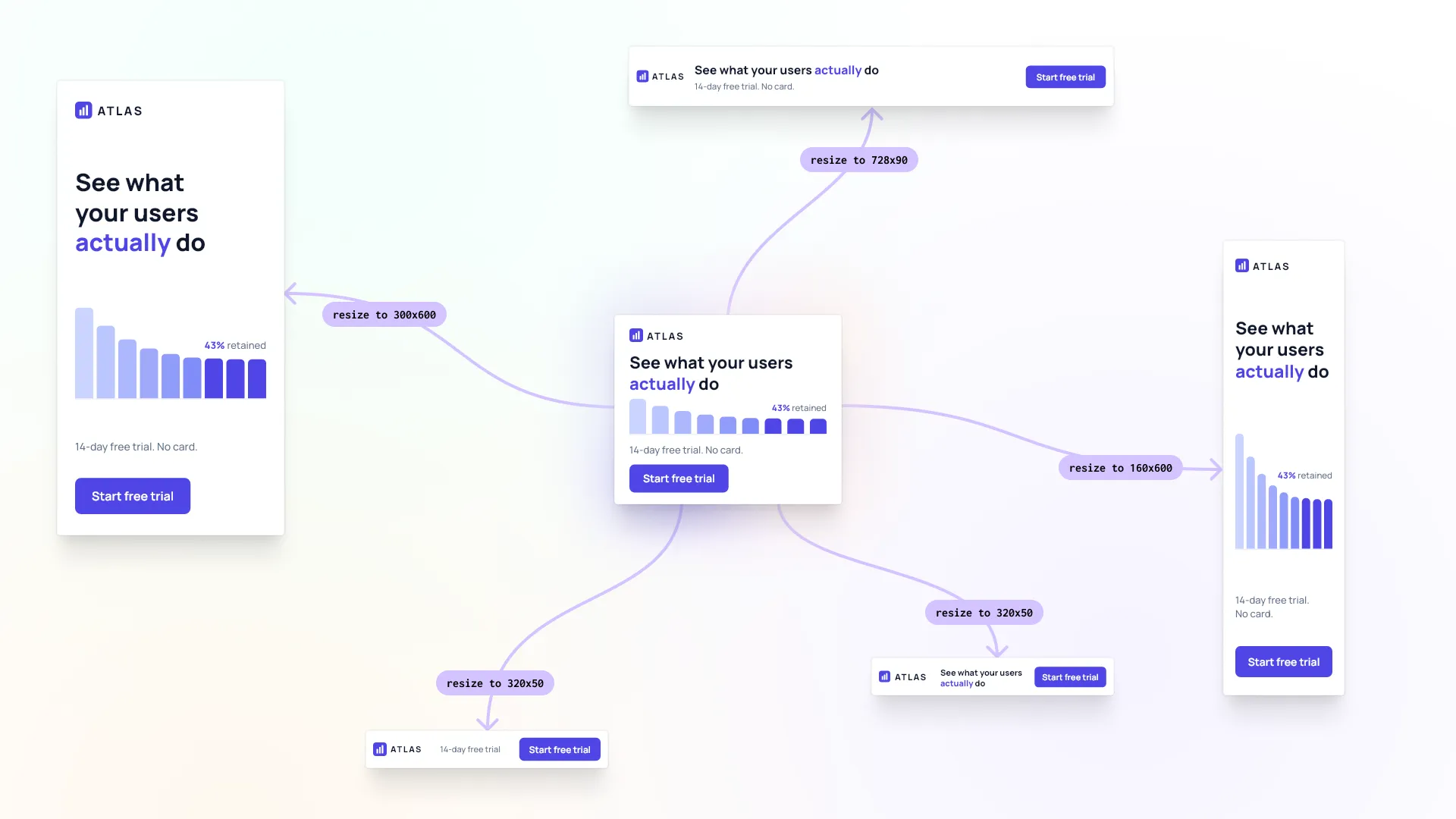
A design automation pipeline. Server-side systems that batch-generate assets from templates are automation, not agency. They’re fast and scalable, but they don’t converse, can’t interpret an ambiguous brief, and don’t refine their output in response to feedback. The confusion here is understandable: modern automation systems use AI models internally and can produce polished, varied-looking results that are easy to mistake for something more intelligent. But give one an ambiguous brief and it either fails or produces something technically correct that misses the point entirely. Give a design agent the same brief and it asks a question. That distinction - executing a fixed process versus reasoning about intent - is what separates the two categories.
The distinction matters because “design agent” is becoming a meaningful category term, and what it actually describes is different enough from all of the above that collapsing the distinctions creates real confusion, both for people evaluating tools and for people building products.
AI Design Agent - a Working Definition
There is no settled definition of an AI design agent yet, the term is still early. Based on what we see in the tools that genuinely deliver on the promise, three properties distinguish a real design agent from something that merely resembles one:
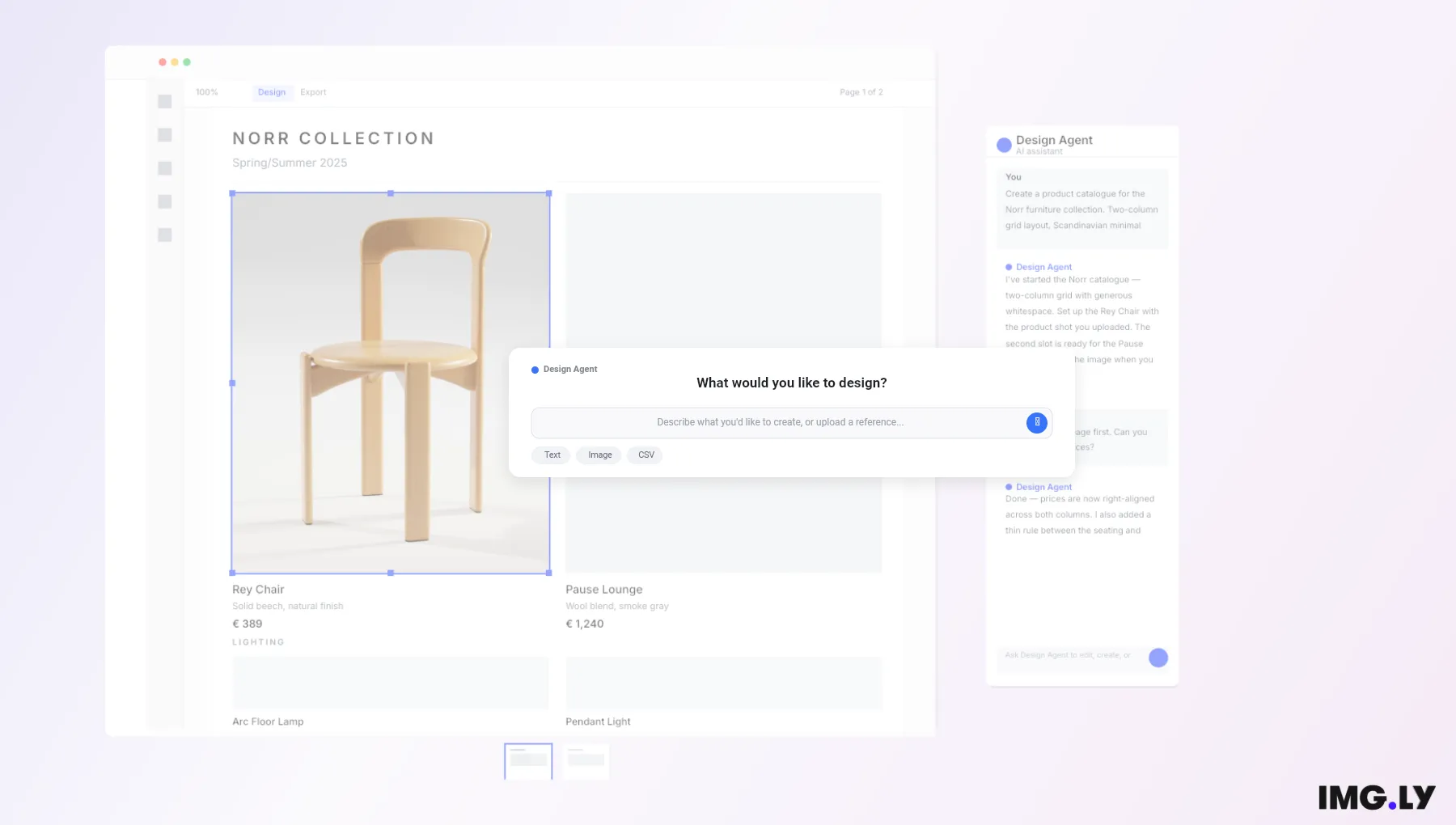
1. Autonomy. The agent takes multi-step actions without requiring a human instruction at each step. Given “create a five-page product catalog in a Scandinavian minimal style,” it works out the layout, typography, and image placement independently and produces the result.
2. Conversational interface. The agent communicates in natural language. It can ask clarifying questions, explain what it’s done, and accept follow-up instructions. The interaction feels like briefing a designer, not operating software.
3. Refinement loop. The agent takes feedback across multiple conversation turns: “make the typography lighter,” “apply the brand’s warm color palette”, and updates the design accordingly. This iterative loop is what separates a design agent from a one-shot generation tool.
A tool that has all three of these properties is a design agent. A tool that has one or two is something else; probably useful, but in a different category. IMG.LY CoDesign is built against exactly this bar: it takes a brief, works through the layout on its own, and refines the result in conversation.
How an AI Design Agent Works in Practice
An abstract definition only takes you so far. Here’s what a fully implemented design agent workflow actually looks like, drawn from a real demo of IMG.LY CoDesign. CoDesign runs as a design MCP server, which means it works from Claude, Cursor, or any other MCP client. It’s a technical preview, so it’s rough in places and behavior changes between releases.
Step 1. The user opens the agent CoDesign is installed in. The editor is one click away once there is a design to look at.
Step 2. The user types a brief: “Here’s a CSV of five products from our furniture brand. Generate one landscape catalog page per product, two-column grid, full-bleed photo left, typography-led layout right. Clean, minimal. Think Hay, Muuto, Frama.”
Step 3. The agent processes the brief, the data, and any brand context it has access to. It generates a five-page catalog in the editor: product names, descriptions, prices, photo placeholders, layout structure consistent across all five pages.
Step 4. The user reviews the output and follows up in the chat: “Nice. Pre-fill the photo placeholders with black-and-white product photography, soft contrast.”
Step 5. The agent updates the design. The user manually adjusts one headline, corrects a price, and exports.
The full workflow, from brief to print-ready output, took minutes rather than hours. The work moved between the agent and the editor with no export step in between. The agent handled all structural and stylistic decisions. The human handled final judgment and small corrections. Only the mechanics have been measured: six AI models ran one resize job through CoDesign MCP and all six passed every mechanical check, which grades whether a design is valid, not whether it is good.
But generating layouts from a brief is only part of what a design agent can do. In the same chat interface, the agent can build functional decision-making tools directly inside the editor. Ask it to create a Color Themes panel, and it produces a working component: five named presets, each one applying a complete color theme across the entire design in a single click. The user doesn’t switch to a settings screen or manually update individual elements. The agent has built the control they need, right where they need it, as part of the same conversation. That’s a meaningfully different capability: not just producing a designed output, but constructing the tools that let the user make better decisions about that output as they finalize it.
Design Agents vs. Related Tools
This table is meant as a fair comparison, each column represents how these tool categories actually behave today:
| Capability | AI Image Generator | AI Design Features | Design Agent |
|---|---|---|---|
| Takes a brief | Prompt only | No | Yes |
| Produces editable layouts | No | Partial | Depends on a tool |
| Multi-step autonomy | No | No | Yes |
| Conversational refinement | No | Limited | Yes |
| Brand / context awareness | No | Partial | Yes |
| Iterative across a session | No | No | Yes |
The pattern here isn’t that design agents are better at everything - it’s that they operate at a different level of the workflow. Image generators and AI design features are task-level tools. A design agent is a workflow-level tool.
There’s one adjacent term worth separating out too: vibe design, the workflow where you describe what you want instead of building it manually. A design agent is one way to run a vibe design workflow, but the tools behind it differ a lot in what they hand back. We’ve compared the AI design tools built around this workflow if you want to see how they stack up.
Agentic Design vs. AI Design Agents: What’s the Difference?
“Agentic design” and “AI design agent” look interchangeable, and they’re starting to get used that way, but they describe different things.
Agentic design is a practice: the set of patterns and decisions involved in building systems where an AI acts with some autonomy. How much the agent does before checking in, when it asks a clarifying question, how it surfaces what it changed - these are agentic design questions, and they apply to coding agents and support agents just as much as to creative tools.
An AI design agent is a product: a tool that applies that practice to design work specifically. The autonomy slider in the next section is a good example of the overlap. Deciding where that slider sits is agentic design; the tool you move it in is a design agent. If you’re evaluating tools, you’re shopping for a design agent. If you’re building one, you’re doing agentic design.
Creative Agents: The Wider Category
Zoom out one level and design agents sit inside a wider family: creative agents. A creative agent is any AI agent that produces creative output autonomously - copy, video, music, imagery, or design. Design agents are the branch of that family that works in layouts, typography, and brand systems.
The defining properties carry across the family: autonomy over multi-step work, a conversational interface, and a refinement loop. What changes is the medium and the tooling around it - an agent cutting video needs a timeline the way a design agent needs a canvas. Keeping the levels straight helps when you’re mapping the space: the creative agent is the category, the design agent is its design-specific branch, and the products above are competing to define what that branch looks like.
The Autonomy Slider: Why Human Control Still Matters
One of the most important design decisions when building or evaluating a design agent is how much autonomy the AI exercises by default.
Full autonomy is fast. The agent makes all decisions and presents a finished output. But it can produce results that don’t match the user’s actual intent, especially when the brief is ambiguous or the stakes are high.
Minimal autonomy is safe. The agent only suggests, the human decides everything. But at that point, you’ve lost much of the value of having an agent in the first place.
The best implementations give users what you might call an autonomy slider: the ability to let the agent run with full independence on some tasks, take targeted direction on others, and step aside entirely when the user wants to edit manually. The right level of autonomy depends on the task and the user’s confidence, not a fixed setting applied uniformly across every interaction.
For any design agent, this means the interface needs to let the user reach in and adjust manually, mid-workflow, without losing what the agent has already done. The agent and the editor have to exist in the same environment. Separate windows with an export step between them break the loop entirely.
Where AI Design Agents Create the Most Value
Not every creative workflow benefits equally from an AI agent. The scenarios where design agents consistently create the most value tend to fall into three categories:
High-volume, high-variation creative production. Marketing teams producing dozens of ad variants, e-commerce teams generating product imagery at scale, publishers creating template-based content in bulk. A team can brief the agent once: brand colors, copy, format specs, and get 40 properly formatted variants back in the time it would have taken to manually produce three, each one consistent with the last.
Non-designer users who need professional results. Not everyone who needs to produce a designed output is a designer. Marketers, retailers, operations teams, small business owners - they know what they want but don’t have the tools or time to build it manually. A design agent gives them a way in that doesn’t require either.
Expert designers who want to explore faster. Experienced designers using the agent to generate starting points, explore multiple directions quickly, or offload the time-consuming production work while retaining full control over the final result. A designer can spend 20 minutes reviewing six distinct layout directions the agent generated from a single brief, rather than a full afternoon building each one from scratch.
These aren’t exhaustive categories, but they represent the use cases where the workflow-level shift actually changes what’s possible, not just what’s faster.
A Different Kind of Design Tool
A design agent makes creative work faster and more accessible. For designers who want to explore more directions in less time, and for non-designers who have always known what they wanted but lacked the tools to build it.
That’s what IMG.LY CoDesign is built around: editable designs straight from your agent, inside a fully featured design editor. The local MCP server is free to install and run, or get in touch if you want to talk it through with the team. If you want to see how the current crop actually behaves, we ran five of six design agents ourselves through the same two prompts in AI Design Agents in 2026.
FAQ
What is an AI design agent? An AI design agent is an AI tool that takes a design brief in natural language, produces an editable design on its own, and refines it through conversation. Three properties define the category: multi-step autonomy, a conversational interface, and a refinement loop. A tool that has all three is a design agent; a tool with one or two belongs to a different category.
How is an AI design agent different from an image generator? An image generator produces a single flat image from a single prompt. A design agent works at the workflow level: it interprets a brief, makes multi-step layout and typography decisions, produces structured output, and takes feedback across a session.
What is the difference between agentic design and an AI design agent? Agentic design is a practice: the patterns and decisions involved in building systems where an AI acts with some autonomy. An AI design agent is a product that applies that practice to design work specifically. If you are evaluating tools, you are shopping for a design agent. If you are building one, you are doing agentic design.
What is a creative agent? A creative agent is any AI agent that produces creative output on its own, whether that is copy, video, music, imagery or design. Design agents are the branch of that family that works in layouts, typography and brand systems. The defining properties carry across the family: autonomy over multi-step work, a conversational interface, and a refinement loop.