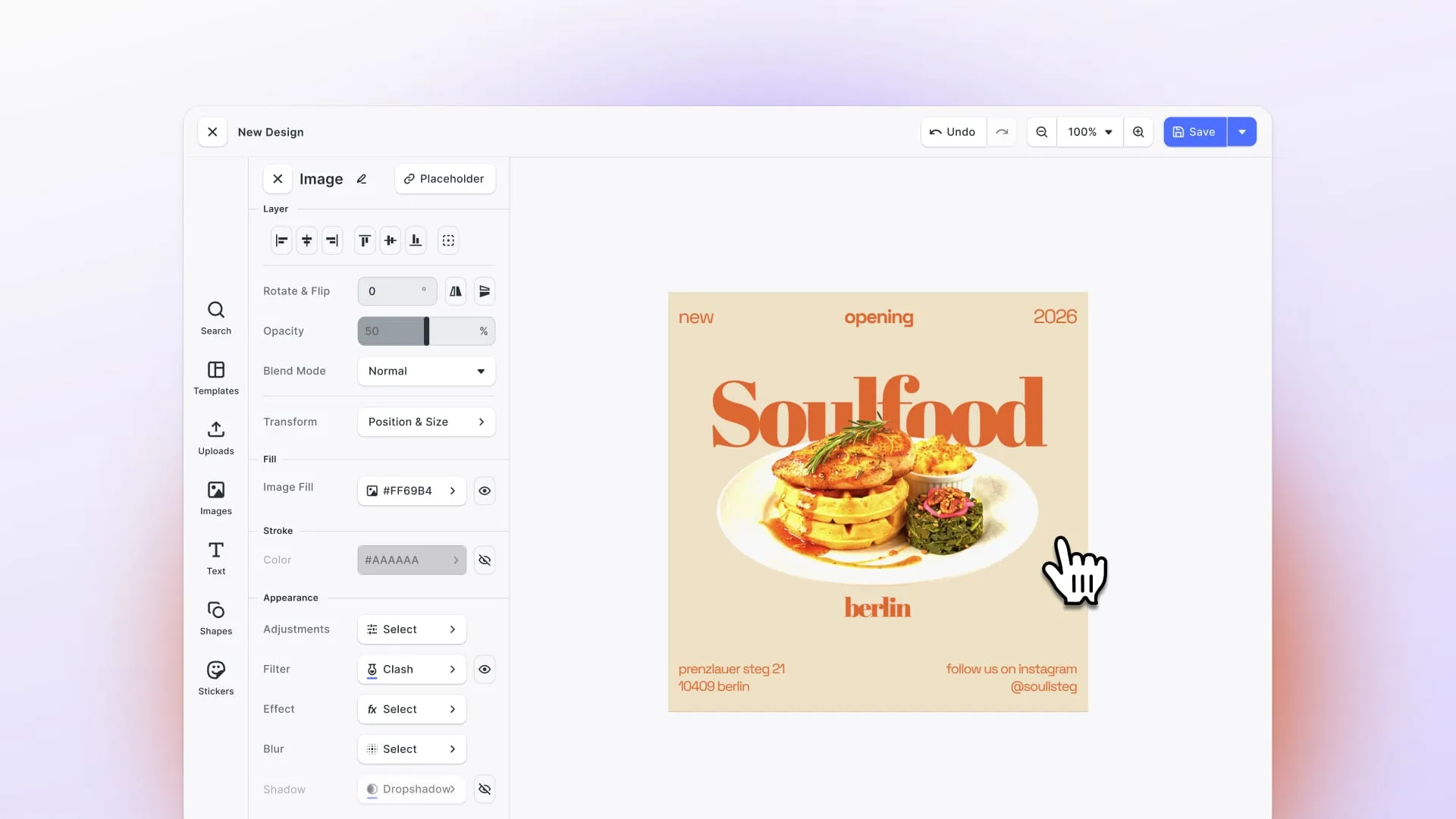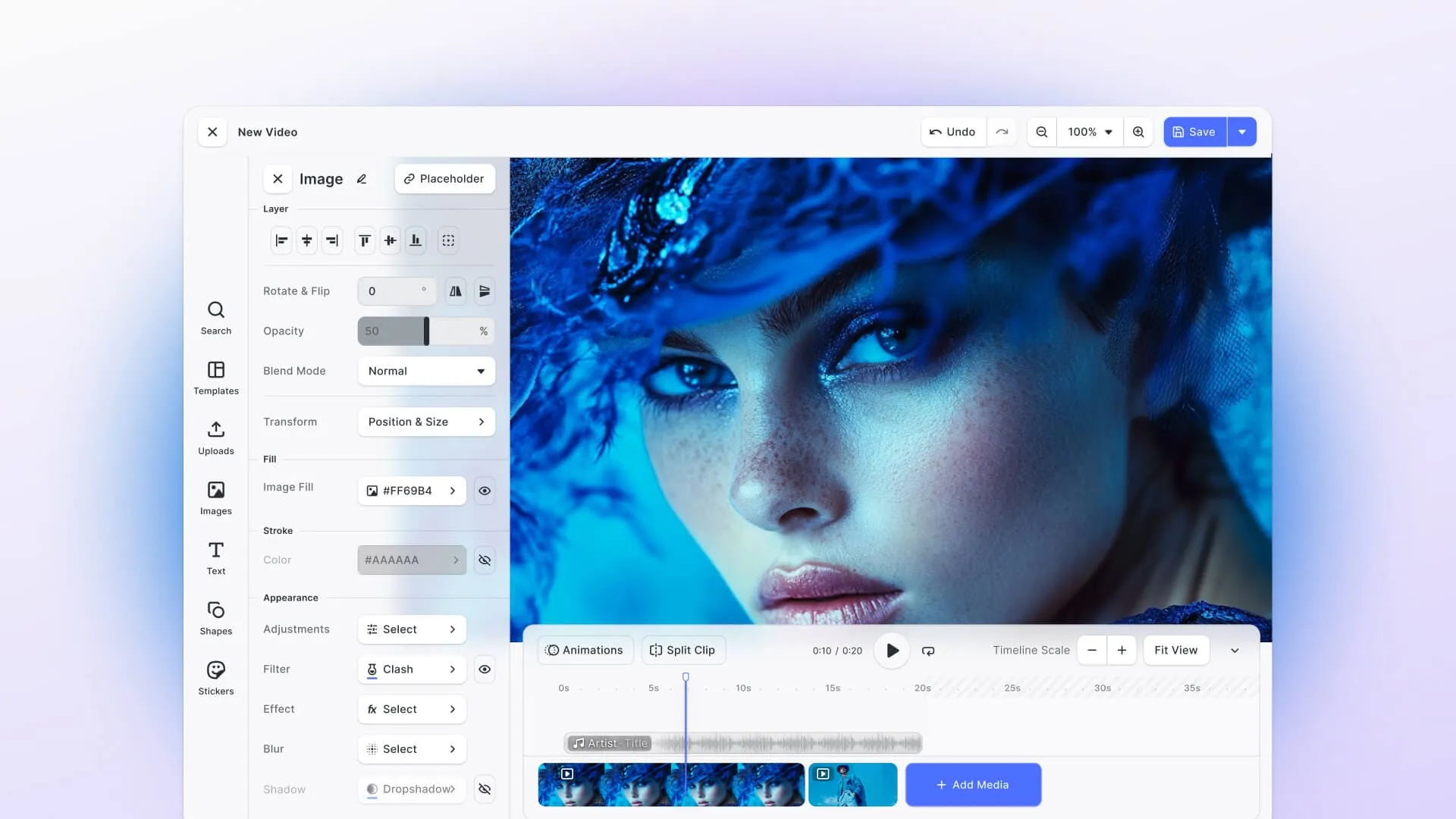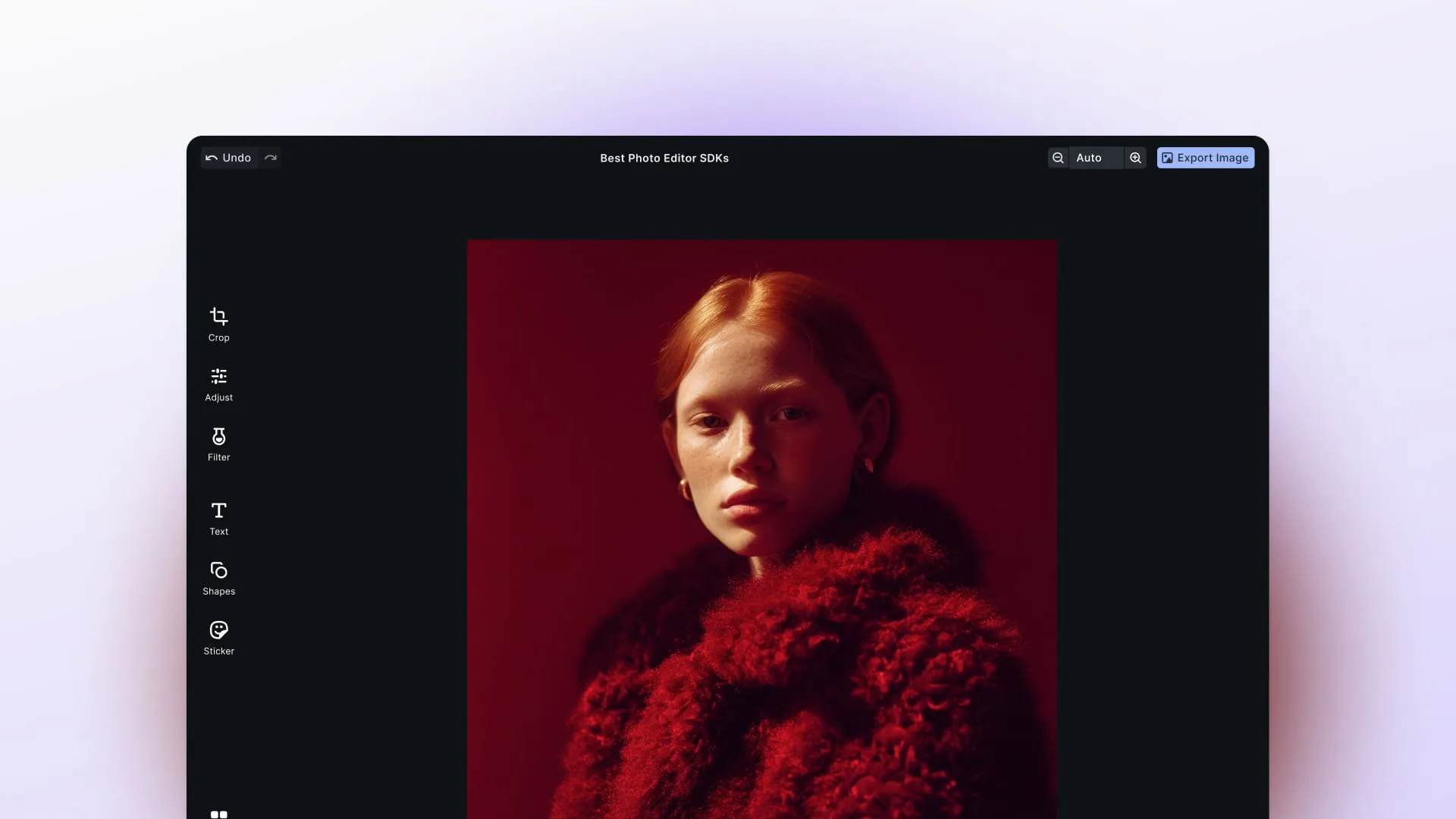
If you’re building an app that needs photo editing capabilities, you’ve probably asked yourself: should I use an open-source library or go with a commercial SDK?
Open-source tools offer flexibility and zero licensing costs, which makes them attractive when you’re starting out. But they also come with trade-offs. You’ll need to handle UI development, performance optimization, and ongoing maintenance yourself. And as your app scales, those “free” solutions can become surprisingly expensive in engineering time.
In this article, we’ll compare the most popular open-source photo editing SDKs and libraries like Jimp, sharp, Pica, OpenCV, ImageMagick, and GraphicsMagick and show you how they stack up against IMG.LY CE.SDK, our enterprise-grade editing solution. We’ll be honest about where open-source tools shine (flexibility, cost) and where commercial SDKs like ours stand out (UI, scalability, automation, and enterprise support).
We’ll also dig into what it actually takes to build with each option: difficulty of integration, potential roadblocks you’ll hit, and what happens when you need to scale beyond a prototype.
Updated September 2026.
1. Jimp
Jimp is a pure JavaScript image processing library built for Node.js and browser environments. It’s one of the most popular open-source options for developers who need basic image manipulation without native dependencies.
Features & Capabilities
Jimp handles the essentials: resizing, cropping, applying filters, color manipulation, text overlays, and simple compositing. It’s designed to be straightforward - you can process images entirely in JavaScript without touching C++ bindings or external tools.
Key features:
- Resize, crop, rotate images
- Apply filters (blur, grayscale, sepia, brightness, contrast)
- Color adjustments and overlays
- Text rendering on images
- Format conversions (JPEG, PNG, BMP, TIFF, GIF)
- Simple compositing and blending
Platforms
- Node.js
- Browser (with bundlers like Webpack or Rollup)
Difficulty Building
Low. Jimp is easy to get started with. You install it via npm, import it, and start processing images with a simple API. There’s minimal setup and no need to configure native dependencies, which makes it beginner-friendly.
Potential Roadblocks
Performance issues with large images. Because Jimp runs entirely in JavaScript, it’s not optimized for heavy workloads or high-resolution images. If you’re processing thousands of images or working with files larger than a few megabytes, you’ll notice slowdowns, and sharp is the usual answer.
No built-in UI. Jimp is a processing library, not an editor. If you want users to interact with images (adjust brightness, apply filters visually), you’ll need to build the entire interface yourself.
Limited advanced features. Jimp doesn’t support layer-based editing or advanced compositing. It’s great for quick transformations but won’t help you build a Photoshop-like experience.
Use Cases
- Small to medium web apps needing server-side image manipulation
- Quick prototyping of image features
- Backend workflows for resizing user uploads
- Simple filters and adjustments in Node.js environments
Support & Pricing
Jimp has a strong community on GitHub, though the pace has slowed to one commit and one release in the past year. It’s completely free and open-source (MIT license), which means no licensing costs but also no dedicated support team.
Who It’s For
Developers who need a lightweight, Node-friendly image library for basic transformations and don’t want to deal with native dependencies.
Comparison to IMG.LY CE.SDK
Jimp is simple and flexible for basic image processing, but it’s not built for end-user editing experiences. IMG.LY CE.SDK offers a production-ready photo editor with a polished UI, advanced editing features (layers, filters, AI enhancements), and cross-platform support (Web, iOS, Android, React Native, Flutter). Where Jimp requires you to build everything from scratch, our SDK gives you a complete editing solution that most teams have running in about two days.
2. sharp
sharp is the workhorse of server-side image processing in Node. It’s built on libvips, a C library, and it’s what most production Node apps reach for when they need to resize or convert images at volume. By weekly npm downloads it’s roughly 28 times more popular than Jimp.
Features & Capabilities
sharp is built for one job and does it very fast: turning large source images into smaller, web-friendly ones. Its own documentation puts resizing at 4 to 5 times faster than the quickest ImageMagick and GraphicsMagick settings.
Key features:
- Resize, rotate, extract, composite, gamma correction
- Format conversion between JPEG, PNG, WebP, GIF and AVIF
- Lanczos resampling, so quality survives the speed
- Correct handling of color spaces, embedded ICC profiles and alpha channels
- Streams and buffers, so you can process without touching disk
Platforms
- Node.js 20.9.0 and above, plus Deno and Bun (anything with Node-API v9)
- Most modern macOS, Windows and Linux systems need no extra install
Difficulty Building
Low. Install it, point it at an image, chain a few methods. The API is small and reads well, and prebuilt binaries mean you usually don’t deal with libvips directly.
Potential Roadblocks
It’s a native module. That’s where the speed comes from, but it also means a compiled dependency. On most systems the prebuilt binary just works. In restricted build environments, or where you can’t ship native binaries at all, Jimp’s pure JavaScript is the reason to choose Jimp over sharp despite the performance gap.
No UI, and no editing model. sharp processes images. It has no canvas, no layers, no undo, and no concept of a user making a decision.
Not an editor’s toolkit. Its text input is Pango-backed, so it wraps, aligns and justifies, but there’s no template system and no design primitives. You can composite images and burn in an overlay, but building a design tool on sharp means building the design tool.
Use Cases
- Resizing and converting user uploads at scale
- Generating thumbnails and responsive image sets
- Serving AVIF and WebP from a single source image
- Any backend image pipeline where throughput matters
Support & Pricing
Free and open-source (Apache 2.0). Actively maintained with frequent releases and thorough documentation, though support is community-based like everything else here. The prebuilt libvips binaries that a default npm install sharp pulls in (@img/sharp-libvips-*) carry their own license, LGPL-3.0-or-later.
Who It’s For
Backend developers processing images at volume who want the fastest option available in Node and don’t need anyone to see an interface.
Comparison to IMG.LY CE.SDK
sharp and CE.SDK barely overlap. sharp is the best answer to “resize a million images quickly”; it has nothing to say about a user cropping their own photo. IMG.LY CE.SDK covers the part sharp doesn’t: a production-ready editor UI, layers, templates, brand controls and AI features, across web and mobile. CE.SDK also renders headlessly on the server, so if you need both the pipeline and the interface, you’re running one engine rather than sharp plus a front end you built yourself.
3. Pica
Pica is a high-quality image resizing library focused on performance and accuracy. It’s designed to do one thing extremely well: resize images using algorithms that preserve quality far better than standard browser or canvas resizing.
Features & Capabilities
Pica specializes in fast, high-quality resizing. By default it picks from pure JavaScript, WebAssembly and Web Workers, whichever the browser offers, to keep the work off the main thread, so your UI stays responsive even with large images. A createImageBitmap path exists, but it is off by default and Pica recommends against enabling it.
Key features:
mks2013default filter, which resizes and sharpens in one pass- Lanczos3, Lanczos2, Hamming and box filters if you need to override it
- Automatic use of pure JavaScript, WebAssembly or Web Workers
- Canvas and Blob support
- Built-in unsharp mask
- Fast performance in the browser
Platforms
- Browser (primary focus)
- Node.js, though the maintainers recommend sharp instead
Difficulty Building
Low. Pica has a straightforward API designed for one task. You load an image, specify target dimensions, and let Pica handle the resizing. Integration takes minutes if you’re already working with HTML5 Canvas.
Potential Roadblocks
Limited scope. Pica only resizes images. It doesn’t crop, filter, adjust colors, or add text. If you need anything beyond resizing, you’ll need additional libraries.
Browser-first, and increasingly browser-only. Pica’s docs now send Node.js users to sharp instead, calling it faster and better quality. You can still run Pica on a server by exposing a canvas library as a global OffscreenCanvas, but you lose Web Workers and the maintainers explicitly don’t recommend it.
Use Cases
- Web apps that need responsive image scaling (e.g., thumbnails, image galleries)
- Client-side optimization before uploading images
- Frontend performance workflows where image quality matters
Support & Pricing
Pica is a well-maintained open-source project (MIT license) widely used in frontend performance workflows. It’s free, but like all OSS, you’re relying on community support.
Who It’s For
Frontend developers who need to optimize image performance in the browser and want a fast, reliable resizing solution.
Comparison to IMG.LY CE.SDK
Pica solves a single, narrow problem extremely well. IMG.LY CE.SDK goes far beyond resizing to provide end-to-end editing capabilities: filters, adjustments, text overlays, layers, templates, AI-powered enhancements, and automation workflows. If you need a complete editing experience (not just resizing), our SDK delivers a production-ready solution with UI, cross-platform support, and enterprise scalability.
4. OpenCV
OpenCV (Open Source Computer Vision Library) is the industry-standard library for computer vision and image processing. Originally developed by Intel, it’s used in academia, research, and production systems worldwide for everything from face detection to autonomous vehicle vision.
Features & Capabilities
OpenCV is powerful. It includes hundreds of algorithms for image processing, computer vision, machine learning, and real-time video analysis.
Key features:
- Filters, transformations, edge detection
- Face and object detection
- Image segmentation and feature extraction
- Machine learning integration
- Video processing and tracking
- Support for GPU acceleration (CUDA)
- Extensive documentation and tutorials
Platforms
- Cross-platform: Windows, Linux, macOS, iOS, Android
- Language bindings: C++, Python, Java, JavaScript (OpenCV.js)
Difficulty Building
High. OpenCV is powerful, but it’s also complex. You’ll need to understand computer vision concepts to use it effectively. Installation can be tricky (especially with GPU support), and the learning curve is steep compared to simpler image libraries.
Even basic tasks like resizing or filtering require more setup than lightweight alternatives. If you’re not already familiar with computer vision workflows, expect to spend significant time learning the API.
Potential Roadblocks
No built-in UI. OpenCV is a processing library, not an editor. Building a user-facing photo editor on top of OpenCV means creating the entire interface yourself.
Complexity. The library is massive. Finding the right function for your use case can feel overwhelming if you’re not familiar with computer vision terminology.
Performance tuning required. While OpenCV is fast, getting optimal performance often requires careful configuration, especially for real-time applications.
Use Cases
- AI-powered image analysis and classification
- Vision-heavy applications (facial recognition, object tracking)
- Research and academic projects
- Robotics and automation systems
- Advanced image processing pipelines
Support & Pricing
OpenCV has a big community with extensive documentation, tutorials, and academic support. It’s free and open-source (Apache 2.0 license), which makes it accessible for research and commercial projects alike.
Who It’s For
Developers and researchers who need advanced computer vision features and are willing to invest time learning a complex library.
Comparison to IMG.LY CE.SDK
OpenCV excels at image analysis and computer vision - it’s built for developers working on AI, object detection, and advanced transformations. IMG.LY CE.SDK, on the other hand, focuses on user-facing creative editing. We provide a polished editor UI, templates, design automation, and AI-powered creative enhancements (background removal, plus style transfer and object removal through a model you connect yourself). If you’re building an app where users need to edit photos creatively (not analyze them), our SDK is purpose-built for that workflow.
5. ImageMagick / GraphicsMagick
ImageMagick and GraphicsMagick are command-line tools and APIs for image manipulation. They’ve been around for decades and are widely used for server-side automation and batch processing. GraphicsMagick is a fork of ImageMagick focused on stability and performance.
Features & Capabilities
Both tools handle a range of image processing tasks through command-line interfaces or language bindings.
Key features:
- Resize, crop, rotate, flip images
- Format conversions (ImageMagick reads over 100 major formats, GraphicsMagick over 92, neither counting sub-formats)
- Color adjustments, filters, effects
- Compositing and layering
- Batch processing for thousands of images
- PDF and SVG support
- Scriptable automation
Platforms
- Cross-platform: Linux, Windows, macOS
- Language bindings: Node.js, PHP, Python, Ruby, Perl, and more
Difficulty Building
Medium. The command-line syntax is powerful but syntax-heavy. You’ll spend time learning the specific flags and options for each operation. Language bindings simplify integration, but you still need to understand the underlying CLI logic.
Potential Roadblocks
Steep learning curve. The CLI syntax is powerful but not intuitive. Documentation can feel overwhelming because of the sheer number of options available.
No UI. These are backend processing tools. If you want users to edit images interactively, you’ll need to build the entire frontend yourself.
Security concerns. ImageMagick has had several security vulnerabilities over the years (like ImageTragick). You’ll need to stay on top of updates and security patches.
Use Cases
- Server-side image automation and batch processing
- Format conversions at scale
- Thumbnail generation for content management systems
- Backend workflows for e-commerce (product image resizing)
- PDF manipulation and generation
Support & Pricing
Both ImageMagick and GraphicsMagick are free and open-source with mature communities. ImageMagick is more actively developed; GraphicsMagick emphasizes stability. Both are widely used in production systems.
Licensing note: ImageMagick uses the ImageMagick License, which is Apache-like. GraphicsMagick has used an MIT-style license since the project forked from ImageMagick in 2002. Both are permissive, so neither one puts copyleft obligations on your product, though bundled delegate libraries carry their own licenses.
Who It’s For
Backend developers who need scalable, reliable server-side image processing and automation.
Comparison to IMG.LY CE.SDK
ImageMagick and GraphicsMagick are great for backend batch processing and automation. IMG.LY CE.SDK adds the user-facing layer - a polished editor UI, cross-platform SDKs (Web, iOS, Android, React Native, Flutter), design templates, and AI-powered creative features. It also runs headless on the server, so the same engine behind the editor handles your batch jobs. That’s one rendering pipeline to reason about instead of a backend tool and a frontend editor you have to keep in sync. We also handle the security, updates, and scalability challenges so you don’t have to manage them yourself.
6. IMG.LY CE.SDK (The Complete Solution)
IMG.LY CE.SDK is an enterprise-grade creative editing SDK that supports photo, video, and design editing. It’s built for businesses that need production-ready editing features, cross-platform support, and automation - without spending months building and maintaining a custom solution.
Features & Capabilities
CE.SDK is a complete editing platform, not just a processing library. It includes a polished editor UI, advanced editing features, design automation, and AI-powered enhancements.
Key features:
- Multi-layer editing with advanced compositing
- Filters, adjustments, color grading
- Text editing with customizable fonts and styles
- Templates and design automation
- AI-powered enhancements (background removal, plus style transfer and object removal through a model you connect yourself)
- Print-ready CMYK exports, with PDF/X on web and server
- Brand controls and asset management
- Automation workflows via headless rendering
Platforms
- Web (React, Vue, Angular, vanilla JS, Next.js, Svelte)
- iOS (Swift)
- Android (Kotlin)
- React Native
- Flutter
- Electron and macOS
- Server-side, for headless rendering and automation
Difficulty Building
Low. CE.SDK is designed to integrate quickly. You embed the SDK, configure your desired features, and you’re ready to go. Most teams have a working editor in days, not weeks.
We provide comprehensive documentation and sample projects to get you up and running fast, and dedicated onboarding comes with an enterprise license.
Potential Roadblocks
Paid solution. Unlike open-source libraries, CE.SDK is commercially licensed: monthly or yearly subscriptions paid by card, with enterprise licensing as an option on top. There is a cost open source does not carry, but the investment pays off in reduced development time and ongoing support.
Enterprise-focused. CE.SDK is built for teams that need scalability, reliability, and support. If you’re building a quick prototype or a low-traffic app, open-source tools might be more cost-effective initially.
Use Cases
- E-commerce platforms (product personalization, print-on-demand)
- SaaS applications (user-generated content, marketing automation)
- Social media apps (photo and video editing)
- Digital asset management systems (brand compliance, template automation)
- Print and publishing workflows (CMYK exports, print-ready output)
- Marketing Tech, Brands & agencies (creative automation workflows, templating systems, brand restrictions)
Support & Pricing
CE.SDK includes documentation, sample projects, and regular updates, and enterprise licenses add dedicated support, onboarding, and SLAs. Pricing is based on the platforms, components, and AI features you license.
We’ve already empowered over 600 innovative startups and Fortune 500 companies to ship faster and scale confidently.
Who It’s For
Businesses that need a complete, production-ready editing solution with cross-platform support, enterprise scalability, and ongoing support.
Why IMG.LY CE.SDK Stands Out
While open-source libraries handle specific tasks (resizing, filtering, batch processing), CE.SDK is the only solution that combines:
- Cross-platform editing (Web, iOS, Android, React Native, Flutter)
- Polished editor UI (no need to build from scratch)
- Advanced features (layers, templates, AI enhancements)
- Design automation and headless rendering
- Enterprise-grade scalability and support
If you’re evaluating open-source tools, ask yourself: how much engineering time will I spend building, maintaining, and scaling a custom solution? CE.SDK eliminates that overhead so your team can focus on what makes your product unique.
Comparison Table: Open-Source Photo Editing SDKs vs IMG.LY CE.SDK
| Use Case / Solution | Jimp | sharp | Pica | OpenCV | ImageMagick / GraphicsMagick | IMG.LY CE.SDK |
|---|---|---|---|---|---|---|
| Ease of integration | ✅ Simple Node API, quick setup | ✅ Small API, prebuilt binaries | ✅ Very simple, resizing-focused API | ⚠️ Complex setup, bindings needed | ⚠️ CLI/low-level API requires wrappers | ✅ Drop-in SDK, UI and API ready |
| Features | ⚠️ Basic editing only (resize, crop, filters) | ⚠️ Processing only (resize, convert, composite) | ⚠️ Limited to resizing | ✅ Advanced CV, detection, transformations | ✅ Comprehensive processing (resize, format conversion, batch ops) | ✅ Advanced editing, AI tools, templates, brand controls |
| Cross-platform | ⚠️ Node.js + Browser | ⚠️ Node.js, Deno, Bun (server only) | ⚠️ Browser; Node.js not recommended | ⚠️ C++, Python, Java, JS | ⚠️ CLI: Linux, Windows, macOS | ✅ Web, iOS, Android, React Native, Flutter, server |
| Scalability | ⚠️ OK for light server tasks, not high-performance | ✅ Fastest option here for batch work | ⚠️ Client-side focused | ✅ Scales for research + CV workloads | ✅ Highly scalable for batch/server jobs | ✅ Enterprise-grade scalability, automation workflows |
| UI included | ❌ No UI (processing only) | ❌ No UI (processing only) | ❌ No UI (processing only) | ❌ No UI (processing only) | ❌ No UI (processing only) | ✅ Polished editor UI included |
| AI features | ❌ None | ❌ None | ❌ None | ⚠️ Pretrained cascades included, custom models beyond that | ❌ None | ✅ Background removal; style transfer and object removal via your own model |
| Pricing | Free, OSS (MIT) | Free, OSS (Apache 2.0; prebuilt libvips LGPL-3.0) | Free, OSS (MIT) | Free, OSS (Apache 2.0) | Free, OSS (ImageMagick License / MIT) | Commercial, monthly or yearly subscription |
| Support | Community-driven | Community-driven | Community-driven | Community-driven | Community-driven | Vendor support; SLAs on enterprise licenses |
| Who it’s for | Node.js devs needing quick image utilities | Backend devs resizing at volume | Frontend devs optimizing image performance | Researchers, AI/CV engineers | Backend engineers needing automation | Businesses needing cross-platform, enterprise-ready editing |
Conclusion: Which Photo Editing SDK Is Right for You?
Here’s the honest breakdown:
Jimp is great for quick, lightweight Node.js image manipulation: resizing uploads, applying basic filters, or prototyping. But it’s limited for large-scale workloads or advanced editing features. If you’re building a simple backend image pipeline, Jimp works. If you need a user-facing editor, you’ll hit roadblocks fast.
sharp is what you want for server-side processing at volume. It’s the fastest option here, its own docs put resizing at 4 to 5 times quicker than ImageMagick, and it handles modern formats like AVIF and WebP. It does nothing user-facing at all, so it’s a pipeline component rather than an editing solution.
Pica excels at high-quality resizing and does it better than almost anything else. But it’s a single-purpose tool. You’ll need other libraries for cropping, filtering, and everything else that makes up a complete editing experience.
OpenCV is extremely powerful for computer vision and image analysis: facial recognition, object detection, advanced transformations. But it’s complex, requires a steep learning curve, and doesn’t include a UI. If you’re building AI-powered vision features, OpenCV is the industry standard. If you’re building a photo editor for users, it’s overkill (and you’ll still need to build everything else yourself).
ImageMagick and GraphicsMagick are ideal for server-side automation and batch processing. They’re reliable, scalable, and handle format conversions beautifully. But they’re backend tools - no UI, steep CLI syntax, and security concerns you’ll need to manage. Great for automating image workflows behind the scenes; not suited for interactive editing.
IMG.LY CE.SDK is the only solution that combines cross-platform editing, enterprise-grade scalability, polished UI, templates, AI features, and automation in one package. Where open-source tools require you to piece together multiple libraries (and build the UI yourself), our SDK gives you a complete, production-ready editing solution that integrates in days.
If you’re evaluating open-source tools, ask yourself:
- Do I need a user-facing editor or just backend processing?
- How much engineering time will I spend building and maintaining a custom solution?
- What happens when I need to scale or add new features?
Open-source libraries are excellent for narrow use cases, but they require significant development investment. CE.SDK eliminates that overhead so your team can focus on what makes your product unique, not rebuilding image editing from scratch.
Ready to see what CE.SDK can do? Explore our demos or get in touch to discuss your project.
FAQ
Can you build a photo editor with open-source libraries? Yes, but you’re building the editor, not installing one. Jimp, sharp, Pica, OpenCV and ImageMagick all process images; none of them ship a user interface. You’ll write the canvas layer, the tool panels, the undo stack, the mobile handling and the export pipeline yourself, then maintain all of it. That’s reasonable if editing is a small side feature. It gets expensive fast if editing is the product.
Which open-source image library is best for Node.js? sharp, for almost everyone. It’s built on libvips, its documentation puts resizing at 4 to 5 times faster than ImageMagick, and it’s the most widely used of these by a wide margin. Choose Jimp instead when you can’t ship a native binary, since it’s pure JavaScript with no compiled dependency. ImageMagick or GraphicsMagick if you need their format coverage or you’re already scripting them.
Is OpenCV a good choice for a photo editor? Usually not. OpenCV is built for computer vision (detection, segmentation, tracking) and it’s the industry standard at that. For a user-facing editor you’d be using a fraction of it while still building the entire interface yourself. If you need face detection inside your editor, OpenCV alongside something else makes sense. As the editor itself, it’s the wrong shape.
What’s the difference between ImageMagick and GraphicsMagick? GraphicsMagick forked from ImageMagick in 2002 and prioritizes stability and performance, with a slower-moving API. ImageMagick is more actively developed and supports more formats. For most batch-processing work either will do the job.
Is GraphicsMagick free for commercial use? Yes. GraphicsMagick has used an MIT-style license since the 2002 fork, and ImageMagick uses the ImageMagick License, which is Apache-like. Both are permissive, so neither adds copyleft obligations to your product. Always check the licenses of any bundled delegate libraries you enable, since those are separate.
What’s the best way to resize images in the browser?
Pica, and it isn’t close. Browser canvas resizing produces visible artifacts when you scale down a lot. Pica runs proper resampling off the main thread, with mks2013 as its default filter, which resizes and sharpens in one pass. It only resizes, so you’ll need something else for cropping, filters and text.
When is a commercial SDK worth it over open source? When editing is a feature your users touch rather than a job your server runs. The moment you need a UI, cross-platform parity, templates, brand controls or print output, the open-source route turns into a multi-quarter build that somebody then owns forever. Open source stays the better answer for backend processing, prototypes and narrow single-purpose work.
About IMG.LY
We provide editing technologies including SDKs, white-label editors, design automation tools, and AI-powered creation solutions. Our goal is to help product teams ship faster, scale confidently, and deliver better creative experiences to their users. We’ve already empowered over 600 innovative startups and Fortune 500 companies worldwide.