
If you’re implementing design or editing capabilities, you’ve probably wondered whether to use an open-source library or go with a commercial SDK. It’s a fair question, especially when there are established libraries like Fabric.js and Konva.js that offer powerful canvas manipulation tools without licensing costs.
Here’s the reality: complete open-source editors do exist, but they’re whiteboards. Excalidraw is one, tldraw does the same job under its own proprietary license, and both are good at what they do. Neither is a design editor with templates, brand controls, and print output. For that, no open-source library gives you a finished editor out of the box, so developers still piece together solutions from canvas libraries, rendering engines, and SVG tools, each requiring custom UI development, editor logic, and ongoing maintenance.
In this guide, we’ll walk through the most popular open-source options for building design editors, organized by what they actually do: canvas manipulation, high-performance rendering, or SVG control. We’ll cover what each library excels at, where you’ll hit roadblocks, and how much development effort you’re really signing up for. Then we’ll show how IMG.LY CE.SDK approaches the same challenges with a different philosophy: providing a complete, enterprise-ready editor that works across platforms from day one.
Updated September 2026.
The Open-Source Landscape: What You’re Actually Choosing
When you choose an open-source approach to building a design editor, you’re typically selecting from three categories of tools. Each solves part of the puzzle, but none deliver a complete editor experience without significant custom development.
1. Canvas and Drawing Libraries
These libraries handle core canvas drawing and object manipulation like layers, transformations, text, and images, but they don’t include prebuilt editor UI or workflows. Think of them as powerful toolkits that give you the building blocks, but you’re responsible for assembling the actual editor experience.
2. Rendering Engines
Optimized for high-performance graphics and WebGL-powered rendering, these engines excel at drawing complex scenes quickly. However, they’re focused purely on rendering, with no editing workflows, UI components, or editor logic. Great for graphics-heavy applications, but you’ll need to build everything else yourself.
3. SVG and Vector Libraries
Lightweight tools for creating, transforming, and animating vector and SVG elements with precision. Perfect for vector graphics projects, but like the others, they require you to build the editor UI and interaction logic from scratch.
Let’s dive into each category and see what these tools actually offer.
Canvas and Drawing Libraries: Flexible Foundations Without the Editor UI
Canvas libraries provide rich object manipulation capabilities like layers, transformations, events, and custom controls, but they stop short of delivering ready-made editor interfaces. You get the power and flexibility to build exactly what you want, but you’re taking on the responsibility of creating polished, user-friendly editing experiences.
Fabric.js
Fabric.js is one of the most popular HTML5 canvas libraries for interactive object editing. It’s been around for years and has a large community, extensive documentation, and plenty of examples showing how to manipulate canvas objects programmatically.
Features & Capabilities:
Fabric.js gives you layers, object manipulation (resize, rotate, drag), text rendering, image handling, custom controls, and event systems. It’s feature-rich and handles most of what you’d need at the object level for a design editor.
Platforms:
Web and Node.js. Fabric.js runs on the HTML5 Canvas API in the browser, and there’s a server-side build too. Since v6 it ships browser and Node entry points from the single fabric package.
Difficulty Building a Full Editor:
Medium. Fabric.js provides the canvas toolkit, but building a polished, production-ready editor means developing the entire UI layer: toolbars, property panels, layer management, undo/redo, export controls, and more. You’ll also need to handle performance optimizations for complex designs and manage state across the editor experience.
Potential Roadblocks:
No ready-made editor UI means substantial frontend development work. Scaling can become an issue with very large or complex designs, so you’ll need to implement custom optimizations. Managing collaborative editing, version control, or template systems requires building those features from scratch.
Use Cases:
Product customizers (t-shirts, mugs, promotional items), custom design tools for SaaS platforms, marketing asset creators, and interactive whiteboards.
Future-Proofing:
Fabric.js is mature, stable, and actively maintained by its community. It’s on v7 now, though its most recent release, 7.4.0, landed in May 2026. A safe bet for long-term projects, though you’re responsible for keeping up with web standards and browser changes.
Support:
Community-driven through GitHub issues, Stack Overflow, and forums. No SLAs or dedicated support, so you’re relying on the open-source community and your own team’s expertise.
Pricing:
Free and open-source (MIT license).
Who It’s For:
Developers who need a flexible, powerful canvas toolkit and have the resources to build a custom editor UI and workflows on top of it.
Comparison to IMG.LY CE.SDK:
Fabric.js gives you raw canvas power and control, but you’re building the editor from the ground up. IMG.LY CE.SDK provides a polished, enterprise-grade design editor with prebuilt UI, templates, AI-powered enhancements, cross-platform SDKs (Web, iOS, Android, React Native, Flutter, Node.js, Electron, macOS, and Mac Catalyst), and automation workflows, ready for production integration in days instead of months.
Learn more: How Fabric.js compares to IMG.LY
Build vs. Buy: Is Fabric.js Right for You?
Konva.js
Konva.js is a 2D canvas library focused on interactive shapes, layers, and animations. It’s slightly more opinionated than Fabric.js about how you structure your canvas scenes, which can make certain tasks simpler but also less flexible.
Features & Capabilities:
Shapes (rectangles, circles, paths), layers with hierarchical grouping, transformations, animations, filters (blur, color effects), and robust event handling. Konva.js excels at interactive graphics with smooth animations.
Platforms:
Web primarily, with Node.js support through the node-canvas or skia-canvas backends for server-side rendering. Official React, Vue, Angular, and Svelte bindings exist.
Difficulty Building a Full Editor:
Medium. Konva.js simplifies working with shapes and layers compared to lower-level canvas APIs, but you still need to build the entire editor UI, including toolbars, controls, asset management, export logic, and workflows.
Potential Roadblocks:
Limited to 2D graphics, with no built-in support for advanced design features like typography fine-tuning, CMYK color spaces, or print-ready exports. Complex editor UIs and collaboration features must be custom-built.
Use Cases:
Data visualization tools, custom 2D design editors, interactive whiteboards, educational apps with drawing capabilities, and diagram builders.
Future-Proofing:
Stable and actively maintained with regular updates. The library has a solid foundation and community support.
Support:
GitHub issues, community forums, and documentation. No commercial support or SLAs.
Pricing:
Free and open-source (MIT license).
Who It’s For:
Developers who want to build interactive graphics applications without reinventing low-level canvas logic, and who have time to develop a complete editor interface.
Comparison to IMG.LY CE.SDK:
Konva.js is excellent for interactive graphics and shape manipulation, but it’s still just the canvas layer. IMG.LY CE.SDK adds complete design workflows, templating systems, brand controls, AI-powered editing, and cross-platform support, turning interactive graphics into full-featured, production-ready design editors.
Learn more: IMG.LY as a Konva.js Alternative
EaselJS
EaselJS is part of the CreateJS suite and provides low-level canvas graphics and animation capabilities. It was originally built for interactive media and game development, with a focus on sprites, timelines, and animation control.
Features & Capabilities:
Canvas drawing, vector graphics, sprite handling, timeline-based animations, bitmap manipulation, and basic shape rendering. It’s designed for developers who need precise control over animation and drawing operations.
Platforms:
Web (HTML5 Canvas API).
Difficulty Building a Full Editor:
Medium-high. EaselJS gives you low-level drawing primitives, but building a design editor requires significant work: UI development, editor logic, object management systems, and export workflows. It’s more suited to animation and game-like applications than traditional design editors.
Potential Roadblocks:
No editor abstractions or prebuilt UI components. The API is lower-level, so you’ll spend more time building foundational features. EaselJS is also an older library compared to newer canvas tools, and it’s not as actively developed.
Use Cases:
Existing CreateJS projects: canvas-based games, interactive media projects, custom animation tools, and educational applications with drawing features.
Future-Proofing:
Stable but old. The repo still gets the occasional commit, but the last npm release is 2.0.0-beta.4 from 2018, and it’s still a beta. If you need a library with a current stable release, this isn’t it.
Support:
Community-driven through forums and GitHub. No commercial support.
Pricing:
Free and open-source (MIT license).
Who It’s For:
Developers maintaining custom canvas animations, games, or editors already built on CreateJS, who need low-level control and are comfortable with older API patterns.
Comparison to IMG.LY CE.SDK:
EaselJS provides low-level graphics primitives for custom applications. IMG.LY CE.SDK delivers full-featured design editors with UI, workflows, templates, automation, and cross-platform support, eliminating the need to build editing infrastructure from the ground up.
Learn more: IMG.LY as a CreateJS Alternative
Summary: Canvas and Drawing Libraries
Pros:
These libraries offer powerful, flexible control over canvas objects and manipulation. They provide rich feature sets for transformations, animations, and interactive graphics, perfect for developers who want to build highly customized editing experiences.
Cons:
No prebuilt editor UI or workflows. You’re responsible for building the entire user-facing editor: toolbars, property panels, layer management, export controls, undo/redo systems, and more. That’s months of development work for a polished product.
Key Challenges:
Managing performance and scaling for large, complex designs; implementing intuitive, user-friendly editor interfaces; building robust export pipelines (especially for print); and maintaining feature parity across evolving web standards.
Rendering Engines: High Performance, Zero Editor Features
Rendering engines are built for one thing: drawing complex graphics fast. They leverage WebGL and optimized rendering pipelines to handle thousands of objects, animations, and effects smoothly. But they’re focused purely on rendering. They don’t include editing workflows, UI elements, or editor logic. If you need a design editor, you’ll be building it entirely from scratch on top of these engines.
PixiJS
PixiJS is a WebGL-powered 2D rendering engine known for its exceptional performance. It’s widely used in browser-based games, data visualization, and graphics-intensive applications that need to render large numbers of objects at high frame rates.
Features & Capabilities:
High-performance rendering with WebGL and WebGPU acceleration, sprite management, filters and effects, texture atlases, and advanced graphics pipelines. PixiJS is built for speed and can handle complex scenes that would choke traditional canvas libraries.
Platforms:
Web. WebGL and WebGPU, with an experimental Canvas 2D renderer reintroduced in v8.16.
Difficulty Building a Full Editor:
Medium-high. PixiJS is not designed as an editor. It’s a rendering engine. Building a design editor means creating all the editing logic, UI, object manipulation systems, selection tools, layer management, and export functionality yourself. That’s a massive undertaking.
Potential Roadblocks:
No editor abstractions or UI components. PixiJS is focused on rendering performance, so you’ll need to build everything related to editing and user interaction from scratch. The learning curve can be steep if you’re optimizing for WebGL performance.
Use Cases:
Browser games, interactive data visualizations, graphics-heavy web applications, particle systems, and custom animation tools.
Future-Proofing:
PixiJS has a large, active community and is regularly updated with performance improvements and new features. It’s a solid choice for long-term graphics projects.
Support:
Community-driven through GitHub, forums, and Discord. No commercial support or SLAs.
Pricing:
Free and open-source (MIT license).
Who It’s For:
Developers building high-performance graphics applications, especially games or data visualization tools, who need rendering power but are prepared to build editing features from the ground up.
Comparison to IMG.LY CE.SDK:
PixiJS is a rendering engine for graphics-intensive applications. IMG.LY CE.SDK is a complete design editor with ready-made workflows, UI, templates, and automation, built for teams that need production-ready editing experiences, not just rendering capabilities.
See how IMG.LY compares to PixiJs
React Canvas
React Canvas is a React renderer for the HTML5 Canvas API. It allows you to use React components and paradigms to build canvas-based applications, treating canvas elements like React components with props and state.
Features & Capabilities:
High-performance drawing, text rendering, image handling, and layout via React components. React Canvas is designed for React developers who want to leverage familiar patterns for canvas-based applications.
Platforms:
Web (React).
Difficulty Building a Full Editor:
Medium. If you’re already building with React, React Canvas simplifies canvas rendering by using React’s component model. But it’s still just a rendering layer, so you’ll need to build the entire editor UI, state management, object manipulation, and export workflows yourself.
Potential Roadblocks:
React Canvas is a niche library with a smaller ecosystem compared to mainstream canvas tools. Limited community support and examples mean you’ll be on your own for many use cases. It also hasn’t shipped a release since 2017, so any fixes are yours to make.
Use Cases:
React-based applications that already render custom canvas content, such as dashboards, data visualizations, or lightweight drawing tools.
Future-Proofing:
Effectively dormant. The last npm release was 1.3.0 in 2017, and the repo has had no commit since. It pins React 15 as a peer dependency, so it will not install cleanly against a current React, and it’s worth knowing only if you inherit a codebase built on it. Don’t start something new on it.
Support:
Community-driven via GitHub. Minimal documentation and examples.
Pricing:
Free and open-source (BSD-3-Clause license).
Who It’s For:
React developers who inherit a codebase built on it, prefer working within React’s component model, and have the resources to build editing features from scratch.
Comparison to IMG.LY CE.SDK:
React Canvas provides rendering primitives for React developers. IMG.LY CE.SDK delivers a complete, cross-platform editor SDK with ready-made UI, workflows, templates, and automation, turning rendering capabilities into full-featured design products.
Summary: Rendering Engines
Pros:
PixiJS is highly efficient, with WebGL and WebGPU acceleration. Excellent for graphics-heavy applications that need to render complex scenes smoothly. React Canvas provides React-friendly patterns for canvas rendering, though it is dormant and pins React 15.
Cons:
Focused purely on rendering, with no editor logic, UI components, or workflows included. Building a design editor on top of these engines requires extensive custom development across every aspect of the editing experience.
Key Challenges:
Extremely high custom development overhead to implement editing features, object manipulation, and user interfaces. Steep learning curves for WebGL optimization and rendering pipelines. Limited community support for editor-specific use cases.
SVG and Vector Manipulation: Lightweight Control, Custom UI Required
SVG libraries give you precise control over vector graphics like shapes, transformations, animations, and filters, without the overhead of canvas rendering. They’re lightweight, performant for moderate-scale graphics, and ideal for projects where SVG’s scalability and precision matter. But like canvas libraries, they provide no editor UI or workflows, so you’re building those yourself.
SVG.js
SVG.js is a lightweight library for creating, manipulating, and animating SVG elements. It’s simple, fast, and focused exclusively on SVG: no canvas, no WebGL, just vector graphics.
Features & Capabilities:
SVG shape creation (rectangles, circles, paths, polygons), transformations (rotate, scale, translate), event handling, filters and effects, animations, and group management. SVG.js gives you direct, low-level control over SVG elements.
Platforms:
Web (SVG).
Difficulty Building a Full Editor:
Medium. SVG.js handles SVG manipulation well, but building a design editor requires creating the entire UI layer: toolbars, property panels, object selection, layer management, undo/redo, and export controls. You’re also responsible for managing complex interactions and maintaining performance with large SVG documents.
Potential Roadblocks:
Not an editor, just SVG primitives. You’ll need to build all editor logic and UI yourself. SVG.js is lightweight, but scaling to very complex designs may require custom optimizations.
Use Cases:
Interactive vector graphics, SVG-based design tools, data visualization, icon editors, and illustration applications.
Future-Proofing:
Stable and lightweight, with a solid community. Releases come in bursts rather than on a regular cadence, with gaps of fourteen and ten months between the last five.
Support:
Community-driven through GitHub and documentation. No commercial support or SLAs.
Pricing:
Free and open-source (MIT license).
Who It’s For:
Developers who need precise SVG control for custom vector graphics applications and have the resources to build a complete editor interface on top.
Comparison to IMG.LY CE.SDK:
SVG.js provides SVG manipulation primitives for custom projects. IMG.LY CE.SDK delivers a full-featured design editor with prebuilt UI, templates, brand controls, AI-powered enhancements, and cross-platform support, eliminating the need to build editing infrastructure from scratch.
Paper.js
Paper.js calls itself “the Swiss Army Knife of Vector Graphics Scripting.” It’s a vector framework that runs on HTML5 Canvas, with a document model borrowed from Adobe Illustrator: paths, segments, curves, and groups you manipulate in code.
Features & Capabilities:
Bezier path manipulation, boolean operations (union, intersect, subtract), curve simplification and smoothing, SVG import and export, and programmatic animation. It’s the strongest option here for precise vector math.
Platforms:
Browsers, Node.js, and Electron.
Difficulty Building a Full Editor:
Medium-high. Paper.js is a scripting framework, not an editor. You get excellent vector primitives, but every toolbar, panel, selection handle, and export flow is yours to build. Text handling is minimal, so typography-heavy editors mean extra work.
Potential Roadblocks:
No editor UI and no prebuilt interaction layer. Text rendering is basic compared to what design users expect. Color is RGB, gray, HSB and HSL through code, with no CMYK or print support.
Use Cases:
Generative art, vector illustration tools, diagramming, CAD-like drawing apps, and anything that needs real path math.
Future-Proofing:
Mature and stable, but slow-moving. The last release was 0.12.18 in July 2024. The API is settled, so treat it as finished rather than evolving.
Support:
Community-driven through GitHub, Stack Overflow, and the Google Group. No commercial support.
Pricing:
Free and open-source (MIT license).
Who It’s For:
Developers who need serious vector path manipulation and are comfortable driving all of it from code.
Comparison to IMG.LY CE.SDK:
Paper.js exposes vector logic through code. IMG.LY CE.SDK brings boolean operations, vector node editing and SVG export into a visual editor, and adds templates, brand controls, typography, print output, and cross-platform SDKs.
Learn more: IMG.LY as a Paper.js Alternative
Summary: SVG and Vector Manipulation
Pros:
Precise control over vector graphics with a lightweight, performant library. Excellent for SVG-based projects that need scalability and fine-tuned control.
Cons:
Not an editor, no ready-made UI or editing workflows. Requires building the entire editor experience from scratch, including UI components, interaction logic, and export systems.
Key Challenges:
Developing user-friendly, scalable editors requires substantial frontend work. Managing complex SVG documents and maintaining performance with large designs demands custom optimizations.
Commercial Alternative: IMG.LY CE.SDK
After looking at open-source libraries, you might notice a pattern: they’re all excellent at what they do (canvas manipulation, rendering, SVG control), but none of them give you a complete editor. That’s where we come in.
Overview:
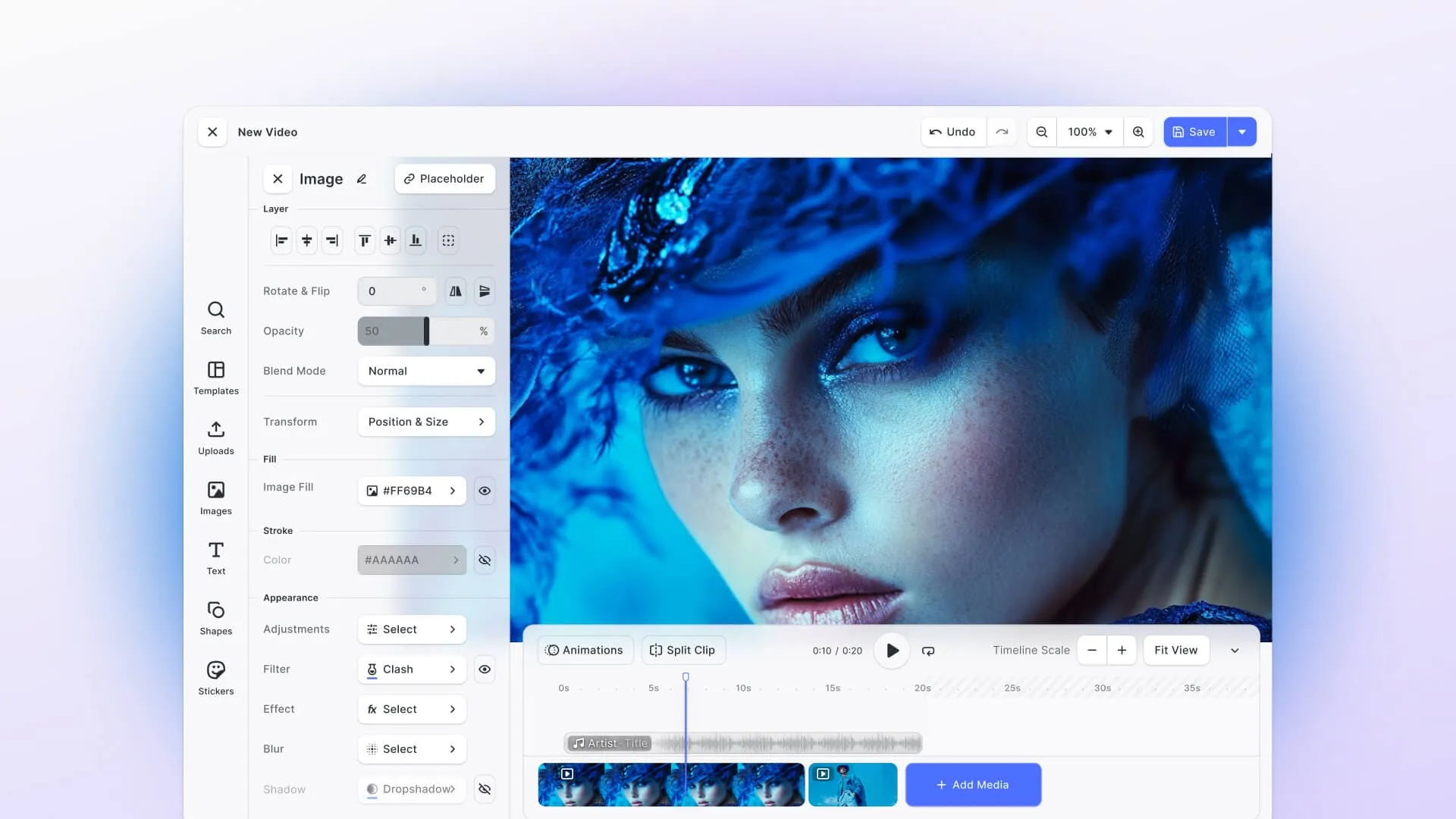
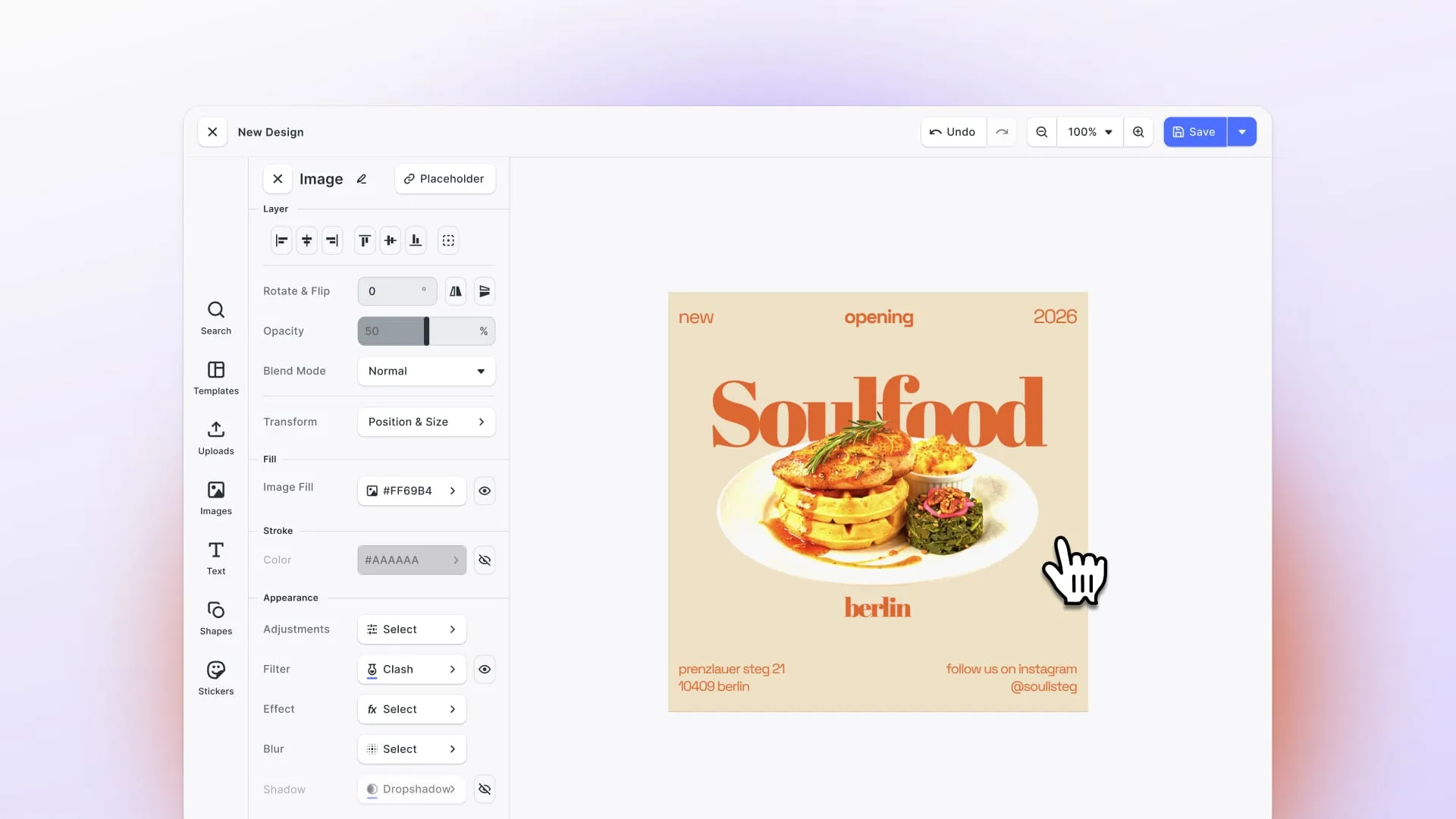
IMG.LY CE.SDK is an enterprise-grade design and editing SDK built for companies that need production-ready editing experiences without months of custom development. We provide a complete, polished editor with prebuilt UI, workflows, templates, and automation, ready to integrate across Web, iOS, Android, React Native, Flutter, Node.js, Electron, macOS, and Mac Catalyst.
Features & Capabilities:
Multi-layer editing with full object manipulation, drag-and-drop UI, template libraries, brand controls (fonts, colors, logo enforcement), AI-powered enhancements (background removal, plus text-to-image, style transfer and object removal through pre-integrated providers or a model you connect yourself), print-ready exports (CMYK and spot colors, PDF/X on web and server through the Print Ready PDF plugin, and bleed and margins on web), and server-side automation for batch processing and design generation.
Platforms:
Web, iOS, Android, React Native, Flutter, Node.js, Electron, macOS, and Mac Catalyst, from one engine.
Difficulty Building a Full Editor:
Low. Our SDK provides prebuilt, customizable UI and editor logic. You’re integrating, not building from scratch. Most teams go from integration to production in days, not months.
Potential Roadblocks:
Minimal, mainly workflow decisions and enterprise integration points. We’re a paid, enterprise-focused solution, so it’s not free like open-source alternatives. But you’re trading licensing costs for time-to-market, scalability, and dedicated support.
Use Cases:
SaaS applications with design features, e-commerce personalization (custom products, print-on-demand), marketing automation tools, digital asset management (DAM) systems, and enterprise content creation platforms.
Future-Proofing:
We’re actively developing AI-powered features, expanding cross-platform capabilities, and maintaining a scalable engine built for enterprise workloads. Our roadmap is driven by customer needs and evolving market demands.
Support:
Enterprise SLAs, dedicated onboarding, engineering support, and ongoing updates. You’re not relying on community forums. You have a direct line to our team.
Pricing:
Custom enterprise pricing based on usage and features. Contact us for a quote and demo.
Who It’s For:
Companies and product teams that need full-featured, cross-platform design editors with templates, automation, and AI enhancements, without the time and cost of building and maintaining custom solutions.
Key Differentiator:
We combine an embeddable, white-label editor with automation workflows across all major platforms. You get a complete design stack (editor, templates, APIs, and automation) in one SDK, ready for production from day one.
Side-by-Side Comparison: Open-Source vs. IMG.LY CE.SDK
Here’s how these solutions stack up across key criteria for building a design editor:
| Use Case / Solution | Fabric.js | Konva.js | EaselJS | PixiJS | React Canvas | SVG.js | Paper.js | IMG.LY CE.SDK |
|---|---|---|---|---|---|---|---|---|
| Ease of integration | ⚠️ Canvas library; build UI from scratch | ⚠️ Shapes and layers; custom UI needed | ⚠️ Low-level graphics; more work | ⚠️ Rendering engine; custom app needed | ⚠️ React renderer; dev effort required | ⚠️ SVG manipulation; assemble the UI | ⚠️ Vector scripting; custom UI needed | ✅ Prebuilt, enterprise-ready editor UI and APIs |
| Features & Capabilities | ✅ Layers, objects, text, images, transforms | ✅ Shapes, animations, filters, events | ⚠️ Canvas drawing, sprites, timeline | ⚠️ WebGL and WebGPU rendering, filters | ⚠️ Canvas drawing via React components | ✅ SVG shapes, transforms, filters | ✅ Bezier paths, boolean ops, SVG in/out | ✅ Editing, templates, brand controls, AI, print export |
| Cross-platform support | ⚠️ Web, Node.js | ⚠️ Web, Node.js | ❌ Web only | ❌ Web only | ❌ Web only | ❌ Web only | ⚠️ Web, Node.js, Electron | ✅ Web, iOS, Android, React Native, Flutter, Node.js, Electron, macOS, and Mac Catalyst |
| Scalability | ⚠️ Moderate; strains on complex scenes | ⚠️ Medium; interactive web graphics | ⚠️ Limited | ✅ High; built for complex scenes | ⚠️ Moderate | ⚠️ Moderate | ⚠️ Moderate; best on vector-heavy scenes | ✅ Enterprise-grade, cloud-ready |
| Difficulty building / integration | Medium: needs custom UI, but feature-rich | Medium: shapes & layers are simple, full editor requires work | Medium-high: low-level API, manual UI building | Medium-high: engine-level, no editor features | Medium: React integration required | Medium: must assemble SVG components | Medium-high: scripting framework, no editor UI | Low: SDK provides prebuilt editor and APIs for production apps |
| Potential roadblocks | You build the UI and editor logic | Full editor UI is yours to build | No stable release since 2017; 2.x in beta since 2018 | Not an editor; substantial dev work | Dormant; no release since 2017 | SVG only; UI must be built | Minimal text; no CMYK or print | Mainly workflow and integration decisions |
| AI / Automation | ⚠️ No built-in AI, server rendering only | ⚠️ No built-in AI, server rendering only | ❌ None | ❌ None | ❌ None | ❌ None | ⚠️ No built-in AI, server rendering only | ✅ AI editing and automation workflows |
| Pricing | Free, MIT | Free, MIT | Free, MIT | Free, MIT | Free, BSD-3 | Free, MIT | Free, MIT | Custom enterprise |
| Who it’s for | Flexible canvas toolkit for custom editors | Interactive 2D graphics and layers | Existing CreateJS animations or games | High-performance 2D rendering | React devs maintaining an existing canvas app | Interactive SVG-based apps | Precise vector path math | Teams needing a cross-platform design editor |
Final Thoughts: Open-Source Flexibility vs. Enterprise-Ready Solutions
There’s no single “wrong” choice here. It depends on what you’re building, what resources you have, and how quickly you need to get to market.
Choose open-source canvas and drawing libraries (Fabric.js or Konva.js) if you’re building highly custom editors and have the development resources to create polished UI, workflows, and editor logic from scratch. These libraries offer flexibility and rich graphics capabilities, but expect months of development work to reach production quality. EaselJS belongs to the same family, but with no stable release since 2017 it is a library you maintain rather than one you start on.
Choose rendering engines (PixiJS) if you’re building graphics-heavy or game-like applications where rendering performance is the primary concern, and you’re prepared to build all editing features and workflows yourself. It excels at drawing complex scenes efficiently but provides no editor abstractions. React Canvas sits in the same category, but it has shipped nothing since 2017, so reach for it only if you already have a codebase on it.
Choose SVG and vector libraries (SVG.js, Paper.js) if you’re working on vector projects that require lightweight, precise control, and you have the resources to develop the entire editor UI and interaction logic.
Choose IMG.LY CE.SDK if you need a complete, production-ready design editor that works across Web, iOS, Android, React Native, Flutter, Node.js, Electron, macOS, and Mac Catalyst, with templates, AI-powered enhancements, automation workflows, and enterprise support. Among the options here, we’re the one that combines an enterprise-grade editor with cross-platform SDKs, eliminating the need to build and maintain custom editing infrastructure. You get fast time-to-market, scalability, and dedicated support, all in one integrated stack.
Whether you’re evaluating build-versus-buy or comparing commercial SDKs, the key is understanding what you’re actually signing up for. Open-source libraries give you building blocks (powerful, flexible, and free), but you’re responsible for assembling the editor experience. We give you the complete editor, ready to integrate and scale.
Want to see how IMG.LY CE.SDK compares in action? Explore our demos or talk to our team about your specific use case. We’re here to help you build better editing experiences, faster.
FAQ
Is there a fully open-source design editor I can just drop in? Not for design work, no. Excalidraw is a complete open-source editor and tldraw is a complete editor under its own proprietary license, which requires a separate license from tldraw for production use. Both are genuinely good, but they’re whiteboards. If you need templates, brand controls, typography and print-ready output, every open-source option here is a library. You build the editor on top of it.
Which open-source canvas library is best for building a design editor? Fabric.js, most of the time. It has the richest object model out of the box: layers, text, images, transformations and selection controls. Konva.js is the better pick if you want official React, Vue, Angular or Svelte bindings. PixiJS is the answer only when raw rendering performance matters more than editing features.
Are these libraries free to use commercially? Yes. Fabric.js, Konva.js, EaselJS, PixiJS, SVG.js and Paper.js are all MIT licensed, which is about as permissive as it gets. React Canvas is BSD-3-Clause. None of them charge you anything, and none of them give you support either.
Which of these libraries are still actively maintained? Fabric.js, Konva.js and PixiJS are all active. SVG.js releases are sporadic, with a fourteen-month gap before its 2025 release, though three more followed in 2026. Paper.js is stable but slow, with its last release in July 2024. EaselJS hasn’t had a stable npm release since 2017, and React Canvas hasn’t had one since 2017.
How long does it take to build a design editor on an open-source library? Months, not weeks, and the first version is the easy part. The canvas library handles objects and rendering. You’re still building toolbars, property panels, layer management, undo and redo, asset handling, export pipelines and state management. Then you maintain all of it as browsers and web standards move.
Can any of these run outside the browser? Some can. Fabric.js ships a Node entry point for server-side rendering, Konva.js works with the node-canvas or skia-canvas backends, and Paper.js runs in Node and Electron. None of them run natively on iOS or Android. For that you’re looking at a cross-platform SDK rather than a canvas library.
Do open-source canvas libraries handle print output? Not really. They’re built for screen rendering in RGB. CMYK color, spot colors, bleed and PDF/X are print production features, and you won’t find them in a canvas library. If you’re doing web-to-print, that gap is the thing to check first.
What’s the difference between a canvas library and a design editor SDK? A canvas library gives you the drawing surface and an object model. A design editor SDK gives you the finished editing experience: the UI, the workflows, templates, export, and the platform support underneath. One is a building block, the other is the building.