




UGC Video
Also known as: User-Generated Video
What Is UGC Video?
A UGC (user-generated content) video shows something a company sells and is recorded by its customers or by independent creators instead of the company’s own team. A review a buyer films at home is organic UGC, and a clip a company pays a creator to shoot in that same unpolished style is usually called paid or creator UGC.
Inside a product, UGC video means the clips your users record and bring into your app, such as a seller’s demo for a listing or a member’s post for a community feed. Those files arrive in whatever format the camera chose: iPhones save HEVC unless the user picks Most Compatible, supported iPhones record Dolby Vision HDR unless it is turned off, and select Galaxy phones offer HDR10+ recording.

What Types of UGC Video Are There?
Most UGC video follows a few familiar formats, each built around something a buyer wants to see before spending money.
Testimonials and reviews
A customer says what they bought, how long they have used it and what they think of it, usually talking straight into the phone.
Unboxing
The buyer opens the package on camera, so viewers see the packaging, what comes inside and the first reaction.
Tutorials and how-tos
Someone walks through a task with the product, such as setting up a speaker or following a skin-care routine.
Product demos
A short clip shows one feature in real use, filmed in a kitchen or an office instead of a studio.
Before and after
Two states of the same room, face or garden are cut together, so the change is the whole video.
Problem and solution
The creator names an everyday annoyance and then shows how the product removes it.
UGC, Influencer or Brand Video: Which Should You Use?
The right choice follows from what the video has to achieve. A furniture shop might put a customer’s review on the product page, pay creators for a dozen ad versions in the same style, send a new sofa to a home decor creator and keep its own studio shoot for the catalog launch.
Use UGC for
-
Showing that ordinary buyers like the product
Organic reviews come from people with no deal with the brand. Ask the creator's permission before you reuse one.
-
Testing many ad versions quickly
Paid creators shoot to your brief, and you agree the usage rights before they film.
Use an influencer post for
-
Reaching a creator's own followers
The post goes out on the creator's account, to an audience they built.
-
Putting the product in front of a niche audience
A creator who reviews hiking gear already talks to people who buy hiking gear.
Use brand video for
-
Controlling every frame, claim and logo
Your own team writes, shoots and signs off every second.
-
Shooting to a launch date
A studio shoot can be booked around a launch and match the rest of the campaign.
How UGC Video Works in CE.SDK
A phone clip your users record becomes a finished video inside your app with video editing in CE.SDK. Your app can open the editor around the clip or hand your users a template that already fixes the layout and leaves a place for it.
Open the editor around the user’s clip
CE.SDK can build a one-page scene straight from the user’s video. The Start with a Video demo opens the editor this way: a portrait clip gets a 720 × 1280 page, and the page lasts as long as the clip. Your users then add captions, text, stickers or audio from the dock and export the video.
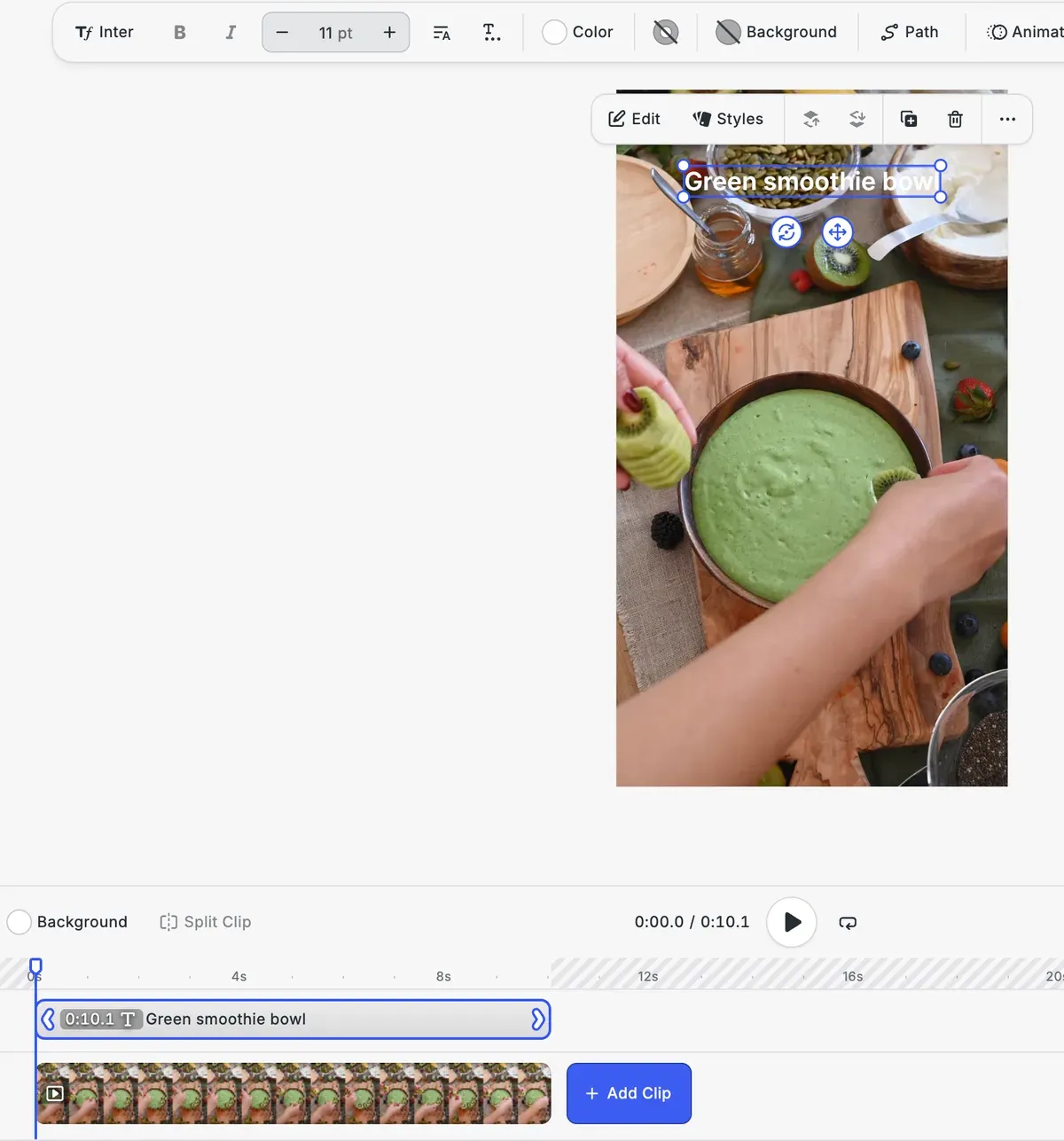
Give users a locked template with a slot for their clip
CE.SDK templates can hold a full video composition. Mark a clip as a placeholder and users replace it with their own footage, while editing constraints lock the logo and the layout around it. The Video Templating demo switches between the creator who sets up the template and the adopter who fills it.
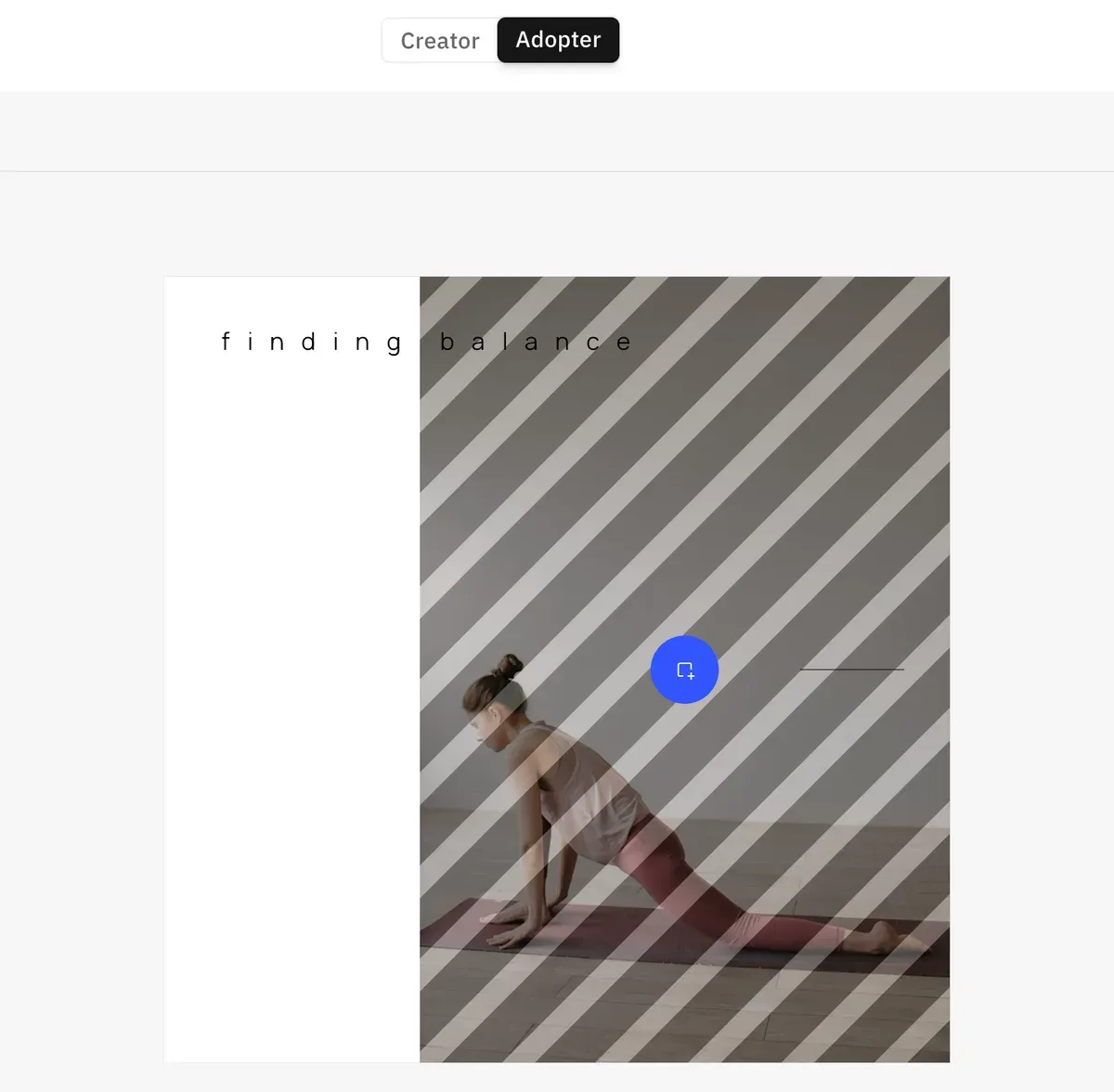
FAQs
No. Short-form video describes the length and the format, a brief clip made for a phone feed, while UGC describes who made the video. A customer's 20-second vertical review and the same customer's ten-minute review on YouTube are both UGC, and only the first is short-form.
On YouTube and TikTok, yes. YouTube asks creators to select its paid promotion option for sponsored or endorsed videos and then shows a disclosure label when the video starts. TikTok's branded content policy covers any post made for payment or another incentive, requires its commercial content disclosure toggle and labels the post automatically. Advertising law in your market can add rules of its own.
iPhones save video as HEVC unless the camera format is switched to Most Compatible, which records H.264. CE.SDK imports HEVC from MOV as well as MP4 files wherever the browser or operating system can decode it, and Safari decodes it natively on macOS and iOS. In our test with CE.SDK 1.85.0, 8-bit HEVC clips in MOV files also loaded in Chrome on macOS and decoded to the same pixel values as an H.264 copy of the same clip. For footage with a variable frame rate, CE.SDK's docs on video limits recommend converting it to a constant frame rate before import.
Store it as block metadata. On web, iOS and Android, any block can hold string key-value pairs, such as an uploader ID, a source or a consent reference. The values are saved and reloaded with the scene but not written into the exported MP4, so copy what you need to your own database.
Links
Documentation and references for this concept.
Short-Form Video Creation
See how mobile apps let users record clips, edit them and fill templates for stories and reels.
Video Editor SDK
Let your users trim, caption and finish their phone clips without leaving your app.
File Format Support
Check which video containers and codecs CE.SDK imports, including HEVC in MP4 and MOV.
Related Terms
Short-Form Video
Brief video, mostly vertical, made for phone feeds such as TikTok, YouTube Shorts and Instagram Reels. Each platform set…
Placeholder
A design block configured as an interactive drop-zone where Adopter-role users can swap out content (an image, video, or…
Video Compression
Making a video file smaller by storing a whole frame only now and then, keeping just the changes for the frames in betwe…