


Animations
Effortlessly add animations to any element in CE.SDK videos using our extensive preset library.
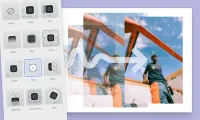
Animations can add a layer of dynamic, engaging content to videos helping users tell their stories with impact. CE.SDK offers an extensive library of animation presets, making it easy to apply motion effects to any design element, including text, stickers, shapes, and images. With CE.SDK’s simple, real-time animation tools, you can create professional-grade transitions, looping effects, and more—directly in the editor.
Key Features
-
Pre-Configured Animation Library
Our animation library includes a wide range of presets, from fades and slides to spins and zooms. These ready-to-use effects make it simple to add high-quality motion to your videos, enhancing storytelling without the need for advanced editing skills.
-
Smooth Transitions
In and Out Animations provide for the ability to smoothly transition between elements and clips. Fades, slides, and zooms are available to create smooth, engaging scene shifts.
-
Loop Animations
Looping animations allow you to create recurring effects that play for the entire length of a clip. Set elements like icons or shapes to rotate or pulse continuously.
-
Granular control over animation settings
Set animation properties for every preset such as duration, easing and intensity.
How to Use Animations
To add animations, start by selecting an element on the canvas or within the timeline. Or choose “Animations” from the context menu. This will bring up a panel where you can select from “In,” “Out,” and “Loop” animation presets. Customize these animations by adjusting properties such as duration, easing, and intensity. For specific effects, you can also control direction for spins, as well as toggling fade for zoom and blur animations.
Animations can add a layer of dynamic, engaging content to videos helping users tell their stories with impact. CE.SDK offers an extensive library of animation presets, making it easy to apply motion effects to any design element, including text, stickers, shapes, and images. With CE.SDK’s simple, real-time animation tools, you can create professional-grade transitions, looping effects, and more—directly in the editor.
Key Features
-
Pre-Configured Animation Library
Our animation library includes a wide range of presets, from fades and slides to spins and zooms. These ready-to-use effects make it simple to add high-quality motion to your videos, enhancing storytelling without the need for advanced editing skills.
-
Smooth Transitions
In and Out Animations provide for the ability to smoothly transition between elements and clips. Fades, slides, and zooms are available to create smooth, engaging scene shifts.
-
Loop Animations
Looping animations allow you to create recurring effects that play for the entire length of a clip. Set elements like icons or shapes to rotate or pulse continuously.
-
Granular control over animation settings
Set animation properties for every preset such as duration, easing and intensity.
How to Use Animations
To add animations, start by selecting an element on the canvas or within the timeline. Or choose “Animations” from the context menu. This will bring up a panel where you can select from “In,” “Out,” and “Loop” animation presets. Customize these animations by adjusting properties such as duration, easing, and intensity. For specific effects, you can also control direction for spins, as well as toggling fade for zoom and blur animations.
Related Demos
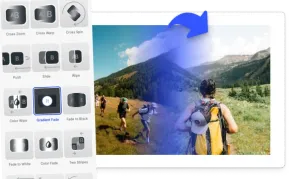
Transitions
Blend adjacent video clips into each other with CE.SDK clip-to-clip transitions such as cross-fades, pushes, and wipes — right in the timeline.
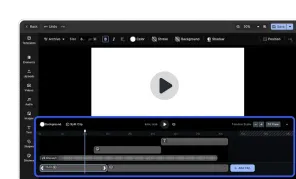
Video Editor UI
Take the VideoEditor for a test run and see how powerful editing features meet seamless and intuitive design. All with fully customizable UI and asset library.
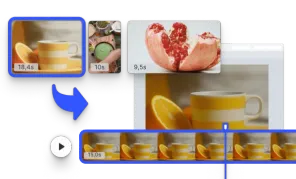
Start with a Video
Initialize the editor with a video matching the page size.
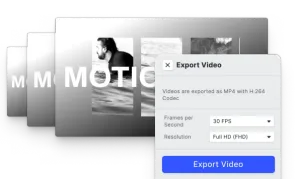
Video Export Options
Choose a suitable Frames per Second option and export videos in SD, HD, FHD, 2K, 4K, or define custom quality.