



Bottle labels with logos traced to vector, in your print platform
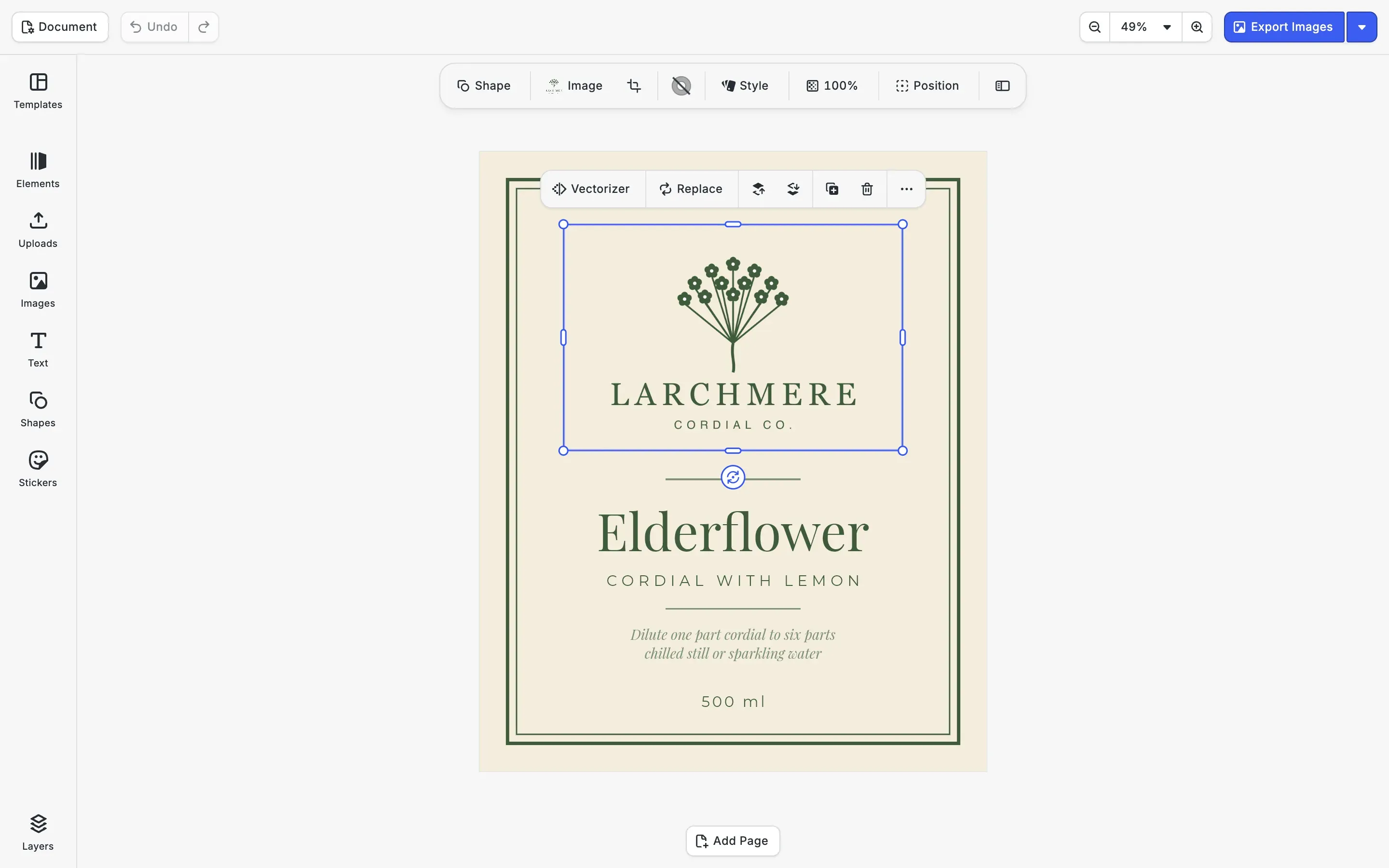
Your users design their bottle and jar labels in your platform, and the logo they upload is often a PNG. The CE.SDK vectorizer plugin converts that file to vector paths inside the web editor, so the print PDF of the label carries curves where the pixels were.
Trusted by 100+
industry leaders















Integrating IMG.LY’s editor meant we didn’t have to build or maintain a complex editing layer ourselves. That kept our team focused on our core AI ad engine and saved us countless development hours — while still giving our customers the ability to polish and customize creatives at scale.
Hikari Senju
CEO, Omneky

With IMG.LY we built a central creative portal that now powers over 140 dealer campaigns across multiple automotive brands. Before this, asset creation was slow and inconsistent.
Martin Röhr
Product Owner, Digitas

By embedding IMG.LY’s editor we were able to hit key RFP requirements and deliver a template-based creative experience that now serves 1,000+ customers. It helped us win more deals and exceed enterprise expectations without needing to hire dedicated design teams.
Rob Driscoll
Director of PM, Optimizely

Since integrating IMG.LY’s editor, we now deliver 30,000+ ad creatives per month, dramatically shorten time-to-launch, and help our clients cut design spend by up to $10,000 per month.
Logan Welbaum
Founder, Plai

Our customers create over a million personalized postcards each year choosing from over hundreds of templates with IMG.LY’s SDK. It’s the only solution that allows us to build our own specialized, on-brand UI that integrates seamlessly with our platform.
Jeanine Zaalberg
Product Manager, SwissPost

From a developer’s perspective, the most powerful feature of the photo editor is the integration process. It was completely flawless, quick, and easy to integrate.
Stefano Fornari
CTO, Funambol

We compared IMG.LY SDK with other solutions and found that it would be the best fit for us since it provides all the features that are crucial for our use case.
Carem Pereira
SCRUM Manager, HP

How much of the logo the trace keeps
The vectorizer works from the pixels it is given, so the file your users upload decides how much of the logo comes through. The three traces below start from one logo saved as a 600 px PNG, an 1800 px PNG and an 1800 px PNG on white, all traced in the CE.SDK vectorizer starter kit. Side by side, they show your upload step what to ask users for.
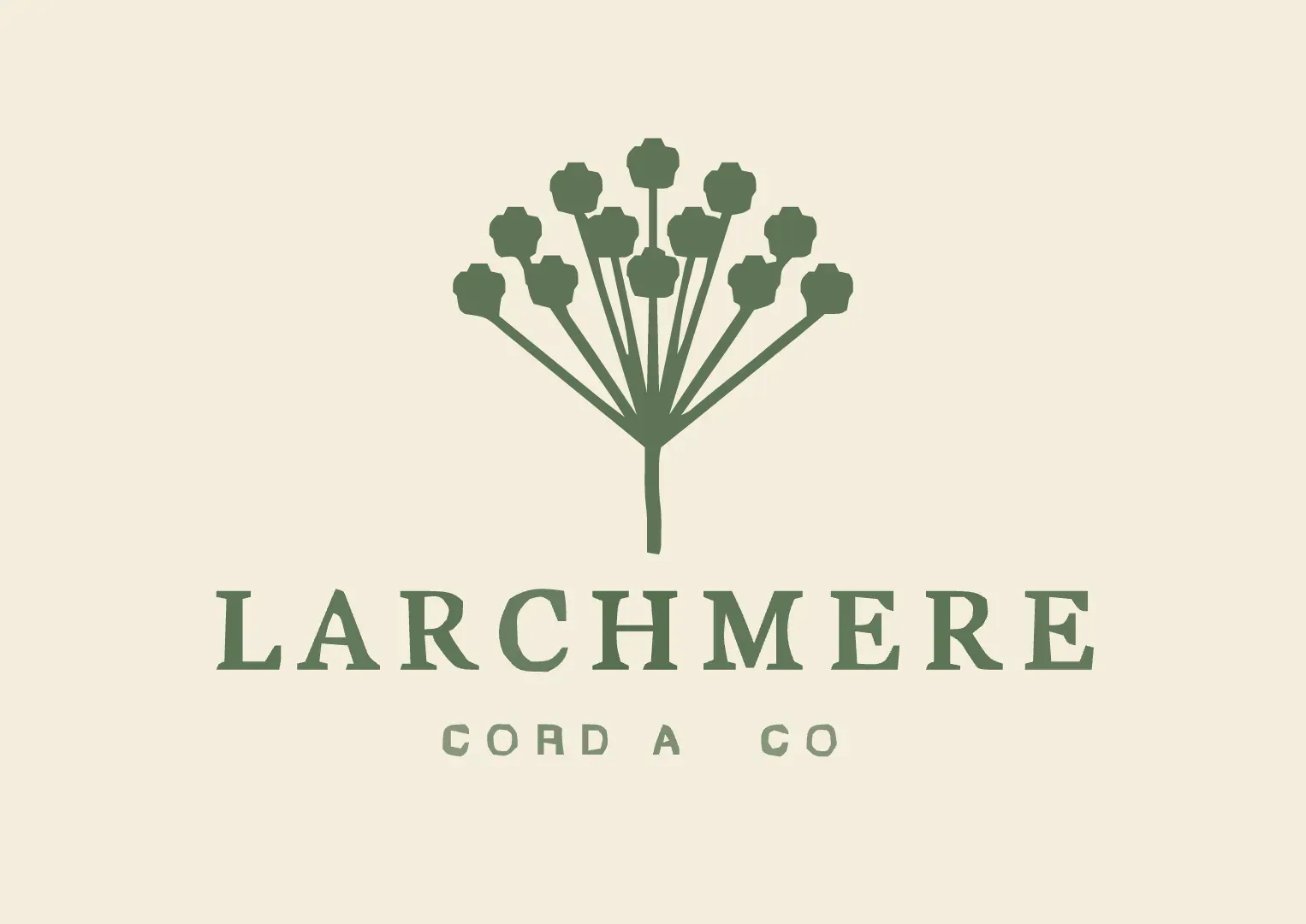
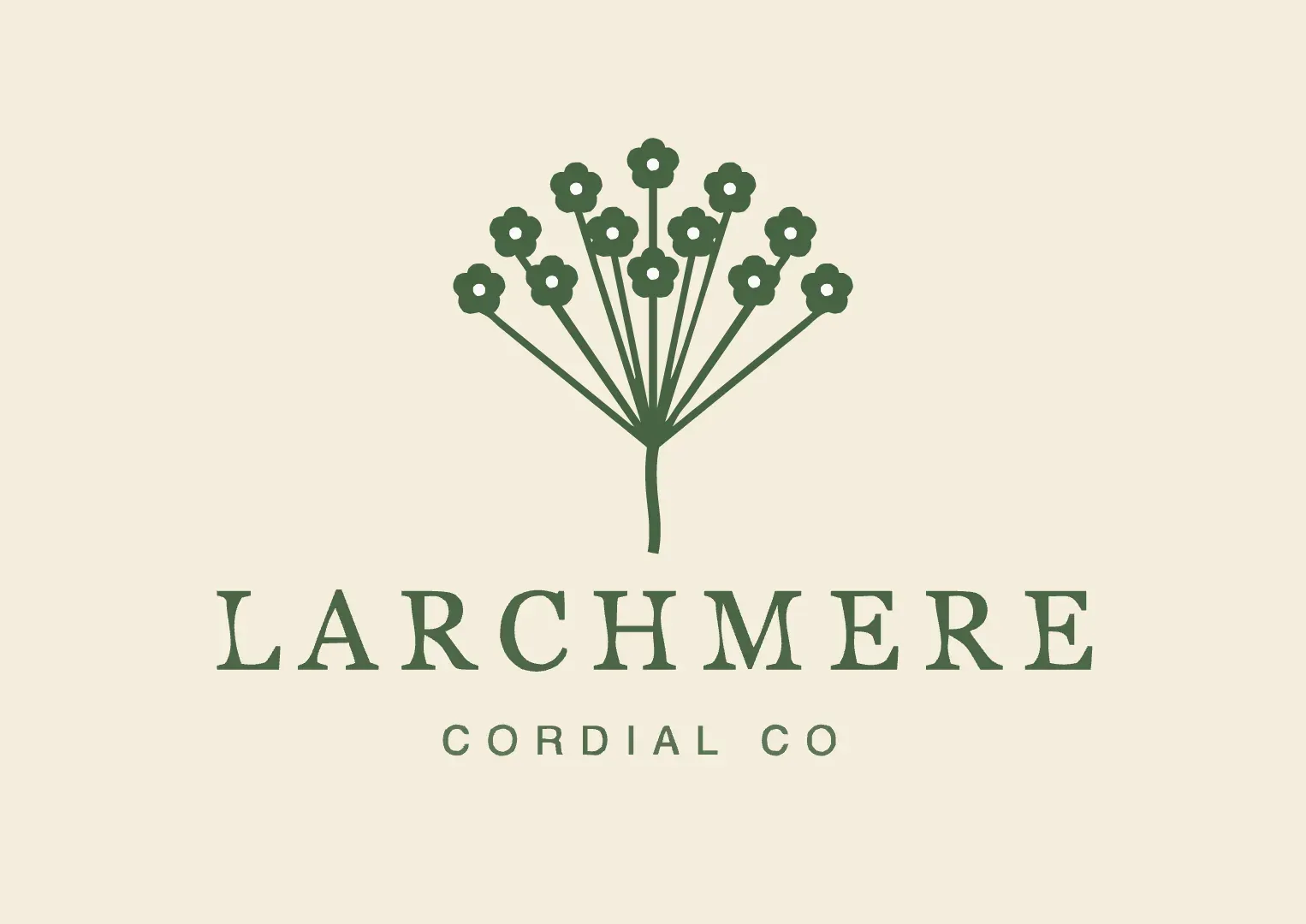
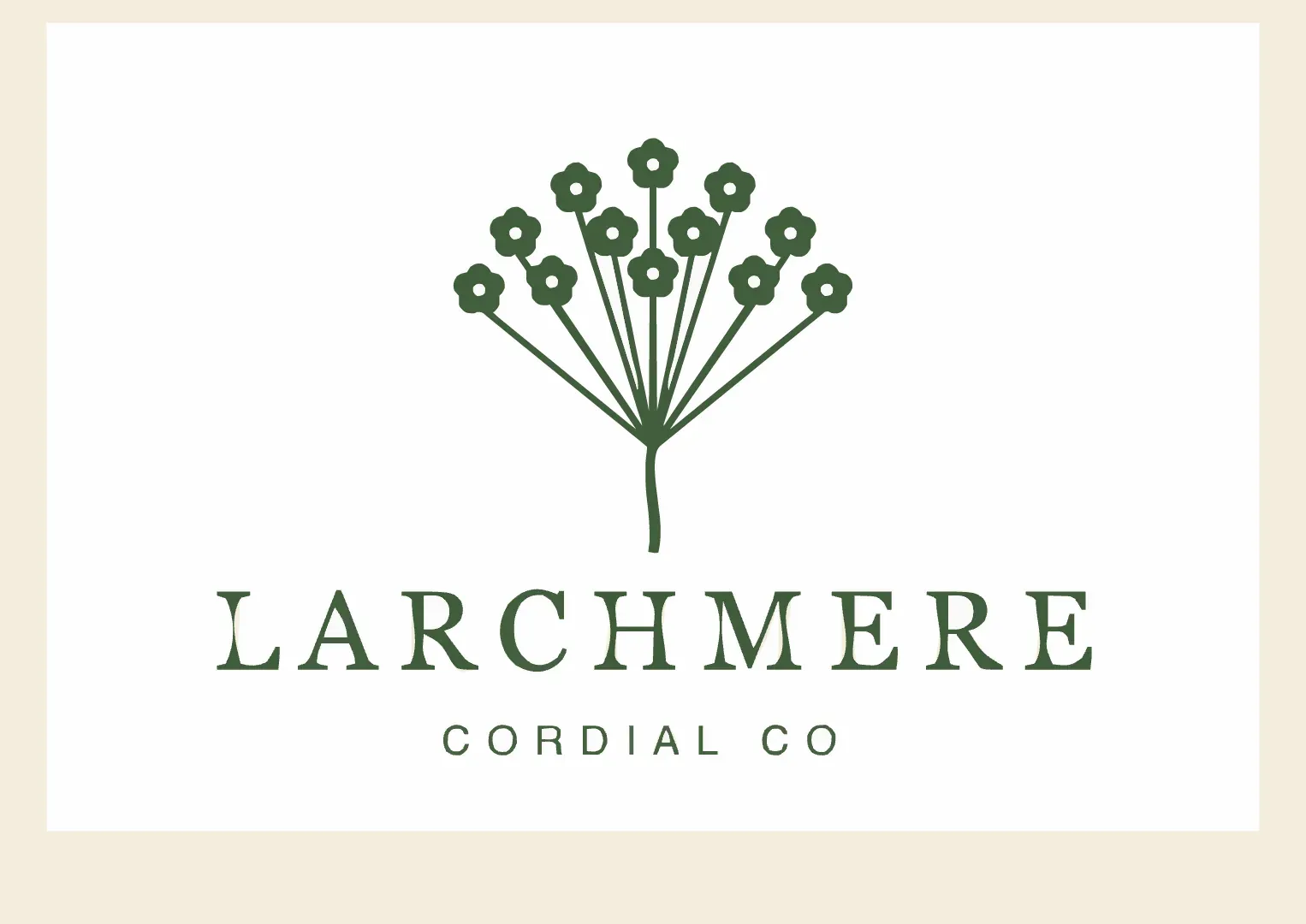
Move the cursor over any image: all panels magnify the same spot at 4× so letterforms and fine detail compare directly.
| Paths in the trace | Tagline | Behind the logo | |
|---|---|---|---|
| 600 px PNG, transparent | 17 | Loses the I, the L and the period | The cream label |
| 1800 px PNG, transparent | 31 | Loses the final period | The cream label |
| 1800 px PNG on white | 42 | Loses the final period | A white box the size of the image |
One graphic or a group of shapes
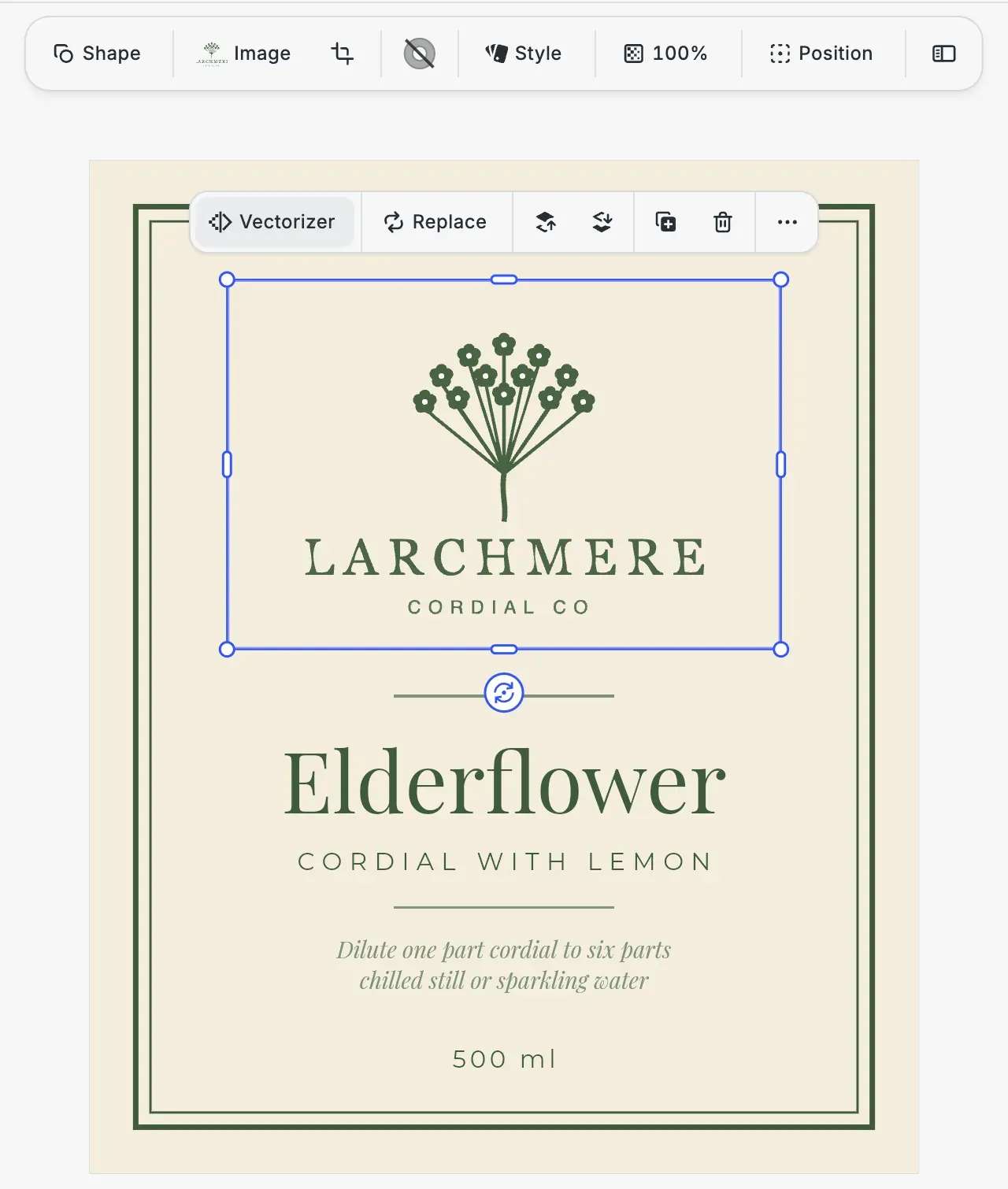
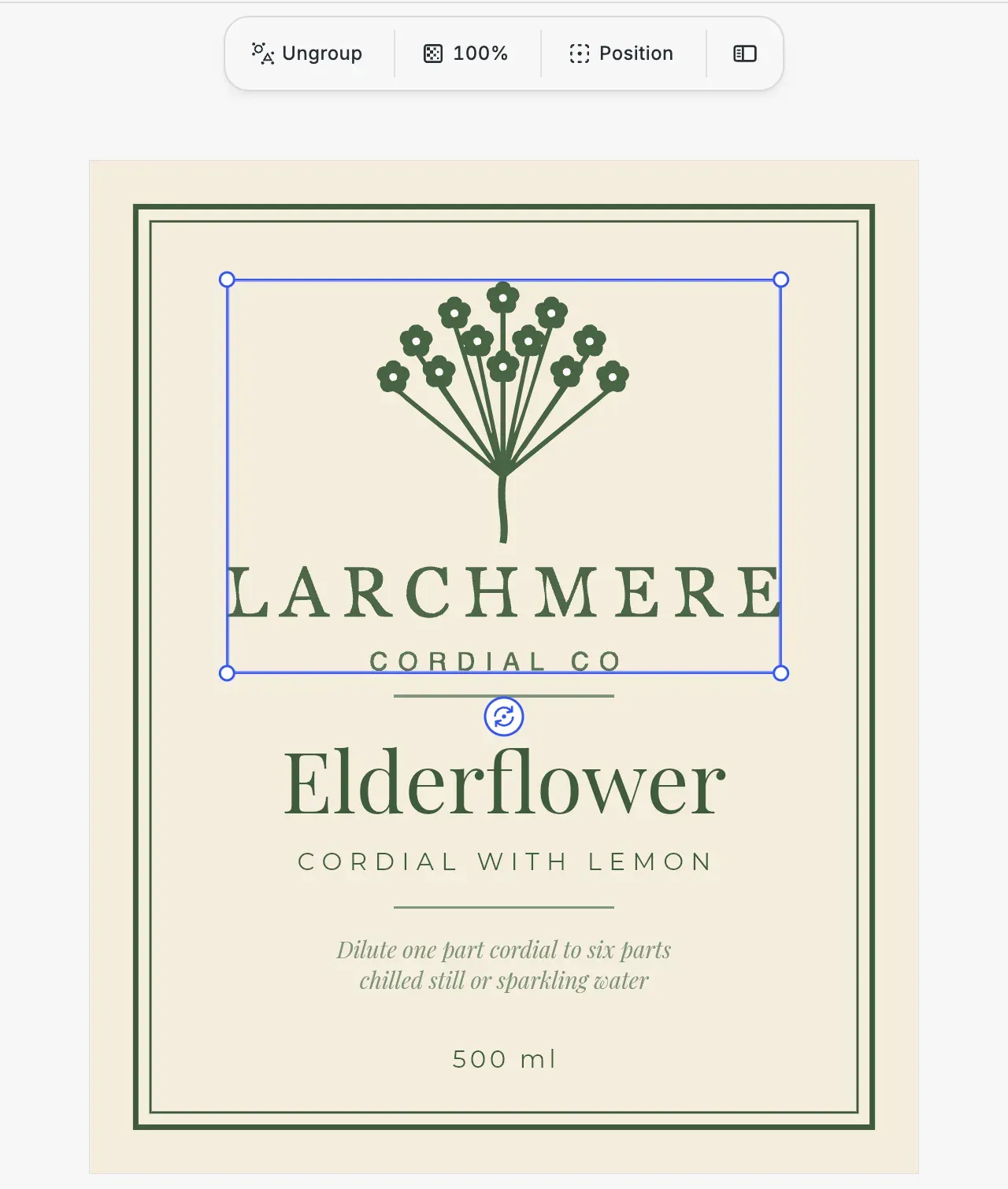
Your developers choose how a traced logo lands on the label. Below a path count they set, it arrives as a group of shapes that users can split apart with Ungroup, and above it the paths are combined into one vector graphic that moves and scales as a piece. In the vectorizer starter kit the logo lands as one graphic, and with the higher limit in the vectorize guide’s example editor, the 1800 px PNG lands as a group of 31 shapes.
Trace every uploaded logo before it prints
Tell us which labels you sell and what kind of logo files your users send in, and we’ll get back to you with a custom quote for your use case.
Bottle label FAQs
For wrapping sheets, see the gift paper editor, or go back to the packaging editor SDK.
A label editor embedded in the platform where drinks and food makers order their labels, such as a label printer or an online shop. CE.SDK opens your label templates there, and in its web version a logo uploaded as a pixel image can be traced to vector paths before the PDF goes to print.
A large PNG with a transparent background. A small file can lose fine detail in the trace, such as letters of a tagline, and a logo saved on white can bring the white along as a box behind it.
Yes. Once traced, the logo goes into the label's PDF as vector paths rather than as an embedded image.
In the browser. The vectorizer is a plugin for CE.SDK's web editor, which runs in browser frameworks and in Electron apps.
It depends on the file and on the device, since the trace runs in the browser. Your developers can set a time limit, and a trace that runs past it is canceled.
When the trace comes back as a group, Ungroup splits it into separate vector shapes that sit on the label next to the text. When it comes back as one vector graphic, users move and scale the logo as a single piece.