


Content Moderation
Content moderation made easy. Decide what type of imagery to restrict and receive automatic notifications flagging content that might be violating your guidelines.
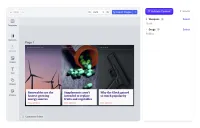
Check images for compliance with your content guidelines and receive automatic notifications on harmful, or hateful imagery.
With a third-party API, you can automatically identify NSFW imagery, hate symbols, harmful content, and trademark-protected assets.
Custom rules
How does it work? First, you need to specify what type of content to flag. When dealing with user-generated designs, it’s best to go broad and cover all the basics, such as NSFW, drugs, weapons, and hate symbols. Print-on-demand companies might also choose to flag any trademarked symbols and logos, to avoid any potential rights infringements.
Automatic notifications
Once you specify what content to restrict, you can run a quick validation and the editor will check the design and notify you in case of any potential errors. The notification box will provide you with information about the identified problem, such as the type of harmful content, such as Weapons - Glock, or Drugs - Pillbox. It will also evaluate the probability of the problem, with red for certain, and yellow for likely. By selecting a flagged error, the editor will highlight which design element it’s referring to, allowing you to quickly evaluate the situation and make the necessary corrections, or give quick feedback to users.
Check images for compliance with your content guidelines and receive automatic notifications on harmful, or hateful imagery.
With a third-party API, you can automatically identify NSFW imagery, hate symbols, harmful content, and trademark-protected assets.
Custom rules
How does it work? First, you need to specify what type of content to flag. When dealing with user-generated designs, it’s best to go broad and cover all the basics, such as NSFW, drugs, weapons, and hate symbols. Print-on-demand companies might also choose to flag any trademarked symbols and logos, to avoid any potential rights infringements.
Automatic notifications
Once you specify what content to restrict, you can run a quick validation and the editor will check the design and notify you in case of any potential errors. The notification box will provide you with information about the identified problem, such as the type of harmful content, such as Weapons - Glock, or Drugs - Pillbox. It will also evaluate the probability of the problem, with red for certain, and yellow for likely. By selecting a flagged error, the editor will highlight which design element it’s referring to, allowing you to quickly evaluate the situation and make the necessary corrections, or give quick feedback to users.
Related Demos
Design Validation
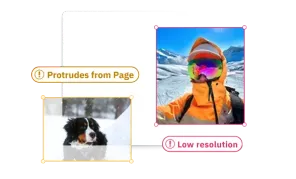
Reduce the risk of misprints and speed-up validation process thanks to design validation. Automatic error notifications will let you know if the design is not print-ready.
Background Removal Plugin
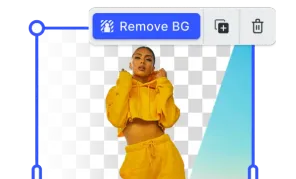
Effortlessly remove background from images directly in the browser with no additional costs and privacy concerns.
Indesign Template Import
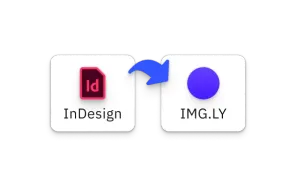
Transform your existing InDesign templates for use in the CE.SDK with our Importer. Preserve design elements and streamline the transition between platforms.
Photoshop Template Import
Transform your existing Photoshop templates for use in the CE.SDK with our Importer. Preserve design elements and streamline the transition between platforms.
PPTX Template Import
Transform PowerPoint slides into editable CE.SDK designs. All formatting preserved.