




Kiss Cut vs. Die Cut
What Is the Difference Between a Kiss Cut and a Die Cut?
A kiss cut slices through the top layer of a sticker or label and stops at the backing paper. A die cut goes all the way through, so the sticker and its backing come out as one piece in the shape of the design.
In CE.SDK, both start from a cut line, called a cutout, that the cutting machine follows. Which of the two that line becomes is set in the shop’s cutting software, which reads the spot color name on the line and applies the blade pressure configured for that name.
What Is a Kiss Cut?
A kiss-cut sticker is cut through its printed vinyl and adhesive only, leaving the backing paper whole. It sits on a square or rectangular backing that is larger than the design.
The spare backing protects fine edges in transit and makes the sticker easy to peel from one corner. It also leaves room for extra printing around the design, such as a logo or a web address. Sticker sheets work the same way, with several designs sharing one backing and each getting its own kiss cut.
What Is a Die Cut?
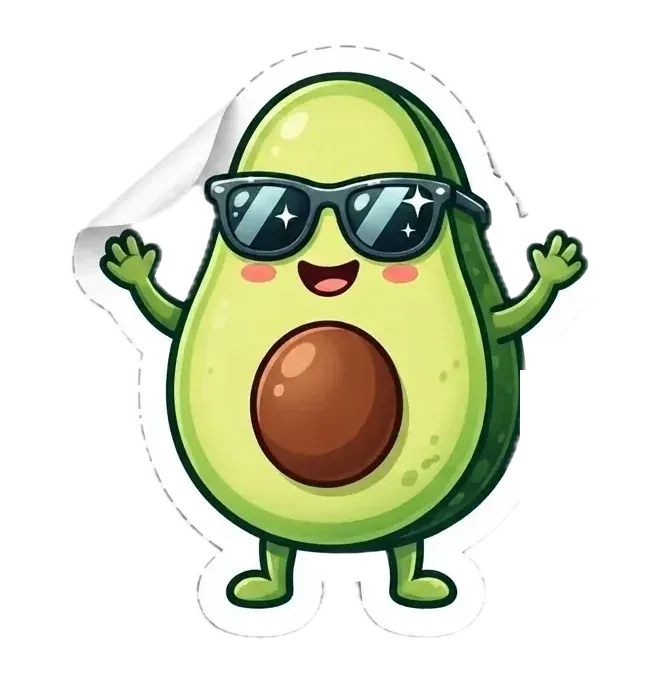
A die-cut sticker is cut through the vinyl and the backing together, traditionally with a shaped metal die. Each one comes out with its backing trimmed to exactly the same outline, with no border around it.
The sticker looks finished before it’s even applied, which is why die cuts are popular for giveaways and premium packaging. With no spare backing to grab, a die-cut sticker can be trickier to start peeling.
Kiss Cut or Die Cut: Which Should You Choose?
Which one a design needs comes down to how the stickers will be handled and sold.
| Kiss cut | Die cut | |
|---|---|---|
| What gets cut | Vinyl and adhesive | Vinyl and backing |
| Backing | A larger square or rectangle | Trimmed to the design's outline |
| Designs per backing | One or several, as a sheet | One |
| Peeling | Easy, from one corner | Trickier, with nothing spare to grab |
| Printing around the design | Room for a logo or web address | None |
| Best for | Sticker sheets, thin lines, small parts | Giveaways, bold shapes, premium packaging |
How Much Bleed Do Cut Stickers Need?
Sticker printers typically ask for about 3 mm of bleed past the cut line, plus a safe margin inside it.
Bleed
Artwork runs about 3 mm, or an eighth of an inch, past the cut line. Cutting is mechanical and has a small tolerance, so a blade running slightly outside the path won’t leave a white sliver at the edge.
Cut line
The cut line goes into the file as a vector path in a named spot color, kept separate from the printed design.
Safe margin
Text and logos stay at least a couple of millimeters inside the line, where the blade can’t clip them.
How to Create Sticker Cut Lines in CE.SDK
Create the cut line
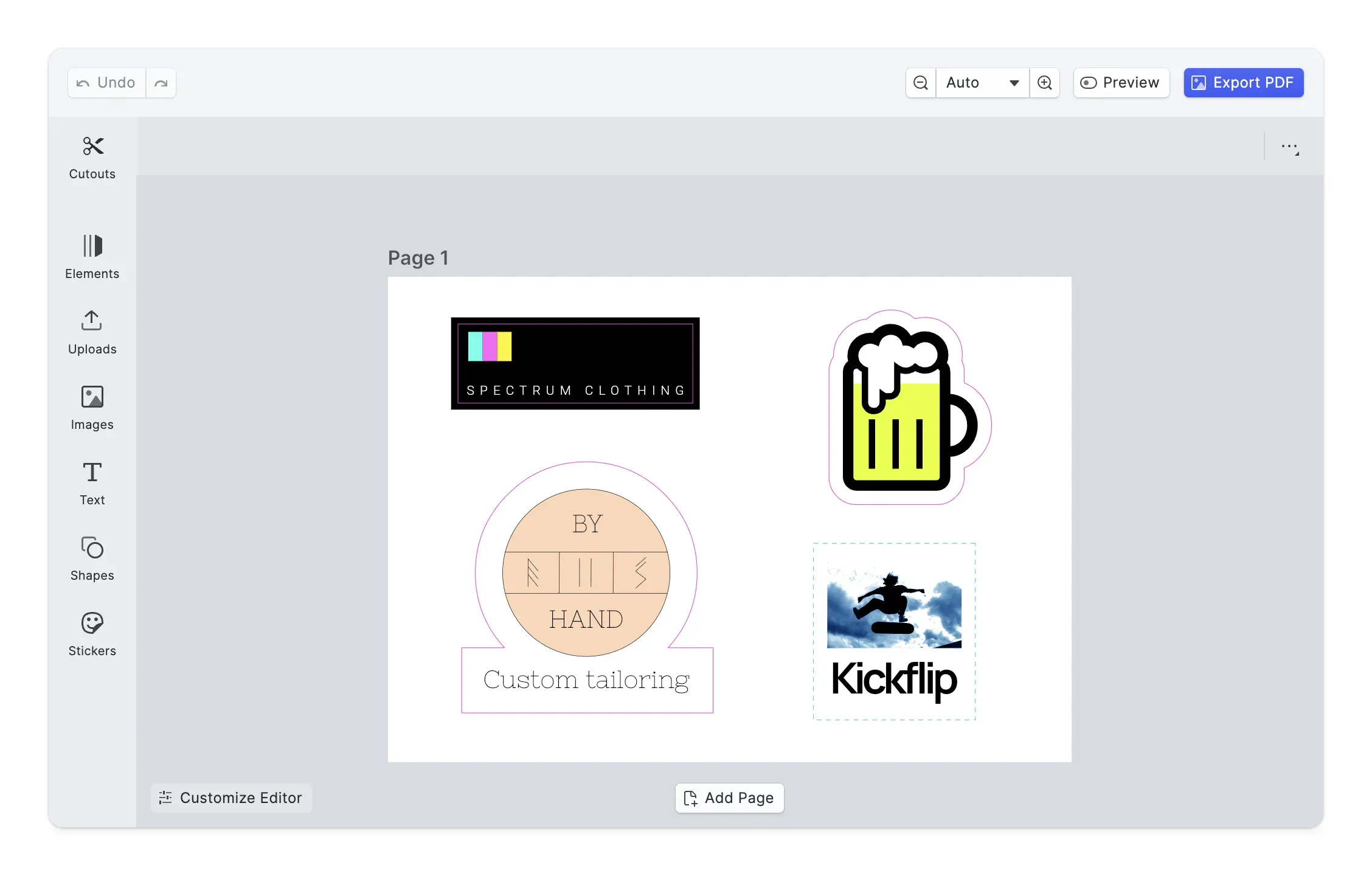
In the browser, web-to-print users generate a cut line from the outline of the selected design, or start from a rectangle or a circle for labels and round stickers. On iOS, Android, and Node.js, cut lines are created in code, from a block’s outline or from any path.
Add an offset
Users can add an offset that pushes the cut line outward from the design, leaving a margin around a custom shape. Each cut line keeps its own offset.
Choose a solid or perforated line
Users choose a solid line for a continuous cut or a dashed one for a perforated line that tears away. A page can hold many cut lines, and several can be combined into one compound shape.
Export the PDF
Each cut line travels in the PDF as a named spot color that the cutting machine reads, CutContour for solid lines and PerfCutContour for perforated ones. Print shops don’t all use the same names, so you can rename them to match a shop’s convention, for example Thru-cut.
Kiss-Cut Sticker Sheets and Die-Cut Labels
Sticker sheets
A merch store lets fans arrange several designs on one page. Each design gets its own cut line, and the print partner kiss cuts the whole sheet so customers peel the stickers off one by one.
Custom-shaped labels
A packaging tool generates the cut line from a product label’s outline and adds an offset for a clean margin. The print shop die cuts each label to that shape, ready to apply.
Links
Documentation and references for this concept.
Web-to-Print Design Tool
Let customers design stickers and labels with solid or perforated cut lines in your app.
Create Cutout Guide
Draw cut lines from shapes or outlines, then set their offset and solid or perforated style.
Cutout Lines Editor
A starter kit for an editor built around designing pieces with cut lines.
Spot Colors
Define named spot colors, the same color type a cutter reads a cut line from.
Print Personalization
See how storefronts let customers personalize stickers and labels before they print.
Cutout Lines Demo
Turn shapes into cut lines and export them for a cutting machine.
Related Terms
Bleed / Cutout
Bleed is the margin of artwork beyond the trim, usually 3 mm, so a cut that lands slightly off never leaves a white edge…
Registration Marks
Alignment targets placed beyond the finished edge of a printed piece. They print on every color plate, so the press oper…
Spot Color
A precisely defined, pre-mixed ink color specified by a standardized color system (most commonly Pantone) used in print …