


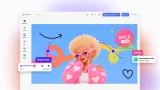
Agentic Resize
Turn one design into every canvas size: an AI agent re-composes the layout for each size instead of stretching it.
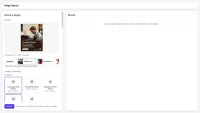
Exploring Agentic Resize
Pick a design and the canvases you need, and an agent built on the CoDesign SDK adapts the layout to each one. The results appear one by one, each with its download; a canvas takes a few minutes, depending on the model.
Re-composed, not stretched
For each canvas, the agent re-derives margins, type sizes, and spacing for the new shape. It keeps the palette, the type, and every element, and lets full-bleed backgrounds cover the new canvas.
Your design or a sample
Start from one of four samples (a coffee ad and a poster for a fictional roastery, an eyewear sale post, and a podcast banner), or upload an .imgly, PNG, JPEG, or WebP file. The target canvases are CE.SDK’s page and crop presets, from social media posts to print sizes, plus a custom size.
Every result stays editable
Each canvas comes back as a PNG and an editable design file, and opens in CE.SDK’s editor, where you can change it by hand.
Credits
Sign in with your IMG.LY account to try it. The agent’s model calls use your IMG.LY AI credits. Exports are paid by this demo, as they would be by the product that offers the resize.
Use this as a starting point
Agentic Resize is a starter kit with the shape of a resize API in your product: your users pick a design and the sizes, your Node server runs the job, and the agent re-composes each canvas in a container of IMG.LY’s executor image. The starter kit guide shows how to run it and replace its parts.
For a design chat that resizes, translates, and edits in a brand, see the Agentic Design Manager demo. To resize templates by rules, without an agent, see the Automated Resizing demo.
Exploring Agentic Resize
Pick a design and the canvases you need, and an agent built on the CoDesign SDK adapts the layout to each one. The results appear one by one, each with its download; a canvas takes a few minutes, depending on the model.
Re-composed, not stretched
For each canvas, the agent re-derives margins, type sizes, and spacing for the new shape. It keeps the palette, the type, and every element, and lets full-bleed backgrounds cover the new canvas.
Your design or a sample
Start from one of four samples (a coffee ad and a poster for a fictional roastery, an eyewear sale post, and a podcast banner), or upload an .imgly, PNG, JPEG, or WebP file. The target canvases are CE.SDK’s page and crop presets, from social media posts to print sizes, plus a custom size.
Every result stays editable
Each canvas comes back as a PNG and an editable design file, and opens in CE.SDK’s editor, where you can change it by hand.
Credits
Sign in with your IMG.LY account to try it. The agent’s model calls use your IMG.LY AI credits. Exports are paid by this demo, as they would be by the product that offers the resize.
Use this as a starting point
Agentic Resize is a starter kit with the shape of a resize API in your product: your users pick a design and the sizes, your Node server runs the job, and the agent re-composes each canvas in a container of IMG.LY’s executor image. The starter kit guide shows how to run it and replace its parts.
For a design chat that resizes, translates, and edits in a brand, see the Agentic Design Manager demo. To resize templates by rules, without an agent, see the Automated Resizing demo.
Related Demos
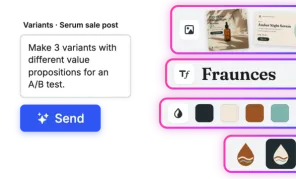
Agentic Design Manager
Try a design platform with an AI assistant: ask in a chat, and an agent built on the CoDesign SDK creates on-brand designs you can edit in CE.SDK.

Automated Resizing
Automatically generate size variations of your design and easily scale your marketing materials across different platforms.
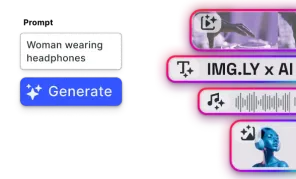
AI Editor UI
Quickly add AI-powered visual editing and media generation to your web app - seamlessly connect any AI model.