


Carousel posts as slides and one PDF, in your content platform
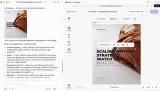
A LinkedIn carousel editor for social media tools, content platforms and newsletter services. Users build the cover, the slides and the closing slide as pages of one document and post the PDF, which LinkedIn shows as slides to swipe through.
Trusted by 100+
industry leaders















Integrating IMG.LY’s editor meant we didn’t have to build or maintain a complex editing layer ourselves. That kept our team focused on our core AI ad engine and saved us countless development hours — while still giving our customers the ability to polish and customize creatives at scale.
Hikari Senju
CEO, Omneky

With IMG.LY we built a central creative portal that now powers over 140 dealer campaigns across multiple automotive brands. Before this, asset creation was slow and inconsistent.
Martin Röhr
Product Owner, Digitas

By embedding IMG.LY’s editor we were able to hit key RFP requirements and deliver a template-based creative experience that now serves 1,000+ customers. It helped us win more deals and exceed enterprise expectations without needing to hire dedicated design teams.
Rob Driscoll
Director of PM, Optimizely

Since integrating IMG.LY’s editor, we now deliver 30,000+ ad creatives per month, dramatically shorten time-to-launch, and help our clients cut design spend by up to $10,000 per month.
Logan Welbaum
Founder, Plai

Our customers create over a million personalized postcards each year choosing from over hundreds of templates with IMG.LY’s SDK. It’s the only solution that allows us to build our own specialized, on-brand UI that integrates seamlessly with our platform.
Jeanine Zaalberg
Product Manager, SwissPost

From a developer’s perspective, the most powerful feature of the photo editor is the integration process. It was completely flawless, quick, and easy to integrate.
Stefano Fornari
CTO, Funambol

We compared IMG.LY SDK with other solutions and found that it would be the best fit for us since it provides all the features that are crucial for our use case.
Carem Pereira
SCRUM Manager, HP

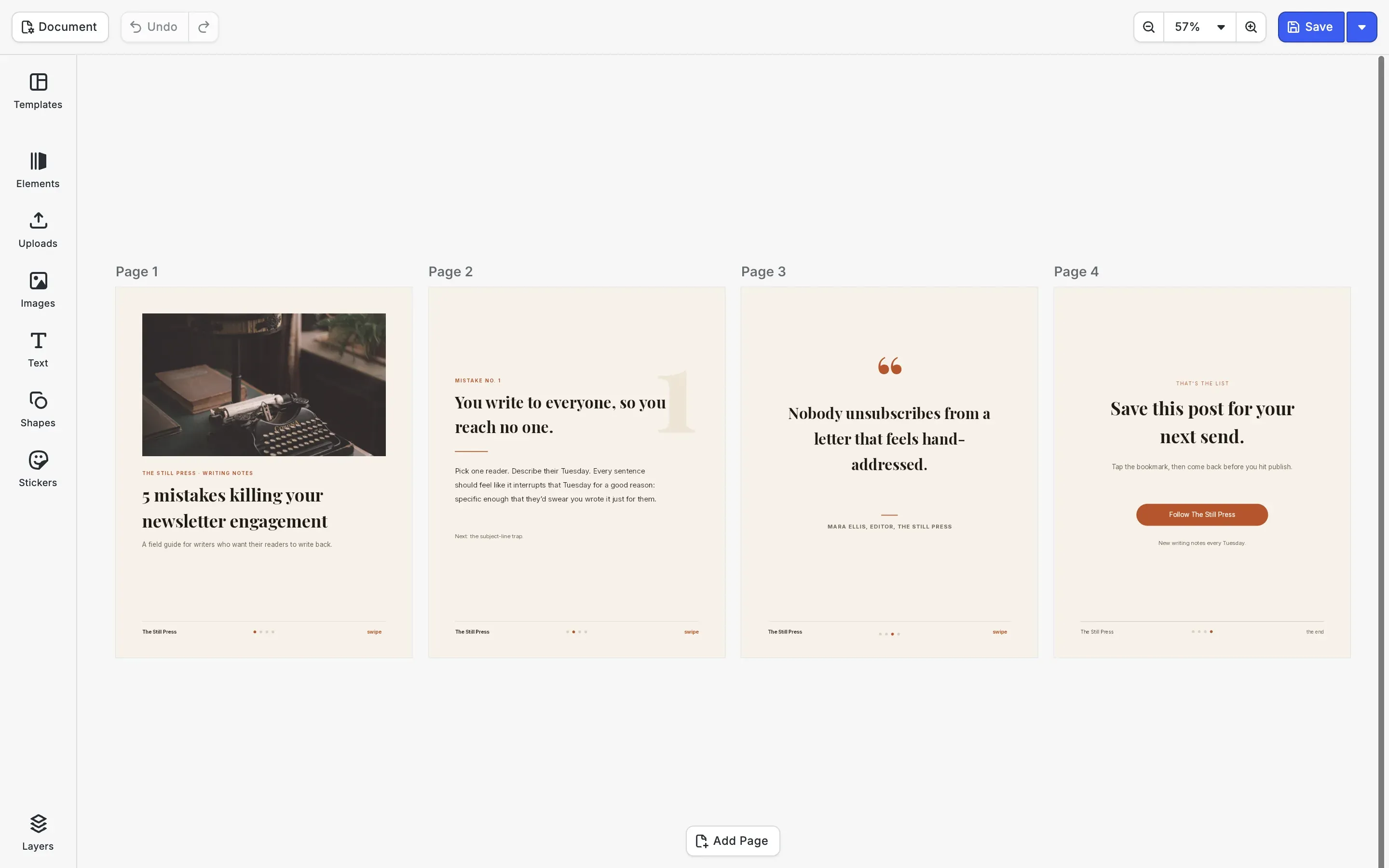
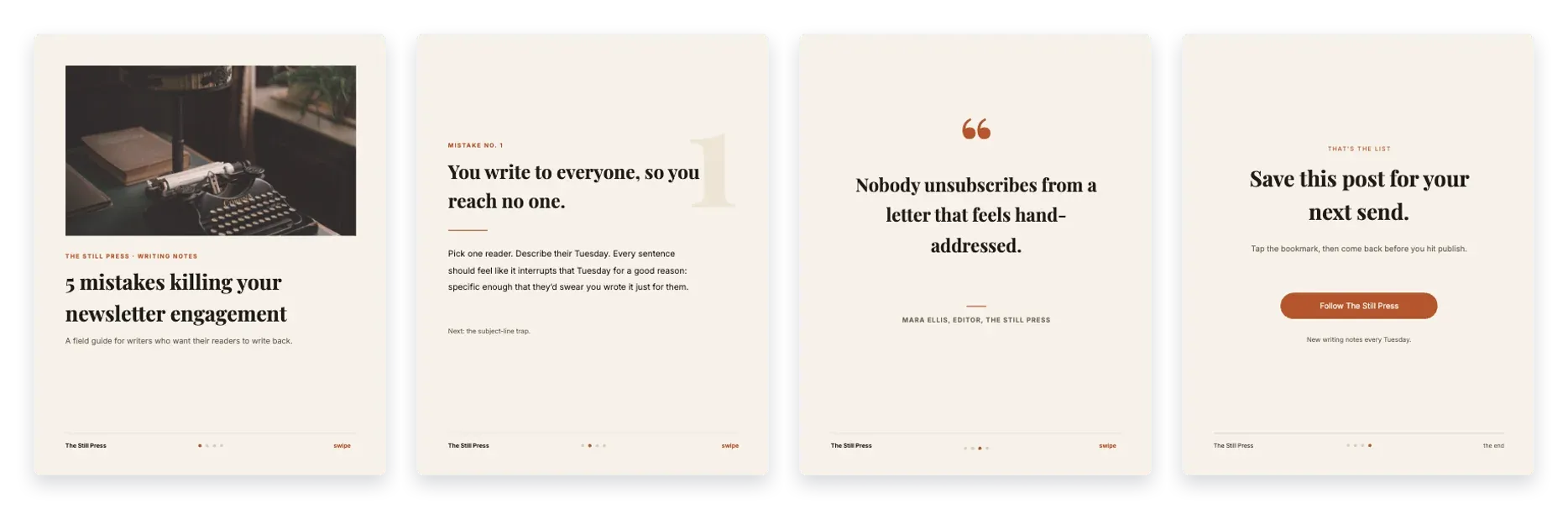
One PDF, one slide per page
The four slides export together as a single PDF with a page each, the kind of file LinkedIn takes for a document post. The fonts travel inside it, so the slides keep their typefaces on devices that don’t have them installed.
A deck your users arrange slide by slide
Slides added, copied and moved
Users add a slide, duplicate one they like and move it into place. Each slide is a page, so the order on screen is the order in the PDF.
The same slides as single images
The pages also export as PNG or JPEG files, one per slide, for networks that take a set of images instead of a PDF.
A new photo on the cover
Users replace the cover photo from an upload or an image library you connect, and the new picture fills the same frame above the title.
How Planoly Unified Planning, Editing, and Publishing in One Workflow

5+
channels supported (IG, FB, TikTok, Pinterest…)
0
context switches to outside tools like Canva
Web + Mobile
editor embedded in both apps
Planoly is a multi-channel social media planning platform serving creators and small business owners who need to plan, create, and publish content across Instagram, Facebook, TikTok, Pinterest, and more.
Canva breaks the workflow. IMG.LY exists everywhere that Planoly exists.
Planoly

Challenge
Planoly needed to enable photo and video editing across multiple platforms without disrupting the planning workflow or forcing users out to external tools like Canva.
Solution
Integrated CE.SDK directly into web and mobile apps — embedding photo and video editing inside the same planning and scheduling experience users already know.
- Creators edit content without leaving Planoly for an external tool.
- Same editing experience across web and mobile apps.
- Planning, editing, and publishing happen in one unified workflow.
Give your users a carousel builder
Tell us what kind of carousels your users post, and we’ll get back to you with a custom quote for your use case.
LinkedIn carousel FAQs
Single-image posts are on the LinkedIn post editor SDK page, and the social media graphics editor SDK covers posts for every network.
Social media tools, content platforms and newsletter services build it in so users can design multi-slide posts where they plan them. CE.SDK keeps the slides as pages of one document and exports them as the PDF that LinkedIn shows as a swipeable carousel.
The slides in these templates are 1080 by 1350 pixels, a 4:5 portrait shape, and any other page size works too. Keeping every slide the same size keeps the carousel even as viewers swipe.
Yes. The fonts are embedded and the text stays text, so the slides stay sharp when someone zooms in.
Yes. Your platform can fill the slide templates with points from an article or a list and render the PDF on your server, for users to adjust before posting.
Yes. The iOS and Android editors add, reorder and remove pages and export the deck as a PDF, in the same way the web editor does.