


IMG.LY vs. Pintura
Looking for deep integration, scalability, and a full-featured design editor? With IMG.LY, you get much more than image and short video editing. See why CreativeEditor SDK is the best alternative to Pintura.
What makes IMG.LY the best Pintura alternative?
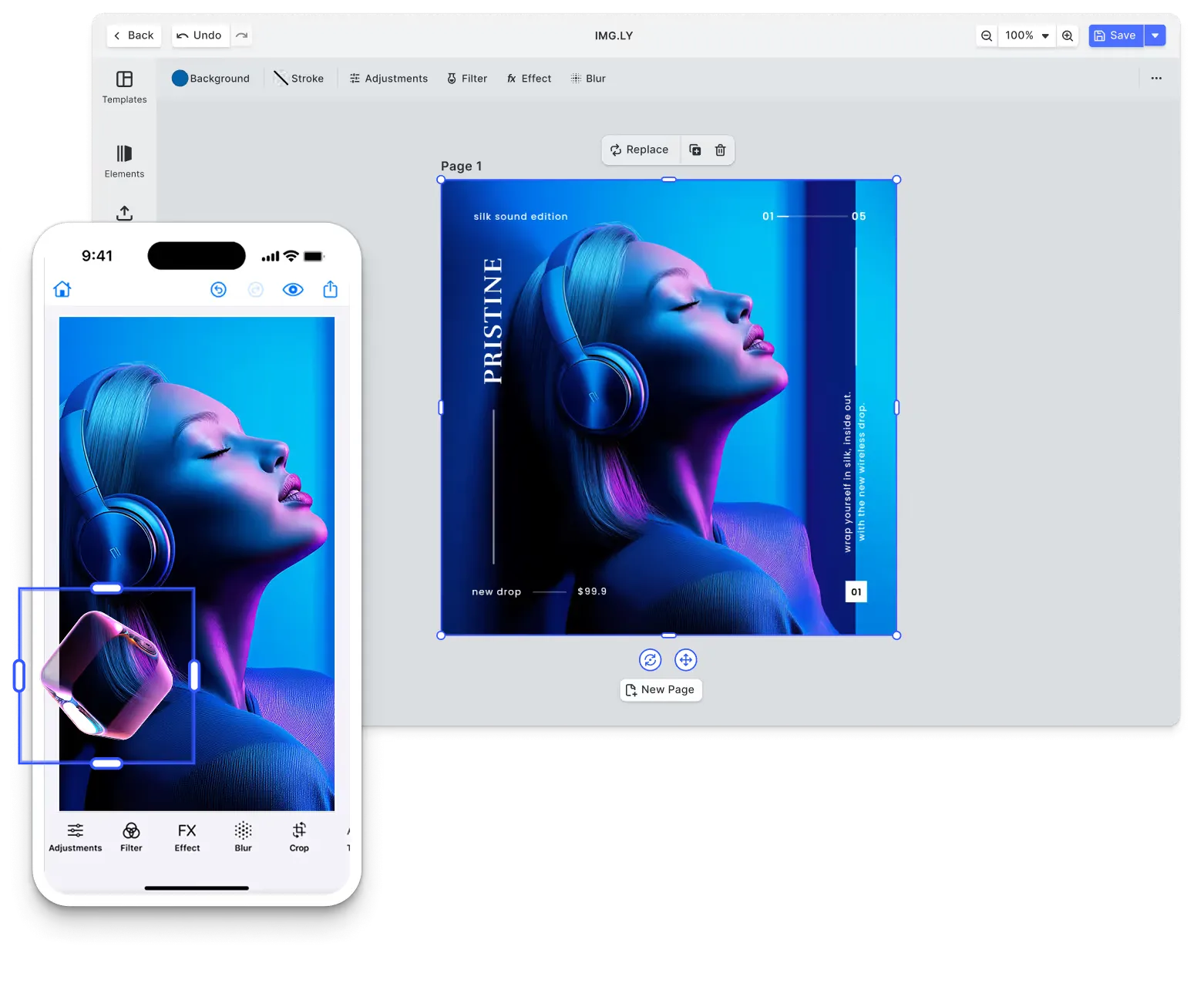
Fully-featured design & video editor
Our SDK has matured in demanding environments, powering 500+ million creations per month.
UI customization & white-labeling
Full UI customization and white-label capabilities to match your branding and use case.
Extensibility & plugin system
Custom plugins are treated like built-in features, so you can add new tools, automation, and industry-specific workflows.
Cross-platform
Our SDK is optimized across platforms ensuring consistent rendering and interoperability.
Trusted by 100+
industry leaders














What our clients say about us
Integrating IMG.LY’s editor meant we didn’t have to build or maintain a complex editing layer ourselves. That kept our team focused on our core AI ad engine and saved us countless development hours — while still giving our customers the ability to polish and customize creatives at scale.
Hikari Senju
CEO, Omneky

With IMG.LY we built a central creative portal that now powers over 140 dealer campaigns across multiple automotive brands. Before this, asset creation was slow and inconsistent.
Martin Röhr
Product Owner, Digitas

By embedding IMG.LY’s editor we were able to hit key RFP requirements and deliver a template-based creative experience that now serves 1,000+ customers. It helped us win more deals and exceed enterprise expectations without needing to hire dedicated design teams.
Rob Driscoll
Director of PM, Optimizely

Since integrating IMG.LY’s editor, we now deliver 30,000+ ad creatives per month, dramatically shorten time-to-launch, and help our clients cut design spend by up to $10,000 per month.
Logan Welbaum
Founder, Plai

Our customers create over a million personalized postcards each year choosing from over hundreds of templates with IMG.LY’s SDK. It’s the only solution that allows us to build our own specialized, on-brand UI that integrates seamlessly with our platform.
Jeanine Zaalberg
Product Manager, SwissPost

From a developer’s perspective, the most powerful feature of the photo editor is the integration process. It was completely flawless, quick, and easy to integrate.
Stefano Fornari
CTO, Funambol
We compared IMG.LY SDK with other solutions and found that it would be the best fit for us since it provides all the features that are crucial for our use case.
Carem Pereira
SCRUM Manager, HP

IMG.LY vs. Pintura at a glance
| Feature | IMG.LY | Pintura | Notes |
|---|---|---|---|
| Primary Use Case | SDK enabling in-app content editing and large-scale automated asset generation. Supports video creation, graphic design, and commercial print workflows. Handles both user-driven editing and backend automation through a single engine that serves interactive and headless use cases. | JavaScript image editor component for web apps, with crop, rotate, resize, filter, finetune, annotate, frame, redact and sticker tools. An optional video extension trims and splits short videos. | IMG.LY provides a dual-purpose SDK for both user editing and automation across video, design, and print. Pintura focuses on image editing in web apps, with an optional extension for short videos. |
| Target Audience | Teams building apps where users create content themselves and organizations automating production pipelines without user involvement. Print businesses offering custom design tools, marketing platforms personalizing campaigns, e-learning apps creating video lessons. Developers who need editing interfaces for some projects and headless automation for others use the same SDK for both. | Web developers adding an image editor, and optionally short video editing, to their own web or mobile app, including upload flows built on file upload libraries such as FilePond and Uppy. | IMG.LY targets developers building creative applications with both user editing and automation needs across all platforms. Pintura serves web developers needing browser-based image editing components for user-facing applications. |
| Technical Approach | Single SDK supporting three integration modes: ready-to-use editor, custom UI via APIs, or headless automation. Works across web browsers, native mobile apps, desktop software, and Node.js servers without modification. Rendering happens client-side on device GPUs or server-side on Node.js infrastructure depending on workflow needs. | JavaScript library used as a custom element, through its JavaScript API, or through components for React, Vue, Angular and Svelte, with guides for jQuery, Nuxt, SvelteKit and Alpine. It needs a browser. The optional video extension encodes with browser APIs, alone or with third-party libraries such as Mediabunny or FFmpeg WASM. | IMG.LY offers flexible on-device or on-server deployment with a multi-platform SDK and dual-purpose architecture. Pintura provides a JavaScript library that needs a browser environment, with framework adapters. |
| Advanced Design Editing | Canvas editor handles vector shapes, text styling, image manipulation, and layout tools for both digital and print outputs. Professional print support includes CMYK and Pantone color spaces for commercial printing. Typography controls, adaptive layouts, collage building, and multi-page documents work through a visual interface or programmatic APIs. | Image editing with crop, rotate, resize and flip. Annotation tools draw rectangles, ellipses, lines, arrows, paths and text that can be rotated, resized and duplicated. Finetune controls cover brightness, contrast, exposure, saturation, clarity, gamma, temperature and vignette, next to color matrix filters, frames, redaction and stickers. Vector editing, multi-page documents and CMYK or Pantone color are not documented. | IMG.LY provides vector shapes, typography and layout tools with CMYK and Pantone color for commercial print. Pintura offers image editing with annotation tools, finetune controls and filters. |
| File Format Support | Imports and exports a wide range of creative and production formats including JPEG, PNG, SVG, WebP, PDF, PDF/X, MP4, and native template formats. Imports Adobe InDesign (IDML) and Photoshop (PSD) files with layers intact, plus PowerPoint (PPTX), so existing design work carries over, and exports designs back to IDML and to PSD (on the server). Ensures consistent rendering and format parity across both interactive and automated pipelines. | Reads the image formats the browser supports, such as GIF, PNG, JPEG, WebP, BMP and SVG, and corrects the orientation of mobile photos. Writes PNG, JPEG and WebP through the browser, using the input type by default. Browsers cannot write GIF, so GIF output and PDF page input rely on third-party libraries in the writer and reader hooks, and HEIC input goes through the same reader hook. PSD, Adobe Illustrator and print formats are not documented. Video goes through the video extension. | Both read JPEG, PNG, WebP and SVG. IMG.LY also handles PDF, PSD, IDML and MP4, while Pintura adds HEIC or PDF page input through its reader hook and writes PNG, JPEG and WebP. |
| Templating & Dynamic Editing | Templates adjust layouts automatically based on content size and aspect ratio. Users fill placeholders through visual editors or APIs populate them programmatically. Same template works for both interactive editing and automated generation. Template creators control which elements remain editable. | Shapes can be predefined as templates for users to edit, with per-shape rights that lock shapes in place or limit which styles users can change. Text shapes support placeholder values that a preprocessing hook swaps for real values when the output image is written. A template library and layouts that adapt to content are not documented. | Both support placeholder values and let template creators lock what users can change. IMG.LY adds layouts that adapt to content size and aspect ratio and reuses the same template for automated generation; Pintura sets rights shape by shape. |
| Creative Automation | Headless mode runs on Node.js servers generating content without any UI involved. Same SDK handles interactive editing and automation without separate products. Connect to databases, CRMs, and spreadsheets to pull data and generate customized assets automatically. Templates created for users to edit work identically when automation fills them programmatically. Organizations run automation on their own infrastructure. | Headless processing functions apply editor state, such as crop, filters, finetune values, frames and shapes, to an image without loading the UI. Server use means running them in a headless browser such as Chrome Headless. Batch processing and workflow tooling are not documented. | IMG.LY provides a production-grade automation platform with Node.js server-side rendering and data integration. Pintura offers headless functions that apply editor state to an image inside a browser. |
| AI Capabilities | Framework lets you plug in any AI models you want alongside built-in editing features. Plugin system connects proprietary AI services or third-party tools for specialized workflows. AI assists but doesn't take over, people keep full control of what gets created. | Built-in AI models are not documented. The first-party Retouch plugin is designed to connect the editor to third-party AI services for inpainting and generative edits, and its UI is empty by default. The example project uses Replicate or Clipdrop, with your own tokens. | IMG.LY's framework plugs in any AI model through its plugin system. Pintura's Retouch plugin connects the editor to third-party AI services you set up. |
| Asset Management | Connects directly to Getty Images, Unsplash, and Pexels without middleware. Extend with custom asset sources while controlling data access. Video and design assets managed together through the same interface. All media stays under your application's control, no forced external storage. | The app supplies the image to edit. The Sticker plugin shows stickers the app defines as emoji or image URLs. A media library, DAM integrations and stock photo connections are not documented. | IMG.LY offers integrated asset management with stock photo APIs (Getty, Unsplash) and custom source support. Pintura relies on the host application for images and sticker sets. |
| User Interface | Built-in editor ships ready to deploy with canvas tools, timeline controls, filter panels, and effect adjustments. Reorganize panels, replace controls, or build entirely custom interfaces using engine APIs. Headless mode skips UI completely for automation. One SDK serves visual editing apps and invisible backend systems. | Ready-made image editor UI for desktop and mobile browsers, with crop tools, filter panels, annotation controls and color adjustments. | Both ship a ready-made editor UI. IMG.LY panels and controls can be reorganized or replaced with a custom interface; Pintura's editor works in desktop and mobile browsers. |
| White-labeling | No vendor logos or branding appear anywhere in interfaces or outputs by default. Customize every visual element including complete UI restructuring beyond color schemes. Headless mode eliminates UI entirely for total custom implementations. Achieve exact brand alignment with corporate design systems. | The licensed package shows no watermark; the test version on npm overlays one on the editor and on output images. CSS custom properties set the editor's theme and colors, including dark mode, and locale properties change its labels and icons. | IMG.LY shows no vendor logos or branding by default and allows complete UI restructuring. The licensed Pintura package shows no watermark, and its theme, labels and icons can be changed. |
| Interactive Editing | Canvas responds instantly as users drag, resize, type, or apply effects with GPU acceleration. Timeline scrubbing, zoom, playback all happen locally without server delays. Consistent behavior across web browsers, iOS, Android, desktop apps. Direct manipulation feels like professional creative software. | Multi-touch gestures, keyboard shortcuts and mouse controls work on images, annotations and effects in desktop and mobile browsers. Edits render on a preview image in the browser, separate from the output image. | Both render edits locally, in the browser or app. IMG.LY also runs in iOS, Android and desktop apps, while Pintura works in desktop and mobile browsers. |
| Multi-Layer Editing | Stack unlimited layers of video, images, graphics, audio, and effects with z-axis control. Blending modes, opacity, grouping, and parent-child relationships enable complex compositions. Lock or hide layers for project organization. Layer system works identically across all platforms whether users edit or automation assembles. | Shapes sit in separate arrays over one base image: annotations move with the image, decorations stay with the crop, and Retouch shapes render in image pixel space. Draw order follows the shape array, shapes can be reordered, and several shapes can be selected and moved or styled together. A layer panel and blend modes are not documented. | IMG.LY provides a comprehensive multi-layer system with unlimited depth, blending modes, and grouping for complex compositions. Pintura orders shapes over a single image. |
| Component Architecture | Engine and editor run separately allowing three integration modes: use the full editor, build custom UI with engine APIs, or go headless. Plugin framework adds functionality without modifying SDK source. Load only components you need for optimized bundles. Upgrades maintain compatibility with customizations. | Modular JavaScript library with separate utility modules and framework adapters. Core editor exports as a single component with plugin extensions for additional features. Video editing available as a separate extension. Tree shaking support reduces bundle size. Configuration-driven component loading. | IMG.LY offers granular component architecture with three integration modes and an extensive plugin system. Pintura provides a modular JavaScript library with extension plugins and configuration-driven loading. |
| React Integration Depth | First-class React support with dedicated npm packages and React-specific components. Hooks-based API follows React patterns. State management integrates with React context and state. Server-side rendering support for Next.js applications. TypeScript declarations included. | React adapter package wraps the core editor as a React component. Provides a component interface with props-based configuration. Includes TypeScript types for React integration. Works with Next.js and React-based frameworks. Specialized React hooks and context providers are not documented. | Both provide React integration with TypeScript support and Next.js compatibility. IMG.LY offers dedicated React packages with a hooks-based API. Pintura provides an adapter component wrapping the core JavaScript editor. |
| Cross-Platform Support | Same SDK deploys to React, Angular, Vue, Svelte, Next.js for web. Native mobile on iOS and Android, cross-platform mobile with React Native and Flutter. Desktop via Electron or native macOS. Backend automation on Node.js servers. One codebase adapts to each platform's conventions while templates render identically everywhere. | Runs in web apps and, through a WebView, inside iOS and Android apps, with React Native and Cordova guides plus Capacitor and Ionic example projects. Pintura cannot run natively on iOS or Android or on a Node.js server. | IMG.LY offers significantly broader cross-platform deployment including web, native mobile, desktop, and server. Pintura operates exclusively in browser JavaScript environments including webview-based mobile apps. |
| Customizability | Reorganize toolbars, customize asset libraries, modify workflows through code APIs. CMYK and Pantone handling for print. Role-based permissions for multi-tenant systems. Headless APIs bypass standard interfaces for complete custom implementations. Configure every aspect without touching SDK source code. | Properties control enabled tools, filters and crop presets, and annotation colors are configurable. Render hooks add, remove, replace or reorder controls in the toolbar, menus and plugin panels. | IMG.LY provides customization down to the architecture across UI, workflows, and infrastructure. Pintura offers customization through properties and render hooks within its editor structure. |
| Extensibility | Plugin framework extends capabilities without modifying SDK source. Extension points cover UI components, export formats, asset sources, and processing pipelines. Integrate proprietary or third-party APIs while maintaining upgrade compatibility. Load only needed features for optimized performance. | First-party plugins such as Retouch and the video Trim plugin add tools to the editor. Custom tool styles extend the annotation tools, and custom filters, frames and finetune controls can be added. An API for writing your own plugins and a plugin marketplace are not documented. | IMG.LY offers a comprehensive plugin system for architectural extension with formal extension APIs. Pintura extends through its own plugins and custom styles. |
| Ease of Integration | Platform-specific guides with working code samples across React, Angular, Vue, Flutter, React Native, Node.js. Pre-built editor reduces setup to configuration instead of development. Production SDK available during evaluation for full assessment. Documentation spans quick-start tutorials to advanced architectural references. | Installation guides with code examples for each supported framework. Installs from npm, from a private registry for licensed customers, or as a downloadable package. Example projects on GitHub show common integrations. | Both offer framework-specific documentation and example projects. IMG.LY provides comprehensive multi-platform guides with pre-built implementations. Pintura focuses on web framework integration with npm or download delivery. |
| Rendering Approach | Choose client-side rendering where user devices handle processing using local GPUs, or server-side rendering where your Node.js infrastructure generates assets in batch. Same engine produces identical output whether rendering happens in browsers during editing or on servers during automation. Pick an approach for each workflow. | Renders in the browser with a WebGL image layer and keeps working in a reduced mode under software rendering. For videos longer than a couple of minutes, Pintura advises server-side FFmpeg encoding, with a sample script that does not render annotations. | IMG.LY offers flexible client-side or server-side rendering on controlled infrastructure with identical output. Pintura renders in a browser and advises server-side FFmpeg encoding for longer videos. |
| Mobile Performance | Delivers performance across native iOS, native Android, React Native, and Flutter using cross-platform C++ engine. GPU acceleration, modern codecs, optimized for mobile devices. Smooth editing and responsive previews on mobile platforms. Feature parity between mobile and desktop with consistent output quality. | Responsive browser-based editor optimized for mobile viewports with touch gestures and mobile interactions. Performance depends on mobile browser capabilities and device specifications. Works in mobile Safari and Chrome. | IMG.LY provides native mobile SDKs with optimized performance across iOS and Android. Pintura offers a responsive browser editor for mobile Safari and Chrome, with performance that depends on the browser and device. |
| Production Readiness | Generates 500M+ creative outputs monthly across enterprise deployments. Continuous releases maintain compatibility while adding capabilities. Multi-tier support from community resources to dedicated engineering help. SDK manages internal complexities so organizations deploy confidently at scale. | Pintura is a licensed JavaScript image editor that ships regular releases. Customers request support through a support form on the PQINA customer portal. | IMG.LY generates 500M+ creative outputs monthly with continuous releases and multi-tier support. Pintura ships regular releases and takes support requests through its customer portal. |
| Scalability | Client-side rendering distributes processing to user devices for interactive editing. Server-side automation runs on your Node.js infrastructure scaling horizontally as needed. Template-driven workflows generate variations whether users create individually or automation produces millions. | Editing runs in each user's browser, and Pintura can also run on a server inside a headless browser such as Chrome Headless, where its processing functions edit images without the UI. | IMG.LY distributes editing to user devices and scales server-side automation on Node.js. Pintura runs editing in each user's browser and can process images on a server inside a headless browser. |
| Storage & Data Ownership | All content stays within your application during editing. Client-side processing keeps data local on user devices. Server deployment gives complete control over infrastructure and data location. No required external storage or cloud dependencies. Optional asset integrations activate only when configured. | Images are edited in the user's browser, and the image writer can send output to a URL or upload function the app defines, for example Amazon S3. The app controls upload, storage and management. | Both process content locally with complete data control. IMG.LY supports both client-side and server-side deployment flexibility. Pintura processes in the browser and sends output wherever the app configures. |
| Offline Capabilities | Full editing functionality works without internet after initial SDK load. Local rendering, export, and template work offline. Asset libraries function offline when using embedded or custom sources. Useful for mobile apps and intermittent connectivity scenarios across platforms. | Offline use is not documented. | IMG.LY supports offline across all platforms including native mobile. |
| Clear Pricing Model | Enterprise licensing adapts to which platforms you deploy on, what scale you need, and which features you use. Evaluation includes production SDK access for thorough testing before commitment. Licensing covers all capabilities across platforms without per-user limits. | Commercial license. The video editor extension is not part of the image editor package and is offered as an upgrade. | IMG.LY offers enterprise licensing covering all platforms and capabilities without per-user limits. |
| Community & Support | Platform-specific documentation covers web, mobile, desktop, server integration. Enterprise licensing includes dedicated support with SLA commitments. Solution architects help with complex integrations and performance optimization. GitHub repositories with integration examples. | Documentation with an API reference, examples and an FAQ. Questions go through a contact form on the Pintura product page. | Both provide comprehensive documentation and framework examples. IMG.LY offers multi-platform documentation with dedicated solution architects for enterprise. Pintura provides web-focused documentation and example projects. |
Key capabilities
Learn more about some of the functionalities of IMG.LY’s SDK.
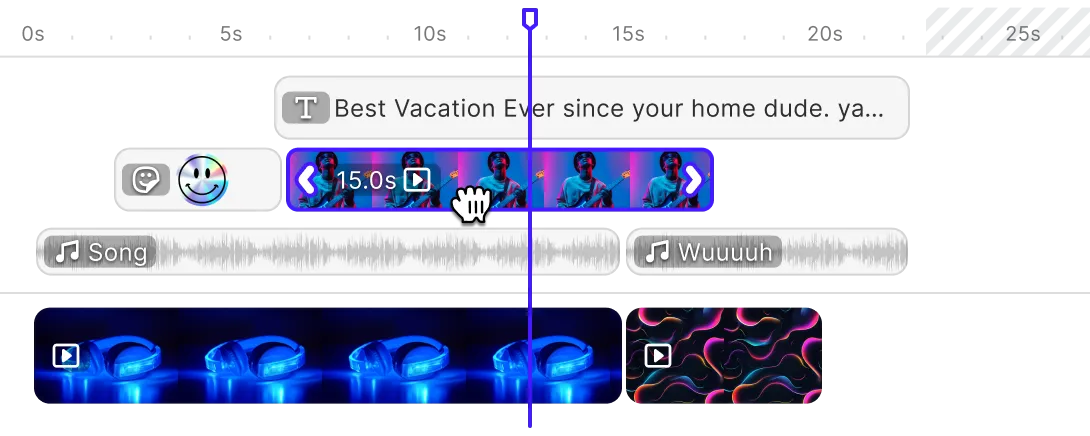
Editing
Printing





Templating
Text variables.
Enable mass personalization and creative automation by embedding variables.
Placeholders & lockable designs.
Constrain templates to guide your users’ design and ensure brand consistency.
Configurable presets.
Enforce a consistent aesthetic across all creations by using preset filters, adjustments, fonts, and crop ratios.
Customizability
Build custom UIs.
Use the headless API powering all creative operations to implement an entirely custom UI.
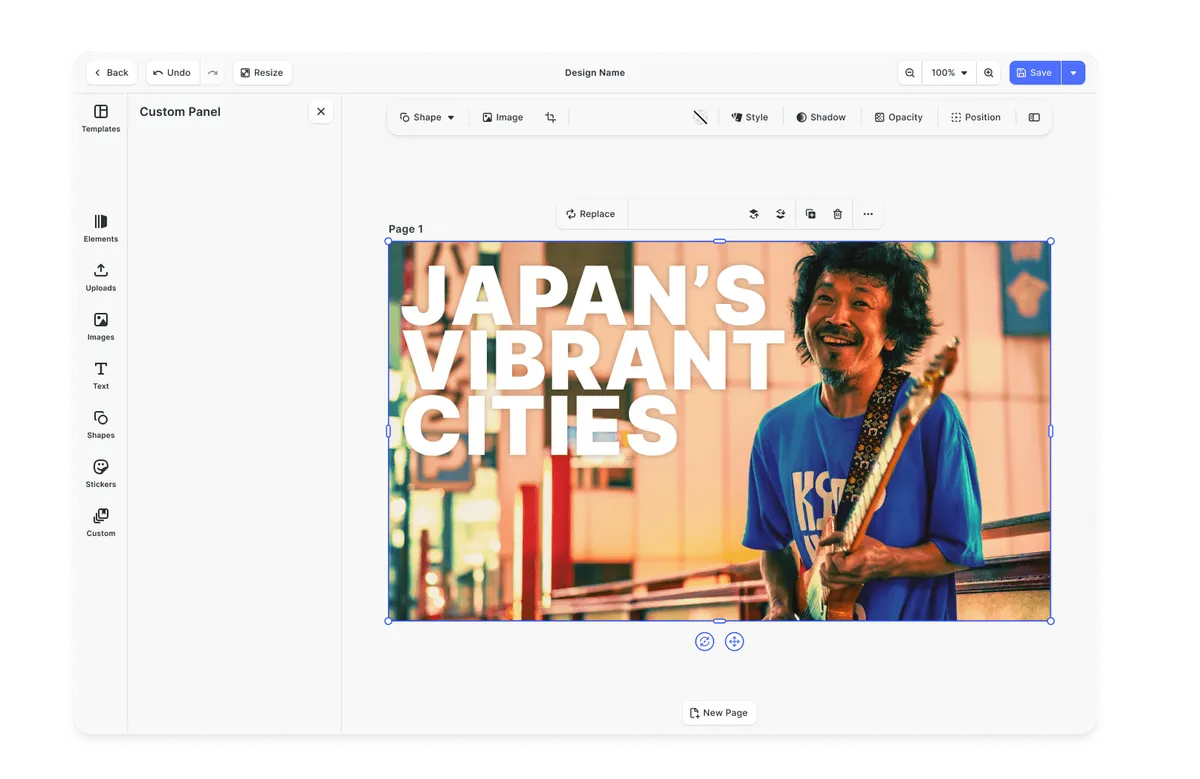
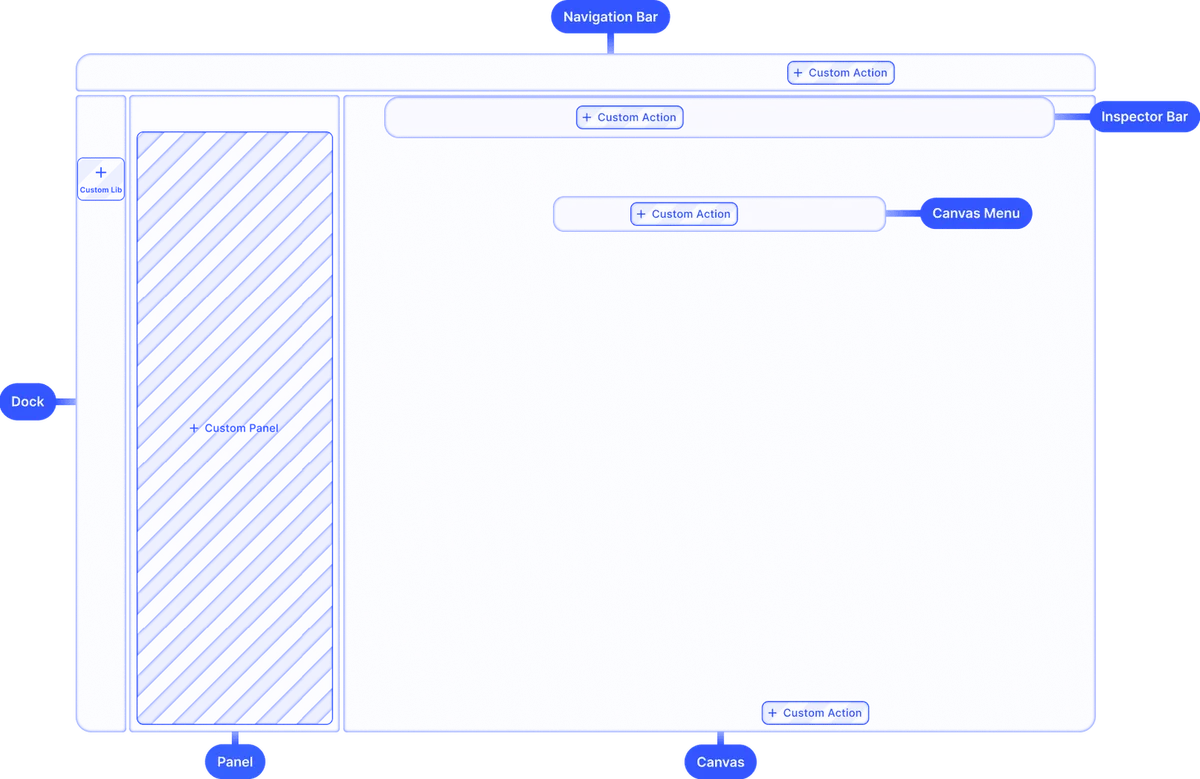
Theming.
Theme the editor to match your app.
Media libraries.
Set up custom libraries that are easily sortable.
Toolbar customization.
Reposition toolbar elements, change icons, or rename tools to fit your use case.
Internationalization.
Add support for additional languages, and customize any button label.
Export options.
Export designs in JPG, PNG, or PDF with custom quality, page ranges, and dimensions.
Check out other use cases
Learn more about related solutions.
Apparel Designer
Whether t-shirts, hoodies or caps, build for any use case, deploy on any platform.
Get in touch
Contact our sales team to learn more about licensing options and get access to our AI plugins for CE.SDK.
FAQs
If you're looking for a powerful, extensible, and scalable solution, IMG.LY is a great alternative to Pintura. It goes beyond image and short video editing with support for advanced design and video workflows, automation, and deep customization options ideal for SaaS products, creative tools, and enterprise applications.
While Pintura focuses on image editing with an optional extension for trimming short videos, IMG.LY offers a full creative suite. Key differences include multi-track video editing, template-based workflows with adaptive layouts, automation via headless APIs on Node.js servers, cross-platform support, and enterprise-grade features like dedicated support.
Pintura's video extension trims, splits and merges clips of a video and can apply crops, color adjustments and shapes. For videos longer than a couple of minutes, Pintura advises server-side encoding. IMG.LY supports full video editing, including multi-track editing, overlays, transitions, and automation, making it more suitable for social media content creation.
IMG.LY offers more flexibility, scalability, and white-labeling options, making it ideal for SaaS platforms targeting various industries.
Partly. Pintura's headless processing functions apply edits without the user interface, but they need a browser, so server use means running a headless browser. IMG.LY offers a headless API for batch processing and programmatic design generation.
Pintura is themed with CSS custom properties, including dark mode, and its render hooks add, remove, reorder or adjust interface components. IMG.LY also offers a headless API for building an entirely custom UI.
Pintura needs a browser environment: it runs in web apps and inside iOS and Android apps through a WebView, but not natively. IMG.LY works across web, mobile (iOS/Android), and even in native desktop environments via Electron and macOS.
Pintura is built from first-party plugins and offers render hooks for adding custom controls. IMG.LY supports a plugin system that allows you to build and integrate custom tools into the editor.
Templating with layouts that adapt to content and aspect ratio, and smart layout constraints. Pintura offers shape templates, locked shapes and text placeholders on a single image.