


Page Sizes
Automatically adapt the same design or template to different page sizes and easily scale marketing campaigns and print materials across platforms.
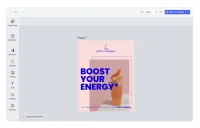
Design once, use anywhere. Automatically adapt the same design or template to different page sizes using CE.SDK’s built-in resize panel. This allows your users to roll out the same design to different social media platforms or create multi-format designs for print and digital media.
Predefined Sizes
The editor ships with built-in presets for the most popular sizes across print, social media, and video.
Print sizes include:
- DIN A series: A0, A1, A2, A3, A4, A5, A6
- American paper: Letter, Legal
- Business card (85 × 55 mm)
- Square format
Social media sizes include:
- Instagram: Photo (1:1), Story (9:16), Profile
- X (formerly Twitter): Header, Image, Profile
- Generic social: Feed (1:1), Story (9:16)
Video resolutions include:
- HD (720p), Full HD (1080p), QHD (1440p)
- 2K, 4K
- Common aspect ratios: 16:9, 16:10
You can also create custom sizes and formats that best suit your use case.
Adapting Templates for Different Platforms
Once a template is created, simply open the resize panel from the toolbar and choose your preferred page size. The editor automatically adjusts the canvas size using content-aware resizing, intelligently repositioning and scaling elements to fit the new dimensions.
This allows you to quickly scale marketing campaigns across different platforms and remove design bottlenecks—no need to recreate designs from scratch for each format.
How This Demo Works
This demo demonstrates how to integrate the native resize panel into your application. A custom dock button is added that opens CE.SDK’s built-in resize panel, giving users access to all predefined formats and the ability to create custom sizes.
The resize panel provides:
- Quick access to popular preset formats
- Content-aware resizing that maintains design integrity
- Custom size input for unique dimensions
- Support for pixel, millimeter, and inch measurements
Design once, use anywhere. Automatically adapt the same design or template to different page sizes using CE.SDK’s built-in resize panel. This allows your users to roll out the same design to different social media platforms or create multi-format designs for print and digital media.
Predefined Sizes
The editor ships with built-in presets for the most popular sizes across print, social media, and video.
Print sizes include:
- DIN A series: A0, A1, A2, A3, A4, A5, A6
- American paper: Letter, Legal
- Business card (85 × 55 mm)
- Square format
Social media sizes include:
- Instagram: Photo (1:1), Story (9:16), Profile
- X (formerly Twitter): Header, Image, Profile
- Generic social: Feed (1:1), Story (9:16)
Video resolutions include:
- HD (720p), Full HD (1080p), QHD (1440p)
- 2K, 4K
- Common aspect ratios: 16:9, 16:10
You can also create custom sizes and formats that best suit your use case.
Adapting Templates for Different Platforms
Once a template is created, simply open the resize panel from the toolbar and choose your preferred page size. The editor automatically adjusts the canvas size using content-aware resizing, intelligently repositioning and scaling elements to fit the new dimensions.
This allows you to quickly scale marketing campaigns across different platforms and remove design bottlenecks—no need to recreate designs from scratch for each format.
How This Demo Works
This demo demonstrates how to integrate the native resize panel into your application. A custom dock button is added that opens CE.SDK’s built-in resize panel, giving users access to all predefined formats and the ability to create custom sizes.
The resize panel provides:
- Quick access to popular preset formats
- Content-aware resizing that maintains design integrity
- Custom size input for unique dimensions
- Support for pixel, millimeter, and inch measurements
Related Demos
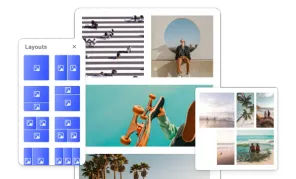
Layouts
Allow users to select different layouts without changing page content.
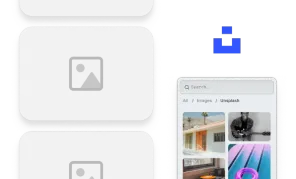
Unsplash Asset Library
CE.SDK can include assets from third-party libraries accessible via API. Search and browse images from Unsplash in the editor.
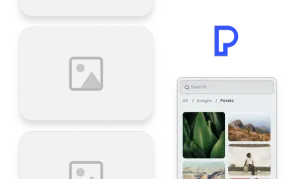
Pexels Asset Library
CE.SDK can include assets from third-party libraries accessible via API. Search and browse images from Pexels in the editor.