Stickers
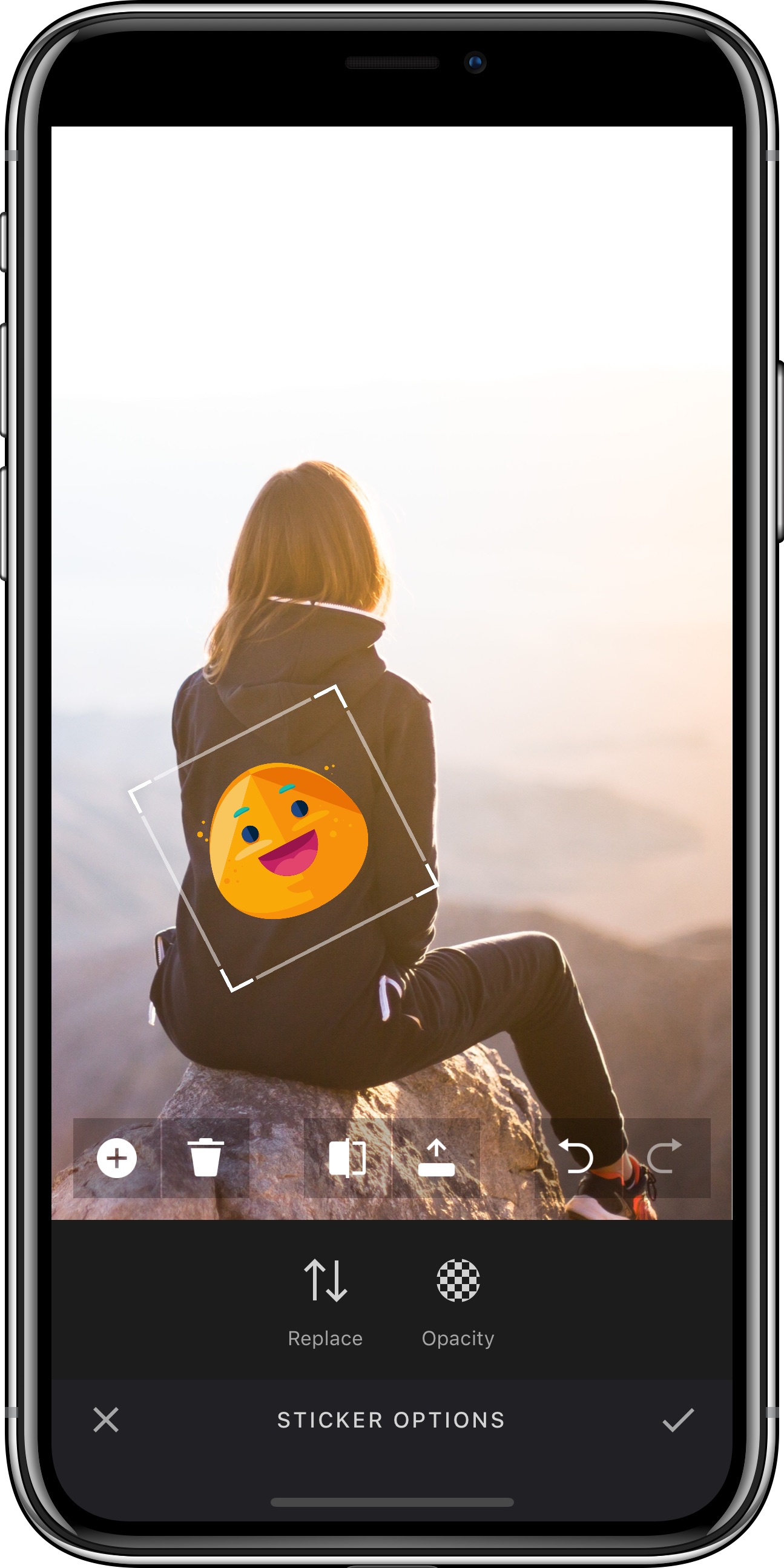
The VideoEditor SDK ships with a categorized sticker library whose UI is optimized for exploration and discovery. You can easily leverage the API to complement the library with your custom sticker packages.
The tool allows placing, rotating, scaling and ordering stickers on your image. Once a sticker has been placed the user can reselect it by tapping the sticker again.
The tool is implemented in the StickerToolController class and can be customized using the StickerToolControllerOptions. For details on how to modify the options, take a look at the configuration section
Adding stickers#
Stickers are inserted into the SDK using the static property StickerCategory.all, which is an array of StickerCategory objects.
A StickerCategory object holds the metadata of a sticker category, such as its preview image or the title and has an array of Sticker objects,
which again hold the metadata for a Sticker, such as its imageURL and thumbnailURL. The Sticker class can handle local and remote resources.
Supported formats are JPEG, PNG, and animated GIF.
var categories = StickerCategory.alllet stickers = [Bundle.main.url(forResource: "glasses_nerd", withExtension: "png"),Bundle.main.url(forResource: "glasses_normal", withExtension: "png"),Bundle.main.url(forResource: "glasses_shutter_green", withExtension: "png"),Bundle.main.url(forResource: "glasses_shutter_yellow", withExtension: "png"),Bundle.main.url(forResource: "glasses_sun", withExtension: "png"),Bundle.main.url(forResource: "hat_cap", withExtension: "png"),Bundle.main.url(forResource: "hat_party", withExtension: "png"),Bundle.main.url(forResource: "hat_scherif", withExtension: "png"),Bundle.main.url(forResource: "hat_zylinder 2", withExtension: "png"),Bundle.main.url(forResource: "heart", withExtension: "png"),Bundle.main.url(forResource: "mustache_long", withExtension: "png"),Bundle.main.url(forResource: "mustache1", withExtension: "png"),Bundle.main.url(forResource: "mustache2", withExtension: "png"),Bundle.main.url(forResource: "mustache3", withExtension: "png"),Bundle.main.url(forResource: "pipe", withExtension: "png"),Bundle.main.url(forResource: "smile", withExtension: "png"),Bundle.main.url(forResource: "snowflake", withExtension: "png"),Bundle.main.url(forResource: "star", withExtension: "png"),Bundle.main.url(forResource: "teardrop", withExtension: "png")].compactMap { $0.map { Sticker(imageURL: $0, thumbnailURL: nil, identifier: $0.path) } }if let previewURL = Bundle.main.url(forResource: "face_decor", withExtension: "png") {categories.append(StickerCategory(title: "Oldschool", imageURL: previewURL, stickers: stickers))}StickerCategory.all = categories
Personal stickers#
This feature is disabled by default. It can be configured with StickerToolControllerOptions.personalStickersEnabled.
If enabled, the end user can create personal stickers from the device's photo library. A button is added as first item
in the menu in front of the sticker categories which modally presents an image selection dialog for personal sticker creation.
Personal stickers will be added to a personal sticker category called "Custom" with the identifier "imgly_sticker_category_personal". The personal sticker category will be added between the button and the regular sticker categories if it does not exist.
You can configure the tint mode of all of these personal stickers with the StickerToolControllerOptions.defaultPersonalStickerTintMode option.
Please note that these types of personal stickers are always included in serialization files, which can increase the size of such a serialization by quite a lot.
let configuration = Configuration { builder inbuilder.configureStickerToolController { options inoptions.personalStickersEnabled = trueoptions.defaultPersonalStickerTintMode = .none}}
GIPHY#
VideoEditor SDK allows a seamless integration with the GIPHY Stickers API.
To create a predefined GiphyStickerCategory, you need to pass your API key obtained from GIPHY.
You can also provide optional language and rating parameters to customize search results with respect to the localization and content rating of your app.
var categories = StickerCategory.alllet giphyCategory = GiphyStickerCategory(apiKey: "YOUR_API_KEY", language: "en", rating: "g")categories.append(giphyCategory)StickerCategory.all = categories
This category is searchable, while the search bar and pagination is provided by VideoEditor SDK.
If no search has been performed the trending API will be used to provide a quick access to the most relevant content, ready to be inserted into the canvas.
A Sticker created from GIPHY content will use the following properties from the response:
- identifier
- original image URL
- thumbnail URL - selected dynamically depending on available assets for a particular sticker
- title - used as accessibility label, non-localized
For more information about GIPHY see their API Quickstart Guide.
Futher customization, including title and icon may be achieved by using the underlying GiphyStickerProvider with a StickerProviderCategory instead.
Make sure that you follow the GIPHY design guidelines.
var categories = StickerCategory.alllet giphyProvider = GiphyStickerProvider(apiKey: "YOUR_API_KEY", language: "en", rating: "g")let giphyCategory = StickerProviderCategory(title: "GIPHY", imageURL: Bundle.main.url(forResource: "giphy", withExtension: "png")!, stickerProvider: giphyProvider)categories.append(giphyCategory)StickerCategory.all = categories
If you want to implement your own integration with GIPHY (or other) API, see the external sticker provider section.
Custom sticker view controller#
Predefined sticker categories can be extended by providing a custom view controller that is automatically added to the view hierarchy when selecting the appropriate custom category.
The view controller instance must be exposed by an object conforming to StickerCollection protocol.
The selected sticker can then be added to the canvas by calling the StickerCollectionDelegate.
The sticker will be stored in the personal sticker category. It will also be embedded in the serialization if it was not removed from the canvas before the export.
class CustomStickerController: UIViewController, StickerCollection {var viewController: UIViewController { self }weak var delegate: StickerCollectionDelegate?// Add custom viewsfunc someAction() {delegate?.stickerCollection(self, didSelect: Sticker(imageURL: URL(string: "https://sample.image")!, thumbnailURL: URL(string: "https://sample.thumbnail")!, identifier: UUID().uuidString))}}
A custom category can be added to the existing categories in a familiar way. Instead of passing a stickers array, you should provide a stickerCollection object.
var categories = StickerCategory.allif let previewURL = Bundle.main.url(forResource: "custom_controller", withExtension: "png") {categories.append(StickerCollectionCategory(title: "Custom Controller", imageURL: previewURL, stickerCollection: CustomStickerController()))}StickerCategory.all = categories
External sticker provider#
External APIs (image search engines) can be used as a data source for custom sticker categories.
The provider object must conform to StickerProvider, by implementing a general trending endpoint for the initial load and a search endpoint.
Pagination is handled via the query, offset, and StickerProviderResult.hasMore parameters.
If your service does not support pagination, you can ignore the query, offset arguments and pass false as StickerProviderResult.hasMore.
class ExternalStickerProvider: StickerProvider {func trending(offset: Int, limit: Int, completion: @escaping (Result<StickerProviderResult, Error>) -> Void) {// Load stickers from local/remote resource and call completion handler}func search(query: String, offset: Int, limit: Int, completion: @escaping (Result<StickerProviderResult, Error>) -> Void) {// Load stickers from local/remote resource and call completion handler}}
A custom category can be added to the existing categories in a familiar way. Instead of passing a stickers array, you should provide a stickerProvider object.
var categories = StickerCategory.allif let previewURL = Bundle.main.url(forResource: "external_provider", withExtension: "png") {categories.append(StickerProviderCategory(title: "ExternalProvider", imageURL: previewURL, stickerProvider: ExternalStickerProvider()))}StickerCategory.all = categories
Example sticker provider#
The example below shows an implementation of a StickerProvider for an arbitrary web service. A similar implementation is used for the built-in GIPHY category.
class WebServiceStickerProvider: StickerProvider {private static let baseURL = "https://web.service/api/stickers"private enum Parameters: String {case apiKey = "api_key"case query = "q"}let apiKey: Stringinit(apiKey: String) {self.apiKey = apiKey}func trending(offset: Int, limit: Int, completion: @escaping (Result<StickerProviderResult, Error>) -> Void) {let task = URLSession.shared.dataTask(with: request(path: "trending", query: nil)) { data, response, error inself.parse(data: data, response: response, error: error, completion: completion)}task.resume()}func search(query: String, offset: Int, limit: Int, completion: @escaping (Result<StickerProviderResult, Error>) -> Void) {let task = URLSession.shared.dataTask(with: request(path: "search", query: query)) { data, response, error inself.parse(data: data, response: response, error: error, completion: completion)}task.resume()}private func request(path: String, query: String?) -> URLRequest {var urlComponents = URLComponents(string: WebServiceStickerProvider.baseURL)!urlComponents.queryItems = [URLQueryItem(name: Parameters.apiKey.rawValue, value: apiKey)]if let query = query {urlComponents.queryItems?.append(URLQueryItem(name: Parameters.query.rawValue, value: query))}let request = URLRequest(url: urlComponents.url!.appendingPathComponent(path))return request}private func parse(data: Data?, response: URLResponse?, error: Error?, completion: @escaping (Result<StickerProviderResult, Error>) -> Void) {if let error = error {completion(.failure(error))return}guard let data = data else {completion(.success(StickerProviderResult(stickers: [])))return}do {let response = try JSONDecoder().decode(WebServiceResponse.self, from: data)let result = StickerProviderResult(response: response)completion(.success(result))} catch {completion(.failure(error))}}}struct WebServiceImage: Decodable {let id: Stringlet url, thumbnail: URL}struct WebServiceResponse: Decodable {let images: [WebServiceImage]}extension Sticker {convenience init(image: WebServiceImage) {self.init(imageURL: image.url, thumbnailURL: image.thumbnail, identifier: image.id)}}extension StickerProviderResult {convenience init(response: WebServiceResponse) {let stickers = response.images.map(Sticker.init)self.init(stickers: stickers)}}
Smart Stickers#
There are currently six predefined smart stickers available in SmartSticker.defaultItems:
- Weekday
- Date
- Time
- Time Clock
- Weather Cloud (Requires a WeatherProvider)
- Weather Thermostat (Requires a WeatherProvider)
These smart stickers are part of the first default sticker category with the identifier "imgly_sticker_category_emoticons".
To enable all of the smart stickers you need to define a WeatherProvider otherwise the weather stickers are hidden per default when StickerToolControllerOptions.weatherProvider is not set. The following code snippet shows how to configure and use the provided OpenWeatherProvider.
var unit = TemperatureFormat.celsiusif #available(iOS 10.0, *) {unit = .locale}// Make sure to pass in your API key to display real weather data// otherwise the sample data API is used!let weatherProvider = OpenWeatherProvider(apiKey: nil, unit: unit)weatherProvider.locationAccessRequestClosure = { locationManager inlocationManager.requestWhenInUseAuthorization()}let configuration = Configuration { builder inbuilder.configureStickerToolController { options inoptions.weatherProvider = weatherProvider}}
Example Weather Provider#
The following lists the implementation of the above used OpenWeatherProvider that is also part of the SDK. It exemplifies how you could implement your own WeatherProvider for your service of choice.
import CoreLocationimport Foundation/// A `WeatherProvider` for the https://openweathermap.org service.@objcMembers @objc(PESDKOpenWeatherProvider) public class OpenWeatherProvider: NSObject, WeatherProvider, CLLocationManagerDelegate {// MARK: - Properties/// The used API key. If `nil` or empty the sample API is used.public let apiKey: String?/// The minimum update interval to request new data from the service. It defaults to one hour.public var updateInterval: TimeInterval = 60 * 60// MARK: - Initializers/// Create a new `OpenWeatherProvider`./// - Parameters:/// - apiKey: The used API key. If `nil` or empty the sample API is used./// - unit: The temperature format that should be used for displaying temperature measurements to the user.public init(apiKey: String?, unit: TemperatureFormat) {self.apiKey = apiKeytemperatureFormat = unitsuper.init()locationManager.startUpdatingLocation()}deinit {locationManager.stopUpdatingLocation()}// MARK: - WeatherProviderprivate var url: URL? {guard let location = lastLocation else {return nil}let domain, appid: Stringif let apiKey = apiKey, !apiKey.isEmpty {domain = "api.openweathermap.org"appid = apiKey} else {domain = "samples.openweathermap.org"appid = "_"}let lat = location.coordinate.latitudelet lon = location.coordinate.longitudelet url = "https://\(domain)/data/2.5/weather?lat=\(lat)&lon=\(lon)&appid=\(appid)"return URL(string: url)}private var lastTemperature: Temperature?private var lastUpdate: Date?private var lastTask: URLSessionTask?private struct WeatherData: Codable {let main: Main}private struct Main: Codable {let temp: Double}/// The temperature format that should be used for displaying temperature measurements to the user.public var temperatureFormat: TemperatureFormat/// The temperature measurement.public var temperature: Temperature? { lastTemperature }/// Request to update the weather data.public func updateData() {guard let url = url else {return}if let lastTask = lastTask {switch lastTask.state {case .running:returncase .suspended:lastTask.resume()returndefault:break}}if let lastUpdate = lastUpdate, lastUpdate.timeIntervalSinceNow < updateInterval {return}let session = URLSession.sharedlet task = session.dataTask(with: url) { data, _, _ inguard let data = data, let weatherData = try? JSONDecoder().decode(WeatherData.self, from: data) else {return}DispatchQueue.main.async {self.lastUpdate = Date()self.lastTemperature = Temperature(value: weatherData.main.temp, unit: .kelvin)}}task.resume()lastTask = task}// MARK: - CoreLocationprivate var lastLocation: CLLocation?private lazy var locationManager: CLLocationManager = {let locationManager = CLLocationManager()locationManager.delegate = selflocationManager.distanceFilter = 10return locationManager}()/// When this closure is called, the SDK has determined that location access has not been granted/// to the host app yet. Within this closure you should then request appropriate permissions from/// the passed in `CLLocationManager` object. Location access is used to request weather data/// for the current location for weather stickers.////// - Attention: Starting Spring 2019, all apps submitted to the App Store that access user data/// are required to include a purpose string as soon as location permissions requests appear/// somewhere in the binary. Since we do not want to force developers integrating the SDK into/// their app to include a purpose string even with weather stickers disabled, this closure was/// introduced, so that developers can decide for themselves if it is appropriate to request/// location access. Simply set this property like this:/// ````/// openWeatherProvider.locationAccessRequestClosure = { locationManager in/// locationManager.requestWhenInUseAuthorization()/// }/// ````public var locationAccessRequestClosure: ((CLLocationManager) -> Void)? {didSet {if CLLocationManager.authorizationStatus() == .notDetermined {locationAccessRequestClosure?(locationManager)}}}/// :nodoc:public func locationManager(_ manager: CLLocationManager, didUpdateLocations locations: [CLLocation]) {lastLocation = locations.lastupdateData()}}