
IMG.LY vs. Pintura
Looking for deep integration, scalability, and a full-featured design editor? With IMG.LY, you get much more than basic image editing. See why CreativeEditor SDK is the best alternative to Pintura.
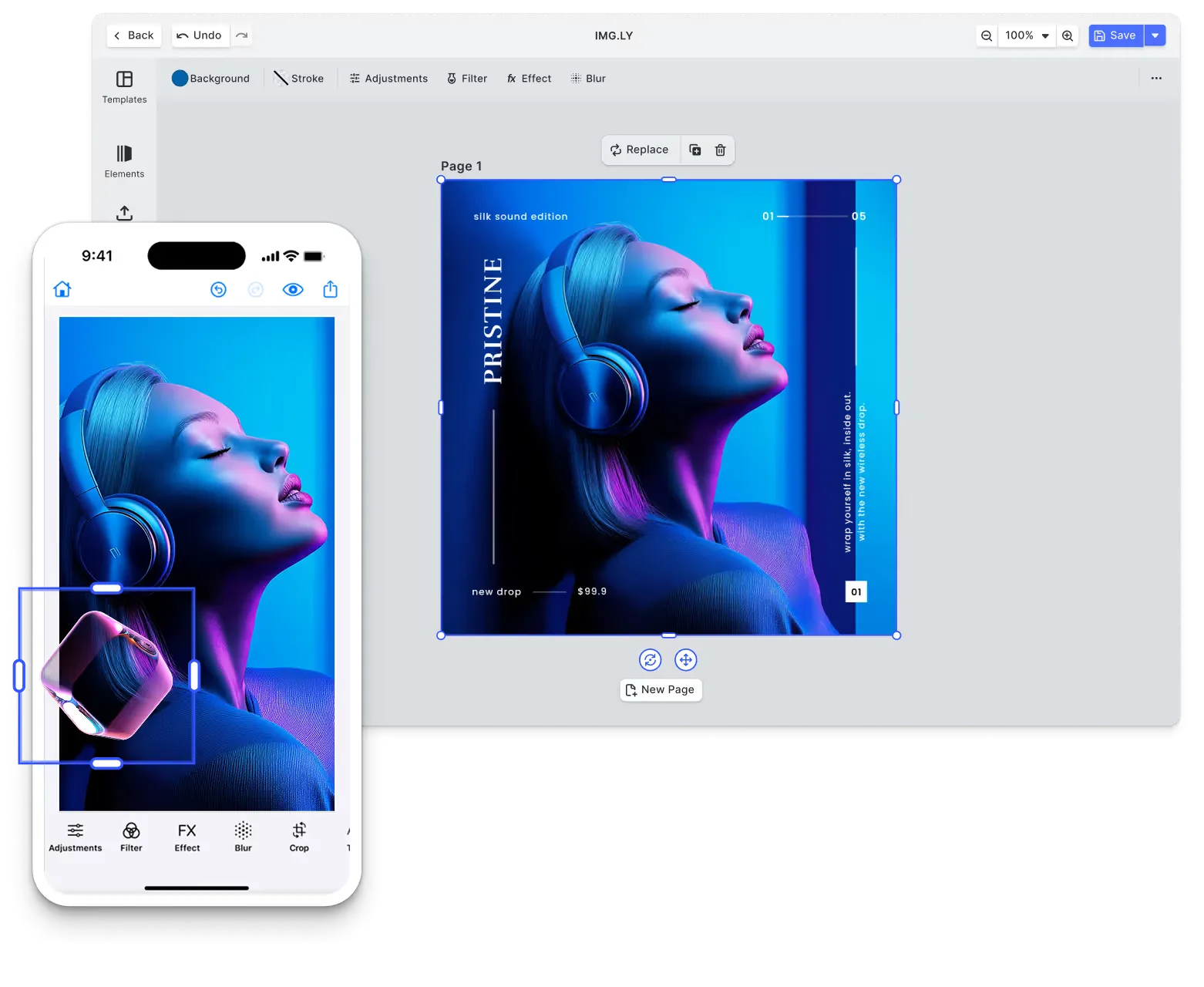
What makes IMG.LY the best Pintura alternative?
Fully-featured design & video editor
Our SDK has matured in demanding environments, powering 500+ million creations per month.
UI customization & white-labeling
Full UI customization and white-label capabilities to match your branding and use case.
Extensibility & plugin system
Supports custom plugins and extensibility, enabling seamless integration of new tools, automation features, and industry-specific workflows.
Cross-platform
Our SDK is optimized across platforms ensuring consistent rendering and interoperability.
Trusted by 100+
industry leaders














What our clients say about us
Integrating IMG.LY’s editor meant we didn’t have to build or maintain a complex editing layer ourselves. That kept our team focused on our core AI ad engine and saved us countless development hours — while still giving our customers the ability to polish and customize creatives at scale.
Hikari Senju
CEO, Omneky

With IMG.LY we built a central creative portal that now powers over 140 dealer campaigns across multiple automotive brands. Before this, asset creation was slow and inconsistent.
Martin Röhr
Product Owner, Digitas

By embedding IMG.LY’s editor we were able to hit key RFP requirements and deliver a template-based creative experience that now serves 1,000+ customers. It helped us win more deals and exceed enterprise expectations without needing to hire dedicated design teams.
Rob Driscoll
Director of PM, Optimizely

Since integrating IMG.LY’s editor, we now deliver 30,000+ ad creatives per month, dramatically shorten time-to-launch, and help our clients cut design spend by up to $10,000 per month.
Logan Welbaum
Founder, Plai

Our customers create over a million personalized postcards each year choosing from over hundreds of templates with IMG.LY’s SDK. It’s the only solution that allows us to build our own specialized, on-brand UI that integrates seamlessly with our platform.
Jeanine Zaalberg
Product Manager, SwissPost

From a developer’s perspective, the most powerful feature of the photo editor is the integration process. It was completely flawless, quick, and easy to integrate.
Stefano Fornari
CTO, Funambol
We compared IMG.LY SDK with other solutions and found that it would be the best fit for us since it provides all the features that are crucial for our use case.
Carem Pereira
SCRUM Manager, HP

IMG.LY vs. Pintura at a glance
| Feature | IMG.LY | Pintura | Notes |
|---|---|---|---|
| Primary Use Case | SDK enabling in-app content editing and large-scale automated asset generation. Supports video creation, graphic design, and commercial print workflows. Handles both user-driven editing and backend automation through a single engine that serves interactive and headless use cases. | Browser-based JavaScript image editor SDK for integrating image editing capabilities into web applications. Provides crop, rotate, resize, filter, annotate, and color adjustment tools with responsive UI. Focuses on client-side image processing with basic headless mode for simple transformations. Primarily serves interactive editing workflows where users manipulate photos directly in browsers. | IMG.LY provides dual-purpose SDK for both user editing and automation across video, design, and print. Pintura focuses exclusively on browser-based interactive image editing with basic client-side processing. |
| Target Audience | Teams building apps where users create content themselves and organizations automating production pipelines without user involvement. Print businesses offering custom design tools, marketing platforms personalizing campaigns, e-learning apps creating video lessons. Developers who need editing interfaces for some projects and headless automation for others use the same SDK for both. | Web developers integrating image editing into applications requiring user photo manipulation. SaaS platforms, content management systems, e-commerce sites, social media apps, and profile management systems needing browser-based image editing. Small to mid-sized development teams seeking ready-made image editor components without building from scratch. | IMG.LY targets developers building creative applications with both user editing and automation needs across all platforms. Pintura serves web developers needing browser-based image editing components for user-facing applications. |
| Technical Approach | Single SDK supporting three integration modes: ready-to-use editor, custom UI via APIs, or headless automation. Works across web browsers, native mobile apps, desktop software, and Node.js servers without modification. Rendering happens client-side on device GPUs or server-side on Node.js infrastructure depending on workflow needs. | Vanilla JavaScript library with zero external dependencies integrating into web frameworks. Ships with adapters for React, Vue, Angular, Svelte, jQuery, Next.js. Runs entirely in browser using Canvas API and WebCodecs. Client-side only architecture with all processing happening on user devices. Basic headless processImage() function for programmatic transformations without UI. | IMG.LY offers flexible on-device or on-server deployment with multi-platform SDK and dual-purpose architecture. Pintura provides web-only JavaScript library with client-side browser processing and framework adapters. |
| Advanced Design Editing | Canvas editor handles vector shapes, text styling, image manipulation, and layout tools for both digital and print outputs. Professional print support includes CMYK and Pantone color spaces for commercial printing. Typography controls, adaptive layouts, collage building, and multi-page documents work through visual interface or programmatic APIs. Exports PNG, JPEG, PDF, and other formats. | Bitmap image editing with crop, rotate, resize, flip operations. Annotation tools draw rectangles, circles, lines, arrows, text overlays with rotate, resize, duplicate controls. Color adjustments modify brightness, contrast, exposure, saturation, clarity, gamma. Filter library applies visual effects. No vector graphics, multi-page documents, or professional print color spaces. Canvas-based pixel manipulation only. | IMG.LY provides comprehensive design tools with vector graphics, CMYK/Pantone for commercial print, and multi-format support. Pintura offers focused bitmap image editing with annotations and filters for web workflows only. |
| File Format Support | Imports and exports a wide range of creative and production formats including JPEG, PNG, SVG, WebP, PDF, PDF/X, MP4, and native template formats. Supports direct import of Adobe InDesign (IDML), Photoshop (PSD) & PPTX files for seamless integration with existing design workflows. Ensures consistent rendering and format parity across both interactive and automated pipelines. | Supports GIF, PNG, WebP, JPEG, BMP for import and export. Transforms between image formats and preserves transparency. Handles EXIF data and automatic mobile photo orientation correction. No PDF, SVG, PSD, AI, or video format support beyond video extension. No professional print formats or design file imports. | Both support standard web image formats (JPEG, PNG, WebP, GIF). IMG.LY handles extensive creative formats including PDF, SVG, PSD, IDML, and MP4 video. Pintura focuses solely on bitmap image formats. |
| Templating & Dynamic Editing | Templates adjust layouts automatically based on content size and aspect ratio. Users fill placeholders through visual editors or APIs populate them programmatically. Same template works for both interactive editing and automated generation. Template creators control which elements remain editable. | No template system for dynamic content generation. UI templates available for editor interface customization only. | IMG.LY provides comprehensive template system with dynamic data population and adaptive layouts for editing and automation. Pintura has no templating capabilities for content generation. |
| Creative Automation | Headless mode runs on Node.js servers generating content without any UI involved. Same SDK handles interactive editing and automation without separate products. Connect to databases, CRMs, spreadsheets to pull data and generate customized assets automatically. Templates created for users to edit work identically when automation fills them programmatically. Organizations run automation on their own infrastructure. | Basic headless processing via processImage() function for simple crop, resize, and transform operations. No automation workflows or batch processing capabilities. | IMG.LY provides production-grade automation platform with Node.js server-side rendering and data integration. Pintura offers only basic headless function for simple transformations without workflow automation. |
| AI Capabilities | Framework lets you plug in any AI models you want alongside built-in editing features. Plugin system connects proprietary AI services or third-party tools for specialized workflows. AI assists but doesn't take over, people keep full control of what gets created. | No built-in AI capabilities. Can integrate third-party AI services for features like background removal through custom development. | IMG.LY provides extensible AI framework with smart layouts and plugin architecture for custom model integration. Pintura has no AI features, requires manual third-party integration for AI capabilities. |
| Asset Management | Connects directly to Getty Images, Unsplash, and Airtable without middleware. Extend with custom asset sources while controlling data access. Video and design assets managed together through same interface. All media stays under your application's control, no forced external storage. | No built-in asset management system. Applications provide images to editor component for manipulation. No DAM integrations, stock photo connections, or asset library features. | IMG.LY offers integrated asset management with stock photo APIs (Getty, Unsplash) and custom source support. Pintura has no asset management capabilities, relies on host application for image sourcing. |
| User Interface | Built-in editor ships ready to deploy with canvas tools, timeline controls, filter panels, and effect adjustments. Reorganize panels, replace controls, or build entirely custom interfaces using engine APIs. Headless mode skips UI completely for automation. One SDK serves visual editing apps and invisible backend systems. | Production-ready image editor UI with responsive layout adapting to mobile, tablet, desktop viewports. Component-based interface includes crop tools, filter panels, annotation controls, color adjustments. Customizable through configuration options including theme switching (dark/light), language locales, icon replacement. UI reordering limited compared to architectural customization. | Both provide production-ready editing interfaces with customization options. IMG.LY offers broader UI flexibility including complete custom implementations and headless mode. Pintura provides configurable responsive image editor focused on browsers. |
| White-labeling | No vendor logos or branding appear anywhere in interfaces or outputs by default. Customize every visual element including complete UI restructuring beyond color schemes. Headless mode eliminates UI entirely for total custom implementations. Achieve exact brand alignment with corporate design systems. | No Pintura branding visible in editor interface. Customize language strings, icons, and visual themes. Color schemes, UI text, and component styling fully configurable. Embedded editor appears as native part of host application without vendor identification. | Both support complete white-labeling without vendor branding. IMG.LY offers zero-branding with architectural customization across platforms. Pintura provides brand-free browser editor with theme and text customization. |
| Interactive Editing | Canvas responds instantly as users drag, resize, type, or apply effects with GPU acceleration. Timeline scrubbing, zoom, playback all happen locally without server delays. Consistent behavior across web browsers, iOS, Android, desktop apps. Direct manipulation feels like professional creative software. | Real-time browser-based editing with immediate visual feedback using Canvas API. Multi-touch gestures, keyboard navigation, mouse controls with inertia dragging. Direct manipulation of images, annotations, and effects without server round-trips. Responsive interactions optimized for mobile and desktop browsers. Client-side processing eliminates upload delays. | Both provide real-time interactive editing with local processing and immediate feedback. IMG.LY supports cross-platform deployment including native mobile and desktop. Pintura focuses on browser-based interactions with multi-touch optimization. |
| Multi-Layer Editing | Stack unlimited layers of video, images, graphics, audio, and effects with z-axis control. Blending modes, opacity, grouping, and parent-child relationships enable complex compositions. Lock or hide layers for project organization. Layer system works identically across all platforms whether users edit or automation assembles. | Annotation objects layer on top of base image with z-order control. Stacking, duplicating, rotating, resizing individual annotations. No traditional layer panel or complex composition capabilities. Single base image with overlaid shapes and text rather than multi-layer document structure. | IMG.LY provides comprehensive multi-layer system with unlimited depth, blending modes, and grouping for complex compositions. Pintura offers basic annotation stacking on single image without traditional layer management. |
| Component Architecture | Engine and editor run separately allowing three integration modes: use the full editor, build custom UI with engine APIs, or go headless. Plugin framework adds functionality without modifying SDK source. Load only components you need for optimized bundles. Upgrades maintain compatibility with customizations. | Modular JavaScript library with separate utility modules and framework adapters. Core editor exports as single component with plugin extensions for additional features. Video editing available as separate extension. Tree shaking support reduces bundle size. Configuration-driven component loading. | IMG.LY offers granular component architecture with three integration modes and extensive plugin system. Pintura provides modular JavaScript library with extension plugins and configuration-driven loading. |
| React Integration Depth | First-class React support with dedicated npm packages and React-specific components. Hooks-based API follows React patterns. State management integrates with React context and state. Server-side rendering support for Next.js applications. TypeScript declarations included. | React adapter package wraps core editor as React component. Provides component interface with props-based configuration. Includes TypeScript types for React integration. Works with Next.js and React-based frameworks. Standard React component integration without specialized hooks or context providers. | Both provide React integration with TypeScript support and Next.js compatibility. IMG.LY offers dedicated React packages with hooks-based API. Pintura provides adapter component wrapping core JavaScript editor. |
| Cross-Platform Support | Same SDK deploys to React, Angular, Vue, Svelte, Next.js for web. Native mobile on iOS and Android, cross-platform mobile with React Native and Flutter. Desktop via Electron or native macOS. Backend automation on Node.js servers. One codebase adapts to each platform's conventions while templates render identically everywhere. | Web browsers only with framework adapters for JavaScript, React, Vue, Angular, Svelte, jQuery. Works in Electron for desktop apps and Cordova/React Native for mobile webviews. No native iOS or Android SDKs. No server-side Node.js rendering. Limited to environments running JavaScript in browsers or browser-like contexts. | IMG.LY offers significantly broader cross-platform deployment including web, native mobile, desktop, and server. Pintura operates exclusively in browser JavaScript environments including webview-based mobile apps. |
| Customizability | Reorganize toolbars, customize asset libraries, modify workflows through code APIs. CMYK and Pantone handling for print. Role-based permissions for multi-tenant systems. Headless APIs bypass standard interfaces for complete custom implementations. Configure every aspect without touching SDK source code. | Configuration-driven customization controls enabled tools, UI layout, language strings, icons, filters, crop presets. Custom shape styles, annotation colors, watermark settings configurable. Theme system adjusts colors and appearance. Shape manipulation rules customize annotation behavior. Limited to configuration options without architectural changes. | IMG.LY provides architectural-level customization with unlimited flexibility across UI, workflows, and infrastructure. Pintura offers configuration-based customization within predefined editor structure and capabilities. |
| Extensibility | Plugin framework extends capabilities without modifying SDK source. Extension points cover UI components, export formats, asset sources, and processing pipelines. Integrate proprietary or third-party APIs while maintaining upgrade compatibility. Load only needed features for optimized performance. | Extension plugins add features like video editing. Custom shape definitions extend annotation tools. Filter effects customizable through configuration. No formal plugin marketplace or extension API. Extensibility primarily through configuration rather than architectural plugins. | IMG.LY offers comprehensive plugin system for architectural extension with formal extension APIs. Pintura provides limited extensibility through configuration and included extension plugins (video editor). |
| Ease of Integration | Platform-specific guides with working code samples across React, Angular, Vue, Flutter, React Native, Node.js. Pre-built editor reduces setup to configuration instead of development. Production SDK available during evaluation for full assessment. Documentation spans quick-start tutorials to advanced architectural references. | Framework-specific quick-start guides with code examples for React, Vue, Angular, Svelte, jQuery integrations. npm package installation with CDN option. Example projects demonstrate common integration patterns. Documentation covers configuration options, API reference, and customization guides. Private npm access included with license. | Both offer framework-specific documentation and example projects. IMG.LY provides comprehensive multi-platform guides with pre-built implementations. Pintura focuses on web framework integration with npm/CDN delivery. |
| Rendering Approach | Choose client-side rendering where user devices handle processing using local GPUs, or server-side rendering where your Node.js infrastructure generates assets in batch. Same engine produces identical output whether rendering happens in browsers during editing or on servers during automation. Pick approach for each workflow. | Exclusively client-side rendering in web browsers using Canvas API and WebCodecs. All image processing happens on user device without server involvement. No server-side rendering option. Browser capabilities determine processing speed and supported features. Offline-capable after SDK load with no external dependencies. | IMG.LY offers flexible client-side or server-side rendering on controlled infrastructure with identical output. Pintura renders exclusively client-side in browsers with no server-side processing option. |
| Mobile Performance | Delivers performance across native iOS, native Android, React Native, and Flutter using cross-platform C++ engine. GPU acceleration, modern codecs, optimized for mobile devices. Smooth editing and responsive previews on mobile platforms. Feature parity between mobile and desktop with consistent output quality. | Responsive browser-based editor optimized for mobile viewports with touch gestures and mobile interactions. Performance depends on mobile browser capabilities and device specifications. Works in mobile Safari, Chrome, and webview-based apps (Cordova, React Native webviews). No native mobile SDKs for optimal performance. | IMG.LY provides native mobile SDKs with optimized performance across iOS and Android platforms. Pintura offers mobile-responsive browser editor running in mobile webviews with browser-dependent performance. |
| Production Readiness | Generates 500M+ creative outputs monthly across enterprise deployments. Continuous releases maintain compatibility while adding capabilities. Multi-tier support from community resources to dedicated engineering help. SDK manages internal complexities so organizations deploy confidently at scale. | Used in production web applications requiring browser-based image editing. Mature codebase with regular updates. TypeScript declarations, comprehensive documentation, example projects. 60-day money-back guarantee. Focused on web-based image editing use cases without enterprise-scale automation features. | IMG.LY proven at massive enterprise scale generating 500M+ monthly outputs across diverse workflows. Pintura production-ready for web application image editing with focused feature set and money-back guarantee. |
| Scalability | Client-side rendering distributes processing to user devices for interactive editing. Server-side automation runs on your Node.js infrastructure scaling horizontally as needed. Template-driven workflows generate unlimited variations whether users create individually or automation produces millions. | Scalability through distributed client-side processing on user devices. Each user's browser handles their image editing workload. No centralized rendering infrastructure to scale. Performance scales with user device capabilities. No batch processing or server-side automation to scale for high-volume generation. | IMG.LY offers scalability through both distributed client-side rendering and server-side automation infrastructure. Pintura provides distributed scalability through client-side processing only without server automation capabilities. |
| Storage & Data Ownership | All content stays within your application during editing. Client-side processing keeps data local on user devices. Server deployment gives complete control over infrastructure and data location. No required external storage or cloud dependencies. Optional asset integrations activate only when configured. | Complete client-side processing keeps all image data in user's browser. No data transmitted to Pintura servers during editing. Applications control image upload, storage, and management. Editor operates as local browser library without external dependencies. Full data ownership with no vendor cloud services. | Both process content locally with complete data control and no vendor cloud dependencies. IMG.LY supports both client-side and server-side deployment flexibility. Pintura operates entirely client-side in browsers. |
| Offline Capabilities | Full editing functionality works without internet after initial SDK load. Local rendering, export, and template work offline. Asset libraries function offline when using embedded or custom sources. Useful for mobile apps and intermittent connectivity scenarios across platforms. | Works offline after initial SDK load as browser-based JavaScript with no external dependencies. | Both provide complete offline functionality after SDK delivery. IMG.LY supports offline across all platforms including native mobile. Pintura operates offline in browsers with no external dependencies. |
| Clear Pricing Model | Enterprise licensing adapts to which platforms you deploy on, what scale you need, and which features you use. Evaluation includes production SDK access for thorough testing before commitment. Licensing covers all capabilities across platforms without per-user limits. | Subscription-based perpetual licensing or custom Enterprise pricing. Image + Video Editor adds cost. OEM license required if customers create products using Pintura. | IMG.LY offers enterprise licensing covering all platforms and capabilities without per-user limits. Pintura provides transparent subscription pricing. |
| Community & Support | Platform-specific documentation covers web, mobile, desktop, server integration. Enterprise licensing includes dedicated support with SLA commitments. Solution architects help with complex integrations and performance optimization. GitHub repositories with integration examples. | Documentation covering integration, API reference, configuration guides. Example projects for all supported frameworks. Private npm access for license holders. Standard support included with subscription, priority support for Developer/Enterprise tiers. Support ends when subscription expires. | Both provide comprehensive documentation and framework examples. IMG.LY offers multi-platform documentation with dedicated solution architects for enterprise. Pintura provides web-focused documentation with subscription-based support tiers. |
Key capabilities
Learn more about some of the functionalities of IMG.LY’s SDK.
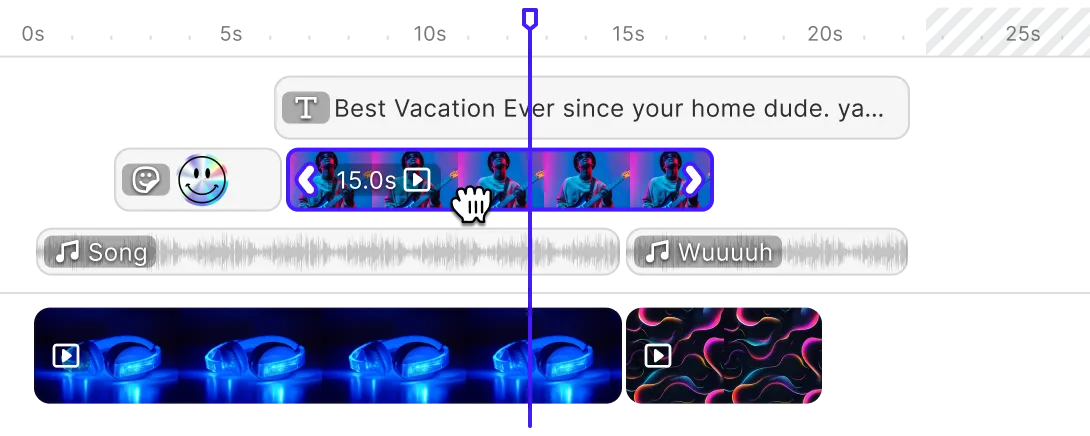
Editing
Printing




Templating
Text variables.
Enable mass personalization and creative automation by embedding variables.
Placeholders & lockable designs.
Constrain templates to guide your users’ design and ensure brand consistency.
Configurable presets.
Enforce a consistent aesthetic across all creations by using preset filters, adjustments, fonts, and crop ratios.
Customizability
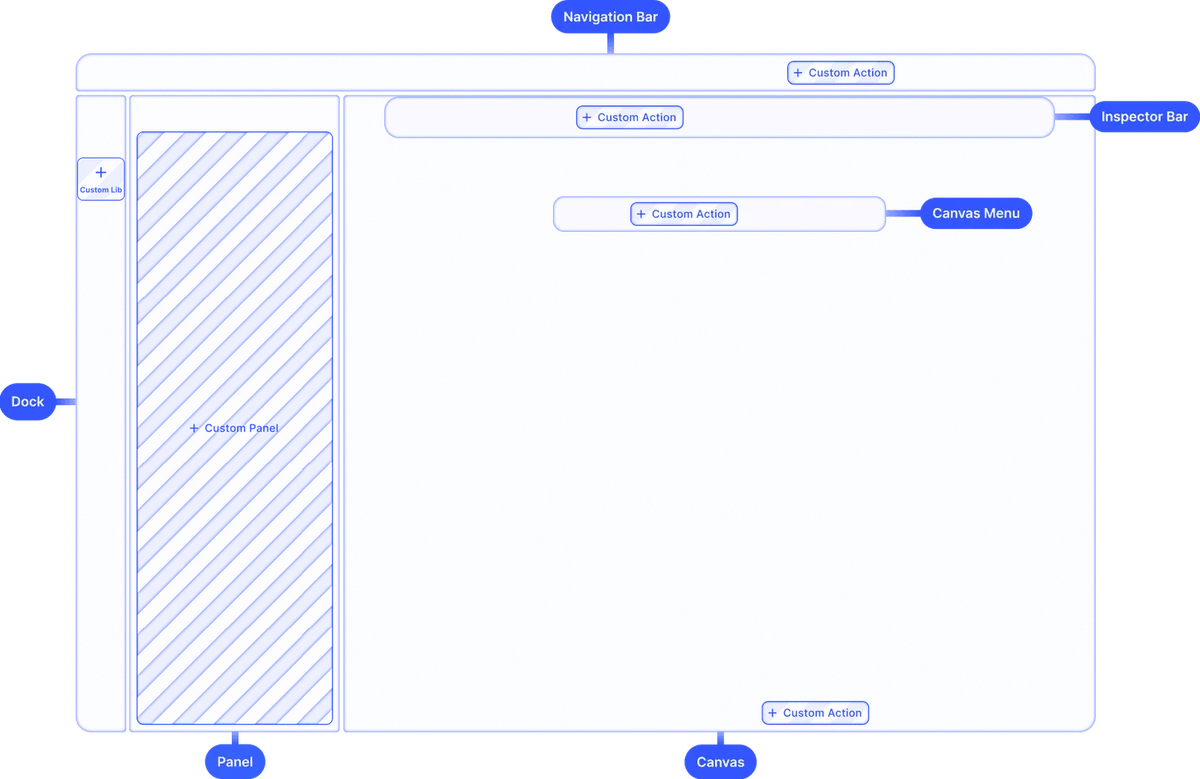
Build custom UIs.
Use the headless API powering all creative operations to implement an entirely custom UI.
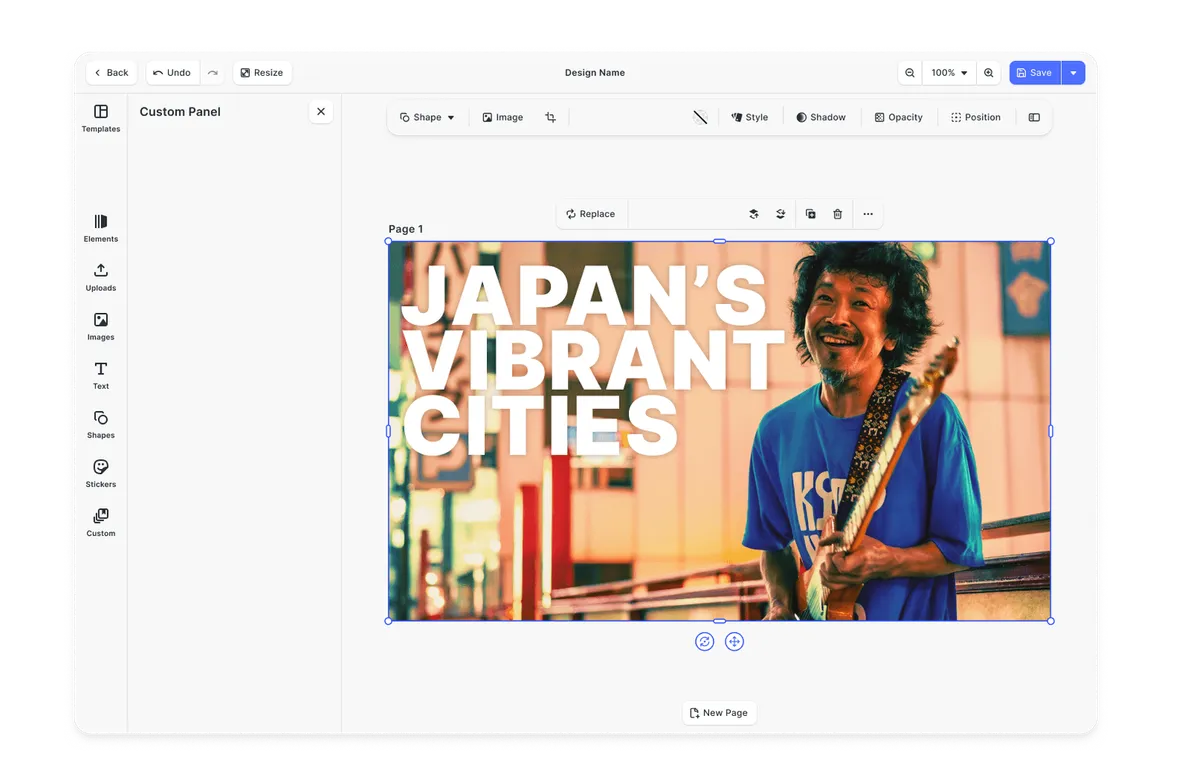
Theming.
Change the editor theme to fit seamlessly with your app.
Media libraries.
Set up custom libraries that are easily sortable.
Toolbar customization.
Reposition toolbar elements, change icons, or rename tools to fit your use case.
Internationalization.
Add support for additional languages, and customize any button label.
Export options.
Export designs in JPG, PNG, or PDF with custom quality, page ranges, and dimensions.
Check out other use cases
Learn more about related solutions.
Photo Prints
Provide seamless design experience and inspire users with easily personalized templates.
Apparel Designer
Whether t-shirts, hoodies or caps, build for any use case, deploy on any platform.
Get in touch
Contact our sales team to learn more about licensing options and get access to our AI plugins for CE.SDK.
FAQs
If you're looking for a powerful, extensible, and scalable solution, IMG.LY is a great alternative to Pintura. It goes beyond basic image editing with support for advanced design and video workflows, automation, and deep customization options ideal for SaaS products, creative tools, and enterprise applications.
While Pintura focuses on lightweight image editing with optional video trimming, IMG.LY offers a full creative suite. Key differences include multi-track video editing, template-based workflows, automation via headless APIs, cross-platform support, plugin extensibility, and enterprise-grade features like dedicated support and scalability.
No, Pintura's video editing capabilities are limited to basic manipulations. IMG.LY supports full video editing, including multi-track editing, overlays, transitions, and automation, making it more suitable for social media content creation.
IMG.LY offers more flexibility, scalability, and white-labeling options, making it ideal for SaaS platforms targeting various industries.
No, Pintura is a purely manual editor. IMG.LY offers a headless API for batch processing and programmatic design generation.
Pintura allows minor UI tweaks via configuration but does not support deep customization or full theming like IMG.LY does.
Pintura is web-only. IMG.LY works across web, mobile (iOS/Android), and even in native desktop environments via Electron and macOS.
Only IMG.LY supports a plugin system that allows you to build and integrate custom tools into the editor.
Templating, dynamic content insertion, smart layout constraints, and multi-layer editing—none of which are available in Pintura.