

One editor for all your users’ creative needs
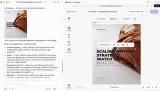
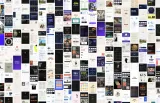
From wedding invitations and photo books to social ads and YouTube videos, you configure CE.SDK for what your users make and how your team works. The same editor runs on the web, on mobile and in print kiosks, so your users get one editing experience wherever they design.

Trusted by 100+
industry leaders















Integrating IMG.LY’s editor meant we didn’t have to build or maintain a complex editing layer ourselves. That kept our team focused on our core AI ad engine and saved us countless development hours — while still giving our customers the ability to polish and customize creatives at scale.
Hikari Senju
CEO, Omneky

With IMG.LY we built a central creative portal that now powers over 140 dealer campaigns across multiple automotive brands. Before this, asset creation was slow and inconsistent.
Martin Röhr
Product Owner, Digitas

By embedding IMG.LY’s editor we were able to hit key RFP requirements and deliver a template-based creative experience that now serves 1,000+ customers. It helped us win more deals and exceed enterprise expectations without needing to hire dedicated design teams.
Rob Driscoll
Director of PM, Optimizely

Since integrating IMG.LY’s editor, we now deliver 30,000+ ad creatives per month, dramatically shorten time-to-launch, and help our clients cut design spend by up to $10,000 per month.
Logan Welbaum
Founder, Plai

Our customers create over a million personalized postcards each year choosing from over hundreds of templates with IMG.LY’s SDK. It’s the only solution that allows us to build our own specialized, on-brand UI that integrates seamlessly with our platform.
Jeanine Zaalberg
Product Manager, SwissPost

From a developer’s perspective, the most powerful feature of the photo editor is the integration process. It was completely flawless, quick, and easy to integrate.
Stefano Fornari
CTO, Funambol
We compared IMG.LY SDK with other solutions and found that it would be the best fit for us since it provides all the features that are crucial for our use case.
Carem Pereira
SCRUM Manager, HP

Popular use cases
Pick the closest fit and configure the editor for your users.
Banners
Print-ready banners for events, sales and campaigns.

Book Covers
Print, ebook and audiobook covers, with a spine and bleed for print.

Brochures
Trifold and bifold brochures, on brand and ready for print.

Business Cards
Business cards personalized for each person on a team.

Cards
Greeting and event cards, personalized and ready for print.

Certificates
Award, course and gift certificates, each with its recipient’s name filled in.

Collages
Collages that arrange several photos in ready-made layouts for print.

Flyers
Flyers for events, offers and announcements, from templates your team controls.

Invitations
Printed and digital invitations, personalized for each guest.

Packaging
Bottle labels, cartons and gift wrap, designed on your templates and ready for print.

Photo Books
Photo books that lay out your users’ photos across the pages.

Postcards
Postcards for direct mail and greetings, personalized and ready for print.

Posters
Large-format posters for print and for screens.

Presentations
Slide decks for pitches and updates, on brand from the first slide.

Prints
Canvas prints, stickers, tickets and invoices, with color control for print.

Product Graphics
Mockups and ad creatives for the products your users sell.

Social Media Graphics
Posts and carousels sized for each social network, on brand.

T-Shirts
Personalized T-shirts with files ready for print on demand.

Video Editing
Ads, tutorials, listing tours and game montages, each with the edit that kind of video needs.

What you ship
Photo, video and design editing in one editor
Pick the design, photo and video features your use case needs. Placeholders and constraints set how much each user can change, so the editor can feel as simple or as advanced as their level calls for.

A UI that fits your product
Match the editor to your use case and your brand. Start from a ready-made layout, or build your own interface from scratch on the headless API.

Web, iOS, Android and desktop
The editor runs on iOS, Android, desktop and the web on the same engine, so your users can switch devices without losing their work.

Designs generated from your data
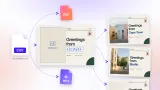
Connect templates to a data source and generate variations in minutes, each one consistent with the template it came from.

Asset libraries and plugins
Bring Getty Images, Unsplash, Pexels or Airtable into the editor, and add features through the Plugin API, such as background removal, vectorization or a workflow of your own.

Templates, customization and output
The parts of CE.SDK that every use case above builds on. Browse all capabilities
Templating
Design templates, text variables, placeholders and presets, so your users make on-brand designs at scale.
Customization
Build your own UI, theme the editor, set up media libraries and translate every label to match your product.
Output
PDF/X export, CMYK and spot colors, video encoding and headless rendering for files that are ready for production.
Ready to add the right editor to your app?
Talk to the IMG.LY team about licensing and how to get started with CE.SDK.