Add visual depth and interest to text blocks using drop shadows and stroke outlines.
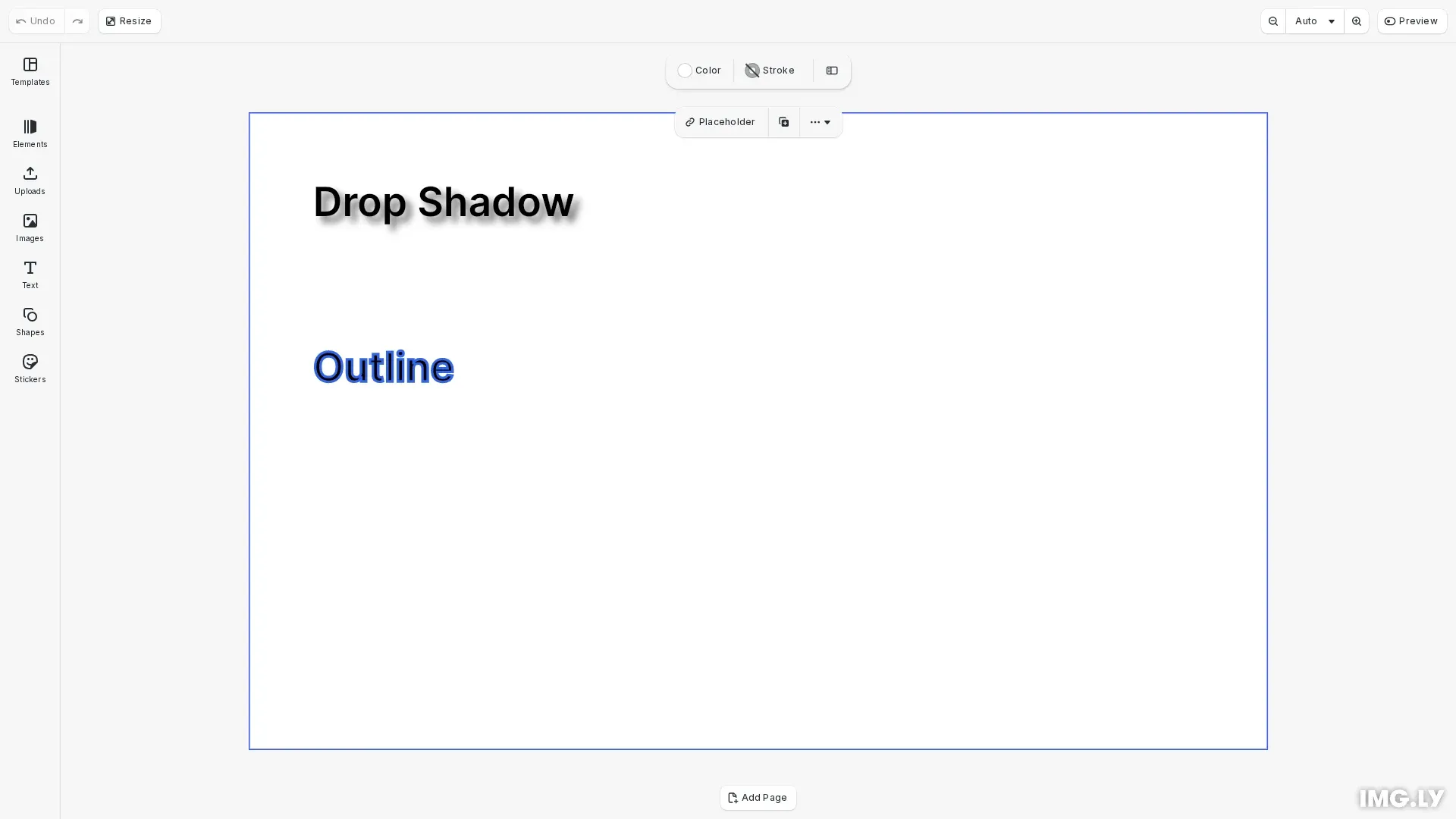
Text effects in CE.SDK include drop shadows for depth and stroke outlines for text borders. These visual effects are distinct from text styling properties like colors, fonts, and backgrounds.
This guide covers how to apply drop shadows and stroke outlines to text blocks programmatically using the Block API.
Drop Shadows#
Drop shadows add depth and emphasis to text. CE.SDK provides dedicated APIs for configuring shadow properties on text blocks.
// Create a text block with drop shadowconst shadowText = engine.block.create('//ly.img.ubq/text');engine.block.replaceText(shadowText, 'Drop Shadow');engine.block.setTextFontSize(shadowText, 90);engine.block.setWidthMode(shadowText, 'Auto');engine.block.setHeightMode(shadowText, 'Auto');engine.block.setPositionX(shadowText, 50);engine.block.setPositionY(shadowText, 50);engine.block.appendChild(page, shadowText);
// Enable and configure drop shadowengine.block.setDropShadowEnabled(shadowText, true);engine.block.setDropShadowColor(shadowText, {  r: 0,  g: 0,  b: 0,  a: 0.6});engine.block.setDropShadowOffsetX(shadowText, 5);engine.block.setDropShadowOffsetY(shadowText, 5);engine.block.setDropShadowBlurRadiusX(shadowText, 10);engine.block.setDropShadowBlurRadiusY(shadowText, 10);
The drop shadow API provides control over color, position, and blur. The offset values position the shadow relative to the text, while the blur radius controls shadow softness. Horizontal and vertical blur can be configured independently for asymmetric effects.
Stroke Outlines#
Stroke outlines add a colored border around text. We enable stroke with setStrokeEnabled(), then configure width, color, style, and position.
// Create a text block with stroke outlineconst outlineText = engine.block.create('//ly.img.ubq/text');engine.block.replaceText(outlineText, 'Outline');engine.block.setTextFontSize(outlineText, 90);engine.block.setWidthMode(outlineText, 'Auto');engine.block.setHeightMode(outlineText, 'Auto');engine.block.setPositionX(outlineText, 50);engine.block.setPositionY(outlineText, 180);engine.block.appendChild(page, outlineText);
// Enable and configure strokeengine.block.setStrokeEnabled(outlineText, true);engine.block.setStrokeWidth(outlineText, 2);engine.block.setStrokeColor(outlineText, {  r: 0.2,  g: 0.4,  b: 0.9,  a: 1.0});engine.block.setStrokeStyle(outlineText, 'Solid');engine.block.setStrokePosition(outlineText, 'Center');
The stroke width is specified in pixels. Text blocks use centered stroke positioning. Stroke styles include 'Solid', 'Dashed', 'Dotted', and other line patterns.
API Reference#
| Method | Purpose |
|---|---|
engine.block.supportsDropShadow() | Check if block supports drop shadows |
engine.block.setDropShadowEnabled() | Enable or disable drop shadow |
engine.block.setDropShadowColor() | Set shadow color |
engine.block.setDropShadowOffsetX() | Set horizontal shadow offset |
engine.block.setDropShadowOffsetY() | Set vertical shadow offset |
engine.block.setDropShadowBlurRadiusX() | Set horizontal blur radius |
engine.block.setDropShadowBlurRadiusY() | Set vertical blur radius |
engine.block.setStrokeEnabled() | Enable or disable stroke |
engine.block.setStrokeWidth() | Set stroke width in pixels |
engine.block.setStrokeColor() | Set stroke color |
engine.block.setStrokeStyle() | Set stroke style (Solid, Dashed, etc.) |
Troubleshooting#
Drop shadow not visible: Ensure setDropShadowEnabled() is called after configuring properties. Verify supportsDropShadow() returns true for the block.
Stroke not visible: Ensure setStrokeEnabled() is called with true and stroke width is greater than 0.
Stroke too thick or thin: Adjust the value passed to setStrokeWidth() to control outline thickness.