Rotate images to adjust orientation, correct crooked photos, or create creative effects using CE.SDK’s rotation APIs.
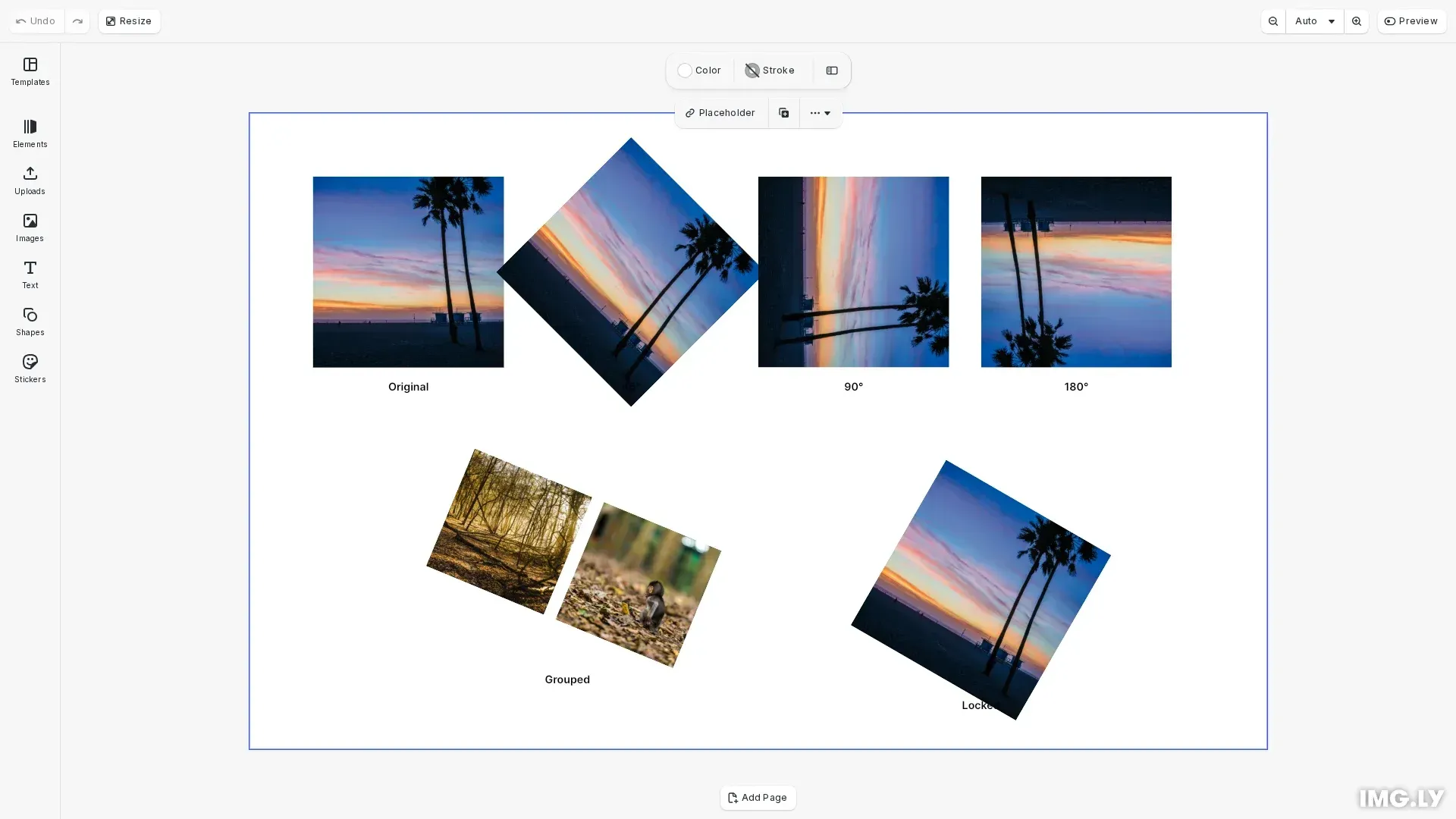
Rotation uses radians where Math.PI / 2 equals 90°, Math.PI equals 180°, and negative values rotate clockwise. Values are relative to the block’s center point.
This guide covers rotating images by specific angles, reading rotation values, converting between degrees and radians, rotating grouped elements together, and locking rotation on blocks.
Initialize the Editor#
Set up the editor with default assets and create a design scene:
await cesdk.addPlugin(new DesignEditorConfig());
// Add asset source pluginsawait cesdk.addPlugin(new BlurAssetSource());await cesdk.addPlugin(new ColorPaletteAssetSource());await cesdk.addPlugin(new CropPresetsAssetSource());await cesdk.addPlugin(new UploadAssetSources({ include: ['ly.img.image.upload'] }));await cesdk.addPlugin(  new DemoAssetSources({    include: [      'ly.img.templates.blank.*',      'ly.img.templates.presentation.*',      'ly.img.templates.print.*',      'ly.img.templates.social.*',      'ly.img.image.*'    ]  }));await cesdk.addPlugin(new EffectsAssetSource());await cesdk.addPlugin(new FiltersAssetSource());await cesdk.addPlugin(new PagePresetsAssetSource());await cesdk.addPlugin(new StickerAssetSource());await cesdk.addPlugin(new TextAssetSource());await cesdk.addPlugin(new TextComponentAssetSource());await cesdk.addPlugin(new TypefaceAssetSource());await cesdk.addPlugin(new VectorShapeAssetSource());
await cesdk.actions.run('scene.create', {  page: { width: 800, height: 500, unit: 'Pixel' }});
Rotate an Image#
Rotate blocks using engine.block.setRotation() with angle values in radians. Use Math.PI for 180° or divide for smaller increments:
// Rotate the block by 45 degrees (π/4 radians)engine.block.setRotation(rotated45Image, Math.PI / 4);Rotate by 90 Degrees#
Rotate a block by 90 degrees using Math.PI / 2:
// Rotate the block by 90 degrees (π/2 radians)engine.block.setRotation(rotated90Image, Math.PI / 2);Rotate by 180 Degrees#
Flip a block upside down by rotating 180 degrees using Math.PI:
// Rotate the block by 180 degrees (π radians)engine.block.setRotation(rotated180Image, Math.PI);Get Current Rotation#
Read the current rotation value using engine.block.getRotation(). The returned value is in radians:
// Get current rotation valueconst currentRotation = engine.block.getRotation(rotated45Image);console.log('Current rotation (radians):', currentRotation);console.log( 'Current rotation (degrees):', (currentRotation * 180) / Math.PI);Convert Between Degrees and Radians#
Create helper functions to convert between degrees and radians for more intuitive angle values:
// Helpers for degree/radian conversionconst toRadians = (degrees: number) => (degrees * Math.PI) / 180;const toDegrees = (radians: number) => (radians * 180) / Math.PI;
// Example: rotate by 30 degrees using helperconst targetRadians = toRadians(30);console.log('30 degrees in radians:', targetRadians);console.log('Converted back to degrees:', toDegrees(targetRadians));
Rotate Groups Together#
Group multiple blocks and rotate them as a unit to maintain their relative positions:
// Group blocks and rotate them togetherconst groupId = engine.block.group([groupedImage1, groupedImage2]);engine.block.setRotation(groupId, Math.PI / 8);Lock Rotation#
Disable rotation for a specific block using engine.block.setScopeEnabled() with the layer/rotate scope:
// Lock rotation for a single blockengine.block.setScopeEnabled(lockedImage, 'layer/rotate', false);Troubleshooting#
Rotation Has No Effect#
Ensure the block exists and is appended to a page before calling setRotation(). Verify the block ID is valid using engine.block.isValid().
Unexpected Rotation Direction#
Positive values rotate counterclockwise, negative values rotate clockwise. Double-check your angle calculation if the rotation appears inverted.
Block Appears Skewed After Rotation#
Rotation uses the block’s center as the pivot point. If the block appears off-center, check that no unexpected scaling or positioning was applied.
Locked Block Won’t Rotate#
Check if the block’s layer/rotate scope is disabled using engine.block.isScopeEnabled(). Re-enable with engine.block.setScopeEnabled(block, 'layer/rotate', true).
API Reference#
| Method | Description |
|---|---|
engine.block.setRotation() | Set rotation angle in radians |
engine.block.getRotation() | Get current rotation angle in radians |
engine.block.group() | Group blocks for collective transforms |
engine.block.setScopeEnabled() | Enable or disable specific block scopes |
engine.block.isScopeEnabled() | Check if a scope is enabled for a block |