Organize design elements in CE.SDK using a hierarchical layer stack to control stacking order, visibility, and element relationships.
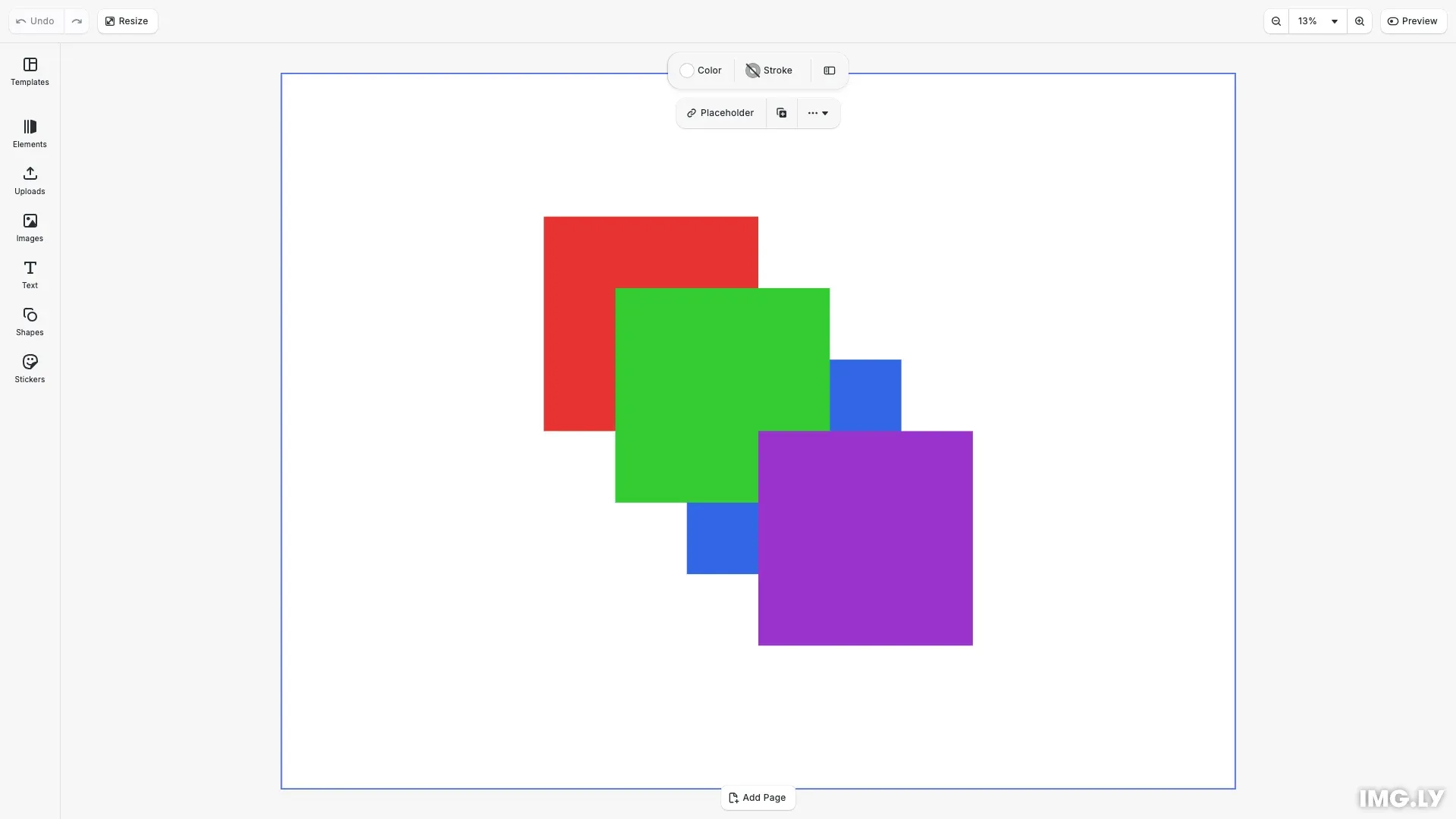
Design elements in CE.SDK are organized in a hierarchical parent-child structure. Children of a block are rendered in order, with the last child appearing on top. This layer stack model gives you precise control over how elements overlap and interact visually.
This guide covers how to navigate the block hierarchy, reorder elements in the layer stack, toggle visibility, and manage block lifecycles through duplication and deletion.
Creating Visual Blocks#
To demonstrate layer ordering, we create colored rectangles that overlap on the canvas. Each block is created using engine.block.create() and configured with a shape, fill color, dimensions, and position.
// Create a colored rectangleconst redRect = engine.block.create('graphic');engine.block.setShape(redRect, engine.block.createShape('rect'));const redFill = engine.block.createFill('color');engine.block.setFill(redRect, redFill);engine.block.setColor(redFill, 'fill/color/value', { r: 0.9, g: 0.2, b: 0.2, a: 1});engine.block.setWidth(redRect, 180);engine.block.setHeight(redRect, 180);engine.block.setPositionX(redRect, 220);engine.block.setPositionY(redRect, 120);Navigating the Block Hierarchy#
CE.SDK organizes blocks in a parent-child tree structure. Every block can have one parent and multiple children. Understanding this hierarchy is essential for programmatic layer management.
Getting a Block’s Parent#
We retrieve the parent of any block using engine.block.getParent(). This returns the parent’s block ID, or null if the block has no parent (such as the scene root).
// Get the parent of a blockconst parent = engine.block.getParent(redRect);console.log('Parent of red rectangle:', parent);Knowing a block’s parent helps you understand where it sits in the hierarchy and enables operations like reparenting or finding sibling blocks.
Listing Child Blocks#
We get all direct children of a block using engine.block.getChildren(). Children are returned sorted in their rendering order, where the last child renders in front of other children.
// Get all children of the pageconst children = engine.block.getChildren(page);console.log('Page children (in render order):', children);This method is useful for iterating through all elements on a page or within a group.
Adding and Positioning Blocks#
When you create a new block, it exists independently until you add it to the hierarchy. There are two ways to attach blocks to a parent: appending to the end or inserting at a specific position.
Appending Blocks#
We add a block as the last child of a parent using engine.block.appendChild(). Since the last child renders on top, the appended block becomes the topmost element.
// Add blocks to the page - last appended is on topengine.block.appendChild(page, redRect);engine.block.appendChild(page, greenRect);engine.block.appendChild(page, blueRect);When you append multiple blocks in sequence, each new block appears in front of the previous ones.
Inserting at a Specific Position#
We insert a block at a specific index in the layer stack using engine.block.insertChild(). Index 0 places the block at the back, behind all other children.
// Insert a new block at a specific position (index 0 = back)const yellowRect = engine.block.create('graphic');engine.block.setShape(yellowRect, engine.block.createShape('rect'));const yellowFill = engine.block.createFill('color');engine.block.setFill(yellowRect, yellowFill);engine.block.setColor(yellowFill, 'fill/color/value', { r: 0.95, g: 0.85, b: 0.2, a: 1});engine.block.setWidth(yellowRect, 180);engine.block.setHeight(yellowRect, 180);engine.block.setPositionX(yellowRect, 160);engine.block.setPositionY(yellowRect, 60);engine.block.insertChild(page, yellowRect, 0);This gives you precise control over where new elements appear in the stacking order.
Reparenting Blocks#
When you add a block to a new parent using appendChild() or insertChild(), it is automatically removed from its previous parent. This makes reparenting operations straightforward without needing to manually detach blocks first.
Changing Z-Order#
Once blocks are in the hierarchy, you can change their stacking order without removing and re-adding them. CE.SDK provides four methods for z-order manipulation.
Bring to Front#
We move an element to the top of its siblings using engine.block.bringToFront(). This gives the block the highest stacking order among its siblings.
// Bring the red rectangle to the frontengine.block.bringToFront(redRect);console.log('Red rectangle brought to front');Send to Back#
We move an element behind all its siblings using engine.block.sendToBack(). This gives the block the lowest stacking order among its siblings.
// Send the blue rectangle to the backengine.block.sendToBack(blueRect);console.log('Blue rectangle sent to back');Move Forward One Layer#
We move an element one position forward using engine.block.bringForward(). This swaps the block with its immediate sibling in front.
// Move the green rectangle forward one layerengine.block.bringForward(greenRect);console.log('Green rectangle moved forward');Move Backward One Layer#
We move an element one position backward using engine.block.sendBackward(). This swaps the block with its immediate sibling behind.
// Move the yellow rectangle backward one layerengine.block.sendBackward(yellowRect);console.log('Yellow rectangle moved backward');These incremental operations are useful for fine-tuning the layer order without jumping to extremes.
Controlling Visibility#
Visibility allows you to temporarily hide elements without removing them from the scene. Hidden elements remain in the hierarchy and preserve their properties, but are not rendered.
Checking and Toggling Visibility#
We query the current visibility state using engine.block.isVisible() and change it using engine.block.setVisible().
// Check and toggle visibilityconst isVisible = engine.block.isVisible(blueRect);console.log('Blue rectangle visible:', isVisible);
// Hide the blue rectangle temporarilyengine.block.setVisible(blueRect, false);console.log('Blue rectangle hidden');
// Show it again for the final compositionengine.block.setVisible(blueRect, true);console.log('Blue rectangle shown again');
Visibility is useful for creating before/after comparisons, hiding elements during editing, or implementing show/hide functionality in your application.
Managing Block Lifecycle#
CE.SDK provides methods for duplicating blocks to create copies and destroying blocks to remove them permanently.
Duplicating Blocks#
We create a copy of a block and all its children using engine.block.duplicate(). By default, the duplicate is attached to the same parent as the original.
// Duplicate a blockconst duplicateGreen = engine.block.duplicate(greenRect);engine.block.setPositionX(duplicateGreen, 400);engine.block.setPositionY(duplicateGreen, 300);// Change the duplicate's color to purpleconst purpleFill = engine.block.createFill('color');engine.block.setFill(duplicateGreen, purpleFill);engine.block.setColor(purpleFill, 'fill/color/value', { r: 0.6, g: 0.2, b: 0.8, a: 1});console.log('Green rectangle duplicated');The duplicated block is positioned at the same location as the original. You typically want to reposition it to make it visible as a separate element.
Checking Block Validity#
Before performing operations on a block, we can verify it still exists using engine.block.isValid(). A block becomes invalid after it has been destroyed.
// Check if a block is valid before operationsconst isValidBefore = engine.block.isValid(yellowRect);console.log('Yellow rectangle valid before destroy:', isValidBefore);Removing Blocks#
We permanently remove a block and all its children from the scene using engine.block.destroy(). This operation cannot be undone programmatically.
// Remove a block from the sceneengine.block.destroy(yellowRect);console.log('Yellow rectangle destroyed');
// Check validity after destructionconst isValidAfter = engine.block.isValid(yellowRect);console.log('Yellow rectangle valid after destroy:', isValidAfter);
After destruction, any references to the block become invalid. Attempting to use an invalid block ID will result in errors.
Framing the Result#
After making layer changes, we zoom to fit the page in the viewport so the composition is clearly visible.
engine.scene.zoomToBlock(page, 40, 40, 40, 40);Troubleshooting#
Block not visible after appendChild: The block may be behind other elements. Use engine.block.bringToFront() or adjust the insert index to control stacking order.
getParent returns null: The block is not attached to any parent. Use engine.block.appendChild() or engine.block.insertChild() to attach it to a page or container.
Changes not reflected: The block handle may be invalid. Check with engine.block.isValid() before performing operations.
Z-order not updating: Verify you’re operating on the correct block ID and that the block is in the expected parent context.
Duplicate not appearing: If attachToParent is set to false, the duplicate won’t be attached automatically. Set it to true or manually attach the duplicate to a parent.
API Reference#
| Method | Description |
|---|---|
engine.block.getParent(id) | Get the parent block of a given block |
engine.block.getChildren(id) | Get all child blocks in rendering order |
engine.block.appendChild(parent, child) | Append a block as the last child |
engine.block.insertChild(parent, child, index) | Insert a block at a specific position |
engine.block.bringToFront(id) | Bring a block to the front of its siblings |
engine.block.sendToBack(id) | Send a block to the back of its siblings |
engine.block.bringForward(id) | Move a block one position forward |
engine.block.sendBackward(id) | Move a block one position backward |
engine.block.isVisible(id) | Check if a block is visible |
engine.block.setVisible(id, visible) | Set the visibility of a block |
engine.block.duplicate(id, attachToParent?) | Duplicate a block and its children |
engine.block.destroy(id) | Remove a block and its children |
engine.block.isValid(id) | Check if a block handle is valid |