Monitor and react to block changes in real time by subscribing to creation, update, and destruction events in your CE.SDK scene.
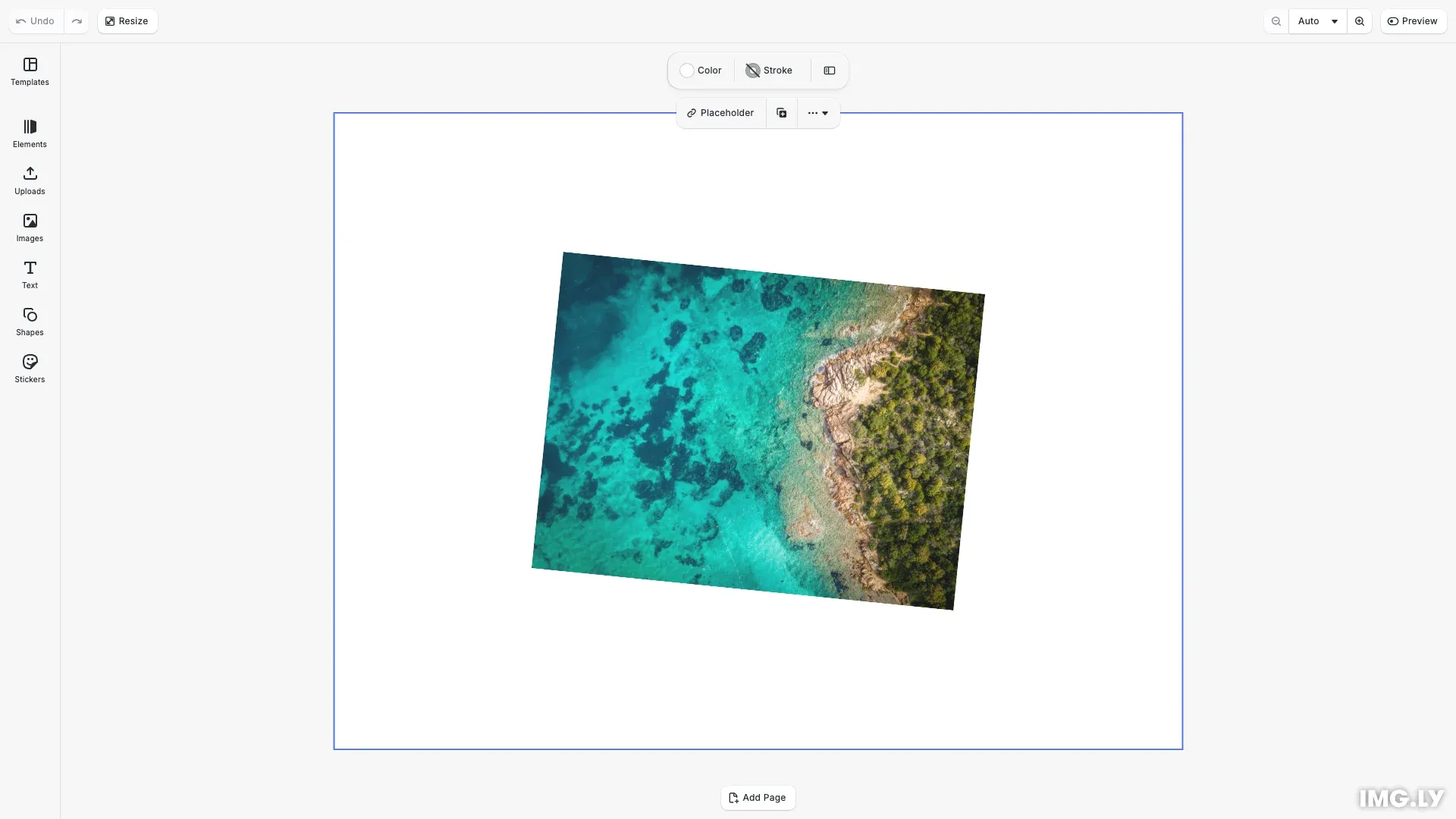
Events enable real-time monitoring of block changes in CE.SDK. When blocks are created, modified, or destroyed, the engine delivers these changes through callback subscriptions at the end of each update cycle. This push-based notification system eliminates the need for polling and enables efficient reactive architectures.
This guide covers subscribing to block lifecycle events, processing the three event types (Created, Updated, Destroyed), filtering events to specific blocks, understanding batching and deduplication behavior, and properly cleaning up subscriptions.
Event Types#
CE.SDK provides three event types that capture the block lifecycle:
Created: Fires when a new block is added to the sceneUpdated: Fires when any property of a block changesDestroyed: Fires when a block is removed from the scene
Each event contains a block property with the block ID and a type property indicating which event occurred.
Subscribing to All Blocks#
Use engine.event.subscribe() to register a callback that receives batched events. Pass an empty array to receive events from all blocks in the scene:
// Subscribe to events from all blocks in the scene// Pass an empty array to receive events from every blockconst unsubscribeAll = engine.event.subscribe([], (events) => { for (const event of events) { console.log( `[All Blocks] ${event.type} event for block ${event.block}` ); }});The callback receives an array of events at the end of each engine update cycle. The function returns an unsubscribe function you should store for cleanup.
Subscribing to Specific Blocks#
For better performance when you only care about certain blocks, pass an array of block IDs to filter events:
// Subscribe to events for specific blocks only// This is more efficient when you only care about certain blocksconst unsubscribeSpecific = engine.event.subscribe([graphic], (events) => { for (const event of events) { console.log( `[Specific Block] ${event.type} event for block ${event.block}` ); }});This reduces overhead since the engine only needs to prepare events for the blocks you’re tracking.
Creating Blocks and Handling Created Events#
When you create a block, the engine fires a Created event. You can safely use Block API methods on the block ID since the block is valid:
// Create a graphic block - this triggers a Created eventconst graphic = engine.block.create('graphic');
// Set up the graphic with a shape and fillconst rectShape = engine.block.createShape('rect');engine.block.setShape(graphic, rectShape);
// Position and size the graphicengine.block.setPositionX(graphic, 200);engine.block.setPositionY(graphic, 150);engine.block.setWidth(graphic, 400);engine.block.setHeight(graphic, 300);
// Add an image fillconst imageFill = engine.block.createFill('image');engine.block.setString(  imageFill,  'fill/image/imageFileURI',  'https://img.ly/static/ubq_samples/sample_1.jpg');engine.block.setFill(graphic, imageFill);engine.block.setEnum(graphic, 'contentFill/mode', 'Cover');
// Append to page to make it visibleengine.block.appendChild(page, graphic);console.log('Created graphic block:', graphic);
Use Created events to initialize tracking, update UI state, or set up additional subscriptions for the new block.
Updating Blocks and Handling Updated Events#
Modifying any property of a block triggers an Updated event. Due to deduplication, you receive at most one Updated event per block per engine update cycle, regardless of how many properties changed:
// Modify the block - this triggers Updated events// Due to deduplication, multiple rapid changes result in one Updated eventengine.block.setRotation(graphic, 0.1); // Rotate slightlyengine.block.setFloat(graphic, 'opacity', 0.9); // Adjust opacityconsole.log('Modified graphic block - rotation and opacity changed');Multiple rapid changes to the same block result in a single Updated event, making event handling efficient even during complex operations.
Processing Events by Type#
Handle each event type appropriately by checking the type property. For Created and Updated events, you can safely use Block API methods. For Destroyed events, the block ID is no longer valid:
// Process events by checking the type propertyconst unsubscribeProcess = engine.event.subscribe([], (events) => { for (const event of events) { switch (event.type) { case 'Created': { // Block was just created - safe to use Block API const blockType = engine.block.getType(event.block); console.log(`Block created with type: ${blockType}`); break; } case 'Updated': { // Block property changed - safe to use Block API console.log(`Block ${event.block} was updated`); break; } case 'Destroyed': { // Block was destroyed - must check validity before using Block API const isValid = engine.block.isValid(event.block); console.log( `Block ${event.block} destroyed, still valid: ${isValid}` ); break; } } }});Handling Destroyed Events Safely#
When a block is destroyed, the block ID becomes invalid. Calling Block API methods on a destroyed block throws an exception. Always check validity with engine.block.isValid() before operations:
// When handling Destroyed events, always check block validity// The block ID is no longer valid after destructionconst unsubscribeDestroyed = engine.event.subscribe([], (events) => { for (const event of events) { if (event.type === 'Destroyed') { // IMPORTANT: Check validity before any Block API calls if (engine.block.isValid(event.block)) { // Block is still valid (this shouldn't happen for Destroyed events) console.log('Block is unexpectedly still valid'); } else { // Block is invalid - expected for Destroyed events // Clean up any references to this block ID console.log( `Block ${event.block} has been destroyed and is invalid` ); } } }});After verifying the block is invalid, you can safely clean up any local references. The destroy operation itself triggers the Destroyed event:
// Destroy the text block - this triggers a Destroyed eventengine.block.destroy(textBlock);console.log('Destroyed text block');
// After destruction, the block ID is no longer validconst isTextBlockValid = engine.block.isValid(textBlock);console.log('Text block still valid after destroy:', isTextBlockValid); // false
Use isValid() to clean up any references to destroyed blocks in your application state.
Unsubscribing from Events#
The subscribe() method returns an unsubscribe function. Call it when you no longer need events to prevent memory leaks and reduce engine overhead:
// Clean up subscriptions when no longer needed// This prevents memory leaks and reduces engine overheadunsubscribeAll();unsubscribeSpecific();unsubscribeProcess();unsubscribeDestroyed();console.log('Unsubscribed from all event listeners');Always unsubscribe when your component unmounts, the editor closes, or you no longer need to track changes. Keeping unnecessary subscriptions active forces the engine to prepare event lists for each subscriber at every update.
Event Batching and Deduplication#
Events are collected during an engine update and delivered together at the end. The engine deduplicates events, so you receive at most one Updated event per block per update cycle. Event order in the callback does not reflect the actual order of changes within the update.
This batching behavior means:
- Multiple property changes to a single block result in one
Updatedevent - You cannot determine which specific property changed from the event alone
- If you need to track specific property changes, compare against cached values
Use Cases#
Events support various reactive patterns in CE.SDK applications:
- Syncing external state: Keep state management systems (Redux, MobX, Zustand) synchronized with scene changes
- Building reactive UIs: Update UI components when blocks change without polling
- Tracking changes for undo/redo: Monitor all block changes for custom history implementations
- Validating scene constraints: React to block creation or property changes to enforce design rules
Troubleshooting#
Events not firing: Ensure you haven’t unsubscribed prematurely. Verify the blocks you’re filtering to still exist.
Exception on Destroyed event: Never call Block API methods on a destroyed block without first checking engine.block.isValid().
Missing events: Events are deduplicated—multiple rapid changes to the same property result in one Updated event.
Memory leaks: Store the unsubscribe function and call it during cleanup. Forgetting to unsubscribe keeps listeners active.
Event order confusion: Don’t rely on event array order within a single callback—it doesn’t reflect chronological order of changes.