Lock design elements to prevent unwanted modifications using CE.SDK’s scope-based permission system.
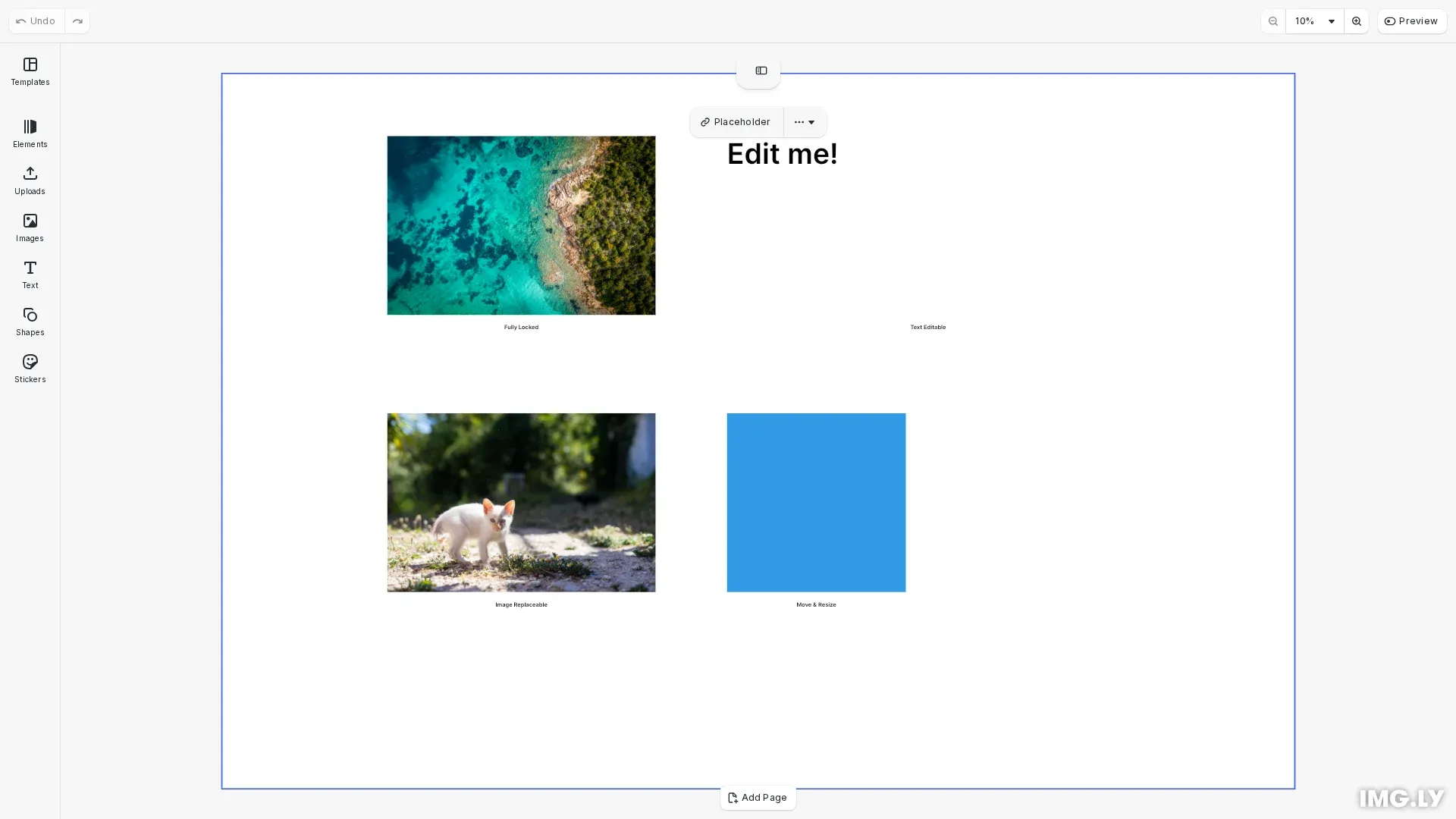
CE.SDK uses scopes to control what users can modify in a design. Each scope gates a specific capability—moving, resizing, text editing, image replacement, and more. The permission system has two layers: global scopes set defaults for the entire editor, and block-level scopes override those defaults when the global scope is set to Defer.
This guide covers how to discover available scopes, lock an entire design, and selectively enable specific editing capabilities on individual blocks.
Understanding the Scope Permission Model#
Global and block-level scopes combine to determine whether an operation is permitted. The global scope can be set to one of three values:
| Global Scope | Block Scope | Result |
|---|---|---|
Allow |
any | Permitted |
Deny |
any | Blocked |
Defer |
enabled | Permitted |
Defer |
disabled | Blocked |
When global is Allow, the operation is always permitted regardless of block settings. When global is Deny, it’s always blocked. When global is Defer, the block-level enabled/disabled state determines the outcome.
Discovering Available Scopes#
We can retrieve all available scope names using engine.editor.findAllScopes(). This returns an array of scope identifiers that can be used with the global and block-level scope APIs.
// Get all available scopesconst allScopes = engine.editor.findAllScopes();console.log('Available scopes:', allScopes);Locking an Entire Design#
To lock everything, we iterate through all scopes and set each global scope to Deny. This prevents any editing operation on any block in the design.
// Step 1: Lock everything by setting all global scopes to 'Deny'for (const scope of allScopes) { engine.editor.setGlobalScope(scope, 'Deny');}console.log('All scopes locked globally');Important: When locking all scopes, the editor/select scope is also locked. Users cannot interact with a block they cannot select. Before enabling specific capabilities, you must also enable editor/select on blocks users should be able to interact with.
Selective Locking Patterns#
In most real-world scenarios, you want to lock some aspects while allowing others. Here are common patterns for partial locking.
Allowing Text Editing#
To allow users to edit text content but nothing else, we set the text/edit and text/character global scopes to Defer, then enable them on specific text blocks.
// Step 2: Allow text editing on specific blocks// Set text/edit scope to 'Defer' so block-level settings take effectengine.editor.setGlobalScope('text/edit', 'Defer');engine.editor.setGlobalScope('text/character', 'Defer');
// Enable text editing on the editable text blockengine.block.setScopeEnabled(editableText, 'text/edit', true);engine.block.setScopeEnabled(editableText, 'text/character', true);console.log(  'Text editing enabled for:',  engine.block.getName(editableText));
Allowing Image Replacement#
To allow users to swap images while protecting layout, we set the fill/change global scope to Defer and enable it on specific image blocks.
// Step 3: Allow image replacement on specific blocks// Set fill/change scope to 'Defer'engine.editor.setGlobalScope('fill/change', 'Defer');
// Enable image replacement on the replaceable image blockengine.block.setScopeEnabled(replaceableImage, 'fill/change', true);console.log(  'Image replacement enabled for:',  engine.block.getName(replaceableImage));
Allowing Position Adjustments#
To allow repositioning of specific elements, we set layer/move and layer/resize to Defer globally, then enable them on selected blocks.
// Step 4: Allow repositioning of specific blocks// Set layer/move scope to 'Defer'engine.editor.setGlobalScope('layer/move', 'Defer');engine.editor.setGlobalScope('layer/resize', 'Defer');
// Enable movement and resizing on the movable shapeengine.block.setScopeEnabled(movableShape, 'layer/move', true);engine.block.setScopeEnabled(movableShape, 'layer/resize', true);console.log(  'Position adjustment enabled for:',  engine.block.getName(movableShape));
Checking Permissions#
We can verify the effective permission on a block using engine.block.isAllowedByScope(). This returns true if the operation is permitted after evaluating both global and block-level settings.
private logPermissions(  engine: CreativeEngine,  name: string,  blockId: number): void {  const canMove = engine.block.isAllowedByScope(blockId, 'layer/move');  const canResize = engine.block.isAllowedByScope(blockId, 'layer/resize');  const canEditText = engine.block.isAllowedByScope(blockId, 'text/edit');  const canChangeFill = engine.block.isAllowedByScope(blockId, 'fill/change');  const canDelete = engine.block.isAllowedByScope(    blockId,    'lifecycle/destroy'  );
  console.log(`Permissions for "${name}":`);  console.log(`  - Move: ${canMove}`);  console.log(`  - Resize: ${canResize}`);  console.log(`  - Edit text: ${canEditText}`);  console.log(`  - Change fill: ${canChangeFill}`);  console.log(`  - Delete: ${canDelete}`);}
Use engine.block.isScopeEnabled() to check just the block-level setting, and engine.editor.getGlobalScope() to check the global setting.
Available Scopes Reference#
| Scope | Description |
|---|---|
layer/move |
Move block position |
layer/resize |
Resize block dimensions |
layer/rotate |
Rotate block |
layer/flip |
Flip block horizontally or vertically |
layer/crop |
Crop block content |
layer/opacity |
Change block opacity |
layer/blendMode |
Change blend mode |
layer/visibility |
Toggle block visibility |
layer/clipping |
Change clipping behavior |
fill/change |
Change fill content |
fill/changeType |
Change fill type |
stroke/change |
Change stroke properties |
shape/change |
Change shape type |
text/edit |
Edit text content |
text/character |
Change text styling (font, size, color) |
appearance/adjustments |
Change color adjustments |
appearance/filter |
Apply or change filters |
appearance/effect |
Apply or change effects |
appearance/blur |
Apply or change blur |
appearance/shadow |
Apply or change shadows |
appearance/animation |
Apply or change animations |
lifecycle/destroy |
Delete the block |
lifecycle/duplicate |
Duplicate the block |
editor/add |
Add new blocks |
editor/select |
Select blocks |
Troubleshooting#
| Issue | Cause | Solution |
|---|---|---|
| Block still editable | Global scope set to Allow |
Change global scope to Deny or Defer |
| Block unexpectedly locked | Global scope set to Deny |
Set global scope to Defer and enable block-level scope |
| Can’t interact with unlocked block | editor/select scope is locked |
Enable editor/select on blocks users should interact with |
| Permission check returns wrong value | Checking wrong scope level | Use isAllowedByScope() for effective permission |
| New SDK scopes not locked | Locking code doesn’t cover new scopes | Use findAllScopes() dynamically |